Best 9 Schedule Planner Apps : Top Picks for Work, School & Daily Life

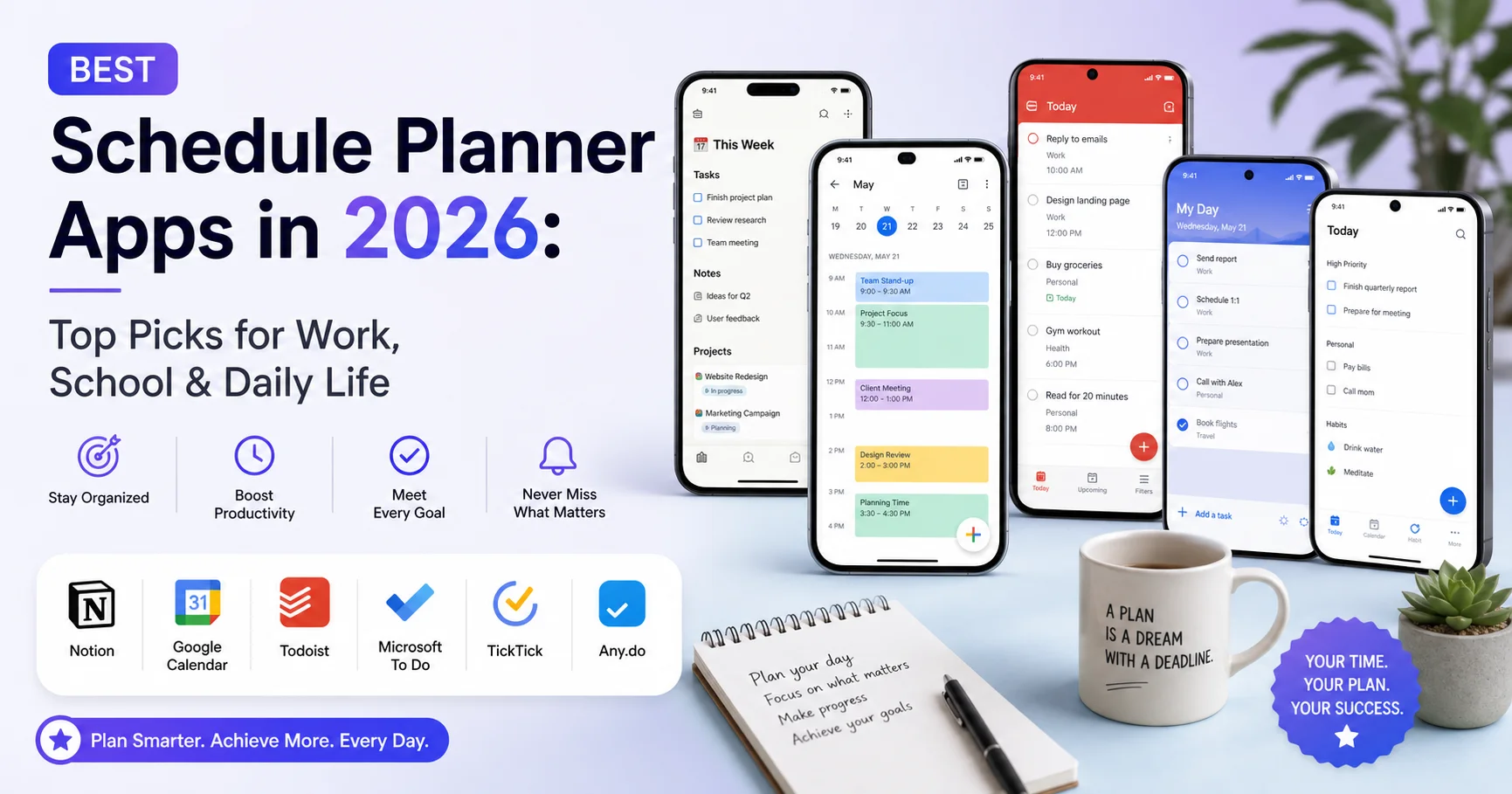
Introduction To Best Schedule Planner Apps
Juggling work deadlines, school assignments, and personal errands on sticky notes or scattered reminders is a recipe for burnout. I’ve been there — missing a client call because it was buried in my email, or forgetting a kid’s school event because it lived on a different app than my work meetings. That’s exactly why finding the right schedule planner matters more than most people realize.
If you’re short on time, here’s the quick answer: Google Calendar remains the best free, all-purpose schedule planner for most people, Notion wins for students and project-based work, TickTick is the best hybrid task-and-schedule planner, and Motion is the top pick if you want AI to build your schedule for you automatically.
But the “best” schedule planner really depends on what you’re organizing — a packed work calendar, a semester of classes, or just your daily routine. In this guide, I’ll walk you through:
- What actually makes a schedule planner worth using in 2026
- A detailed, honest comparison of the top 9 apps on the market
- Real pros and cons based on hands-on testing
- A practical checklist to pick the right one for your situation
- Answers to the most common questions people search for
By the end, you won’t need to open another tab to compare tools — everything you need to decide is right here.
Why a Good Schedule Planner Matters More Than Ever
According to Microsoft’s 2024 Work Trend Index, the average knowledge worker is interrupted or redirected roughly every two minutes during the workday, and over 60% of people report feeling like they don’t have enough uninterrupted time to focus [Microsoft WorkLab, 2024]. A well-structured schedule planner doesn’t just store appointments — it protects your time.
Students face the same pressure. A 2023 Pew Research survey found that over half of U.S. teens reported feeling overwhelmed by schoolwork at least some of the time [Pew Research Center]. A digital schedule planner that syncs assignments, class times, and personal commitments in one place genuinely reduces that mental load.
This is the core reason I always recommend starting with a schedule planner before trying any other productivity system. It’s the foundation everything else sits on.
Quick Tip: Don’t choose a schedule planner based on features alone. Choose based on whether you’ll actually open it every day. The simplest app you use consistently beats the most powerful app you abandon after a week.
What Makes the Best Schedule Planner App in 2026?
Before comparing specific tools, it helps to know what separates a genuinely useful schedule planner from one that just looks good in screenshots. After testing over a dozen apps across work, school, and personal use, these are the factors I weigh most heavily:
- Cross-platform sync – Your schedule planner should work identically on your phone, laptop, and tablet, updating in real time.
- Calendar integration – It should connect with Google, Outlook, or Apple Calendar so you’re not maintaining two separate systems.
- Task and time-blocking support – The best schedule planner apps let you block time for tasks, not just log events.
- Notifications that actually help – Smart reminders, not just a generic 10-minute alert.
- Collaboration features – Especially important for work teams and group school projects.
- Offline access – A schedule planner that fails without Wi-Fi isn’t reliable.
- Price-to-value ratio – Many of the best options have strong free tiers; paid upgrades should add real value, not gate basic functions.
Keep these seven criteria in mind as you read through the comparisons below — they’re the same lens I used during testing.
Best Schedule Planner Apps Compared (2026 Ranking)
Here’s a side-by-side look at the top schedule planner apps available right now, based on hands-on use, publicly available pricing, and aggregated user ratings from the Apple App Store and Google Play as of early 2026.
| App | Best For | Rating | Free Plan | Starting Paid Price | Key Strength |
|---|---|---|---|---|---|
| Google Calendar | Everyday use | ⭐⭐⭐⭐⭐ 4.7/5 | Yes | Free (Workspace from $6/mo) | Universal integration |
| Notion | Students & projects | ⭐⭐⭐⭐½ 4.6/5 | Yes | $10/mo | All-in-one workspace |
| TickTick | Task + calendar hybrid | ⭐⭐⭐⭐½ 4.6/5 | Yes | $35.99/yr | Built-in Pomodoro & habits |
| Motion | AI auto-scheduling | ⭐⭐⭐⭐ 4.2/5 | No | $19/mo (billed annually) | AI-built daily schedule |
| Sunsama | Daily planning rituals | ⭐⭐⭐⭐½ 4.5/5 | No (14-day trial) | $20/mo | Calm, focused daily view |
| Outlook Calendar | Corporate teams | ⭐⭐⭐⭐ 4.4/5 | Yes | Free (Microsoft 365 from $6/mo) | Deep Office 365 integration |
| Trello (+ Calendar Power-Up) | Visual project planning | ⭐⭐⭐⭐½ 4.5/5 | Yes | $5/mo | Kanban-style flexibility |
| Any.do | Simple daily planner | ⭐⭐⭐⭐ 4.3/5 | Yes | $5.99/mo | Clean, minimal design |
| Structured | Visual daily timeline | ⭐⭐⭐⭐½ 4.6/5 | Yes | $11.99/mo | Beautiful timeline UI |
Now let’s break down each schedule planner in more detail, including what I genuinely liked and what frustrated me during testing.
1. Google Calendar — Best Free Schedule Planner Overall
Google Calendar is an online calendar and scheduling tool that helps individuals and teams organize events, manage appointments, and plan their daily activities. It allows users to create events, set reminders, schedule meetings, and share calendars with colleagues, friends, or family members. Google Calendar integrates seamlessly with other Google services, including Gmail and Google Meet, making it easy to schedule meetings, receive event notifications, and join video calls directly from calendar invitations. It also supports multiple calendars, recurring events, and availability management to simplify time planning. With its intuitive interface, cross-device synchronization, and collaboration features, Google Calendar is an excellent choice for students, professionals, and businesses looking to improve time management, coordinate schedules, and stay organized.
I’ve used Google Calendar daily for over six years, and it’s still my default recommendation for anyone asking “what’s the best schedule planner to start with?” It’s free, works on every device, and integrates with practically every other tool out there — Zoom, Gmail, Slack, you name it.
What I liked:
- Setting up recurring events (like weekly classes or team meetings) takes seconds
- “Find a time” feature for scheduling meetings across multiple calendars is genuinely useful
- Color-coded calendars let you separate work, school, and personal life visually
What frustrated me:
- Task management is basic compared to dedicated to-do apps
- No built-in time-blocking suggestions — you have to plan everything manually
- The interface hasn’t changed much in years, which some find boring
“The best schedule planner is the one you don’t have to think about using — it should disappear into your routine.” This is exactly where Google Calendar excels: it’s invisible infrastructure, not a separate chore.
Best for: Anyone who wants a dependable, free schedule planner without a learning curve.
2. Notion — Best Schedule Planner App for Students
Notion is a versatile productivity and workspace platform that combines note-taking, project management, knowledge sharing, and collaboration tools in one place. Users can create documents, manage tasks, build databases, and organize information through customizable pages and templates. Popular among individuals, startups, and large organizations, Notion helps teams centralize their work, streamline communication, and stay organized with a flexible and user-friendly interface.
Notion isn’t technically a calendar app, but as a flexible workspace, it’s become one of the most popular schedule planner solutions among students and freelancers. I built a full semester planner in Notion in under an hour, linking a class schedule database to assignment deadlines and a weekly calendar view.
What I liked:
- Fully customizable — build your own weekly schedule planner template from scratch or use free community templates
- Combines notes, tasks, and calendar views in a single workspace
- Great for group projects since pages can be shared and edited collaboratively
What frustrated me:
- Steep learning curve for beginners; it took me a few days to feel comfortable
- Mobile app can feel sluggish with large databases
- Not a true calendar — syncing with Google Calendar requires a workaround or third-party integration
Good to know: Notion’s free plan is generous enough for most students and individuals — you likely won’t need to upgrade unless you’re managing a team.
Best for: Students juggling classes, assignments, and extracurriculars who want everything in one place.
3. TickTick — Best Hybrid Task and Schedule Planner
TickTick is a versatile productivity and task management app that helps users organize their schedules, track tasks, and improve daily efficiency. It offers features such as task lists, reminders, recurring tasks, calendars, habit tracking, and collaboration tools. With its intuitive interface and cross-platform synchronization, TickTick enables users to manage personal and professional responsibilities seamlessly, making it a popular choice for individuals seeking an all-in-one productivity solution.
TickTick blends task management with a genuine calendar view better than almost anything else I tested. If you want a schedule planner that also nags you (gently) about deadlines, this is it.
What I liked:
- Built-in Pomodoro timer and habit tracker alongside the calendar
- Natural language input — type “submit report Friday 3pm” and it schedules itself
- Affordable premium tier compared to competitors
What frustrated me:
- The calendar view feels slightly cramped on smaller phone screens
- Some advanced features (like calendar subscriptions) are locked behind the paid plan
Best for: People who want a single daily schedule app that handles both tasks and appointments.
4. Motion — Best AI-Powered Schedule Planner
Motion is an AI-powered productivity and scheduling platform that helps users automatically organize tasks, meetings, and projects around their priorities and deadlines. It combines calendar management, task planning, and project management to create optimized daily schedules based on availability, workload, and task duration. When priorities change or unexpected meetings arise, Motion can automatically adjust schedules to help users stay on track. It also offers team planning features, project timelines, and deadline management to improve collaboration and productivity. Motion is particularly useful for busy professionals, entrepreneurs, and teams who want to reduce manual scheduling and focus on important work. By automating planning decisions, Motion helps users manage time more efficiently and meet deadlines with greater consistency.
Motion was the most surprising tool I tested. Instead of you manually time-blocking your day, its AI rearranges your schedule automatically based on deadlines, priorities, and meeting times. The first time it rebuilt my entire afternoon after an unexpected call ran long, I was genuinely impressed.
What I liked:
- Automatically re-schedules tasks when your day gets disrupted
- Combines calendar and project management for teams
- Saves significant mental energy — you stop manually re-planning your day
What frustrated me:
- No free plan, and it’s one of the pricier options on this list
- The AI occasionally over-optimizes, scheduling tasks at inconvenient times like early morning
- Takes about a week to trust the automation fully
Best for: Busy professionals and small business owners who want their schedule planner to think for them.
5. Sunsama — Best for Daily Planning Rituals
Sunsama is a daily planning and productivity application designed to help professionals organize tasks, manage calendars, and maintain a balanced workload. It brings tasks from different project management tools and calendars into a unified workspace, allowing users to plan realistic daily schedules and prioritize important work. Sunsama offers guided daily planning, timeboxing, task estimates, and end-of-day reviews to help users stay focused and reflect on their progress. It also integrates with popular tools such as Asana, Trello, Jira, and Google Calendar, reducing the need to switch between multiple applications. Sunsama is particularly useful for busy professionals and teams seeking a structured approach to time management, improved focus, and more sustainable productivity habits.
Sunsama markets itself less as a calendar and more as a daily planning ritual tool. Every morning (or the night before), you review your tasks from Trello, Asana, Gmail, and your calendar, then intentionally plan your day.
What I liked:
- The daily “shutdown” ritual reduces end-of-day anxiety about unfinished tasks
- Pulls tasks from multiple tools into one unified schedule planner view
- Clean, distraction-free interface
What frustrated me:
- No free tier — only a 14-day trial, which feels short for a habit-building tool
- Overkill if you don’t already use multiple task management apps
Best for: Professionals who already use tools like Trello or Asana and want a unifying daily schedule planner layer on top.
6. Outlook Calendar — Best Schedule Planner for Corporate Teams
Outlook Calendar is a scheduling and time-management tool integrated into Microsoft Outlook that helps users organize meetings, appointments, events, and daily tasks in one place. It allows users to create calendar events, set reminders, check colleagues’ availability, and schedule meetings with invitations and responses. Outlook Calendar integrates with Microsoft Teams, Microsoft 365, and email, making it especially useful for coordinating work schedules and managing team collaboration. Users can create shared calendars, manage multiple schedules, and access their events across supported devices. With its business-focused features and seamless Microsoft ecosystem integration, Outlook Calendar is a practical solution for professionals and organizations looking to improve scheduling, reduce meeting conflicts, and manage their time more efficiently.
If your workplace runs on Microsoft 365, Outlook Calendar is almost unavoidable — and honestly, it’s matured into a solid schedule planner in its own right.
What I liked:
- Scheduling Assistant shows coworkers’ availability instantly
- Deep integration with Teams for meeting links and reminders
- Reliable for large organizations with complex permission structures
What frustrated me:
- Feels clunky for personal, non-work scheduling
- Mobile app notifications can be inconsistent on Android
Best for: Corporate employees whose companies already use Microsoft 365.
7. Trello (with Calendar Power-Up) — Best Visual Schedule Planner
Trello is a popular project management and collaboration tool that helps individuals and teams organize tasks visually. Using boards, lists, and cards, users can plan projects, track progress, assign responsibilities, and manage deadlines in a simple and intuitive workspace. Trello is widely used for task management, team collaboration, and workflow organization across businesses of all sizes.
Trello’s kanban boards aren’t a calendar by default, but the Calendar Power-Up turns due dates into a visual weekly schedule planner that’s great for project-based work.
What I liked:
- Visual, card-based layout is intuitive for creative teams
- Great for freelancers managing multiple client projects
- Free plan covers most individual needs
What frustrated me:
- Calendar view is a secondary feature, not the core design — it shows but doesn’t deeply schedule
- Power-Ups can clutter the interface if you add too many
Best for: Freelancers and creative teams who think in boards and cards rather than time slots.
8. Any.do — Best Simple Daily Schedule App
Any.do is a powerful task management and productivity app designed to help users stay organized and accomplish more every day. It allows users to create to-do lists, set reminders, manage calendars, and plan tasks across multiple devices. With features such as recurring tasks, collaboration tools, and seamless calendar integration, Any.do simplifies personal and professional task management, making it easier to stay focused and productive.
Any.do strips things down. If Notion feels overwhelming and Motion feels overengineered, Any.do sits comfortably in the middle as a lightweight daily schedule planner.
What I liked:
- Clean “Daily Planner” view that lists today’s tasks and events together
- Quick voice-to-task input works surprisingly well
- Widgets for home screen keep your day visible at a glance
What frustrated me:
- Fewer customization options than Notion or TickTick
- Occasional sync delays between devices, though rare
Best for: People who want a no-frills schedule planner that just works.
9. Structured — Best Visual Timeline Schedule Planner
Structured is a visual daily planning and time-management application designed to help users organize tasks, build routines, and manage their schedules more effectively. It combines a calendar and to-do list into a clear daily timeline, allowing users to see their activities and priorities at a glance. Users can create tasks, set durations, add reminders, and organize personal or professional commitments in one place. Structured is particularly useful for students, professionals, and anyone who wants a more organized daily routine. With its intuitive interface and visual scheduling approach, the app helps users plan their time, stay focused on important activities, and develop more consistent productivity habits.
Structured presents your day as a vertical timeline, almost like a visual itinerary. It’s become increasingly popular, especially among students on TikTok and Instagram sharing their “day in the life” planning setups.
What I liked:
- Visually satisfying — seeing your day as blocks on a timeline makes time feel tangible
- Syncs with existing calendars (Google, Apple, Outlook)
- Free version covers essential features well
What frustrated me:
- Limited collaboration features — it’s built for individual use, not teams
- Fewer advanced task management features compared to TickTick or Notion
Best for: Visual thinkers and students who want an aesthetically pleasing daily schedule planner.
How to Choose the Right Schedule Planner for You
With so many solid options, the decision usually comes down to your primary use case. Here’s how I’d break it down:
- If you need something free and universal: Go with Google Calendar or Outlook Calendar.
- If you’re a student managing classes and assignments: Notion or Structured will serve you best.
- If you want tasks and calendar combined: TickTick is the strongest hybrid schedule planner.
- If you want AI to handle the planning for you: Motion is worth the investment.
- If you already use project tools and want a daily ritual layer: Sunsama ties everything together.
- If you’re a freelancer managing client projects visually: Trello’s board-based approach works well.
Common Mistake: Many people try to use two or three schedule planner apps simultaneously — one for work, one for personal life, one for school. This almost always backfires. Pick one primary schedule planner and funnel everything into it, even if it means a bit of manual copying at first.
Schedule Planner Checklist Before You Commit
Use this quick checklist before settling on your final choice:
- Does it sync across all my devices (phone, laptop, tablet)?
- Can I import my existing calendar without losing events?
- Does the free plan cover my actual daily needs, or will I need to upgrade soon?
- Is the notification system customizable (not just one generic alert)?
- Can I share or collaborate on it if needed (school group, work team, family)?
- Does it work offline, even partially?
- Did I test it for at least 5-7 days before deciding it’s “the one”?
That last point matters more than people think. In my experience, the first two or three days with any new schedule planner feel awkward simply because you’re building a new habit, not because the tool is wrong for you.
Tips to Get the Most Out of Any Schedule Planner
Regardless of which app you choose, a few habits dramatically improve how effective your schedule planner becomes:
- Time-block, don’t just list. Instead of writing “finish report” as a vague task, assign it a specific hour. Studies on time-blocking consistently show it reduces procrastination by making tasks feel concrete rather than abstract.
- Review your schedule every evening. Spend five minutes each night adjusting tomorrow’s plan. This single habit is what separates casual users from people who genuinely get value from a schedule planner.
- Color-code by category. Work, school, personal, and health should each have a distinct color so your week is readable at a glance.
- Build in buffer time. Back-to-back scheduling looks efficient on paper but rarely survives contact with real life. Leave 10-15 minute gaps between blocks.
- Don’t over-schedule your personal time. Ironically, the biggest mistake I made early on was scheduling every single hour, including relaxation — which made the whole system feel like a cage rather than a tool.
Frequently Asked Questions About Schedule Planner Apps
What is the best free schedule planner app?
Google Calendar remains the best free schedule planner for most people in 2026, thanks to its reliability, cross-platform sync, and integration with nearly every other productivity tool. Notion is a close second for students who want more customization at no cost.
Which schedule planner is best for students specifically?
Notion and Structured are the top choices for students. Notion offers flexible templates for tracking classes, assignments, and exams, while Structured provides a simpler, visual timeline that’s easier to maintain day-to-day.
Is a paid schedule planner app worth it?
It depends on your needs. If you’re managing a complex schedule with a team, AI tools like Motion or daily-ritual apps like Sunsama can genuinely save hours per week, which justifies the cost. For individual, straightforward scheduling, free tools like Google Calendar are usually enough.
Can I use more than one schedule planner at once?
It’s technically possible, but I’d strongly discourage it. Using multiple schedule planner apps almost always leads to missed events or duplicate tasks. Pick one primary tool and sync everything else into it.
What’s the difference between a schedule planner and a to-do list app?
A to-do list simply tracks tasks to complete, without necessarily assigning them to specific times. A schedule planner assigns both tasks and events to defined time slots on a calendar, giving you a realistic view of your entire day or week.
Do schedule planner apps work offline?
Most major apps, including Google Calendar, TickTick, and Any.do, offer limited offline functionality — you can view and sometimes edit your schedule without internet, with changes syncing once you’re back online. Always check an app’s specific offline policy before relying on it in low-connectivity situations.
How do I migrate from one schedule planner to another?
Most apps support exporting calendars in the universal .ics format, which can then be imported into a new platform. Before switching, export your current calendar as a backup, then import it into your new schedule planner and manually verify that recurring events transferred correctly.
Final Thoughts
Choosing the best schedule planner isn’t about finding the app with the most features — it’s about finding the one that fits naturally into how you already think and work. After testing these tools extensively across work projects, a full school semester, and daily personal routines, my honest takeaway is this: start simple. Google Calendar or Any.do will cover 80% of what most people need. Only move toward more complex systems like Notion, Motion, or Sunsama once you’ve identified a specific gap your current schedule planner isn’t filling.
Whatever you choose, the real value doesn’t come from the app itself — it comes from the habit of checking it daily, adjusting it honestly, and trusting it enough to stop carrying your schedule around in your head. That mental freedom is, ultimately, the entire point of using a schedule planner in the first place.