API Explained: The Best Guide You’ll Ever Need (Types, Benefits & Top Tools 2026)

Introduction To APIs
If you’ve ever used a weather app, logged into a website with your Google account, or made an online payment — you’ve already interacted with an Application Programming Interface. Yet for many developers, business owners, and tech-curious minds, the concept still feels like a black box wrapped in jargon.
This guide cuts through all of that. Whether you’re a beginner trying to understand what Application Programming Interface actually do, or a developer looking for the best Application Programming Interface development tools to streamline your workflow in 2026, you’re in exactly the right place.
Here’s what we’ll cover:
- What Applications Programming Interface are and how they work (with real-world analogies)
- The main types of APIs you’ll encounter
- Concrete benefits of Application Programming Interface integration for businesses and developers
- A step-by-step approach to Application Programming Interface integration
- A comparison of the best Application Programming Interface development tools available today
- Practical tips, a checklist, and honest answers to common questions
Let’s get into it.
What Is an Application Programming Interface? A Clear, Jargon-Free Definition
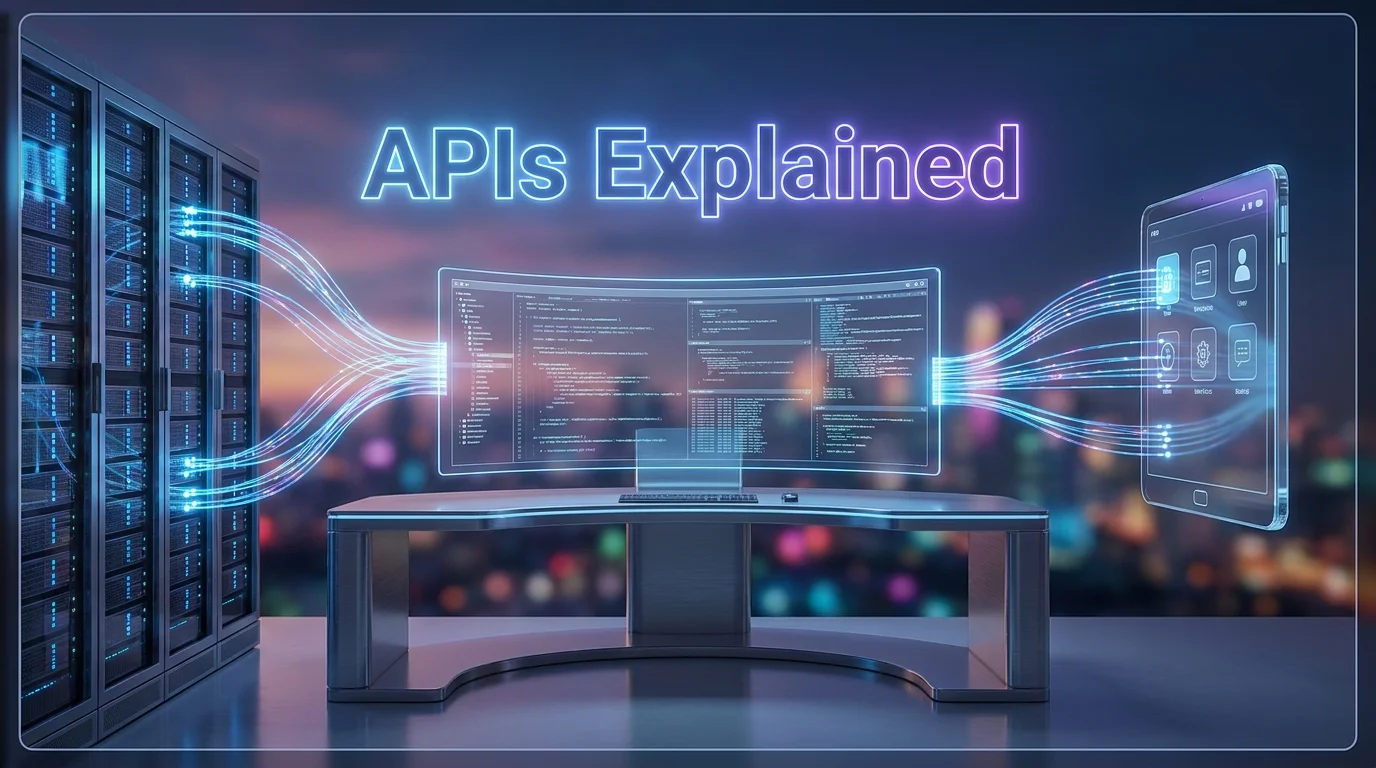
API stands for Application Programming Interface. At its core, an Application Programming Interface is a set of rules and protocols that allows one software application to communicate with another.
Think of it this way: imagine you’re sitting at a restaurant. You don’t walk into the kitchen and cook your own food. Instead, you tell the waiter what you want, the waiter relays your order to the kitchen, and the kitchen sends your meal back. The waiter, in this analogy, is the Application Programming Interface — the messenger between you (the user/application) and the system doing the work (the server/database).
Key insight: APIs don’t expose how a system works internally. They only expose the actions it allows. This is what makes them both powerful and secure.
In technical terms, when you make an Application Programming Interface request, you send a structured call to an endpoint (a URL), and you receive a structured response — usually in JSON or XML format. This exchange happens in milliseconds, completely invisibly to end users.
The 5 Main Types of APIs You Should Know
Not all Applications Programming Interface are built the same. Understanding the different types helps you choose the right approach for your project.
1. REST APIs (Representational State Transfer)
REST Applications Programming Interface are by far the most popular type in use today. They rely on standard HTTP methods (GET, POST, PUT, DELETE) and are stateless — meaning each request contains all the information needed to process it.
- Used by: Twitter, Stripe, Google Maps
- Best for: Web and mobile applications
- Format: JSON (most commonly)
REST APIs are lightweight, scalable, and easy to learn. If you’re just starting out in Application Programming Interface development, REST is almost certainly where you’ll begin.
2. SOAP Applications Programming Interfaces (Simple Object Access Protocol)
SOAP is an older, more rigid protocol that uses XML exclusively. It was the industry standard before REST took over. Today, it’s still used in enterprise-level systems, particularly in banking and telecommunications, because of its built-in security and transactional reliability.
- Used by: PayPal (legacy systems), many government services
- Best for: Highly regulated industries requiring strict contracts
- Format: XML only
3. GraphQL APIs
Developed by Facebook and open-sourced in 2015, GraphQL lets clients request exactly the data they need — no more, no less. Unlike REST APIs, which return fixed data structures, GraphQL gives the client full control over the shape of the response.
- Used by: GitHub, Shopify, Facebook
- Best for: Complex, data-heavy applications
- Format: JSON
4. WebSocket Applications Programming Interface
WebSocket APIs enable real-time, two-way communication between a client and a server. Unlike REST APIs (which follow a request-response model), WebSocket keeps the connection open so data can flow in both directions simultaneously.
- Used by: Chat applications, live trading platforms, collaborative tools
- Best for: Real-time features
- Format: JSON or binary
5. Webhook APIs
Webhooks work in reverse: instead of your app requesting data from a server, the server pushes data to your app when a specific event occurs. They’re sometimes called “reverse APIs.”
- Used by: Stripe (payment notifications), GitHub (CI/CD triggers)
- Best for: Event-driven architectures
- Format: JSON
Key Benefits of APIs for Businesses and Developers
Why has Application Programming Interface adoption exploded in recent years? According to the Postman State of the Application Programming Interface Report 2024, over 66% of developers spend more than 10 hours per week working with APIs. And that number keeps growing.
Here’s why:
✅ Accelerated Development
APIs allow developers to reuse existing functionalities instead of building everything from scratch. Want to add payment processing? Use the Stripe Application Programming Interface. Need maps? Integrate Google Maps Application Programming Interface. This dramatically cuts development time.
✅ Scalability Without Complexity
With APIs, you can scale individual components of your system independently. A microservices architecture — where each service exposes its own Application Programming Interface — is the backbone of companies like Netflix, Uber, and Amazon.
✅ Better User Experience
Seamless Application Programming Interface integration creates fluid user experiences. Think of how “Sign in with Google” eliminates the need for a new username and password — that’s OAuth-based Application Programming Interface magic working behind the scenes.
✅ Revenue Generation
APIs are a serious business model. Twilio, SendGrid, and AWS all monetize their APIs directly. Companies that open their APIs to third-party developers create entire ecosystems around their products.
✅ Data Accessibility and Automation
Application Programming Interface enable real-time data sharing between systems — CRM, ERP, marketing tools — eliminating manual data entry and reducing human error.
⚠️ Important: Not all Applications Programming Interface are free or unlimited. Always review rate limits, authentication requirements, and pricing tiers before integrating an Application Programming Interface into a production environment. Unexpected costs at scale are one of the most common pitfalls developers face.
How Application Programming Interface Integration Works: A Step-by-Step Overview
Application Programming Interface integration is the process of connecting two or more software systems through their APIs so they can exchange data and functionality. Here’s how it typically works in practice:
Step 1: Define Your Integration Goal
Before touching a line of code, clarify what you need the Application Programming Interface to do. Are you pulling data? Pushing data? Triggering an action? The clearer your objective, the smoother the process.
Step 2: Choose the Right Application Programming Interface
Research available APIs for your use case. Check their documentation quality, community support, pricing, and uptime history (SLA).
Step 3: Get Application Programming Interface Credentials
Most APIs require authentication. Register for an account on the provider’s developer portal and obtain your Application Programming Interface key, OAuth credentials, or other authentication tokens.
Step 4: Read the Documentation
This step is non-negotiable. Good Application Programming Interface documentation (like that of Stripe or Google Developers) includes endpoint references, code samples, error codes, and usage limits.
Step 5: Test in a Sandbox Environment
Before going live, test all your Application Programming Interface calls in a staging or sandbox environment. Use tools like Postman or Insomnia to verify your requests and responses.
Step 6: Handle Errors and Edge Cases
Build error handling into your integration from day one. Networks fail, APIs go down, and rate limits get hit. Your app must handle these gracefully.
Step 7: Monitor and Maintain
Application Programming Interface integration isn’t a “set it and forget it” task. APIs evolve — providers deprecate old versions. Set up monitoring and subscribe to the provider’s changelog.
Best API Development Tools in 2026: Honest Comparison
Here’s a detailed comparison of the most widely used Application Programming Interface development tools in 2026, based on real-world developer experience and community feedback.
📊 Application Programming Interface Development Tools Comparison Table
| Tool | Best For | Ease of Use | Key Feature | Free Plan | User Rating |
|---|---|---|---|---|---|
| Postman | Application Programming Interface testing & collaboration | ⭐⭐⭐⭐⭐ | Complete Application Programming Interface lifecycle management | ✅ Yes | ⭐⭐⭐⭐⭐ (4.7/5) |
| Swagger / OpenAPI | Application Programming Interface documentation | ⭐⭐⭐⭐ | Auto-generated interactive docs | ✅ Yes | ⭐⭐⭐⭐ (4.4/5) |
| Insomnia | REST & GraphQL testing | ⭐⭐⭐⭐⭐ | Lightweight, fast interface | ✅ Yes | ⭐⭐⭐⭐ (4.3/5) |
| RapidAPI | Application Programming Interface marketplace & discovery | ⭐⭐⭐⭐ | Access 35,000+ APIs in one hub | ✅ Yes | ⭐⭐⭐⭐ (4.2/5) |
| AWS API Gateway | Production-grade deployment | ⭐⭐⭐ | Auto-scaling, security, monitoring | ✅ Limited | ⭐⭐⭐⭐ (4.3/5) |
| Kong | Application Programming Interface gateway & management | ⭐⭐⭐ | Plugin ecosystem, enterprise-ready | ✅ Open source | ⭐⭐⭐⭐ (4.4/5) |
| Apigee (Google) | Enterprise Application Programming Interface management | ⭐⭐⭐ | Analytics, monetization, security | ❌ Paid | ⭐⭐⭐⭐ (4.3/5) |
| Hoppscotch | Quick Application Programming Interface testing (browser) | ⭐⭐⭐⭐⭐ | Open-source, browser-based | ✅ Yes | ⭐⭐⭐⭐ (4.2/5) |
🔍 Tool Deep-Dives
Postman

Postman is a popular Application Programming Interface platform designed to help developers build, test, document, and manage APIs throughout the development lifecycle. Its user-friendly interface makes it easy to send Application Programming Interface requests, inspect responses, test endpoints, and troubleshoot issues without writing extensive code. Postman also supports automated Application Programming Interface testing, collections, environments, authentication, mock servers, and Application Programming Interface documentation. Teams can collaborate on Application Programming Interface projects, share collections, and integrate Postman into CI/CD workflows for automated testing. Whether you are developing REST APIs, testing third-party services, or validating integrations, Postman provides a comprehensive environment for working with Applications Programming Interface efficiently.
Postman is the industry standard for Application Programming Interface development and testing. Its workspace system lets teams collaborate in real time, share collections, and automate testing with scripts. The 2024 update introduced AI-assisted test generation, making it even faster to validate Application Programming Interface behavior. If you work with Applications Programming Interface daily, Postman is non-negotiable.
Pros: Comprehensive, collaborative, excellent documentation support
Cons: Can feel heavy for simple tasks; free plan has limitations on team features
Swagger / OpenAPI
Swagger / OpenAPI is a widely used framework for designing, documenting, testing, and managing REST Applications Programming Interface. OpenAPI provides a standardized specification for describing Application Programming Interface endpoints, parameters, authentication methods, request formats, and responses, while Swagger offers tools that make it easier to work with these Application Programming Interface definitions. Developers can use Swagger UI to generate interactive Application Programming Interface documentation, explore endpoints, and send test requests directly from a browser. OpenAPI specifications can also be used to generate client SDKs, server code, and automated tests. For development teams, Swagger and OpenAPI improve Application Programming Interface consistency, collaboration, documentation, and integration across the entire Application Programming Interface lifecycle.
Swagger is less about testing and more about defining and documenting your Application Programming Interface through the OpenAPI Specification standard. The interactive Swagger UI lets users test endpoints directly from the docs page — a game changer for developer experience.
Pros: Industry-standard documentation format; widely adopted
Cons: Requires discipline to keep docs updated as the Application Programming Interface evolves
Insomnia

Insomnia is a powerful Application Programming Interface development and testing tool that helps developers design, test, debug, and manage APIs efficiently. It provides a clean, user-friendly interface for sending HTTP requests and inspecting responses, making it suitable for REST, GraphQL, and other Application Programming Interface-based workflows. Developers can organize requests into collections, manage authentication and environment variables, and create reusable Application Programming Interface configurations. Insomnia also supports automated testing and Application Programming Interface design workflows based on OpenAPI specifications. Its lightweight interface and developer-focused features make it a practical alternative to tools such as Postman, particularly for developers who want a straightforward environment for building and testing modern Applications Programming Interface .
Insomnia is a lean alternative to Postman with excellent support for REST, GraphQL, and gRPC. It’s open-source and feels significantly lighter. Developers who find Postman overwhelming often switch to Insomnia.
Pros: Clean UI, fast, supports multiple Application Programming Interface types
Cons: Fewer collaboration features than Postman
RapidAPI
RapidAPI is an Application Programming Interface platform and marketplace that helps developers discover, connect to, test, and manage Applications Programming Interface from a centralized environment. It provides access to thousands of Applications Programming Interface covering categories such as artificial intelligence, data, payments, travel, social media, and developer tools. Developers can explore Application Programming Interface documentation, test endpoints, manage subscriptions, and integrate services into their applications using a unified interface. RapidAPI also provides tools for Application Programming Interface providers to publish, manage, secure, and monetize their Applications Programming Interface. For developers and businesses, the platform can simplify the process of finding third-party Applications Programming Interface and integrating external services without having to build every capability from scratch.
RapidAPI is the world’s largest Application Programming Interface marketplace, giving developers access to over 35,000 Applications Programming Interface from a single dashboard. It also includes testing tools and usage analytics. If you’re looking to discover and consume third-party A-P-Is quickly, this is your starting point.
Pros: Huge Application Programming Interface catalog, unified billing, built-in testing
Cons: Quality of Applications Programming Interface varies; not a tool for building your own Applications Programming Interface
AWS API Gateway
AWS Application Programming Interface Gateway is a fully managed service from Amazon Web Services that allows developers to create, publish, secure, monitor, and manage APIs at scale. It can act as an entry point between client applications and backend services, including AWS Lambda, Amazon EC2, and other AWS resources. The service supports features such as authentication, authorization, throttling, caching, monitoring, and traffic management, helping organizations build secure and reliable Application Programming Interface-driven applications. With its integration with the broader AWS ecosystem and serverless services, AWS Application Programming Interface Gateway provides a scalable solution for managing APIs without requiring teams to maintain their own gateway infrastructure.
AWS API Gateway is Amazon’s fully managed service for creating, publishing, and monitoring Applications Programming Interface at any scale. It integrates natively with Lambda, DynamoDB, and other AWS services — making it ideal for serverless architectures.
Pros: Infinitely scalable, deep AWS ecosystem integration
Cons: Steep learning curve; costs can escalate without careful configuration
Application Programming Interface Security: What You Can’t Afford to Ignore
No guide on APIs is complete without a serious discussion of security. A-P-Is are one of the most targeted attack surfaces in modern applications. According to Gartner, Applications Programming Interface are now the #1 attack vector for web applications.
Essential API security practices:
- Use HTTPS always — never transmit Application Programming Interface data over unencrypted connections
- Implement proper authentication — prefer OAuth 2.0 or Application Programming Interface keys with expiration
- Rate limiting — prevent abuse by limiting requests per user/IP
- Input validation — never trust data coming from an Application Programming Interface request
- Log and monitor — track unusual traffic patterns in real time
- Version your APIs — maintain old versions while introducing security patches to new ones
💡 Pro Tip: Run regular Application Programming Interface security audits using tools like OWASP ZAP or 42Crunch. The OWASP Application Programming Interface Security Top 10 is the definitive checklist for identifying the most critical Application Programming Interface vulnerabilities. Make it part of your release process.
The Application Programming Interface Economy in 2026: By the Numbers
The API industry is no longer a niche technical concern — it’s a global economic force.
- The global Application Programming Interface management market is projected to reach $41.5 billion by 2030, up from $5.1 billion in 2022 (Source: MarketsandMarkets)
- 83% of web traffic now consists of Application Programming Interface calls (Source: Akamai)
- The average enterprise now uses over 900 Applications Programming Interface in production
- Developers report that poor Application Programming Interface documentation is their #1 frustration
These numbers explain why investing in solid Application Programming Interface development practices isn’t optional — it’s a competitive necessity.
Practical Checklist: Application Programming Interface Integration Ready?
Before you launch your next Application Programming Interface integration, run through this checklist:
✅ Planning Phase
- Clear integration objective defined
- Application Programming Interface selected with reviewed documentation
- Authentication method confirmed
- Rate limits and pricing reviewed
✅ Development Phase
- Tested in sandbox environment
- Error handling implemented for all response codes
- Input validation in place
- HTTPS enforced end-to-end
✅ Pre-Launch Phase
- Load tested under expected traffic
- Monitoring and alerting configured
- Fallback behavior defined if Application Programming Interface is unavailable
- Application Programming Interface versioning strategy in place
✅ Post-Launch Phase
- Subscribed to Application Programming Interface provider’s changelog/updates
- Logging in place for debugging
- Regular security audit scheduled
- SLA and uptime monitoring active
Quick Summary: Everything You Need to Know About APIs
| Topic | Key Takeaway |
|---|---|
| What is an Application Programming Interface? | A communication bridge between software systems |
| Best type for web apps | REST Application Programming Interface |
| Best for real-time apps | WebSocket Application Programming Interface |
| Top testing tool | Postman |
| Top documentation tool | Swagger / OpenAPI |
| Top marketplace | RapidAPI |
| #1 security concern | Broken authentication & improper authorization |
| Market growth | $41.5B by 2030 |
FAQs About Applications Programming Interface
❓ What does Application Programming Interface stand for?
Application Programming Interface stands for Application Programming Interface. It’s a set of rules that allows different software applications to communicate with each other.
❓ What is the difference between a REST Application Programming Interface and a SOAP Application Programming Interface?
REST APIs use standard HTTP methods and return data in lightweight JSON format. They are flexible and easy to use. SOAP APIs use XML exclusively and follow a stricter contract — they’re more reliable for complex, enterprise-grade transactions but harder to work with.
❓ Is GraphQL better than REST?
Not necessarily — it depends on the use case. GraphQL gives clients more control over what data they receive, making it excellent for complex applications with diverse data needs. REST is simpler to implement and debug. Many teams use both.
❓ How do I secure my Application Programming Interface?
Key security practices include: using HTTPS, implementing OAuth 2.0 authentication, enforcing rate limiting, validating all inputs, monitoring Application Programming Interface traffic, and following the OWASP Application Programming Interface Security Top 10 guidelines.
❓ What is the best free Application Programming Interface testing tool?
Postman and Hoppscotch are both excellent free options. Postman offers the most complete feature set, while Hoppscotch is perfect for quick, browser-based testing without any setup.
❓ Can non-developers use APIs?
Increasingly, yes. Tools like Zapier, Make (formerly Integromat), and n8n allow non-technical users to connect APIs through visual, no-code interfaces — enabling powerful automation without writing a single line of code.
❓ What is Application Programming Interface versioning and why does it matter?
Application Programming Interface versioning is the practice of maintaining multiple versions of an Application Programming Interface simultaneously (e.g., /v1/users, /v2/users). It allows developers to introduce breaking changes in new versions without disrupting existing users — a critical practice for any Application Programming Interface intended for third-party use.
Conclusion: APIs Are the Backbone of the Modern Web
Whether you realize it or not, APIs power virtually every digital interaction you have — from streaming your favorite show to splitting a restaurant bill with friends. They are the invisible infrastructure that makes modern software fast, connected, and scalable.
In 2026, Application Programming Interface literacy isn’t just a developer skill — it’s a business skill. Understanding how APIs work, how to integrate them responsibly, and which tools to use gives you a significant advantage, whether you’re building a startup, managing a tech team, or evaluating software solutions.
The key takeaways from this guide:
- REST APIs remain the dominant standard for most web applications
- GraphQL and WebSocket APIs solve specific real-time and data-flexibility challenges
- Postman, Swagger, and AWS API Gateway are the core tools every Application Programming Interface developer should master
- Security is non-negotiable — treat it as a first-class concern, not an afterthought
- The Application Programming Interface economy is growing fast, and organizations that adopt API-first strategies consistently outperform those that don’t
Now you have everything you need to understand, use, and build with APIs confidently. If there’s one action to take today, it’s this: open a free Postman account, pick a public Application Programming Interface (like the OpenWeather API or NASA’s public APIs), and make your first call. Hands-on learning always beats reading alone.
📚 Sources referenced in this article: Postman State of the Application Programming Interface Report 2024, Gartner API Security Report, MarketsandMarkets Application Programming Interface Management Market Analysis, OWASP API Security Top 10, Akamai Traffic Research 2024.