Google Ads Keyword Planner Guide: Features, Tips, Best Practices and 5 Best Alternative Tools

Introduction To Google Ads Keyword Planner
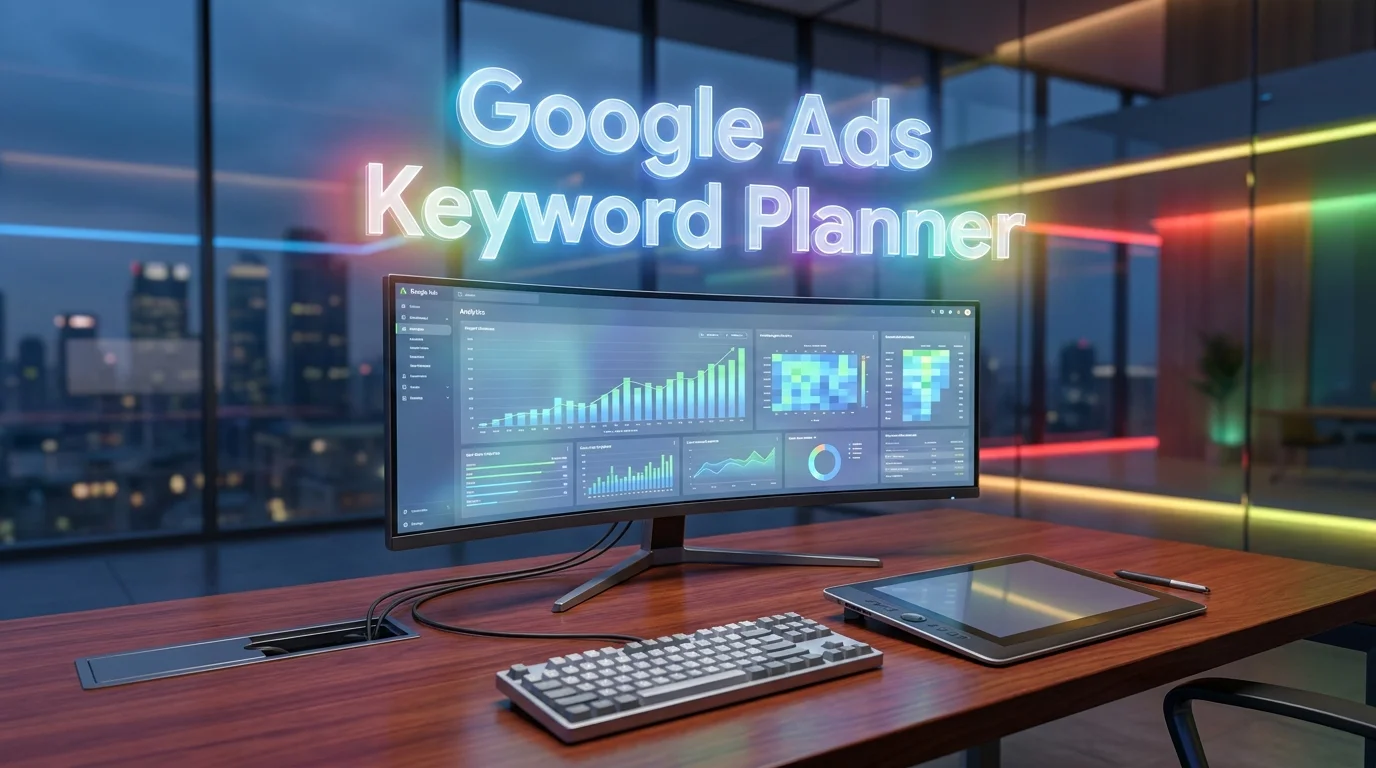
If you’ve ever run a Google Ads campaign — or tried to figure out how much search traffic a keyword actually gets — you’ve almost certainly encountered the Google Ads Keyword Planner. It’s free, it’s built by Google, and it draws from the most authoritative search data on the planet.
So why do so many marketers end up frustrated with it?
Because Google Ads Keyword Planner is powerful within its specific purpose, but misunderstood by people using it for goals it wasn’t designed to serve. Once you understand what it genuinely does well — and where it falls short — it becomes an invaluable part of your toolkit.
Here’s exactly what this guide covers:
- What Google Ads Keyword Planner is and how it actually works
- A feature-by-feature breakdown with practical tips for each
- Best practices that most guides skip over
- Common mistakes to avoid (especially the volume data trap)
- 5 strong alternative tools compared side by side for different use cases
By the end, you’ll know how to get the most out of Google’s own tool — and when it makes sense to reach for something else.
What Is Google Ads Keyword Planner?
Google Ads Keyword Planner is a free tool built into the Google Ads platform that serves two core functions:
- Discover new keywords — Find keyword ideas related to your products, services, or website content
- Get search volume and forecast data — Understand how often keywords are searched and what they cost to bid on in Google’s advertising auction
It was originally built for advertisers planning paid search campaigns, and that origin story matters. Every feature, every metric, and every data limitation makes more sense once you understand that Google Ads Keyword Planner was designed to help you spend money on Google Ads more effectively — not to be a standalone SEO research tool.
That said, it’s genuinely useful beyond PPC. SEO professionals, content marketers, and business owners use it daily — they just need to know how to interpret what they’re seeing.
To access it, you need a free Google Ads account. You don’t need to run any active campaigns or spend any money.
How to Access Google Ads Keyword Planner (Step by Step)
Getting into the tool is straightforward once you know where to look:
- Go to ads.google.com and sign in with your Google account
- If you’re new, click Switch to Expert Mode when prompted — this skips the guided campaign setup and takes you directly to the dashboard
- In the top navigation, click Tools (the wrench icon)
- Under the Planning section, select Keyword Planner
- You’ll see two options: Discover new keywords or Get search volume and forecasts
✅ Important Setup Tip: When creating your Google Ads account for the first time, you’ll be prompted to create a campaign. You can skip this by selecting “Create an account without a campaign” — or simply pause any campaign immediately after setup. You will never be charged unless you explicitly enable billing and launch a campaign.
Google Ads Keyword Planner Features: A Complete Breakdown
Feature 1: Discover New Keywords
This is the starting point for most keyword research sessions in Google Ads Keyword Planner. You enter one of the following:
- Keywords — up to 10 seed keywords or phrases
- A website URL — your own site or a competitor’s
When you enter keywords, the tool generates hundreds of related keyword ideas pulled from Google’s actual search data. When you enter a URL, it analyzes the page content and suggests keywords based on what the page is about.
Practical tip: The URL option is underused. Enter a competitor’s homepage or best-performing landing page and you’ll often discover keyword angles you hadn’t considered. This is a form of competitive intelligence that doesn’t require any paid tool.
Each keyword idea comes with:
- Average monthly searches (volume)
- Competition (Low, Medium, High — reflects advertiser competition, not organic difficulty)
- Top of page bid (low range) — the minimum bid typically needed to appear
- Top of page bid (high range) — the bid required to appear reliably at the top
Feature 2: Get Search Volume and Forecasts
This mode is specifically for keywords you’ve already identified. Paste in a list of up to 10,000 keywords and Google Ads Keyword Planner returns:
- Historical monthly search volumes for each term
- A 12-month trend chart showing seasonal patterns
- Forecast data including projected clicks, impressions, cost, and conversions (based on your bid and budget settings)
This is the most PPC-specific feature in the tool. The forecasting engine is remarkably accurate when you set realistic bids — it draws from actual auction data, not estimates.
Practical tip: Use the forecast feature before launching any new campaign. Set your target CPC, enter your budget, and let the planner show you projected impressions and clicks. This prevents the common mistake of launching campaigns with unrealistic traffic expectations.
Feature 3: Filtering and Refinement Options
Once you have a keyword list, Google Ads Keyword Planner gives you several filters to narrow it down:
- Location — narrow results to any country, region, city, or radius
- Language — filter to keywords in your target language
- Search networks — Google only, or Google + Search Partners
- Date range — historical data from the past 12 months or custom periods
- Keyword text filter — include or exclude keywords containing specific words
- Average monthly searches — set minimum and maximum volume thresholds
- Competition — filter to Low, Medium, or High competition keywords
- Top of page bid — useful for identifying keywords within a specific CPC budget
These filters are where the real power lies. A raw list of 500 keyword suggestions is overwhelming; a filtered list of 40 high-intent, affordable keywords in your target region is actionable.
Feature 4: Keyword Grouping and Ad Group Organization
Google Ads Keyword Planner can automatically group your keyword ideas into suggested ad groups based on thematic similarity. Each group represents a cluster of keywords that share a common intent or topic.
For PPC advertisers, this is a time-saving feature during campaign structure planning. For SEO practitioners, it’s genuinely useful for topic clustering — the groups often map well to the pillar-and-cluster content architecture that Google’s algorithm increasingly rewards.
Feature 5: Historical Metrics and Seasonal Trends
Every keyword in Google Ads Keyword Planner comes with a monthly trend chart covering the past 12 months. This is critical for understanding whether a keyword has consistent demand or is driven by seasonal spikes.
For example, a keyword showing 40,000 monthly searches might actually fluctuate between 5,000 in January and 150,000 in November — a pattern you’d never catch by looking at the annual average alone. Launching a campaign or writing content without checking this seasonality is one of the most common expensive mistakes in both SEO and PPC.
The Volume Data Problem: What You Must Understand
This is the single most important section in this guide for anyone using Google Ads Keyword Planner for SEO (rather than paid ads).
The Broad Range Issue
Unless you have an active Google Ads campaign with real spend history, the tool shows search volumes in broad ranges rather than specific numbers:
- “1K–10K” instead of “4,200”
- “10K–100K” instead of “67,000”
- “100K–1M” instead of “340,000”
This makes precise prioritization extremely difficult. A keyword showing “1K–10K” could have 1,200 monthly searches or 9,800 — that’s a massive difference in strategic value.
Why This Happens
Google deliberately limits data granularity for non-advertisers. The precise volume data is available in full to accounts with active campaign spend. This is part of Google’s business model — the tool is designed to convert researchers into advertisers.
💡 Workaround: To unlock more precise volume ranges, launch a campaign with a very small daily budget (as low as $1–$2/day). After 30 days of active spend, the data granularity improves significantly. Even minimal spend is enough to shift from broad ranges to more specific estimates. Pause or remove the campaign after your research is complete.
Volume ≠ Traffic Opportunity
Even when you have precise numbers, remember that Google Ads Keyword Planner shows search volume — not the clicks you’ll actually receive. Organic click-through rates on competitive keywords have declined significantly as Google’s AI Overviews, featured snippets, and shopping ads consume more of the visible page. For accurate traffic potential modeling, pair the planner’s volume data with a tool that includes CTR estimates.
Google Ads Keyword Planner Best Practices for 2026
1. Use Competitor URLs Strategically
Enter your top 3 competitors’ URLs into the “Discover new keywords” feature and compare the keyword suggestions you get for each. Keywords that appear consistently across multiple competitor URLs are almost certainly core to your market — and high-priority targets for your own campaigns and content.
2. Filter by Location Before Drawing Any Conclusions
Search behavior varies dramatically by geography. A keyword that shows “10K–100K” globally might have only 400 monthly searches in your actual target market. Always set your target location before analyzing volume data. This is especially critical for local businesses and regional services.
3. Check Bid Ranges to Gauge Commercial Intent
High CPC keywords (top of page bids over $20–$50) signal strong commercial intent. Advertisers don’t spend that much per click on keywords that don’t convert. This insight is valuable even for organic SEO — ranking for high-CPC keywords often means ranking for terms that drive real revenue, not just traffic.
4. Use “Broadly Related Ideas” Alongside “Closely Related Ideas”
When you run a keyword discovery search in Google Ads Keyword Planner, scroll through the full suggestion list, not just the top 20 results. The tool separates “closely related” keywords (near-exact matches to your seed terms) from “broadly related ideas” (adjacent topics and questions). The broadly related section often reveals content gaps and semantic keywords that pure volume-hunting misses.
5. Export and Analyze in Spreadsheets
The tool’s built-in sorting and filtering is functional but limited. Export your keyword list to CSV and work with it in Google Sheets or Excel. Apply custom filters, calculate competition ratios, and flag keywords that meet multiple criteria simultaneously. This kind of systematic analysis is what separates professional keyword research from casual browsing.
6. Cross-Reference with Google Search Console Data
If your site is established, combine Google Ads Keyword Planner data with Google Search Console performance reports. GSC shows you what keywords are already driving impressions and clicks to your site — even for queries where you’re ranking on page 2 or 3. These “almost ranking” keywords are often the fastest wins for both organic and paid campaigns.
Common Mistakes to Avoid with Google Ads Keyword Planner
Understanding what not to do is just as important as knowing best practices. Here are the most frequent errors:
- Treating competition scores as organic difficulty — The “Competition” column reflects advertiser competition in the ad auction, not how hard a keyword is to rank for organically. High advertiser competition doesn’t mean high SEO difficulty, and vice versa.
- Ignoring bid range data for SEO research — As mentioned above, CPC is one of the best free signals of keyword commercial value available in any tool.
- Only targeting high-volume keywords — The planner shows many “10K–100K” keywords that are dominated by major brands with massive domain authority. Long-tail keywords with lower volume often convert better and rank faster for smaller sites.
- Not checking trend data — Skipping the historical trend chart leads to targeting seasonal keywords as if they have consistent year-round value.
- Using it as your only research tool — Google Ads Keyword Planner is powerful for volume and bid data, but it doesn’t show SERP difficulty, backlink requirements, competitor traffic shares, or content gap analysis. It was never meant to.
Google Ads Keyword Planner: Pros and Cons
✅ Pros
- Completely free — no subscription required
- Draws directly from Google’s own search data (most authoritative source for PPC)
- Accurate bid estimates and cost forecasting for Google Ads
- Seasonal trend data for 12+ months
- URL-based competitor keyword discovery
- Works for any language and location worldwide
- Integrates directly with Google Ads campaign building
❌ Cons
- Broad volume ranges without active ad spend
- No organic SEO difficulty score
- No SERP analysis or ranking data
- Competitor intelligence is minimal
- Volume data can be inflated (Google sometimes groups keyword variants together)
- No click-through rate estimates or traffic potential modeling
- Intent classification is absent — you must infer intent manually
5 Best Google Ads Keyword Planner Alternatives in 2026
When Google Ads Keyword Planner reaches its limits — which it will — these five tools fill the gaps.
1. 🏆 Semrush — Best Full-Suite Alternative
Semrush Keyword Magic Tool is a comprehensive keyword research tool that helps SEO professionals, marketers, and content creators discover valuable search terms and build effective keyword strategies. It provides extensive keyword suggestions based on a seed term, along with useful metrics such as search volume, keyword difficulty, search intent, and competitive data. Users can group related keywords into topic clusters, filter results by specific criteria, and identify long-tail keywords with more targeted search intent. The tool is useful for planning blog content, optimizing existing pages, conducting competitor research, and developing SEO campaigns. By providing a broad view of related search queries and keyword opportunities, Semrush Keyword Magic Tool can streamline the keyword research process and support data-driven content planning.
Semrush is the most comprehensive replacement for users who need both PPC and SEO keyword intelligence in one platform. Its Keyword Magic Tool draws from over 25 billion keywords across 142 geographic databases.
What it does that Google Ads Keyword Planner doesn’t:
- Precise volume numbers (not broad ranges)
- Keyword difficulty scores for organic SEO
- Intent classification (Informational, Navigational, Commercial, Transactional)
- Competitor keyword gap analysis
- Ad copy and landing page intelligence for competitor campaigns
- Position tracking and SERP feature monitoring
Pricing: Pro from $139.95/month | Limited free access available
Rating: ⭐⭐⭐⭐⭐ 4.7/5
Best for: Marketing teams running both SEO and Google Ads who need one unified research platform.
2. 🥈 Ahrefs Keywords Explorer — Best for SEO-Focused Research
Ahrefs Keywords Explorer is an SEO keyword research tool designed to help marketers, content creators, and website owners discover relevant search terms and evaluate their potential. It provides data such as keyword search volume, keyword difficulty, traffic potential, click estimates, and related keyword ideas. Users can explore thousands of keyword suggestions and analyze search results to identify topics and queries worth targeting. The tool also supports keyword research across multiple search engines and countries, making it useful for international SEO strategies. By combining keyword data with competitive insights, Ahrefs Keywords Explorer can help users build content plans, identify new ranking opportunities, and better understand what people are searching for online.

Ahrefs Keywords Explorer provides the most reliable organic keyword data available outside of Google’s own systems. It’s built for SEO professionals who need depth, accuracy, and actionable difficulty metrics.
What it does that Google Ads Keyword Planner doesn’t:
- Traffic potential metric (total traffic from the full keyword cluster, not just one term)
- Click-through rate estimates adjusted for SERP features
- Keyword difficulty based on actual backlink data (how many links you’d need to rank)
- Parent topic identification for content clustering
- SERP history showing ranking fluctuations over time
- 10 keyword research modes including Questions, Also Rank For, and Newly Discovered
Pricing: Lite from $129/month | Standard from $249/month
Rating: ⭐⭐⭐⭐⭐ 4.8/5
Best for: SEO professionals and content teams who need the deepest available organic keyword intelligence.
3. 🥉 SpyFu — Best for PPC Competitor Intelligence
SpyFu is a competitive SEO and PPC research tool that helps marketers, businesses, and SEO professionals analyze their competitors’ online marketing strategies. It provides valuable insights into organic keywords, paid search campaigns, backlink profiles, keyword rankings, search volume, and historical performance data. Users can discover which keywords competitors rank for, identify profitable PPC opportunities, monitor ranking changes, and uncover content gaps to strengthen their own SEO strategy. With its comprehensive competitor intelligence and keyword analysis features, SpyFu enables users to make data-driven decisions, improve search visibility, and gain a competitive advantage in both organic and paid search marketing.
SpyFu is specifically designed to reveal what your competitors are doing in Google Ads — which keywords they’re bidding on, what their ad copy looks like, how long they’ve been running specific keywords, and how much they’re estimated to be spending.
What it does that Google Ads Keyword Planner doesn’t:
- Shows every keyword a competitor has ever bid on (up to 14 years of data)
- Reveals competitor ad copy and A/B test variations
- Estimated competitor ad budget and monthly click volumes
- Identifies keywords where competitors appear consistently (high-confidence keywords) vs. keywords they test and drop
- “KOMBAT” feature that shows keyword overlap between multiple competitor domains
Pricing: Basic from $39/month | Professional from $79/month
Rating: ⭐⭐⭐⭐ 4.4/5
Best for: PPC advertisers who want to build campaigns based on proven competitor strategies rather than starting from scratch.
4. Ubersuggest — Best Free/Budget Alternative
Ubersuggest is an SEO and keyword research tool designed to help website owners, marketers, and content creators improve their search engine visibility. It provides keyword suggestions, search volume estimates, SEO difficulty metrics, content ideas, backlink data, and competitor insights. Users can enter a keyword or domain to discover related search terms, analyze ranking opportunities, and identify topics that may attract organic traffic. Ubersuggest also includes features for site audits and tracking SEO performance, making it useful for both beginners and experienced marketers. With its combination of keyword research, competitive analysis, and website optimization tools, Ubersuggest can support content planning and broader SEO strategies.

Ubersuggest provides a meaningful step up from Google Ads Keyword Planner for users who need more granular data but aren’t ready to invest in enterprise-tier tools.
What it does that Google Ads Keyword Planner doesn’t:
- Specific volume numbers (not broad ranges) on paid plans
- SEO difficulty and paid difficulty scores per keyword
- Content ideas showing top-ranking articles for each keyword
- Domain overview showing competitor organic and paid traffic
- Backlink analysis (limited but functional)
Pricing: Free (3 searches/day) | Individual from $29/month | Lifetime deal from $290 (one-time)
Rating: ⭐⭐⭐⭐ 4.2/5
Best for: Bloggers, freelancers, and small business owners who need granular data without a large monthly subscription.
5. Keywords Everywhere — Best Lightweight Complement
Keywords Everywhere is a browser-based keyword research tool that provides SEO data directly within search engines and other supported websites. It helps users discover related keywords, long-tail search terms, search volume estimates, cost-per-click (CPC) data, competition metrics, and trend information while researching online. Instead of requiring users to switch between multiple SEO platforms, the browser extension displays useful keyword insights alongside search results and supported pages. Keywords Everywhere can be useful for content creators, bloggers, affiliate marketers, and SEO professionals who want quick keyword data during everyday research. Its lightweight approach makes it a convenient option for generating keyword ideas and identifying search opportunities without using a full-scale SEO platform.
Keywords Everywhere is a browser extension that overlays keyword data directly onto Google search results, YouTube, Amazon, and other platforms as you browse — making it the fastest way to gather keyword intelligence without switching between tools.
What it does that Google Ads Keyword Planner doesn’t:
- Overlays volume, CPC, and competition data directly on Google SERPs
- Shows “People Also Search For” data with volume on every search results page
- Covers YouTube, Amazon, Etsy, and eBay keyword data in addition to Google
- Pay-as-you-go pricing (no monthly commitment)
- Works seamlessly as a supplement to any primary research tool
Pricing: Credit-based — $10 for 100,000 credits (each keyword viewed uses 1 credit)
Rating: ⭐⭐⭐⭐ 4.5/5
Best for: Anyone who wants instant keyword data during normal browsing, as a complement to Google Ads Keyword Planner or other primary tools.
Side-by-Side Comparison: Google Ads Keyword Planner vs. Alternatives
| Feature | Google Keyword Planner | Semrush | Ahrefs | SpyFu | Ubersuggest | Keywords Everywhere |
|---|---|---|---|---|---|---|
| Price | Free | $139.95/mo | $129/mo | $39/mo | $29/mo | $10 credits |
| Exact Volume Data | ⚠️ Limited | ✅ | ✅ | ✅ | ✅ | ✅ |
| SEO Difficulty Score | ❌ | ✅ | ✅ | ✅ | ✅ | ⚠️ Basic |
| PPC Bid Data | ✅ Best | ✅ | ⚠️ Basic | ✅ | ✅ | ✅ |
| Competitor Ad Intel | ❌ | ✅ | ❌ | ✅ Best | ⚠️ Limited | ❌ |
| SERP Analysis | ❌ | ✅ | ✅ | ⚠️ Basic | ⚠️ Basic | ❌ |
| Intent Classification | ❌ | ✅ | ✅ | ❌ | ❌ | ❌ |
| Seasonal Trends | ✅ | ✅ | ✅ | ✅ | ⚠️ Limited | ❌ |
| Ease of Use | ⭐⭐⭐⭐ | ⭐⭐⭐⭐ | ⭐⭐⭐⭐ | ⭐⭐⭐⭐ | ⭐⭐⭐⭐⭐ | ⭐⭐⭐⭐⭐ |
| User Rating | 4.2/5 | 4.7/5 | 4.8/5 | 4.4/5 | 4.2/5 | 4.5/5 |
Practical Checklist: Getting the Most from Google Ads Keyword Planner
Run through this checklist every time you use the tool for a new research project:
- Set your target location before analyzing any data
- Set your target language to match your audience
- Enter 3–5 seed keywords AND one or two competitor URLs to cross-reference ideas
- Filter results by Top of Page Bid to identify high-commercial-intent keywords
- Check the 12-month trend chart for every priority keyword before committing
- Note keywords with low advertiser competition but high bid ranges — these are often hidden gems
- Export the full keyword list to CSV for offline analysis
- Cross-reference your top keywords in Google Search Console
- Use bid range data to prioritize keywords by commercial value, not just volume
- Identify at least 10 long-tail keywords (lower volume, high specificity) for quick wins
Frequently Asked Questions About Google Ads Keyword Planner
Is Google Ads Keyword Planner really free?
Yes, completely. You need a free Google Ads account to access it, but you don’t need to run any campaigns or spend any money. The only cost is time — and the only “catch” is that full data granularity is restricted to accounts with active ad spend.
Can I use Google Ads Keyword Planner for SEO (not just PPC)?
You can, and many SEO professionals do. It’s particularly useful for understanding search volume trends, identifying high-commercial-intent keywords, and discovering related search terms. However, it has significant limitations for organic SEO — no difficulty scores, no SERP analysis, and no traffic potential modeling. It works best as one input in a broader keyword research process, not as a standalone SEO tool.
Why does Google Ads Keyword Planner show ranges instead of exact numbers?
Google deliberately shows broad ranges (“1K–10K”) instead of specific monthly search volumes for accounts without active ad spend. This is intentional — it encourages users to launch campaigns to access more precise data. Running a small campaign (even $1–$2/day) over 30 days typically unlocks more granular volume estimates.
How accurate is Google Ads Keyword Planner data?
For PPC purposes — bid estimates, competition levels, and search volume trends — it’s the most accurate tool available because it draws directly from Google’s auction data. For SEO volume research, the numbers can be somewhat inflated because Google groups keyword variants together under the same volume figure. A keyword showing “10,000 monthly searches” might be the aggregate of several related variants, not all of which users would search using your exact target phrase.
How often does Google Ads Keyword Planner update its data?
Volume data is updated monthly. The tool reflects the trailing 12 months of search activity, with the most recent month added as data becomes available. Bid estimates and competition scores update more frequently, reflecting near-real-time auction conditions.
What’s the best free alternative to Google Ads Keyword Planner?
For pure keyword discovery, Google Ads Keyword Planner itself is the best free option. If you specifically need exact volume numbers without paying for a subscription, Ubersuggest’s free tier (3 searches/day) and Keywords Everywhere’s credit-based model are the most practical alternatives at low cost. For SEO research specifically, Moz’s free 10 monthly queries in Keyword Explorer provide meaningful data without any commitment.
Can I use Google Ads Keyword Planner to spy on competitors?
Indirectly, yes. By entering a competitor’s URL into the “Discover new keywords” feature, you can see what keywords Google associates with their content — which reveals the topics and terms they’re targeting. However, you won’t see what keywords they’re actually bidding on or their ad budgets. For true competitor PPC intelligence, SpyFu or Semrush’s Advertising Research tool provide that level of detail.
Conclusion: Is Google Ads Keyword Planner Worth Using in 2026?
Google Ads Keyword Planner remains one of the most valuable free tools in any digital marketer’s arsenal — but only when you understand what it’s actually designed to do.
For PPC advertisers, it’s genuinely irreplaceable. The bid estimates, volume trends, and campaign forecasting features draw from Google’s own auction data — no third-party tool can replicate that accuracy. It belongs in every Google Ads workflow, period.
For SEO practitioners and content marketers, it’s a useful starting point — especially for understanding commercial intent and seasonal patterns — but it should be paired with tools that provide organic difficulty scores, SERP analysis, and traffic potential modeling.
The bottom line recommendation:
- 🎯 Use Google Ads Keyword Planner for PPC bid research, volume trend analysis, competitor URL mining, and campaign forecasting. It’s the best in the world for these specific tasks.
- 🔍 Add Semrush or Ahrefs when you need organic SEO depth — keyword difficulty, SERP analysis, and content gap research.
- 💡 Add SpyFu when you want to understand what competitors are actually spending on Google Ads.
- 💰 Add Keywords Everywhere for instant keyword context during everyday browsing without switching tools.
The most effective keyword research workflows in 2026 don’t rely on a single platform. They combine Google Ads Keyword Planner’s authoritative bid and volume data with the organic intelligence that specialist tools provide. That combination — free Google data + targeted paid insights — is where the real competitive edge lives.
All pricing, feature descriptions, and data in this article are based on publicly available information as of early 2026. Pricing and features change regularly — verify current details directly on each platform’s official website before subscribing or making any campaign decisions.