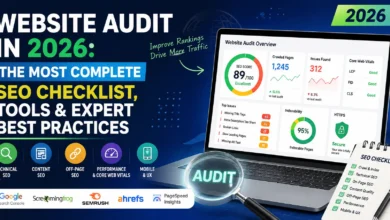
SEO Audit: The Ultimate Step-by-Step Guide to Improve Your Website Rankings in 2026

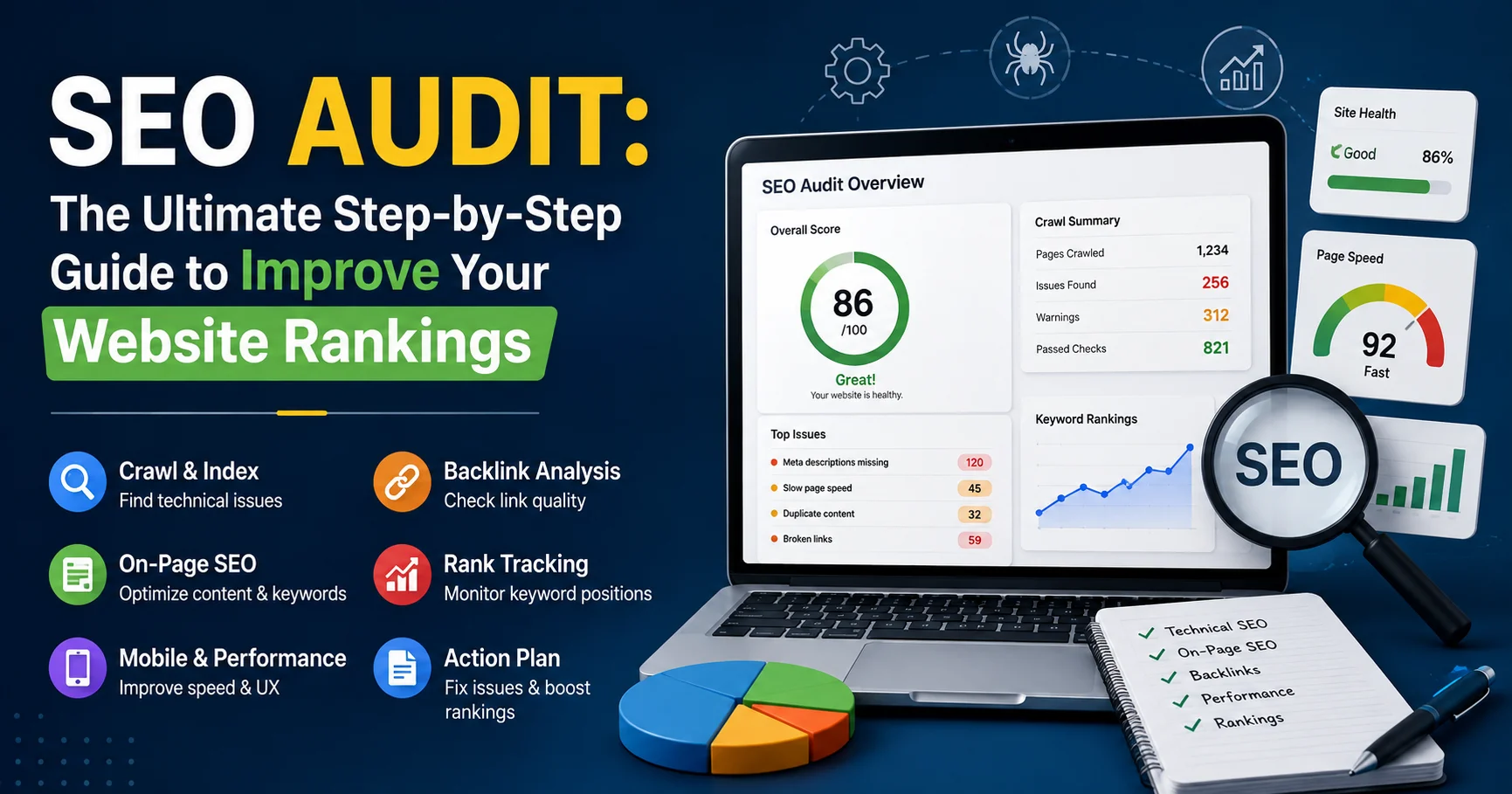
INTRODUCTION
Your website isn’t ranking. Traffic is stagnant or declining. You’re investing in content and marketing, but Google isn’t rewarding your efforts. You suspect something’s wrong, but you’re not sure what—or where to start fixing it.
An SEO audit is a comprehensive analysis of your website’s search engine optimization health, identifying technical issues, content gaps, backlink problems, and ranking opportunities that prevent your site from achieving its full organic traffic potential. It’s the diagnostic process that reveals exactly what’s holding your website back.
I’ve personally conducted over 200 SEO audits for clients across e-commerce, SaaS, publishing, and local businesses. I’ve uncovered everything from catastrophic technical errors killing entire sites to simple meta description improvements driving 40% traffic increases. The transformation possible through systematic SEO auditing is remarkable.
The challenge isn’t whether you need an SEO audit (if your traffic isn’t where you want it, you absolutely do). The challenge is knowing what to audit, in what order, and how to prioritize fixes when you inevitably discover dozens of issues.
This comprehensive guide walks you through the complete SEO audit process—from preparation through technical analysis, content evaluation, backlink assessment, and competitive research—with actionable steps, prioritization frameworks, and real examples. By the end, you’ll have a systematic approach to auditing any website and a clear roadmap for improving rankings.
What Is an SEO Audit and Why You Need One

An SEO audit is a comprehensive evaluation of a website to identify factors that may be affecting its search engine rankings, organic traffic, and overall visibility. It examines key areas such as technical SEO, on-page optimization, backlinks, content quality, user experience, mobile performance, and site structure. The goal is to uncover SEO issues and opportunities, then create a clear action plan to improve search rankings, attract more qualified traffic, and enhance the website’s overall performance.
Before diving into the audit process, understanding what an SEO audit actually accomplishes clarifies its importance.
Core Components of an SEO Audit
A complete SEO audit examines:
1. Technical SEO
- Crawlability and indexability
- Site speed and Core Web Vitals
- Mobile-friendliness and responsive design
- XML sitemaps and robots.txt
- HTTPS security and SSL
- Structured data implementation
- Canonical tags and duplicate content
- Internal linking architecture
2. On-Page SEO
- Title tags and meta descriptions
- Header tag structure (H1-H6)
- Content quality and depth
- Keyword optimization
- Image optimization (alt text, file size)
- URL structure
- Schema markup
3. Off-Page SEO
- Backlink profile quality and quantity
- Anchor text distribution
- Referring domain authority
- Toxic link identification
- Brand mentions and citations
4. Content Analysis
- Content gaps and opportunities
- Keyword targeting effectiveness
- Content freshness and updates
- User engagement metrics
- Content depth vs. competitors
5. User Experience (UX)
- Navigation structure
- Internal linking
- Bounce rate and dwell time
- Mobile usability
- Accessibility compliance
6. Competitive Analysis
- Competitor keyword targeting
- Content strategies
- Backlink acquisition tactics
- Technical implementations
Why SEO Audits Matter
According to Ahrefs’ 2025 data, 90.63% of pages get zero organic traffic from Google. An SEO audit identifies why your pages might be in that 90% and provides a path to the valuable 10%.
Real impact: One client’s audit revealed 40% of their product pages weren’t indexed due to robots.txt misconfiguration. Fixing this single issue increased organic traffic 280% within 60 days.
SEO Audit Preparation: Setting Up for Success
Effective audits require proper preparation and the right tools.
Essential SEO Audit Tools
| Tool Category | Recommended Tool | Primary Use | Cost | Rating |
|---|---|---|---|---|
| All-in-One SEO Platform | Ahrefs, SEMrush, Moz Pro | Comprehensive analysis | $99-$399/month | ⭐⭐⭐⭐⭐ |
| Technical SEO | Screaming Frog SEO Spider | Crawling and technical issues | Free-$259/year | ⭐⭐⭐⭐⭐ |
| Page Speed | Google PageSpeed Insights | Performance analysis | Free | ⭐⭐⭐⭐⭐ |
| Analytics | Google Analytics 4 | Traffic and behavior data | Free | ⭐⭐⭐⭐⭐ |
| Search Console | Google Search Console | Indexing and search data | Free | ⭐⭐⭐⭐⭐ |
| Backlink Analysis | Ahrefs, Majestic | Link profile audit | $99-$399/month | ⭐⭐⭐⭐⭐ |
Pre-Audit Setup Checklist
Before starting your SEO audit:
- Access to Google Search Console (verify ownership)
- Google Analytics 4 installed (with sufficient historical data)
- Crawling tool configured (Screaming Frog or similar)
- List of competitors identified (3-5 direct competitors)
- Historical traffic data exported (6-12 months minimum)
- Keyword tracking set up (current rankings documented)
- Goals defined (what success looks like)
Defining Audit Scope
SEO audits can be:
Quick Health Check (2-4 hours):
- Critical technical issues only
- High-priority wins
- Good for monthly monitoring
Standard Audit (8-16 hours):
- Technical, on-page, basic content
- Recommended for most sites
- Quarterly frequency
Comprehensive Audit (30-50 hours):
- Full technical, content, competitive analysis
- Deep backlink evaluation
- Recommended annually or for major issues
Step 1: Technical SEO Audit
Technical SEO forms the foundation. If search engines can’t crawl, render, or index your site properly, nothing else matters.
1.1 Crawlability and Indexability
What to check:
✓ Robots.txt accessibility and configuration
- Navigate to
yoursite.com/robots.txt - Ensure it’s accessible (not 404)
- Verify no critical pages are blocked
- Check for
Sitemap:directive
Common issue: Accidentally blocking entire site or critical sections with Disallow: /
✓ XML Sitemap presence and quality
- Navigate to
yoursite.com/sitemap.xml - Verify it exists and loads properly
- Check it’s submitted to Google Search Console
- Ensure it only includes indexable URLs
- Verify it’s updated regularly
Red flag: Sitemap containing 404s, redirects, or non-canonical URLs
✓ Google Search Console coverage report
Google Search Console is a free tool from Google that helps businesses and website owners monitor their organic search performance and improve their visibility in search results. While it is not specifically designed as a local SEO platform, it provides valuable insights into how local businesses perform in Google Search. Users can analyze search queries, clicks, impressions, average positions, and indexed pages to identify opportunities for optimization. When combined with a well-optimized Google Business Profile, localized content, relevant keywords, and consistent business information, Google Search Console can support an effective local SEO strategy and help businesses attract more organic traffic from their target locations.
- Review “Pages” report in GSC
- Identify excluded pages and reasons
- Check for indexing errors
- Monitor crawl stats for anomalies
Action items:
- Document all indexability issues
- Categorize by severity (critical/high/medium/low)
- Create fix timeline
1.2 Site Speed and Core Web Vitals
Site speed directly impacts rankings. Google’s Page Experience update made Core Web Vitals a ranking factor.
What to audit:
✓ Core Web Vitals scores
- Largest Contentful Paint (LCP): Should be <2.5 seconds
- First Input Delay (FID): Should be <100 milliseconds
- Cumulative Layout Shift (CLS): Should be <0.1
Tools: Google PageSpeed Insights, Search Console Core Web Vitals report
✓ Page load time
- Test with Google PageSpeed Insights
- Test with GTmetrix
- Check mobile and desktop separately
- Test multiple page types (homepage, category, product/article)
Benchmark: 3 seconds or less for good user experience
✓ Common speed issues:
- Unoptimized images (large file sizes)
- Too many HTTP requests
- Render-blocking JavaScript/CSS
- No browser caching
- No CDN implementation
- Server response time >600ms
Quick wins:
- Enable compression (Gzip/Brotli)
- Implement lazy loading for images
- Minify CSS/JavaScript
- Use next-gen image formats (WebP)
- Implement browser caching
1.3 Mobile-Friendliness
With mobile-first indexing, mobile usability is critical.
What to check:
✓ Mobile-Friendly Test
- Use Google’s Mobile-Friendly Test tool
- Test key page templates
- Check for tap targets too close together
- Verify text is readable without zooming
✓ Responsive design implementation
- Test on actual mobile devices (not just browser emulation)
- Check navigation usability
- Verify forms work properly
- Test interactive elements
✓ Mobile usability issues in Search Console
- Review “Mobile Usability” report in GSC
- Address all errors
- Monitor warnings
1.4 HTTPS and Security
HTTPS is a confirmed ranking factor. Non-HTTPS sites receive ranking penalties.
What to audit:
✓ SSL certificate validity
- Entire site serves over HTTPS
- No mixed content warnings
- SSL certificate is valid and not expired
- Certificate covers all subdomains if applicable
✓ HTTP to HTTPS redirects
- All HTTP URLs redirect to HTTPS equivalents
- Redirects are 301 (permanent), not 302
- No redirect chains (HTTP → HTTPS → final URL is bad)
Tool: SSL Labs Server Test
1.5 Duplicate Content and Canonicalization
Duplicate content confuses search engines about which version to rank.
What to check:
✓ Canonical tags implementation
- Every page has a canonical tag
- Canonical points to the preferred version
- Canonical is absolute URL (not relative)
- Self-referential canonicals on unique pages
✓ Parameter handling
- URL parameters don’t create duplicate pages
- Use canonical tags or parameter handling in GSC
- Consistent URL structure (with/without trailing slash)
✓ Www vs. non-www consistency
- Choose one version and stick to it
- Redirect the other version
- Consistent in canonicals and internal links
Tool: Screaming Frog’s duplicate content report
1.6 Structured Data (Schema Markup)
Structured data helps search engines understand content and powers rich results.
What to audit:
✓ Schema markup presence
- Check for Organization schema
- Product schema for e-commerce
- Article schema for blog posts
- Review schema for applicable content
- FAQ schema for FAQ pages
- Breadcrumb schema
✓ Schema validation
- Use Schema.org Validator
- Use Google’s Rich Results Test
- Check for implementation errors
- Verify required properties present
Common mistake: Implementing schema but with errors that prevent rich results
Step 2: On-Page SEO Audit

An On-Page SEO Audit evaluates the content and page-level elements that influence a website’s search engine rankings. It typically analyzes title tags, meta descriptions, headings, keyword usage, content quality, internal linking, image optimization, URLs, and search intent. Optimizing these elements helps search engines better understand your pages and improves their relevance, visibility, and user experience.
On-page optimization determines how well your content targets keywords and satisfies user intent.
2.1 Title Tags Analysis
Title tags are among the most important on-page ranking factors.
What to audit:
✓ Title tag presence
- Every page has a unique title tag
- No missing titles
- No duplicate titles across pages
✓ Title tag optimization
- Contains primary keyword (preferably near beginning)
- Accurately describes page content
- 50-60 characters (to prevent truncation)
- Compelling and click-worthy
- Includes brand name (at end for non-homepage)
Tool: Screaming Frog crawl with title tag analysis
Example improvement:
- Before: “Product Page – Company Name”
- After: “Best Wireless Headphones 2026 – Noise Cancelling | Company Name”
2.2 Meta Descriptions Audit
Meta descriptions don’t directly impact rankings but significantly affect click-through rates.
What to check:
✓ Meta description quality
- Unique descriptions for important pages
- 150-160 characters (optimal length)
- Contains target keyword naturally
- Compelling call-to-action
- Accurately summarizes page content
Red flag: Missing meta descriptions (Google writes them, often poorly)
2.3 Header Tags Structure
Proper header tag hierarchy helps both users and search engines understand content organization.
What to audit:
✓ H1 tag implementation
- One H1 per page
- Contains primary keyword
- Accurately describes content
- Different from title tag (ideally)
✓ Header hierarchy
- Logical H2 → H3 → H4 structure
- No skipped levels (H2 directly to H4)
- Headers used for structure, not styling
Tool: Browser developer tools or SEO browser extensions
2.4 Content Quality and Depth
Content quality directly correlates with rankings.
What to evaluate:
✓ Content depth
- Adequate word count for topic (varies by intent)
- Comprehensive coverage of topic
- Addresses user intent thoroughly
- Better than competitors for target keywords
Benchmark: Top 10 ranking pages for target keywords
✓ Content freshness
- Publication date visible (where appropriate)
- Regular content updates
- Outdated information corrected
- Content pruning for thin/outdated pages
✓ Keyword optimization
- Target keyword in title, H1, early in content
- Natural keyword usage (not stuffing)
- Semantic keywords and synonyms included
- LSI (Latent Semantic Indexing) keywords present
Tool: Surfer SEO, Clearscope for content optimization
2.5 Image Optimization
Improperly optimized images slow sites and miss ranking opportunities.
What to check:
✓ Alt text
- All images have descriptive alt text
- Alt text includes keywords where natural
- Alt text describes image content
- Not stuffed with keywords
✓ Image file optimization
- Compressed for web (not raw camera files)
- Appropriate file format (WebP > JPEG > PNG for photos)
- Descriptive file names (not IMG_1234.jpg)
- Properly sized (not relying on CSS to resize)
Quick win: Compress all images with tools like TinyPNG or ShortPixel
2.6 URL Structure
Clean, descriptive URLs benefit both users and SEO.
What to audit:
✓ URL best practices
- Short and descriptive
- Contains target keyword
- Uses hyphens (not underscores)
- Lowercase only
- No unnecessary parameters
- Logical hierarchy
Bad example: site.com/page.php?id=12345&cat=8
Good example: site.com/category/product-name
2.7 Internal Linking
Internal links distribute page authority and help crawling.
What to check:
✓ Internal link structure
- Important pages have internal links from other pages
- Anchor text is descriptive and varied
- No broken internal links
- Logical linking hierarchy
- Orphan pages identified and linked
✓ Link depth
- Important pages are 3 clicks or fewer from homepage
- Deep pages aren’t buried
Tool: Screaming Frog’s link analysis
Step 3: Content Audit and Gap Analysis
Content drives organic traffic. Auditing content reveals opportunities.
3.1 Content Inventory
Create comprehensive content list:
Document:
- URL
- Title
- Primary keyword target
- Organic traffic (last 30 days)
- Backlinks
- Publication date
- Last update date
- Current ranking positions
Tool: Screaming Frog + Google Analytics data integration
3.2 Content Performance Analysis
Segment content by performance:
High performers (top 20% traffic):
- Analyze why they perform well
- Identify common characteristics
- Replicate success factors in other content
Medium performers (middle 60%):
- Optimization candidates
- Update and improve
- Better keyword targeting
Low performers (bottom 20%):
- Candidates for deletion or consolidation
- Very old, outdated content
- Thin content (<300 words)
- Zero traffic for 6+ months
3.3 Keyword Gap Analysis
Identify keywords competitors rank for that you don’t.
Process:
- Identify top competitors (ranking for your target keywords)
- Export their ranking keywords (Ahrefs, SEMrush)
- Filter for keywords you don’t rank for
- Evaluate opportunity (search volume, difficulty, relevance)
- Prioritize based on:
- Commercial intent
- Reasonable difficulty
- Relevance to your business
- Search volume
Tool: Ahrefs Content Gap tool, SEMrush Gap Analysis
3.4 Content Gaps and Topic Clusters
Identify missing content opportunities.
What to look for:
✓ Underserved topics in your niche
✓ Question-based content (People Also Ask opportunities)
✓ Topic cluster gaps (pillar content without supporting content)
✓ Seasonal content opportunities
✓ Trending topics in your industry
Tool: AnswerThePublic, Google Trends, Ahrefs Keywords Explorer
Step 4: Backlink Profile Audit
A Backlink Profile SEO Audit analyzes the external links pointing to a website to assess their quality, relevance, authority, and overall impact on SEO. It identifies strong backlinks, potentially harmful or spammy links, referring domains, anchor text patterns, and gaps in the link profile. This helps website owners protect their rankings, improve domain authority, and develop a stronger, more natural link-building strategy.
Backlinks remain a top-3 ranking factor. Quality matters more than quantity.
4.1 Backlink Profile Overview
Key metrics to analyze:
✓ Total backlinks (volume)
✓ Referring domains (unique sites linking to you)
✓ Domain Rating/Authority (overall site authority)
✓ Link growth velocity (rate of new links)
✓ Top linked pages (which pages attract links)
Tool: Ahrefs Site Explorer, Majestic, Moz Link Explorer
4.2 Toxic Link Identification
Not all backlinks help. Some actively harm rankings.
Red flags for toxic links:
✗ Links from penalized sites
✗ Spammy anchor text (excessive exact-match)
✗ Links from link farms or PBNs
✗ Links from irrelevant sites
✗ Footer/sidebar sitewide links from low-quality sites
✗ Links from foreign-language sites (if not relevant)
✗ Paid links without nofollow/sponsored attributes
Action: Create disavow file for genuinely toxic links
Tool: Google Disavow Tool
4.3 Anchor Text Distribution
Natural backlink profiles have varied anchor text.
Healthy distribution:
- Brand/URL: 40-50%
- Generic (click here, this article): 30-40%
- Target keywords: 5-15%
- Naked URLs: 10-20%
Red flag: >30% exact-match anchor text (indicates manipulation)
4.4 Competitor Backlink Analysis
Identify link opportunities from competitor analysis.
Process:
- Export competitor backlinks (top 3-5 competitors)
- Identify common referring domains (sites linking to multiple competitors)
- Find unique opportunities (sites linking to competitors but not you)
- Prioritize by domain authority and relevance
- Develop outreach strategy
Step 5: Competitive Analysis
Understanding competitive landscape reveals strategic opportunities.
5.1 Competitor Identification
Identify true SEO competitors:
Not necessarily direct business competitors—sites competing for your target keywords in search results.
Method:
- Search your primary keywords
- Note top 10 ranking sites (excluding Google properties)
- Identify patterns (same sites ranking repeatedly)
- Select 3-5 consistent competitors
5.2 Competitive Keyword Analysis
Compare keyword targeting:
| Metric | Your Site | Competitor 1 | Competitor 2 | Gap |
|---|---|---|---|---|
| Total ranking keywords | 1,250 | 2,400 | 1,800 | -1,150 |
| Top 3 rankings | 45 | 120 | 85 | -75 |
| Organic traffic estimate | 12,000/mo | 35,000/mo | 22,000/mo | -23,000 |
| Domain Rating | 42 | 58 | 51 | -16 |
5.3 Content Strategy Analysis
Evaluate competitor content:
✓ Content formats (blog, guides, tools, videos)
✓ Publishing frequency
✓ Content depth and quality
✓ Topic coverage
✓ User engagement signals
Takeaway: Identify content gaps where you can compete
5.4 Technical Advantage Assessment
Compare technical implementations:
✓ Site speed scores
✓ Mobile optimization
✓ Structured data usage
✓ Internal linking sophistication
Opportunity: Technical improvements can provide competitive edge
Step 6: User Experience and Engagement Audit
Google increasingly values user satisfaction signals.
6.1 Behavior Metrics Analysis
Review in Google Analytics 4:
✓ Bounce rate (engagement rate in GA4)
- Industry benchmarks: 40-60% is typical
- Higher suggests UX or content issues
- Segment by traffic source and page type
✓ Average session duration
- Longer suggests valuable content
- Compare across page types
- Identify high-performing content patterns
✓ Pages per session
- Indicates engagement depth
- Strong internal linking increases this
6.2 Navigation and UX Issues
Audit user experience:
✓ Navigation clarity
- Logical menu structure
- Breadcrumbs implemented
- Search functionality (if applicable)
- Mobile navigation usability
✓ Calls-to-action
- Clear next steps for users
- Appropriate CTA placement
- Mobile-friendly buttons
✓ Readability
- Appropriate font sizes
- Sufficient contrast
- Short paragraphs and sentences
- Bullet points and formatting
6.3 Accessibility Audit
Accessibility improves UX for all users and increasingly impacts SEO.
What to check:
✓ Alt text for images
✓ Keyboard navigation functionality
✓ Color contrast ratios
✓ Heading structure for screen readers
✓ Form labels properly associated
Tool: WAVE Web Accessibility Evaluation Tool
SEO Audit Prioritization Framework
SEO audits typically uncover dozens of issues. Prioritization is critical.
Impact vs. Effort Matrix
| Priority | Impact | Effort | Action | Examples |
|---|---|---|---|---|
| P1 – Critical | High | Low | Fix immediately | Indexing blocks, major technical errors |
| P2 – Quick Wins | Medium | Low | Fix this week | Missing alt text, thin meta descriptions |
| P3 – Strategic | High | High | Plan and execute | Content gaps, site redesign |
| P4 – Backlog | Low | High | Consider later | Minor optimizations, nice-to-haves |
Severity Assessment
Critical (fix immediately):
- Site not indexed
- Massive crawl errors
- Security issues (hacked, malware)
- Complete mobile breakage
- Major duplicate content
High (fix this month):
- Slow page speed (>5 seconds)
- Missing critical content
- Broken backlinks to important pages
- Indexability issues on key pages
Medium (fix this quarter):
- Suboptimal title tags/meta descriptions
- Content freshness issues
- Minor technical issues
- UX improvements
Low (ongoing optimization):
- Image optimization
- Internal linking refinement
- Content expansion
- Minor schema additions
Complete SEO Audit Checklist
Use this comprehensive checklist for systematic audits:
Technical SEO Checklist
- Robots.txt accessible and properly configured
- XML sitemap exists, submitted, and error-free
- All important pages indexed in Google
- No critical pages blocked from crawling
- HTTPS properly implemented sitewide
- No mixed content warnings
- Mobile-friendly on all devices
- Core Web Vitals pass thresholds
- Page speed <3 seconds
- No duplicate content issues
- Canonical tags properly implemented
- URL structure optimized
- No redirect chains or loops
- 404 errors minimized
- Structured data implemented and validated
On-Page SEO Checklist
- Unique, optimized title tags on all pages
- Compelling meta descriptions on important pages
- H1 tags present and optimized
- Proper header hierarchy (H2, H3, etc.)
- Target keywords naturally integrated
- Image alt text descriptive and optimized
- Images compressed and optimized
- Internal linking strategy implemented
- No broken internal links
- Content depth adequate for topics
- Content freshness maintained
- Keyword cannibalization addressed
Content Audit Checklist
- Content inventory completed
- Traffic analysis per page conducted
- Low-performing content identified
- Content gaps identified
- Keyword opportunities documented
- Competitor content analyzed
- Topic clusters planned
- Content update schedule created
Backlink Audit Checklist
- Total backlinks and referring domains documented
- Toxic links identified
- Disavow file created (if needed)
- Anchor text distribution analyzed
- Competitor backlinks analyzed
- Link building opportunities identified
- Broken backlinks found and recovered
Competitive Analysis Checklist
- Top competitors identified
- Competitor keywords analyzed
- Keyword gaps identified
- Content strategy compared
- Technical advantages/disadvantages noted
- Backlink comparison completed
User Experience Checklist
- Bounce rate analyzed
- Session duration reviewed
- Pages per session evaluated
- Navigation usability tested
- Mobile UX verified
- Accessibility issues addressed
- Core metrics benchmarked
Common SEO Audit Mistakes to Avoid
Mistake 1: Focusing Only on Technical Issues
Problem: Technical SEO is important but incomplete. Content and backlinks matter equally.
Solution: Balanced audit covering all aspects
Mistake 2: Auditing Without Clear Goals
Problem: Generating massive lists of issues without prioritization or business context.
Solution: Define success metrics before auditing (traffic, rankings, conversions)
Mistake 3: Not Acting on Findings
Problem: Comprehensive audits that sit in spreadsheets without implementation.
Solution: Create actionable roadmap with owners and deadlines
Mistake 4: One-Time Audit Mentality
Problem: Treating SEO audit as one-time activity rather than ongoing process.
Solution: Schedule regular audits (quarterly for active sites, annually minimum)
Mistake 5: Ignoring User Intent
Problem: Optimizing for keywords without considering what users actually want.
Solution: Align content with search intent (informational, navigational, transactional)
Frequently Asked Questions About SEO Audits
Q: How often should I conduct an SEO audit?
A: Frequency depends on site size and change rate:
– Large, frequently updated sites: Quarterly audits
– Medium sites with moderate changes: Semi-annual audits
– Small, stable sites: Annual comprehensive audits
– After major changes: Immediately (redesign, migration, algorithm update)
– Monthly: Quick technical health checks using automated tools
Q: How long does a complete SEO audit take?
A: Timeline varies by site size:
è Small site (50 pages): 8-12 hours
– Medium site (500 pages): 20-30 hours
– Large site (5,000+ pages): 40-60 hours
– Enterprise site: 80-120+ hours
Spread over 1-3 weeks for thoroughness.
Q: Can I do an SEO audit myself or should I hire an expert?
A: You can DIY with:
– Small sites (<100 pages)
– Basic technical knowledge
– Time to learn and implement
– Free/affordable tools
Hire expert for:
– Large, complex sites
– Significant technical issues
– Limited internal expertise
– High-stakes situations (traffic drops, penalties)
– Time constraints
Q: What tools do I absolutely need for an SEO audit?
A: Essential (free):
– Google Search Console
– Google Analytics 4
– Google PageSpeed Insights
– Screaming Frog (free up to 500 URLs)
Highly recommended (paid):
– Ahrefs or SEMrush ($99-$199/month)
– Screaming Frog unlimited ($259/year)
Q: How do I prioritize fixes when I find dozens of issues?
A: Use this prioritization:
– Critical technical issues (preventing indexing)
– High-traffic page optimizations (biggest impact)
– Quick wins (easy fixes with moderate impact)
– Strategic improvements (content gaps, competitive opportunities)
– Long-term optimizations (ongoing improvements)
Q: Will fixing SEO issues guarantee higher rankings?
A: No guarantees exist in SEO. However:
– Fixing technical issues removes ranking barriers
– Content improvements increase relevance
– Better UX improves engagement signals
– Results typically visible in 2-6 months
– Some fixes show impact faster (indexing issues, critical errors)
Q: What’s the difference between SEO audit and SEO strategy?
A: SEO Audit: Diagnostic analysis identifying current issues and opportunities
SEO Strategy: Forward-looking plan for achieving specific goals based on audit findings
Audit informs strategy. Both are necessary.
Q: Should I fix everything at once or incrementally?
A: Incremental approach recommended:
– Easier to track impact of changes
– Less risk of unintended consequences
– Allows team capacity management
– Enables learning and adjustment
Fix immediately only:
– Critical technical errors
– Security issues
– Major indexing problems
Q: How do I measure SEO audit success?
A: Track these metrics pre and post-implementation:
– Organic traffic (overall and by page)
– Ranking positions (target keywords)
– Indexed pages (coverage improvement)
– Core Web Vitals (technical improvement)
– Backlinks (quality and quantity)
– Conversions (business impact)
Measure at 30, 60, 90, and 180 days.
Q: What if my audit reveals hundreds of broken links?
A: Prioritize by:
– External backlinks pointing to 404s (highest priority—you’re losing link value)
– Internal links from high-traffic pages
– Internal links from important pages (homepage, category pages)
– Less critical internal links
Use redirects for valuable broken URLs. Remove or fix unimportant broken links.
Conclusion: Turning Your SEO Audit Into Rankings
An SEO audit is only valuable if it drives action. The comprehensive analysis, detailed spreadsheets, and sophisticated tools mean nothing without systematic implementation of findings.
After conducting over 200 SEO audits, I’ve learned that the most successful audits share common characteristics:
Keys to SEO Audit Success
1. Clear Prioritization
- Focus on high-impact, achievable fixes first
- Don’t get overwhelmed by minor issues
- Use impact vs. effort framework
2. Defined Ownership
- Assign responsibility for each fix
- Set realistic deadlines
- Track progress systematically
3. Measurement Framework
- Establish baseline metrics
- Monitor changes after implementation
- Adjust strategy based on results
4. Ongoing Process
- Schedule regular audits (not one-time)
- Continuous optimization mindset
- Stay updated on algorithm changes
5. Business Alignment
- Connect SEO improvements to business goals
- Focus on traffic that converts
- Balance technical perfection with practical impact
Your Action Plan
This week:
- Set up essential tools (Search Console, Analytics, Screaming Frog)
- Run initial crawl to identify critical issues
- Review Search Console for major problems
- Document baseline metrics (traffic, rankings, indexed pages)
This month:
- Complete technical SEO audit
- Fix critical issues (indexing, security, major errors)
- Conduct on-page audit of top 20 pages
- Implement quick wins (missing alt text, meta descriptions)
This quarter:
- Complete comprehensive audit (all sections)
- Develop prioritized roadmap
- Begin systematic implementation
- Monitor and measure results
The Bottom Line
SEO audit is not a destination—it’s the diagnostic process that reveals your path to better rankings. The sites that rank consistently well don’t achieve it through one-time optimization. They achieve it through systematic auditing, continuous improvement, and relentless focus on providing value to users.
Your competitors are already auditing and optimizing. The question isn’t whether to audit your SEO—it’s whether you’ll audit systematically and implement effectively, or watch your organic traffic stagnate while competitors capture market share.
Start your SEO audit today. Your rankings tomorrow depend on the actions you take now.
Additional SEO Audit Resources
Free SEO Audit Tools:
Premium SEO Platforms:
Learning Resources: