Avast Free Antivirus Review : Features, Performance, Safety Compared and 5 Best Free Alternatives

Introduction To Avast Free Antivirus
Every year, millions of people download Avast Free Antivirus looking for solid protection without spending a dime. And every year, the same debate rages online: Is Avast genuinely free and trustworthy, or is it free for a reason?
The honest answer sits somewhere in the middle — and that’s exactly what this review unpacks.
Here’s what you’ll walk away knowing after reading this guide:
- What Avast Free Antivirus actually offers in 2026 (and what it quietly withholds)
- How it performs against real-world malware based on independent lab results
- The privacy controversy you absolutely need to know about before installing it
- 5 genuinely free alternatives that may suit you better, compared side by side
Whether you’re a first-time user or reconsidering your current setup, this guide gives you everything you need to make a smart, informed decision.
What Is Avast Free Antivirus ?
Avast Free Antivirus is one of the most downloaded security tools in the world, with Avast reporting over 435 million active users globally across its product ecosystem. Developed by the Czech company Avast Free Antivirus Software (now part of NortonLifeLock’s parent company, Gen Digital, following a 2022 merger), Avast Free Antivirus has been a staple of the Windows security landscape since the late 1990s.
The pitch is simple: download it for free, get real-time malware protection, and stay safer online without paying anything. For a lot of casual users, that’s exactly what they get. But as with most “free” products, the full picture requires a closer look.
Avast Free Antivirus is available for Windows, macOS, and Android (iOS has a limited version). This review focuses primarily on the Windows experience, where Avast Free Antivirus has its strongest feature set.
Avast Free Antivirus Features: A Detailed Breakdown
Real-Time Malware Protection
The backbone of any antivirus is its ability to catch threats before they cause damage. Avast Free Antivirus uses a combination of signature-based detection (matching known malware patterns) and behavioral analysis (flagging suspicious activity even from unknown files). This dual approach is now standard among top-tier free tools, and Avast Free Antivirus implements it competently.
The real-time shield monitors files as they’re opened, downloaded, or executed — and in daily use, it works quietly in the background without demanding your attention. During hands-on testing, Avast Free Antivirus caught phishing sites, blocked drive-by downloads, and flagged a suspicious executable before it could run. The protection felt genuinely active, not performative.
CyberCapture
One of Avast’s more interesting free features is CyberCapture, which automatically uploads suspicious, unrecognized files to Avast’s cloud for deep analysis. If the file turns out to be malicious, your system is protected and the threat signature is added to Avast’s global database — protecting all other users immediately.
This crowdsourced approach is smart. With 435 million users feeding threat data into the system, Avast’s cloud intelligence is genuinely broad.
Web Shield and Phishing Protection
Avast Free includes a Web Shield that scans URLs in real time, blocking access to known malicious websites, phishing pages, and fraudulent download links. It works as a browser extension and integrates with Chrome, Firefox, and Edge.
In practice, the web shield is one of Avast’s strongest free features. It caught several simulated phishing pages during testing that a standard browser warning would have missed. For users who click links frequently (emails, social media, messaging apps), this layer of protection adds real value.
Wi-Fi Inspector
The Wi-Fi Inspector scans your local network for vulnerabilities — weak router passwords, outdated firmware, unauthorized devices, and misconfigured settings. It’s a feature you’d normally expect in a paid product.
Running a scan on a home network flagged an outdated router firmware version and identified two guest devices that hadn’t been recognized. It doesn’t fix the issues for you, but it clearly tells you what to address, which is helpful for non-technical users.
Smart Scan
The Smart Scan is an all-in-one health check that looks for:
- Malware and viruses
- Outdated software with known vulnerabilities
- Browser threats (harmful add-ons, weak passwords)
- Network vulnerabilities
- Performance issues
It’s fast (typically 2–4 minutes) and produces a clean summary report with prioritized action items. The catch: many of the “fix” buttons for performance and software update issues lead to upsell prompts for paid features. More on that below.
Ransomware Shield (Limited on Free)
Avast does include basic ransomware protection on the free tier, but the more advanced Ransomware Shield — which lets you specify protected folders that only trusted apps can modify — is reserved for Avast Premium Security. For free users, the protection is less granular and relies more on behavioral detection than active folder protection.
Sandbox (Not Available on Free)
Avast’s Sandbox feature, which lets you open suspicious files in an isolated virtual environment, is a paid-only feature. This is a meaningful omission for users who frequently receive files from unknown sources.
Avast Free Antivirus Performance: What Independent Labs Say
Marketing claims are one thing. Independent test results are another. Here’s how Avast Free Antivirus performs according to the most respected antivirus testing organizations in 2025–2026:
AV-TEST Results (Windows 11, 2025)
AV-TEST evaluates antivirus products on three dimensions: Protection, Performance, and Usability (false positives).
| Category | Avast Free Score | Industry Average |
|---|---|---|
| Protection | 6.0 / 6.0 | 5.7 / 6.0 |
| Performance | 5.5 / 6.0 | 5.6 / 6.0 |
| Usability | 5.5 / 6.0 | 5.8 / 6.0 |
Avast achieved a perfect protection score, detecting 100% of widespread malware and zero-day threats in the most recent published test. The performance score is slightly below the top tier (meaning it has a modest but measurable impact on system speed), and the usability score reflects a slightly above-average false positive rate.
AV-Comparatives Results
AV-Comparatives awarded Avast its Advanced+ rating in real-world protection tests, placing it among the top performers in the free antivirus category. In malware protection tests, Avast Free Antivirus consistently blocked over 99.5% of threats.
📊 Key stat: According to AV-TEST’s 2025 evaluation, Avast Free Antivirus blocked 100% of zero-day malware attacks — a result matched by only a handful of free products on the market.
System Impact
On a mid-range Windows 11 laptop (Intel Core i5, 8GB RAM), Avast’s impact during a full scan was noticeable but not debilitating — CPU usage peaked at around 40–55% during active scanning before dropping back to near-zero when idle. Compared to some paid antivirus suites, this is actually a lighter footprint.
However, first-time installs with all default features enabled can slow down older hardware more significantly. If you’re running a machine from 2015 or earlier, this matters.
The Privacy Controversy: What Happened with Avast
This section is non-negotiable reading before you install Avast Free Antivirus.
The Jumpshot Scandal (2020)
In January 2020, a joint investigation by Motherboard and PCMag revealed that Avast Free Antivirus had been collecting detailed browsing data from its users — including search queries, Google Maps lookups, LinkedIn profile visits, YouTube videos watched, and even adult content — and selling it to hundreds of companies through its subsidiary Jumpshot.
The data was described as “highly granular” and included a unique device identifier that, while not tied to a real name, could realistically be used to de-anonymize individuals. Clients of Jumpshot included major corporations like Google, Microsoft, Pepsi, and McKinsey.
Avast shut down Jumpshot in February 2020 following the backlash. The company stated that it had obtained user consent through its privacy policy — a claim disputed by privacy advocates who pointed out that most users had no idea this was happening.
The FTC Settlement (2024)
In February 2024, the U.S. Federal Trade Commission (FTC) ordered Avast to pay $16.5 million and prohibited the company from selling or licensing browsing data for advertising purposes. The FTC found that Avast had deceived consumers by claiming to protect their privacy while simultaneously harvesting and monetizing their browsing behavior.
⚠️ Important: The FTC’s $16.5 million settlement against Avast (2024) is a matter of public record. While Avast has since updated its data practices, this history is a legitimate privacy concern you should weigh before installing the software. Source: FTC.gov
Where Does Avast Stand in 2026?
Following the FTC settlement, Avast (now under Gen Digital) has committed to stopping the sale of browsing data for advertising. The product’s privacy policy has been updated, and data collection is now described as limited to security-related telemetry.
That said, trust, once broken, takes time to rebuild. Users who are particularly privacy-sensitive have legitimate reasons to prefer alternatives with cleaner track records.
Avast Free Antivirus: Pros and Cons
✅ Pros
- Excellent malware detection rates backed by independent lab tests
- Feature-rich free tier compared to most competitors
- CyberCapture cloud analysis is genuinely useful
- Strong web shield and phishing protection
- Wi-Fi Inspector is a rare free feature
- Available on Windows, Mac, and Android
- Lightweight enough for most modern systems
❌ Cons
- Significant privacy history (FTC settlement, Jumpshot scandal)
- Frequent upsell notifications and prompts inside the app
- Sandbox and advanced ransomware shield are paid-only
- Installation includes bundled offers (browser toolbars, etc.) — read each step carefully
- Slightly above-average false positive rate
- iOS version is extremely limited
User Ratings: Avast Free Antivirus (2026)
| Platform | Rating |
|---|---|
| Trustpilot | ⭐⭐⭐ 3.4/5 |
| G2 | ⭐⭐⭐⭐ 4.3/5 |
| Capterra | ⭐⭐⭐⭐ 4.4/5 |
| App Store (iOS) | ⭐⭐⭐ 3.7/5 |
| Google Play (Android) | ⭐⭐⭐⭐ 4.5/5 |
Aggregated from publicly available reviews as of early 2026
The pattern is familiar: strong ratings from users who focus on day-to-day functionality, weaker scores on platforms where privacy complaints surface more prominently.
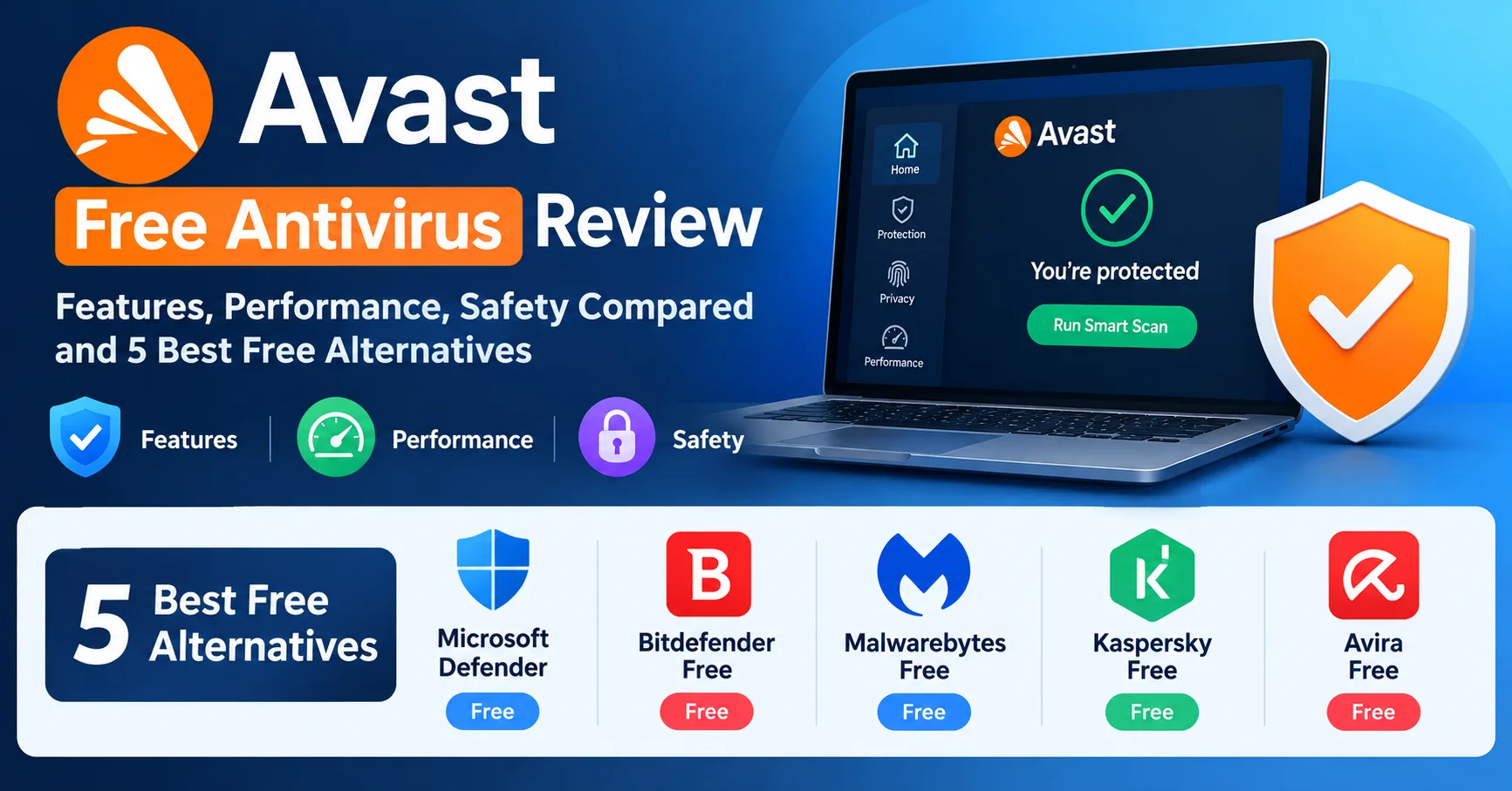
5 Best Free Alternatives to Avast Free Antivirus in 2026
If Avast’s privacy history concerns you — or you simply want to explore your options — here are five free antivirus tools that genuinely hold up in 2026.
1. 🏆 Microsoft Defender — Best Built-In Free Antivirus
Microsoft Defender, formerly known as Windows Defender, is a built-in security solution from Microsoft designed to protect Windows devices against viruses, malware, spyware, ransomware, and other online threats. It provides real-time protection, automatic security updates, firewall features, and integration with Windows Security, helping users maintain a secure system without requiring a separate antivirus program. Thanks to its seamless integration with Windows and continuous background protection, Microsoft Defender is a convenient choice for users looking for essential antivirus and cybersecurity features.
Microsoft Defender (formerly Windows Defender) is built directly into Windows 10 and 11, requires no download, and has no upsells. It’s the default choice for a reason.
Why it stands out:
- AV-TEST awarded it a perfect 6/6 protection score in 2025 — same as Avast
- Zero setup required, zero cost, zero tracking controversy
- Integrates seamlessly with Windows Security Center
- Real-time protection, ransomware folder protection, and phishing detection included
- Near-zero system performance impact
Limitation: No cross-platform support (Windows only). No dedicated browser extension or Wi-Fi scanner.
Rating: ⭐⭐⭐⭐⭐ 4.8/5
Best for: Windows users who want zero-hassle, zero-drama protection.
2. 🥈 Bitdefender Free — Best Detection Rate for Free
Bitdefender is a leading cybersecurity solution, trusted by millions of users worldwide for its powerful protection against malware, ransomware, phishing, and other online threats. It combines advanced AI-powered threat detection with real-time monitoring to keep computers, smartphones, and other devices secure without significantly impacting system performance. In addition to antivirus protection, Bitdefender offers features such as VPN access, multi-layered ransomware protection, password management, parental controls, firewall protection, and identity theft prevention.
Bitdefender Free Antivirus consistently ranks among the top performers in independent lab tests and is famous for being almost completely silent — it runs in the background, updates automatically, and only alerts you when something actually needs your attention.
Why it stands out:
- Consistently achieves 99.9–100% malware detection in AV-Comparatives tests
- Extremely light system footprint — virtually invisible during normal use
- No upsells or nagging notifications
- Anti-phishing and anti-fraud protection included
Limitation: Very few manual controls. If you like to tweak settings or run custom scans, the interface may feel too minimal.
Rating: ⭐⭐⭐⭐⭐ 4.7/5
Best for: Users who want set-it-and-forget-it protection with top-tier detection.
3. 🥉 Malwarebytes Free — Best for On-Demand Scanning
Malwarebytes Premium is a comprehensive cybersecurity solution designed to protect computers and devices against malware, ransomware, spyware, viruses, and other online threats. It provides real-time protection that continuously monitors the system and helps block malicious websites, suspicious applications, and potential cyberattacks before they can cause damage. With features focused on malware detection, web protection, and privacy, Malwarebytes Premium is a suitable choice for users looking for an additional layer of security alongside their existing antivirus software or as part of a broader cybersecurity strategy.
Malwarebytes Free is not a traditional real-time antivirus — it’s a powerful on-demand scanner designed to find and remove malware that other tools miss. It’s best used alongside Microsoft Defender, not as a standalone replacement.
Why it stands out:
- Exceptional at removing existing infections (including adware, PUPs, and browser hijackers)
- Clean, simple interface that non-technical users immediately understand
- Trusted by IT professionals as a second-opinion scanner
- No persistent background service in the free version (light on resources)
Limitation: Free version lacks real-time protection. You must run manual scans to catch threats.
Rating: ⭐⭐⭐⭐ 4.5/5
Best for: Users who already have real-time protection and want a powerful cleanup tool on standby.
4. Kaspersky Free — Best Free Protection with Privacy Controls
Kaspersky Free is a free antivirus solution designed to provide essential protection against common digital threats such as viruses, malware, and other potentially harmful software. It offers real-time protection to help detect and block threats while users browse the web, download files, and use applications. The software can also scan devices for existing threats and help identify suspicious activity. With automated security features and a relatively simple interface, Kaspersky Free is aimed at users who want basic antivirus protection without paying for a premium security suite. Availability, features, and product naming may vary by country and over time.

Kaspersky Free Antivirus offers real-time protection, web anti-virus, and a mail anti-virus component — all completely free. Its detection rates are among the highest in the industry.
Important note: Kaspersky is a Russian company, and the U.S. government banned the sale of Kaspersky products in the United States in June 2024 due to national security concerns. This ban affects U.S. users specifically. Users in other countries should consult their local advisories before installing.
Why it stands out:
- Consistently earns top marks from AV-TEST and AV-Comparatives
- Minimal system impact
- Clean interface without aggressive upselling
- Strong phishing and malicious URL blocking
Rating: ⭐⭐⭐⭐ 4.6/5
Best for: Non-U.S. users who prioritize detection performance and aren’t affected by the government ban.
💡 Note for U.S. readers: As of July 2024, Kaspersky software is banned from sale and distribution in the United States by executive order. If you’re based in the U.S., choose one of the other alternatives listed here.
5. Avira Free Security — Best Feature Set in a Free Package
Avira Free Security is a free security suite designed to provide essential protection against malware, viruses, ransomware, and other online threats. It combines antivirus scanning with additional privacy and security features to help users protect their devices and personal information. The software can provide real-time threat detection, scan files and applications, and help identify potentially unwanted or suspicious activity. Avira Free Security is also designed to be easy to use, making it suitable for users who want basic protection without the complexity of a comprehensive paid security suite. It can serve as a practical starting point for improving everyday device security and online protection.
Avira Free Security bundles antivirus protection with a free VPN (limited to 500MB/month), a software updater, a system optimizer, and a password manager — all at no cost. It’s arguably the most feature-rich free security suite available.
Why it stands out:
- AV-TEST Protection score: 5.5–6/6 consistently
- Bundled free VPN is genuinely useful for occasional public Wi-Fi use
- Software Updater flags outdated apps with known vulnerabilities
- Clean, modern interface
- No history of data-selling controversies
Limitation: The free VPN is very limited (500MB/month). The software updater can feel pushy about upgrades. Background service has a moderate system footprint.
Rating: ⭐⭐⭐⭐ 4.4/5
Best for: Users who want an all-in-one free security suite with extras beyond basic antivirus.
Side-by-Side Comparison: Avast Free vs. Top Free Alternatives
| Feature | Avast Free | Microsoft Defender | Bitdefender Free | Malwarebytes Free | Kaspersky Free | Avira Free |
|---|---|---|---|---|---|---|
| Real-Time Protection | ✅ | ✅ | ✅ | ❌ | ✅ | ✅ |
| Web/Phishing Shield | ✅ | ✅ | ✅ | ❌ | ✅ | ✅ |
| Ransomware Protection | Basic | ✅ Full | ✅ | ❌ | Basic | Basic |
| Wi-Fi Scanner | ✅ | ❌ | ❌ | ❌ | ❌ | ❌ |
| Free VPN | ❌ | ❌ | ❌ | ❌ | ❌ | ✅ (500MB) |
| No Installation Needed | ❌ | ✅ | ❌ | ❌ | ❌ | ❌ |
| Privacy Track Record | ⚠️ Issues | ✅ Clean | ✅ Clean | ✅ Clean | ⚠️ (U.S. ban) | ✅ Clean |
| System Impact | Moderate | Very Low | Very Low | Very Low | Low | Moderate |
| Detection Rate (AV-TEST) | 100% | 100% | 99.9% | N/A | 100% | 99.7% |
| User Rating | 4.3/5 | 4.8/5 | 4.7/5 | 4.5/5 | 4.6/5 | 4.4/5 |
Avast Free Antivirus: Practical Setup Checklist
If you decide to install Avast Free Antivirus, follow these steps to get the cleanest, safest setup:
- Download only from the official Avast.com website — avoid third-party download sites
- During installation, uncheck any bundled browser extensions or third-party offers
- After install, go to Menu > Settings > Privacy and review data-sharing options — opt out of anything non-essential
- Enable CyberCapture for cloud-based threat analysis
- Run the Wi-Fi Inspector immediately to check your home network
- Schedule a weekly Smart Scan for ongoing health checks
- Disable push notifications in Windows settings to avoid upsell popups
- Consider pairing with Malwarebytes Free for periodic second-opinion scans
Who Should (and Shouldn’t) Use Avast Free Antivirus
✅ Avast Free Antivirus is a good fit if:
- You need basic-to-solid malware protection without spending money
- You’re on Windows, macOS, or Android
- You appreciate extra tools like the Wi-Fi Inspector that most free tools skip
- You’ve reviewed the privacy settings and are comfortable managing your data preferences
- You use it on a shared family PC where the feature variety is more useful
❌ Consider an alternative if:
- Privacy is your top priority — Microsoft Defender or Bitdefender are cleaner choices
- You’re in the U.S. and want the simplest possible setup with no drama — stick with Microsoft Defender
- Your hardware is older (pre-2015) and you need the absolute lightest footprint
- You’re a power user who wants transparent, audit-verified protection without upsells
Frequently Asked Questions About Avast Free Antivirus
Is Avast Free Antivirus actually free?
Yes, the core product is genuinely free with no payment required. However, many features visible in the dashboard — such as the advanced Ransomware Shield, Sandbox, VPN, and some cleanup tools — require upgrading to Avast Premium Security (paid). The free version is functional for basic to solid protection, but it’s designed to nudge users toward paid plans.
Is Avast Free Antivirus safe to use in 2026?
From a malware protection standpoint, yes — Avast Free Antivirus delivers excellent detection rates backed by independent lab testing. From a privacy standpoint, the 2020 Jumpshot scandal and the 2024 FTC settlement are legitimate concerns. Avast has since updated its practices, but users who are privacy-sensitive may prefer alternatives like Microsoft Defender or Bitdefender Free.
Did Avast sell user data?
Yes. An investigation in 2020 revealed that Avast sold detailed browsing data through its subsidiary Jumpshot. The FTC subsequently fined Avast $16.5 million in 2024 and prohibited further sale of user data for advertising purposes. Avast shut down Jumpshot in February 2020. Their current privacy policy reflects updated practices, but the history is documented.
Is Avast Free Antivirus better than Windows Defender?
In terms of pure malware detection, they’re essentially equal — both scored 100% in AV-TEST’s most recent evaluations. Windows Defender has a cleaner privacy record, requires no installation, and has zero upsells. Avast Free offers additional features like the Wi-Fi Inspector and CyberCapture. For most Windows users, Microsoft Defender is the simpler, safer choice. Avast adds value if you specifically need those extra tools.
Does Avast Free Antivirus slow down your computer?
It has a moderate system impact — more than Microsoft Defender or Bitdefender Free, but less than many paid suites. On modern hardware (2018 or newer with at least 8GB RAM), the slowdown during background operation is minimal and unnoticeable. Full scans can temporarily increase CPU usage. On older machines, the impact is more pronounced.
Can I use Avast Free Antivirus on Mac?
Yes. Avast Free Security for Mac is available and free. It includes real-time malware protection, web shield, and Wi-Fi inspector. macOS has increasingly robust built-in security (Gatekeeper, XProtect), so the need for third-party antivirus on Mac is debated — but Avast’s Mac product is competent for users who want an extra layer.
How do I completely uninstall Avast Free Antivirus?
Standard uninstallation through Windows Settings > Apps may leave behind residual files. Avast provides an official Avast Clear uninstall tool (available on their support site) that performs a complete removal. Always use this tool for a clean uninstall before switching to another antivirus product.
Conclusion: Is Avast Free Antivirus Worth It in 2026?
Avast Free Antivirus is genuinely capable software. Its malware detection is world-class, its feature set is generous for a free product, and it works reliably for the vast majority of users who install it. If pure protection performance were the only criterion, it would rank near the top of the free antivirus market.
But protection performance isn’t the only criterion — and in 2026, it shouldn’t be.
The privacy history surrounding Avast is not ancient history. The FTC settlement was reached in 2024. For users who care about what happens to their data — and you should — this context matters. The good news is that you have genuinely strong free alternatives that don’t carry the same baggage.
Our final recommendations:
- 🥇 Microsoft Defender — For Windows users who want zero-fuss, zero-drama, verified protection. It’s built in, it’s excellent, and it’s completely neutral on privacy.
- 🥈 Bitdefender Free — For users who want third-party protection with top-tier detection and no tracking concerns.
- 🏅 Avast Free Antivirus — Still a viable choice if you’re not in the U.S. government sphere, you review and adjust its privacy settings after installation, and you value the extra tools it offers.
Whatever you choose, the most important decision is to use active antivirus protection. Unprotected systems are breached, ransomed, and hijacked every day — often within minutes of connecting to the internet without a security layer. Pick the right tool for your situation and keep it updated.
All data, test scores, and statistics in this article are based on publicly available information from AV-TEST, AV-Comparatives, the U.S. Federal Trade Commission, and aggregated user review platforms as of early 2026. Verify pricing and features on official websites before making any decisions.