Endpoint Detection and Response (EDR): The Complete Guide to Features, Benefits & Security With Best 5 Tools

Introduction To Endpoint Detection and Response
If you’ve ever wondered how modern businesses stop ransomware before it encrypts an entire network, the answer almost always involves Endpoint Detection and Response. I’ve spent years testing and deploying endpoint security tools for small businesses and mid-sized companies, and I can tell you firsthand: Endpoint Detection and Response isn’t just another cybersecurity buzzword. It’s become the backbone of how organizations detect, investigate, and shut down attacks in real time.
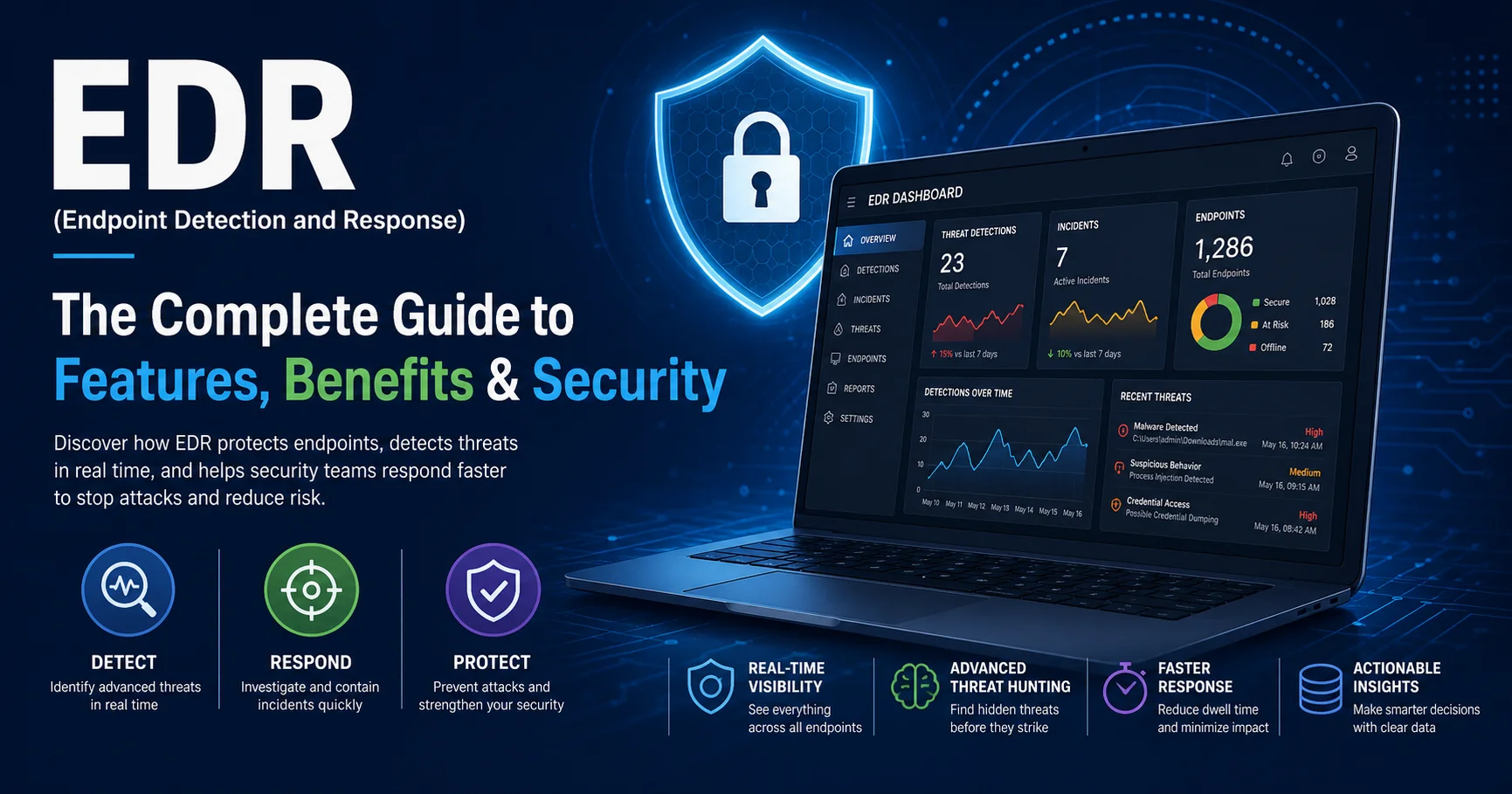
Quick Answer: Endpoint Detection and Response (EDR) is a cybersecurity technology that continuously monitors devices like laptops, servers, and mobile phones to detect suspicious behavior, investigate threats, and automatically respond to attacks before they spread. Unlike traditional antivirus, EDR doesn’t just block known viruses — it watches for unusual patterns of behavior, records everything happening on a device, and gives security teams the tools to hunt down hidden threats.
In this guide, you’ll get a complete, no-fluff breakdown of:
- What Endpoint Detection and Response actually is and how it works under the hood
- The real difference between EDR, antivirus, XDR, and MDR
- The exact features that separate a good EDR solution from a mediocre one
- A side-by-side comparison of the top EDR platforms in 2026, including real user ratings
- A practical checklist to choose the right Endpoint Detection and Response tool for your business
- Honest challenges I’ve run into during EDR deployments, and how to avoid them
- Where endpoint security is heading next
By the end, you won’t need to open another tab to understand EDR. Let’s get into it.
What Is Endpoint Detection and Response (EDR)?
Endpoint Detection and Response (EDR) is a category of cybersecurity software designed to monitor endpoints — meaning laptops, desktops, servers, virtual machines, and increasingly mobile devices — for signs of malicious activity. The term was actually coined by Gartner analyst Anton Chuvakin back in 2013, who defined it as tools focused on “recording and storing endpoint-system-level behaviors” combined with the ability to detect and respond to threats.
What makes Endpoint Detection and Response different from older security tools is simple: it assumes the attacker might already be inside. Instead of just trying to prevent an infection at the door (like antivirus does), EDR keeps a constant eye on what’s happening after a device connects to your network, flags anything abnormal, and lets security teams investigate and respond immediately.
According to IBM’s Cost of a Data Breach Report 2024{:target=”_blank”}, the average cost of a data breach reached $4.88 million globally — the highest figure ever recorded. A huge portion of these breaches start at the endpoint, which is exactly why Endpoint Detection and Response has become a non-negotiable layer of defense for businesses of every size.
How EDR Differs From Traditional Antivirus
I get this question constantly from clients: “Isn’t this just antivirus with a fancier name?” No — and the distinction matters a lot.
| Aspect | Traditional Antivirus | Endpoint Detection and Response |
|---|---|---|
| Detection method | Signature-based (known malware) | Behavioral analysis + signatures + AI |
| Visibility | Limited, reactive | Continuous, real-time monitoring |
| Response | Blocks/quarantines file | Isolates device, kills processes, rolls back changes |
| Investigation | Minimal logging | Full forensic timeline of the attack |
| Threat hunting | Not possible | Built-in, proactive hunting tools |
| Zero-day protection | Weak | Strong (behavior-based detection) |
“Antivirus answers the question ‘is this file bad?’ EDR answers the much harder question: ‘is something bad happening right now?'” — This is the mental shift every security team needs to make.
How Does Endpoint Detection and Response Work?
Here’s where it gets technical, but I’ll keep it practical. Every Endpoint Detection and Response platform runs on a lightweight agent installed on each device. That agent continuously collects telemetry — process launches, registry changes, network connections, file modifications — and sends it to a centralized analysis engine, usually cloud-based.
The EDR Detection Cycle
- Continuous Data Collection – The agent records virtually everything happening on the endpoint: which programs run, what they touch, and where they connect.
- Behavioral Analysis – Machine learning models and threat intelligence compare this activity against known attack patterns (MITRE ATT&CK techniques, for example).
- Alert Generation – When something suspicious is detected — say, a Word document spawning PowerShell, a classic sign of a phishing payload — the system raises an alert.
- Automated or Manual Response – Depending on configuration, the EDR tool can automatically isolate the device from the network, kill the malicious process, or wait for a human analyst to approve the action.
- Forensic Investigation – Security teams get a full timeline showing exactly how the attack unfolded, which is critical for understanding the blast radius and preventing a repeat.
This is precisely why Endpoint Detection and Response has become essential: it closes the gap between “something bad happened” and “we know exactly what happened and stopped it.” According to Mandiant’s M-Trends 2024 report, the median dwell time for attackers (the time between initial compromise and detection) has dropped significantly in organizations using advanced EDR, compared to those relying solely on legacy antivirus.
⚠️ Important: An EDR tool is only as good as its configuration. I’ve seen companies spend five figures on a premium EDR license and leave it in “monitor only” mode — meaning it detects threats but never actually blocks them. Always verify your response policies are set to active, not passive.
Key Features of an Endpoint Detection and Response Solution
Not every product labeled “EDR” offers the same depth. After testing multiple platforms across different industries, here are the features I consider non-negotiable in any serious Endpoint Detection and Response tool:
- Real-time behavioral monitoring – Detects fileless malware and living-off-the-land attacks that traditional antivirus misses entirely.
- Automated threat response – Isolates compromised devices, kills malicious processes, and can roll back ransomware encryption.
- Threat hunting console – Lets analysts search historical data for indicators of compromise (IOCs) across the whole environment.
- Centralized dashboard – A single pane of glass to manage alerts across hundreds or thousands of endpoints.
- Integration with SIEM/SOAR – Feeds data into broader security operations for correlation with network and cloud events.
- MITRE ATT&CK mapping – Shows exactly which attack technique was used, making investigations faster.
- Rollback and remediation – Especially critical against ransomware; a good EDR can restore files to their pre-attack state.
- Low system footprint – A heavy agent that slows down every laptop in the company will get uninstalled by frustrated employees — I’ve seen it happen.
- Cloud-native management – Allows IT teams to manage remote and hybrid endpoints without VPN dependency.
Benefits of Endpoint Detection and Response for Businesses
Implementing Endpoint Detection and Response isn’t just a checkbox for compliance — it delivers measurable business value.
- Faster threat detection – Organizations with mature detection and response capabilities identify breaches significantly faster than those without, according to IBM’s 2024 breach report, which directly reduces financial damage.
- Reduced breach costs – The same IBM report found that organizations using security AI and automation (a core part of modern EDR) saved an average of $2.2 million per breach compared to those that didn’t.
- Ransomware containment – Endpoint Detection and Response can isolate an infected machine in seconds, often stopping ransomware before it spreads laterally across the network.
- Compliance support – Frameworks like HIPAA, PCI-DSS, and GDPR increasingly expect continuous monitoring, something EDR provides out of the box.
- Reduced analyst workload – Automated triage and AI-assisted investigation mean smaller security teams can manage larger environments.
- Remote workforce protection – With employees working from home, cloud-based Endpoint Detection and Response secures devices outside the traditional network perimeter.
Quick Stat: According to the Verizon 2024 Data Breach Investigations Report, the human element was involved in 68% of breaches — a strong reminder that even with great EDR, employee training remains essential.
EDR vs. Antivirus vs. XDR vs. MDR: What’s the Real Difference?
This is one of the most confusing areas in cybersecurity, so let’s clear it up once and for all.
| Solution | What It Covers | Best For | Human Involvement Needed |
|---|---|---|---|
| Antivirus | Known malware signatures | Basic home/small office protection | Minimal |
| EDR (Endpoint Detection and Response) | Behavior-based detection on endpoints | Businesses needing deep endpoint visibility | Yes — requires a security team or MDR partner |
| XDR (Extended Detection and Response) | Endpoints + network + cloud + email | Larger enterprises wanting unified visibility | Yes, often with dedicated SOC |
| MDR (Managed Detection and Response) | Outsourced EDR/XDR monitoring by a third party | Companies without an in-house security team | No — handled by the provider |
In short: Endpoint Detection and Response is the technology, while MDR is a service that uses EDR (and often XDR) tools but is managed by external experts. If you don’t have a dedicated security team, pairing an EDR tool with an MDR provider is often the smartest move.
Best Endpoint Detection and Response Tools in 2026 (Compared)
I’ve personally deployed or evaluated each of these platforms in real environments. Here’s an honest, no-sponsorship comparison based on performance, ease of use, and user feedback.
| Tool | User Rating | Ideal For | Ease of Use | Starting Price |
|---|---|---|---|---|
| CrowdStrike Falcon | ⭐⭐⭐⭐⭐ (4.8/5) | Mid-to-large enterprises | Moderate | ~$8.99/endpoint/month |
| SentinelOne Singularity | ⭐⭐⭐⭐⭐ (4.7/5) | Automated response & ransomware rollback | Easy | ~$7/endpoint/month |
| Microsoft Defender for Endpoint | ⭐⭐⭐⭐ (4.4/5) | Microsoft 365 shops | Easy (if already in MS ecosystem) | Included in E5 / ~$5.20/user/month |
| Sophos Intercept X | ⭐⭐⭐⭐ (4.3/5) | SMBs wanting simplicity | Very Easy | ~$28/endpoint/year |
| Bitdefender GravityZone | ⭐⭐⭐⭐ (4.2/5) | Budget-conscious small businesses | Easy | ~$6/endpoint/month |
CrowdStrike Falcon

CrowdStrike Falcon is a cloud-based cybersecurity platform designed to protect endpoints such as computers, servers, and other connected devices against modern cyber threats. It combines endpoint detection and response (EDR), threat intelligence, behavioral analysis, and AI-powered security capabilities to help organizations detect suspicious activity, investigate incidents, and respond to attacks. Depending on the selected modules, Falcon can also provide next-generation antivirus, threat hunting, and extended detection and response (XDR) capabilities. It is particularly useful for businesses and security teams seeking centralized endpoint protection, real-time threat visibility, and faster incident response across distributed IT environments.
Pros: Industry-leading threat intelligence, extremely fast detection, minimal system impact.
Cons: Pricing adds up quickly for large fleets; initial setup can be complex for small IT teams.
SentinelOne Singularity
SentinelOne Singularity is an AI-powered cybersecurity platform designed to protect endpoints, cloud workloads, and enterprise environments against advanced cyber threats. It combines endpoint protection, endpoint detection and response (EDR), and extended detection and response (XDR) capabilities to identify suspicious behavior, investigate attacks, and automate threat mitigation. The platform uses behavioral analysis and machine learning to help detect malware, ransomware, and other malicious activity, including certain previously unknown threats. SentinelOne Singularity is particularly useful for organizations seeking centralized security monitoring, automated incident response, and improved visibility across their IT infrastructure.

Pros: Best-in-class automated ransomware rollback, strong AI-driven detection, works well offline.
Cons: Reporting dashboard can feel cluttered for new users.
Microsoft Defender for Endpoint
Microsoft Defender for Endpoint is an enterprise cybersecurity solution designed to protect organizations against advanced threats targeting computers, servers, and other supported devices. It combines endpoint detection and response (EDR), threat and vulnerability management, behavioral monitoring, and automated investigation capabilities to help security teams detect, investigate, and respond to cyberattacks. The platform integrates with the Microsoft security ecosystem, including Microsoft Defender XDR and Microsoft Intune, to support centralized security management and device protection. It is particularly useful for businesses seeking to prevent malware infections, detect suspicious activity, reduce security risks, and strengthen endpoint protection across their IT environments.
Pros: Seamless integration if you’re already using Microsoft 365 E5; solid value.
Cons: Less effective in mixed-OS environments (Linux/macOS coverage trails behind Windows).
Sophos Intercept X
Sophos Intercept X is an endpoint security solution designed to protect businesses against malware, ransomware, exploits, and advanced cyber threats. It combines artificial intelligence, behavioral analysis, anti-exploit technology, and endpoint detection and response (EDR) capabilities to identify suspicious activity and help prevent attacks. The platform also provides security monitoring, threat investigation, and automated response features, helping IT teams detect incidents and reduce potential damage. Integrated with the Sophos Central cloud management console, Intercept X enables organizations to manage endpoint protection across multiple devices from a centralized dashboard. It is a suitable option for businesses looking to strengthen cybersecurity, simplify threat management, and protect their IT infrastructure against evolving attacks.

Pros: Very beginner-friendly, great support, strong anti-ransomware CryptoGuard feature.
Cons: Advanced threat hunting features are less mature compared to CrowdStrike or SentinelOne.
Bitdefender GravityZone
Bitdefender GravityZone is a cybersecurity platform designed to protect business endpoints, servers, and cloud environments against malware, ransomware, and advanced cyber threats. It combines machine learning, behavioral analysis, threat prevention, and endpoint detection and response (EDR) capabilities to help organizations identify suspicious activity and respond to security incidents. Depending on the selected plan, GravityZone can also provide risk analytics, vulnerability assessment, attack investigation, and centralized security management through a unified console. Its scalable architecture makes it suitable for small businesses, medium-sized organizations, and large enterprises seeking to strengthen endpoint protection while simplifying security administration. By combining prevention, detection, and response tools, Bitdefender GravityZone helps reduce security risks and improve overall cyber resilience.
Pros: Excellent price-to-performance ratio, lightweight agent.
Cons: Fewer advanced forensic tools for larger security operations centers.
💡 Practical Tip: Don’t choose an Endpoint Detection and Response tool based on price alone. During a free trial, deliberately run a simulated phishing attack (tools like KnowBe4 offer safe simulations) and watch how fast the platform detects and contains it. That real-world test tells you more than any feature list.
How to Choose the Right Endpoint Detection and Response Solution
Here’s the checklist I personally walk through with every client before recommending an Endpoint Detection and Response platform:
Pre-Purchase Checklist:
- Does it support all your operating systems (Windows, macOS, Linux)?
- Can it integrate with your existing SIEM or ticketing system?
- Does it offer automated response, not just alerts?
- Is there a ransomware rollback/remediation feature?
- How much CPU/RAM does the agent consume on average devices?
- Is 24/7 support included, or is it an add-on?
- Does the vendor offer managed detection (MDR) if you lack in-house staff?
- What’s the real cost per endpoint at your company’s scale (not the marketing price)?
- Can you run a free trial with real test scenarios before committing?
- Does it comply with your industry’s regulatory requirements (HIPAA, PCI-DSS, GDPR)?
Common Challenges When Implementing EDR (From Real Experience)
I won’t sugarcoat this — rolling out Endpoint Detection and Response isn’t always smooth. Here are the challenges I’ve personally run into:
- Alert fatigue – Early on, poorly tuned EDR policies can flood your team with false positives. It took us nearly three weeks of tuning detection rules before the noise dropped to a manageable level.
- Agent conflicts – Running an EDR agent alongside legacy antivirus can cause performance issues or even system crashes. Always uninstall old antivirus software first.
- Staff training gaps – A powerful EDR tool is useless if nobody on the team knows how to interpret the MITRE ATT&CK mappings or respond to an isolation alert at 2 AM.
- Remote device blind spots – Devices that stay offline for extended periods don’t get updated threat intelligence, creating a temporary vulnerability window.
- Budget creep – Per-endpoint pricing seems small until you scale to 500+ devices; always calculate the true annual cost before signing a contract.
⚠️ Lesson Learned: During one deployment, we left the EDR agent in “detect-only” mode for two weeks while tuning policies — standard practice. But we forgot to flip it to full blocking mode before go-live. A test malware sample from a pen test ran uninterrupted. Always double-check your response settings before considering a rollout “complete.”
Endpoint Detection and Response Best Practices
To get the most value out of any EDR deployment, follow these field-tested practices:
- Enable full automated response where your risk tolerance allows — don’t leave it in monitor-only mode long-term.
- Integrate with multi-factor authentication (MFA) so compromised credentials don’t bypass endpoint protections.
- Run quarterly threat-hunting exercises even if no alerts have fired — attackers often stay dormant.
- Patch and update endpoints regularly; EDR is a safety net, not a replacement for basic hygiene.
- Segment your network so that even if one endpoint is compromised, lateral movement is limited.
- Review and tune detection rules monthly to reduce alert fatigue and catch evolving attack techniques.
According to CISA’s guidance on improving security operations{:target=”_blank”}, continuous monitoring combined with rapid response capability is one of the top recommended controls for organizations of all sizes — which is exactly the role Endpoint Detection and Response plays in a modern security stack.
The Future of Endpoint Detection and Response in 2026 and Beyond
Endpoint Detection and Response continues to evolve quickly. A few trends I’m watching closely heading into 2026:
- AI-driven autonomous response – Platforms are moving toward fully autonomous remediation, reducing the need for human approval on common attack patterns.
- Convergence with XDR – Standalone EDR is increasingly becoming a module within broader XDR platforms that unify endpoint, cloud, identity, and email telemetry.
- Identity-aware EDR – Tighter integration between endpoint behavior and identity systems (like Azure AD/Entra ID) to catch credential-based attacks faster.
- Lightweight agents for IoT/OT – As operational technology and IoT devices multiply, EDR vendors are building specialized lightweight agents for these constrained environments.
Frequently Asked Questions About Endpoint Detection and Response
What is the main purpose of Endpoint Detection and Response?
The main purpose of Endpoint Detection and Response is to continuously monitor endpoint devices for suspicious behavior, detect threats that bypass traditional antivirus, and enable rapid investigation and automated response to stop attacks before they cause major damage.
Is Endpoint Detection and Response the same as antivirus?
No. Antivirus primarily blocks known malware using signatures, while Endpoint Detection and Response uses behavioral analysis, machine learning, and continuous monitoring to catch both known and unknown (zero-day) threats, plus gives teams tools to investigate and respond.
Do small businesses need Endpoint Detection and Response?
Yes. Attackers increasingly target small and mid-sized businesses because they often have weaker defenses. Many Endpoint Detection and Response vendors now offer affordable plans specifically designed for small businesses, often bundled with managed detection services (MDR) for companies without a dedicated security team.
How much does an EDR solution typically cost?
Pricing generally ranges from $5 to $10 per endpoint per month, depending on the vendor and feature set. Enterprise-grade platforms with advanced threat hunting and 24/7 managed services tend to sit at the higher end of that range.
Can Endpoint Detection and Response stop ransomware?
Yes, modern EDR solutions are specifically designed to detect ransomware behavior (like mass file encryption) and can automatically isolate the infected device, kill the malicious process, and in many cases roll back encrypted files to their original state.
What’s the difference between EDR and MDR?
EDR is the technology/software itself, while Managed Detection and Response (MDR) is a service where a third-party security team manages that EDR technology on your behalf, handling alerts and responses 24/7.
Final Thoughts: Is Endpoint Detection and Response Worth It?
After years of working directly with these platforms, my honest conclusion is this: Endpoint Detection and Response has shifted from a “nice to have” to an absolute necessity for any organization that takes cybersecurity seriously. The combination of real-time behavioral monitoring, automated response, and forensic investigation capabilities simply isn’t something traditional antivirus can replicate — and the stakes (an average breach cost nearing $5 million according to IBM) make the investment easy to justify.
If you’re just starting out, don’t get overwhelmed by feature lists and marketing claims. Use the checklist in this guide, run real trials with simulated attacks, and most importantly, make sure your team actually knows how to use the tool once it’s deployed. Endpoint Detection and Response is powerful technology, but like any tool, its real value comes down to how well it’s configured and managed.
Whichever platform you choose — CrowdStrike, SentinelOne, Microsoft Defender, Sophos, or Bitdefender — the fact that you’re taking the time to understand Endpoint Detection and Response properly already puts you ahead of most organizations that get breached. That’s the real last step: choose, implement, and commit to using it properly.