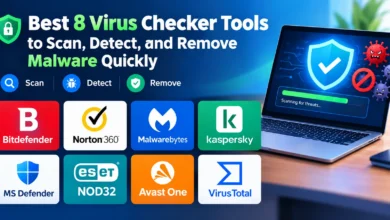
Best 8 Virus Cleaner Software to Remove Malware and Restore Device Security

Introduction
Your device has been acting strange lately. Maybe it’s running slower than it should, or you’re seeing pop-up ads that appear out of nowhere, or your browser keeps redirecting you to websites you never asked to visit. Sound familiar? These are classic signs that you need a virus cleaner — and you need one that actually works.
Here’s the short answer: the best virus cleaner software in 2026 includes tools like Malwarebytes, Bitdefender, Norton, ESET, and Avast, each excelling in different areas depending on your situation — whether you’re cleaning up an existing infection or building long-term protection.
In this complete guide, you’ll discover:
- What a virus cleaner really does (and how it differs from standard antivirus)
- The 8 best virus cleaner tools tested and ranked for 2026
- A detailed comparison table with real user ratings
- A step-by-step cleaning process to remove malware safely
- A practical checklist to keep your device malware-free
- Honest answers to the most common questions
Whether you’re dealing with an active infection right now or just want to prevent one, you’re in the right place.
What Is a Virus Cleaner and How Is It Different from Antivirus?
A virus cleaner is specialized software designed primarily to detect, isolate, and remove malware that has already made its way onto your device. While traditional antivirus software focuses heavily on prevention — blocking threats before they get in — a virus cleaner is built for remediation: cleaning up the mess after something slips through.
Think of it this way: antivirus is like a lock on your front door. A virus cleaner is the professional cleaning crew you call when someone still manages to break in.
In practice, the lines between the two have blurred considerably. The best tools in 2026 do both — they offer real-time prevention and deep cleaning capabilities. But understanding the distinction helps you choose the right tool for your specific situation.
💡 Key Fact: According to AV-TEST Institute, over 1.1 billion malware programs are currently active worldwide as of 2026 — a figure that has more than doubled in five years. This makes having a dedicated virus cleaner more critical than ever.
Signs Your Device Needs a Virus Cleaner Right Now
Before we get into the tools, let’s quickly identify whether you actually have a problem. Your device likely needs a virus cleaner if you’re experiencing:
- 🐌 Sudden, unexplained slowdowns in performance
- 🔁 Browser redirects to unfamiliar or suspicious websites
- 🪟 Excessive pop-up ads, even on sites that don’t normally show them
- 🔋 Unusual battery drain on laptops or mobile devices
- 💾 Programs installing themselves without your permission
- 📡 Unexpected spikes in data usage or network activity
- 🔒 Files becoming inaccessible or renamed (possible ransomware)
- 💻 Programs crashing frequently without clear reason
- 🖱️ Cursor moving on its own or settings changing without your input
If two or more of these apply to you, stop what you’re doing and run a scan before continuing.
How We Selected These Virus Cleaner Tools
Every tool in this guide was evaluated against the following criteria:
- Cleaning effectiveness — how thoroughly it removes active infections
- Detection accuracy — based on data from AV-Comparatives and AV-TEST (2025–2026 reports)
- System performance impact — does it clean your device without slowing it to a crawl?
- Ease of use — can a non-technical user handle it without a manual?
- Recovery features — quarantine, restore points, rollback capabilities
- Platform coverage — Windows, Mac, Android, iOS
- Price transparency — what you get for free vs. what requires payment
No tool received a recommendation here without passing scrutiny on each of these points.
The 8 Best Virus Cleaner Software Tools in 2026
1. Malwarebytes Premium — Best Dedicated Virus Cleaner Overall
Malwarebytes Premium is a comprehensive cybersecurity solution designed to protect computers and devices against malware, ransomware, spyware, viruses, and other online threats. It provides real-time protection that continuously monitors the system and helps block malicious websites, suspicious applications, and potential cyberattacks before they can cause damage. With features focused on malware detection, web protection, and privacy, Malwarebytes Premium is a suitable choice for users looking for an additional layer of security alongside their existing antivirus software or as part of a broader cybersecurity strategy.
If your device is already infected and you need it cleaned now, Malwarebytes is the tool I turn to first — every single time. Originally designed as a second-opinion scanner to catch what other antivirus tools miss, it has matured into a powerful standalone virus cleaner with impressive removal capabilities.
What makes Malwarebytes exceptional for cleaning is its ability to detect and eliminate adware, browser hijackers, PUPs (Potentially Unwanted Programs), rootkits, and spyware that many traditional antivirus programs either miss or classify incorrectly. The Threat Scan typically completes in under 60 seconds, which is remarkable for the depth it covers.
I’ve personally used it to clean infected machines that two other tools had already declared “clean.” It found remnants that the others completely overlooked.
✅ Pros:
- Outstanding at removing existing, active infections
- Lightweight — minimal performance impact during scans
- Works alongside other antivirus software without conflict
- Free version available for on-demand scanning
- Excellent browser extension (Malwarebytes Browser Guard)
- Clear, user-friendly interface
❌ Cons:
- Real-time protection only available in Premium version
- Detection rates slightly lower than Bitdefender or Kaspersky for prevention
- No built-in firewall or VPN
💰 Price: Free (on-demand) | Premium from $39.99/year
2. Bitdefender Total Security — Best All-Round Virus Cleaner + Protection
Bitdefender is a leading cybersecurity solution, trusted by millions of users worldwide for its powerful protection against malware, ransomware, phishing, and other online threats. It combines advanced AI-powered threat detection with real-time monitoring to keep computers, smartphones, and other devices secure without significantly impacting system performance. In addition to antivirus protection, Bitdefender offers features such as VPN access, multi-layered ransomware protection, password management, parental controls, firewall protection, and identity theft prevention.
Bitdefender earned its reputation through years of topping independent lab tests, and its 2026 suite continues that tradition. What’s particularly relevant for cleaning is its Ransomware Remediation feature — if ransomware somehow gets through, Bitdefender automatically restores your encrypted files from a secure backup.
Its Advanced Threat Defense module monitors behavior in real time. The moment a program starts behaving like malware — even if it’s a brand-new, never-before-seen threat — Bitdefender blocks and cleans it before it can cause damage.
✅ Pros:
- 99.9% detection rate (AV-TEST 2026)
- Ransomware remediation with automatic file recovery
- Multi-platform support: Windows, Mac, Android, iOS
- Extremely low system resource usage
- Includes VPN, password manager, and parental controls
❌ Cons:
- Free version is very basic
- Some advanced features are only on higher-tier plans
- VPN has daily data limits on standard plans
💰 Price: From $29.99/year (up to 5 devices)
3. Norton Power Eraser — Best Free Virus Cleaner for Stubborn Infections
Norton 360 Deluxe is a comprehensive cybersecurity suite designed to protect multiple devices from viruses, malware, ransomware, phishing attacks, and other online threats. It combines real-time threat detection with advanced security features, including a secure VPN for private browsing, a password manager, cloud backup for important files, dark web monitoring, and parental controls. Compatible with Windows, macOS, Android, and iOS.

Norton Power Eraser is a standalone, completely free tool designed specifically for situations where standard cleaning isn’t enough. It uses aggressive heuristics to detect deeply embedded threats — the kind that survive reboots, hide in system processes, or resist removal through normal means.
It’s worth noting that this tool uses such aggressive detection that it occasionally flags legitimate software (false positives). Norton addresses this with a built-in restore feature, so you can undo any removal. For stubborn, hard-to-kill infections, I’ve found nothing more effective among free tools.
✅ Pros:
- Completely free, no account required
- Aggressive removal of deeply embedded malware
- Undo/restore feature for false positives
- Targets rootkits, scareware, and crimeware specifically
- No installation required (portable executable)
❌ Cons:
- Higher false positive rate than premium tools
- No real-time protection — one-time scanner only
- Requires Windows (no Mac/mobile version)
💰 Price: Free
4. Kaspersky Virus Removal Tool — Best Free Standalone Virus Cleaner

Kaspersky is a reliable cybersecurity solution that offers comprehensive protection against viruses, malware, ransomware, phishing, and other online threats. With advanced AI-powered threat detection and real-time security monitoring, it helps protect personal and business devices without impacting system performance. Kaspersky also includes essential features such as online banking protection, VPN access, password management, privacy settings, and web threat prevention.
Kaspersky’s free Virus Removal Tool is a portable scanner that doesn’t require installation. You download it, run it, and it performs a thorough scan using Kaspersky’s world-class detection engine — the same engine that consistently scores 99.8%+ in AV-Comparatives real-world protection tests.
This is particularly useful when you’re dealing with a machine that’s too infected to install software properly. Since it runs as a standalone executable, it bypasses many malware self-protection mechanisms.
✅ Pros:
- Free and portable (no installation needed)
- Uses Kaspersky’s professional-grade detection engine
- Excellent at detecting trojans, worms, and rootkits
- Works even on heavily infected systems
- Regularly updated threat database
❌ Cons:
- No real-time protection — scan on demand only
- Geopolitical concerns remain in some regions (U.S., UK)
- Interface is functional but not modern
💰 Price: Free
5. ESET Online Scanner — Best Browser-Based Virus Cleaner
ESET NOD32 Antivirus is a lightweight and powerful antivirus solution that provides advanced protection against malware, ransomware, spyware, phishing attacks, and other cyber threats. Through proactive machine learning and cloud-based threat detection, it identifies known and emerging threats while maintaining system performance. ESET NOD32 includes features such as real-time scanning, exploit blocking, ransomware protection, UEFI scanning, and anti-phishing technology to protect users during their daily online activities.
ESET Online Scanner is one of the most underrated virus cleaner tools available. It runs entirely through your browser (with a small temporary download), scans your full system using ESET’s ThreatSense engine, and then removes what it finds — all without requiring you to install permanent software.
In my experience, ESET’s scanner is particularly good at catching fileless malware and threats hiding in unusual file locations. It’s my go-to recommendation for users who are hesitant to install yet another security program.
✅ Pros:
- No permanent installation required
- ESET’s ThreatSense engine — excellent fileless malware detection
- Detects and removes threats from all drive types
- Minimal system impact during scanning
- Available for Windows and Mac
❌ Cons:
- Not a real-time solution
- Scan can take 30–60 minutes for large drives
- Requires internet connection throughout the scan
💰 Price: Free
6. Avast Free Antivirus — Best Free Virus Cleaner with Real-Time Protection
Avast is a popular cybersecurity solution offering robust protection against viruses, malware, ransomware, phishing, and other online threats. Featuring AI-driven threat detection and real-time security monitoring, it identifies and blocks both known and emerging cyber risks while maintaining system performance. Avast includes a wide range of features—such as Wi-Fi network security scanning, ransomware protection, a firewall, a secure browser, a VPN, and privacy tools—to ensure enhanced online security. It is compatible with Windows, macOS, Android, and iOS.
Avast Free Antivirus offers something the other free tools on this list don’t: real-time protection at no cost. Its CyberCapture technology sends suspicious files to Avast’s cloud for analysis in real time, catching zero-day threats before they execute.
For users who want a free virus cleaner that works continuously — not just on demand — Avast is consistently among the strongest free options. Detection rates hover around 98.5%, and the interface is clean and approachable for beginners.
✅ Pros:
- Free with real-time protection enabled
- CyberCapture cloud analysis for new threats
- Wi-Fi network scanner included
- Web shield blocks malicious URLs
- Large threat database, frequently updated
❌ Cons:
- Past data privacy issues (resolved, but transparency is important)
- Frequent upgrade prompts can be annoying
- Some features locked behind paid upgrade
💰 Price: Free | Premium from $45.99/year
7. HitmanPro — Best Second-Opinion Virus Cleaner
HitmanPro is a malware removal and second-opinion security tool designed to detect and eliminate malware, spyware, trojans, and other potentially unwanted threats from Windows devices. It uses cloud-based scanning technologies and multiple security engines to identify suspicious files and provide an additional layer of protection alongside existing antivirus software. HitmanPro is particularly useful when a computer shows unusual behavior or when you want to perform an additional security check without relying solely on your primary antivirus solution.
HitmanPro by Sophos is a cloud-based virus cleaner that takes a genuinely different approach. Rather than relying on a single engine, it uses five different cloud-based malware detection engines simultaneously — including Sophos, Bitdefender, and others — giving you what is effectively a multi-vendor scan in one tool.
It’s designed to be used alongside your existing antivirus as a final verification step. I use it specifically when I’ve cleaned a machine and want absolute confirmation that nothing remains. The 30-day free trial is fully functional, which is enough for most cleaning scenarios.
✅ Pros:
- Cloud-based with multi-engine scanning (5 engines)
- Finds threats other tools miss
- No installation required — runs as portable tool
- Kickstart feature boots before Windows to catch deeply hidden rootkits
- 30-day free trial with full functionality
❌ Cons:
- Free version doesn’t remove — only detects (after trial period)
- Annual cost relatively high for what it offers
- Not suitable as a primary, always-on protection tool
💰 Price: 30-day free trial | From $24.95/year
8. SUPERAntiSpyware — Best Virus Cleaner for Spyware and Adware
SUPERAntiSpyware is an anti-malware and spyware removal tool designed to detect and remove various types of unwanted and potentially harmful software from Windows computers. It can help identify threats such as spyware, adware, potentially unwanted programs (PUPs), and other forms of malware that may affect system performance or user privacy. SUPERAntiSpyware is particularly useful for users who want an additional layer of protection alongside their primary antivirus solution. With its malware scanning and removal capabilities, it provides a straightforward option for detecting and eliminating threats that may be missed by conventional security tools.
SUPERAntiSpyware fills a specific niche: it’s exceptionally good at detecting and removing spyware, adware, browser hijackers, and tracking cookies — categories where many full antivirus suites underperform. If your infection symptoms are mostly browser-related (redirects, pop-ups, unwanted toolbars), this tool targets exactly those problems.
It’s been around for years and has a loyal user base among IT support professionals who use it as part of their standard cleaning toolkit. The free version handles most common adware and spyware scenarios effectively.
✅ Pros:
- Specialized in spyware, adware, and browser hijackers
- Free version is fully functional for removal
- Trusted among IT professionals
- Repair functionality for system settings damaged by malware
- Lightweight and fast
❌ Cons:
- Not as strong against traditional viruses or ransomware
- Interface feels dated
- Real-time protection only in Pro version
💰 Price: Free | Pro from $29.95/year
Virus Cleaner Comparison Table
| Tool | Type | Detection Rate | Removes Active Infections | Real-Time Protection | User Rating | Price |
|---|---|---|---|---|---|---|
| Malwarebytes | Full cleaner | 98.1% | ✅ Excellent | ✅ Premium only | ⭐⭐⭐⭐⭐ (4.8/5) | Free / $39.99/yr |
| Bitdefender | Full suite | 99.9% | ✅ Excellent | ✅ Yes | ⭐⭐⭐⭐⭐ (4.9/5) | From $29.99/yr |
| Norton Power Eraser | Standalone cleaner | ~97% | ✅ Aggressive | ❌ No | ⭐⭐⭐⭐ (4.3/5) | Free |
| Kaspersky VRT | Portable scanner | 99.8% | ✅ Very good | ❌ No | ⭐⭐⭐⭐½ (4.6/5) | Free |
| ESET Online Scanner | Browser-based | 99.1% | ✅ Very good | ❌ No | ⭐⭐⭐⭐½ (4.5/5) | Free |
| Avast Free | Full cleaner | 98.5% | ✅ Good | ✅ Yes (free) | ⭐⭐⭐⭐ (4.2/5) | Free / $45.99/yr |
| HitmanPro | Cloud multi-engine | ~99% | ✅ Trial only | ❌ No | ⭐⭐⭐⭐½ (4.5/5) | 30-day free / $24.95/yr |
| SUPERAntiSpyware | Spyware specialist | Spyware-focused | ✅ Good (spyware) | ✅ Pro only | ⭐⭐⭐⭐ (4.1/5) | Free / $29.95/yr |
How to Use a Virus Cleaner: Step-by-Step Process
Running a virus cleaner properly makes the difference between a partial fix and a complete, lasting removal. Here’s the process I follow — and teach to others:
Step 1: Disconnect from the Internet
Before scanning, disconnect your device from Wi-Fi or unplug your ethernet cable. This prevents active malware from communicating with remote servers, downloading additional components, or exfiltrating data during the cleaning process.
Step 2: Boot into Safe Mode (recommended for severe infections)
Safe Mode loads only essential system processes, which prevents most malware from running. On Windows:
- Hold Shift and click Restart
- Select Troubleshoot → Advanced Options → Startup Settings → Restart
- Press F4 for Safe Mode
Step 3: Update your virus cleaner’s database
Before scanning, update the tool’s malware definitions. An outdated database misses recent threats — sometimes critically so.
Step 4: Run a full system scan
Choose the deepest available scan option. Quick scans are useful for maintenance, but when cleaning an active infection, you need every folder, file, and process checked.
Step 5: Review flagged items carefully
Don’t auto-delete everything flagged. Some legitimate software gets caught as false positives. Quarantine first, delete after research. Quarantine is reversible; deletion often isn’t.
Step 6: Restart your device
After removing threats, always restart. Some malware components only fully detach from system memory after a reboot.
Step 7: Run a second scan with a different tool
Malware is sophisticated. After your first clean, run a second scan with a different virus cleaner (HitmanPro or Malwarebytes work great as secondary scanners). This catches anything the first tool missed.
Step 8: Check and reset your browser
Many infections target browsers specifically. After cleaning, manually review your browser extensions, reset homepage settings, and clear your cache. Or simply reset the browser to default settings.
🚨 Critical Warning: Never download a “virus cleaner” from a pop-up ad or an email link. Many fake antivirus tools (known as scareware) are themselves malware — they pretend to find threats in order to steal your money or install additional malicious software. Only download tools directly from official websites using the links in this guide.
Virus Cleaner for Different Devices: What You Need to Know
🖥️ Windows PC
Windows remains the most targeted platform by a significant margin. Use a dedicated virus cleaner like Malwarebytes, combined with real-time protection from Bitdefender or Avast.
🍎 Mac
Macs are not immune. Mac-targeted malware rose by over 60% between 2023 and 2025, according to Malwarebytes Labs. Malwarebytes for Mac and Bitdefender both offer excellent cleaning tools for macOS.
📱 Android
Android devices are increasingly targeted by mobile adware and banking trojans. Malwarebytes for Android and Avast Mobile Security both offer strong free virus cleaner functionality for Android.
🍏 iPhone/iPad (iOS)
iOS has strict app sandboxing that makes traditional malware extremely rare. However, phishing attacks and malicious profiles can still compromise security. Tools like Lookout or Bitdefender Mobile Security offer iOS protection — though genuine “virus cleaning” on iOS is more limited by design.
✅ Pro Tip: The most effective approach in 2026 is a layered security model: one real-time antivirus suite (Bitdefender or Norton) + one on-demand virus cleaner (Malwarebytes) + one browser security extension (Malwarebytes Browser Guard or uBlock Origin). This combination covers prevention, cleaning, and browsing protection simultaneously.
Device Security Checklist: After Using Your Virus Cleaner
Once you’ve cleaned your device, use this checklist to restore and maintain full security:
- ✅ Virus cleaner scan completed — no active threats detected
- ✅ Second scan with a different tool confirmed clean result
- ✅ Browser extensions reviewed — suspicious ones removed
- ✅ Browser homepage and search engine settings restored
- ✅ All passwords changed (especially email and banking)
- ✅ Two-factor authentication (2FA) enabled on key accounts
- ✅ Operating system updated to latest version
- ✅ All software and apps updated to latest versions
- ✅ Real-time protection enabled and running
- ✅ Important files backed up to external drive or cloud
- ✅ Router password changed (some malware targets routers)
- ✅ Scheduled weekly automatic scans set up
Quick Reference: Best Virus Cleaner by Situation
| Your Situation | Best Virus Cleaner to Use |
|---|---|
| Device infected right now — need fast removal | Malwarebytes Free (on-demand scan) |
| Stubborn infection surviving multiple clean attempts | Norton Power Eraser + HitmanPro |
| Don’t want to install anything | ESET Online Scanner or VirusTotal |
| Want best overall protection + cleaning | Bitdefender Total Security |
| Free real-time cleaner on a budget | Avast Free Antivirus |
| Mostly browser problems (pop-ups, redirects) | SUPERAntiSpyware + browser reset |
| Mac infected | Malwarebytes for Mac |
| Android device with adware | Malwarebytes for Android |
| IT professional verifying a clean machine | HitmanPro (multi-engine confirmation) |
Frequently Asked Questions About Virus Cleaner Software
❓ What is the best virus cleaner for a PC in 2026?
For most users, Malwarebytes Premium is the best dedicated virus cleaner for active infections. For combined cleaning and ongoing protection, Bitdefender Total Security is the top all-around choice based on independent lab results and user feedback.
❓ Can a virus cleaner remove all types of malware?
A good virus cleaner handles the majority of malware types — viruses, trojans, adware, spyware, browser hijackers, and ransomware. However, certain advanced rootkits that embed themselves into firmware may require more specialized tools or, in extreme cases, a full OS reinstallation. This is rare but worth knowing.
❓ Is a free virus cleaner good enough?
For one-time cleaning of an existing infection, yes — tools like Malwarebytes Free, Norton Power Eraser, and the Kaspersky Virus Removal Tool are genuinely effective at no cost. For ongoing protection, investing in a paid solution with real-time protection is strongly recommended.
❓ How long does a full virus cleaner scan take?
This varies by tool and drive size. Quick scans typically take 2–5 minutes. Full system scans range from 30 minutes to over 2 hours depending on how many files you have and your drive speed. Avoid interrupting a full scan midway through — partial scans can miss threats.
❓ Will a virus cleaner remove ransomware?
Modern virus cleaner tools can detect and remove ransomware executables, but they cannot decrypt files that have already been encrypted. This is why having a backup strategy (and using tools like Bitdefender’s ransomware remediation) is so critical. Prevention is far more valuable than cleanup when it comes to ransomware.
❓ Can I use a virus cleaner on my phone?
Yes. Both Malwarebytes and Avast offer strong mobile virus cleaner apps for Android. iOS devices are more restricted by Apple’s security architecture, but tools like Lookout provide protection against phishing and malicious profiles on iPhone.
❓ How often should I run a virus cleaner scan?
Enable real-time protection for constant monitoring. For scheduled deep scans, once a week is the standard recommendation. Run an immediate scan any time you notice unusual behavior, install new software from an unofficial source, or click a link you’re not sure about.
❓ Does using a virus cleaner delete my files?
A legitimate virus cleaner does not delete your personal files — it only targets malicious code. However, some malware embeds itself inside legitimate files. In those cases, the tool should quarantine the item rather than immediately delete it, giving you a chance to review and make a decision. Always choose quarantine over immediate deletion when in doubt.
Conclusion: Your Device Deserves a Proper Virus Cleaner
Digital threats in 2026 are faster, smarter, and more widespread than ever before. The question is no longer whether you need a virus cleaner — it’s which one fits your situation and how you use it.
If you’re dealing with an active infection right now, start with Malwarebytes Free — download it directly from the official site, run a full scan, and quarantine everything it finds. Follow up with HitmanPro for a second-opinion scan. That combination handles the vast majority of infections effectively.
For ongoing peace of mind, Bitdefender Total Security remains the gold standard — exceptional cleaning, outstanding prevention, and enough additional features to replace several standalone tools in one subscription.
The most important thing? Don’t wait until something goes wrong. Run your virus cleaner regularly, keep your software updated, and stay one step ahead of the threats. Your data, your privacy, and your security are genuinely worth the effort.
Take action today — not tomorrow.
Sources & References: