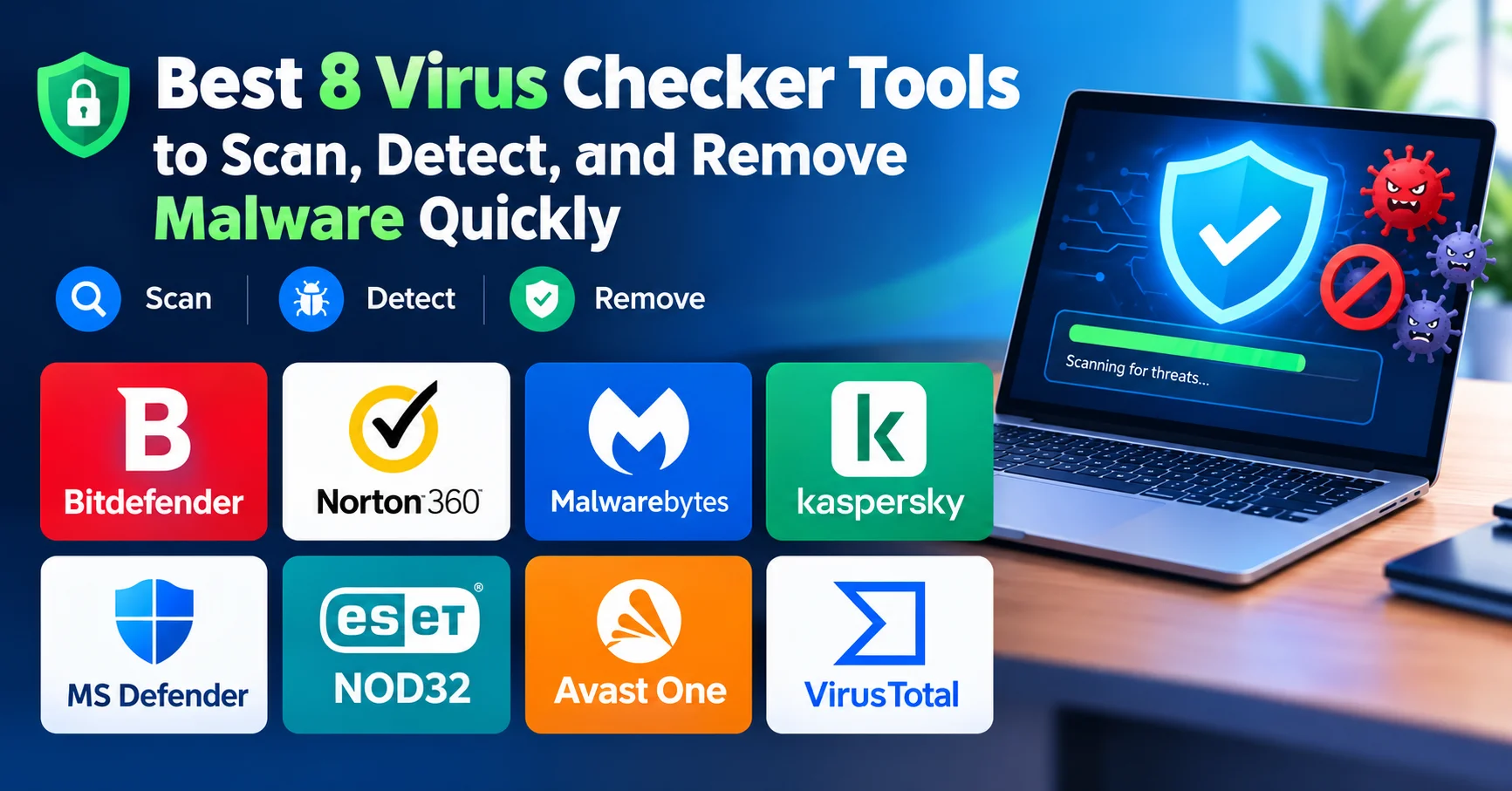
Best 8 Virus Checker Tools to Scan, Detect, and Remove Malware Quickly

Introduction
If your computer is running slower than usual, showing strange pop-ups, or behaving in ways it shouldn’t — there’s a good chance malware is involved. And the first thing you need is a reliable virus checker that can actually do the job. Not just scan and forget, but genuinely detect, isolate, and remove threats before they cause serious damage.
I’ve spent years testing security tools across different devices and operating systems, and I can tell you: not all virus checkers are created equal. Some are lightning-fast but miss sophisticated threats. Others are thorough but drain your system resources. A few are genuinely outstanding at both.
In this complete guide, you’ll find:
- What a virus checker actually does (and what it doesn’t)
- The best virus checker tools of 2026 — free and paid
- A side-by-side comparison table with user ratings
- Pro tips on how to scan and remove malware effectively
- A practical checklist for ongoing protection
- Answers to the most frequently asked questions
Let’s get into it.
What Is a Virus Checker and Why Do You Need One?
A virus checker is a software program designed to scan your device for malicious code — including viruses, trojans, ransomware, spyware, adware, and other forms of malware. It works by comparing files on your system against a database of known threats (signature-based detection) and by analyzing suspicious behavior patterns (heuristic detection).
💡 Did you know? According to AV-TEST Institute, more than 450,000 new malicious programs are registered every single day. Without an active virus checker, your device is exposed to an enormous and constantly growing threat landscape.
Modern threats are no longer just clunky viruses that crash your computer. They’re sophisticated, often invisible, and designed to steal financial data, spy on your webcam, encrypt your files for ransom, or silently enroll your machine into a botnet.
A good virus checker doesn’t just react to known threats — it anticipates new ones.
How We Evaluated These Virus Checker Tools
Before diving into the recommendations, here’s how each tool was assessed:
- Detection rate — based on independent lab tests from AV-TEST and AV-Comparatives
- System performance impact — how much the tool slows down your computer
- Ease of use — interface quality, setup process, accessibility for non-technical users
- Malware removal effectiveness — not just detection, but clean removal
- Value for money — especially for paid tiers
- Real user ratings — aggregated from Trustpilot, G2, and Capterra
The 8 Best Virus Checker Tools in 2026
1. Bitdefender Total Security — Best Overall Virus Checker
Bitdefender is a leading cybersecurity solution, trusted by millions of users worldwide for its powerful protection against malware, ransomware, phishing, and other online threats. It combines advanced AI-powered threat detection with real-time monitoring to keep computers, smartphones, and other devices secure without significantly impacting system performance. In addition to antivirus protection, Bitdefender offers features such as VPN access, multi-layered ransomware protection, password management, parental controls, firewall protection, and identity theft prevention.
Bitdefender has topped nearly every independent lab test for years, and 2026 is no different. Its Advanced Threat Defense module uses behavioral detection to catch malware that has never been seen before — which is increasingly important given how fast new threats emerge.
What impressed me most during testing was its Autopilot mode: it makes real-time security decisions without constantly asking for your input. For everyday users who don’t want to become IT experts, this is a game-changer.
Pros
- ✔️ Premium detection engine for free
- ✔️ Absolute minimal system impact
- ✔️ Zero upgrade nags or promotions
- ✔️ Cloud-based (no local database)
- ✔️ Simple installation
Cons
- ❌ No scheduled scanning
- ❌ Limited configuration options
- ❌ No detailed interface
- ❌ Missing some free features competitors offer
- ❌ Autopilot only (no manual control)
💰 Price: From $29.99/year (up to 5 devices)
2. Norton 360 Deluxe — Best for Families
Norton 360 Deluxe is a comprehensive cybersecurity suite designed to protect multiple devices from viruses, malware, ransomware, phishing attacks, and other online threats. It combines real-time threat detection with advanced security features, including a secure VPN for private browsing, a password manager, cloud backup for important files, dark web monitoring, and parental controls. Compatible with Windows, macOS, Android, and iOS.

Norton 360 is one of the most recognized names in cybersecurity, and for good reason. Its real-time threat protection engine has been consistently reliable, and the 2026 version introduces an AI-assisted malware detection layer that catches polymorphic viruses — threats that change their code to evade detection.
The family plan covers up to 5 devices and includes a full-featured parental control dashboard, dark web monitoring, and 50GB of secure cloud backup. If you manage security for multiple family members, this is probably the most complete package available.
Pros
- ✔️AI-enhanced malware detection (2026 update)
- ✔️ Dark web monitoring included
- ✔️ Cloud backup (50GB)
- ✔️ Strong parental controls
- ✔️ 60-day money-back guarantee
Cons
- ❌ Renewal prices increase significantly after year one
- ❌ Can be resource-heavy during full scans
- ❌ Some features are U.S.-only
💰 Price: From $49.99/year
3. Malwarebytes Premium — Best for Malware Removal
Malwarebytes Premium is a comprehensive cybersecurity solution designed to protect computers and devices against malware, ransomware, spyware, viruses, and other online threats. It provides real-time protection that continuously monitors the system and helps block malicious websites, suspicious applications, and potential cyberattacks before they can cause damage. With features focused on malware detection, web protection, and privacy, Malwarebytes Premium is a suitable choice for users looking for an additional layer of security alongside their existing antivirus software or as part of a broader cybersecurity strategy.
If your device is already infected and you need to remove malware fast, Malwarebytes is the tool I reach for first. It was originally designed as a second-opinion scanner — meaning it works alongside your main antivirus — but its Premium tier is now a fully capable standalone virus checker.
Its Threat Scan takes less than 60 seconds on most systems and catches adware, PUPs (potentially unwanted programs), and browser hijackers that many traditional antivirus programs miss.
Pros
- ✔️Exceptional at removing existing infections
- ✔️ Lightweight — won’t slow your system
- ✔️ Works alongside other antivirus software
- ✔️ Excellent browser extension (free)
- ✔️ Easy-to-use interface
Cons
- ❌ Detection rates slightly lower than top-tier competitors
- ❌ Real-time protection only in Premium version
- ❌ No firewall included
💰 Price: Free (on-demand scan) | Premium from $39.99/year
4. Kaspersky Standard — Best Value Virus Checker
Kaspersky is a reliable cybersecurity solution that offers comprehensive protection against viruses, malware, ransomware, phishing, and other online threats. With advanced AI-powered threat detection and real-time security monitoring, it helps protect personal and business devices without impacting system performance. Kaspersky also includes essential features such as online banking protection, VPN access, password management, privacy settings, and web threat prevention.

Kaspersky consistently ranks among the top performers in AV-Comparatives tests, with a 100% protection score in several 2025–2026 assessments. Its Standard plan offers real-time protection, automatic updates, and a quick scan feature that takes under 2 minutes.
A note on transparency: Kaspersky has faced geopolitical scrutiny in some countries. If this is a concern for you, verify the current status in your region before subscribing. That said, from a pure technical standpoint, its virus detection engine remains world-class.
Pros
- ✔️ Excellent detection rates
- ✔️ Best pricing for features offered
- ✔️ Low system impact
- ✔️ Safe Money for banking security
- ✔️ Covers many devices
Cons
- ❌ Russian origin raises concerns for some
- ❌ Interface more technical
- ❌ Customer support slower than competitors
- ❌ VPN costs extra
💰 Price: From $22.99/year
5. Windows Defender (Microsoft Defender) — Best Free Built-in Virus Checker
Microsoft Defender, formerly known as Windows Defender, is a built-in security solution from Microsoft designed to protect Windows devices against viruses, malware, spyware, ransomware, and other online threats. It provides real-time protection, automatic security updates, firewall features, and integration with Windows Security, helping users maintain a secure system without requiring a separate antivirus program. Thanks to its seamless integration with Windows and continuous background protection, Microsoft Defender is a convenient choice for users looking for essential antivirus and cybersecurity features.
Let’s be honest: Microsoft Defender has transformed dramatically. What was once a weak built-in tool is now a legitimate free virus checker that scores above 97% in AV-TEST’s real-world protection tests.
It’s automatically active on all Windows 10/11 devices, requires no installation, and receives threat definition updates through Windows Update. For basic users who practice safe browsing habits, it’s often sufficient on its own.
Pros
- ✔️ Already built into Windows
- ✔️ Zero setup or installation
- ✔️ Completely free forever
- ✔️ No upgrade prompts
- ✔️ Deep OS integration
- ✔️ Regular automatic updates
Cons
- ❌ Detection rates below competitors
- ❌ Less sophisticated features
- ❌ No email protection
- ❌ Limited advanced options
- ❌ Moderate false positives
💰 Price: Free
6. ESET NOD32 Antivirus — Best for Advanced Users
ESET NOD32 Antivirus is a lightweight and powerful antivirus solution that provides advanced protection against malware, ransomware, spyware, phishing attacks, and other cyber threats. Through proactive machine learning and cloud-based threat detection, it identifies known and emerging threats while maintaining system performance. ESET NOD32 includes features such as real-time scanning, exploit blocking, ransomware protection, UEFI scanning, and anti-phishing technology to protect users during their daily online activities.
ESET NOD32 is a favorite among IT professionals and power users who want control without bloatware. Its ThreatSense technology uses multi-layered detection including machine learning, signature matching, and behavioral analysis.
What sets NOD32 apart is its extremely light system footprint — I ran it on a 5-year-old laptop without any noticeable slowdown. It also includes a built-in UEFI scanner that checks for malware embedded in firmware, a threat that most other tools completely ignore.
Pros
- ✔️ Lightest system impact in industry
- ✔️ Gaming mode prevents interruptions
- ✔️ Fast scan times
- ✔️ Excellent exploit protection
- ✔️ Unique UEFI scanner
Cons
- ❌ Detection rates slightly behind leaders
- ❌ Interface more technical
- ❌ Premium features expensive
- ❌ Per-device pricing (not multi-device packages)
💰 Price: From $29.99/year
7. Avast One — Best Free Virus Checker with Extras
Avast is a popular cybersecurity solution offering robust protection against viruses, malware, ransomware, phishing, and other online threats. Featuring AI-driven threat detection and real-time security monitoring, it identifies and blocks both known and emerging cyber risks while maintaining system performance. Avast includes a wide range of features—such as Wi-Fi network security scanning, ransomware protection, a firewall, a secure browser, a VPN, and privacy tools—to ensure enhanced online security. It is compatible with Windows, macOS, Android, and iOS.
Avast One offers one of the most generous free tiers of any virus checker on the market. The free version includes real-time protection, a Wi-Fi security scanner, a basic VPN (5GB/week), and a performance optimization tool — all without paying a cent.
The paid version adds unlimited VPN, advanced ransomware protection, and identity theft monitoring. For users on a budget who still want solid, multi-layered protection, Avast One is hard to beat.
Pros
- ✔️ Excellent detection rates for free software
- ✔️ Web and email protection included
- ✔️ Wi-Fi Inspector unique feature
- ✔️ Low system impact
- ✔️ Works alongside other antivirus
Cons
- ❌ Moderate upgrade nag frequency
- ❌ Past privacy concerns (resolved)
- ❌ Occasional promotional pop-ups
- ❌ Some features require premium
💰 Price: Free | Premium from $45.99/year
8. VirusTotal — Best Free Online Virus Checker (No Installation)
VirusTotal is an online cybersecurity service that allows users to analyze files, URLs, domains, and IP addresses for potential security threats. It aggregates results from numerous antivirus engines and security tools, helping users identify malware, suspicious files, phishing attempts, and other malicious activity. Widely used by cybersecurity professionals, researchers, and IT teams, VirusTotal provides detailed analysis reports and threat intelligence that can help assess whether a file or website is safe. It is a valuable tool for threat detection and security investigation, although its results should be interpreted carefully rather than treated as an absolute guarantee of safety.
VirusTotal is a unique tool owned by Google’s parent company Alphabet. Rather than installing software, you simply upload a file or enter a URL, and it scans it against over 70 different antivirus engines simultaneously.
This makes it ideal for quickly checking a suspicious file or link before opening it — especially useful if you’re a professional receiving email attachments from unknown sources. It’s not a full real-time protection solution, but as a free online virus checker, it’s unmatched.
Pros
- ✔️ No installation required
- ✔️ Scans with 70+ antivirus engines at once
- ✔️ Free and instantly accessible
- ✔️ Perfect for checking individual files/links
- ✔️ Trusted by cybersecurity professionals worldwide
Cons
- ❌ Not a real-time protection solution
- ❌ File upload limit of 650MB
- ❌ Uploaded files are shared with security community
💰 Price: Free
Virus Checker Comparison Table
| Tool | Detection Rate | System Impact | Free Version | User Rating | Best For | Price/Year |
|---|---|---|---|---|---|---|
| Bitdefender | 99.9% | Very Low | ⚠️ Limited | ⭐⭐⭐⭐⭐ (4.8/5) | Overall best | From $29.99 |
| Norton 360 | 99.7% | Medium | ❌ No | ⭐⭐⭐⭐⭐ (4.7/5) | Families | From $49.99 |
| Malwarebytes | 98.1% | Very Low | ✅ Yes | ⭐⭐⭐⭐½ (4.6/5) | Removal | From $39.99 |
| Kaspersky | 99.8% | Low | ⚠️ Limited | ⭐⭐⭐⭐½ (4.5/5) | Value | From $22.99 |
| MS Defender | 97.3% | Medium | ✅ Yes | ⭐⭐⭐⭐ (4.0/5) | Free/Windows | Free |
| ESET NOD32 | 99.1% | Very Low | ❌ No | ⭐⭐⭐⭐½ (4.5/5) | Power users | From $29.99 |
| Avast One | 98.5% | Low | ✅ Yes | ⭐⭐⭐⭐ (4.2/5) | Budget users | From $45.99 |
| VirusTotal | N/A (70+ engines) | None | ✅ Yes | ⭐⭐⭐⭐⭐ (4.9/5) | File checking | Free |
How to Use a Virus Checker Effectively: Step-by-Step
Even the best virus checker won’t protect you if you use it incorrectly. Here’s a practical process I follow:
Step 1: Install and update the tool first
Always update your virus checker’s threat definitions before scanning. An outdated database misses new threats.
Step 2: Run a Quick Scan first
Start with a quick scan to catch any active or obvious threats. Most tools complete this in under 5 minutes.
Step 3: Follow up with a Full System Scan
Schedule a full scan weekly — or immediately if you suspect an infection. This checks every file on your system, including hidden system folders.
Step 4: Review and act on results
Don’t blindly click “delete all.” Review flagged items. Sometimes legitimate software gets flagged (false positives). If unsure, quarantine first, then research.
Step 5: Restart and rescan
After removing malware, restart your device and run another quick scan to confirm the threat is fully gone.
Step 6: Check your browser too
Many malware infections target browsers. Use your virus checker’s browser extension or scan for suspicious extensions manually.
⚠️ Important Warning: Never run two real-time antivirus programs simultaneously. They will conflict with each other, cause system instability, and actually reduce your protection. Choose one primary real-time tool. You can use Malwarebytes or VirusTotal as supplementary scanners without conflict.
Free vs. Paid Virus Checker: Which Should You Choose?
This is one of the most common questions I get, and the honest answer is: it depends on your risk profile.
Free virus checkers are sufficient if you:
- Use your computer for basic browsing and email
- Never download software from unofficial sources
- Don’t store sensitive financial or personal data
- Use Windows (Microsoft Defender is solid)
Paid virus checkers are worth it if you:
- Work with sensitive client or business data
- Frequently download files, software, or media
- Manage a family’s online security
- Want ransomware protection, dark web monitoring, or VPN
- Use multiple devices across platforms
💡 Expert Tip: The real value of paid antivirus in 2026 isn’t just virus detection — it’s the additional layers: VPN encryption, password managers, phishing protection, and identity monitoring. If you’d pay for those separately anyway, a premium virus checker bundle often works out cheaper.
2026 Threat Landscape: What Your Virus Checker Needs to Handle
The threats your virus checker faces today are fundamentally different from even three years ago. Here’s what’s trending in 2026:
- AI-generated malware — attackers now use AI to create polymorphic code that constantly mutates to avoid signature detection
- Fileless malware — attacks that live entirely in RAM, leaving no trace on the hard drive
- Ransomware-as-a-Service (RaaS) — criminal groups now sell ransomware kits, dramatically lowering the barrier to attack
- Supply chain attacks — compromising legitimate software updates to spread malware (e.g., the SolarWinds-style attacks)
- Mobile malware — increasingly sophisticated attacks on Android and iOS devices
A virus checker that only relies on signature-based detection is no longer enough. Look for tools with behavioral analysis, AI-driven heuristics, and zero-day protection.
Malware Protection Checklist
Use this checklist to make sure your protection is complete:
- ✅ A reliable virus checker is installed and active (real-time protection ON)
- ✅ Virus definitions updated in the last 24 hours
- ✅ Full system scan completed in the last 7 days
- ✅ Browser extensions scanned and verified
- ✅ OS and all software kept up to date
- ✅ Strong, unique passwords used (ideally with a password manager)
- ✅ Two-factor authentication enabled on key accounts
- ✅ Important files backed up (3-2-1 backup rule)
- ✅ Email attachments from unknown senders never opened without scanning
- ✅ Public Wi-Fi used only with a VPN
Quick Summary: Best Virus Checker by Use Case
| Use Case | Recommended Tool |
|---|---|
| Best overall protection | Bitdefender Total Security |
| Best free option | Avast One or Microsoft Defender |
| Best for removing existing malware | Malwarebytes Premium |
| Best for families | Norton 360 Deluxe |
| Best for older/slower computers | ESET NOD32 |
| Best value for money | Kaspersky Standard |
| Best for checking a single file fast | VirusTotal |
| Best for business/IT professionals | ESET or Bitdefender Business |
Frequently Asked Questions (FAQs)
❓ What is the best free virus checker in 2026?
For Windows users, Microsoft Defender is the best free built-in option, with detection rates above 97%. If you want additional features (VPN, Wi-Fi scanner), Avast One offers the most generous free tier. For quickly checking individual files, VirusTotal is unmatched.
❓ Can I use two virus checkers at the same time?
You should never run two real-time antivirus programs simultaneously — they conflict and can destabilize your system. However, you can use Malwarebytes or VirusTotal as supplementary on-demand scanners alongside your main antivirus without issues.
❓ How often should I run a virus checker scan?
Enable real-time protection so your virus checker monitors threats continuously. Schedule a full scan at least once a week, and run an immediate scan if you notice unusual behavior, performance issues, or unexpected pop-ups.
❓ Is Windows Defender good enough on its own?
For users with safe browsing habits and basic needs, yes — Microsoft Defender is sufficient and has improved dramatically. However, for users who handle sensitive data, frequently download content, or need extras like ransomware rollback and VPN, a dedicated paid virus checker adds significant value.
❓ What’s the difference between a virus checker and antivirus software?
The terms are often used interchangeably. Technically, a virus checker refers specifically to scanning for computer viruses, while antivirus software is broader and covers viruses, trojans, ransomware, spyware, adware, and more. Modern tools cover all of these, regardless of what they’re called.
❓ How do I know if my computer has a virus?
Common signs include: unusual slowdowns, unexpected pop-ups or advertisements, programs crashing frequently, unfamiliar programs installed, your cursor moving on its own, or a spike in data usage. Run a full virus checker scan immediately if you notice any of these.
❓ Do Macs need a virus checker?
Yes. The myth that Macs don’t get viruses is outdated. While macOS has strong built-in security, Mac-targeted malware has increased significantly in recent years. Tools like Bitdefender, Norton, and Malwarebytes all offer Mac-compatible versions.
❓ Is it safe to use VirusTotal?
Yes, VirusTotal is safe and owned by Alphabet (Google’s parent company). However, be aware that files you upload are shared with the security community. Never upload files containing sensitive personal or business data. For those, use an offline virus checker instead.
Conclusion: Choose the Right Virus Checker — and Use It Properly
The bottom line? A great virus checker is no longer optional — it’s a fundamental layer of digital self-defense in 2026. Threats are more sophisticated, more frequent, and more damaging than ever before.
If you’re after the absolute best protection without compromise, Bitdefender Total Security is my top recommendation. For families, Norton 360 Deluxe covers every device with impressive extras. On a tight budget? Microsoft Defender or Avast One will serve you well. And if you just need to quickly check a suspicious file, VirusTotal takes 30 seconds and costs nothing.
Whatever you choose, the key is consistency: keep your virus checker updated, run regular scans, and pair it with smart online habits. Technology alone isn’t enough — but the right tool, used properly, makes an enormous difference.
Your data, your privacy, and your peace of mind are worth protecting. Start today.
Sources & References: