Google AdWords Keyword Planner Guide 2026: Master SEO and PPC Campaign Success

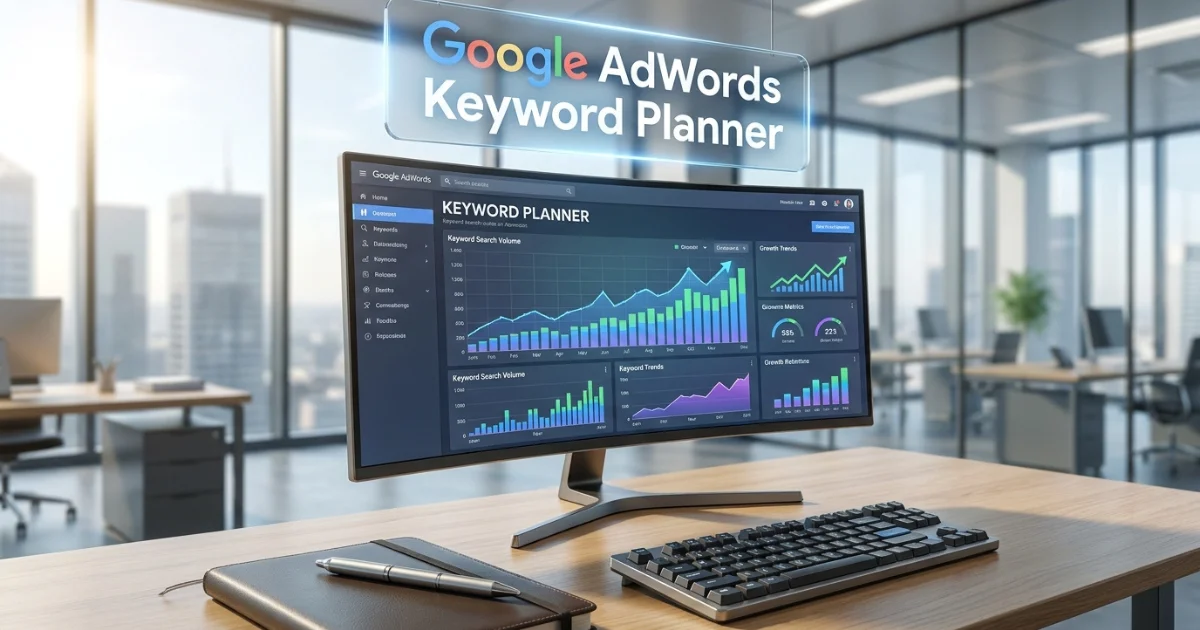
Introduction To Google AdWords Keyword Planner
Thousands of marketers open the Google AdWords Keyword Planner every single day — and a surprising number of them leave without getting the full value the tool actually offers. Not because the tool is bad, but because most people use it on autopilot: type in a keyword, look at a volume number, call it research.
Done properly, the Google AdWords Keyword Planner is one of the most strategically powerful free tools in digital marketing. It gives you direct access to Google’s own search data — the same data that powers the world’s largest advertising auction. And whether you’re building a PPC campaign or mapping out your SEO content strategy, that’s information worth knowing how to use.
This guide is built to take you from basic to genuinely proficient. Here’s what you’ll find inside:
- The history and context of Google AdWords Keyword Planner — why it matters in 2026
- A complete feature walkthrough with real-world usage tips
- Specific strategies for SEO vs. PPC use cases
- Advanced techniques most guides never mention
- The limitations you must understand to avoid costly mistakes
- A practical checklist for every research session
- Frequently asked questions answered honestly
Let’s get into it.
Google AdWords Keyword Planner: What It Is and Where It Came From
Google AdWords Keyword Planner is the former name commonly associated with Google Keyword Planner, a keyword research tool available through Google Ads. It helps advertisers and marketers discover relevant keywords, estimate search demand, and plan search advertising campaigns. Users can enter keywords, products, services, or website URLs to generate related search terms and review metrics such as search volume, competition, and estimated bid ranges. The tool can also help identify new keyword ideas and organize terms based on specific locations and targeting settings. Although primarily designed for paid search campaigns, Google Keyword Planner can also provide useful insights for SEO research, content planning, and understanding how people search for products and services online.
A Quick Bit of History (That Actually Matters)
The tool you’re using today has gone through several iterations. Google originally called it the Google AdWords Keyword Tool, which was a simpler standalone resource available without an account. In 2013, Google merged it into the AdWords platform — requiring login — and renamed it Google AdWords Keyword Planner.
Then in 2018, Google rebranded the entire AdWords platform as Google Ads. The tool technically became “Google Ads Keyword Planner,” but the old name — Google AdWords Keyword Planner — stuck in the public consciousness. Millions of people still search for it under that name in 2026, which is why both terms refer to the same tool.
Understanding this history matters for one practical reason: when you encounter tutorials that reference “AdWords Keyword Tool” or “Google Ads Keyword Planner,” they’re all describing the same interface with the same data.
What the Tool Actually Is
Google Ads is Google’s online advertising platform that enables businesses and marketers to create, manage, and measure digital advertising campaigns across Google Search, YouTube, websites, apps, and other placements. It supports different campaign formats, including search, display, video, shopping, and app advertising. Advertisers can target audiences using keywords, locations, interests, demographics, and other signals while setting budgets and bidding strategies based on their goals. Google Ads also provides performance data such as impressions, clicks, conversions, and cost metrics to help advertisers evaluate campaigns. For SEO professionals and content marketers, Google Ads can also provide valuable keyword and search-demand insights through tools such as Keyword Planner.
At its core, Google AdWords Keyword Planner is a keyword research and forecasting tool built into the Google Ads platform. It serves two fundamental purposes:
- Keyword discovery — Finding new keywords related to your products, services, or website content
- Forecasting and planning — Projecting how keywords will perform in a paid campaign based on your bid and budget settings
It’s free to access with any Google account. You don’t need to spend money or run active campaigns to use it — though, as you’ll learn, active spend does unlock more precise data.
How to Access Google AdWords Keyword Planner in 2026

Google Ads Keyword Planner is a keyword research tool within Google Ads that helps advertisers, marketers, and SEO professionals discover search terms and evaluate potential keyword opportunities. Users can enter keywords, products, services, or website URLs to generate related keyword ideas and access metrics such as average monthly searches, competition levels, and bid estimates. The tool also allows users to refine research by location, language, and other targeting settings. While it is primarily designed for planning and optimizing paid search campaigns, its keyword data can also support SEO research, content planning, and topic discovery. For marketers looking to understand search demand and build targeted keyword lists, Google Ads Keyword Planner provides a practical starting point.
Getting into the tool is simple once you know the route:
- Visit Google Ads and sign in with your Google account
- If this is your first time, select Switch to Expert Mode when prompted — this skips forced campaign creation
- Once inside the dashboard, click the Tools icon (wrench symbol) in the top navigation
- Under the Planning column, click Keyword Planner
- Choose between Discover new keywords or Get search volume and forecasts
✅ First-Time Setup Tip: When Google prompts you to create your first campaign, look for the small text that says “Skip campaign creation” or choose to create and immediately pause a campaign. You are never charged until you explicitly add payment details and activate a campaign. Many users don’t realize they can access the full Google AdWords Keyword Planner without spending anything.
The Two Core Modes of Google AdWords Keyword Planner
Google Ads Keyword Planner has two main modes: Discover New Keywords, which generates keyword ideas based on terms, products, services, or websites, and Get Search Volume and Forecasts, which analyzes existing keywords and provides estimates for searches, clicks, impressions, and costs. Together, they help marketers discover keyword opportunities and evaluate their potential for search campaigns.c
Mode 1: Discover New Keywords
This is where most research sessions begin. You enter one of three inputs:
- Keywords — up to 10 seed terms related to your topic
- Website URL — your own domain, a landing page, or a competitor’s URL
- Both keywords and URL simultaneously — combines both signals for richer suggestions
The tool returns a list of keyword ideas alongside key metrics for each. Understanding what those metrics actually mean is where most users fall short.
Breaking Down the Metrics
Average Monthly Searches
This figure represents the average number of times a keyword (and close variants) was searched over the past 12 months in your selected location and language. Without active ad spend, this displays as a range (“1K–10K”). With active spend, ranges narrow but still aren’t always exact individual-keyword figures.
Competition
Shown as Low, Medium, or High — this measures advertiser competition in the Google Ads auction, not organic SEO difficulty. These are two entirely different things. A keyword marked “High” competition might be relatively easy to rank for organically if the top results are weak. Never confuse the two.
Top of Page Bid (Low Range)
The lower bound of what advertisers typically pay to appear at the top of the search results page for this keyword. This floor bid gives you a baseline for budget planning.
Top of Page Bid (High Range)
The upper bound — what premium advertisers pay to reliably dominate the top positions. High bids here (over $20–$30) are a strong signal of commercial intent, even if you’re not running ads yourself.
Mode 2: Get Search Volume and Forecasts
This mode is for keywords you’ve already identified and want to evaluate in bulk. You can paste in up to 10,000 keywords at once — or upload a CSV file — and the tool returns:
- Historical monthly search volumes for each term
- A combined forecast showing projected clicks, impressions, average CPC, and estimated spend
- Seasonal performance trends over 12 months
The forecasting engine here is genuinely sophisticated. Set a target CPC and daily budget, and Google AdWords Keyword Planner models what your campaign would realistically deliver — projections drawn from actual auction data, not estimates.
Using Google AdWords Keyword Planner for PPC Campaigns
This is the tool’s native home, and where it delivers maximum value. Here’s a practical PPC workflow built around the planner.
Step 1: Start Broad, Then Narrow
Begin with 3–5 broad seed keywords that describe your product or service category. Don’t start with your own brand terms — you want to discover what your market is actually searching for, not just variations of what you already know.
Enter these seeds into “Discover new keywords” and set your target location, language, and date range before reviewing results.
Step 2: Mine the Full Suggestion List
The tool can return hundreds of keyword ideas. Most people scan the first 20 and stop. Don’t. Sort the full list by Top of Page Bid (High Range) descending — this surfaces the keywords where advertisers are spending the most, which correlates strongly with conversion value.
Work through the list and flag keywords that meet three criteria simultaneously:
- Relevant to your actual offering
- Manageable top-of-page bid within your CPA model
- Search volume that justifies targeting
Step 3: Group Keywords into Themed Ad Groups
Google AdWords Keyword Planner includes a keyword grouping feature that automatically clusters your keywords by theme. Use this as a starting framework for your ad group structure — then refine manually. Tight thematic grouping between keywords, ad copy, and landing pages is one of the most consistently proven Quality Score drivers in Google Ads.
Step 4: Run Forecasts Before Committing Budget
Before spending a cent, use the forecast mode to project performance. Enter your grouped keyword list, set a target CPC (start with the mid-range between the low and high bid estimates), and set a daily budget. The tool will project:
- Impressions — How often your ads would be shown
- Clicks — Estimated clicks at your target CPC
- Click-through rate — Expected CTR for this keyword group
- Average CPC — What you’d actually pay per click
- Total cost — Projected spend for the forecast period
💡 PPC Pro Tip: Run forecasts at three different CPC levels — low range, midpoint, and high range — for each keyword group. This gives you a performance envelope that shows the realistic best-case and worst-case spend scenarios before you commit. Decision-making with a range beats decision-making with a single point estimate every time.
Step 5: Identify Negative Keywords During Research
While mining the keyword suggestion list, keep a separate column in your export for irrelevant terms that might trigger your ads incorrectly. A furniture retailer researching “office chair” might spot suggestions like “office chair DIY plans” or “second-hand office chair” — terms that would waste budget. Adding these as negative keywords before launch saves money from day one.
Using Google AdWords Keyword Planner for SEO
While the tool wasn’t built for organic search, experienced SEO practitioners extract genuine value from it — if they know how to read the data correctly.
Interpreting Bid Data as Commercial Intent Signal
The CPC (cost-per-click) data in Google AdWords Keyword Planner is one of the most underused signals in SEO research. When advertisers consistently pay $40–$80 per click on a keyword, they’re doing it because that click converts into revenue. For an SEO team, this means:
- Keywords with high CPCs deserve priority in your content strategy
- Ranking organically for high-CPC keywords delivers significant revenue value even without paid ad spend
- The commercial intent these bids signal guides you toward content that actually generates leads and sales, not just traffic
Seasonal Trend Research for Content Planning
Every keyword in Google AdWords Keyword Planner comes with a 12-month search trend chart. For content teams, this is a content calendar tool disguised as an ad planning feature.
If you’re writing a guide on “tax software for freelancers,” the trend chart will show you that searches spike dramatically in January through April in most markets. Publishing that guide in October — three months ahead of the spike — gives Google time to crawl, index, and rank your content before the traffic wave arrives.
URL-Based Competitor Research
Enter a competitor’s top-performing URL into the “Start with a website” field and select “Use the entire site.” Google AdWords Keyword Planner will analyze the full domain and return keyword themes associated with their content.
This reveals:
- Topics your competitor has built authority around
- Keyword clusters you may have overlooked
- Content gaps where you could build competing pages
This technique works best on competitors who are actively running Google Ads, as their site structure tends to be more keyword-intentional.
Long-Tail Discovery for New Content
Filter your keyword results by Average Monthly Searches — set a maximum of 500 or 1,000 — and sort by lowest competition. What remains are long-tail keywords that larger sites often overlook. These are the keywords where a well-written, focused piece of content from a smaller domain can genuinely compete and rank within weeks.
Advanced Techniques Most Users Miss
Cross-Referencing with Google Search Console
If your website already receives organic traffic, combine Google AdWords Keyword Planner data with your Google Search Console performance report. GSC shows you queries where your site is appearing in Google results but not necessarily ranking on page one.
Take those “almost ranking” queries from GSC, paste them into the Keyword Planner’s forecast mode, and look at their bid data. You’ve just identified keywords where you already have Google’s attention and where ranking improvement would deliver commercial value. This is one of the highest-ROI optimization activities available to any site.
Location-Specific Research for Multi-Market Campaigns
A common mistake is running keyword research at the national level and assuming the results translate uniformly to regional campaigns. Google AdWords Keyword Planner lets you drill down to cities, regions, and even specific radius targeting.
A keyword showing 50,000 monthly searches nationally might have only 800 searches in your specific city — a difference that completely changes how much budget justifies targeting it. Always set location to match your actual campaign targeting before finalizing keyword lists.
Discovering Keyword Gaps Through Category Analysis
Rather than entering specific keywords, try entering your product category or industry vertical as your seed and scanning the full suggestion output for unexpected keyword themes. Some of the most valuable keyword opportunities hide in the “broadly related ideas” section — terms adjacent to your core offering that your competitors may have overlooked entirely.
Using the Planner to Validate Content Ideas Before Creating Them
Before your content team spends time writing a 3,000-word guide, run the target keyword and its top five variants through Google AdWords Keyword Planner. If the combined volume is too low and the bid data suggests no commercial intent, the guide might generate traffic without generating business value. This quick validation step prevents your team from investing resources into content that will never contribute to revenue.
The Real Limitations You Need to Accept
Honesty about what Google AdWords Keyword Planner cannot do is as important as knowing what it can.
Volume Ranges Without Ad Spend
This is the limitation users encounter most often and find most frustrating. Without an active campaign spending real money, volume data appears as broad ranges like “10K–100K” — a range so wide it’s often useless for precise prioritization. There’s no clean workaround; the only solution is running a small active campaign or supplementing with a paid third-party tool.
No Organic SEO Difficulty Score
The tool tells you nothing about how hard a keyword is to rank for organically. The “competition” metric measures advertiser density in the paid auction. A keyword with “High” advertiser competition might have weak organic results full of poorly optimized pages — a prime SEO opportunity that the planner’s data alone would never reveal.
No SERP Feature Intelligence
In 2026, whether a keyword triggers an AI Overview, a featured snippet, a local pack, or a shopping carousel matters enormously for organic click-through rates. Google AdWords Keyword Planner provides none of this context. Before targeting any keyword organically, manually search it to understand what you’re actually competing against on the results page.
Keyword Clustering Effect on Volume Numbers
Google groups close keyword variants together under a single volume figure. The number shown for “email marketing software” likely includes searches for “email marketing tool,” “email marketing platform,” and similar phrases. This can make volume appear higher than the specific search behavior for your exact target phrase actually is.
Google AdWords Keyword Planner: Pros and Cons at a Glance
✅ Pros
- Completely free — no subscription, no trial limits
- Uses Google’s own first-party search data
- Most accurate bid estimates available for Google Ads campaign planning
- Reliable seasonal trend data across 12 months
- URL-based competitor keyword discovery
- Bulk import of up to 10,000 keywords for volume checks
- Globally available across all languages and geographic markets
- Integrates directly with Google Ads campaign building
❌ Cons
- Vague volume ranges without active ad spend
- No organic SEO difficulty or competitive strength indicators
- No SERP feature data (featured snippets, AI Overviews, etc.)
- Limited competitor intelligence beyond URL-based keyword suggestions
- No click-through rate estimates for organic traffic modeling
- Keyword clustering inflates individual keyword volume figures
- No intent classification — you must infer intent from context and bid data
Practical Checklist: Google AdWords Keyword Planner Research Session
Use this before every keyword research session:
Setup
- Set the correct target location (city, region, or country — match your actual campaign/content target)
- Set the correct language
- Set the date range to the most recent 12 months
Discovery
- Enter 3–5 seed keywords AND at least one competitor URL
- Review the full suggestion list — don’t stop at the first 20 results
- Sort by Top of Page Bid (High) to identify commercial-intent keywords
- Filter by low competition AND meaningful volume to find achievable targets
- Flag all irrelevant terms as future negative keywords
Analysis
- Check the 12-month trend chart for every priority keyword
- Note any strong seasonal patterns that should inform your content or campaign calendar
- Export the full keyword list to CSV for spreadsheet analysis
- Cross-reference your top keywords with Search Console “almost ranking” queries
Forecasting (PPC)
- Run forecasts at low, mid, and high CPC levels for each keyword group
- Calculate estimated CPA based on your historical conversion rate
- Confirm projected spend is within budget before campaign launch
User Experience Ratings: Google AdWords Keyword Planner (2026)
| Platform | Rating |
|---|---|
| G2 | ⭐⭐⭐⭐ 4.3/5 |
| Capterra | ⭐⭐⭐⭐ 4.4/5 |
| Trustpilot | ⭐⭐⭐ 3.5/5 |
| TrustRadius | ⭐⭐⭐⭐ 4.2/5 |
| Reddit Community Sentiment | Positive for PPC, mixed for SEO use |
Aggregated from publicly available reviews as of early 2026
Frequently Asked Questions About Google AdWords Keyword Planner
Is Google AdWords Keyword Planner the same as Google Ads Keyword Planner?
Yes — they’re the same tool. Google rebranded “AdWords” to “Google Ads” in 2018, but the underlying platform and keyword planning tool remained functionally identical. The name Google AdWords Keyword Planner is still widely used because millions of marketers learned the tool under that name and continue to search for it that way.
Do I need to spend money to use Google AdWords Keyword Planner?
No. The tool is free to access with any Google account. You do not need to run campaigns or spend money. The only effect of having no active ad spend is that search volume data is shown in broad ranges rather than specific numbers. You can do meaningful keyword research without spending a single dollar.
How accurate is the data in Google AdWords Keyword Planner?
For PPC planning purposes — bid estimates, competition levels, and search volume trends — it’s highly accurate because it draws directly from Google’s own auction and search data. For organic SEO research, treat the data as directionally useful rather than precisely accurate. Volume numbers include close keyword variants and may be somewhat inflated compared to the exact phrase you’re targeting.
Can Google AdWords Keyword Planner help with SEO?
Yes, but indirectly. It doesn’t provide organic difficulty scores or SERP analysis, but it offers valuable signals: bid data reveals commercial intent, trend charts inform content calendars, and URL-based research exposes competitor keyword strategies. Use it as one input in your SEO research process alongside tools that provide organic-specific metrics.
Why does Google AdWords Keyword Planner show ranges instead of exact numbers?
Google deliberately restricts volume data precision for accounts without active ad spend. This is a deliberate design choice that incentivizes users to launch campaigns. Running even a small campaign with minimal daily spend (as low as $1–$2/day) over 30 days typically unlocks more specific volume ranges.
How often is Google AdWords Keyword Planner data updated?
Search volume data is updated monthly, reflecting the trailing 12 months of actual search activity. Bid estimates update more frequently, often reflecting near-real-time auction conditions as advertiser competition changes. Trend data shows the full 12-month historical picture, updated as each new month’s data becomes available.
What is the difference between “Competition” in Google AdWords Keyword Planner and organic SEO difficulty?
This is one of the most important distinctions in keyword research. The Competition column in Google AdWords Keyword Planner (Low, Medium, High) reflects how many advertisers are actively bidding on a keyword in the Google Ads auction. It has nothing to do with organic search difficulty. A keyword could have “High” advertiser competition but easy organic rankings, or “Low” advertiser competition but be dominated by major authoritative sites organically. Always evaluate these as two separate dimensions.
Can I use Google AdWords Keyword Planner for YouTube or Amazon keyword research?
No. The tool is exclusively designed for Google Search keyword data. For YouTube keyword research, tools like TubeBuddy or VidIQ are purpose-built. For Amazon, tools like Keywords Everywhere include Amazon keyword data alongside Google.
Conclusion: Making Google AdWords Keyword Planner Work for You in 2026
After years of working with keyword research tools across both paid and organic campaigns, one thing stands out consistently: Google AdWords Keyword Planner is simultaneously the most underestimated and most misused tool in the digital marketer’s toolkit.
Underestimated because it’s free, and people assume free means limited. Misused because people treat it as a simple volume lookup tool when it’s actually a window into Google’s own search intelligence — bid data, commercial intent signals, seasonal patterns, and keyword discovery that no third-party tool can fully replicate.
The key to getting real value from Google AdWords Keyword Planner is context:
- For PPC teams: It’s your primary planning tool. Use it for keyword discovery, ad group structuring, bid estimation, and budget forecasting. Nothing else gives you this level of accuracy from Google’s own auction data.
- For SEO teams: Use it for commercial intent signals, seasonal content planning, competitor URL analysis, and long-tail discovery. Pair it with an organic-focused tool for difficulty scores and SERP analysis.
- For content strategists: Use it to validate content ideas before you create them, identify seasonal publishing windows, and prioritize topics by actual search demand.
The marketers who get the most from Google AdWords Keyword Planner aren’t the ones who use it most often — they’re the ones who use it most deliberately. They set their location, check their trends, read the bid data for intent signals, and export their findings for systematic analysis.
Do that, and you’ll extract more strategic value from this free tool than most people get from platforms that cost hundreds of dollars a month.
All information, feature descriptions, and data in this article reflect publicly available information about the Google Ads platform as of early 2026. Google updates its tools regularly — verify current features and interface details directly at ads.google.com before making campaign decisions.