PSA Software: Complete Guide to Professional Services Automation in 2026

INTRODUCTION
If you’re managing a professional services firm—whether consulting, engineering, creative agency, or specialized technical services—you’ve probably felt the frustration of juggling spreadsheets, scattered timesheets, overlapping project schedules, and incomplete client billing information.
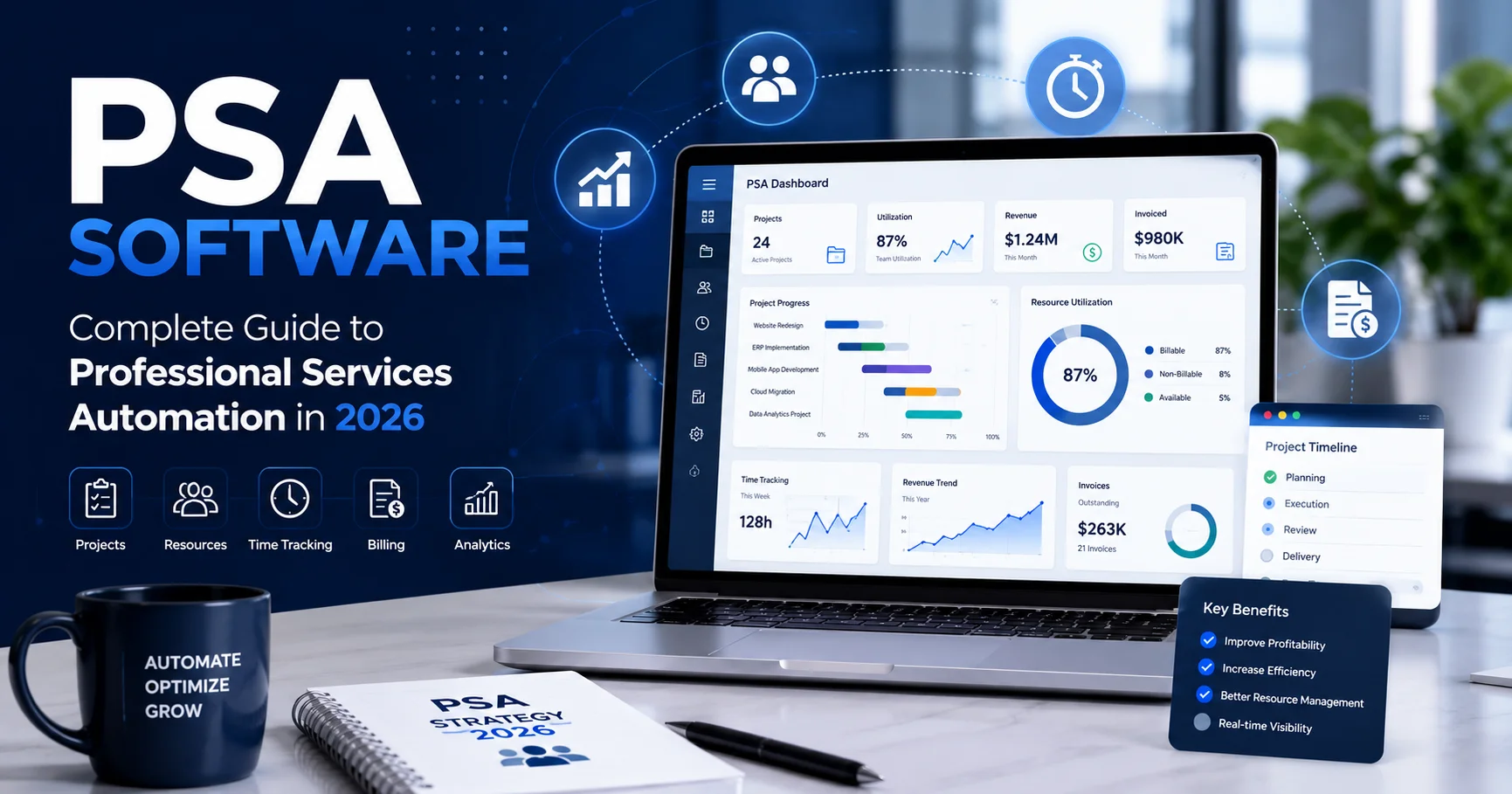
PSA Software (Professional Services Automation) is a comprehensive business management platform that consolidates project management, time tracking, resource allocation, billing, and profitability analysis into a single, integrated system. Rather than cobbling together multiple disconnected tools, PSA software provides the unified intelligence modern service firms need to operate profitably and efficiently.
I’ve personally implemented PSA software across different professional services organizations—from boutique consulting firms to mid-market engineering practices—and watched them transform from reactive, chaotic operations into data-driven businesses that understand their profitability, resource utilization, and project health in real time.
The impact is substantial. Firms implementing PSA software typically see:
- 25-40% improvement in billable utilization rates
- 15-30% reduction in project overruns
- 20-35% faster invoice processing and cash collection
- 30-50% reduction in administrative overhead
- Better project visibility and client satisfaction
In this comprehensive guide, I’ll walk you through everything about PSA software—what it actually does, core features that matter, implementation strategies, realistic benefits and limitations, honest comparison of leading platforms, and practical guidance on whether PSA software is right for your organization.
By the end, you’ll understand exactly how PSA software works and whether implementing it makes sense for your business.
What Is PSA Software? Understanding Professional Services Automation

Professional Services Automation (PSA) is a category of business software designed to help professional services organizations manage projects, resources, time, finances, and client operations from a centralized platform. PSA solutions typically combine project management, resource planning, time tracking, billing, invoicing, and reporting to improve operational efficiency and project visibility. By automating repetitive administrative tasks and connecting important business processes, PSA software helps consulting firms, IT service providers, marketing agencies, and other professional services organizations manage projects more effectively. The goal of PSA is to improve resource utilization, control project costs, increase profitability, and deliver better client outcomes.
PSA Software is a business management platform specifically designed for professional services organizations. It integrates traditionally separate business functions into one system with shared data and unified analytics.
Think of your current operation: Project managers track timesheets in one system, finance uses another for billing, HR manages resource allocation separately, and executives rely on fragmented reports from multiple sources. This fragmentation creates inefficiency, errors, and incomplete visibility.
PSA software eliminates this fragmentation. When a consultant logs time, that data automatically flows to project financials, billing systems, resource utilization analytics, and profitability reports. Changes to project scope ripple automatically through timesheets, billing, and resource plans.
Core Definition
Professional Services Automation (PSA) refers to software and processes that automate and integrate the business operations of service-based organizations. This includes:
- Project Management: Planning, scheduling, tracking, and delivery
- Resource Management: Allocating people to projects based on skills and capacity
- Time and Expense Tracking: Recording billable and non-billable work
- Billing and Invoicing: Creating accurate client invoices from tracked time and expenses
- Financial Management: Understanding project profitability and business margins
- Analytics and Reporting: Visibility into operational and financial metrics
Who Uses PSA Software?
PSA software is essential for organizations where:
- Work is project-based (not continuous manufacturing or product sales)
- Time is the primary billable asset (consultants, engineers, designers, lawyers)
- Resource allocation is complex (juggling multiple projects and team members)
- Profitability varies by project (some projects profitable, others marginal)
- Accurate billing is critical (billing by time, cost-plus contracts, or project milestones)
- Client relationships are central (understanding what we’ve invested in each engagement)
Professional services firms across multiple industries depend on PSA software:
| Industry | Use Case |
|---|---|
| Management Consulting | Project delivery, resource planning, utilization tracking |
| Engineering & Architecture | Project management, time tracking, contract costing |
| Legal Services | Time tracking, matter management, billing by matter |
| IT Services | Project delivery, resource allocation, SLA tracking |
| Creative Agencies | Project management, time tracking, creative resource allocation |
| Accounting Firms | Engagement management, time tracking, billing |
| Marketing Agencies | Account management, project delivery, resource planning |
Core Features of PSA Software: What Actually Matters
Modern PSA software platforms provide extensive features. Let me break down the core functionality that drives real business value:
1. Project Management and Planning
Core Functionality:
- Create and structure projects with phases and milestones
- Define project scope and deliverables
- Track project status and progress
- Link project work to financial budgets
- Manage dependencies and critical paths
Real Business Value:
PSA software prevents the “I didn’t know we were that far behind” problem. Managers see actual progress against planned schedules in real time. When projects drift, visible trending alerts early rather than discovering issues at delivery.
Example: A consulting firm discovers a project is consuming 20% more hours than planned. Rather than discovering this at project end, the system alerts after week two, allowing course correction before significant overruns occur.
2. Resource Management and Planning
Core Functionality:
- Map team members’ skills and certifications
- Track capacity and availability
- Create resource plans showing who’s allocated where
- Identify under-utilized and over-allocated resources
- Plan resource needs for future projects
Real Business Value:
Resource management directly impacts profitability. Underutilized expensive resources destroy margins. Overallocated resources cause burnout and quality issues. PSA software optimizes allocation between these extremes.
Metrics PSA software reveals:
- Billable utilization (percentage of time spent on billable projects)
- Resource availability (who has capacity)
- Resource demand forecasting (how many people do we need)
- Skills mapping (who can do what work)
Example: The system shows that senior engineers are 60% utilized (too low) while junior engineers are 95% utilized (too high). PSA analytics show exactly which skills are bottlenecks and which are oversupplied.
3. Time and Expense Tracking
Core Functionality:
- Team members log billable and non-billable time
- Mobile apps enable logging from client sites
- Expense tracking (travel, materials, third-party costs)
- Automatic timesheet approval workflows
- Integration with payroll systems
Real Business Value:
Accurate time tracking is foundational. Without reliable data about how people spend time, everything else—billing, profitability analysis, resource planning—becomes guesswork.
Accuracy matters enormously: A consulting firm discovers that project actual time exceeded estimates by 8% on average. This intelligence feeds future estimating, preventing margin erosion.
Features that matter:
- Mobile time logging (consultants track time immediately, not days later from memory)
- Pre-populated timesheets (system suggests time based on project assignments)
- Approval workflows (managers review and approve before billing)
- Billable vs. non-billable categorization (automatically classifies time correctly)
4. Billing and Revenue Recognition
Core Functionality:
- Automatic invoice generation from tracked time
- Multiple billing models (hourly, fixed-price, retainer, time-and-materials)
- Revenue recognition based on project completion or time
- Client billing rules (different clients have different terms)
- Contract value tracking
Real Business Value:
Accurate, timely billing directly impacts cash flow. Many service firms leave money on the table through manual billing errors or delayed invoicing.
Impact: One firm discovered their invoicing lag was 8-10 days behind actual work completion. Moving to automated PSA invoicing reduced lag to 1-2 days, improving cash conversion cycle by 5-7 days. For a $10 million revenue firm, this improved working capital by $100,000+.
5. Financial Management and Profitability Analysis
Core Functionality:
- Project profitability tracking (revenue vs. costs)
- Margin analysis by project, client, and team
- Cost tracking (internal labor, external costs, overhead allocation)
- Variance analysis (actual vs. planned)
- Profitability dashboards and reporting
Real Business Value:
Many service firms operate without knowing which clients and projects are actually profitable. PSA software provides this critical intelligence.
Common discoveries:
- 20% of clients generate 80% of profit (Pareto principle in action)
- Some “healthy revenue” projects are marginally profitable or unprofitable
- Overhead allocation shows true project economics
- Low-margin projects consume disproportionate management time
Example: A consulting firm discovers that three client relationships appear healthy in revenue but show negative margins when overhead is properly allocated. Armed with this intelligence, they restructure engagements, increase pricing, or exit unprofitable relationships.
6. Resource Forecasting and Capacity Planning
Core Functionality:
- Forecast resource needs for future projects
- Compare forecasted demand vs. available capacity
- Identify future skill gaps
- Plan hiring or contractor needs
- Monitor utilization trends
Real Business Value:
Prevents both under-staffing (missing growth opportunities) and over-hiring (carrying excess capacity).
Forecasting examples:
- “In Q3, we need 5 additional mid-level engineers. We currently have 0 in pipeline.”
- “Our data science team is forecasted at 110% utilization next quarter. We need to hire or adjust project timing.”
- “Senior architect capacity is at 40%. We should increase business development focus in their area.”
7. Reporting and Analytics
Core Functionality:
- Pre-built dashboards (utilization, profitability, project health)
- Custom report builder
- Drill-down capability (from firm level to individual project level)
- Trend analysis and forecasting
- Executive dashboards for leadership
Real Business Value:
Data without visibility creates no value. PSA reporting transforms operational data into actionable business intelligence.
Key reports:
- Utilization reports: Who’s billable, who’s not, by team and skill
- Profitability reports: Margin by project, client, team, and service line
- Project status reports: On-time, on-budget status for all active projects
- Cash flow forecasts: When will invoices be paid based on project pipeline
- Resource utilization trends: Are we getting better or worse at using people efficiently?
Key Benefits of PSA Software: Real Business Impact
PSA software offers significant benefits for professional services organizations by bringing project management, resource planning, time tracking, billing, and financial operations into a single platform. By centralizing critical business data, it gives managers better visibility into project performance, team capacity, budgets, and profitability. Automation also reduces manual administrative work, helping teams save time and minimize costly errors. PSA software can improve resource utilization by matching employees with the right projects and identifying capacity issues before they become problems. In addition, real-time reporting and analytics enable organizations to make faster, data-driven decisions, improve project delivery, control costs, and increase overall profitability while providing a better experience for clients.

After implementing PSA software with multiple organizations, these benefits consistently materialize:
1. Improved Billable Utilization
The Challenge: Service firms often don’t know their true billable utilization. Time gets spent on training, administration, business development, and slack time that doesn’t generate revenue.
PSA Solution: Automatic time tracking reveals actual utilization. Managers see exactly where time goes. Many firms discover utilization is 10-20% lower than assumed.
Impact: One engineering firm discovered their “expected” 75% utilization was actually 62% when properly measured. Through PSA-driven process improvements, they increased it to 72%, representing substantial revenue increase without hiring.
Measurable impact: 10-15 percentage point improvement in billable utilization is common with proper implementation.
2. Better Project Profitability
The Challenge: Without detailed cost tracking, projects appear profitable when they’re actually marginal or unprofitable.
PSA Solution: Detailed cost tracking (labor, expenses, third-party costs) shows true project economics. Variance analysis reveals where projects diverge from estimates.
Impact: A consulting firm discovered three major client relationships that showed healthy revenue but negative margins when overhead was allocated properly. They renegotiated contracts, changed engagement models, or exited relationships strategically.
Measurable impact: 3-8% improvement in overall gross margins as firms optimize pricing and engagement structure.
3. Faster Cash Collection
The Challenge: Manual invoicing creates delays. Complex billing rules mean disputes and delays. Slow cash conversion cycles tie up working capital.
PSA Solution: Automated invoice generation from tracked time. Automatic billing compliance checking prevents invoice disputes. Electronic delivery enables faster payment processing.
Impact: Typical improvement: invoicing 5-8 days faster, cash collection improved by 5-10 days. For a $20 million revenue firm, this represents $250,000-500,000 in improved working capital.
Measurable impact: 5-10 day reduction in Days Sales Outstanding (DSO).
4. Reduced Administrative Overhead
The Challenge: Manual timesheets, separate invoicing, fragmented reporting require substantial administrative work.
PSA Solution: Automated workflows eliminate manual data entry and transfer between systems.
Impact: One consulting firm reduced billing cycle overhead by 40 hours monthly by eliminating manual invoice assembly and error correction. Another firm eliminated three administrative positions through process automation.
Measurable impact: 30-50% reduction in billing/administrative overhead.
5. Better Resource Allocation
The Challenge: Without capacity visibility, resource assignments are often suboptimal. High-cost people work on low-value tasks while valuable people get blocked waiting for decisions.
PSA Solution: Real-time capacity visibility enables strategic allocation. Utilization analytics reveal bottlenecks.
Impact: A consulting firm used PSA resource planning to shift 15% of junior work from senior consultants to junior staff, freeing senior capacity for high-value client delivery. This improved both margins and consultant satisfaction.
Measurable impact: 10-20% improvement in resource efficiency through better allocation.
6. Improved Project Visibility
The Challenge: Project managers maintain different status tracking. Executives lack visibility into portfolio health.
PSA Solution: Unified project tracking provides consistent visibility across all projects.
Impact: An engineering firm discovered that one-third of active projects were more than 10% over budget and schedule. PSA visibility enabled early intervention on remaining projects.
Measurable impact: Ability to identify and course-correct problems 2-4 weeks earlier than previously possible.
7. Better Decision-Making
The Challenge: Business decisions often rely on gut feeling, partial information, or outdated data.
PSA Solution: Real-time analytics provide data-driven decision-making foundation.
Decisions enabled:
- Which clients should we pursue vs. avoid?
- Should we build or buy specific capabilities?
- Are we priced correctly?
- Which team members are most productive?
- Where are our bottlenecks?
Realistic Limitations and Challenges
I believe in transparency, so here are genuine limitations you’ll encounter with PSA software:
1. Implementation Complexity and Time
The Challenge: PSA software implementation is not quick. Configuring the system, migrating data, training teams, and establishing new processes requires substantial time and effort.
Reality:
- Small implementation: 3-4 months
- Medium implementation: 6-9 months
- Large implementation: 12-18 months
Why it takes time:
- Data migration from legacy systems is tedious
- Process changes require careful planning and change management
- Training requires hands-on practice, not just watching videos
- Initial configuration needs refinement based on real usage
Mitigation: Budget adequate time. Rushing implementation creates poor data and lack of adoption.
2. Data Quality Challenges
The Challenge: PSA software success depends on accurate data input. Garbage in, garbage out applies directly.
Common issues:
- Inconsistent time logging (people forget to log time, log inaccurately, or log retroactively)
- Incomplete project setup (missing scope definition, budget allocation)
- Poor cost tracking (external expenses not entered, overhead allocation unclear)
Mitigation: Establish clear data entry standards and enforce them consistently. Automated validations help.
3. Change Management Resistance
The Challenge: Moving from existing processes requires behavioral change. Many organizations struggle with adoption.
Common resistance:
- “I don’t have time to log time daily” (requires discipline)
- “This new system is more complex than the old way” (true initially, pays off later)
- “We’ve managed fine without this level of detail” (defensive about past practices)
Mitigation: Strong leadership support, clear communication about why change matters, training and support during transition.
4. Cost of Ownership
The Challenge: PSA software licensing costs are substantial, and total cost includes implementation, training, ongoing support, and integrations.
Typical costs:
- Software licenses: $200-500 per user monthly
- Implementation: $100,000-500,000+ depending on firm size
- Training and change management: $50,000-200,000
- Ongoing support and optimization: 10-15% of software cost annually
ROI calculation: Most firms see positive ROI within 12-24 months if implemented well. Firms with poor adoption may never achieve ROI.
5. Complexity and Learning Curve
The Challenge: Modern PSA software is feature-rich but complex. Teams need meaningful training to use effectively.
Reality:
- Basic functionality (timesheet entry, project tracking): 1-2 weeks to learn
- Intermediate functionality (reporting, capacity planning): 4-6 weeks
- Advanced functionality (custom workflows, analytics): ongoing learning
Mitigation: Structured training program, dedicated super-users, ongoing support resources.
6. Integration Complexity
The Challenge: PSA software integrates with accounting, HR, CRM, and other systems. Integrations add complexity and maintenance burden.
Common integration issues:
- Data sync delays (not real-time)
- Field mapping errors (data doesn’t translate perfectly)
- System dependencies (if one system fails, others suffer)
Mitigation: Clear integration strategy, testing before go-live, monitoring after implementation.
PSA Software Vendors: Comprehensive Comparison
The PSA software landscape includes several strong competitors. Here’s a detailed comparison:
| Vendor | Best For | Pricing | Implementation | Learning Curve | Overall |
|---|---|---|---|---|---|
| Kimble | Small to mid-market agencies | $40-80/user/month | 3-4 months | Moderate | ⭐⭐⭐⭐⭐ |
| Kantata (formerly Mavenlink) | Mid-market professional services | $50-100/user/month | 4-6 months | Moderate | ⭐⭐⭐⭐⭐ |
| Deltek Vantagepoint | Engineering & government services | Custom pricing | 6-12 months | Steep | ⭐⭐⭐⭐ |
| Projector PSA | Professional services firms | $60-120/user/month | 4-8 months | Moderate | ⭐⭐⭐⭐⭐ |
| Microsoft Dynamics 365 Project Operations | Microsoft ecosystem users | $120-200/user/month | 6-12 months | Steep | ⭐⭐⭐⭐ |
| Kimble | Creative agencies | $40-80/user/month | 3-4 months | Moderate | ⭐⭐⭐⭐⭐ |
| Maconomy (Deltek subsidiary) | Large complex organizations | Custom | 12-18 months | Very steep | ⭐⭐⭐⭐ |
| NetSuite OpenAir | Large enterprises | Custom | 9-15 months | Steep | ⭐⭐⭐⭐ |
Detailed Vendor Analysis
Kimble
- Strengths: User-friendly interface, strong for creative/marketing agencies, quick implementation, good value
- Weaknesses: Limited for complex engineering scenarios, less powerful advanced analytics
- Best for: Small to mid-market creative and marketing agencies (10-150 people)
- Pricing: Most transparent, starting ~$40-80/user/month
Kantata (formerly Mavenlink)
- Strengths: Excellent project management, strong for mid-market, good balance of features and usability
- Weaknesses: Can feel complex initially, reporting could be more intuitive
- Best for: Mid-market professional services (50-500 people)
- Pricing: $50-100/user/month typically
Deltek Vantagepoint
- Strengths: Built for engineering/government services, powerful project accounting, excellent for complex contracts
- Weaknesses: Steep learning curve, older interface, expensive
- Best for: Engineering firms, government contractors with complex accounting
- Pricing: Custom, typically $100+/user/month
Projector PSA
- Strengths: Strong financials integration, good reporting, accessible pricing
- Weaknesses: Less modern interface, learning curve for complex configurations
- Best for: Professional services firms of all sizes
- Pricing: $60-120/user/month
Microsoft Dynamics 365 Project Operations
- Strengths: Integrates deeply with Microsoft ecosystem (Office 365, Dynamics), scalable
- Weaknesses: Steep learning curve, requires significant implementation, expensive
- Best for: Large enterprises already in Microsoft ecosystem
- Pricing: $120-200+/user/month typically
PSA Software Implementation: Best Practices and Strategy

Implementing software successfully requires careful planning, clear objectives, and strong alignment between technology and business processes. Organizations should begin by identifying their biggest operational challenges, such as inefficient resource allocation, inaccurate time tracking, project delays, or limited financial visibility. Before deployment, it is important to define measurable goals, standardize workflows, clean and migrate existing data, and involve key stakeholders from project management, finance, operations, and leadership. A phased implementation approach can reduce disruption and give teams time to adapt to new processes. Comprehensive training and ongoing support are also essential for encouraging user adoption. Finally, organizations should regularly monitor performance metrics, collect employee feedback, and optimize workflows to ensure the PSA solution continues to deliver greater efficiency, visibility, and profitability.
Having guided multiple implementations, these practices consistently deliver results:
Phase 1: Planning and Preparation (4-6 Weeks)
Key Activities:
- Define Business Objectives
- What specific problems are we solving?
- What metrics will show success?
- What’s the financial ROI target?
- Assess Current State
- Document existing processes
- Identify pain points
- Map data sources
- Understand team structure and workflows
- Select Solution
- Evaluate options against requirements
- Request detailed demos
- Check references
- Negotiate contract terms
- Build Implementation Team
- Dedicate project manager
- Identify super-users from business
- Secure executive sponsor
- Plan training approach
Phase 2: Configuration and Setup (6-8 Weeks)
Key Activities:
- System Configuration
- Set up organizational structure
- Configure projects and accounting codes
- Define billing rules
- Create roles and permissions
- Data Migration Planning
- Identify source data
- Plan data transformation
- Test migration approach
- Prepare clean datasets
- Integration Planning
- Map integration requirements
- Configure accounting system integration
- Plan HR system sync
- Test connectivity
- Training Preparation
- Develop training materials
- Create job aids
- Plan training sessions
- Identify training schedule
Phase 3: Testing and Refinement (4-6 Weeks)
Key Activities:
- System Testing
- User acceptance testing (UAT) with super-users
- Test critical workflows
- Validate reporting
- Test integrations
- Data Validation
- Migrate historical data
- Validate accuracy
- Reconcile to source systems
- Correct discrepancies
- Training Execution
- Conduct role-based training
- Practice with live data
- Gather feedback
- Make configuration adjustments
- Go-Live Planning
- Create detailed cutover plan
- Assign go-live roles
- Plan support structure
- Create escalation procedures
Phase 4: Go-Live and Optimization (Ongoing)
Key Activities:
- Cutover Execution
- Execute migration
- Monitor system closely first days/weeks
- Provide immediate support
- Manage issue resolution quickly
- Stabilization (Weeks 1-4 Post-Launch)
- Address critical issues immediately
- Gather usage feedback
- Provide additional training
- Optimize configurations based on real usage
- Optimization (Months 2-6)
- Review utilization and adoption metrics
- Fine-tune configurations
- Develop advanced reports
- Identify and address gap areas
- Continuous Improvement (Ongoing)
- Monitor key metrics
- Gather user feedback
- Implement enhancements
- Plan annual optimization
Practical Implementation Checklist
Use this checklist to ensure your PSA software implementation stays on track:
Pre-Selection Phase
- [ ] Executive sponsor identified and committed
- [ ] Business objectives clearly documented
- [ ] Success metrics defined
- [ ] Budget approved
- [ ] Implementation timeline understood
- [ ] Affected teams identified
- [ ] Current state processes documented
Selection Phase
- [ ] Requirements clearly defined
- [ ] Vendor demos completed
- [ ] References checked
- [ ] Pricing clearly understood (including implementation costs)
- [ ] Contract negotiated and signed
- [ ] Go-live date set
- [ ] Key personnel assigned
Planning Phase
- [ ] Implementation partner selected (if applicable)
- [ ] Project manager dedicated
- [ ] Super-users identified from business
- [ ] Training approach planned
- [ ] Change management strategy developed
- [ ] Data migration approach mapped
- [ ] Integration requirements documented
Configuration Phase
- [ ] Organizational structure configured
- [ ] Projects and codes set up
- [ ] Billing rules configured
- [ ] User roles and permissions defined
- [ ] Approval workflows established
- [ ] Reports and dashboards created
- [ ] Integrations configured and tested
Testing Phase
- [ ] UAT plan created
- [ ] Test cases developed
- [ ] Data migration tested
- [ ] Critical workflows validated
- [ ] Reporting verified
- [ ] Integrations tested end-to-end
- [ ] Issues logged and resolved
Training Phase
- [ ] Training materials completed
- [ ] Training sessions scheduled
- [ ] All users trained
- [ ] Competency verified
- [ ] Job aids distributed
- [ ] Support plan communicated
- [ ] Super-users prepared
Go-Live Phase
- [ ] Cutover plan reviewed and ready
- [ ] Support team briefed
- [ ] Data migration executed
- [ ] System validated post-migration
- [ ] Go-live decision confirmed
- [ ] Users accessing system successfully
- [ ] Critical workflows validated
Post-Go-Live Phase
- [ ] Daily monitoring during stabilization
- [ ] Issues tracked and resolved
- [ ] User feedback gathered
- [ ] Additional training provided as needed
- [ ] System configurations refined
- [ ] Adoption metrics monitored
- [ ] Success metrics tracked
Frequently Asked Questions About PSA Software
Q: How long does PSA software implementation typically take?
A: Implementation timelines vary by organization size and complexity:
– Small firms (10-30 people): 3-4 months
– Mid-market (30-200 people): 6-9 months
– Large organizations (200+ people): 12-18 months
– Timeline also depends on existing systems maturity and data quality.
Q: What’s the typical cost of implementing PSA software?
A: Total cost of ownership includes:
– Software licenses: $200-500 per user monthly
– Implementation: $100,000-500,000 (depends on firm size)
– Training and change management: $50,000-200,000
– Annual support: 10-15% of software cost
For a 50-person firm, first-year total cost might be $300,000-600,000. ROI typically achieved within 12-24 months.
Q: Do we need to change our current processes to use PSA software?
A: Yes, some process change is necessary. PSA software is optimized for certain workflows. You can’t simply replicate broken processes in software.
Expect to redesign:
– Time tracking and approval workflows
– Project setup and budgeting
– Resource allocation process
– Billing and invoicing procedures
– Reporting and analytics approach
Q: Can we implement PSA software without an external consultant?
A: Small implementations (under 30 people) might work with just internal resources if someone has PSA experience. Most implementations benefit from external expertise for:
– Configuration guidance
– Best practice sharing
– Avoiding common mistakes
– Change management support
– Training delivery
Q: How do we ensure adoption after PSA software goes live?
A: Adoption requires:
– Executive sponsorship and visible support
– Clear communication about why change matters
– Hands-on training, not just documentation
– Dedicated super-users available for questions
– Quick resolution of issues and concerns
– Metrics showing improvement (faster invoicing, better visibility)
– Making system the primary tool, not optional
Q: What’s the biggest implementation risk we should plan for?
A: Most common challenges:
– Data quality issues – Bad data flowing into system creates bad outputs
– Inadequate training – Teams don’t understand how to use system effectively
– Resistance to change – Teams continue old processes rather than new workflows
– Incomplete configuration – System isn’t set up to match business needs
– Unrealistic expectations – Expecting too much improvement too quickly
All are manageable with proper planning.
Q: How do we measure PSA software success?
A: Track these metrics:
– Utilization rate: Billable percentage of team time
– Days Sales Outstanding: Speed of invoice payment
– Project profitability: Actual margins vs. estimated
– Administrative overhead: Time spent on billing/administration
– Project health: On-time, on-budget project delivery
– Resource efficiency: Are people optimally allocated?
– Cash conversion: Time from invoice to payment
Most successful implementations show 15-30% improvement in these metrics within 12 months.
Q: Can we integrate PSA software with our existing accounting system?
A: Most PSA systems integrate with major accounting platforms:
QuickBooks
– Xero
– NetSuite
– Sage
– Microsoft Dynamics
Integration quality varies. Test thoroughly before commitment.
Q: What’s the difference between PSA software and project management software?
A: Project management focuses on task planning, scheduling, and team coordination.
PSA software includes project management plus financial management, resource planning, time tracking, and profitability analysis.
PSA is more comprehensive and expensive. If you only need project management, specialized tools (Asana, Monday.com, Jira) might suffice.
Q: Should we implement PSA software if we’re transitioning to agile delivery?
A: Yes, but configure differently. PSA software works well with agile:
– Track sprints as projects/phases
– Log time to sprints
– Calculate velocity (work completed per sprint)
– Monitor team utilization
– Maintain client billing (fixed-price or time-and-materials)
– PSA flexibility accommodates agile methodologies well.
Conclusion: Is PSA Software Right for Your Organization?
After comprehensive exploration, here’s my honest assessment:
PSA Software is genuinely transformative for professional services organizations that implement it well.
The improvements in visibility, profitability, resource efficiency, and administrative overhead are substantial and measurable. Firms that properly implement PSA software typically see 20-35% improvements in key metrics within 12-24 months.
PSA Software Is Essential If:
✓ You bill clients by time (hourly, time-and-materials)
✓ You manage multiple concurrent projects
✓ Resource allocation is complex (juggling people across projects)
✓ You don’t currently know project profitability
✓ Administrative overhead is significant
✓ You want to improve cash flow
✓ You plan to scale professionally services revenue
✓ You want data-driven decision-making
PSA Software Can Wait If:
✗ You have a single long-term client consuming 100% of capacity
✗ You have minimal project complexity
✗ Your business is growing fine without it
✗ You lack resources for proper implementation
✗ Your budget is severely constrained
The Implementation Reality
Success requires:
- Executive commitment – This isn’t an IT project; it’s a business transformation
- Adequate budget – Underestimating cost leads to rushed implementation and poor results
- Change management – Process and people change is as important as technology
- Data discipline – Garbage in, garbage out applies directly
- Patience – Full value emerges over 18-24 months, not immediately
The Decision Framework
If your organization meets these criteria, PSA software investment will deliver ROI:
- Service-based revenue model ✓
- Multiple concurrent projects ✓
- Willing to invest 3-6 months in implementation ✓
- Budget available for software + implementation ✓
- Leadership committed to process change ✓
Meeting 4+ criteria? PSA software is likely a worthwhile investment.
Meeting fewer than 3? Consider simpler project management solutions before committing to PSA.
Additional Resources for PSA Software Exploration
Vendor Resources:
- Kimble PSA Software
- Kantata (Mavenlink) PSA Solution
- Deltek Professional Services Solutions
- Projector PSA Platform
- Microsoft Dynamics 365 Project Operations
Industry Resources: