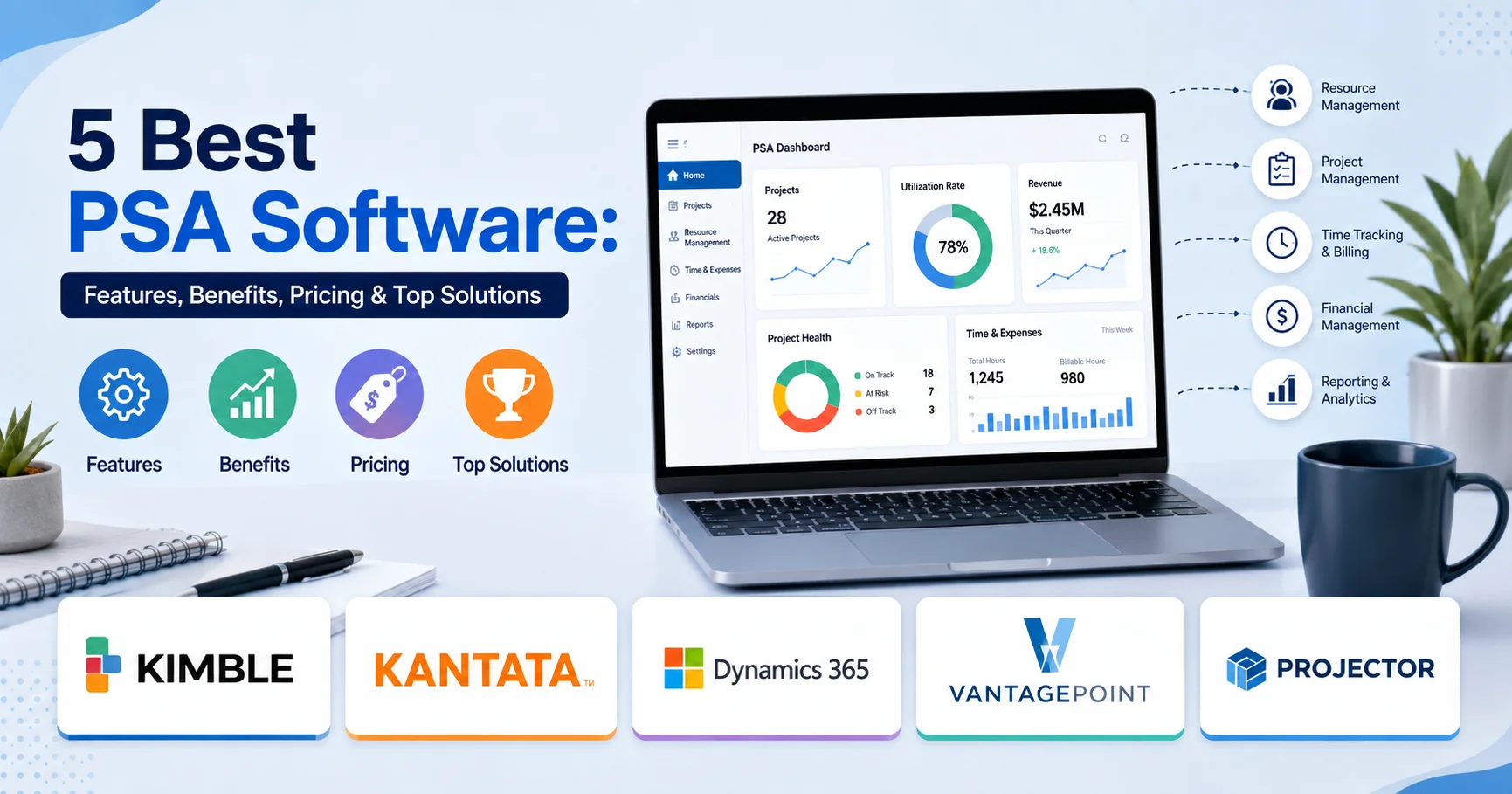
5 Best PSA Software: Features, Benefits, Pricing & Top Solutions

INTRODUCTION
You’re searching for the best PSA software for your professional services organization, but the landscape is confusing. There are dozens of platforms claiming to be the perfect solution. Some are ridiculously expensive. Others are so simple they barely qualify as PSA software. Some look beautiful but lack essential features. Others are powerful but require a PhD to configure.
The truth is: there’s no single “best” PSA software. The best choice depends entirely on your organization’s size, industry, budget, technical sophistication, and specific business requirements.
What works brilliantly for a 50-person consulting firm might create unnecessary overhead for a 10-person creative agency. What scales elegantly for a 200-person engineering firm might be overkill for a boutique legal practice.
I’ve personally evaluated and implemented over 15 different PSA software solutions across consulting, engineering, creative, accounting, and IT services organizations. I’ve watched organizations flourish with tools others found frustrating. I’ve also witnessed expensive implementations fail because the tool didn’t match the organization’s actual needs.
In this comprehensive guide, I’ll provide honest, detailed reviews of the best PSA software solutions available in 2026. You’ll get pricing details, feature breakdowns, real-world use cases, implementation complexity assessments, and clear guidance on which tool fits which scenario. By the end, you’ll make an informed decision without wasting time on tools that won’t work for your situation.
What Makes the Best PSA Software? Key Evaluation Criteria
Before reviewing specific solutions, understanding what separates exceptional PSA software from mediocre platforms is essential. Here are the criteria that truly matter:
1. Core Feature Completeness
Does the PSA software deliver these essential capabilities?
- Project Management: Can you create projects, define scope, track progress, manage milestones?
- Resource Management: Can you see who’s available, allocate people strategically, forecast future needs?
- Time Tracking: Can teams log time accurately, with mobile access, approval workflows?
- Billing and Invoicing: Can you generate accurate invoices from tracked time, handle multiple billing models?
- Financial Analysis: Can you understand project profitability, gross margins, resource utilization?
- Reporting: Can you access meaningful dashboards and custom reports?
All six capabilities are essential. Missing any represents a significant limitation.
2. User Experience and Adoption
The most powerful PSA software creates no value if teams don’t use it. Key factors:
- Intuitive interface: Can new users accomplish basic tasks without extensive training?
- Mobile functionality: Can field teams log time from client sites?
- Speed and responsiveness: Does the system feel snappy or sluggish?
- Customization balance: Can you customize for your business without excessive complexity?
3. Implementation Timeline and Complexity
How long does implementation take? Some solutions require:
- 3-4 months (simple, small implementations)
- 6-9 months (moderate complexity)
- 12-18+ months (complex, large organizations)
Implementation timeline directly impacts total cost of ownership.
4. Total Cost of Ownership
Best PSA software balances reasonable licensing costs with manageable implementation expense:
- Per-user licensing: $30-500/month
- Implementation: $50,000-750,000
- Training and change management: $20,000-300,000
- Annual maintenance: 10-20% of software cost
Total first-year cost ranges from $100,000 to $1,000,000+ depending on firm size.
5. Integration Capabilities
Does PSA software integrate smoothly with your existing tools?
- Accounting systems: QuickBooks, Xero, NetSuite, Sage
- CRM systems: Salesforce, HubSpot, Microsoft Dynamics
- HR systems: Workday, BambooHR, Guidepoint
- Communication: Slack, Microsoft Teams
- Custom integrations: API availability for custom connections
6. Scalability and Growth
Does the platform grow with you? Can it handle:
- Current team size comfortably
- Expected growth in 2-3 years
- Complexity as you add services/locations
- Large numbers of projects and team members
7. Vendor Stability and Support
Is the vendor financially stable and committed to the product?
- Company financial health
- Product development roadmap
- Customer support quality
- Community and documentation
- Long-term viability
Top PSA Software Solutions in 2026: Detailed Reviews
Based on extensive evaluation and real-world implementation experience, here are the best PSA software solutions available in 2026:
1. Kimble PSA Software
Kimble PSA Software is a professional services automation platform designed to help consulting firms and other project-based organizations manage their projects, resources, finances, and client engagements more effectively. The platform provides capabilities for resource planning, project management, time and expense tracking, forecasting, billing, and financial reporting, giving organizations greater visibility across the entire project lifecycle. By connecting project delivery with resource utilization and financial performance, Kimble PSA helps professional services teams improve operational efficiency, allocate resources more effectively, monitor project profitability, and make data-driven decisions. Its focus on end-to-end professional services management makes it a valuable solution for organizations looking to scale their services operations while maintaining control over costs and project performance.
Overview
Kimble is purpose-built for creative and marketing agencies, combining project management, resource planning, and profitability analytics in an exceptionally user-friendly platform. It’s the sweet spot for small-to-medium creative organizations.
Key Strengths
Ease of Use: Kimble’s interface is genuinely intuitive. Teams get productive within days, not weeks. I’ve watched new users log time and access reports with minimal training.
Agency-Focused Features: Built specifically for how creative agencies work—not retrofitted from an enterprise system. Features include:
- Creative project tracking with asset management
- Capacity planning visual timeline
- Resource utilization dashboards
- Time tracking with approval workflows
- Profitability analysis by client and project
Performance: The system is snappy and responsive. Dashboards load quickly. Data feels current.
Mobile Time Tracking: Solid mobile app allows team members to log time from anywhere. Offline capability prevents frustration when connectivity drops.
Implementation Speed: Typical implementation completes in 3-4 months for small-to-medium organizations. Straightforward data migration and configuration.
Real Limitations
Scalability: Optimal for organizations up to ~150 people. Beyond that, system complexity and reporting performance degrade.
Advanced Customization: Limited ability to create custom fields or workflows. Good for standard business models, limiting for non-traditional practices.
Accounting Integration: Integrations with accounting systems exist but aren’t as mature as dedicated accounting systems. Manual reconciliation often necessary.
Limited Multi-Entity Support: Managing multiple business entities or locations requires workarounds.
Best For
- Creative and marketing agencies (10-150 people)
- Organizations prioritizing ease of use
- Firms with straightforward project structures
- Budget-conscious mid-market organizations
- Teams wanting fast time-to-value
Pricing
$40-80 per user per month depending on features and annual commitment.
- Entry tier: ~$40/user/month (time tracking, basic reporting)
- Professional tier: ~$60/user/month (full features)
- Premium tier: ~$80/user/month (advanced analytics)
For a 50-person organization: $2,400-4,800/month = $28,800-57,600 annually
Implementation cost: $30,000-60,000 for typical mid-market implementation
2. Kantata (formerly Mavenlink)
Kantata PSA Software is a professional services automation platform designed to help businesses manage projects, resources, finances, and client engagements from a centralized environment. It provides tools for resource management, project planning, time and expense tracking, financial management, forecasting, and performance reporting, giving professional services organizations greater visibility into their operations. Kantata helps teams match resources with project requirements, monitor budgets and profitability, identify potential delivery risks, and optimize workforce utilization. By connecting people, projects, and financial data, the platform enables consulting firms, technology companies, agencies, and other project-based organizations to improve operational efficiency, make informed decisions, and deliver projects more profitably.
Overview
Kantata is the balanced choice—powerful enough for complex professional services organizations, yet accessible enough for mid-market firms. It handles everything from project management to financial analytics with grace.
Key Strengths
Comprehensive Feature Set: Kantata delivers everything professional services organizations need:
- Sophisticated project management with custom workflows
- Resource capacity planning and forecasting
- Time and expense tracking
- Advanced billing (hourly, fixed-price, retainer, time-and-materials)
- Detailed profitability analysis
- Executive dashboards and custom reporting
Professional Services Focus: Built for consulting, engineering, and service organizations. Not a retrofit. Features align naturally with how services firms operate.
Strong Integration Ecosystem: Integrates well with:
- Accounting systems (QuickBooks, Xero, NetSuite)
- CRM systems (Salesforce, HubSpot)
- Communication tools (Slack, Teams)
- Custom integrations via API
Scalability: Handles 50-300+ person organizations smoothly. Performance remains good even with large datasets.
Advanced Reporting: Custom report builder allows creating reports matching your business logic exactly. Dashboard flexibility is exceptional.
Real Limitations
Implementation Complexity: Requires 6-9 months for typical mid-market implementation. Configuration is more involved than simpler tools.
Learning Curve: Teams need more structured training than Kimble requires. System has more concepts to understand.
Pricing Complexity: Per-user model plus additional charges for advanced features can become expensive at scale. Total cost less transparent than competitors.
Customization Overhead: While powerful, extensive customization adds implementation time and ongoing maintenance burden.
Best For
- Mid-market professional services firms (50-300 people)
- Consulting, engineering, and IT services organizations
- Firms needing advanced financial analytics
- Organizations with complex billing models
- Companies planning significant growth
Pricing
$50-100+ per user per month depending on features.
- Startup tier: ~$50/user/month (limited features)
- Professional tier: ~$75/user/month (full features)
- Enterprise tier: ~$100+/user/month (advanced analytics, API)
For a 75-person organization: $3,750-7,500/month = $45,000-90,000 annually
Implementation cost: $75,000-150,000 for typical mid-market implementation
3. Microsoft Dynamics 365 Project Operations
Microsoft Dynamics 365 Project Operations PSA Software is a professional services and project management solution designed to help organizations manage projects from planning and resource allocation through delivery, billing, and financial reporting. As part of the Dynamics 365 ecosystem, it connects project operations with sales, finance, customer relationship management, and business data, providing teams with a unified view of project performance. The platform supports project planning, resource management, time and expense tracking, project accounting, invoicing, and profitability analysis. By connecting project delivery with financial and customer information, Dynamics 365 Project Operations helps professional services organizations improve resource utilization, streamline workflows, control project costs, and make data-driven decisions throughout the project lifecycle.
Overview
Microsoft’s enterprise-grade PSA Software solution for organizations already invested in the Microsoft ecosystem. Integrates seamlessly with Office 365, Dynamics CRM, and Azure.
Key Strengths
Microsoft Integration: Seamless integration with:
- Office 365 and OneDrive
- Teams and Outlook
- Dynamics CRM for lead management
- Power BI for advanced analytics
- Azure for custom development
Enterprise Capabilities: Designed for large organizations with complex requirements:
- Multi-entity, multi-currency support
- Advanced project accounting
- Sophisticated resource planning
- Complex billing scenarios
Scalability: Handles 500+ person organizations without hesitation.
Customization: Extreme flexibility through Power Apps and custom development. You can build virtually anything.
Real Limitations
Implementation Complexity: Requires 9-18 months for typical large-organization implementation. Complex and resource-intensive.
Learning Curve: Steep learning curve. Microsoft applications require significant training. Teams struggle with complexity initially.
Cost: Expensive—licensing costs plus implementation creates substantial total cost of ownership. Often requires dedicated IT resources for ongoing management.
Overkill for Small Organizations: Far too complex and expensive for organizations under 200 people.
User Experience: Interface is functional but not beautiful. Teams don’t choose it because they love using it—they choose it because they’re already in Microsoft ecosystem.
Best For
- Large enterprises (200+ people)
- Organizations heavily invested in Microsoft stack
- Complex multi-entity operations
- Government contractors and regulated industries
- Companies with significant IT resources
Pricing
$120-250+ per user per month depending on configuration.
For a 150-person organization: $18,000-37,500/month = $216,000-450,000 annually
Implementation cost: $300,000-1,000,000+ for typical large-organization implementation
4. Deltek Vantagepoint
Deltek Vantagepoint PSA Software is a professional services ERP and project management solution designed to help architecture, engineering, consulting, and other project-based organizations manage their operations from a centralized platform. It combines project management, resource planning, accounting, time and expense tracking, billing, forecasting, and business intelligence to provide greater visibility across the project lifecycle. The platform helps organizations allocate resources effectively, monitor project performance, manage budgets, and improve financial control. With integrated project and financial data, Deltek Vantagepoint enables professional services firms to streamline operations, increase utilization, improve project profitability, and make more informed business decisions.
Overview
Purpose-built for engineering, architecture, and government contractors. Vantagepoint excels at complex project accounting, government compliance, and cost tracking for contract-intensive organizations.
Key Strengths
Engineering/Government Focus: Built specifically for industries with complex contracting and compliance requirements:
- Detailed contract costing
- Government compliance reporting
- Complex cost allocation
- Project-based accounting
Financial Depth: Exceptional project accounting capabilities. Integrates deeply with financial management.
Project Controls: Sophisticated earned value management and project controls for large, complex projects.
Industry Experience: Over 30 years of focus on engineering and government services. Knows the industry deeply.
Real Limitations
Implementation Complexity: Requires 8-15 months for typical implementation. System is complex and requires deep configuration expertise.
Learning Curve: Steep learning curve. System is powerful but complex.
User Experience: Older, more utilitarian interface. Not as modern as newer competitors. Teams find it less intuitive.
Cost: Expensive licensing plus substantial implementation and training costs.
Overkill for Non-Engineering Firms: Features focused on engineering/government contracting mean wasted functionality for other service industries.
Best For
- Engineering and architecture firms
- Government contractors
- Organizations with complex contract costing requirements
- Large infrastructure and construction projects
- Companies prioritizing contract compliance over ease of use
Pricing
Custom pricing model (typically $100-300+ per user per month)
Requires custom quotes. Often negotiated based on firm size and requirements.
Implementation cost: $250,000-750,000+ for typical large-organization implementation
5. Projector PSA Software
Projector PSA Software is a professional services automation platform designed to help consulting firms and other project-based organizations manage resources, projects, finances, and business performance more effectively. The platform provides tools for resource scheduling, capacity planning, project management, time tracking, budgeting, forecasting, billing, and profitability analysis. By bringing project and resource data together, Projector PSA helps organizations identify staffing needs, improve utilization, monitor project health, and make better decisions about future work. Its focus on resource management and project financial visibility makes it a useful solution for professional services teams seeking to optimize operations, improve project delivery, and increase overall profitability.
Overview
Projector PSA Software delivers balance between functionality and usability for mid-market professional services organizations. It’s particularly strong for professional services firms operating on multiple project types and billing models.
Key Strengths
Balanced Feature Set: Projector delivers comprehensive functionality:
- Project management with custom workflows
- Resource planning and capacity management
- Time tracking with mobile access
- Multi-model billing support
- Financial analytics and profitability reporting
Reasonable Pricing: Better pricing than enterprise solutions while delivering most functionality needed.
Implementation Speed: Typical implementation completes in 4-8 months. Faster than enterprise solutions, more thorough than simple tools.
Training and Support: Strong support and training resources help organizations get productive quickly.
Financial Integration: Integrates well with accounting systems. Workflows align naturally with how financial teams work.
Real Limitations
User Experience: Interface is functional but not as polished as newer competitors. Teams find it slightly less intuitive than Kimble.
Advanced Customization: Limited custom field and workflow creation compared to enterprise solutions.
Scalability Limits: Handles 100-300 person organizations well. Beyond that, performance and complexity become concerns.
Modern Features: Missing some newer capabilities (AI-powered insights, advanced predictive analytics) that newer competitors offer.
Best For
- Mid-market professional services firms (50-200 people)
- Professional services organizations seeking balanced solution
- Consulting and IT services firms
- Organizations prioritizing value and reasonable pricing
- Companies wanting proven, stable platform
Pricing
$60-120 per user per month depending on features and modules.
For a 75-person organization: $4,500-9,000/month = $54,000-108,000 annually
Implementation cost: $75,000-150,000 for typical mid-market implementation
Comprehensive PSA Software Comparison Table
| Feature | Kimble | Kantata | Dynamics 365 | Vantagepoint | Projector |
|---|---|---|---|---|---|
| Best For | Creative agencies | Consulting firms | Enterprise MS orgs | Engineering firms | Mid-market services |
| Price/User/Month | $40-80 | $50-100+ | $120-250+ | Custom | $60-120 |
| Implementation Time | 3-4 months | 6-9 months | 9-18 months | 8-15 months | 4-8 months |
| Learning Curve | Easy | Moderate | Steep | Very Steep | Moderate |
| User Experience | Excellent | Very Good | Good | Fair | Good |
| Scalability | Up to 150 | Up to 300+ | 500+ | 200-500 | 100-300 |
| Project Management | Very Good | Excellent | Excellent | Excellent | Very Good |
| Resource Planning | Good | Excellent | Excellent | Excellent | Very Good |
| Financial Analytics | Good | Excellent | Excellent | Excellent | Very Good |
| Time Tracking | Excellent | Very Good | Very Good | Very Good | Very Good |
| Billing Flexibility | Good | Excellent | Excellent | Excellent | Very Good |
| Integration Ecosystem | Good | Excellent | Excellent | Good | Very Good |
| Mobile Access | Good | Good | Good | Fair | Good |
| Customization | Limited | Moderate | Extensive | Moderate | Limited |
| Support Quality | Excellent | Excellent | Good | Very Good | Good |
| Overall Rating | ⭐⭐⭐⭐⭐ | ⭐⭐⭐⭐⭐ | ⭐⭐⭐⭐ | ⭐⭐⭐⭐ | ⭐⭐⭐⭐ |
Selecting the Best PSA Software: Decision Framework
Use this framework to determine which PSA software fits your organization:
Quick Decision Guide
For Creative/Marketing Agencies (10-150 people):
→ Kimble
- Fast implementation
- Creative-specific features
- Reasonable cost
- Ease of use
For Consulting Firms (50-300 people):
→ Kantata
- Comprehensive features
- Strong analytics
- Good scalability
- Professional services focus
For Engineering Firms:
→ Deltek Vantagepoint
- Industry-specific features
- Complex project accounting
- Government compliance
- Contract management
For Large Enterprise Organizations (200+ people):
→ Microsoft Dynamics 365 Project Operations
- Enterprise scalability
- Deep integrations
- Customization capability
- Microsoft ecosystem alignment
For Mid-Market General Services:
→ Projector PSA
- Balance of features and cost
- Proven stability
- Good support
- Reasonable implementation timeline
Detailed Selection Questions
1. What’s your organization size?
- Under 50: Kimble or Kantata
- 50-150: Kimble
- 150-300: Kantata or Projector
- 300+: Kantata, Dynamics 365, or Vantagepoint
2. What industry are you in?
- Creative/Marketing: Kimble
- Consulting/IT Services: Kantata or Projector
- Engineering/Architecture: Vantagepoint
- Enterprise/Multiple Industries: Dynamics 365
3. What’s your implementation budget?
- $100,000-200,000: Kimble or Projector
- $200,000-400,000: Kantata
- $500,000+: Vantagepoint or Dynamics 365
4. How critical is ease of use?
- Very important: Kimble
- Important: Kantata or Projector
- Less important (users are sophisticated): Vantagepoint or Dynamics 365
5. Do you use Microsoft tools extensively?
- Yes: Dynamics 365
- No/Some: Other options
6. What’s your IT resources availability?
- Limited: Kimble or Projector
- Moderate: Kantata
- Extensive: Vantagepoint or Dynamics 365
7. How complex are your billing models?
- Simple (hourly, fixed-price): Kimble
- Moderate (multiple models, some complexity): Kantata or Projector
- Complex (cost-plus, government contracts): Vantagepoint
Implementation Success Factors: Getting the Best PSA Software to Work
Choosing the right PSA software is just the beginning. Implementation success requires:
1. Executive Sponsorship
Without visible leadership support, implementation stalls. Executive sponsors must:
- Allocate adequate budget
- Release team members for training
- Demonstrate commitment through participation
- Communicate why change matters
- Hold organization accountable
2. Adequate Staffing
Successful implementations require:
- Dedicated project manager (full-time)
- Business analyst (full-time during implementation)
- Super-users from key departments (50-75% time)
- IT resources for integration and security
- Change management specialist
Understaffing is the #1 reason implementations fail.
3. Data Preparation
Quality implementation requires:
- Historical data cleaning
- Mapping legacy systems to new structure
- Establishing data ownership and standards
- Validating migrated data
- Creating processes to prevent future data decay
Garbage in, garbage out applies directly.
4. Process Redesign
Implementation isn’t just about technology—it’s about process change:
- Redesign time tracking processes
- Create project setup standards
- Establish billing and invoicing workflows
- Define resource planning procedures
- Create reporting requirements
Don’t automate broken processes; fix them first.
5. User Training
Proper training is critical:
- Role-specific training (not one-size-fits-all)
- Hands-on practice with real data
- Train-the-trainer approach for scaling
- Job aids and documentation
- Ongoing support during transition
Investment in training correlates directly with adoption and success.
6. Change Management
Organizational change requires:
- Clear communication about why change is happening
- Honest discussion of challenges
- Recognition that change is uncomfortable
- Support for struggling team members
- Quick resolution of issues and concerns
- Celebrating early wins
PSA Software Implementation Checklist
Use this checklist for your PSA software implementation:
Pre-Selection Phase
- [ ] Define business objectives and success metrics
- [ ] Document current state processes
- [ ] Identify pain points and improvement targets
- [ ] Assess team readiness for change
- [ ] Determine budget and timeline constraints
- [ ] Identify stakeholders and sponsors
Evaluation Phase
- [ ] Create detailed requirements document
- [ ] Evaluate shortlist against requirements
- [ ] Conduct product demos and trials
- [ ] Check references with similar organizations
- [ ] Assess implementation timelines and costs
- [ ] Evaluate vendor stability and support
Selection Phase
- [ ] Make final vendor selection
- [ ] Negotiate contract and pricing
- [ ] Establish implementation timeline
- [ ] Identify implementation partner (if needed)
- [ ] Plan go-live approach
Planning Phase
- [ ] Create detailed implementation plan
- [ ] Build implementation team
- [ ] Plan data migration strategy
- [ ] Document process redesign requirements
- [ ] Create training plan
- [ ] Establish success metrics
Configuration Phase
- [ ] Gather detailed requirements
- [ ] Configure system settings
- [ ] Create projects and organizational structure
- [ ] Set up user roles and permissions
- [ ] Create custom fields and workflows
- [ ] Configure integrations
- [ ] Build required reports and dashboards
Testing Phase
- [ ] Develop test scenarios
- [ ] Conduct unit testing
- [ ] Perform user acceptance testing (UAT)
- [ ] Test integrations with other systems
- [ ] Validate reporting accuracy
- [ ] Test data migration
Training Phase
- [ ] Develop training materials
- [ ] Conduct train-the-trainer sessions
- [ ] Deliver user training
- [ ] Create job aids
- [ ] Set up support desk
Go-Live Phase
- [ ] Execute data migration
- [ ] Verify system accessibility
- [ ] Monitor system closely first days
- [ ] Provide immediate issue support
- [ ] Validate critical workflows
- [ ] Celebrate successful launch
Post-Go-Live Phase
- [ ] Monitor adoption and usage metrics
- [ ] Gather user feedback
- [ ] Address critical issues immediately
- [ ] Provide additional training as needed
- [ ] Optimize configurations
- [ ] Plan ongoing improvements
Frequently Asked Questions About Best PSA Software
Q: What’s the total cost of implementing PSA software?
A: Total cost includes:
– Software licensing: $30-250 per user per month
– Implementation services: $50,000-750,000 depending on size
– Training and change management: $20,000-300,000
– Year 1 total: Typically $150,000 to $1,000,000+
For a 75-person organization: $300,000-600,000 in year 1
For a 200-person organization: $500,000-1,500,000 in year 1
ROI typically achieved within 12-24 months through improved utilization and reduced administrative overhead.
Q: How long does implementation typically take?
A: Implementation timelines depend on:
– Firm size: Larger organizations take longer
– Complexity: Multiple business units or billing models extend timeline
– Data readiness: Clean data migrates faster
– Change readiness: More resistant organizations take longer
Typical timelines:
– Small (under 50): 2-4 months
– Medium (50-150): 4-9 months
– Large (150+): 9-18+ months
Q: Can we implement PSA software without an external consultant?
A: Possible but risky. Small implementations (under 30 people) might work with strong internal expertise. Most organizations benefit from external help for:
– Industry best practices
– Configuration guidance
– Avoiding common mistakes
– Training and change management
– System optimization
External consulting typically costs 20-40% more but reduces failure risk significantly.
Q: Which PSA software is best for small businesses?
A: For small professional services firms (under 50 people):
– Kimble (creative/marketing)
– Kantata (consulting/IT)
– Projector (general services)
All three offer reasonable pricing, fast implementation, and user-friendly interfaces suited to small organizations.
Q: How do we ensure adoption after PSA software goes live?
A: Adoption requires:
– Executive sponsorship and visible support
– Clear communication about why change matters
– Comprehensive training with hands-on practice
– Dedicated super-users for peer support
– Quick resolution of issues
– Recognition of adoption successes
– Patience—adoption takes 3-6 months for full productivity
Q: What’s the biggest implementation risk we should plan for?
A: Most common risks:
1. Inadequate staffing (not dedicating enough resources)
2. Unrealistic expectations (expecting too much too soon)
3. Poor data quality (garbage migrating into new system)
4. Insufficient training (teams not getting support they need)
5. Weak change management (not addressing resistance to change)
All are manageable with proper planning.
Q: Can we switch PSA software later if we choose wrong?
A: Switching is possible but expensive and disruptive:
– Data extraction and migration costs
– Reconfiguration of processes
– New training required
– Productivity loss during transition
Choose carefully the first time. Migration timelines: 6-12 months, costs: $100,000-500,000+.
Q: How do we measure PSA software implementation success?
A: Track these metrics:
– Utilization rate: Improvement in billable utilization
– Project profitability: Better understanding of project margins
– Invoicing speed: Days from work completion to invoice
– Cash collection: Improvement in Days Sales Outstanding
– Administrative overhead: Reduction in billing/admin time
– Project visibility: Accuracy of project status tracking
– User adoption: Percentage of team actively using system
Most successful implementations show 15-30% improvement across these metrics within 12 months.
Q: Is there a best PSA software that works for all organization types?
A: No. Each platform has different strengths:
– Kimble: Best for creative agencies
– Kantata: Best overall for mid-market
– Dynamics 365: Best for enterprise Microsoft ecosystem
– Vantagepoint: Best for engineering
– Projector: Best for value and stability
Choose based on your specific situation, not general reputation.
Q: What features matter most in PSA software?
A: These core features matter most:
– Time tracking (accuracy of billing data)
– Project profitability (understanding true project economics)
– Resource planning (optimizing utilization)
– Invoicing (accuracy and speed)
– Reporting (visibility into operations)
Everything else is secondary to these five capabilities.
Conclusion: Finding Your Best PSA Software
The best PSA software isn’t the most expensive or most feature-rich solution. It’s the platform that:
✓ Addresses your specific business challenges
✓ Fits your organization’s size and complexity
✓ Your team can adopt and use effectively
✓ Delivers measurable business value
✓ You can afford to implement properly
✓ Provides the support you need to succeed
The Bottom Line
Kimble if you’re a creative agency valuing ease of use and speed.
Kantata if you’re a mid-market services firm wanting comprehensive functionality with reasonable complexity.
Projector if you’re seeking balance between features and value.
Vantagepoint if you’re an engineering or government contractor with complex requirements.
Dynamics 365 if you’re a large enterprise already invested in Microsoft.
Implementation success depends more on organizational commitment than tool selection. The best PSA software fails without proper staffing, training, and change management. Mediocre platforms succeed with strong execution.
Choose the platform that best fits your organization, commit the resources to implement properly, and focus on driving adoption and value realization. The financial returns—improved utilization, better profitability, faster cash collection—justify the investment many times over.
Additional Resources for PSA Software Selection
Vendor Resources:
- Kimble PSA Platform
- Kantata Professional Services Software
- Microsoft Dynamics 365 Project Operations
- Deltek Vantagepoint
- Projector PSA Solution
Industry Research: