The Best Free Password Managers Alternatives to Secure Your Digital Life in 2026

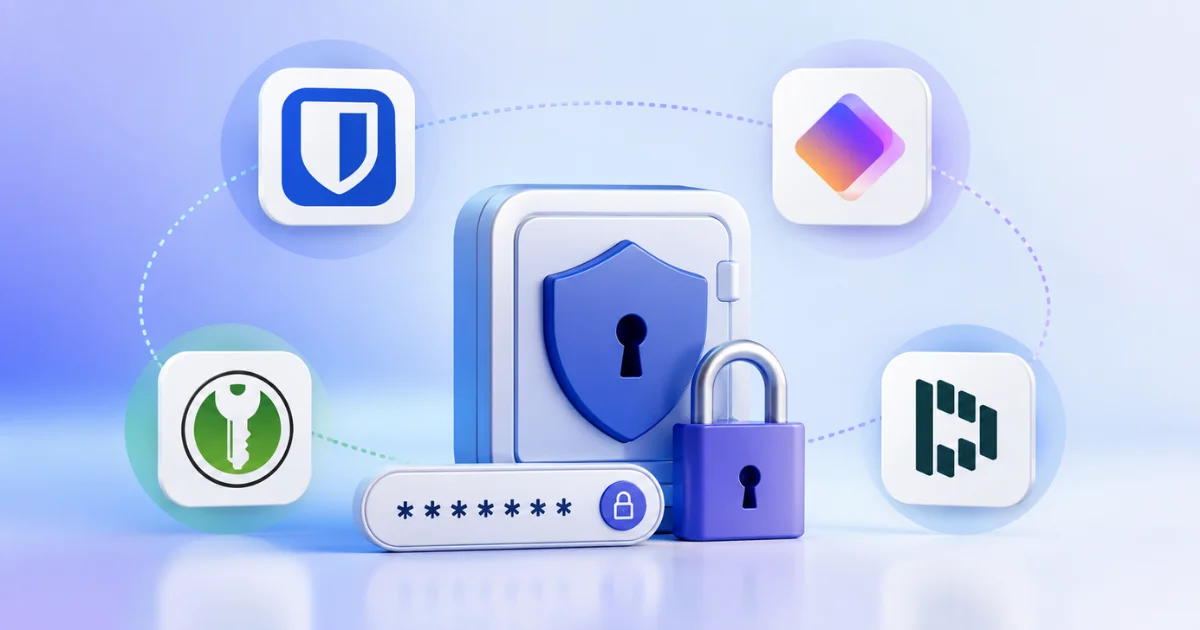
Best Free Password Managers Alternatives for 2026 | Top Secure Picks
Let’s be honest: we have all been there. You are trying to log into an important account, and your brain completely blanks on the password. You try your usual go-to, get the dreaded “Incorrect Password” message, and end up clicking “Forgot Password” for the tenth time this month. Sound familiar?
In today’s hyper-connected world, the average person juggles dozens, if not hundreds, of online accounts. From banking and shopping to social media and work portals, remembering unique, complex passwords for every single one is practically impossible. This is exactly why password managers have transitioned from a “nice-to-have” tech gadget to an absolute necessity for digital survival.
But here is the catch: not everyone wants to pay a monthly subscription fee for cybersecurity. Fortunately, the market is flooded with incredible, highly secure, and completely free options. In this comprehensive guide, we will explore the best free password managers available in 2026, breaking down their features, security protocols, and usability so you can make an informed decision. Whether you are a tech novice or a privacy hardcore enthusiast, there is a password manager on this list tailored perfectly for you.
Why You Absolutely Need Password Managers in 2026
Before we dive into the specific tools, let’s address the elephant in the room: why can’t you just keep using the same simple password everywhere, or worse, write them down in a notebook? The short answer is that the digital threat landscape has evolved dramatically, and old habits are now a massive liability.
The Rising Threat of Cyber Attacks and Credential Stuffing
Cybercriminals are no longer just guessing passwords; they are using automated bots to test billions of leaked username and password combinations across the web. This technique, known as credential stuffing, is highly effective because so many people reuse passwords. If a minor retail website you signed up for five years ago suffers a data breach, hackers will immediately try those exact credentials on your email, banking, and social media accounts. Using robust password managers eliminates this risk by generating and storing a unique, unguessable password for every single account you own.
The End of “Password123” and Human Memory Limits
Human brains are simply not wired to remember 80 different strings of random characters like Xq9#mK2$Lp!vR. When forced to remember too much, people naturally revert to predictable patterns, birthdays, or pet names. Password managers lift this cognitive burden entirely. You only have to remember one single, strong master password, and the software handles the rest. This shift not only boosts your security but also drastically improves your daily productivity and peace of mind.
What Makes a Great Free Password Managers?
Not all password managers are created equal. When evaluating free alternatives, it is crucial to look beyond the price tag and focus on the underlying security architecture and user experience. Here are the non-negotiable features you must look for.
Military-Grade Encryption (AES-256)
The foundation of any trustworthy password manager is its encryption standard. The industry gold standard is AES-256-bit encryption, the same level of security used by banks and military organizations worldwide. This ensures that even if a hacker somehow intercepts your data vault, the information remains completely unreadable and useless to them.
Zero-Knowledge Architecture
This is a critical feature for privacy-conscious users. A zero-knowledge architecture means that the password managers you choose do not know your master password, nor can they access the contents of your vault. The encryption and decryption happen locally on your device. The company providing the service literally has zero knowledge of your data, making it impossible for them to hand it over to third parties, even if legally compelled.
Cross-Platform Compatibility and Seamless Syncing
You use multiple devices: a smartphone, a laptop, maybe a tablet. Your password managers need to keep up. The best tools offer browser extensions for Chrome, Firefox, Safari, and Edge, alongside dedicated mobile apps for iOS and Android. Seamless, real-time syncing ensures that a password you save on your computer is instantly available on your phone when you need it on the go.
Top Free Password Managers Alternatives Reviewed
Now, let’s get into the meat of the article. We have rigorously tested and evaluated the top contenders in the market to bring you the most reliable password managers that won’t cost you a dime.
1. Bitwarden: The Open-Source Champion
Bitwarden is a popular open-source password manager that helps users securely store, organize, and autofill passwords across multiple devices. It uses end-to-end encryption, ensuring that only you can access your sensitive data.
With its free plan, Bitwarden offers unlimited password storage, password sharing, multi-device synchronization, and strong security features. It is widely recognized as one of the best free alternatives to premium password managers thanks to its transparency, affordability, and ease of use.
If you ask cybersecurity experts to recommend a free password manager, Bitwarden is almost always the first name that comes up. Why? Because it is entirely open-source. This means its code is publicly available for independent security researchers to audit, ensuring there are no hidden backdoors or vulnerabilities.
Key Features:
- Unlimited Passwords: Unlike many free tiers that cap your storage, Bitwarden lets you store an unlimited number of passwords and secure notes.
Cross-Platform Sync: Flawless syncing across all major browsers and operating systems. - Built-in Password Generator: Creates highly complex, customizable passwords on the fly.
- Self-Hosting Option: For the ultimate privacy enthusiasts, Bitwarden allows you to host the server yourself.
The Verdict: Bitwarden is the undisputed king of free password managers. It offers premium-level features without the premium price tag. The only minor drawback is that the user interface, while functional, is slightly less polished than some of its paid competitors. However, for sheer value and security, it is unmatched.
2. KeePassXC: The Ultimate Offline Vault
KeePassXC is a free and open-source password manager designed for users who want complete control over their data. Unlike cloud-based password managers, it stores passwords locally in an encrypted database on your device, providing a high level of privacy and security.
KeePassXC supports strong encryption, password generation, browser integration, and secure storage of passwords, notes, and other sensitive information. It is an excellent choice for privacy-conscious users who prefer an offline solution without relying on third-party servers.
For users who are deeply skeptical of cloud storage, KeePassXC is a breath of fresh air. It is a free, open-source, offline password manager. Instead of storing your encrypted vault on a company’s server, KeePassXC saves a local database file (.kdbx) directly on your computer.
Key Features:
- Total Control: You own your data. There is no cloud, no subscription, and no company that can be hacked to expose your passwords.
- Advanced Customization: Offers extensive customization for password generation rules and auto-type sequences.
- Portable: You can carry your database file on a USB drive and use it on any computer with the KeePassXC application installed.
The Verdict: KeePassXC is a powerhouse for tech-savvy users who prioritize absolute control over convenience. Because it lacks automatic cloud syncing, you have to manually manage your database file across devices (though third-party tools like Syncthing can automate this). If you are comfortable with a slight learning curve, this is one of the most secure password managers available.
3. Proton Pass: Privacy-First Innovation
Proton Pass is a secure password manager developed by the team behind Proton AG. It allows users to store passwords, passkeys, secure notes, and email aliases while benefiting from end-to-end encryption that protects all stored data from unauthorized access.
One of Proton Pass’s biggest strengths is its strong focus on privacy and security. The free plan includes unlimited password storage, device synchronization, and email alias creation, making it an excellent choice for users looking for a privacy-first alternative to traditional password managers.
From the renowned team behind ProtonMail and Proton VPN comes Proton Pass. Launched to disrupt the market, this password manager is built from the ground up with an unwavering commitment to user privacy and zero-knowledge encryption.
Key Features:
- Hide-My-Email Aliases: This is a game-changer. Proton Pass allows you to generate unique, random email aliases for every website you sign up for. If one service gets breached or starts spamming you, you can simply disable that specific alias without affecting your real email address.
- Seamless Ecosystem Integration: Works beautifully if you already use other Proton services.
- Unlimited Logins and Devices: The free tier is surprisingly generous, offering unlimited passwords and sync across all your devices.
The Verdict: Proton Pass is rapidly becoming a favorite among privacy advocates. The email alias feature alone makes it stand out from other password managers. While it is a newer player compared to Bitwarden, its rapid development and strong reputation make it a top-tier choice for 2026.
4. Dashlane (Free Tier): User-Friendly Simplicity
Dashlane is a user-friendly password manager that helps individuals and businesses securely store, manage, and autofill passwords across devices. It also includes features such as password health monitoring, dark web monitoring, and secure password sharing.
Dashlane is known for its intuitive interface and strong security protections, including end-to-end encryption and support for passkeys. While its free plan is more limited than some competitors, it remains a popular choice for users seeking a polished and feature-rich password management solution.
Dashlane has long been known for having the most beautiful, intuitive user interface in the industry. While its premium features are behind a paywall, the free tier of Dashlane still offers a solid entry point for beginners looking for easy-to-use password managers.
Key Features:
- Exceptional User Interface: Incredibly easy to set up and navigate, making it perfect for non-technical users.
- Dark Web Monitoring: The free version includes basic dark web monitoring, alerting you if your email address appears in known data breaches.
- Password Changer: A unique tool that helps you automatically update weak passwords on supported websites.
The Verdict: The main limitation of Dashlane’s free tier is that it restricts you to a maximum of 50 passwords and one device. However, if you only need to secure your most critical accounts (like email, banking, and primary social media), Dashlane provides a frictionless, highly secure experience. It is a great stepping stone before committing to a paid password manager.
Comparative Table: Free Password Managers at a Glance
To help you visualize the differences, here is a quick comparison of the top password managers we have discussed.
| Password Manager | Price | Platforms Supported | Max Passwords (Free) | User Rating | Best For |
|---|---|---|---|---|---|
| Bitwarden | Free / Premium | Windows, Mac, Linux, iOS, Android, Web | Unlimited | ⭐⭐⭐⭐⭐ (4.9/5) | Overall best value & open-source fans |
| KeePassXC | 100% Free | Windows, Mac, Linux | Unlimited | ⭐⭐⭐⭐ (4.5/5) | Offline security & total data control |
| Proton Pass | Free / Premium | Windows, Mac, iOS, Android, Browser Ext. | Unlimited | ⭐⭐⭐⭐⭐ (4.8/5) | Privacy advocates & email alias users |
| Dashlane | Free / Premium | Windows, Mac, iOS, Android, Web | 50 | ⭐⭐⭐⭐ (4.6/5) | Beginners wanting a simple, polished UI |
(Note: User ratings are aggregated from major tech review platforms and app stores as of mid-2026).
Practical Summary: Which One Should You Choose?
Choosing between password managers can feel overwhelming, but it doesn’t have to be. Here is a quick, practical summary to guide your decision:
- Choose Bitwarden if: You want the absolute best all-around free password manager with unlimited storage, cross-device sync, and the transparency of open-source code.
- Choose KeePassXC if: You are highly paranoid about cloud security, prefer keeping your data strictly offline on your own hardware, and don’t mind manual file management.
- Choose Proton Pass if: You value privacy above all else and want the added bonus of email aliases to protect your inbox from spam and tracking.
- Choose Dashlane (Free) if: You are new to password managers, have fewer than 50 accounts to secure, and prioritize a beautiful, easy-to-use interface over unlimited storage.
The Ultimate Password Security Checklist
Installing a password manager is only the first step. To ensure your digital life is truly secure, follow this actionable checklist:
- [ ] Create a Strong Master Password: This is the key to your entire vault. Make it a long passphrase (e.g.,
Correct-Horse-Battery-Staple-2026!) that is easy for you to remember but impossible for a computer to guess. Never reuse this password anywhere else. - [ ] Enable Two-Factor Authentication (2FA): Add an extra layer of security to your password managers account. Use an authenticator app (like Authy or Google Authenticator) or a hardware security key (like a YubiKey) rather than SMS-based 2FA, which is vulnerable to SIM-swapping attacks.
- [ ] Run a Security Audit: Most password managers have a built-in security dashboard. Run it immediately to identify weak, reused, or compromised passwords, and update them one by one.
- [ ] Secure Your Device: Ensure your phone and computer have strong lock screens (biometrics or PIN) and that your operating system is always up to date.
- [ ] Set Up Emergency Access: Configure the emergency access feature in your password managers. This allows a trusted family member or friend to request access to your vault in case something happens to you, preventing your digital assets from being locked away forever.
- [ ] Backup Your Vault: If you are using a local password manager like KeePassXC, ensure you have encrypted backups of your database file stored in a separate, secure location.
Common Mistakes to Avoid with Password Managers
Even with the best tools, human error can compromise your security. Avoid these common pitfalls when using password managers:
- Using a Weak Master Password: If your master password is “MyDogName123”, your entire vault is vulnerable to a brute-force attack. Make it long and complex.
- Leaving Your Device Unlocked: If someone gets physical access to your unlocked phone or computer, they can access your password managers. Always use auto-lock features.
- Ignoring Software Updates: Developers frequently release updates to patch newly discovered vulnerabilities. Always keep your password managers app and browser extensions updated to the latest version.
- Sharing Passwords via Plain Text: Never copy and paste a password into a text message or email to share it. Use the secure, encrypted password-sharing features built directly into modern password managers.
Conclusion: Take Control of Your Cybersecurity Today
In 2026, relying on memory or sticky notes to manage your digital credentials is a gamble you can no longer afford to take. The rise in sophisticated cyber threats makes the adoption of robust password managers not just a recommendation, but a fundamental requirement for anyone who values their privacy and financial security.
The good news is that you do not need to spend a fortune to protect yourself. As we have explored, powerful, secure, and entirely free password managers like Bitwarden, KeePassXC, Proton Pass, and Dashlane are readily available. They offer military-grade encryption, seamless cross-platform syncing, and the peace of mind that comes from knowing your digital identity is locked down tight.
Do not wait for a data breach to be the wake-up call. Take ten minutes today to download one of these top-rated password managers, create a strong master password, and begin the process of securing your online accounts. Your future self will thank you.
Disclaimer: This article contains general cybersecurity advice. Always verify the latest security features and terms of service directly on the official websites of the mentioned password managers before making a final decision.
FAQs : Free Password Managers Alternatives
1. Are free password managers really safe to use?
Yes, absolutely. Reputable free password managers like Bitwarden and Proton Pass use the same military-grade AES-256 encryption and zero-knowledge architecture as their paid counterparts. The main differences usually lie in advanced features (like extensive dark web monitoring or unlimited secure file storage), not in the core security of the vault itself.
2. What happens if I forget my master password?
This is the most critical thing to remember about password managers: because of the zero-knowledge architecture, the company cannot reset your password for you. If you forget it, you will permanently lose access to your vault. This is why it is crucial to write your master password down on paper and store it in a highly secure physical location, like a home safe.
3. Can password managers be hacked?
While no system is 100% immune to attacks, password managers are among the most secure tools available. Because the data is encrypted locally on your device before it ever reaches the cloud, a hacker would need to breach the company’s servers and crack your personal AES-256 encryption, which is computationally infeasible with current technology.
4. Should I use the password generator built into my browser?
While browser-based generators (like those in Chrome or Safari) are better than nothing, dedicated password managers are far superior. Browser generators often lack cross-platform syncing, advanced security audits, and secure sharing features. A dedicated password manager keeps all your credentials in one encrypted, portable vault.
5. Do password managers slow down my computer or phone?
Modern password managers are highly optimized and run lightweight browser extensions or background apps. You should not notice any significant impact on your device’s performance or battery life.