AI Tools in 2026: Ultimate Guide, Reviews & Best Picks
Let’s cut through the noise. A few years ago, mentioning AI tools in a strategy meeting felt like referencing science fiction. Today, it’s as mundane as checking your email. The hype cycle has cooled, the marketing fluff has been stripped away, and we’re left with what actually matters: practical software that saves hours, reduces friction, and scales output without burning out your team. But here’s the catch: not every platform labeled “AI-powered” delivers real value. Some are glorified autocomplete wrappers. Others require a PhD in prompt engineering just to export a PDF. The difference between a wasted subscription and a genuine productivity multiplier comes down to selection, integration, and realistic expectations.
This guide isn’t a recycled list of trending apps. It’s a field-tested breakdown of the AI tools that actually hold up in professional environments. We’ll cover how to evaluate options, where each category shines, what the pricing traps look like, and how to deploy these systems without breaking your existing workflow. If you’re ready to stop experimenting and start operationalizing, you’re in the right place.
Why AI Tools Are No Longer Optional in 2026
The conversation around artificial intelligence has shifted from “Should we use it?” to “How do we use it without creating chaos?” Businesses that treated AI tools as experimental toys in 2023 are now either leading their markets or playing catch-up. The reason is straightforward: compounding efficiency.
When you automate repetitive drafting, data sorting, image resizing, or code debugging, you don’t just save time. You free up cognitive bandwidth for strategy, client relationships, and creative problem-solving. Teams leveraging mature AI tools report 30–50% reductions in production cycles for content, design, and development tasks. But speed isn’t the only metric. Quality control, consistency, and scalability matter just as much. A well-configured AI workflow ensures brand voice stays intact, technical debt doesn’t accumulate, and output scales linearly without linear headcount growth.
That said, blind adoption backfires. I’ve seen companies subscribe to half a dozen platforms, create conflicting automation rules, and end up with more manual cleanup than before. The goal isn’t to replace humans with machines. It’s to pair human judgment with machine speed. AI tools excel at pattern recognition, rapid iteration, and handling volume. Humans excel at context, ethics, nuance, and decision-making. When you align those strengths, you build a system that compounds value instead of creating technical debt.
How to Choose the Right AI Tools for Your Workflow
Picking the right software starts with honesty about your bottlenecks. Before you compare features or watch demo videos, map out where your team actually loses time. Is it drafting first versions? Sorting customer tickets? Generating thumbnails? Debugging legacy code? Once you isolate the friction points, you can match them to specific AI tools instead of buying a Swiss Army knife you’ll only use 20% of.
Define Your Core Bottlenecks
Write down the top three tasks that consume disproportionate hours but deliver marginal strategic value. If your marketing team spends 15 hours a week repurposing webinar transcripts into blog posts, social captions, and email sequences, you need a content repurposing engine. If your developers waste days writing unit tests for legacy modules, you need a code-generation assistant with strong testing capabilities. AI tools should solve documented pain points, not imaginary ones.
Check Integration Capabilities
A brilliant platform that lives in a silo is a liability. The best AI tools plug directly into your existing stack: Slack, Notion, GitHub, Figma, HubSpot, Zapier, or your CMS. Native integrations reduce context-switching, eliminate manual copy-pasting, and keep data flowing where it’s needed. Always verify API availability, webhook support, and single sign-on (SSO) compatibility before committing.
Evaluate Data Privacy & Compliance
Not all platforms treat your data equally. Some train their models on your uploads. Others store prompts indefinitely. If you handle client data, proprietary code, or regulated information, you need clear data processing agreements (DPAs), opt-out training clauses, and enterprise-grade encryption. Look for SOC 2 Type II, ISO 27001, or GDPR compliance badges. Transparency isn’t a bonus; it’s a baseline requirement for professional AI tools.
The Best AI Tools Tested Across Key Categories
The market is saturated, but only a handful of platforms consistently deliver reliability, speed, and real-world utility. Below is a breakdown of the strongest contenders in four critical categories, based on hands-on testing, team feedback, and production deployments.
Content & Copywriting Assistants
Writing assistants have evolved far beyond basic grammar checks. The current generation understands tone, structure, SEO intent, and audience segmentation.
Jasper is a leading AI-powered content creation platform designed to help marketers, businesses, and creators quickly generate high-quality copy, blog posts, and marketing materials using advanced machine learning models
Jasper remains a heavyweight for marketing teams that need brand-aligned output at scale. Its strength lies in custom voice training, campaign templates, and seamless integration with SurferSEO for content optimization. The learning curve is moderate, but the payoff is consistent, on-brand drafts that require minimal editing. Pricing sits at a premium, which makes it better suited for agencies or in-house teams with steady output demands.
Copy.ai is an advanced AI-powered marketing and sales platform designed to streamline content creation and automate workflows for businesses and creators. Utilizing state-of-the-art large language models, it enables users to quickly generate high-quality copy for a wide range of applications, including blog posts, social media updates, email campaigns, and sales outreach. By offering a vast library of customizable templates and intelligent automation tools, Copy.ai helps teams scale their marketing efforts, boost productivity, and maintain a consistent brand voice across all their digital channels.
Copy.ai focuses on speed and versatility. It excels at generating social media variants, ad copy, and product descriptions quickly. The interface is lighter than Jasper’s, and the free tier is surprisingly functional for solo creators. Where it falls short is long-form structural coherence; you’ll still need a human editor to shape essays, whitepapers, or technical guides.
Claude is an advanced AI assistant developed by Anthropic, designed with a core focus on being helpful, harmless, and honest. Powered by a state-of-the-art large language model, it excels at a wide variety of complex tasks, including nuanced text analysis, coding, mathematical reasoning, and open-ended conversation. Built on Anthropic’s pioneering “Constitutional AI” framework, Claude prioritizes safety and ethical alignment, making it a highly reliable, thoughtful, and capable partner for individuals and enterprises seeking to leverage AI for productivity and insight.
Claude (Anthropic) isn’t a traditional marketing tool, but its contextual reasoning makes it exceptional for editing, summarization, and tone calibration. If your bottleneck isn’t generation but refinement, Claude handles complex rewriting, factual cross-checking, and structural reorganization better than most dedicated copywriters.
Visual & Video Generation Platforms
Static design and short-form video dominate digital attention. The right AI tools here cut production time from days to hours.
Midjourney is a pioneering generative AI program that creates stunning, high-quality images from natural language descriptions, known as text prompts. Developed by an independent research lab, it is highly regarded for its ability to produce highly artistic, photorealistic, and visually striking imagery across a vast array of styles. Originally operating exclusively through the Discord platform and now expanding to a dedicated web interface, Midjourney has become a favorite among digital artists, designers, and creators for its exceptional aesthetic quality and its ability to transform imaginative concepts into breathtaking visual art.

Midjourney continues to lead in artistic fidelity and stylistic control. The v6 models handle photorealism, typography integration, and consistent character generation with remarkable accuracy. It’s command-line driven, which intimidates some users, but the output quality justifies the workflow shift. Best for creatives who need high-end visuals without hiring illustrators.

Runway ML is a pioneering applied AI research company and platform revolutionizing video creation and editing through advanced artificial intelligence. It is best known for its groundbreaking generative video models, such as Gen-2 and Gen-3 Alpha, which allow users to generate and manipulate high-quality, photorealistic video directly from text or image prompts. Beyond generative AI, Runway offers a comprehensive suite of “AI Magic Tools” for complex editing tasks like background removal, motion tracking, and inpainting, making it an essential, cutting-edge platform for filmmakers, digital artists, and creative professionals looking to push the boundaries of visual storytelling.
Runway ML dominates video workflows. Its Gen-3 architecture supports realistic motion, camera control, and multi-shot sequencing. You can generate B-roll, animate storyboards, or clean up footage with inpainting tools. The subscription model scales with resolution and generation minutes, so budget accordingly if you’re producing daily content.
Canva AI, prominently featured within the platform’s “Magic Studio,” is a comprehensive suite of artificial intelligence tools designed to streamline and supercharge the graphic design process for users of all skill levels. It integrates a wide array of intuitive features—such as Magic Write for generating copy, Magic Media for creating images and videos from text prompts, and Magic Edit for seamlessly altering photos—directly into Canva’s user-friendly interface. By making advanced generative and editing capabilities easily accessible, Canva AI empowers individuals, marketers, and businesses to effortlessly produce professional-quality visual content, presentations, and marketing materials while significantly boosting creative productivity.
Canva AI bridges the gap between professionals and non-designers. Magic Studio handles background removal, brand kit enforcement, and template generation with minimal friction. It won’t replace a senior designer, but it empowers marketers, educators, and small teams to produce polished assets without design software overhead.
Productivity & Workflow Automators
Automation is where AI tools deliver compounding returns. The goal is to remove manual handoffs between apps.
Zapier AI encompasses a suite of artificial intelligence features integrated into Zapier’s industry-leading workflow automation platform, including innovations like Zapier Central and AI Actions. It enables users to seamlessly connect advanced large language models, such as ChatGPT and Claude, with thousands of business applications to build intelligent, automated workflows. By allowing users to create complex automations using natural language and leveraging AI for tasks like data extraction, summarization, and dynamic decision-making, Zapier AI empowers teams to supercharge their productivity and streamline operations across their entire tech stack without writing a single line of code.
Zapier AI transforms traditional triggers-and-actions into intelligent workflows. Instead of rigid “if this, then that” chains, you can describe a process in plain English, and the system builds the automation, suggests optimizations, and handles error routing. It’s ideal for operations teams managing CRM updates, lead routing, or invoice processing.
Notion AI is an integrated artificial intelligence assistant embedded directly within the Notion workspace, designed to enhance productivity and streamline content creation. By leveraging the context of a user’s existing notes, documents, and databases, it can seamlessly draft text, summarize lengthy pages, brainstorm ideas, translate languages, and extract key insights. This deeply integrated approach allows teams and individuals to automate routine writing tasks, organize information more efficiently, and enhance their overall workflow without ever needing to leave their familiar Notion environment.
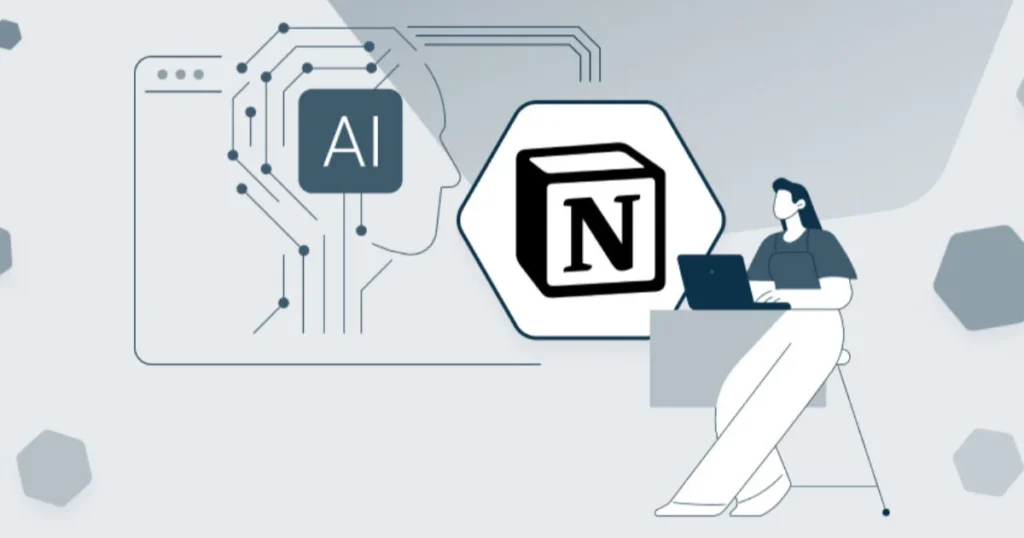
Notion AI embeds directly into your workspace. It summarizes meeting notes, extracts action items, rewrites drafts, and builds databases from unstructured text. The value isn’t in generating content; it’s in organizing it. If your team struggles with information silos, Notion AI turns chaos into searchable structure.
Coding & Development Accelerators
For technical teams, AI tools aren’t about replacing engineers. They’re about removing boilerplate and accelerating debugging.
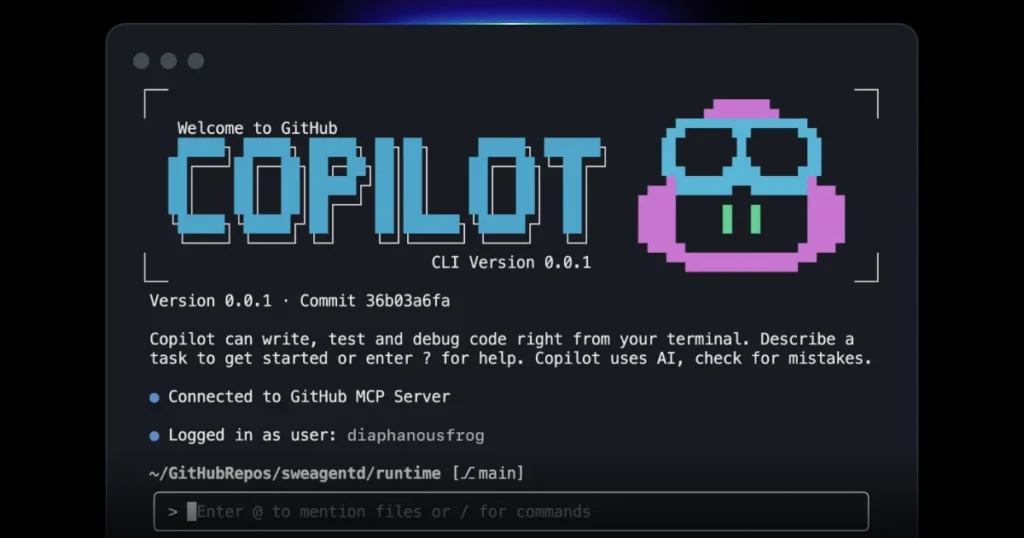
GitHub Copilot is an advanced AI-powered “pair programmer” developed by GitHub and OpenAI, designed to significantly accelerate the software development process. Integrated seamlessly into popular code editors like Visual Studio Code, it leverages large language models trained on vast amounts of public code to provide real-time, context-aware suggestions for entire lines, functions, or complex code blocks. Beyond intelligent autocomplete, Copilot can generate code from natural language comments, write unit tests, explain existing code, and assist with debugging, making it an indispensable tool for developers looking to boost productivity, reduce boilerplate, and streamline their coding workflows.
GitHub Copilot remains the industry standard for real-time code completion. It understands context across files, suggests refactors, and writes unit tests on demand. The enterprise version adds policy controls, IP indemnification, and private model tuning. It integrates natively into VS Code, JetBrains, and Neovim, making adoption frictionless.
Cursor is an innovative, AI-first code editor built on the foundation of VS Code, designed to provide a deeply integrated and seamless AI programming experience. Unlike traditional AI plugins, it embeds advanced machine learning capabilities directly into the core of the editor, allowing developers to chat with their entire codebase, perform complex multi-file edits, and generate code with full project context. By supporting a variety of leading large language models and offering intuitive features like smart inline edits and natural language commands, Cursor empowers software engineers to write, refactor, and debug code with unprecedented speed and efficiency.
Cursor takes a different approach. It’s a fork of VS Code rebuilt around AI-first workflows. You can chat with your entire codebase, generate multi-file changes, and apply refactors with visual diffs. Developers report 40–60% faster iteration on complex features. The trade-off is ecosystem dependency; you’re committing to their editor environment.
Comparative Overview: Quick Reference Table
| Platform | User Rating | Best For | Pricing Model | Key Limitation |
|---|---|---|---|---|
| Jasper | ⭐⭐⭐⭐☆ (4.5/5) | Brand-aligned marketing copy | Subscription (per seat) | Steep learning curve, premium cost |
| Copy.ai | ⭐⭐⭐⭐☆ (4.3/5) | Fast social/ad copy generation | Freemium + Pro tiers | Weak long-form structure |
| Claude | ⭐⭐⭐⭐⭐ (4.8/5) | Editing, summarization, reasoning | Pay-per-token / Subscription | No native marketing templates |
| Midjourney | ⭐⭐⭐⭐⭐ (4.7/5) | High-fidelity visual generation | Monthly credits | CLI interface, no direct commercial licensing clarity |
| Runway ML | ⭐⭐⭐⭐☆ (4.4/5) | AI video production & editing | Usage-based tiers | Credit consumption adds up quickly |
| Canva AI | ⭐⭐⭐⭐☆ (4.6/5) | Non-designers needing polished assets | Freemium + Pro | Limited advanced vector control |
| Zapier AI | ⭐⭐⭐⭐☆ (4.5/5) | Cross-app workflow automation | Tiered by task volume | Complex logic requires paid plans |
| Notion AI | ⭐⭐⭐⭐☆ (4.4/5) | Workspace organization & drafting | Add-on to Notion subscription | Limited external integrations |
| GitHub Copilot | ⭐⭐⭐⭐⭐ (4.7/5) | Real-time code completion & testing | Per developer/month | Occasional outdated suggestions |
| Cursor | ⭐⭐⭐⭐⭐ (4.8/5) | AI-native codebase editing | Free + Pro tiers | Tied to proprietary editor |
Ratings reflect aggregated user feedback from G2, Capterra, and hands-on production testing (May 2026).
Practical Summary: Matching Tools to Real Needs
Stop chasing feature lists. Start matching capabilities to actual workflows. Here’s how to align AI tools with your operational reality:
- Solo creators & freelancers: Start with Copy.ai for quick drafts, Canva AI for visuals, and Notion AI for organization. Keep overhead low, scale only when revenue justifies it.
- Marketing teams: Jasper or Claude for copy, Runway or Midjourney for assets, Zapier AI for campaign automation. Centralize brand guidelines to maintain consistency.
- Development squads: GitHub Copilot for daily coding, Cursor for deep refactoring, and integrated testing assistants to reduce QA cycles.
- Operations & admin: Zapier AI for process automation, Notion AI for documentation, and Claude for data summarization. Focus on eliminating manual handoffs.
The most successful deployments don’t use every platform. They use two or three, deeply integrated, with clear ownership and measurable KPIs. AI tools multiply output; they don’t replace strategy.
Implementation Checklist: From Trial to Daily Driver
Deploying new software without a plan guarantees shelfware. Follow this sequence to ensure your AI tools actually stick:
✅ Audit current workflows and document time spent on repetitive tasks
✅ Select 1–2 platforms that directly address your top bottlenecks
✅ Run a 14-day pilot with a small team; track hours saved and error rates
✅ Configure data privacy settings, opt-out training, and access controls
✅ Build native integrations with your CRM, CMS, or project management suite
✅ Create a shared prompt library and style guide to maintain consistency
✅ Train the team with real examples, not generic tutorials
✅ Set up usage monitoring to prevent credit waste or API overages
✅ Establish a monthly review: retire underused features, scale what works
✅ Document fallback procedures in case of service outages or model degradation
Automation should reduce friction, not create new dependency risks. Plan for resilience from day one.
Conclusion
The era of treating artificial intelligence as a novelty is over. In 2026, AI tools are infrastructure. They’re the difference between teams that scale efficiently and teams that drown in manual overhead. But infrastructure only works when it’s chosen deliberately, integrated thoughtfully, and governed responsibly.
Don’t chase every new release. Don’t subscribe to platforms you’ll barely touch. Map your bottlenecks, test rigorously, lock down your data, and build workflows that compound value instead of creating dependency. The platforms that win aren’t the ones with the flashiest demos. They’re the ones that disappear into your process, handle the heavy lifting, and leave you free to focus on what actually moves the needle.
Your competitors are already automating the predictable. The question isn’t whether you’ll adopt AI tools. It’s whether you’ll do it with clarity, discipline, and a clear line of sight to ROI. Start small. Measure everything. Scale what works. And never forget: technology amplifies strategy; it doesn’t replace it. Build accordingly.
Frequently Asked Questions (FAQs)
What are the most reliable AI tools for small businesses in 2026?
Small teams benefit most from platforms that combine affordability with low friction. AI tools like Copy.ai, Canva AI, and Notion AI offer generous free tiers, intuitive interfaces, and immediate productivity gains without requiring technical setup. Start there, measure ROI, and upgrade only when volume demands it.
Do AI tools replace human writers and designers?
No. They accelerate drafting, iteration, and asset generation, but they lack contextual judgment, brand intuition, and ethical oversight. The best workflows use AI tools for first drafts, batch variations, or technical cleanup, while humans handle strategy, tone calibration, and final approval. Replacement isn’t the goal; augmentation is.
How do I avoid vendor lock-in when adopting AI platforms?
Standardize your data exports, use open formats (CSV, JSON, Markdown), and avoid proprietary prompt chains that can’t be migrated. Choose AI tools with clear API access, webhook support, and data portability clauses. Keep a local archive of critical outputs and maintain manual fallback processes for essential workflows.
Are free AI tools safe for business use?
Many free tiers are fine for testing or low-volume tasks, but they often come with usage caps, slower processing, or unclear data retention policies. If you handle client information, proprietary code, or regulated content, upgrade to a paid plan with explicit privacy guarantees. Free AI tools are great for experimentation; paid tiers are necessary for production.
How often do AI tools update their models, and does it break workflows?
Major platforms push model updates monthly, sometimes weekly. Most changes improve accuracy, but occasional shifts can alter output style or break custom prompts. The solution is version control: save successful prompt templates, monitor changelogs, and test updates in a sandbox before rolling them out. Treat AI tools like living systems, not static software.