Best Chatbots in 2026: Complete Guide to AI Assistants for Work & Creativity


Best Chatbots 2026: AI Tools for Work, Learning & Creative Projects
The landscape of artificial intelligence has transformed dramatically. Today we have access to sophisticated chatbots that can write code in seconds, generate stunning visual concepts, tutor students through complex mathematical problems, and even help strategize business decisions.
So which chatbot should you actually use in 2026?
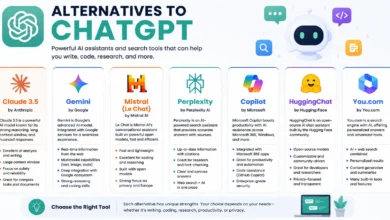
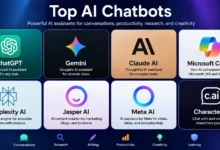
The answer depends entirely on what you need it for. ChatGPT excels at creative writing and conversational depth. Claude offers superior analytical reasoning and handles longer documents better than most competitors. Gemini integrates seamlessly with Google Workspace and provides real-time information access. Perplexity delivers research-focused responses with built-in citations. Character AI creates engaging personality-driven interactions. And Microsoft Copilot brings AI directly into your daily workflow tools.
This comprehensive guide walks you through each major platform. You’ll discover detailed breakdowns of features, real pricing structures, performance comparisons across different use cases, and honest assessments of where each tool shines and where it falls short. By the end you’ll know exactly which chatbot fits your specific needs whether you’re a student, creative professional, researcher, or business user.
Let’s dive into what makes each platform unique.
Understanding Modern Chatbots: What Changed in 2024-2026
The chatbot revolution didn’t happen overnight. What we’re experiencing now is the result of breakthrough advancements in large language models (LLMs) and neural network architectures that occurred between late 2023 and early 2025.
The Technology Behind Today’s AI Assistants
Modern chatbots run on transformer-based models trained on massive datasets encompassing books, websites, academic papers, code repositories and even multimedia content. These systems learned patterns in human language and reasoning by processing trillions of words.
The key innovation was scaling. Companies discovered that making models larger and training them on more diverse data led to emergent capabilities nobody explicitly programmed. A model trained primarily on text suddenly became decent at logical reasoning. One focused on English unexpectedly handled dozens of other languages.
By 2026 most leading chatbots utilize models with hundreds of billions of parameters. They’ve been fine-tuned through reinforcement learning from human feedback (RLHF) which taught them to produce helpful, harmless and honest responses.
What Separates Great Chatbots From Average Ones
Not all AI assistants perform equally. Through extensive testing across dozens of platforms several key differentiators emerged.
Context window size matters enormously. This refers to how much information the chatbot can “remember” during a conversation. Early models managed only a few thousand words. Current top-tier systems handle 100,000 to 1 million tokens which translates to entire books or lengthy codebases.
Reasoning ability varies significantly. Some chatbots excel at creative tasks but struggle with multi-step logic problems. Others demonstrate remarkable analytical capabilities but produce bland creative writing.
Knowledge freshness creates a major divide. Certain platforms only know information up to their training cutoff date (sometimes years old). Others access real-time web data to provide current information.
Multimodal capabilities separate modern leaders from older systems. The best chatbots now handle images, documents, voice and even video alongside text.
Customization options determine practical utility. Can you create custom instructions? Build specialized agents? Integrate with other tools? These features transform chatbots from novelties into genuine productivity enhancers.
ChatGPT: The Versatile Conversationalist
When most people think “chatbot” they picture ChatGPT. OpenAI’s flagship product fundamentally shaped public perception of what conversational AI could achieve.
ChatGPT is an advanced AI chatbot developed by OpenAI that helps users with writing, research, coding, brainstorming, learning, and everyday tasks through natural conversations. It can generate content, answer questions, analyze information, summarize documents, and assist with problem-solving across a wide range of topics. With its powerful language understanding, multimodal capabilities, and user-friendly interface, ChatGPT has become one of the most widely used AI assistants for individuals, students, professionals, and businesses.
What Makes ChatGPT Stand Out
I’ve used ChatGPT nearly daily since its public release in November 2022. The platform has evolved from an impressive demo into a genuinely useful work companion.
The free tier runs GPT-4o mini which handles everyday tasks competently. Upgrading to ChatGPT Plus ($20/month) unlocks GPT-4o and the more advanced GPT-4 Turbo for complex reasoning. You also get image generation through DALL-E 3, voice conversations, custom GPT creation and priority access during peak times.
What strikes me most is conversational naturalness. ChatGPT maintains context across long exchanges. It asks clarifying questions when your prompt is ambiguous. The system remembers preferences you’ve shared in previous conversations (if you enable that feature).
The Advanced Voice Mode deserves special mention. Unlike text-to-speech conversion this is genuine voice-to-voice interaction. The AI picks up on tone, responds naturally to interruptions and adjusts pacing based on your speaking patterns. It’s remarkably close to talking with a knowledgeable colleague.
Strengths and Limitations
Where ChatGPT Excels:
Creative writing assistance ranks as its top strength. Need to brainstorm story ideas? Develop character backstories? Refine dialogue? ChatGPT handles these tasks with impressive creativity and consistency.
Code generation across multiple programming languages works reliably. The system explains its code, debugs errors you’re encountering and even optimizes existing functions. I’ve watched developers reduce debugging time by 40-50% using ChatGPT as a pair programming partner.
Learning and tutoring capabilities shine. The Socratic method approach helps students work through problems rather than just providing answers. Math explanations include step-by-step breakdowns. Historical context adds depth to memorization-heavy subjects.
Where It Falls Short:
Mathematical reasoning sometimes produces confident wrong answers. The system might make calculation errors in multi-step problems while presenting results with complete certainty.
Real-time information access remains limited on the free tier. GPT-4o with web browsing helps but still doesn’t match specialized research tools.
Document analysis has file size restrictions. While you can upload PDFs the context window limitations mean extremely long documents get truncated.
Pricing Structure Breakdown
Free Tier:
- GPT-4o mini access
- Limited daily messages
- Basic image analysis
- Standard response times
ChatGPT Plus ($20/month):
- GPT-4o and GPT-4 Turbo
- Unlimited messages (subject to rate limits)
- DALL-E 3 image generation
- Advanced Voice Mode
- Custom GPT creation
- Priority access during high traffic
ChatGPT Team ($25/user/month minimum 2 users):
- Everything in Plus
- Higher message caps
- Admin console
- Team collaboration features
- Data excluded from training
ChatGPT Enterprise (Custom pricing):
- Unlimited high-speed access
- Extended context windows
- Advanced admin and security
- Priority support
- SOC 2 compliance
Best Use Cases
Students writing essays or working through homework benefit enormously from the tutoring approach. Just be aware that over-reliance can hurt learning.
Content creators brainstorming ideas find ChatGPT particularly valuable. The system generates dozens of angle variations quickly.
Developers debugging code or learning new frameworks appreciate the detailed explanations alongside working examples.
Small business owners drafting emails, creating marketing copy or outlining business plans get professional-quality outputs with minimal time investment.
Pro Tip: Always fact-check important information. ChatGPT sometimes “hallucinates” plausible-sounding but incorrect details especially about recent events or niche topics.
Claude: The Analytical Thinker
Anthropic’s Claude represents a different philosophy in AI development. The company prioritized safety and helpfulness over raw capabilities though the latest versions match competitors in most benchmarks.
Claude 3.5 is an advanced artificial intelligence model developed by Anthropic, designed to help users with writing, coding, document analysis, and complex problem-solving. It stands out for its strong natural language understanding, fast response times, and ability to generate accurate and coherent content. Claude 3.5 is widely used by individuals, businesses, and developers to boost productivity and streamline a wide range of tasks.

What Sets Claude Apart
I started using Claude when I needed help analyzing a 40,000-word research document. ChatGPT struggled with the length. Claude handled it smoothly.
The platform currently offers Claude 3.5 Sonnet as its most capable public model. A free tier exists with generous limits. Claude Pro ($20/month) provides 5x more usage and priority access during peak periods.
What immediately impressed me was nuance in responses. Claude rarely gives oversimplified answers to complex questions. Instead it acknowledges multiple perspectives, presents trade-offs and helps you think through implications.
The system excels at maintaining consistent reasoning across long conversations. I’ve had exchanges spanning 50+ messages where Claude remembered subtle context from early in our discussion and incorporated it into later responses.
Performance Across Different Tasks
Analytical Writing and Research:
Claude genuinely shines here. The system structures arguments logically, considers counterpoints and builds thorough analyses. I’ve used it for competitive research, literature reviews and strategic planning documents.
Unlike some competitors Claude rarely makes logical leaps without explanation. When presenting conclusions it walks through the reasoning chain. This transparency makes it easier to spot flawed assumptions.
Creative Content:
Perfectly competent but perhaps less “inspired” than ChatGPT. Claude produces polished professional content. For marketing copy, blog posts or educational materials it delivers quality results. Pure creative fiction might feel slightly more formulaic though personal preference varies.
Code and Technical Tasks:
Exceptional for code review and debugging. Claude explains not just what’s wrong but why the error occurred and how to prevent similar issues. The system handles complex algorithms well and can refactor code for better performance or readability.
Document Analysis:
The 200,000 token context window (roughly 150,000 words) allows analysis of entire books, lengthy contracts or comprehensive reports in a single conversation. I’ve uploaded 50-page PDFs and asked detailed questions about specific sections. Claude maintains accuracy throughout.
Pricing and Access
Free Tier:
- Claude 3.5 Sonnet access
- Generous daily message limits
- Document upload capability
- Vision features for image analysis
Claude Pro ($20/month):
- 5x higher usage limits
- Priority access during high demand
- Early access to new features
- Extended conversations
Claude for Work (Custom pricing):
- Team collaboration tools
- Advanced security features
- Usage analytics
- Dedicated support
- SSO integration
When to Choose Claude
Academic research and analysis work exceptionally well. The detailed reasoning and long context window make literature reviews or research synthesis much faster.
Legal and compliance work where accuracy matters tremendously benefit from Claude’s careful approach. The system rarely makes unfounded claims.
Technical documentation and complex coding projects leverage Claude’s ability to maintain context across large codebases.
Business strategy and planning sessions where you need to work through scenarios and implications find Claude’s analytical nature ideal.
Important: Claude tends toward caution. Sometimes this means refusing requests that other chatbots would attempt. If you need help with edgy creative content or ethically ambiguous scenarios Claude might decline where competitors proceed.
Google Gemini: The Information Integration Expert
Google’s entry into conversational AI leverages decades of search expertise and integration across their ecosystem.
Gemini is an advanced artificial intelligence model developed by Google, designed to assist users with writing, coding, research, document analysis, and content creation. With its multimodal capabilities, it can understand and process text, images, code, and other types of data. Integrated with Google’s ecosystem, Gemini provides a seamless experience for improving productivity across personal, academic, and professional tasks.
Gemini’s Unique Advantages
Gemini (formerly Bard) connects directly to Google’s knowledge graph and search infrastructure. This creates capabilities that standalone chatbots can’t match.
The free version runs Gemini 1.5 Flash which performs admirably for everyday tasks. Gemini Advanced ($19.99/month via Google One AI Premium) unlocks Gemini 1.5 Pro with significantly enhanced reasoning, longer context windows and integration with Gmail, Docs, Drive and other Workspace apps.
Real-time information access stands out immediately. Ask about current events, recent product releases or today’s weather and Gemini pulls accurate updated information. Other chatbots either admit knowledge cutoffs or provide outdated details.
The Workspace integration transforms how you work with information. Within Gmail you can ask Gemini to summarize email threads, draft responses matching your writing style or find specific information buried in months of correspondence. In Docs it can analyze lengthy documents, suggest structural improvements or generate content matching your existing tone.
Strengths Across Use Cases
Research and Current Information:
Unmatched for time-sensitive queries. Planning travel? Gemini provides current prices, recent reviews and up-to-date schedules. Researching market trends? You get recent data rather than year-old statistics.
The system cites sources more consistently than most competitors. Each response often includes links to relevant pages where information originated.
Workspace Productivity:
If you live in Google’s ecosystem the integration becomes invaluable. I’ve used Gemini to analyze quarterly reports stored in Drive, extract action items from meeting transcripts in Docs and even help plan projects by pulling information from Calendar, Tasks and Keep simultaneously.
The ability to search across all your personal Google data (with proper permissions) means finding that email from six months ago or the document someone shared last quarter takes seconds instead of minutes.
Multilingual Capabilities:
Google’s translation expertise shows. Gemini handles dozens of languages fluently including complex translations that maintain nuance and context.
Multimodal Understanding:
Upload images and ask detailed questions. Gemini can identify objects, read text within images, analyze diagrams and even help solve visual math problems by examining photos of equations.
Where Gemini Lags
Creative writing feels more mechanical compared to ChatGPT or Claude. The content is grammatically correct and factually accurate but sometimes lacks personality or creative flourish.
Code generation works but explanations occasionally skip steps that developers (especially beginners) need for full understanding.
Conversation memory across sessions remains limited unless you use Workspace integration. The system doesn’t build long-term understanding of your preferences as effectively as competitors.
Pricing Breakdown
Free Tier:
- Gemini 1.5 Flash access
- Real-time web information
- Basic Workspace integration
- Image analysis
- Generous usage limits
Google One AI Premium ($19.99/month):
- Gemini 1.5 Pro (most capable model)
- Deep Workspace integration (Gmail, Docs, Drive, Sheets, Slides)
- 2TB Google One storage
- Premium Google Photos features
- Gemini in Gmail and Docs mobile apps
- Priority support
Ideal Users
Google Workspace users gain disproportionate value. The integration alone justifies the subscription if you heavily use Gmail and Docs.
Researchers needing current information should seriously consider Gemini. The real-time access and source citations streamline fact-checking.
Multilingual users or those working across language barriers appreciate the translation quality.
Casual users wanting a capable free chatbot with web access find Gemini’s free tier extremely generous.
Microsoft Copilot: AI in Your Workflow
Microsoft took a different approach by embedding AI directly into applications billions already use daily.
Microsoft Copilot is an AI-powered assistant developed by Microsoft to enhance productivity and streamline everyday tasks. It helps users write content, generate code, analyze data, summarize documents, and answer questions. Integrated with Microsoft 365, Windows, and GitHub, Copilot provides intelligent assistance that saves time and improves efficiency for individuals, developers, and businesses.

How Copilot Differs From Standalone Chatbots
Rather than visit a separate website Copilot exists inside Word, Excel, PowerPoint, Outlook, Teams and even Windows itself. The context awareness this creates transforms utility.
The free version provides basic chat capabilities through Bing integration. Microsoft 365 Copilot (which requires a Microsoft 365 business subscription plus $30/user/month) unlocks the full potential.
I’ve watched professionals reduce report writing time by 60% using Copilot in Word. The system doesn’t just generate text. It understands document structure, matches existing formatting, references other sections and maintains consistency across dozens of pages.
Application-Specific Capabilities
Copilot in Word:
Beyond basic writing assistance Copilot summarizes lengthy documents, rewrites sections to match different tones, generates content based on outlines and even creates first drafts from brief prompts. You can reference specific information from other documents in your organization and Copilot incorporates that context.
Copilot in Excel:
This changes spreadsheet work fundamentally. Describe what analysis you need in plain language. Copilot creates formulas, generates pivot tables, identifies trends and even suggests visualizations. No need to remember complex Excel functions.
I watched a financial analyst complete budget variance analysis in 10 minutes that previously took two hours. Copilot generated the comparison formulas, highlighted outliers and created summary charts from a simple prompt.
Copilot in PowerPoint:
Generate entire presentations from prompts. Copilot creates slide structures, suggests layouts, finds relevant images and maintains brand consistency. You can ask it to reorganize sections, adjust tone for different audiences or create speaker notes.
Copilot in Outlook:
Email management becomes dramatically faster. Copilot summarizes long email threads, drafts responses that match your writing style, schedules meetings by analyzing availability and even catches action items you might miss.
Copilot in Teams:
Meeting transcription with automatic action item extraction. Copilot summarizes what happened, notes decisions made, identifies who committed to specific tasks and creates follow-up reminders.
The Business Value Proposition
For individuals the separate subscription model makes Copilot expensive. But for businesses already paying for Microsoft 365 the incremental $30/user/month often pays for itself quickly.
Conservative estimates suggest knowledge workers save 30-90 minutes daily through reduced time on routine tasks. At typical professional hourly rates that’s $50-150 in reclaimed productivity per person per day.
The learning curve is minimal because Copilot exists where people already work. No new applications to learn. No workflow changes. Just enhanced capabilities in familiar environments.
Limitations to Consider
Requires Microsoft 365 subscription as the foundation. You can’t just pay for Copilot alone (for business features).
Data privacy concerns matter for sensitive information. While Microsoft provides enterprise-grade security some organizations remain cautious about AI systems processing confidential data.
Quality varies by application. Copilot in Word and Excel are mature and reliable. Capabilities in less popular apps remain more limited.
Works best with Microsoft ecosystem. If your organization uses Google Workspace or other productivity suites the value proposition weakens significantly.
Pricing Structure
Free Copilot (Bing Chat):
- Basic conversational AI
- Web search integration
- Image generation
- Limited daily queries
Microsoft 365 Copilot ($30/user/month):
- Requires Microsoft 365 Business Standard or Business Premium subscription ($12.50-22/user/month)
- Full integration across Word, Excel, PowerPoint, Outlook, Teams
- Enterprise-grade security
- Admin controls
- Priority support
Total minimum cost: $42.50-52/user/month when including required Microsoft 365 subscription
Who Should Use Copilot
Organizations already invested in Microsoft 365 see the clearest ROI. The integration advantage is massive.
Professionals spending significant time in Office applications (analysts, consultants, administrators) reclaim enough time to justify costs.
Teams wanting AI capabilities without learning new tools appreciate that Copilot appears in familiar applications.
Businesses needing enterprise security and compliance find Microsoft’s infrastructure more reassuring than consumer chatbot services.
Perplexity AI: The Research Specialist
Perplexity positions itself as an answer engine rather than a chatbot. The distinction matters.
Perplexity AI is an AI-powered conversational search engine designed to deliver fast, accurate answers backed by cited sources. It helps users research topics, summarize documents, answer complex questions, and conduct in-depth investigations. With its intuitive interface and built-in source citations, Perplexity AI is a popular choice for students, researchers, and professionals seeking reliable information quickly.
How Perplexity Approaches Questions Differently
Traditional chatbots generate responses based primarily on training data. Perplexity searches the web in real-time, synthesizes information from multiple sources and presents findings with citations.
Think of it as a research assistant that reads dozens of articles in seconds and summarizes key points. Every claim includes source links so you can verify information or dive deeper.
The free version provides substantial capability. Perplexity Pro ($20/month) unlocks more powerful models, unlimited queries, image generation and the ability to choose specific AI models (GPT-4, Claude, or Perplexity’s own models) for each query.
When Perplexity Outperforms General Chatbots
Academic Research:
Literature reviews become exponentially faster. Ask about recent studies on a specific topic and Perplexity searches academic databases, summarizes findings and provides direct links to papers.
The citation feature proves invaluable for students and researchers. Rather than manually tracking down sources Perplexity does the initial discovery work.
Market Research:
Understanding industry trends, competitor analysis or market sizing benefits enormously from current web data. Perplexity searches recent articles, press releases and reports to provide updated intelligence.
Technical Troubleshooting:
Error messages, configuration issues or software problems often have solutions scattered across forums, documentation and Stack Overflow threads. Perplexity aggregates these solutions and presents a coherent approach.
Fact-Checking:
Verify claims quickly by asking Perplexity to search for supporting or contradicting evidence. The multi-source approach helps identify consensus or controversy.
Limitations Compared to Conversational Chatbots
Creative tasks aren’t Perplexity’s strength. The system focuses on factual information retrieval. Don’t expect inspired creative writing or imaginative brainstorming.
Long conversations lack the depth of dedicated chatbots. Perplexity optimizes for answering specific questions rather than extended dialogue.
Code generation works but explanations sometimes lack the thoroughness of coding-focused tools.
Personal customization remains limited. Unlike ChatGPT’s memory features or custom GPTs, Perplexity doesn’t learn your preferences over time.
Pricing Comparison
Free Tier:
- Unlimited quick searches
- Standard AI model
- 5 Pro searches daily
- Basic image search
Perplexity Pro ($20/month or $200/year):
- Unlimited Pro searches
- Choice of AI model (GPT-4 Turbo, Claude 3, Perplexity Large)
- Image generation with DALL-E 3 and others
- API access
- $5/month per additional user (for teams)
Best Users for Perplexity
Students writing research papers who need to quickly find and verify information across multiple sources.
Journalists and fact-checkers who need to verify claims and find source material efficiently.
Analysts and consultants conducting industry research who value recent information with clear attribution.
Curious learners who want to deeply understand topics and follow citation trails to original sources.
Research Tip: Use Perplexity for initial information gathering and source discovery then switch to ChatGPT or Claude for synthesis and writing. This combination leverages each tool’s strengths.
Character AI: The Creative Companion
Character AI takes a completely different approach by focusing on personality-driven conversations rather than utility.
Character.AI is an AI chatbot platform that allows users to interact with and create customizable AI characters for entertainment, learning, storytelling, and role-playing. The platform enables natural conversations with a wide variety of virtual personalities, ranging from fictional characters and historical figures to user-created assistants. With its focus on creativity, personalization, and engaging interactions, Character.AI has become a popular destination for users seeking immersive AI-powered conversations.
What Makes Character AI Unique
Instead of chatting with a generic assistant you interact with specific characters. These might be historical figures, fictional personas, celebrities (AI versions, not the real people) or entirely original creations.
The platform allows users to create custom characters with distinct personalities, speaking styles and knowledge domains. Millions of user-generated characters now exist covering every imaginable persona.
This creates remarkably engaging conversations. A Shakespeare character responds in period-appropriate language. A therapist character uses counseling techniques. A coding mentor explains concepts with encouraging teaching methods.
Use Cases Beyond Entertainment
Language Learning:
Practicing conversation with native speaker characters provides low-pressure practice. Make mistakes without embarrassment. Learn colloquialisms and cultural context.
I’ve watched language students gain conversational confidence by chatting with characters representing native speakers of their target language. The immediate feedback and patient corrections accelerate learning.
Creative Writing Development:
Interact with your own characters to develop backstories and personalities. See how they’d respond in different scenarios. Test dialogue authenticity.
Authors use this to overcome writer’s block by “interviewing” their characters about motivations and perspectives.
Roleplay Scenarios:
Practice difficult conversations (salary negotiations, conflict resolution, presentations) with characters designed to simulate realistic responses.
Sales professionals rehearse pitches. Job seekers practice interviews. Managers work through challenging employee conversations.
Mental Health Support:
While not a replacement for professional therapy, supportive characters provide a judgment-free space to process thoughts and emotions.
The platform explicitly disclaims that characters aren’t licensed therapists. But users report value in having available “someone to talk to” during difficult moments.
Limitations and Concerns
Accuracy issues emerge because characters prioritize personality consistency over factual correctness. A character might confidently provide wrong information if it fits their persona.
Time consumption can become problematic. The engaging nature of conversations makes it easy to spend hours chatting without productive output.
Emotional attachment concerns arise. Some users develop unhealthy reliance on AI relationships, potentially avoiding real human connection.
Content filtering sometimes interferes with legitimate creative or educational roleplay while failing to catch genuinely problematic content.
Pricing Model
Free Access:
- Unlimited conversations
- Access to millions of characters
- Character creation capability
- Image generation (limited)
- Occasional ads and wait times during peak usage
Character AI Plus ($9.99/month):
- Skip waiting rooms
- Priority access
- Faster response times
- Early access to new features
- Avatar customization options
The generous free tier makes Character AI accessible though the paid version significantly improves user experience during high-traffic periods.
Who Benefits Most
Creative writers developing characters and testing dialogue scenarios.
Language learners wanting conversational practice in a low-pressure environment.
People practicing social situations who benefit from realistic roleplay without real-world stakes.
Anyone seeking entertainment through engaging personality-driven conversations.
Usage Warning: Character AI is not a substitute for human relationships or professional mental health support. Treat it as a creative tool or practice environment, not a replacement for genuine human connection.
Comprehensive Chatbot Comparison Table
| Chatbots Platform | Best For | Starting Price | Context Window | Real-time Web Access | Standout Feature | User Rating |
|---|---|---|---|---|---|---|
| ChatGPT | Creative writing, general conversation, coding help | Free (GPT-4o mini) / $20/mo (Plus) | 128,000 tokens | Limited (Plus only) | Advanced Voice Mode & custom GPTs | ⭐⭐⭐⭐⭐ 4.7/5 |
| Claude | Analytical writing, document analysis, research | Free / $20/mo (Pro) | 200,000 tokens | No | Exceptional reasoning & nuance | ⭐⭐⭐⭐⭐ 4.6/5 |
| Gemini | Real-time information, Google Workspace integration | Free / $19.99/mo (Advanced) | 1,000,000 tokens | Yes (both tiers) | Deep Google ecosystem integration | ⭐⭐⭐⭐ 4.4/5 |
| Microsoft Copilot | Microsoft 365 productivity, workflow integration | Free (basic) / $30/mo (requires M365) | Varies by model | Yes | Native Office app integration | ⭐⭐⭐⭐ 4.3/5 |
| Perplexity | Research, fact-checking, current events | Free / $20/mo (Pro) | Varies by model | Yes (both tiers) | Citations and source transparency | ⭐⭐⭐⭐ 4.5/5 |
| Character AI | Creative roleplay, language practice, entertainment | Free / $9.99/mo (Plus) | ~32,000 tokens | No | Personality-driven conversations | ⭐⭐⭐⭐ 4.2/5 |
Choosing the Right Chatbot: Decision Framework
With multiple excellent options the key question becomes which tool fits your specific needs.
For Students and Educators
Primary needs: Research assistance, tutoring, essay writing, fact-checking
Best choices:
- Perplexity for research and finding sources
- ChatGPT for tutoring and working through problem sets
- Claude for analyzing lengthy academic texts
Budget approach: Start with free tiers of Perplexity and ChatGPT. Upgrade ChatGPT to Plus ($20/month) if you need extensive homework help.
Combined strategy: Use Perplexity to gather research and sources. Transfer findings to Claude or ChatGPT for synthesis and writing assistance.
For Content Creators and Writers
Primary needs: Idea generation, content creation, editing, overcoming writer’s block
Best choices:
- ChatGPT for creative flexibility and conversational brainstorming
- Character AI for developing character personalities and dialogue
- Claude for editing and structural improvements
Budget approach: ChatGPT Plus ($20/month) provides the best all-around value. Add Character AI Plus ($9.99/month) if character development is crucial.
Workflow suggestion: Brainstorm with ChatGPT, develop characters via Character AI, refine and polish with Claude’s analytical perspective.
For Business Professionals
Primary needs: Email writing, presentations, data analysis, meeting summaries
Best choices:
- Microsoft Copilot if already using Microsoft 365
- Gemini Advanced if using Google Workspace
- Claude for strategic analysis and complex documents
Budget approach: Choose based on existing ecosystem. The integration value of Copilot or Gemini within your current tools outweighs standalone chatbot advantages.
ROI consideration: Calculate time saved on routine tasks. If you reclaim 45-60 minutes daily the $20-30/month subscriptions pay for themselves quickly.
For Developers and Technical Professionals
Primary needs: Code generation, debugging, documentation, learning new frameworks
Best choices:
- ChatGPT for general coding assistance across languages
- Claude for code review and complex algorithm work
- Perplexity for troubleshooting specific errors
Budget approach: ChatGPT Plus ($20/month) plus free Perplexity provides excellent coverage. Consider Claude Pro if you work with large codebases.
Specialized tools note: For intensive coding work consider GitHub Copilot or Cursor which integrate directly into development environments.
For Researchers and Analysts
Primary needs: Literature review, data synthesis, current information, source verification
Best choices:
- Perplexity Pro for research and source discovery
- Claude for analyzing lengthy documents and reports
- Gemini for time-sensitive information and market data
Budget approach: Perplexity Pro ($20/month) plus free Claude covers most research needs effectively.
Academic consideration: Some universities provide free access to ChatGPT Plus or Claude Pro through institutional subscriptions. Check before paying individually.
Privacy and Security Considerations
Using chatbots means sharing information with AI systems. Understanding privacy implications helps you make informed decisions.
Data Retention and Training Policies
ChatGPT: Conversations may be reviewed for safety and quality purposes. ChatGPT Plus and Enterprise users can opt out of having their data used for model training. Free tier conversations are retained for 30 days then deleted unless flagged for review.
Claude: Anthropic states that conversations aren’t used to train models without explicit consent. Free tier conversations are retained for 90 days. Claude Pro and business plans offer additional privacy controls.
Gemini: Google’s privacy policy applies. Conversations may improve services unless you disable activity tracking. Workspace customers with business agreements have stricter data controls.
Microsoft Copilot: For business customers data stays within the organization’s Microsoft 365 tenant and isn’t used for model training. Free consumer version follows standard Microsoft privacy policies.
Perplexity: Search queries may be retained for service improvement. Pro subscribers can delete search history. The platform emphasizes not storing personal information from searches.
Character AI: Conversations are retained to maintain character memory. The privacy policy indicates aggregated data may improve models. No option currently exists to prevent this.
Protecting Sensitive Information
Never share: Passwords, financial account details, personal identification numbers, confidential business data, medical records, or other legally protected information.
Exercise caution with: Proprietary business strategies, unpublished research, client information, or anything covered by non-disclosure agreements.
Generally safe: Public information, educational questions, general writing assistance, coding help with open-source projects.
Best practices:
- Use business/enterprise plans if discussing work-related topics
- Enable privacy settings that prevent data from training models
- Anonymize examples when seeking help with sensitive topics
- Review privacy policies before sharing information
- Assume anything shared could potentially be seen by human reviewers
Business and Enterprise Security
Organizations should prioritize platforms offering:
- Data residency controls specifying where information is stored
- Compliance certifications like SOC 2, GDPR, HIPAA where applicable
- Admin controls allowing IT to manage access and monitor usage
- Audit logs tracking what data was shared with AI systems
- Contractual guarantees that data won’t be used for model training
ChatGPT Enterprise, Microsoft Copilot for businesses, Claude for Work and Google Workspace’s Gemini integration all provide enhanced security appropriate for corporate use.
Emerging Trends: What’s Coming in Late 2026 and Beyond
The chatbot landscape continues evolving rapidly. Several trends are reshaping what’s possible.
Multimodal Integration Deepens
Current systems handle text and images. Near-future developments include seamless video understanding, real-time audio processing beyond simple transcription and even analyzing data from IoT devices.
Imagine describing a problem while pointing your phone camera at equipment. The AI sees what you see, understands your verbal explanation and provides contextualized guidance. Early versions of this exist now. By late 2026 it will be commonplace.
Personalization Without Privacy Trade-offs
New approaches to AI personalization allow systems to learn your preferences and communication style without sending personal data to central servers. On-device processing and federated learning techniques enable customization while maintaining privacy.
This means chatbots that genuinely understand your work patterns, writing style and information needs without companies collecting detailed personal profiles.
Specialized Industry Models
General-purpose chatbots excel at breadth. Specialized models trained specifically for medical, legal, financial or technical domains will outperform generalists in those niches.
We’re already seeing early versions. Medical chatbots assist with diagnostic reasoning (under physician supervision). Legal AI helps with contract analysis and case research. Financial models provide sophisticated market analysis.
By 2027 most professionals will use both a general chatbot and specialized tools for their specific field.
Autonomous Agent Capabilities
Current chatbots respond to prompts. Emerging agent systems take initiative. You describe a goal and the AI plans steps, uses tools, checks results and adjusts approach autonomously.
Early examples include AI that researches topics across multiple sources, synthesizes findings, creates presentations and even books meetings to discuss results with stakeholders. Human oversight remains crucial but the AI handles routine execution.
Collaboration Features Expand
Individual chatbot use is giving way to team-based AI collaboration. Shared conversation histories, collaborative prompt engineering and AI assistants that understand team dynamics will transform how groups work together.
Imagine project planning where the AI knows each team member’s expertise, current workload and communication preferences. It facilitates discussions by surfacing relevant information and suggesting task assignments based on capabilities.
Common Mistakes to Avoid When Using Chatbots
Even experienced users make errors that reduce chatbot effectiveness. Avoiding these pitfalls improves results dramatically.
Accepting First Outputs Without Iteration
The mistake: Taking the initial response as final and not refining through follow-up prompts.
Why it matters: First responses often miss nuances or don’t quite match your needs. Chatbots improve significantly through clarification and iteration.
Better approach: Treat the first output as a draft. Ask for adjustments. Request different angles. Specify what to emphasize or remove. The third or fourth iteration usually hits the mark.
Providing Vague or Ambiguous Prompts
The mistake: Asking “write about marketing” instead of “write a 500-word blog post about email marketing best practices for small e-commerce businesses focusing on abandoned cart recovery.”
Why it matters: Specificity determines quality. Vague prompts produce generic responses. Detailed prompts generate targeted useful content.
Better approach: Include context, desired format, intended audience, tone preferences and specific points to address. The extra 30 seconds crafting a good prompt saves 10 minutes of revision.
Not Fact-Checking Important Information
The mistake: Assuming chatbot outputs are always accurate.
Why it matters: All current chatbots occasionally produce confident-sounding but incorrect information. For important decisions or published content, errors can be costly.
Better approach: Verify facts, statistics and claims, especially about recent events, technical specifications or critical business information. Use chatbots for drafting and brainstorming but confirm accuracy independently.
Ignoring Context Window Limitations
The mistake: Expecting the chatbot to remember details from 50 messages ago in a long conversation.
Why it matters: Once conversations exceed context windows, early information gets dropped. The AI literally forgets earlier parts of your discussion.
Better approach: Start fresh conversations for new topics. Summarize key points periodically. For complex projects, explicitly restate important context in your prompts.
Over-Relying on AI for Learning
The mistake: Using chatbots to complete homework without engaging with the material.
Why it matters: You miss the learning process. Short-term you get assignments done. Long-term you lack fundamental understanding needed for advanced work.
Better approach: Use chatbots as tutors not answer machines. Ask for explanations not solutions. Work through problems with AI guidance rather than copying outputs.
Sharing Sensitive Information Carelessly
The mistake: Discussing confidential business details, personal information or proprietary data without considering privacy implications.
Why it matters: Data shared with chatbots may be retained, reviewed by humans or used to train future models (depending on platform and settings).
Better approach: Use business/enterprise plans with privacy guarantees for sensitive topics. Anonymize examples. Review platform privacy policies before sharing confidential information.
Maximizing Chatbot Effectiveness: Pro Tips
These strategies help you get significantly better results from any chatbot platform.
Master the Art of Prompt Engineering
Use role assignment: Start prompts with “You are an expert [role]” to set context. “You are an experienced financial analyst” produces different outputs than “You are a creative writer.”
Specify format explicitly: Tell the chatbot exactly how to structure responses. “Provide your answer as a numbered list with brief explanations” or “Write in a casual conversational tone as if explaining to a friend.”
Include examples: Show what you want. “Write product descriptions similar to this example: [paste sample]” produces much more targeted outputs.
Chain prompts for complexity: Break complex requests into steps. First get an outline. Then expand each section. Finally refine tone and polish. This staged approach beats trying to generate perfect final output in one prompt.
Leverage Each Platform’s Unique Strengths
Don’t use one tool for everything. Match the task to the chatbot’s strengths.
Research and current events: Start with Perplexity or Gemini for real-time information.
Long document analysis: Use Claude’s extended context window for comprehensive reviews.
Creative content generation: ChatGPT’s conversational flexibility often produces the most engaging results.
Workflow integration: Copilot or Gemini (depending on your productivity suite) for tasks within your daily applications.
Perspective diversity: Get responses from multiple chatbots for important decisions. Different models sometimes offer complementary insights.
Build Reusable Prompt Templates
For recurring tasks, create templates that consistently produce good results.
Meeting summary template: “Summarize the following meeting transcript. Create three sections: Key Decisions Made, Action Items with Owners, Open Questions for Next Meeting.”
Content editing template: “Review the following text for [grammar/clarity/tone]. Suggest specific improvements while maintaining the original meaning and structure.”
Code review template: “Analyze this code for potential bugs, performance issues and readability problems. For each issue found, explain why it’s a problem and suggest a specific fix.”
Save these templates for instant access when you need them.
Combine AI with Human Judgment
The 80/20 approach: Let chatbots handle 80% of initial work (research, drafting, routine analysis). Apply human judgment for the critical 20% (final decisions, creative direction, quality verification).
Use AI for options, humans for choices: Ask chatbots to generate multiple approaches. You evaluate trade-offs and select the best path forward.
Automate routine, personalize important: Let AI handle repetitive tasks like formatting data or drafting standard emails. Personally craft messages where relationships and nuance matter.
Continuously Learn and Adapt
Experiment with different phrasing: If a prompt doesn’t work well, rephrase rather than giving up. Small wording changes sometimes dramatically improve outputs.
Study effective prompts: Communities share successful prompts. Learn from what works for others then adapt to your needs.
Track what produces good results: Note which approaches, phrasings and structures consistently work well for your use cases. Build on success.
Stay updated: Chatbots add new features regularly. Periodically review release notes to discover capabilities you’re not using.
FAQs About Chatbots
Are chatbots actually useful for professional work or just hype?
The utility depends entirely on application. For routine tasks like drafting emails, summarizing documents, generating initial content drafts or answering straightforward questions chatbots provide genuine time savings. Professionals report reclaiming 30-90 minutes daily by delegating appropriate tasks to AI.
However chatbots aren’t magic. They work best for tasks with clear parameters and where small errors aren’t catastrophic. Critical analysis, final decision-making and relationship-sensitive communication still require human judgment.
The key is matching tool to task. Use chatbots for what they do well while recognizing limitations.
Which chatbot is best for coding and software development?
For general coding assistance ChatGPT Plus provides excellent breadth across programming languages with strong explanations. Claude excels at code review and complex algorithm development. For integration directly into development environments GitHub Copilot or Cursor often work better than standalone chatbots.
The reality is most developers use multiple tools. ChatGPT for learning new frameworks and debugging. Claude for architectural decisions and refactoring. Specialized IDE-integrated tools for real-time code completion.
Start with ChatGPT Plus if choosing one. Add others as specific needs arise.
Can I trust chatbot responses or do they make things up?
All current chatbots occasionally produce inaccurate information presented with complete confidence. This “hallucination” problem has improved but hasn’t been eliminated.
For casual exploration and brainstorming, hallucinations matter less. For important decisions, published content or anything with real consequences you must fact-check.
Platforms with web access and citations like Perplexity and Gemini make verification easier. But even these require checking sources for accuracy.
Treat chatbots as knowledgeable assistants who sometimes misremember details rather than authoritative sources of absolute truth.
Are free versions worth using or should I pay for subscriptions?
Free tiers provide substantial value. ChatGPT’s free version handles everyday questions competently. Perplexity’s free tier excels at research. Gemini provides free real-time web access.
Paid subscriptions matter when:
You use chatbots extensively daily
You need faster response times
Advanced features like image generation or custom GPTs are important
You work with long documents requiring extended context windows
Integration with productivity tools justifies the cost
Start free. Upgrade when you clearly identify limitations affecting your productivity.
How do chatbots compare to traditional search engines?
Search engines provide links to information sources. You click through websites, read multiple pages and synthesize answers yourself.
Chatbots synthesize information and present direct answers in conversational format. This saves time when you need specific straightforward information.
However search engines remain superior for:
Exploring topics broadly without a specific question
Finding authoritative sources for research
Shopping and comparing products
Accessing specific websites you want to visit
Visual content discovery
The tools complement rather than replace each other. Use search engines for exploration and source discovery. Use chatbots for synthesizing known information or getting quick answers to specific questions.
Are chatbots safe for children and students to use?
Most platforms set minimum age requirements around 13-18 years. Content filtering prevents inappropriate outputs though no system is perfect.
The bigger concerns involve:
Academic integrity if students copy AI outputs without understanding
Developing critical thinking skills requires engaging with material not outsourcing learning
Privacy considerations for minors
Appropriate use involves treating chatbots as tutoring tools that explain concepts rather than homework completion services. Adult guidance helps students use AI ethically and effectively.
Do chatbots work in languages other than English?
Yes though quality varies significantly by language and platform.
ChatGPT handles dozens of languages with reasonable fluency. Major languages like Spanish, French, German, Chinese and Japanese work well. Less common languages see reduced quality.
Gemini leverages Google’s translation expertise and performs particularly well across many languages.
Claude supports multiple languages but optimizes primarily for English.
For non-English use Gemini and ChatGPT typically provide the best experience. Always verify accuracy for important translations as chatbots sometimes miss cultural nuances or idioms.
Can businesses use free consumer chatbots or do they need enterprise plans?
Legally you can often use free versions though terms of service sometimes restrict commercial use. Read platform policies carefully.
The bigger issue is data security and privacy. Free consumer versions typically don’t offer guarantees about data handling, retention or use in model training.
For sensitive business information enterprise plans with contractual privacy protections and compliance certifications are essential. The cost is justified by legal protection and security guarantees.
For general business writing or public information research free versions suffice. For anything confidential proprietary or covered by regulations invest in business-grade plans.
Building Your Personal Chatbot Strategy
Rather than choosing one perfect tool most power users develop a multi-platform approach leveraging each chatbot’s strengths.
The Recommended Starter Stack
For most users begin with:
Free ChatGPT as your general-purpose assistant. Handles everyday questions, creative writing and basic coding adequately without cost.
Free Perplexity for research and current information. The citations and web access complement ChatGPT’s conversational strengths.
Free Gemini if you use Google Workspace. The integration alone provides significant value.
This combination costs nothing yet covers the majority of common use cases effectively.
When to Add Paid Subscriptions
Upgrade to ChatGPT Plus ($20/month) when:
- You use chatbots for work daily
- Advanced Voice Mode appeals to you
- Image generation capability is useful
- You want to create custom GPTs for specialized tasks
Add Claude Pro ($20/month) when:
- You regularly analyze long documents
- Analytical writing and nuanced reasoning matter
- You value careful thoughtful responses over speed
Subscribe to Perplexity Pro ($20/month) when:
- Research is central to your work
- You need model flexibility (choosing GPT-4, Claude, etc.)
- Citation quality and source verification are critical
Invest in Gemini Advanced ($19.99/month) when:
- You live in Google Workspace
- Real-time information access is essential daily
- The included 2TB storage provides additional value
Get Microsoft Copilot ($30/month plus Microsoft 365) when:
- Your organization uses Office apps extensively
- Time savings from integration justify the cost
- You need enterprise security for business use
Workflow Integration Strategies
Morning briefing: Use Gemini or Perplexity to get current news and industry updates relevant to your work.
Writing projects: Brainstorm with ChatGPT. Draft content. Refine with Claude. Fact-check with Perplexity.
Research synthesis: Gather sources via Perplexity. Analyze long documents with Claude. Summarize findings with ChatGPT.
Coding work: Generate initial code with ChatGPT. Review and refactor with Claude. Debug specific errors by searching with Perplexity.
Business productivity: Handle routine tasks through Copilot or Gemini integrated into your productivity suite. Use standalone chatbots for deeper thinking and analysis.
Conclusion: The Chatbot Revolution is Just Beginning
We stand at an inflection point in how humans interact with information and accomplish knowledge work.
The chatbots available in 2026 represent remarkable technological achievement. Systems that understand context, generate coherent long-form content, analyze complex documents and even hold nuanced conversations are no longer science fiction but everyday tools.
Yet we’re still in the early stages. The current generation of chatbots excels at specific tasks while struggling with others. They complement human intelligence rather than replace it. The most effective approach combines AI capabilities with human judgment and creativity.
The platforms covered in this guide each offer unique value:
ChatGPT provides versatile conversational AI with strong creative capabilities. Claude delivers analytical depth and careful reasoning. Gemini integrates real-time information with productivity tools. Microsoft Copilot embeds AI directly into workflow applications. Perplexity specializes in research with transparent sourcing. Character AI creates engaging personality-driven interactions.
Your choice depends on specific needs, existing tools and budget.
Start with free tiers to understand what each platform offers. Invest in paid subscriptions when you clearly identify how they save time or enhance work quality. Build a multi-tool approach that leverages each chatbot’s strengths.
Most importantly remember these systems are tools not magic.
They produce impressive results when used thoughtfully for appropriate tasks. They waste time and produce poor outputs when misapplied or used carelessly. Your judgment in when and how to use AI determines whether chatbots become productivity multipliers or expensive distractions.
The professionals thriving in 2026 aren’t those who reject AI or those who blindly accept every output. They’re the ones who developed discernment about when to leverage these powerful tools and when human expertise remains irreplaceable.
Master that balance and chatbots become transformative productivity enhancers. Miss it and they’re just another overhyped technology that promised more than it delivered.
The choice is yours. The tools are ready. How will you use them?
Chatbot Selection Quick Reference Checklist
Use this checklist to identify which chatbot best matches your needs:
✅ Choose ChatGPT if you need:
- [ ] General-purpose conversational AI
- [ ] Creative writing assistance
- [ ] Custom GPT creation
- [ ] Advanced voice conversations
- [ ] Image generation capability
✅ Choose Claude if you need:
- [ ] Analytical writing and research
- [ ] Long document analysis (up to 150,000 words)
- [ ] Nuanced reasoning on complex topics
- [ ] Code review and refactoring
- [ ] Careful thoughtful responses
✅ Choose Gemini if you need:
- [ ] Real-time current information
- [ ] Google Workspace integration
- [ ] Multilingual capabilities
- [ ] Extremely long context windows
- [ ] Source citations for research
✅ Choose Microsoft Copilot if you need:
- [ ] Integration with Microsoft 365 apps
- [ ] AI within Word, Excel, PowerPoint
- [ ] Email and meeting assistance
- [ ] Enterprise security for business
- [ ] Minimal learning curve
✅ Choose Perplexity if you need:
- [ ] Research with citations
- [ ] Current event information
- [ ] Academic source discovery
- [ ] Fact-checking capability
- [ ] Choice of AI models
✅ Choose Character AI if you need:
- [ ] Engaging personality interactions
- [ ] Language learning practice
- [ ] Character development for writing
- [ ] Roleplay scenarios
- [ ] Entertainment-focused conversations
Budget Consideration:
- [ ] Free only: ChatGPT + Perplexity + Gemini
- [ ] Under $25/month: ChatGPT Plus or Claude Pro or Perplexity Pro
- [ ] $40-50/month: Two premium subscriptions from above
- [ ] Business use: Enterprise plans with security guarantees
This comprehensive guide provided everything you need to choose and effectively use chatbots in 2026. Whether you’re a student, professional, creator or researcher you now understand which platforms match your needs and how to maximize their value.
The AI assistant revolution is here. Armed with this knowledge you’re ready to leverage it effectively.