Project Management Software: Best 5 Tools to Plan and Deliver Projects

Introduction to Project Management Software
Choosing project management software shouldn’t feel like a project itself — yet here we are, comparing endless feature lists, pricing tiers that require a spreadsheet to understand, and screenshots that all look suspiciously similar. The reality is that poor project management tools don’t just waste money; they actively sabotage productivity by adding friction instead of removing it.
I’ve managed projects — software development sprints, marketing campaigns, product launches, and cross-functional initiatives — using more than a dozen project management platforms over the past decade. I’ve experienced the relief when a tool finally clicks with how your team actually works, and the frustration when expensive software sits unused because nobody could figure out how to make it fit their workflow.
Here’s what this comprehensive project management guide delivers:
- 🎯 The 5 best project management software platforms in 2026, evaluated honestly
- 📊 Real feature comparisons that matter for actual project work
- 💰 Transparent pricing breakdowns including hidden costs
- ✅ Genuine strengths and honest limitations of each platform
- 🔄 A decision framework to match the right tool to your team’s needs
- 📋 Implementation insights from real-world deployments
- ❓ Direct answers to the questions teams actually ask before committing
Let’s start by understanding what modern project management software actually does — because the category has evolved significantly beyond simple task lists.
What Modern Project Management Software Actually Does
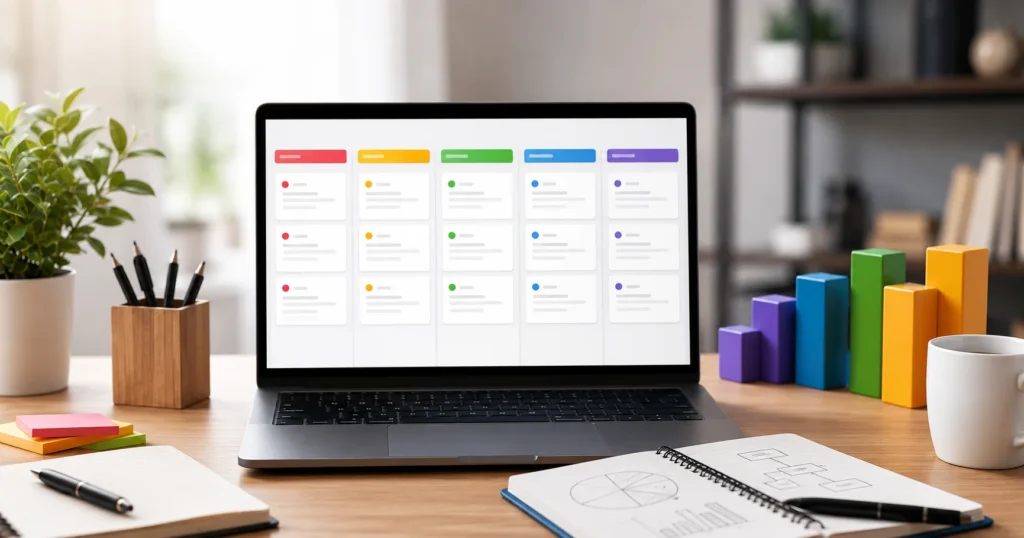
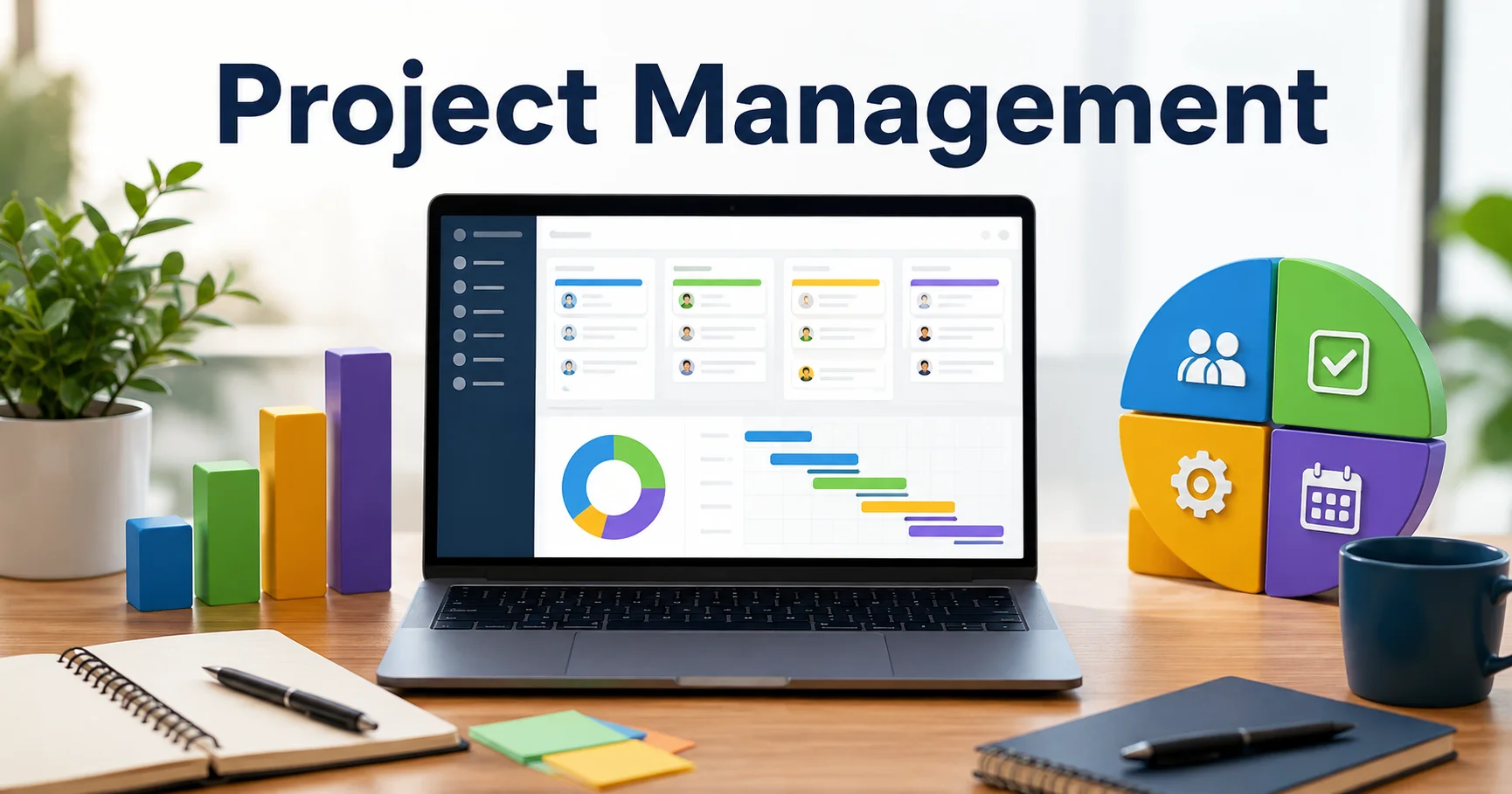
Modern project management software is designed to help teams plan, organize, execute, and monitor projects from a centralized digital workspace. Unlike traditional project management tools, modern platforms often combine task management, team collaboration, project planning, workflow automation, time tracking, reporting, and AI-powered features. Popular solutions such as ClickUp, Asana, Monday.com, Trello, and Microsoft Project offer different approaches to managing projects, making it easier for teams to improve productivity, meet deadlines, and maintain visibility across their work.
Project management tools in 2026 serve functions far beyond the basic task tracking that defined early platforms. Understanding what’s genuinely valuable versus what’s feature bloat determines whether you’re investing in capability or paying for complexity you’ll never use.
The Core Functions Every PM Platform Should Handle
Task and subtask management forms the foundation — creating, assigning, tracking, and completing work items with clear ownership and deadlines. This sounds simple but execution quality varies dramatically across platforms.
Timeline visualization through Gantt charts, roadmaps, or calendar views helps teams understand project flow, identify dependencies, and spot scheduling conflicts before they become problems.
Team collaboration features — comments, file attachments, @mentions, and activity feeds — consolidate communication around the actual work rather than scattering it across email threads and Slack channels.
Resource allocation and workload management show who’s working on what, identify bottlenecks where team members are overloaded, and help distribute work more evenly.
Progress tracking and reporting answer the questions stakeholders actually ask: “Are we on track?” “What’s blocking progress?” “When will this actually ship?”
Integration with existing tools is non-negotiable in 2026 — your project management platform must connect with Slack, Microsoft Teams, Google Workspace, Jira, GitHub, and whatever other tools your team already uses daily.
💡 Critical Understanding: The best project management software isn’t the one with the most features — it’s the one your team will actually use consistently. A simple tool everyone adopts beats a sophisticated platform nobody touches.
How We Evaluated the Best Project Management Software
Before presenting the top five, transparency about evaluation methodology matters:
Real-world usage testing across small teams (3-5 people), mid-size teams (10-30 people), and larger cross-functional groups (50+ people). Different team sizes expose different platform limitations.
Feature comparison focusing on capabilities teams actually use daily rather than marketing bullet points: task management quality, collaboration effectiveness, timeline visualization clarity, mobile app functionality, and reporting depth.
Pricing analysis including transparent breakdown of per-user costs, feature tier limitations, and the hidden costs that appear after commitment (storage limits, advanced features paywalled, integration restrictions).
User feedback from G2, Capterra, and direct team interviews — patterns across hundreds of reviews reveal consistent strengths and frustrations.
Implementation difficulty measuring how long it takes a new team to become productive, what training is required, and how much administrative overhead the platform creates.
The Best 5 Project Management Software Tools in 2026
1. Monday.com — Best for Visual Project Management and Customization
Monday.com is a cloud-based work operating system (Work OS) that allows teams to manage their projects, workflows, and daily operations from a single platform. It offers customizable boards, task tracking, automation, collaboration tools, and real-time reporting to help teams stay organized and productive. Used by companies across various industries, Monday.com simplifies project planning, improves team collaboration, and provides greater visibility into work progress through its flexible and intuitive interface.
Monday.com has built its reputation on visual clarity and extreme customization. Every project view — boards, timelines, calendars, maps, charts — uses color coding and visual indicators that make project status obvious at a glance.
What Makes Monday.com Stand Out
The visual interface genuinely works. I’ve deployed Monday.com for teams with minimal technical sophistication, and they understood the platform within 20 minutes without formal training. Color-coded status columns, progress bars, and timeline views communicate project health instantly.
Customization depth is exceptional. Monday.com lets you build workflows that match your processes rather than forcing you to adapt to rigid templates. Custom columns track any data type you need: status dropdowns, numeric fields, dates, file attachments, even formulas that calculate values based on other columns.
Automations eliminate repetitive work. When a task moves to “Complete,” Monday.com can automatically notify stakeholders, create follow-up tasks, update timelines, or trigger actions in connected tools. I set up an automation that creates a Slack notification and generates a Google Doc template whenever a project reaches “Client Review” status — eliminating manual coordination.
Multiple project views from one data source is Monday.com’s killer feature. Marketing teams view campaigns as Kanban boards. Project managers view the same data as Gantt timelines. Executives view it as high-level dashboards. Everyone sees what they need without duplicating information.
Integrations are comprehensive — Slack, Microsoft Teams, Gmail, Google Drive, Jira, Salesforce, Zoom, and 70+ other tools connect natively or through Zapier.
Monday.com’s Collaboration Features
Updates and conversations thread beneath each task, keeping communication contextual. File attachments, @mentions, and activity logs make it easy to reconstruct why decisions were made.
Guest access lets you invite clients or external contractors to specific boards without paying for full seats — valuable for agencies managing client projects.
Time tracking is built in (though basic) — team members log hours directly on tasks, which feeds into workload reports and project budgeting.
Pricing Structure
| Plan | Price/User/Month | Key Limitations | Best For |
|---|---|---|---|
| Free | $0 | 2 seats, 3 boards, limited storage | Personal projects, very small teams |
| Basic | $9 | Unlimited boards, 5 GB storage | Small teams, simple projects |
| Standard | $12 | Timeline view, calendar view, integrations | Growing teams needing visibility |
| Pro | $19 | Time tracking, formulas, dependencies | Teams managing complex projects |
| Enterprise | Custom | Advanced security, dedicated support | Large organizations, compliance needs |
Pricing is per seat per month when billed annually. Monthly billing costs 20% more.
⚠️ Pricing Alert: Monday.com’s headline pricing ($9/user/month on Basic) is deceptive — you’ll quickly hit limitations that force upgrades. Timeline and Gantt views require Standard ($12). Automations beyond basic limits require Pro ($19). Budget for the tier you actually need, not the entry price.
Honest Limitations
Cost escalates quickly. For a 10-person team, Pro tier costs $190/month ($2,280/year). Larger teams find Monday.com among the more expensive project management options.
The learning curve for advanced features is steeper than the basic interface suggests. Building complex automations and formulas requires investment in Monday.com’s specific syntax and logic.
Reporting is functional but not exceptional. You can generate dashboards and reports, but they lack the depth and flexibility of dedicated BI tools. For deep project analytics, you’ll export data elsewhere.
Mobile app functionality lags behind the desktop experience — common among project management platforms but worth noting for teams that work significantly on mobile.
Best for: Marketing teams, creative agencies, operations teams, and anyone who values visual clarity and wants highly customizable workflows without coding.
User Rating: ⭐⭐⭐⭐⭐ (4.7/5 — based on 9,800+ G2 reviews)
2. Asana — Best for Team Collaboration and Task Management
Asana is a leading team collaboration and work management platform that helps organizations effectively plan, track, and manage their projects. It allows users to create tasks, assign responsibilities, set deadlines, monitor progress, and automate workflows within a centralized workspace. Widely adopted by businesses and remote teams, Asana improves productivity, streamlines communication, and ensures deadlines are met with its intuitive and flexible project management tools.
Asana focuses relentlessly on task management excellence. While competitors add features, Asana refines the core experience of creating, organizing, assigning, and completing work.
What Asana Does Exceptionally Well
Task management is genuinely intuitive. Creating tasks, adding subtasks, setting due dates, assigning owners, and adding context through descriptions and attachments feels natural. Teams adopt Asana faster than any other platform I’ve deployed.
Multiple views provide flexibility: List view (traditional task list), Board view (Kanban), Timeline view (Gantt), Calendar view, and Workload view (resource allocation). Each serves different planning and tracking needs.
Dependencies and milestones connect related work and identify critical path — valuable for complex projects where task sequence matters.
Portfolios aggregate multiple projects into unified dashboards, showing overall progress across a department or initiative. I use this to give executives high-level visibility without drowning them in task-level detail.
Goals and OKRs integration (Objectives and Key Results) connects daily tasks to strategic objectives. Teams see how their work contributes to company goals — genuinely valuable for alignment.
Automation Rules handle repetitive actions: when a task completes, automatically assign the next task, update status, move to a different section, or notify stakeholders.
Asana’s Collaboration Strengths
Comments and conversations on tasks keep communication organized. The activity feed shows exactly who did what and when — critical for async teams across time zones.
Forms capture intake requests (design requests, IT tickets, content ideas) and automatically create tasks in the right project with the right template. This transformed how we handled ad-hoc requests from stakeholders.
Approvals workflow routes tasks through review cycles, tracking who approved what and when.
Pricing Structure
| Plan | Price/User/Month | Key Features | Limitations |
|---|---|---|---|
| Personal | Free | Unlimited tasks, projects, activity log | 10 collaborators max |
| Starter | $10.99 | Timeline, workflow builder, 250+ integrations | Limited to 500 automations/month |
| Advanced | $24.99 | Portfolios, goals, workload, advanced reporting | Most teams land here for full functionality |
| Enterprise | Custom | Data export, admin controls, premium support | Large organizations only |
Billed annually. Monthly billing available at higher per-user cost.
Honest Limitations
The free tier is genuinely useful for small teams but limited to 10 collaborators — frustrating when you hit person 11 and must upgrade everyone.
Advanced tier pricing ($24.99/user) is necessary for most professional teams to access portfolios, goals, and workload management. The Starter tier ($10.99) lacks features most teams need.
Customization is more limited than Monday.com. Asana provides structure — which helps adoption but constrains teams with unique workflows.
Time tracking isn’t native — you’ll need an integration like Harvest or Everhour. For agencies billing by the hour, this is a genuine gap.
Storage limits appear on lower tiers — 100 MB per file on free tier, increasing with paid plans. Video files and large design assets fill this quickly.
Best for: Product teams, software development (non-engineering work), marketing teams, and any team that prioritizes simplicity and fast adoption over deep customization.
User Rating: ⭐⭐⭐⭐⭐ (4.6/5 — based on 12,300+ G2 reviews)
3. ClickUp — Best for Feature Depth and Power Users
ClickUp is an all-in-one project management and productivity platform designed to help teams organize tasks, manage projects, collaborate, and streamline workflows in one centralized workspace. It offers a wide range of features, including task management, customizable views, Kanban boards, Gantt charts, calendars, time tracking, dashboards, document collaboration, and workflow automation. With its highly customizable interface and extensive integrations, ClickUp is suitable for individuals, startups, and large organizations looking to improve productivity and manage complex projects more efficiently.
ClickUp positions itself as “the one app to replace them all” — project management, docs, spreadsheets, goals, time tracking, and more in a unified platform. This ambition is both ClickUp’s strength and its primary weakness.
ClickUp’s Comprehensive Feature Set
Everything view aggregates all work across all projects in customizable dashboards — lists, boards, timelines, calendars, Gantt charts, workload views, table views, mind maps, and more. If a view exists in project management, ClickUp offers it.
ClickUp Docs provides collaborative document editing similar to Google Docs or Notion, but connected directly to your project tasks. Meeting notes link to action items. Project plans embed live data from your tasks.
Goals and OKRs with progress tracking based on task completion, numeric targets, or manual updates. More sophisticated than Asana’s implementation.
Time tracking is native and robust — start/stop timers on tasks, manual entry, time estimates vs. actuals, and detailed time reports. For agencies and consultancies, this eliminates needing Harvest or Toggl.
Custom fields are unlimited on all paid plans — track any data type imaginable. Budget, client name, priority score, effort estimation — ClickUp handles it all.
Automation builder rivals Monday.com’s capability — trigger actions based on status changes, due dates, assignees, custom fields, or dozens of other conditions.
Integrations exceed 1,000 native connections and Zapier support for everything else.
The ClickUp Reality
The learning curve is steep. ClickUp offers so many features that new users feel overwhelmed. Training is non-optional — expect 2-4 hours for basic competency, weeks to master advanced capabilities.
I deployed ClickUp for a 15-person product team. Three months in, we were still discovering features we hadn’t realized existed. This depth is powerful once mastered but creates adoption friction that simpler tools avoid.
Performance can lag with large datasets. Loading projects with thousands of tasks occasionally produces noticeable delays — ClickUp’s feature richness comes with processing overhead.
The interface feels cluttered compared to Asana or Monday.com’s cleaner designs. Information density is high — excellent for power users, overwhelming for casual users.
Pricing Structure
| Plan | Price/User/Month | Features | Best For |
|---|---|---|---|
| Free | $0 | 100 MB storage, unlimited tasks, 2 views | Very small teams testing platform |
| Unlimited | $7 | Unlimited storage, integrations, Gantt, guests | Small teams, basic needs |
| Business | $12 | Goals, timelines, custom fields, automations | Most professional teams land here |
| Enterprise | Custom | Advanced permissions, SSO, dedicated support | Large organizations |
ClickUp’s pricing is among the most competitive for the feature depth provided.
Honest Limitations
Adoption friction is real. Teams accustomed to simple tools like Trello or basic Asana find ClickUp overwhelming. Budget training time and expect resistance from team members who just want to check off tasks.
Too many features can be a liability. ClickUp’s “everything app” approach means teams spend time configuring features they’ll never use rather than just working.
Mobile app is functional but complex — the desktop complexity translates poorly to mobile screens.
Customer support response times vary. Free and low-tier plans rely heavily on documentation. Expect delays unless you’re on Enterprise with dedicated support.
Best for: Technical teams, agencies managing diverse clients, power users who want maximum control, and teams willing to invest in learning curve for long-term capability.
User Rating: ⭐⭐⭐⭐⭐ (4.7/5 — based on 8,900+ G2 reviews)
4. Trello — Best for Simple Visual Project Management
Trello is a popular project management and collaboration tool that helps individuals and teams organize their tasks visually. Using boards, lists, and cards, users can plan projects, track progress, assign responsibilities, and manage deadlines in a simple and intuitive workspace. Trello is widely used for task management, team collaboration, and workflow organization in businesses of all sizes.
Trello pioneered Kanban boards for project management and remains the simplest, most accessible option for teams that want visual task tracking without complexity.
What Makes Trello Special
The Kanban board metaphor is immediately intuitive. Cards represent tasks. Lists represent stages (To Do, In Progress, Done). Drag cards from left to right as work progresses. Five-year-olds understand Trello — that’s not an exaggeration; I’ve seen it.
Friction to getting started is nearly zero. Create a board in 30 seconds. Add lists. Add cards. Invite team members. You’re productive immediately — no training required.
Power-Ups extend functionality without overwhelming the core simplicity. Add calendar views, timeline views, custom fields, voting, card aging, and integrations when you need them.
Butler automation handles repetitive actions with simple “when this happens, do that” rules. Not as powerful as ClickUp or Monday.com’s automation, but adequate for most use cases.
Mobile app is excellent — the Kanban interface translates perfectly to mobile, making Trello one of the few project management tools that works as well on a phone as on desktop.
Trello’s Honest Limitations
Scalability is limited. Trello works beautifully for small projects and teams. Beyond 50-100 cards on a board, or projects requiring complex dependencies and timeline management, Trello’s simplicity becomes a constraint.
No native timeline or Gantt views without Power-Ups. Teams needing schedule visualization should look elsewhere.
Reporting is minimal. Trello shows you what’s on the board — it doesn’t provide insights into velocity, bottlenecks, or forecasting.
Workload management doesn’t exist in Trello’s model. You can see who’s assigned to what, but balancing team capacity requires manual effort.
Permission controls are basic compared to enterprise platforms. Fine-grained access control for sensitive projects requires higher tiers.
Pricing Structure
| Plan | Price/User/Month | Features | Limitations |
|---|---|---|---|
| Free | $0 | 10 boards, unlimited cards, 1 Power-Up per board | Sufficient for individuals, very small teams |
| Standard | $5 | Unlimited boards, unlimited Power-Ups, advanced checklists | Most teams operate here comfortably |
| Premium | $10 | Timeline, calendar, dashboard views, 1000+ automations | Teams needing more visualization |
| Enterprise | $17.50 | Organization-wide boards, admin controls, security | Large organizations only |
Trello’s pricing is the most affordable among full-featured platforms.
When Trello Is the Right Choice
For simple projects: Content calendars, bug tracking, recruitment pipelines, event planning, or any workflow that fits the “stages of completion” model.
For non-technical teams: Marketing, sales, HR, operations groups that need visual clarity without complexity.
For personal productivity: GTD (Getting Things Done) workflows, personal task management, habit tracking.
For teams transitioning from spreadsheets or physical boards — Trello is the gentlest introduction to digital project management.
When Trello Is Insufficient:
- Projects requiring detailed timeline management and dependencies
- Teams needing comprehensive resource allocation and workload balancing
- Organizations requiring deep reporting and analytics
- Complex multi-project portfolio management
Best for: Small teams, simple projects, marketing teams, content teams, non-technical users, and anyone who values simplicity over features.
User Rating: ⭐⭐⭐⭐ (4.4/5 — based on 23,000+ G2 reviews)
5. Microsoft Project / Planner — Best for Microsoft 365 Integration
Microsoft Project and Microsoft Planner are project and task management solutions from Microsoft designed to help individuals and teams organize work, manage tasks, and track project progress. Microsoft Planner offers a simple and intuitive experience for creating tasks, assigning responsibilities, setting deadlines, and visualizing work through boards, making it suitable for everyday team collaboration. Microsoft Project, on the other hand, provides more advanced project management capabilities, including detailed scheduling, Gantt charts, resource management, dependencies, and project planning. Together, they provide flexible solutions for managing everything from simple team tasks to complex, large-scale projects.
Microsoft Project and Microsoft Planner represent Microsoft’s project management offerings — complex, enterprise-grade Project for professional project managers, and simple Planner for team task management.
Microsoft’s Project Management Ecosystem
Microsoft Planner is included with Microsoft 365 Business plans — lightweight Kanban-style task management integrated with Teams, Outlook, and SharePoint. Think of it as Microsoft’s answer to Trello.
Microsoft Project is the professional tool — comprehensive scheduling, resource management, budget tracking, and portfolio management capabilities designed for formal project management methodologies (Waterfall, Critical Path Method).
Project for the web is Microsoft’s cloud-based middle ground — more capable than Planner, simpler than desktop Project, browser-based and modern.
Why Microsoft’s Tools Matter
If you’re already deep in Microsoft 365, the integration advantage is real. Planner tasks appear in Outlook, Teams channels include Planner tabs, SharePoint sites embed project timelines. For organizations standardized on Microsoft, the ecosystem cohesion reduces friction.
Enterprise security and compliance are baked in — Single Sign-On (SSO), Active Directory integration, data residency controls, and compliance certifications that standalone tools can’t match.
Microsoft Project desktop remains the most sophisticated scheduling tool available. For construction, engineering, or large-scale programs requiring formal project management, Project’s capabilities exceed all competitors.
The Microsoft Limitations
Microsoft Planner is too simple for anything beyond basic task tracking. No timeline views, no dependencies, minimal reporting, limited customization.
Microsoft Project is too complex for most teams — steep learning curve, desktop software that feels dated, pricing that’s prohibitive for teams not requiring enterprise project management.
The middle ground (Project for the web) is still maturing — capabilities fall short of Monday.com, Asana, or ClickUp while costing comparably.
You’re locked into Microsoft’s ecosystem. If you use Google Workspace or prefer best-of-breed tools, Microsoft’s integration advantage disappears.
Pricing Structure
Microsoft Planner: Included with Microsoft 365 Business Basic ($6/user/month), Business Standard ($12.50/user/month), or Business Premium ($22/user/month)
Microsoft Project:
- Project Plan 1 (web-based): $10/user/month — basic scheduling and collaboration
- Project Plan 3 (includes desktop): $30/user/month — full desktop application + cloud
- Project Plan 5: $55/user/month — portfolio management, resource management
When Microsoft Makes Sense
✅ Your organization is already standardized on Microsoft 365
✅ You need enterprise security and compliance capabilities
✅ You’re managing formal, complex projects requiring professional PM tools
✅ You value ecosystem integration over best-of-breed specialized tools
When to Choose Alternatives
❌ You use Google Workspace or don’t depend on Microsoft ecosystem
❌ You need sophisticated task management beyond Planner but simpler than Project
❌ Your team values modern, intuitive interfaces
❌ You want flexibility to switch providers without vendor lock-in
Best for: Enterprise organizations deep in Microsoft ecosystem, formal project management offices, construction/engineering firms, and teams requiring compliance-certified infrastructure.
User Rating (Project): ⭐⭐⭐⭐ (4.2/5 — powerful but complex)
User Rating (Planner): ⭐⭐⭐ (3.8/5 — too simple for sophisticated needs)
Comprehensive Project Management Software Comparison
| Platform | Starting Price | Best For | Ease of Use | Feature Depth | Enterprise Ready | Rating |
|---|---|---|---|---|---|---|
| Monday.com | $9/user/mo | Visual teams, customization | ⭐⭐⭐⭐⭐ | ⭐⭐⭐⭐ | ⭐⭐⭐⭐ | ⭐⭐⭐⭐⭐ 4.7/5 |
| Asana | $10.99/user/mo | Task-focused teams | ⭐⭐⭐⭐⭐ | ⭐⭐⭐⭐ | ⭐⭐⭐⭐ | ⭐⭐⭐⭐⭐ 4.6/5 |
| ClickUp | $7/user/mo | Power users, agencies | ⭐⭐⭐ | ⭐⭐⭐⭐⭐ | ⭐⭐⭐⭐ | ⭐⭐⭐⭐⭐ 4.7/5 |
| Trello | $5/user/mo | Simple projects, small teams | ⭐⭐⭐⭐⭐ | ⭐⭐⭐ | ⭐⭐⭐ | ⭐⭐⭐⭐ 4.4/5 |
| MS Project/Planner | Included-$55/user/mo | Microsoft 365 users | ⭐⭐⭐ | ⭐⭐⭐⭐⭐ | ⭐⭐⭐⭐⭐ | ⭐⭐⭐⭐ 4.0/5 |
How to Choose the Right Project Management Software
Rather than declaring a universal “best,” let’s match tools to specific needs:
Choose Monday.com If:
✅ You value visual clarity and color-coded status at a glance
✅ Your workflows require significant customization
✅ You need one tool that serves multiple departments with different views
✅ Budget allows for premium pricing ($12-19/user/month realistic range)
Choose Asana If:
✅ Task management simplicity and fast adoption are priorities
✅ You want balance between ease of use and sophisticated features
✅ Team collaboration and cross-functional work are core to your projects
✅ You’re willing to pay $24.99/user for full capabilities
Choose ClickUp If:
✅ Your team are power users who want maximum control
✅ You’re willing to invest in learning curve for long-term capability
✅ Budget is tight but you need comprehensive features ($7-12/user)
✅ You want to consolidate multiple tools into one platform
Choose Trello If:
✅ Simplicity and zero learning curve are non-negotiable
✅ Projects fit Kanban workflow naturally
✅ Your team is non-technical and resistant to complex tools
✅ Budget is minimal ($0-5/user/month)
Choose Microsoft If:
✅ You’re already invested in Microsoft 365 ecosystem
✅ Enterprise security and compliance are requirements
✅ You need formal project management capabilities (construction, engineering)
✅ Ecosystem integration outweighs best-of-breed specialized tools
Common Project Management Software Mistakes to Avoid
These errors sabotage projects before they start:
❌ Choosing based on features rather than adoption — A sophisticated tool nobody uses is worse than a simple tool everyone adopts.
❌ Underestimating training requirements — Budget time for onboarding. ClickUp and Microsoft Project require genuine investment.
❌ Ignoring integration needs — If your PM tool doesn’t connect to Slack, email, file storage, or development tools you use daily, you’ve created information silos.
❌ Selecting tools for management visibility rather than team productivity — The best project management software helps teams work better, not just helps managers monitor better.
❌ Neglecting mobile experience — If significant portions of your team work on mobile, test mobile apps thoroughly before committing.
❌ Forgetting to plan for growth — Choose tools that scale with your team rather than requiring migration when you hit plan limits.
Project Management Software Implementation Checklist
Use this checklist when deploying new tools:
Pre-Implementation:
✅ Identify 2-3 pilot projects to test new platform
✅ Define success metrics (adoption rate, time saved, visibility improved)
✅ Assign platform administrator and champions
✅ Map existing workflows to new tool capabilities
✅ Plan data migration strategy if replacing existing tool
During Rollout:
✅ Provide hands-on training, not just video links
✅ Create templates for common project types
✅ Configure integrations with existing tools (Slack, email, storage)
✅ Set up automation for repetitive tasks
✅ Establish naming conventions and organizational structure
Post-Implementation:
✅ Monitor adoption weekly — identify and address resistance
✅ Gather feedback from actual users (not just managers)
✅ Refine processes based on real usage patterns
✅ Provide ongoing support and refresher training
✅ Evaluate after 90 days against success metrics
FAQs About Project Management Software
What is the best project management software for small teams?
Trello or Asana are ideal for small teams (3-10 people). Trello at $5/user/month provides simplicity and visual clarity perfect for straightforward projects. Asana at $10.99/user/month adds sophistication for teams managing multiple concurrent projects. Both offer generous free tiers adequate for very small teams testing project management software before committing.
How much does good project management software cost?
Expect $7-15/user/month for quality project management software with essential features (task management, timelines, collaboration, basic automations). Full-featured platforms cost $12-25/user/month. For a 10-person team, budget $100-250/month ($1,200-3,000/year). Free tiers exist but typically limit team size, features, or storage meaningfully.
Do I need project management software if I use spreadsheets?
If you’re managing projects beyond simple task lists — involving multiple people, dependencies between tasks, timeline tracking, or collaboration — dedicated project management software delivers substantial value over spreadsheets. Spreadsheets require manual updates, don’t provide visibility, and break down as projects scale. The productivity gain from proper PM software typically justifies cost within weeks.
What’s the difference between project management and task management software?
Task management tools (Todoist, Microsoft To Do) focus on individual or small team to-do lists. Project management software adds timeline visualization, resource allocation, dependency tracking, portfolio management, and team collaboration features necessary for coordinating work across multiple people toward shared deliverables. The line blurs — Asana and Trello span both categories.
Can free project management software work for real projects?
Yes, with limitations. Trello Free handles simple projects adequately (10 boards, unlimited cards). Asana Personal works for teams under 10 people. ClickUp Free provides surprising functionality but limits storage. Free tiers are excellent for testing platforms or managing personal projects but professional teams quickly hit limitations requiring paid upgrades.
How long does it take to implement project management software?
Basic implementation: 1-2 weeks for simple tools like Trello or Asana — create structure, train team, migrate existing work.
Full implementation: 4-8 weeks for complex platforms like ClickUp or Microsoft Project — configure workflows, set up integrations, comprehensive training, gradual rollout.
Adoption timeline: 3-6 months until teams work naturally in the tool without reverting to old methods. Budget ongoing support during this period.
What integrations should project management software have?
Essential integrations: Communication (Slack, Microsoft Teams), Email (Gmail, Outlook), File storage (Google Drive, Dropbox, OneDrive), Development (GitHub, GitLab, Jira), Time tracking (Harvest, Toggl), Calendar (Google Calendar, Outlook Calendar). Verify your specific tools integrate before committing to a project management platform.
Is project management software worth it for solo freelancers?
For solo freelancers managing 2-3 concurrent client projects, simple task management (Todoist, Trello Free) often suffices. Project management software adds value when managing 4+ projects, coordinating with clients/contractors, or needing timeline visibility for scheduling. Many freelancers find Asana Personal or Trello Standard ($5/month) provides the right balance.
Should remote teams use different project management software?
Remote teams benefit from project management software with strong async collaboration: threaded comments, activity feeds, clear task ownership, and mobile accessibility. Asana and Monday.com excel here. Real-time presence (seeing who’s online) matters less than clear written communication and visibility into work status.
Can you switch project management software after committing?
Yes, but migration is painful. Export your data (tasks, projects, attachments) from the old platform, restructure it for the new platform’s format, import, reconfigure workflows and integrations, retrain your team. Budget 2-4 weeks for migration depending on project complexity. Choose carefully to avoid this disruption — switching project management tools costs more than the subscription price.
Conclusion: Choosing Your Project Management Software in 2026
After years of managing projects across multiple platforms, here’s the honest conclusion: the “best” project management software is the one your team will actually use consistently — and that determination depends far more on how closely the tool matches your team’s natural workflow than on feature counts or pricing.
Monday.com delivers if your team thinks visually and needs customization. The color-coded boards, flexible views, and workflow automation genuinely improve how visual thinkers organize work. Budget for Pro tier ($19/user) to access the features that make Monday.com worthwhile.
Asana wins for teams prioritizing adoption speed and task management excellence. The interface is intuitive enough that teams become productive within days rather than weeks. Expect to pay for Advanced tier ($24.99/user) for full capability.
ClickUp maximizes value for power users willing to climb the learning curve. The feature depth at $7-12/user/month is genuinely exceptional — but only valuable if your team will invest time mastering the platform.
Trello serves teams that value simplicity above sophistication. For straightforward projects fitting the Kanban model, Trello’s $5/user/month Standard tier provides everything most small teams need.
Microsoft Project/Planner makes sense exclusively within Microsoft ecosystem contexts. If you’re deep in Microsoft 365, Planner is adequate for basic needs and Project handles complex requirements. Outside that ecosystem, better specialized options exist.
The wrong choice isn’t picking the “wrong” platform — it’s choosing based on features you won’t use instead of ease of adoption, or selecting the cheapest option that requires constant workarounds, or deploying sophisticated tools for teams who just want to check boxes on task lists.
Project management software should disappear into your workflow — enabling productivity rather than creating overhead. Choose the tool that matches how your team actually works, train thoroughly, configure thoughtfully, and measure whether it’s genuinely improving project outcomes rather than just creating busy work.
The best project management happens when the software supports the work rather than becoming the work itself.
All pricing and feature information reflects platform offerings as of early 2026. Project management software evolves rapidly — verify current capabilities and pricing directly with providers before committing. User ratings aggregate reviews from G2, Capterra, and direct user feedback.