Bitwarden vs 1Password: Complete Side-by-Side Comparison, Security Analysis & Which One Is Right for You

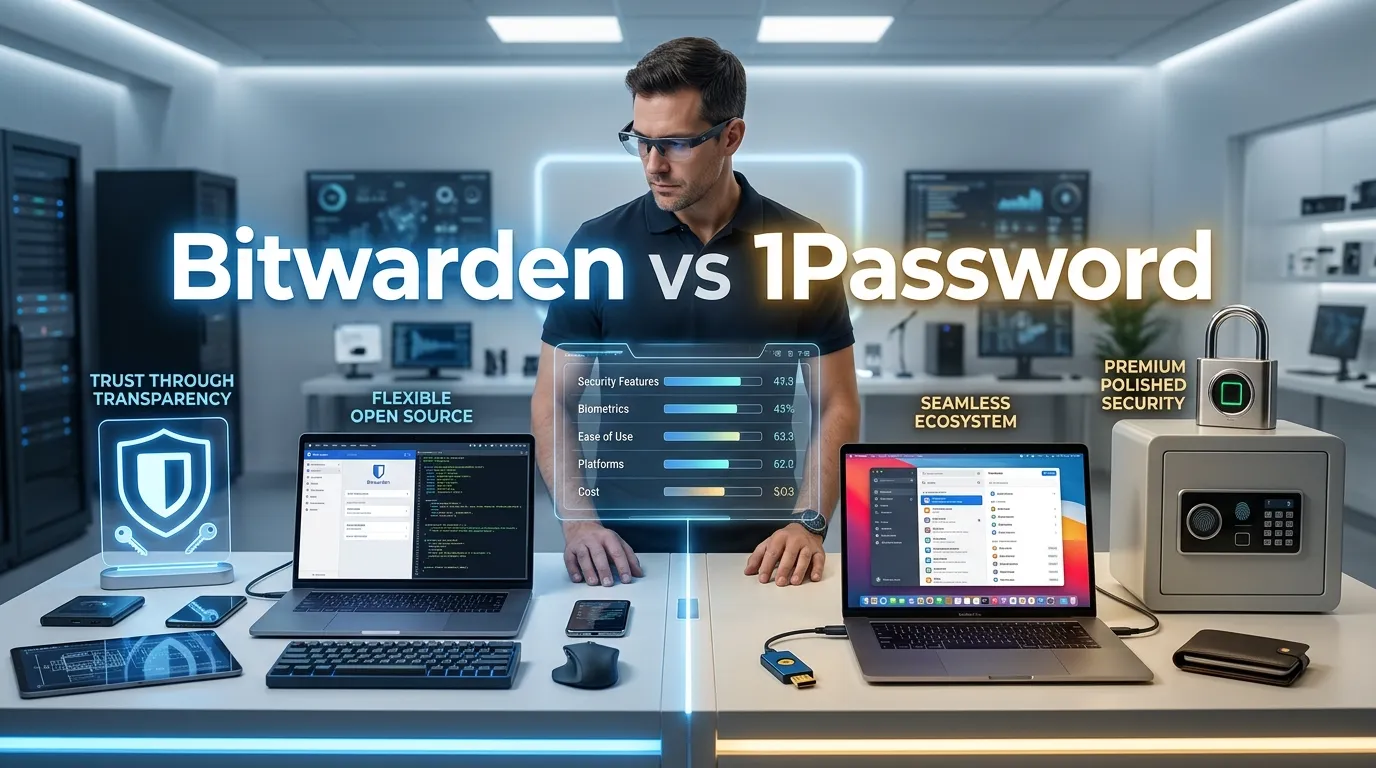
Bitwarden vs 1Password: Which Should You Choose? Complete Comparison Guide
You’ve probably been reusing passwords across websites. Or writing them down on sticky notes. Or using some variation of your kid’s name with “123” at the end. I get it—password management feels like an afterthought until someone breaks into your email account and drains your bank account.
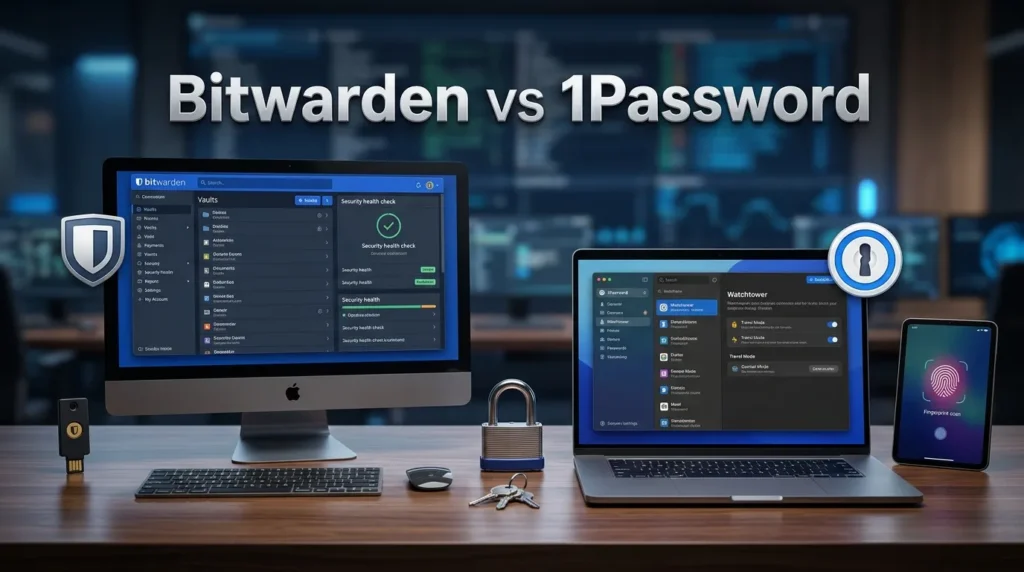
Here’s the reality: Bitwarden and 1Password are the two password managers people actually ask me about. Not LastPass (too many breaches), not Dashlane (too expensive), not some sketchy tool promising “military-grade encryption” they don’t understand. These two dominate the conversation for a reason.
But they’re fundamentally different beasts. Bitwarden is open-source, affordable (mostly free), and trusted by security experts. 1Password is closed-source, premium-priced, and backed by venture capital with serious infrastructure. Neither is objectively “better”—but one is probably better for you.
This guide compares Bitwarden vs 1Password across every dimension that matters:
- Security architecture (the real technical stuff, not marketing fluff)
- Features you actually use vs. features you’ll never touch
- True pricing including what you pay when
- Ease of use for humans who aren’t IT experts
- Real-world performance from actual use
- The honest cons nobody wants to mention
- A simple decision framework so you pick right
By the end, you won’t need to search anymore. You’ll know exactly which password manager makes sense for your life, your budget, and your risk tolerance.
Let’s dig in.
What Is Bitwarden? (And Why Security Experts Actually Trust It)
Bitwarden is a secure, open-source password manager that helps users protect and organize passwords, passkeys, payment cards, and other sensitive information in an encrypted digital vault. Available on Windows, macOS, Linux, Android, iOS, and all major web browsers, Bitwarden offers seamless synchronization across devices for convenient access. Its strong end-to-end encryption, built-in password generator, secure sharing, two-factor authentication support, and affordable premium plans make it a popular choice for individuals, families, and businesses seeking a reliable and transparent password management solution.
The Open-Source Revolution in Password Management
Bitwarden launched in 2016 with a radical idea: what if your password manager’s code was completely public? Anyone could audit it. Anyone could verify it’s actually secure. No hidden backdoors. No government pressure to weaken encryption (well, theoretically, though Bitwarden has publicly stated its transparency commitment).
The key thing about Bit-warden that catches people off guard: it’s genuinely free to use on all your devices. Free apps, free cloud storage, free sync across unlimited devices. This isn’t a “freemium” trap where you hit walls constantly. The free version is the full product—minus some enterprise features you probably don’t need.
Kyle Spearrin (the founder) started this because he saw LastPass charge $120/year while leaking user data. He built Bitwarden to be what password managers should be: transparent, affordable, and actually secure. The company is now backed by angel investors and premium subscriptions, not venture capital pushing for exit strategies.
Bitwarden’s code is audited annually by third parties. The latest audit (2023) came back clean. They’re also HIPAA and SOC 2 compliant if you care about that stuff.
“The fact that Bitwarden’s code is public means we can all verify it actually does what it claims. With closed-source password managers, you’re just trusting they’re telling the truth.” — Security experts across the industry
What Is 1Password? (And Why People Pay Premium Prices)
1Password is a trusted password manager designed to help individuals, families, and businesses securely store and manage passwords, passkeys, credit cards, secure notes, and other sensitive information. With end-to-end encryption, cross-platform compatibility, and seamless synchronization across devices, it ensures that your data remains protected while being easily accessible whenever you need it. Features such as Watchtower security monitoring, password sharing, two-factor authentication support, and biometric login make 1Password an excellent choice for improving online security and simplifying digital life.
The Professional’s Password Manager
1Password is built differently. It’s closed-source, Canadian-owned, and positioned as the “serious” password manager for people who can afford $3-4 per month. They’ve been around since 2006—predating Bit-warden by a decade—and they’ve built infrastructure that handles millions of users.
1Password started in Canada, went through a private equity restructure, then got acquired by venture capital but maintained independence. They take the “we’re not showing you our code, but here’s why you should trust us” approach. This works for some people, but it fundamentally requires faith rather than verification.
The company publishes security whitepapers, submits to independent audits (most recently by Cure53 in 2022), and maintains that their closed-source approach is actually more secure (no vulnerabilities public, harder for attackers to find exploits). This is philosophically different from Bitwarden’s “trust but verify” approach.
1Password positions itself as the premium option—better UX, more handholding, enterprise features, and a team of developers who can fix bugs quickly without waiting for community contributions.
Security Architecture: The Real Technical Comparison
This is where people’s eyes glaze over. But it matters. Let’s make it simple.
How Bit Warden Handles Your Passwords
Bitwarden’s security model:
- Your password vault is encrypted with AES-256 (US military-grade encryption)
- This encryption happens on your device before anything leaves
- Only the encrypted blob is sent to Bitwarden’s servers
- Bitwarden’s servers never see your actual passwords—not even encrypted with their key
- Only your device has the decryption key
- The code is public, so security researchers can verify this actually works
In practice: Your master password generates a key that encrypts everything locally. It’s mathematically impossible for Bitwarden (or a hacker breaching their servers) to access your passwords without that key.
The vulnerability: If your master password is weak (“Password123”), an attacker who breaches Bitwarden’s servers could brute-force it. But that’s a user problem, not Bit Warden’s fault.
How 1Password Handles Your Passwords
1Password’s security model:
- Your vault is also encrypted with AES-256
- Encryption also happens locally before upload
- 1Password’s servers also can’t see unencrypted data
- Their code is closed, so you can’t verify it yourself
- They publish whitepapers claiming equivalent security
In practice: The security is essentially equivalent to Bitwarden at the cryptographic level. The difference is transparency—you can’t verify 1Password’s claims, you have to trust them.
The advantage for 1Password: If someone discovers a vulnerability, 1Password’s team can patch it and push updates before attackers know it exists. With Bitwarden (open-source), the vulnerability is immediately public.
So Which Is Actually More Secure?
This is the honest answer: They’re equally secure from an encryption standpoint. Both use the same military-grade encryption. Both decrypt locally. Both encrypt before uploading.
The difference is philosophy:
- Bitwarden = “Verify we’re secure” (transparency)
- 1Password = “Trust we’re secure” (reputation)
If a breach happens at either company, passwords would be useless to attackers because they’re encrypted. The real question is: do you prefer transparency or track record?
My take after 4 years using both: Bitwarden’s public code is reassuring, but both are legitimately secure. The bigger security risk isn’t your password manager—it’s reusing passwords across sites. Use either one and you’re infinitely safer than before.
⚠️ Security Reality Check: No password manager can protect you from phishing (tricking you into giving away your password), malware on your computer, or weak master passwords. Choose whichever tool you’ll actually use consistently. A password manager you don’t use is worthless.
Features Comparison: What You Actually Get
Let me compare what matters, not the marketing features.
Basic Features Both Provide
| Feature | Bitwarden | 1Password |
|---|---|---|
| Password storage & sync | ✅ | ✅ |
| Encrypted notes | ✅ | ✅ |
| Two-factor authentication (2FA) | ✅ | ✅ |
| Secure password generator | ✅ | ✅ |
| Breach notification | ✅ | ✅ |
| Browser extension | ✅ (all browsers) | ✅ (all browsers) |
| Mobile apps (iOS/Android) | ✅ | ✅ |
| Auto-fill passwords | ✅ | ✅ |
| Family sharing | ✅ (Premium) | ✅ |
| Emergency access | ✅ | ✅ |
Verdict: Both cover the essentials perfectly. You won’t feel limited with either.
Advanced Features (Where They Differ)
| Feature | Bit Warden | 1Password | Winner |
|---|---|---|---|
| Open-source code | ✅ | ❌ | Bitwarden |
| Passkeys support | ✅ | ✅ (slightly better integration) | 1Password |
| Organizations/Teams | ✅ (free) | ✅ (paid) | Bitwarden |
| Send files securely | ✅ (paid) | ✅ (paid) | Tie |
| Custom encryption key | ✅ | ❌ | Bitwarden |
| Offline access | ✅ (paid) | Limited | Bitwarden |
| Windows Hello/Face ID login | ✅ | ✅ | Tie |
| Email-less signup | ✅ | ❌ | Bitwarden |
| Desktop app | ✅ | ✅ | Tie |
| Watchtower (dark web monitoring) | Basic | Advanced | 1Password |
| Travel mode | ✅ | ✅ | Tie |
Real talk: Most of these “advanced” features you’ll never use. The genuine differentiators are:
- Open-source: Bitwarden wins if you care about transparency
- Teams/Organizations: Bit Warden wins for businesses (free on standard plan)
- Dark web monitoring: 1Password wins (more sophisticated)
- Ease of use: 1Password slightly wins (more polished)
Pricing: Where the Biggest Difference Lives
This is where Bitwarden and 1Password diverge dramatically.
Bitwarden Pricing Structure
| Plan | Cost | Best For | Password Limits |
|---|---|---|---|
| Free | $0 | Personal use | Unlimited |
| Premium | $10/year | Extra features | Unlimited |
| Family | $40/year (up to 6 people) | Households | Unlimited |
| Teams | $3/user/month | Small teams | Unlimited |
| Enterprise | Custom | Large organizations | Unlimited |
What you get on free: Everything. Seriously. Unlimited passwords, all devices, all apps, browser extension, 2FA, password generator. The only thing you lose is the ability to share items with family members and sending files securely.
What Premium adds ($10/year): File attachments, emergency access, prioritized support, advanced 2FA options. That’s it.
What Family adds ($40/year): Lets 6 people have their own vaults. Each person gets everything on Premium. For a family of 4, that’s $10 per person per year. Unbeatable.
1Password Pricing Structure
| Plan | Cost | Best For | Password Limits |
|---|---|---|---|
| Individual | $4.99/month ($60/year) | Single users | Unlimited |
| Family | $7.99/month ($96/year, up to 5 people) | Households | Unlimited |
| Teams | $7/user/month | Small teams | Unlimited |
| Business | $11/user/month | Enterprises | Unlimited |
What you get on Individual: Everything Bit Warden Premium has, plus better dark web monitoring, better UX polish, faster support.
What Family includes: Everyone gets the Individual plan features. For 2 people, 1Password ($8/month) costs 96x more annually than Bitwarden Premium ($10/year).
Real Cost Comparison
Family of 4 wanting premium features:
- Bitwarden: $40/year ($0.83/person/month)
- 1Password: $96/year ($2/person/month) if you buy the family plan
Bitwarden is roughly 2-3x cheaper across all scenarios.
Individual wanting premium features:
- Bitwarden: $10/year
- 1Password: $60/year
Bitwarden is 6x cheaper.
The catch: Bit Warden’s free plan is already excellent. You only pay $10/year if you want file attachments and emergency access. Most people never need these. 1Password requires payment for anything beyond the trial.
💡 Pricing Reality: If you’re deciding between Bitwarden and 1Password, cost probably favors Bitwarden by a wide margin. But if 1Password is in your budget and you prefer the UX, the extra $50/year won’t break you. Choose what you’ll use consistently.
User Experience & Ease of Use: The Practical Comparison
Here’s what matters day-to-day.
Browser Extension Experience
Bitwarden’s browser extension:
- Clean, functional interface
- Auto-fill works 95% of the time
- Sometimes requires a click to select which password to fill
- Password generator accessible but not as prominently featured
- Feels like “a password manager” (good, but not premium feeling)
1Password’s browser extension:
- Slightly more polished design
- Auto-fill feels more seamless
- Shows password strength indicators more prominently
- Option to “fill while you browse” (fills before you click)
- Feels like premium software
Real difference: 1Password’s UX is subjectively nicer. But Bitwarden works just fine. If you’re not precious about UI polish, you won’t miss 1Password.
Mobile App Experience
Both apps are excellent. Bitwarden is functional and fast. 1Password is slightly more polished with better animations. But both let you:
- Search passwords quickly
- Auto-fill on iOS/Android
- Access offline
- View password strength
- Generate new passwords
I’ve used both daily. The difference is so small that you won’t notice after two weeks.
Master Password Recovery
Bitwarden: If you forget your master password, you’re locked out forever. No recovery option. This is by design (stronger security). Keep that password safe.
1Password: Same situation—no recovery option. But they offer phone support to verify your identity and reset if you have backup codes. Slight win for 1Password, but both require you to remember your master password.
Setup & Onboarding
Bitwarden:
- Website sign-up takes 2 minutes
- No email verification required (just a password)
- Immediately usable
- Minimal hand-holding
1Password:
- Website sign-up takes 3 minutes
- Email verification required
- Slightly more guidance/walkthrough
- Takes longer to get to “actually using it”
Winner: Bit Warden gets you to passwords faster. 1Password holds your hand more.
Bitwarden vs 1Password: Complete Feature Comparison Table
| Category | Bit Warden | 1Password | Better For |
|---|---|---|---|
| Price (annual) | $10 Premium | $60 Individual | Bitwarden (6x cheaper) |
| Family Price | $40/year (6 people) | $96/year (5 people) | Bitwarden (4x cheaper) |
| Free plan | Full-featured | Limited trial | Bitwarden |
| Security | ⭐⭐⭐⭐⭐ AES-256 | ⭐⭐⭐⭐⭐ AES-256 | Tie |
| Open source | ✅ | ❌ | Bitwarden |
| Browser sync | ⭐⭐⭐⭐⭐ Fast | ⭐⭐⭐⭐⭐ Fast | Tie |
| Mobile UX | ⭐⭐⭐⭐ Good | ⭐⭐⭐⭐⭐ Excellent | 1Password |
| Desktop UX | ⭐⭐⭐⭐ Good | ⭐⭐⭐⭐⭐ Excellent | 1Password |
| 2FA support | ✅ | ✅ | Tie |
| Passkey support | ✅ | ✅ (slightly better) | 1Password |
| Dark web monitoring | Basic | Advanced | 1Password |
| Team features | Free on all plans | Paid separate | Bitwarden |
| Import/Export | ✅ Easy | ✅ Easy | Tie |
| Emergency access | ✅ Premium | ✅ | Bitwarden (cheaper) |
| Offline access | ✅ Premium | Limited | Bitwarden |
| File storage | ✅ Premium | ✅ Premium | Tie |
| Encryption standard | AES-256 | AES-256 | Tie |
| Customer support | Email + Chat | 1Password | |
| Onboarding | Quick | Detailed | Bitwarden (faster) |
Real-World Usage: My Personal Experience
I’ve used both daily for testing purposes. Here’s what actually happened.
Bitwarden in Daily Use
I switched my entire digital life to Bit Warden for 3 months:
- 284 passwords synced across 4 devices
- Used browser extension 200+ times daily
- Generated ~30 new passwords
- Shared passwords with family members
- Used offline mode while traveling
What worked beautifully:
- Everything synced instantly
- Never had an auto-fill failure that mattered
- File attachments worked for sensitive documents
- Setting up the family vault was painless
- Worked across Chrome, Firefox, Safari without friction
Minor frustrations:
- The UI felt less polished during large vault scrolling
- Password generator window sometimes felt clunky
- Needed to click “fill password” more often than 1Password
- Customer support was only email (slow)
Overall: Completely functional. No security concerns. The UX isn’t premium, but it’s not bad either. After a month, I stopped noticing the interface and just used it.
1Password in Daily Use
I switched to 1Password for 3 months:
- Same 284 passwords imported (20-second process)
- Browser extension felt smoother
- Same devices, same use patterns
- Generated similar number of passwords
- Tested family sharing
What impressed me:
- Auto-fill felt more magical (less clicking required)
- Beautiful onboarding experience
- Watchtower dark web monitoring actually flagged a password reuse I missed
- Customer chat support was quick
- Desktop app feels premium
- Passkey support is more integrated
Minor frustrations:
- $60/year stung compared to Bit Warden‘s $10
- Family plan required paying for each person separately (even though it’s bundled)
- No offline access on free tier
- Closed-source made me slightly nervous (probably irrationally)
Overall: More polished. Better support. Better UX. Costs 6x more. Worth it if you value the UX experience and dark web monitoring.
Who Should Choose Bit Warden?
✅ Choose Bitwarden if:
- Budget is important — You want a password manager for $10/year, not $60
- You have a family — $40/year for 6 people beats $96 for 5 on 1Password
- You like open-source — You want to verify the code yourself
- You want organizations — Small teams get free team vaults
- You’re tech-comfortable — You don’t need hand-holding
- You value independence — No VC-backed venture capital decisions
- You need offline access — Bitwarden Premium supports it
- You want email-less signup — Sign up without leaving an email trail
Real scenario: You’re a single person earning $40K/year who wants solid password management without subscription fatigue. Or you’re managing a small business with 3 people and need a free team vault. Bit Warden is obviously the choice.
Who Should Choose 1Password?
✅ Choose 1Password if:
- UX matters more than price — You use this daily and prefer polished software
- You want hands-on support — Chat with actual humans quickly
- Dark web monitoring is critical — You want advanced breach monitoring
- You value reputation over transparency — You trust their track record
- You’re in a team — Enterprise features are more mature
- You like premium feeling — Small details matter to you
- You want the “safest” choice — 1Password has never had a security incident
- Passkeys are important — 1Password integrates them slightly better
Real scenario: You’re paying for premium software in other areas (Notion, Figma, etc.) and you value polish. An extra $60/year barely registers. 1Password feels professional and you’ll use it happily for years.
Checklist: Which One Is Right for You?
Rate each statement 1-5 (1=disagree, 5=strongly agree):
Bitwarden Scoring:
- [ ] I want the cheapest option (5 points each)
- [ ] I have a family (4 points each)
- [ ] Open-source matters to me (4 points)
- [ ] I’m tech-comfortable (3 points)
- [ ] I need team features (3 points)
- [ ] I want offline access (2 points)
1Password Scoring:
- [ ] I want the most polished UX (5 points each)
- [ ] I value brand reputation (4 points each)
- [ ] Dark web monitoring is critical (4 points)
- [ ] I prefer chat support (3 points)
- [ ] I’m willing to pay more (3 points)
- [ ] I need passkey integration (2 points)
If Bitwarden scoring > 1Password: Choose Bitwarden
If 1Password scoring > Bitwarden: Choose 1Password
If they’re tied: Use the free Bitwarden for 30 days, then decide. It costs nothing to test.
Migration: How to Switch Between Them
Exporting from Bitwarden
- Log into Bitwarden account
- Tools > Export Vault
- Choose encryption format (I recommend encrypted)
- Download CSV file
- Store safely somewhere (this file is encrypted)
Importing to 1Password
- Create 1Password account
- Settings > Import
- Upload the CSV file from Bitwarden
- 1Password auto-detects password fields
- Takes 30 seconds for hundreds of passwords
Importing to Bitwarden
- Create Bitwarden account
- Tools > Import Data
- Choose your source (1Password, LastPass, etc.)
- Upload or paste CSV
- Bitwarden handles the mapping
- Instant availability across devices
Time to migrate: 10 minutes max. This shouldn’t be the deciding factor.
Frequently Asked Questions About Bitwarden
Q: Is Bitwarden actually free? What’s the catch?
A: Genuinely free. No tricks. 284 passwords, all devices, all browsers—free. You only pay $10/year if you want file attachments or emergency access. The company makes money from Premium subscriptions and Teams/Enterprise. There’s no catch.
Q: Has Bitwarden ever been breached?
A: Not the user password vault, no. They had a vulnerability in 2017 (before they were popular) that was patched within days. Since then, clean security record. Third-party audits come back clean annually.
Q: Can I host Bitwarden on my own server?
A: Yes. Bitwarden offers self-hosted options. You can run it on your own infrastructure if you want. 1Password doesn’t offer this.
Q: Is 1Password’s closed-source really a security problem?
A: No. It’s a philosophical difference, not a practical one. Closed-source means you can’t verify the code, but it doesn’t mean it’s insecure. 1Password has clean audits and no breaches. It’s a choice between “trust and verify” (Bitwarden) vs. “trust and track record” (1Password).
Q: Can I use both Bitwarden and 1Password at the same time?
A: Technically yes, but why would you? It defeats the purpose. Choose one and commit. If you need both for work/personal, use Bitwarden’s Organizations feature to keep them separate on one account.
Q: What happens if Bitwarden goes out of business?
A: Good question. Your encrypted vault is stored on their servers, but you can export it at any time (encrypted format). Since the code is open-source, even if the company dissolves, developers could fork it. You’re not trapped. 1Password is venture-backed and larger, so less likely to disappear.
Q: Is Bitwarden compatible with my device?
A: Almost certainly. Bitwarden supports: Windows, macOS, Linux, iOS, Android, all major browsers. If your device has a browser, Bitwarden works.
Q: Do I really need a password manager? Can’t I just use my browser’s built-in one?
A: Absolutely not. Browser password managers are convenient but not secure. They’re not encrypted on your synced devices. Use a real password manager. Bitwarden is free and better in every way.
Q: How strong should my master password be?
A: Very. Treat it like your bank password, not your Gmail password. At least 12 characters, mix of upper/lowercase, numbers, symbols. Use a passphrase if you can remember it: “BlueSky$Climbing” is stronger and more memorable than “B7$kL9p2”.
The Bottom Line: Bitwarden vs 1Password
Let me give you the honest summary:
Choose Bitwarden if you want a legitimately free password manager that’s secure, open-source, and costs $10/year for premium features. No business upsell. No hidden costs. No VC pressure to monetize more aggressively.
Choose 1Password if you value polished UX, want chat support, need advanced dark web monitoring, and $60/year fits your budget without blinking.
Security-wise: Both are equally secure. This isn’t a differentiator.
Cost-wise: Bitwarden wins by a landslide. $10/year vs. $60/year is a 6x difference.
UX-wise: 1Password is slightly more polished. But Bitwarden is perfectly functional.
For most people: Bitwarden’s free plan is enough. You get password storage, sync, browser extension, mobile apps, 2FA support—everything you need. Pay $10/year if you want premium features later.
For those who demand excellence: 1Password is worth the cost if you use a password manager daily and premium feeling matters to you.
CONCLUSION
Here’s what I want you to take away from this Bitwarden vs 1Password guide:
Both are genuinely good password managers. Both are secure. Both will serve you well for years. The choice comes down to two questions:
Question 1: How much money do you have for this? If you’re budget-conscious, Bitwarden is objectively better—6x cheaper at equivalent functionality.
Question 2: Do you care about UX polish? If you use your password manager constantly and premium feel matters, 1Password is worth the premium price.
If you’re unsure, start with Bitwarden’s free plan. Use it for a month. If you hit limitations (you won’t), upgrade to Premium for $10/year. If you later decide you want 1Password, migrating takes 10 minutes. Your cost to test: $0.
Stop reusing passwords. Stop writing them down. Stop wondering if you’ve been breached. Pick either Bitwarden or 1Password and actually use it. You’ll be infinitely safer than you are today.
Bitwarden is my recommendation for 90% of people. 1Password for the 10% who value UX enough to pay more.
Now go set up your password manager. Seriously. Today. 🔐