YouTube Dubbing : 1 powerful method to dub and translate YouTube videos using AI in just one click!

The ultimate guide to dubbing and translating YouTube videos with AI
In the digital age, the internet has become the largest source of information, from training courses and technology product reviews to entertainment videos. However, the language barrier has long been the main obstacle preventing millions of users worldwide from fully enjoying this global content.
If you’re tired of quickly skimming subtitles and losing sight of the visual content, we have the perfect solution. In this article, we’ll explore in detail a revolutionary AI-powered tool that will completely transform your viewing experience: the YouTube Dubbing plugin .
YouTube Dubbing is a major innovation introduced by YouTube that is profoundly transforming how video content is consumed globally. Specifically, it’s a system that allows creators to offer a single video with multiple audio tracks in different languages. Unlike subtitles, which require reading, dubbing provides an immersive experience, as users can listen to the video in their native language as if it were native content. This approach brings YouTube closer to the standards of the film industry and streaming platforms, where dubbing is already widely used.
This technology relies heavily on advances in artificial intelligence, particularly tools developed by Google DeepMind and solutions like Aloud. These systems can automatically transcribe speech from a video, translate it into another language, and then generate a synthetic voice that mimics the tone, rhythm, and sometimes even the emotion of the original speaker. The result is then synchronized with the video to provide a seamless experience. While these voices are not yet perfect, they are improving rapidly and becoming increasingly natural.
For content creators, YouTube dubbing represents a significant strategic opportunity. It allows them to expand their audience without having to produce new videos. For example, an English-speaking creator can reach a French-, Spanish-, or Arabic-speaking audience in just a few clicks. Influential creators like MrBeast have already leveraged this approach by launching multiple channels in different languages, which has allowed them to multiply their audience and revenue. Dubbing thus becomes a powerful lever for growth and internationalization.
From the user’s perspective, this feature significantly improves content accessibility. It allows millions of people to access videos they wouldn’t otherwise understand. It also promotes the spread of knowledge, entertainment, and culture across language barriers. A user can now discover Japanese, American, or French content without language barriers, simply by changing the audio track.
However, despite its many advantages, YouTube dubbing still has some limitations. Machine translations can sometimes lack accuracy, especially with idiomatic expressions or specific cultural contexts. Furthermore, AI-generated voices, while impressive, can still sound slightly artificial in some cases. This is why human intervention often remains essential to ensure professional quality, particularly for educational or sensitive content.
What is the YouTube dubbing platform and plugin?

YouTube Dubbing is more than just a website; it’s a smart tool available as a browser extension for browsers like Google Chrome and Microsoft Edge. Its main function is to convert foreign language video subtitles into voice-overs (dubbing) synchronized with the video.
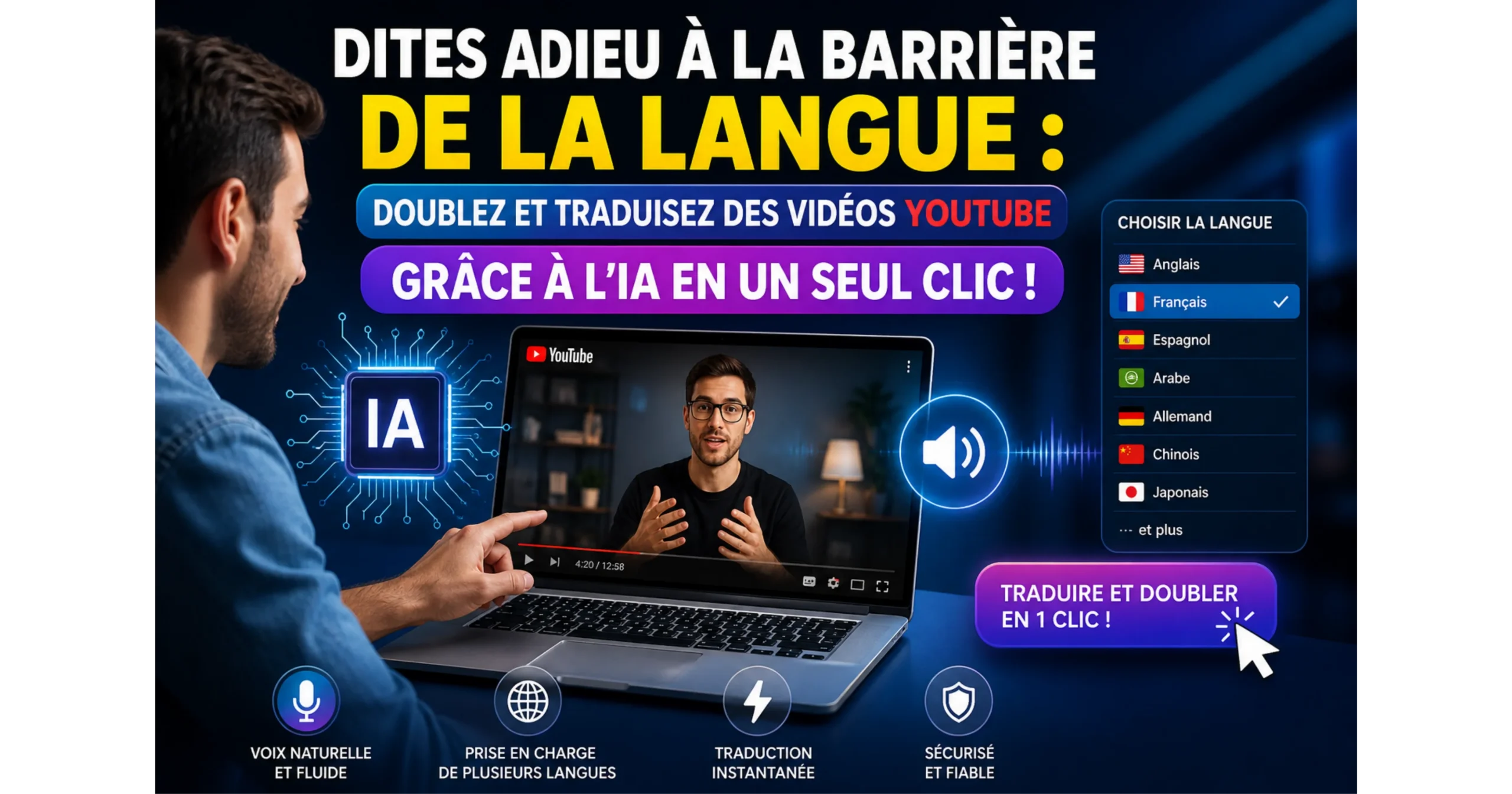
Thanks to generative artificial intelligence, dubbing is no longer reserved for major production studios. With a single click, you can now listen to any expert or content creator speak English or Arabic as if they were fluent in French, with a perfectly natural voice.
The exceptional features of the YouTube Dubbing platform
YouTube Dubbing is a built-in feature that allows creators to translate and dub their videos into multiple languages, helping them reach a global audience without creating separate versions of the same content. Powered by advanced AI and voice technologies, the platform enables viewers to watch videos with localized audio tracks while preserving the original message and tone. By making content more accessible across different regions and languages, YouTube Dubbing helps creators expand their reach, increase engagement, and connect with international audiences more effectively.
To get the most out of this tool, let’s review the main features that make it superior to any other traditional translation tool:
- Natural human voices : Say goodbye to annoying robotic voices. This plugin uses advanced intelligent models (like GPT-4 and Cloud) to generate voices whose intonations and emotions match the context of the video.
- Extensive compatibility with major learning platforms : This tool isn’t limited to YouTube; it’s compatible with online learning giants like Coursera and Udemy, as well as other sites such as Bilibili and Vimeo. A valuable asset for students and researchers.
- Audio effects preservation : Thanks to its advanced features, the tool separates the voice from the original speaker to cut it out, while preserving the music and sound effects, for a smooth and professional viewing experience.
- Multilingual support : Whether you want to translate into French, Spanish, English or any other language, this tool supports dozens of international languages with high accuracy.
Is the YouTube dubbing platform safe?
Security is one of the most important questions any user asks before installing a browser extension. The answer is simple: yes, the platform is perfectly secure, for several technical and logical reasons.
- 1. Verification on the official store : The extension is available for download on the platform’s official website, which redirects you directly to official stores such as the Chrome Web Store. These stores apply strict security measures and scan the source code for malware and viruses.
- 2. User reviews : Hundreds of thousands of people worldwide use this tool, which has received excellent ratings, confirming its reliability and effectiveness.
- 3. Privacy Policy and Permissions : The extension only requests permissions necessary for its operation (such as reading website data to read and convert subtitles to speech) and does not collect any sensitive personal data.
The difference between the free version and the paid (Premium) version
The platform offers users great flexibility by providing plans tailored to each individual:
1. Free formula
This plan is ideal for the average user who watches a limited number of videos per day. It offers basic dubbing using technologies like Edge TTS and Google Translate, with a daily usage limit (often just a few free videos per day).
2. Paid version (Premium Plan)
Designed for professionals and self-learning enthusiasts, this package expands possibilities through the use of powerful AI models for more accurate translations and a better understanding of context. It also integrates speech recognition (assigning a voice to each character in the video) and removes any limit on the number of videos you can translate per day.
Steps to install and use the YouTube Dubbing plugin
Getting to grips with the tool is simpler than you think; just follow these easy steps:
- 1 – Go to the official website via the following link: YouTube-Dubbing.com .
- 2 – Choose your browser (Chrome, Edge, etc.) and click the download button. You will be redirected to the official extensions store.
- 3 – Click on “Add to browser” or “Add to Chrome”.
- 4 – Open an educational or entertainment video on YouTube.
- 5 – A small control panel for the extension will appear below the video. Select “Arabic” and click the play button to enjoy instant dubbing!
In conclusion: invest your time better
In conclusion, YouTube Dubbing is revolutionizing the way we consume visual content. Learning a new skill through foreign language courses is no longer impossible or tedious. By integrating artificial intelligence into your browser, you can now transform any educational platform into an Arabic-language platform with a single click.
YouTube dubbing marks a significant milestone in the evolution of digital content. It transforms a simple video into a global product capable of reaching a worldwide audience without additional production effort. As AI technologies continue to advance, this feature is highly likely to become an essential standard for all creators looking to expand internationally.
We highly recommend you try the free version today and test it for yourself. Share your impressions in the comments: what was the first course or video you translated using this amazing tool?
FAQs – The Ultimate Guide to YouTube Dubbing with AI
🔹 What is YouTube Dubbing?
YouTube Dubbing is a technology developed by YouTube that allows for the automatic translation and dubbing of videos into multiple languages. Unlike subtitles, this solution generates a voiceover synchronized with the video, offering a more natural and immersive experience.
🔹 How does automatic dubbing with AI work?
The process relies on several automated steps: video transcription, text translation, and then the generation of a synthetic voice. Advanced technologies from Google DeepMind and tools like Aloud enable a smooth and increasingly realistic rendering.
🔹 What is the difference between dubbing and subtitles?
Subtitles display text on the screen, requiring constant visual attention. Dubbing, on the other hand, replaces the original voice with a translated one, allowing the user to focus fully on the video without reading.
🔹 Is YouTube Dubbing free?
Yes, provided you download it from official sources like the Chrome Web Store or the official website. Extensions are checked for malware and generally respect user privacy policies.
🔹 Which languages are supported?
Most AI dubbing tools support dozens of languages, including French, English, Arabic, Spanish, and many others. This diversity allows you to reach a global audience.
🔹 Can dubbing be used on platforms other than YouTube?
Yes, some plugins are compatible with educational platforms like Coursera, Udemy, Vimeo and Bilibili, which extends their usefulness beyond YouTube.
🔹 Is AI dubbing 100% reliable?
Not yet. Even though technology is advancing rapidly, some translations may lack precision, especially for cultural or technical expressions. Human proofreading is recommended for professional use.
🔹 What are the advantages of YouTube Dubbing for creators?
Dubbing allows creators to reach an international audience without creating new videos. Creators like MrBeast are already using this strategy to increase their visibility and revenue.
🔹 Is this useful for online learning?
Absolutely. Dubbing makes foreign language training easily accessible, facilitating learning and access to knowledge on a global scale.
🔹 What is the difference between the free and premium versions?
The free version offers basic features with limitations, while the premium version offers:
better voice quality,
more advanced contextual understanding,
and no limits on the use
of features like speech recognition.
🔹 How to install YouTube Dubbing plugin?
Installation is simple:
Go to the official website
, download the extension for Chrome or Edge
, add it to your browser
, open a YouTube video,
and activate dubbing in your preferred language.
🔹 Will YouTube Dubbing replace subtitles?
Not entirely. Subtitles remain useful in certain contexts (quiet environments, accessibility), but AI dubbing tends to become the preferred solution for a smoother user experience.
🔹 Is AI dubbing the future of digital content?
Yes, clearly. With the rapid evolution of artificial intelligence, automatic dubbing is becoming an essential standard for the global distribution of content.