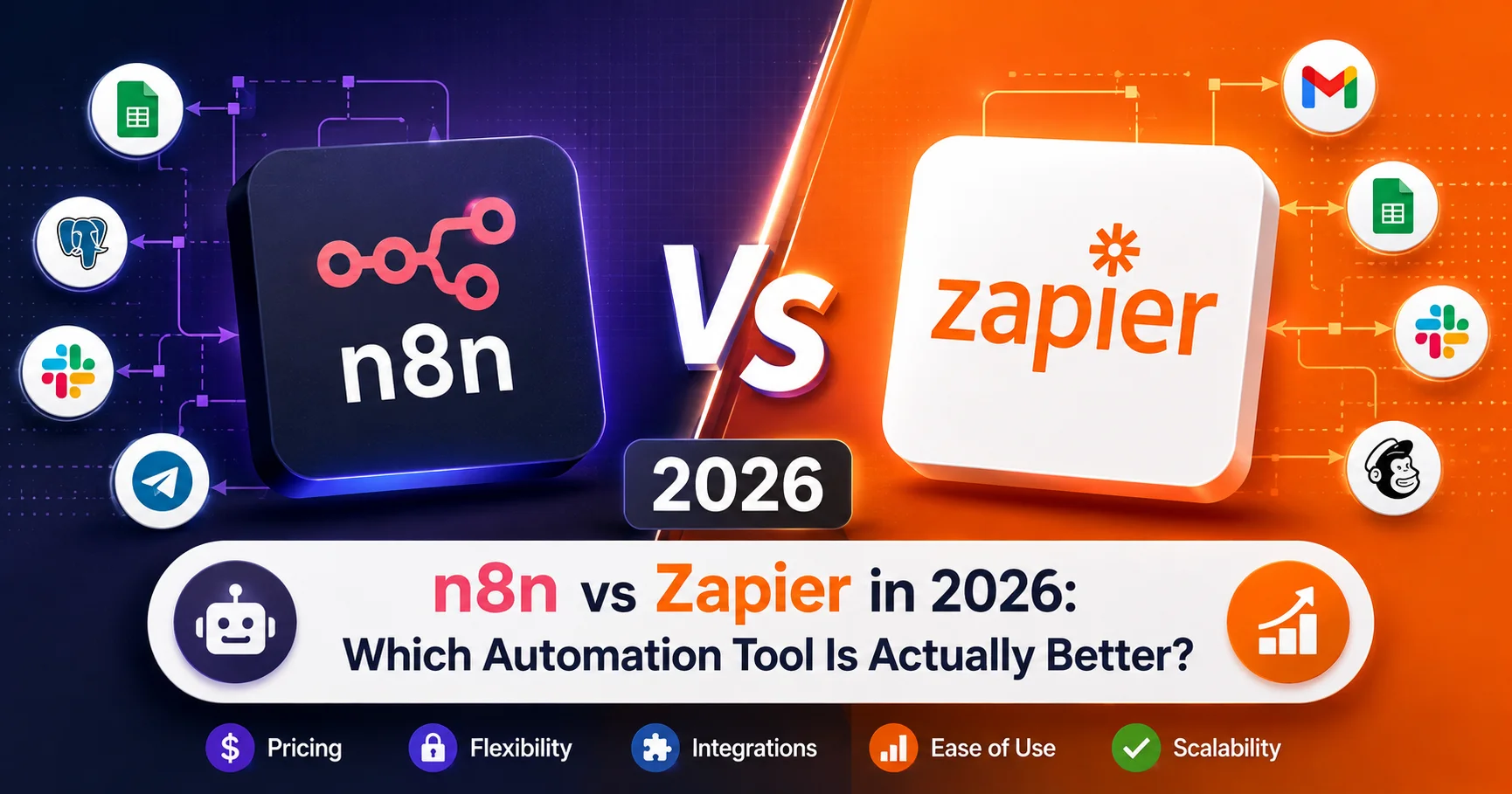
n8n vs Zapier in 2026: Which Automation Tool Is Actually Better?

Introduction to comparaison n8n vs Zapier
You’re standing at a crossroads. Your business needs workflow automation, and you’ve narrowed your choices to two platforms: n8n and Zapier. One is the established giant with 7 million users. The other is the rapidly growing open-source challenger beloved by developers.
The n8n vs Zapier decision isn’t about which tool has more features—both are powerful. It’s about which philosophy matches your organization: simplicity and pre-built convenience (Zapier) versus flexibility and cost control (n8n).
Here’s what this actually means:
- Choose Zapier if: You want the fastest path to automation, don’t have technical resources, and budget isn’t severely constrained
- Choose n8n if: You have technical team members, want long-term cost savings, need advanced customization, or prefer open-source control
I’ve personally implemented both platforms across consulting, SaaS, agency, and enterprise organizations. I’ve built over 100 workflows in each tool, migrated organizations from Zapier to n8n (and occasionally back), and watched teams succeed and struggle with both platforms.
This comprehensive guide provides an honest, detailed comparison of n8n vs Zapier in 2026—covering pricing, features, ease of use, performance, integrations, real-world scenarios, and clear guidance on which tool fits which situation. By the end, you’ll make a confident decision aligned with your specific needs.
Quick Decision Framework: n8n vs Zapier
Before diving into details, here’s the quick decision guide:
Choose Zapier If You:
✓ Want automation running within hours, not days
✓ Have non-technical team members building workflows
✓ Need extensive pre-built app integrations (6,000+)
✓ Value simplicity over customization
✓ Can afford $20-100+/month per user
✓ Want reliable customer support
✓ Prioritize speed over long-term cost optimization
Choose n8n If You:
✓ Have technical team members comfortable with JSON/JavaScript
✓ Want significant cost savings at scale
✓ Need advanced workflow logic and customization
✓ Prefer open-source tools and self-hosting options
✓ Run high-volume workflows (thousands monthly)
✓ Want complete data control and privacy
✓ Can invest time in initial setup for long-term benefits
Comprehensive Feature Comparison: n8n vs Zapier
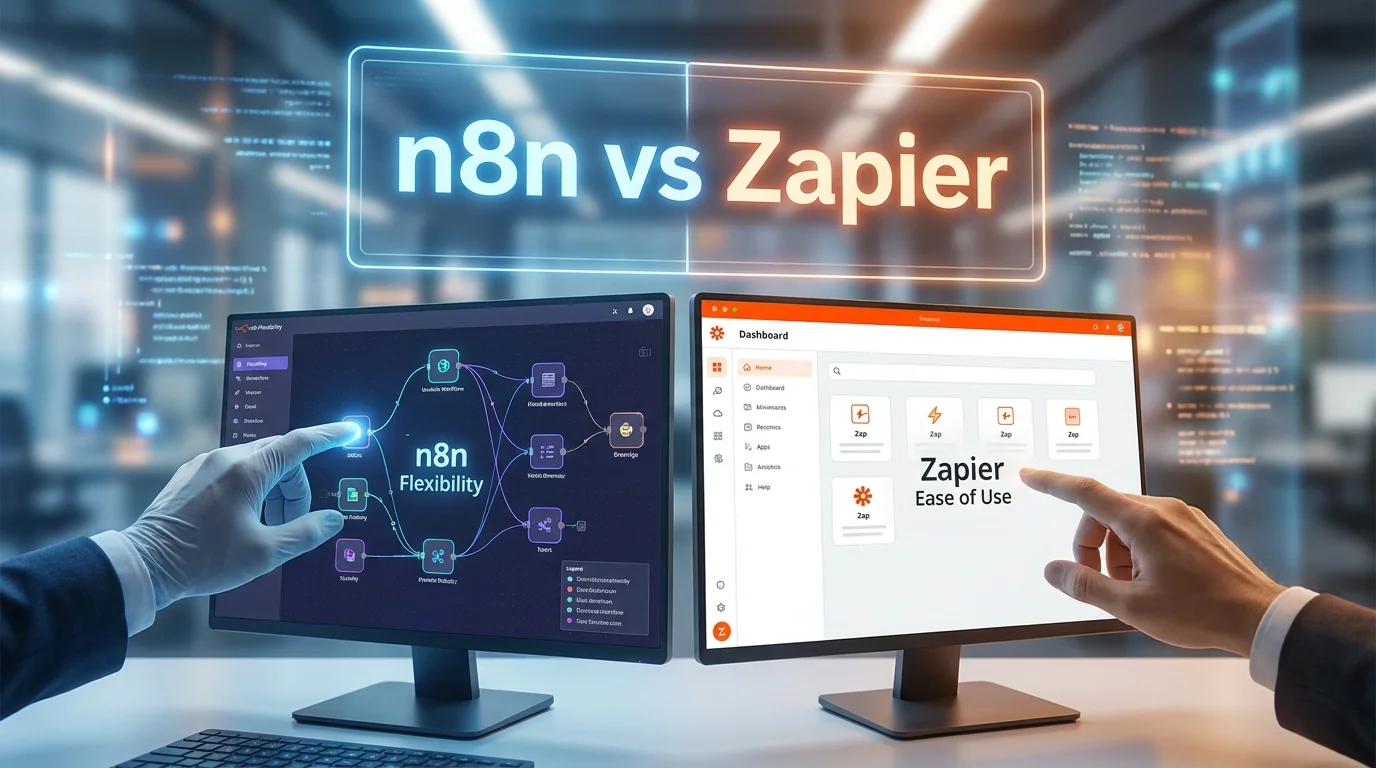
n8n vs Zapier : n8n and Zapier are two popular workflow automation platforms, but they target different types of users and automation needs. Zapier stands out for its simplicity, extensive app integrations, and user-friendly interface, making it ideal for beginners and business teams. n8n, on the other hand, offers greater flexibility, advanced workflow customization, self-hosting options, and more control over data and infrastructure. Choosing between n8n and Zapier ultimately depends on whether you prioritize ease of use and quick setup or flexibility, customization, and control.
Let’s break down how these platforms compare across critical dimensions:
| Feature | n8n | Zapier | Winner |
|---|---|---|---|
| Ease of Use | Moderate (visual but technical) | Very Easy (non-technical friendly) | Zapier |
| Learning Curve | 2-3 days (technical users) | 1-2 hours (anyone) | Zapier |
| Pre-built Integrations | 400+ | 6,000+ | Zapier |
| Custom Integration Capability | Excellent (HTTP, webhooks, code) | Limited (webhooks only) | n8n |
| Workflow Complexity | Unlimited complexity | Moderate complexity | n8n |
| Conditional Logic | Advanced (full programming) | Basic (if/then) | n8n |
| Error Handling | Sophisticated (retry, fallback) | Basic (automatic retry) | n8n |
| Data Transformation | Powerful (JavaScript expressions) | Limited (basic formatting) | n8n |
| Visual Workflow Builder | Excellent (node-based) | Good (step-based) | n8n |
| Execution Speed | Fast | Fast | Tie |
| Reliability | Very Good | Excellent | Zapier |
| Documentation | Good (community-driven) | Excellent (comprehensive) | Zapier |
| Community Support | Very Active | Active | Tie |
| Official Support | Limited (Enterprise only) | Good (all paid tiers) | Zapier |
| Mobile App | No | Yes | Zapier |
| Self-Hosting Option | Yes (free) | No | n8n |
| Data Privacy Control | Complete (self-hosted) | Limited (cloud only) | n8n |
| AI Integration | Good (OpenAI, Claude, custom) | Good (OpenAI, built-in AI) | Tie |
| Overall Rating | ⭐⭐⭐⭐⭐ | ⭐⭐⭐⭐⭐ | Context-dependent |
Pricing Comparison: n8n vs Zapier in 2026
Pricing is often the deciding factor in the n8n vs Zapier debate. Here’s the complete breakdown:
Zapier Pricing Structure
| Tier | Price | Workflows (Zaps) | Tasks/Month | Update Time | Best For |
|---|---|---|---|---|---|
| Free | $0 | 5 | 100 | 15 min | Testing only |
| Starter | $29.99/month | 20 | 750 | 15 min | Small businesses |
| Professional | $73.50/month | Unlimited | 2,000 | 2 min | Growing teams |
| Team | $103.50/month | Unlimited | 2,000 | 2 min | Team collaboration |
| Company | $598.50/month | Unlimited | 50,000 | 1 min | Large organizations |
Key Zapier Pricing Notes:
- Pricing per month when billed annually (20% higher monthly)
- “Tasks” = each action executed (1 trigger + 3 actions = 3 tasks)
- High-volume usage gets expensive quickly
- Additional task packages: $10 per 500 tasks
- Premium apps (Salesforce, HubSpot) require higher tiers
n8n Pricing Structure
| Tier | Price | Workflows | Executions/Month | Best For |
|---|---|---|---|---|
| Self-Hosted | $0 (forever) | Unlimited | Unlimited | Technical teams |
| Cloud Starter | $20/month | Unlimited | 2,500 | Small teams |
| Cloud Pro | $50/month | Unlimited | 10,000 | Growing businesses |
| Cloud Enterprise | Custom | Unlimited | Custom | Large organizations |
Key n8n Pricing Notes:
- Self-hosted version completely free (open-source)
- Cloud pricing is per workspace, not per user
- “Executions” = workflow runs (regardless of complexity)
- No additional charges for premium integrations
- Overage charges: $1 per 1,000 additional executions
Real-World Cost Comparison: n8n vs Zapier
Let’s compare actual costs for different usage scenarios:
Scenario 1: Small Business (10,000 Tasks/Month)
Zapier:
- Professional tier: $73.50/month (2,000 tasks)
- Additional 8,000 tasks: $160/month (16 × $10 packages)
- Total: $233.50/month = $2,802 annually
n8n Cloud:
- Pro tier: $50/month (10,000 executions)
- Total: $50/month = $600 annually
Savings with n8n: $2,202 annually (78% cheaper)
Scenario 2: Growing Company (50,000 Tasks/Month)
Zapier:
- Company tier: $598.50/month (50,000 tasks included)
- Total: $598.50/month = $7,182 annually
n8n Cloud:
- Enterprise tier: ~$200-300/month (estimated)
- Total: ~$250/month = $3,000 annually
Savings with n8n: $4,182 annually (58% cheaper)
Scenario 3: Enterprise (200,000 Tasks/Month)
Zapier:
- Custom pricing, estimated: $2,000-3,000/month
- Total: ~$2,500/month = $30,000 annually
n8n Self-Hosted:
- Infrastructure costs: $100-200/month
- Total: $150/month = $1,800 annually
Savings with n8n: $28,200 annually (94% cheaper)
Cost Analysis Summary Table : n8n vs Zapier
| Monthly Volume | Zapier Cost | n8n Cloud Cost | n8n Self-Hosted | Savings |
|---|---|---|---|---|
| 1,000 tasks | $29.99 | $20 | $0 | 33-100% |
| 5,000 tasks | $73.50 | $20 | $0 | 73-100% |
| 10,000 tasks | $233.50 | $50 | $0 | 78-100% |
| 50,000 tasks | $598.50 | $250 | $150 | 58-75% |
| 200,000 tasks | $2,500 | $500 | $150 | 80-94% |
Important Note: These savings assume your team can manage n8n implementation and maintenance. Factor in technical time required.
Ease of Use: n8n vs Zapier User Experience
Zapier User Experience
Strengths:
- Onboarding takes 10-15 minutes
- Creating first workflow: 5-10 minutes
- No technical knowledge required
- Clear, simple interface
- Extensive templates library (100,000+ pre-built Zaps)
- Helpful tooltips and guidance
- Mobile app for monitoring
Weaknesses:
- Limited customization options
- Complex workflows become unwieldy
- Data transformation requires workarounds
- Error debugging can be frustrating
- No visual representation of complex flows
Learning curve: 1-2 hours for basic proficiency, 1 week for advanced features
n8n User Experience
Strengths:
- Beautiful visual workflow builder (node-based)
- Clear representation of data flow
- Powerful expressions and transformations
- Sophisticated error handling
- Execution history with detailed logs
- Can handle extremely complex workflows elegantly
Weaknesses:
- Steeper learning curve (requires technical thinking)
- More time to build first workflow
- JSON knowledge helpful for advanced features
- Initial setup (especially self-hosted) takes time
- Less hand-holding for beginners
Learning curve: 2-3 days for technical users, 1-2 weeks for non-technical users
Workflow Building Comparison n8n vs Zapier
When it comes to building workflows, n8n and Zapier take different approaches. Zapier focuses on simplicity, offering an intuitive no-code interface that makes it easy to create automated workflows quickly, even for beginners. n8n provides a more flexible visual workflow builder with advanced logic, custom code, branching, loops, and greater control over how each step is executed. For straightforward business automations, Zapier is often easier to use, while n8n is better suited to complex, highly customized workflows that require greater control and flexibility.
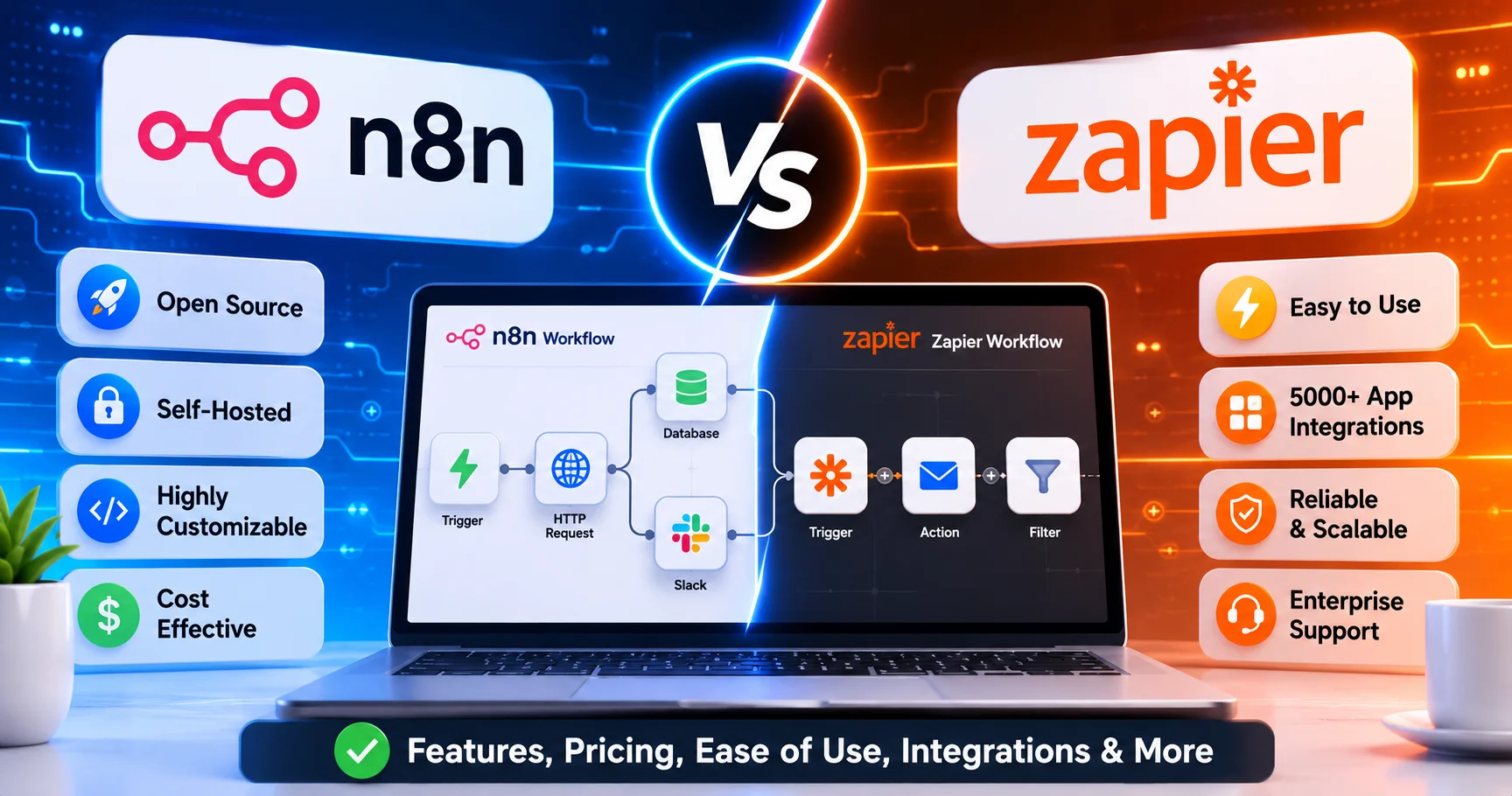
Let’s compare how you’d build the same workflow in both platforms:
Example Workflow: “New Customer Onboarding”
Process:
- Trigger: New customer in Stripe
- Create contact in CRM (Salesforce)
- Send welcome email (SendGrid)
- Add to marketing automation (Mailchimp)
- Create project in project management (Asana)
- Notify team in Slack
Building in Zapier
Time to build: 15-20 minutes
Steps:
- Select Stripe trigger (pre-built)
- Select “New Customer” event
- Add Salesforce action (pre-built)
- Map fields (drag and drop)
- Add SendGrid action
- Select email template
- Add Mailchimp action
- Map customer data
- Add Asana action
- Create project from template
- Add Slack notification
- Test and activate
Pros:
- Fast setup
- Pre-configured integrations
- Field mapping is visual
- Templates available
Cons:
- Limited error handling
- Cannot add complex logic easily
- Data transformation limited
- Hard to see full workflow visually
Building in n8n
Time to build: 25-35 minutes (first time), 15-20 minutes (experienced)
Steps:
- Add Stripe Trigger node
- Configure webhook or polling
- Add Salesforce node
- Map fields using expressions
- Add conditional logic (check if contact exists)
- Add SendGrid node
- Use expressions for personalization
- Add Mailchimp node with error handling
- Add Asana node
- Add Slack notification
- Add error handling for each step
- Test execution and review logs
Pros:
- Visual representation of entire flow
- Sophisticated error handling
- Advanced data transformation
- Can see data at each step
- Conditional logic straightforward
Cons:
- Takes longer initially
- Requires understanding of data structure
- More configuration options (can be overwhelming)
Integration Ecosystem: n8n vs Zapier
Zapier Integrations
Breadth: 6,000+ pre-built app integrations
Categories:
- Popular apps: Excellent coverage (Gmail, Slack, Salesforce, HubSpot, etc.)
- Niche apps: Very strong (industry-specific tools)
- Legacy systems: Good (older enterprise systems)
- Custom apps: Limited (webhooks only, no complex API work)
Quality:
- Pre-built triggers and actions
- Well-documented
- Regularly maintained
- Field mapping usually straightforward
Premium Apps:
Salesforce, Oracle, SAP require higher-tier plans
n8n Integrations
Breadth: 400+ pre-built integrations + unlimited custom
Categories:
- Popular apps: Good coverage (major SaaS tools)
- Niche apps: Growing (community adds new integrations)
- Legacy systems: Excellent (HTTP Request node handles anything with API)
- Custom apps: Unlimited (full API control)
Quality:
- Varying levels of completeness
- Community-maintained (some more polished than others)
- HTTP Request node for any API
- Can build custom integrations easily
Custom Integration Capability:
- HTTP Request node (any REST API)
- Webhook node (receive data from anywhere)
- Function node (JavaScript for complex logic)
- Execute Command node (run system commands)
Integration Comparison Table : n8n vs Zapier
| Integration Type | Zapier | n8n | Winner |
|---|---|---|---|
| Pre-built App Count | 6,000+ | 400+ | Zapier |
| Popular Apps | Excellent | Very Good | Zapier |
| Niche/Industry Apps | Excellent | Good | Zapier |
| Custom API Integration | Limited | Excellent | n8n |
| Complex API Calls | Difficult | Easy | n8n |
| Integration Quality | Consistent | Variable | Zapier |
| API Authentication | Simple | Flexible | Tie |
| Webhook Support | Good | Excellent | n8n |
Advanced Features: n8n vs Zapier
Workflow Complexity
n8n:
- Unlimited workflow complexity
- Multiple branches and merges
- Loop nodes for iteration
- Function nodes for custom JavaScript
- Error workflows (separate flows triggered on errors)
- Sub-workflows (call other workflows)
- Conditional routing with complex logic
Zapier:
- Linear workflows (step-by-step)
- Basic branching (Paths)
- Limited loops (Loop by Zapier integration)
- Cannot call JavaScript directly
- Basic error handling (retry logic)
- Cannot trigger other Zaps from within workflow
Winner: n8n (significantly more powerful for complex scenarios)
Data Transformation
n8n:
- JavaScript expressions throughout
- JSON manipulation
- Array and object processing
- Custom functions
- Regex support
- Data aggregation and splitting
Zapier:
- Formatter tool (basic transformations)
- Limited text manipulation
- Basic date/number formatting
- Cannot handle complex data structures easily
- Limited array processing
Winner: n8n (far superior data handling)
Error Handling and Debugging
n8n:
- Detailed execution logs
- Error workflows
- Retry logic per node
- Continue on error option
- Visual indication of failures
- Can see exact data at failure point
Zapier:
- Automatic retry (3 attempts)
- Email notifications on failure
- Task History shows errors
- Limited debugging info
- Cannot customize error handling much
Winner: n8n (more sophisticated debugging and recovery)
Scheduling and Triggers
n8n:
- Cron expressions (any schedule)
- Webhooks
- Polling triggers
- Manual triggers
- Schedule triggers with timezone support
Zapier:
- Pre-defined intervals (5min, 15min, 1hr)
- Webhooks
- Email triggers
- App-specific triggers
- Schedule limited to tiers (15min minimum on lower tiers)
Winner: n8n (more flexible scheduling)
Performance and Reliability: n8n vs Zapier
Execution Speed
Zapier:
- Cloud execution
- Update times: 1-15 minutes depending on tier
- Generally fast once triggered
- Occasional delays during high platform load
n8n:
- Cloud: Fast execution (seconds)
- Self-hosted: Depends on infrastructure (typically very fast)
- No tier-based delays
- Consistent performance
Winner: n8n (faster, no artificial delays)
Reliability and Uptime
Zapier:
- 99.9% uptime SLA (Company tier+)
- Occasional platform-wide issues
- Generally very reliable
- Automatic retries help
n8n:
- Cloud: ~99.9% uptime
- Self-hosted: Depends on your infrastructure
- Less mature infrastructure than Zapier
- Occasional bugs in community integrations
Winner: Zapier (more mature, proven reliability)
Scalability
Zapier:
- Handles millions of tasks monthly
- Performance consistent at scale
- Pricing becomes prohibitive at high volume
n8n:
- Cloud: Handles high volume well
- Self-hosted: Scales with infrastructure
- Performance excellent at any scale
- Cost-effective at high volume
Winner: n8n (better scalability economics)
Performance Comparison Table : n8n vs Zapier
| Metric | Zapier | n8n Cloud | n8n Self-Hosted |
|---|---|---|---|
| Trigger Delay | 1-15 min (tier-based) | Instant | Instant |
| Execution Speed | Fast | Fast | Very Fast |
| Uptime | 99.9% | 99.5% | Variable |
| Concurrent Executions | High | High | Infrastructure-dependent |
| Data Retention | 7-30 days | 14-90 days | Unlimited |
| Max Workflow Size | Moderate | Large | Unlimited |
Security and Compliance: n8n vs Zapier
Data Privacy
Zapier:
- Cloud-only (your data passes through Zapier servers)
- SOC2 Type II certified
- GDPR compliant
- HIPAA available (Enterprise)
- Data encrypted in transit and at rest
- Data retention: 7-30 days depending on tier
n8n:
- Self-hosted option (complete data control)
- Cloud: Data passes through n8n servers
- SOC2 compliance (Cloud Enterprise)
- GDPR compliant
- Data encryption available
- Self-hosted: You control retention
Winner: n8n (self-hosted option provides ultimate control)
Access Controls
Zapier:
- User roles and permissions
- Team collaboration features
- SSO (Enterprise)
- Activity logs
- Workspace isolation
n8n:
- User management (Cloud Pro+)
- Role-based access control
- SSO (Enterprise)
- Execution logs
- Self-hosted: Full control
Winner: Tie (both provide adequate controls)
Real-World Scenarios: When to Choose n8n vs Zapier
Scenario 1: Small Marketing Agency (5 people)
Needs:
- Connect client tools (various CRMs, email platforms)
- Simple automation (form submissions → CRM → email)
- Non-technical team
- Budget: $50-100/month
Recommendation: Zapier
Why:
- Team can build workflows without technical help
- Wide integration coverage for client tools
- Quick setup, immediate productivity
- Support available when stuck
- Cost manageable at this scale
Scenario 2: SaaS Startup (15 people, technical team)
Needs:
- Complex onboarding workflows
- Integration with custom APIs
- High-volume data processing (20,000+ monthly)
- Data privacy important
- Budget-conscious
Recommendation: n8n (Self-Hosted)
Why:
- Technical team can manage setup
- Cost savings significant ($0 vs. $300+/month)
- Custom API integration straightforward
- Complete data control
- Scales without cost increase
Scenario 3: E-commerce Business (Growing rapidly)
Needs:
- Order processing automation
- Inventory sync across platforms
- Customer service workflows
- Mixed technical abilities
- Budget: $200/month
Recommendation: n8n Cloud
Why:
- Cost-effective at scale
- Powerful enough for complex workflows
- Cloud version easier than self-hosting
- Integrations cover major e-commerce platforms
- Saves vs. Zapier as volume grows
Scenario 4: Enterprise (500+ employees)
Needs:
- Mission-critical automation
- Regulatory compliance
- Enterprise support
- Integration with legacy systems
- Budget: $5,000+/month
Recommendation: Zapier Enterprise or n8n Enterprise
Why Zapier:
- Proven at enterprise scale
- Superior support
- More integrations with enterprise systems
- Less technical overhead
Why n8n:
- Significant cost savings
- Complete data control (self-hosted)
- Custom integrations easier
- Unlimited scaling potential
Decision factor: Technical capability and data sensitivity
Use Case Comparison Table : n8n vs Zapier
| Use Case | Best Choice | Why |
|---|---|---|
| Non-technical team | Zapier | Easier to use, less training needed |
| High-volume workflows | n8n | Cost-effective at scale |
| Custom API integration | n8n | Superior API handling |
| Rapid prototyping | Zapier | Faster initial setup |
| Complex data transformation | n8n | More powerful capabilities |
| Mission-critical workflows | Zapier | More reliable, better support |
| Budget-constrained | n8n | Free self-hosted option |
| Highly regulated industry | n8n (self-hosted) | Complete data control |
| Marketing automation | Zapier | Better marketing tool integrations |
| Developer workflows | n8n | More technical flexibility |
Migration Considerations: Switching Between Platforms
Migrating from Zapier to n8n
Why organizations migrate:
- Cost reduction (primary reason)
- Need for advanced features
- Data privacy requirements
- Custom integration needs
Migration process:
- Audit existing Zaps (what’s actually used?)
- Verify n8n integration availability
- Rebuild workflows in n8n (cannot import directly)
- Test thoroughly in parallel
- Gradually switch over
- Monitor for issues
Timeline: 2-6 weeks depending on workflow count
Challenges:
- No automated migration (rebuild manually)
- Some Zapier integrations might not exist in n8n
- Team retraining required
- Temporary duplication (running both during transition)
Typical results:
- 60-90% cost reduction
- More powerful workflows
- Steeper learning curve initially
- Higher long-term satisfaction
Migrating from n8n to Zapier
Why organizations migrate:
- Team lacks technical skills
- Need better support
- Want simpler maintenance
- Require specific integration only in Zapier
Migration process:
- Audit n8n workflows
- Verify Zapier integration availability
- Simplify complex workflows (Zapier limitations)
- Rebuild in Zapier
- Test and validate
- Switch over
Timeline: 1-4 weeks
Challenges:
- May need to simplify complex workflows
- Cost increases significantly
- Less control over customization
Typical results:
- Easier team management
- Better support experience
- Higher costs
- Some feature trade-offs
Decision Matrix: n8n vs Zapier
Use this framework to make your decision:
Priority: Ease of Use
If your primary priority is ease of use:
- Non-technical team → Zapier
- Technical team → Either works
- Mixed team → Zapier (lower common denominator)
Priority: Cost
If your primary priority is minimizing cost:
- Under 1,000 tasks/month → Zapier (easier)
- 1,000-10,000 tasks/month → n8n Cloud (savings emerge)
- 10,000+ tasks/month → n8n Self-Hosted (massive savings)
Priority: Customization
If your primary priority is customization:
- Basic needs → Zapier (good enough)
- Advanced data transformation → n8n
- Custom API integration → n8n
- Complex conditional logic → n8n
Priority: Reliability
If your primary priority is maximum reliability:
- Mission-critical workflows → Zapier (more proven)
- Important but not critical → Either works
- Internal tools → n8n (acceptable risk)
Priority: Data Privacy
If your primary priority is data control:
- Regulated industry → n8n Self-Hosted
- HIPAA/SOC2 required → Either (with proper tier)
- General privacy concern → n8n Self-Hosted
Pros and Cons Summary : n8n vs Zapier
Zapier: Comprehensive Assessment
Pros:
✓ Extremely easy to use (anyone can build workflows)
✓ 6,000+ pre-built integrations
✓ Fast time to value (hours, not days)
✓ Reliable platform with good uptime
✓ Excellent documentation and support
✓ Large template library
✓ Mobile app for monitoring
✓ Proven at enterprise scale
Cons:
✗ Expensive at scale (costs grow quickly)
✗ Limited customization options
✗ Weak data transformation capabilities
✗ Basic error handling
✗ Artificial trigger delays on lower tiers
✗ Cannot self-host (data passes through Zapier)
✗ Limited workflow complexity
✗ Premium integrations cost extra
n8n: Comprehensive Assessment
Pros:
✓ Free self-hosted option (zero licensing cost)
✓ Significantly cheaper at scale
✓ Powerful workflow capabilities
✓ Advanced data transformation
✓ Sophisticated error handling
✓ Beautiful visual workflow builder
✓ Open-source (community contributions)
✓ Complete data control (self-hosted)
✓ Unlimited custom integrations
✓ No artificial delays
Cons:
✗ Steeper learning curve
✗ Fewer pre-built integrations (400 vs. 6,000)
✗ Self-hosting requires technical expertise
✗ Limited official support (unless Enterprise)
✗ Smaller user base (less community content)
✗ Some integrations less polished
✗ Takes longer to build first workflow
✗ No mobile app
Implementation Checklist : n8n vs Zapier
Getting Started with Zapier
- Sign up for free account
- Explore template library
- Build first simple Zap (e.g., Gmail → Slack)
- Test with real data
- Identify 3-5 workflows to automate
- Build production workflows
- Set up error notifications
- Train team members
- Choose appropriate paid tier
- Monitor task usage
Timeline: 1-2 days to productivity
Getting Started with n8n
- Decide: Cloud vs. Self-Hosted
- If Cloud: Sign up and explore interface
- If Self-Hosted: Set up server infrastructure
- Complete onboarding tutorial
- Build first simple workflow
- Learn expressions and data transformation
- Identify automation opportunities
- Build production workflows with error handling
- Set up monitoring
- Train technical team members
- Document workflows
Timeline: 3-5 days to productivity (Cloud), 1-2 weeks (Self-Hosted)
Frequently Asked Questions: n8n vs Zapier
Q: Is n8n really free?
A: Yes, completely. The self-hosted version is open-source and free forever. You only pay for server infrastructure if you choose to self-host. n8n Cloud has paid tiers but offers generous free trial.
Q: Can n8n do everything Zapier can do?
A: Functionally, yes—and often more. However, Zapier has 6,000+ pre-built integrations vs. n8n’s 400+. If an app isn’t pre-built in n8n, you can connect via API (requires technical knowledge).
Q: Is Zapier worth the extra cost?
A: Depends on your situation. For non-technical teams or low-volume use (under 5,000 tasks/month), Zapier’s ease of use justifies the cost. For high-volume or technical teams, n8n’s savings are substantial.
Q: How hard is it to learn n8n?
A: For technical users: 2-3 days to build basic workflows, 1-2 weeks for advanced features. For non-technical users: 1-2 weeks for basics, potentially challenging for complex scenarios.
Q: How hard is it to learn Zapier?
A: Very easy. Most users build their first Zap within 1-2 hours. Advanced features take 1 week to master.
Q: Can I migrate my Zapier workflows to n8n?
A: Not automatically. You must rebuild workflows manually in n8n. Most workflows can be recreated, often with improvements. Budget 2-6 weeks depending on workflow count.
Q: Which has better customer support?
A: Zapier has better official support (chat, email for all paid tiers). n8n official support is limited to Enterprise, but community forum is very helpful.
Q: Which is more reliable?
A: Zapier is more proven (99.9% uptime SLA). n8n Cloud is quite reliable (~99.5%). Self-hosted n8n reliability depends on your infrastructure.
Q: Can n8n integrate with my custom API?
A: Yes, easily. n8n’s HTTP Request node can connect to any REST API. Zapier can do this too, but n8n makes it much simpler and more powerful.
Q: Should I start with Zapier and switch to n8n later?
A: This works but creates migration work. If you have technical team members and anticipate high volume, start with n8n. If you’re non-technical or want fastest path to automation, start with Zapier.
Q: What’s the biggest mistake people make in the n8n vs Zapier decision?
A: Choosing based on cost alone. Technical capability matters more. Non-technical teams choosing n8n struggle. Technical teams paying for Zapier waste money. Match tool to team capability.
Q: Can I use both platforms?
A: Yes, some organizations use both—Zapier for simple workflows and quick automation, n8n for complex, high-volume processes. This works but adds management overhead.
Final Verdict: n8n vs Zapier in 2026
After extensive comparison, here’s the honest conclusion:
There is no universal winner in n8n vs Zapier. The right choice depends entirely on your organization’s technical capability, budget, and specific requirements.
Choose Zapier If:
✓ Your team is primarily non-technical
✓ You need the fastest path to automation (hours, not days)
✓ Monthly task volume is under 5,000
✓ You value ease of use over customization
✓ Budget allows $50-500/month
✓ You need extensive app integrations without technical work
✓ Reliability and support are critical
Choose n8n If:
✓ You have technical team members (comfortable with JSON/APIs)
✓ Monthly task volume exceeds 10,000
✓ Budget is constrained but you have technical resources
✓ You need advanced workflow logic and data transformation
✓ Data privacy and control are priorities
✓ You want platform flexibility and customization
✓ Long-term cost optimization matters
The Hybrid Approach
Some organizations successfully use both:
- Zapier: Quick, simple workflows for non-technical teams
- n8n: Complex, high-volume workflows for technical teams
This works but adds management complexity. Most organizations are better served choosing one platform.
My Personal Recommendation
For most small businesses (under 10 people): Start with Zapier. The ease of use and quick productivity outweigh cost considerations at small scale.
For growing companies with technical resources: Choose n8n Cloud. The cost savings and advanced capabilities pay off quickly.
For enterprises: Evaluate both thoroughly. Zapier offers better support and reliability. n8n offers better economics and control. Decision depends on priorities.
The Bottom Line
Both platforms are excellent. Zapier is the Mercedes of automation—premium, polished, expensive, proven. n8n is the Tesla—innovative, powerful, cost-effective, requires more understanding.
Choose based on your team’s technical capability and long-term automation strategy, not just current needs or immediate cost.
Additional Resources
Zapier Resources:
n8n Resources:
Comparison Resources: