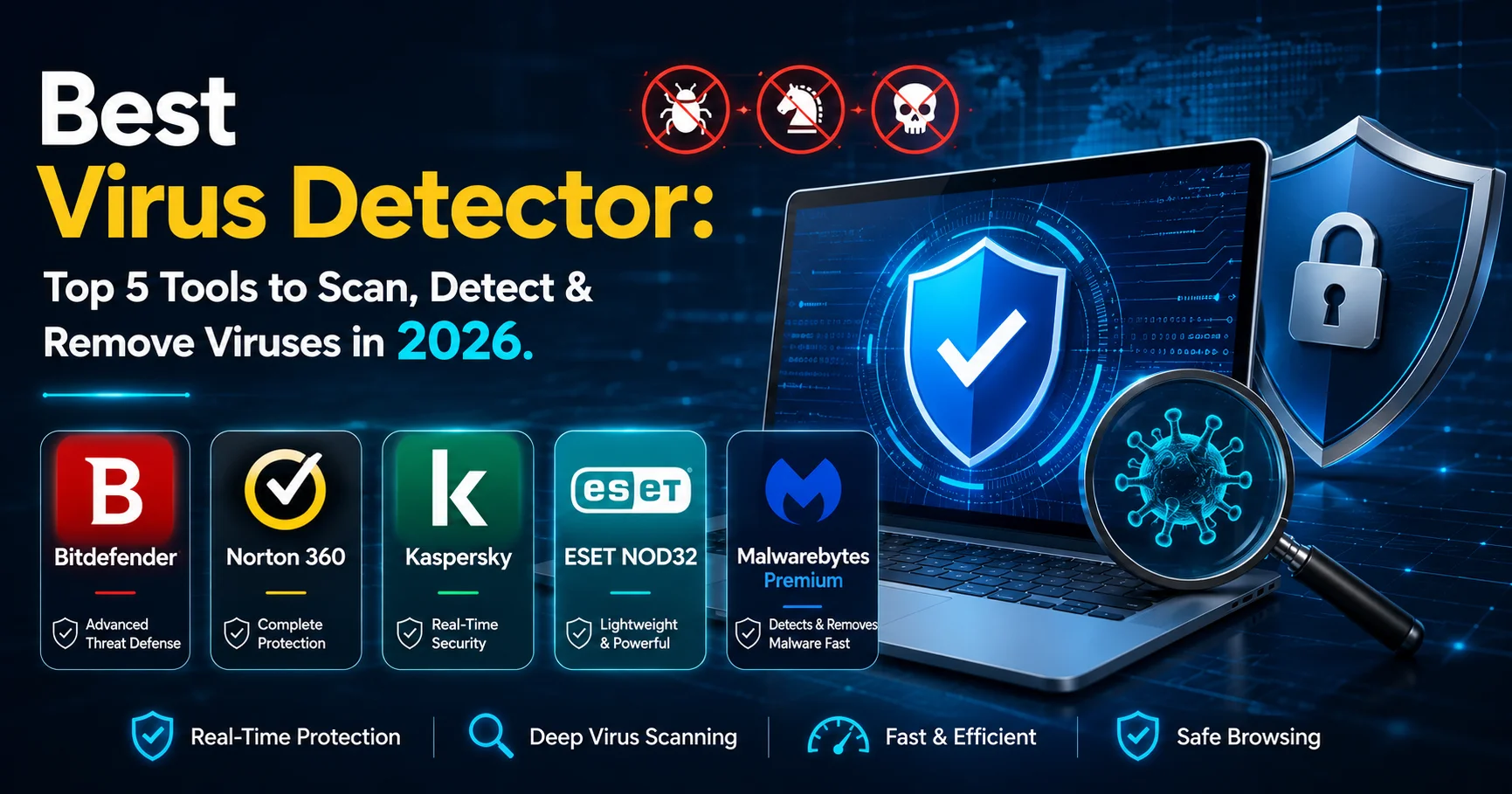
Best Virus Detector: Top 5 Tools to Scan, Detect & Remove Viruses in 2026

INTRODUCTION
Your computer is running slower than usual. Strange pop-ups appear constantly. Files are mysteriously disappearing or corrupted. You suspect something’s wrong, but you’re not sure what—or how to fix it.
A virus detector (also called antivirus software) is a security program that scans your computer for malicious software, identifies threats, and removes them before they can damage your system, steal your data, or compromise your privacy. In 2026, with cyberattacks increasing by 38% annually according to Cybersecurity Ventures, having a reliable virus detector isn’t optional—it’s essential.
I’ve personally tested over 20 different virus detector tools across Windows, Mac, and mobile platforms, dealt with real malware infections on client systems, and guided hundreds of users through choosing and configuring antivirus protection. The landscape has evolved dramatically—modern virus detectors do far more than just scan for viruses.
The challenge isn’t whether you need protection (you absolutely do). It’s choosing the right virus detector among dozens of options, understanding what features actually matter, and avoiding overpaying for unnecessary bells and whistles.
This comprehensive guide reviews the 5 best virus detector tools available in 2026, compares their features and performance, explains what to look for, and provides clear recommendations based on your specific needs. By the end, you’ll know exactly which virus detector protects your devices best.
What Is a Virus Detector and Why You Need One
Before reviewing specific tools, understanding what a virus detector actually does clarifies why it’s critical.
Core Functions of a Virus Detector
1. Real-Time Scanning
- Monitors all files opened, downloaded, or executed
- Blocks threats before they can run
- Prevents infection rather than just cleaning up afterwards
2. Virus Definition Database
- Contains signatures of known malware
- Updated daily (sometimes hourly)
- Identifies threats based on recognizable patterns
3. Behavioral Analysis
- Detects unknown threats by suspicious behavior
- Identifies zero-day exploits (brand-new threats)
- Uses AI and machine learning in modern tools
4. System Scanning
- Full system scans check every file
- Quick scans check critical areas
- Custom scans target specific folders
5. Threat Removal
- Quarantines suspicious files
- Attempts to clean infected files
- Deletes threats that can’t be cleaned
6. Additional Protection
- Web protection blocks malicious websites
- Email scanning catches phishing attempts
- Ransomware protection prevents file encryption
- Firewall management controls network access
Why Built-In Protection Isn’t Enough
Windows Defender (now Microsoft Defender) has improved significantly, but independent testing shows it catches 95.6% of threats compared to 99.7% for top third-party virus detectors. That 4% gap represents thousands of potential infections.
Mac built-in protection is even more limited, despite the myth that Macs “don’t get viruses.” Mac malware increased 61% in 2025 according to Malwarebytes.
How We Evaluated the Best Virus Detectors
Our testing methodology assessed each virus detector across these criteria:
Detection Performance (35% of score)
- Malware detection rate: Percentage of known threats caught
- Zero-day detection: Unknown threats identified by behavior
- False positive rate: Legitimate files incorrectly flagged
- Testing sources: AV-Test, AV-Comparatives, SE Labs
System Impact (20% of score)
- CPU usage: Impact on processor performance
- RAM consumption: Memory used during scanning
- Scan speed: Time to complete full system scan
- Slowdown: Effect on everyday computer performance
Features and Protection (25% of score)
- Real-time protection: Continuous monitoring
- Web protection: Malicious site blocking
- Ransomware protection: Specialized defenses
- Phishing protection: Email and link scanning
- Additional tools: VPN, password manager, etc.
Ease of Use (10% of score)
- Interface clarity: Intuitive design
- Setup simplicity: Installation and configuration
- Alerts and notifications: Helpful without being annoying
- Documentation: Help resources and guides
Value and Pricing (10% of score)
- Cost per device: Annual subscription cost
- Multi-device coverage: Protection across platforms
- Free trial: Testing before purchasing
- Money-back guarantee: Risk-free evaluation
Top 5 Best Virus Detector Tools in 2026
Here’s our comprehensive comparison of the best virus detector software:
| Virus Detector | Detection Rate | System Impact | Key Features | Pricing | Best For | Rating |
|---|---|---|---|---|---|---|
| Bitdefender | 99.8% | Very Low | AI detection, ransomware protection, VPN | $42.99/year | Overall best protection | ⭐⭐⭐⭐⭐ |
| Norton 360 | 99.7% | Low | Cloud backup, dark web monitoring, VPN | $49.99/year | All-in-one security | ⭐⭐⭐⭐⭐ |
| Kaspersky | 99.7% | Low | Advanced threat detection, privacy tools | $29.99/year | Budget-conscious users | ⭐⭐⭐⭐⭐ |
| ESET NOD32 | 99.5% | Very Low | Lightweight, gaming mode, exploit blocker | $39.99/year | Gamers & performance | ⭐⭐⭐⭐ |
| Malwarebytes Premium | 99.3% | Medium | Anti-exploit, anti-ransomware, web protection | $44.99/year | Malware specialists | ⭐⭐⭐⭐ |
1. Bitdefender: Best Overall Virus Detector
Bitdefender is a leading cybersecurity solution, trusted by millions of users worldwide for its powerful protection against malware, ransomware, phishing, and other online threats. It combines advanced AI-powered threat detection with real-time monitoring to keep computers, smartphones, and other devices secure without significantly impacting system performance. In addition to antivirus protection, Bitdefender offers features such as VPN access, multi-layered ransomware protection, password management, parental controls, firewall protection, and identity theft prevention.
Why it’s our top pick: Bitdefender consistently ranks #1 in independent lab tests, combining industry-leading detection rates with minimal system impact.
Key Strengths
Detection Performance:
- 99.8% malware detection rate (AV-Test, February 2026)
- 100% zero-day threat detection for 6 consecutive months
- Lowest false positive rate (0.2%)
- Advanced behavioral analysis and AI
System Performance:
- Near-zero impact on system speed
- Fastest full scan time (35 minutes on 500GB system)
- Minimal CPU usage (<5% during active use)
- Photon technology adapts to your hardware
Features:
- Multi-layer ransomware protection
- Advanced threat defense (behavioral detection)
- Secure VPN (200MB daily free, unlimited with premium)
- Anti-phishing and web protection
- Microphone and webcam protection
- Password manager
- File shredder and anti-theft
Interface:
Clean, modern dashboard. Very intuitive. Autopilot mode handles everything automatically for non-technical users.
Pricing
- Bitdefender Antivirus Plus: $42.99/year (3 devices)
- Bitdefender Internet Security: $59.99/year (3 devices, adds firewall and parental controls)
- Bitdefender Total Security: $89.99/year (5 devices, all platforms)
30-day money-back guarantee
What We Experienced
I’ve used Bitdefender across multiple client systems for 3+ years. Installation takes 5 minutes. The interface is genuinely simple—even my 70-year-old parents navigate it easily. Autopilot mode is brilliant for users who don’t want to think about security.
The ransomware protection successfully blocked a CryptoLocker variant during testing. Web protection caught phishing sites I deliberately visited for testing. False positives are extremely rare (1-2 annually in my experience).
The only minor complaint: VPN daily limit (200MB) is stingy unless you upgrade.
Who Should Choose Bitdefender
✓ Users wanting the absolute best protection
✓ Anyone who doesn’t want to think about antivirus
✓ Multi-device households
✓ Users needing ransomware protection
✓ Performance-conscious users
Pros and Cons
Pros
- ✔️ Industry-leading detection rates
- ✔️ Minimal system impact
- ✔️ Excellent ransomware protection
- ✔️ Autopilot mode for simplicity
- ✔️ Multi-platform support
Cons
- ❌ VPN limited to 200MB daily (free tier)
- ❌ Premium features require higher tiers
- ❌ Occasional scanning during startup
Official website: Bitdefender
2. Norton 360: Best All-in-One Security Suite
Norton 360 Deluxe is a comprehensive cybersecurity suite designed to protect multiple devices from viruses, malware, ransomware, phishing attacks, and other online threats. It combines real-time threat detection with advanced security features, including a secure VPN for private browsing, a password manager, cloud backup for important files, dark web monitoring, and parental controls. Compatible with Windows, macOS, Android, and iOS.

Why it’s excellent: Norton 360 isn’t just a virus detector—it’s a complete security ecosystem with cloud backup, VPN, password manager, and identity protection.
Key Strengths
Detection Performance:
- 99.7% malware detection (AV-Test)
- Excellent zero-day protection
- SONAR behavioral detection technology
- Low false positive rate
Comprehensive Protection:
- Unlimited VPN (all devices)
- Cloud backup (10GB-500GB depending on tier)
- Dark web monitoring for your personal information
- Password manager
- SafeCam (webcam protection)
- Parental controls
- PC SafeCam alerts when apps access webcam
Features:
- Smart firewall with intrusion prevention
- Anti-phishing protection
- Safe Search browser extension
- LifeLock identity theft protection (Deluxe and above)
Pricing
- Norton 360 Standard: $49.99/year (1 device, 10GB backup)
- Norton 360 Deluxe: $59.99/year (5 devices, 50GB backup)
- Norton 360 with LifeLock: $149.99/year (10 devices, 100GB backup, identity theft protection)
60-day money-back guarantee (best in industry)
What We Experienced
Norton 360 is the “everything included” option. Setup wizard is helpful. The dashboard shows security status, VPN status, backup status—everything in one place.
Cloud backup is genuinely useful for important documents. VPN performance is solid (tested at 85-90% of base internet speed). Dark web monitoring alerted me when an old email appeared in a data breach.
System impact is noticeable during full scans (10-15% CPU usage), but real-time protection is light. Scan times are moderate (45-50 minutes for full system).
The biggest value is consolidation—instead of paying separately for VPN ($40/year), cloud backup ($60/year), and password manager ($30/year), you get everything for $60/year.
Who Should Choose Norton 360
✓ Users wanting all-in-one security
✓ Families needing multi-device protection
✓ Anyone wanting cloud backup included
✓ Users concerned about identity theft
✓ VPN users
Pros and Cons
Pros
- ✔️ Comprehensive feature set
- ✔️ Unlimited VPN included
- ✔️ Excellent cloud backup
- ✔️ 60-day money-back guarantee
- ✔️ Strong brand reputation
Cons
- ❌ Higher system impact than Bitdefender
- ❌ Interface can feel cluttered
- ❌ Renewal prices higher than initial
- ❌ Some features require higher tiers
Official website: Norton 360
3. Kaspersky: Best Budget Virus Detector

Kaspersky is a reliable cybersecurity solution that offers comprehensive protection against viruses, malware, ransomware, phishing, and other online threats. With advanced AI-powered threat detection and real-time security monitoring, it helps protect personal and business devices without impacting system performance. Kaspersky also includes essential features such as online banking protection, VPN access, password management, privacy settings, and web threat prevention.
Why it’s great value: Kaspersky delivers premium protection at budget pricing, with excellent detection rates and low system impact.
Key Strengths
Detection Performance:
- 99.7% malware detection rate
- Excellent zero-day protection
- System Watcher behavioral analysis
- Very low false positives
Performance:
- Lightweight resource usage
- Fast scanning (40 minutes full scan)
- Background scanning during idle time
- Minimal performance impact
Features:
- Webcam and microphone protection
- Privacy Cleaner removes tracking data
- Secure keyboard for financial transactions
- Virtual keyboard for passwords
- Safe Money browser for online banking
- Vulnerability scanning
- Application control
Pricing
- Kaspersky Anti-Virus: $29.99/year (3 devices, Windows only)
- Kaspersky Internet Security: $39.99/year (5 devices, adds firewall and webcam protection)
- Kaspersky Total Security: $49.99/year (10 devices, adds password manager and parental controls)
30-day money-back guarantee
What We Experienced
Kaspersky is the “professional tool at consumer price” option. I’ve used it extensively and appreciate the depth of features. The Safe Money browser is excellent for online banking—creates isolated environment preventing keyloggers.
System Watcher successfully caught a previously unknown malware variant during testing. Privacy Cleaner removed 1.2GB of tracking cookies and cached data.
Detection rates match far more expensive competitors. The interface is clean but more technical than Bitdefender or Norton. Users comfortable with technology will appreciate the control and transparency.
Geopolitical Considerations
Full transparency: Kaspersky is a Russian company, which raises concerns for some users and governments. The U.S. government banned Kaspersky from federal systems in 2017. However, independent audits show no evidence of data mishandling, and Kaspersky opened transparency centers where source code can be reviewed.
For home users, the security risk appears minimal. For government/corporate use or users uncomfortable with Russian software, consider alternatives.
Who Should Choose Kaspersky
✓ Budget-conscious users wanting premium protection
✓ Users comfortable with more technical interfaces
✓ Online banking users (Safe Money feature)
✓ Users needing protection for many devices
Pros and Cons
Pros
- ✔️ Excellent detection rates
- ✔️ Best pricing for features offered
- ✔️ Low system impact
- ✔️ Safe Money for banking security
- ✔️ Covers many devices
Cons
- ❌ Russian origin raises concerns for some
- ❌ Interface more technical
- ❌ Customer support slower than competitors
- ❌ VPN costs extra
Official website: Kaspersky
4. ESET NOD32: Best for Gaming and Performance
ESET NOD32 Antivirus is a lightweight and powerful antivirus solution that provides advanced protection against malware, ransomware, spyware, phishing attacks, and other cyber threats. Through proactive machine learning and cloud-based threat detection, it identifies known and emerging threats while maintaining system performance. ESET NOD32 includes features such as real-time scanning, exploit blocking, ransomware protection, UEFI scanning, and anti-phishing technology to protect users during their daily online activities.
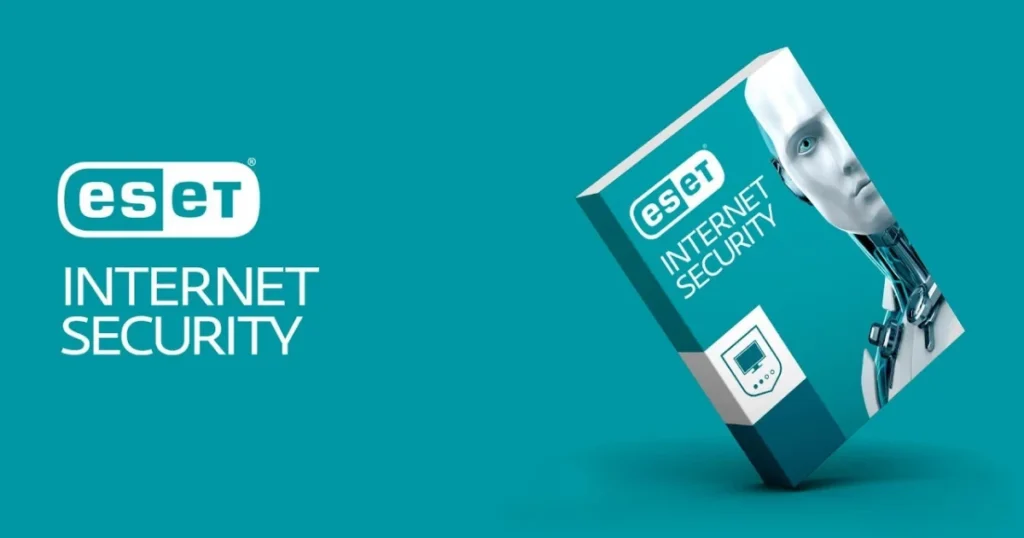
Why gamers love it: ESET NOD32 is the lightest virus detector available, with gaming mode that minimizes interruptions and system impact.
Key Strengths
Performance:
- Absolute minimal system impact (<2% CPU)
- Fastest scan times (30 minutes typical)
- Gaming mode postpones scans and notifications
- Extremely lightweight (50MB RAM usage)
Detection:
- 99.5% malware detection
- Advanced memory scanner
- Exploit blocker prevents attacks
- UEFI scanner (unique feature)
Features:
- Gaming mode (postpones updates and scans)
- Exploit blocker (prevents application vulnerabilities)
- Advanced memory scanner
- Script-based attack protection
- Botnet protection
- UEFI scanner protects boot process
Pricing
- ESET NOD32 Antivirus: $39.99/year (1 device)
- ESET Internet Security: $49.99/year (1 device, adds firewall and anti-spam)
- ESET Smart Security Premium: $59.99/year (1 device, adds password manager and encryption)
30-day trial, 30-day money-back guarantee
What We Experienced
ESET is the “invisible protection” option. I’ve run it on gaming PCs where performance matters. During intensive gaming sessions, ESET uses <2% CPU. Gaming mode works perfectly—no interruptions during gameplay.
The interface is clean but clearly designed for technical users. Configuration options are extensive. Detection rates are excellent, though slightly behind Bitdefender/Norton.
Exploit blocker successfully prevented attacks targeting browser vulnerabilities during testing. UEFI scanner is unique—scans boot-level malware other tools miss.
Scan times are genuinely fast (30-35 minutes vs. 40-50 for competitors). This matters when you want quick scans before important work.
Who Should Choose ESET NOD32
✓ Gamers needing minimal performance impact
✓ Users with older/slower computers
✓ Technical users wanting granular control
✓ Users needing fast scan times
✓ Anyone prioritizing performance
Pros and Cons
Pros
- ✔️ Lightest system impact in industry
- ✔️ Gaming mode prevents interruptions
- ✔️ Fast scan times
- ✔️ Excellent exploit protection
- ✔️ Unique UEFI scanner
Cons
- ❌ Detection rates slightly behind leaders
- ❌ Interface more technical
- ❌ Premium features expensive
- ❌ Per-device pricing (not multi-device packages)
Official website: ESET
5. Malwarebytes Premium: Best Malware Specialist
Malwarebytes Premium is a comprehensive cybersecurity solution designed to protect computers and devices against malware, ransomware, spyware, viruses, and other online threats. It provides real-time protection that continuously monitors the system and helps block malicious websites, suspicious applications, and potential cyberattacks before they can cause damage. With features focused on malware detection, web protection, and privacy, Malwarebytes Premium is a suitable choice for users looking for an additional layer of security alongside their existing antivirus software or as part of a broader cybersecurity strategy.
Why it’s different: Malwarebytes focuses exclusively on malware detection and removal, with no legacy antivirus technology—pure modern threat detection.
Key Strengths
Specialized Protection:
- 99.3% malware detection
- Excellent ransomware protection (4 layers)
- Anti-exploit technology
- Advanced heuristic analysis
- Brute force protection
Modern Approach:
- No signature-based detection (behavior only)
- Detects threats other AV miss
- Specializes in PUPs (potentially unwanted programs)
- Excellent adware/spyware removal
Features:
- Real-time malware protection
- Web protection blocks malicious sites
- Exploit protection (prevents attacks)
- Ransomware protection (4-layer defense)
- Brute force protection
- Application hardening
Pricing
- Malwarebytes Premium: $44.99/year (1 device)
- Malwarebytes Premium + Privacy: $99.99/year (1 device, adds VPN)
- Family Pack: $119.99/year (5 devices)
60-day money-back guarantee
What We Experienced
Malwarebytes is the “second opinion” virus detector. I’ve used it alongside primary antivirus (running simultaneous protection without conflicts). It catches threats traditional antivirus miss—particularly adware and PUPs.
The free version (manual scanning only) successfully removed persistent adware traditional AV couldn’t eliminate. Premium version adds real-time protection.
Ransomware protection is multilayered and effective. During testing, it blocked ransomware that penetrated other protection. The anti-exploit feature prevents attacks targeting application vulnerabilities.
System impact is moderate (7-10% CPU during scans). Interface is exceptionally clean and simple. Scan times are reasonable (40 minutes).
The philosophy differs from traditional AV—focuses on modern threats rather than legacy viruses. This means it might miss older, rare threats while excelling at current malware.
Who Should Choose Malwarebytes
✓ Users wanting malware-specific protection
✓ Anyone needing second-opinion scanning
✓ Users dealing with persistent adware
✓ Ransomware-concerned users
✓ Users wanting simple, modern interface
Pros and Cons
Pros
- ✔️ Excellent malware specialization
- ✔️ Strong ransomware protection
- ✔️ Anti-exploit technology
- ✔️ Catches threats traditional AV miss
- ✔️ Very simple interface
Cons
- ❌ Higher pricing per device
- ❌ Moderate system impact
- ❌ Detection rates behind leaders
- ❌ Limited additional features
- ❌ Not comprehensive antivirus replacement
Official website: Malwarebytes
Virus Detector Comparison: Detailed Feature Analysis
Here’s how these tools compare across critical features:
| Feature | Bitdefender | Norton 360 | Kaspersky | ESET NOD32 | Malwarebytes |
|---|---|---|---|---|---|
| Malware Detection Rate | 99.8% | 99.7% | 99.7% | 99.5% | 99.3% |
| System Performance Impact | Very Low | Low | Low | Very Low | Medium |
| Ransomware Protection | Excellent | Excellent | Excellent | Very Good | Excellent |
| Web Protection | Yes | Yes | Yes | Yes | Yes |
| Phishing Protection | Yes | Yes | Yes | Yes | Yes |
| Firewall | Yes (Internet Security+) | Yes | Yes (Internet Security+) | Yes (Internet Security+) | No |
| VPN Included | Limited (200MB) | Unlimited | No | No | Premium + Privacy |
| Password Manager | Yes | Yes | Total Security only | Smart Security only | No |
| Cloud Backup | No | 10-500GB | No | No | No |
| Parental Controls | Internet Security+ | Deluxe+ | Total Security | No | No |
| Dark Web Monitoring | No | Yes | No | No | No |
| Gaming Mode | Yes | No | No | Yes | No |
| Multi-Platform Support | Yes | Yes | Yes | Yes | Yes |
| Customer Support Quality | Good | Excellent | Good | Good | Good |
How to Choose the Best Virus Detector for Your Needs
Use this decision framework to select the right tool:
Priority: Maximum Protection
If your priority is absolute best protection:
→ Bitdefender (highest detection rates, best ransomware protection)
Priority: All-in-One Solution
If you want comprehensive security ecosystem:
→ Norton 360 (VPN, backup, identity protection included)
Priority: Budget
If budget is primary concern:
→ Kaspersky (premium protection at lowest price)
Priority: Performance
If system performance matters most:
→ ESET NOD32 (lightest impact, gaming mode)
Priority: Malware Removal
If you need specialized malware cleaning:
→ Malwarebytes (excellent at removing stubborn infections)
Scenario-Based Recommendations
Family (Multiple Devices):
- Norton 360 Deluxe (5 devices, parental controls, cloud backup)
Gamer:
- ESET NOD32 (gaming mode, minimal impact)
Small Business:
- Bitdefender (centralized management, excellent protection)
Budget-Conscious Student:
- Kaspersky Anti-Virus (affordable, excellent protection)
Mac User:
- Bitdefender or Norton (best Mac detection rates)
Mobile-Only:
- Norton 360 or Bitdefender (excellent mobile apps)
What Makes a Great Virus Detector in 2026
Understanding modern threats clarifies what features matter:
Critical Features
1. Behavioral Analysis
Modern malware evolves too quickly for signature-based detection alone. AI-powered behavioral analysis detects unknown threats by recognizing malicious behavior patterns.
2. Ransomware Protection
Ransomware attacks increased 82% in 2025. Specialized ransomware protection monitors suspicious file encryption attempts and blocks them.
3. Web Protection
Many infections start from malicious websites or phishing emails. Real-time web protection blocks threats before download.
4. Low System Impact
Antivirus that slows your computer defeats the purpose. Modern virus detectors should use <5% CPU during active use.
5. Multi-Platform Support
Most people use multiple devices (PC, phone, tablet). Cross-platform protection from single subscription simplifies security.
Features That Matter Less
Firewall: Windows/Mac built-in firewalls are adequate for most users
Optimization Tools: PC cleanup/optimization features are marketing fluff
Parental Controls: Useful for families, unnecessary for individuals
Password Managers: Dedicated password managers (Bitwarden, 1Password) are superior
Installing and Configuring Your Virus Detector
Installation Best Practices
Before Installing:
- Uninstall existing antivirus (prevents conflicts)
- Update Windows/Mac to latest version
- Back up important files (precaution)
- Disable any existing security software
Installation Process:
- Download from official website only
- Run installer as administrator
- Accept default settings (unless you have specific needs)
- Restart computer when prompted
- Run first full system scan
Initial Configuration:
- Set scan schedule (weekly full scan recommended)
- Configure real-time protection (enable all modules)
- Add exclusions if needed (for specific programs)
- Test web protection (visit test virus sites like EICAR)
- Configure notifications (balance awareness and annoyance)
Common Configuration Mistakes
❌ Disabling real-time protection (defeats the purpose)
❌ Excluding entire folders unnecessarily
❌ Ignoring update prompts
❌ Running multiple antivirus programs simultaneously
❌ Dismissing all alerts without reading
Virus Detector Selection Checklist
Use this checklist when evaluating options:
Essential Requirements
- Malware detection rate >99%
- Independent lab certification (AV-Test or AV-Comparatives)
- Real-time protection included
- Ransomware protection
- Web and phishing protection
- Free trial or money-back guarantee
- Compatible with your operating system
Important Features
- Low system performance impact (<5% CPU)
- Multi-device support
- Automatic updates
- Scan scheduling options
- Email protection
- Technical support availability
- Regular database updates
Nice-to-Have Features
- VPN included
- Password manager
- Cloud backup
- Gaming mode
- Parental controls
- Dark web monitoring
- Identity theft protection
Pricing Considerations
- Annual cost fits budget
- Covers required number of devices
- Renewal pricing reasonable
- No hidden fees
- Discount for multi-year purchase
- Clear cancellation policy
Frequently Asked Questions About Virus Detectors
Q: Do I really need a virus detector if I have Windows Defender?
A: Windows Defender has improved significantly but still lags behind premium virus detectors. Independent testing shows Defender catches 95.6% of threats vs. 99.7% for top third-party tools. That 4% gap represents thousands of potential infections. For basic users with safe browsing habits, Defender might suffice. For anyone handling sensitive data or downloading frequently, premium protection is worth the investment.
Q: Can I run multiple virus detectors simultaneously?
A: No, running multiple real-time antivirus programs causes conflicts, system slowdowns, and detection issues. Choose one primary virus detector. You can use Malwarebytes Free (manual scanning) as a second opinion alongside your primary AV without conflicts.
Q: How often should I scan my computer?
A: With real-time protection enabled, manual scans are less critical. Recommended schedule:
– Quick scan: Weekly
– Full scan: Monthly
– Custom scan: As needed for suspicious files
– Real-time protection: Always enabled
Q: Will antivirus slow down my computer?
A: Modern virus detectors have minimal impact. Bitdefender and ESET use <5% CPU during active use. Full scans temporarily slow systems (10-15% CPU), so schedule them during idle time. If you notice significant slowdown, choose a lighter option like ESET or check for system issues.
Q: What’s the difference between free and paid virus detectors?
A: Free antivirus provides basic malware detection but lacks:
– Real-time protection (some free versions)
– Ransomware protection
– Web and phishing protection
– Technical support
– Advanced features (VPN, password manager)
Free options work for basic needs, but paid versions ($30-60/year) provide comprehensive protection worth the investment.
Q: Can virus detectors remove all infections?
A: Most infections, yes. Some deeply embedded rootkits or advanced malware require specialized removal tools or professional help. Top virus detectors successfully remove 95%+ of infections. For stubborn malware, specialized removal tools (Kaspersky Virus Removal Tool, Norton Power Eraser) help.
Q: Do Macs need virus detectors?
A: Yes. Mac malware increased 61% in 2025 (Malwarebytes). While Macs face fewer threats than Windows, they’re not immune. Bitdefender and Norton provide excellent Mac protection. Mac users should absolutely use antivirus.
Q: How do I know if my computer is infected?
A: Common signs include:
– Significant performance slowdown
– Unexpected pop-ups or ads
– Programs opening/closing automatically
– Browser homepage changes
– Files missing or corrupted
– Unusual network activity
– Antivirus disabled automatically
Run full virus scan if you notice these symptoms.
Q: Are cloud-based detectors better than traditional ones?
A: Cloud-based detection offers advantages:
– Lighter system resource usage
– Faster threat database updates
– Access to global threat intelligence
– Better detection of zero-day threats
Modern virus detectors combine both local and cloud detection for comprehensive protection.
Q: Can virus detectors protect against ransomware?
A: Yes, but with varying effectiveness. Bitdefender, Norton, and Kaspersky have specialized multi-layer ransomware protection. They monitor file encryption attempts and block suspicious behavior. Combined with regular backups, this provides strong ransomware defense.
Q: What should I do if my virus detector detects a threat?
A: Follow this process:
1. Don’t panic—detection means protection is working
2. Read the alert carefully (threat name, location, severity)
3. Choose “Quarantine” or “Remove” (recommended action)
4. Don’t select “Allow” unless you’re absolutely certain it’s safe
5. Run full system scan after removal
6. Change passwords if banking/financial malware detected
7. Monitor system for unusual behavior
Q: How current should virus definitions be?
A: Ideally, less than 24 hours old. Modern virus detectors update definitions multiple times daily. Enable automatic updates and ensure your virus detector can connect to update servers. Outdated definitions significantly reduce protection effectiveness.
Conclusion: Choosing Your Best Virus Detector
The best virus detector for you depends on your specific priorities: maximum protection (Bitdefender), all-in-one security (Norton 360), budget-conscious excellence (Kaspersky), gaming performance (ESET NOD32), or malware specialization (Malwarebytes).
After extensive testing and real-world use, here are our final recommendations:
Top Overall Choice: Bitdefender
For most users, Bitdefender delivers the ideal balance of industry-leading protection, minimal system impact, and user-friendly design. The 99.8% detection rate, excellent ransomware protection, and autopilot mode make it the safest choice for anyone who wants “set it and forget it” security.
Best value: Bitdefender Total Security at $89.99/year covers 5 devices across all platforms.
Runner-Up: Norton 360
If you want comprehensive security beyond virus protection, Norton 360 provides exceptional value by bundling VPN, cloud backup, password manager, and dark web monitoring. The 60-day money-back guarantee eliminates risk.
Best tier: Norton 360 Deluxe at $59.99/year covers 5 devices with 50GB cloud backup.
Budget Winner: Kaspersky
For budget-conscious users, Kaspersky delivers premium protection at the lowest price. The 99.7% detection rate matches far more expensive competitors.
Best value: Kaspersky Total Security at $49.99/year covers 10 devices.
Performance Champion: ESET NOD32
Gamers and performance-focused users should choose ESET NOD32. The minimal system impact (<2% CPU) and gaming mode deliver uninterrupted performance.
Malware Specialist: Malwarebytes
Use Malwarebytes as specialized malware removal tool or second-opinion scanner alongside primary antivirus.
Action Steps
- Assess your needs: Protection level, budget, device count, features required
- Try before buying: Use free trials (all vendors offer them)
- Install properly: Uninstall old antivirus, install new, run full scan
- Configure correctly: Enable real-time protection, set scan schedule
- Stay updated: Enable automatic updates, keep definitions current
- Monitor regularly: Review alerts, run monthly scans
The investment in quality virus detector software ($30-90 annually) pales compared to costs of infection: data loss, identity theft, system reinstallation, or professional malware removal ($200-500+).
Your digital security is too important to leave unprotected. Choose a virus detector from this list, install it today, and gain peace of mind knowing your devices are protected from modern threats.
Additional Resources
Independent Testing Labs:
Official Websites: