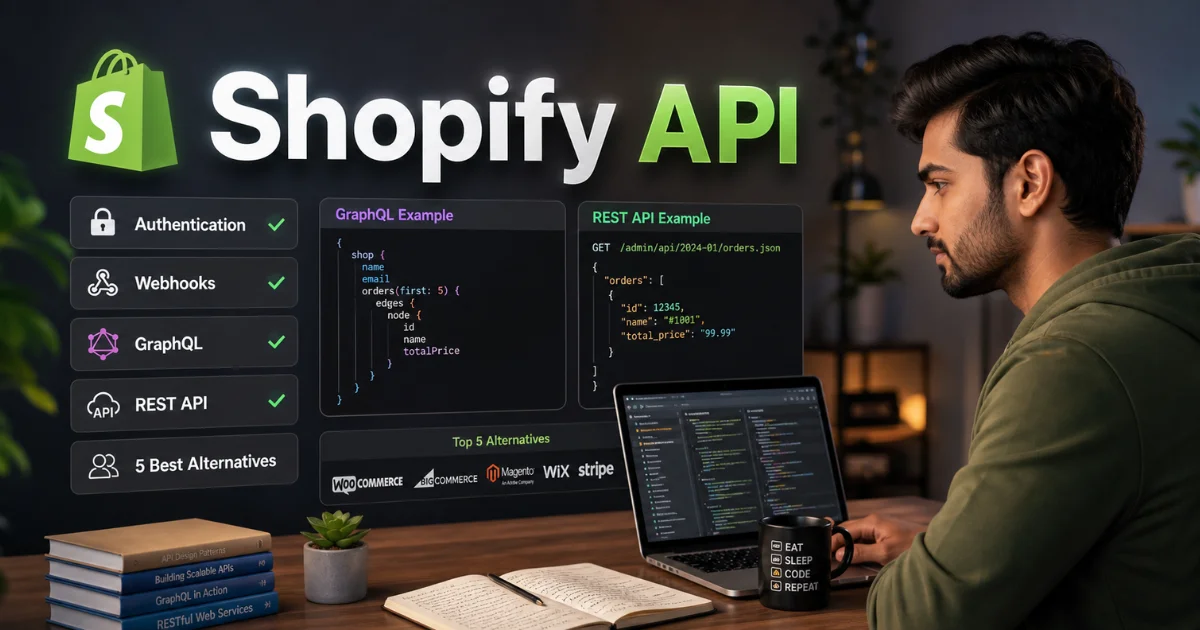
Shopify API: The Definitive Guide to Authentication, Webhooks, GraphQL, REST & Top 5 Alternatives

Introduction
If you run an e-commerce store on Shopify and you’ve ever wanted to sync inventory with your warehouse, push orders to a fulfillment center, or build a custom storefront — the Shopify API is the bridge that makes it all possible. Yet for many merchants and developers, the Shopify API ecosystem feels overwhelming: OAuth flows, webhook subscriptions, REST versus GraphQL, rate limits, and a constantly evolving versioning system.
Here’s the short version: The Shopify API is a set of programmatic interfaces that lets external applications read, create, update, and delete data within a Shopify store. It supports both REST and GraphQL protocols, uses OAuth 2.0 for authentication, and provides real-time event notifications through webhooks.
In this comprehensive guide, you’ll find everything you need to go from zero to production-ready:
- A clear breakdown of what the Shopify API can and cannot do
- Step-by-step Shopify API authentication for both custom and public apps
- Detailed explanations of REST and GraphQL endpoints with real code examples
- A complete guide to Shopify API webhooks and how to handle them reliably
- Rate limits, versioning, and best practices I’ve learned from building production integrations
- An honest comparison of the top 5 Shopify API alternatives
- FAQs that answer the questions developers and merchants actually search for
Let’s get started.
What Is the Shopify API? A Practical Overview
The Shopify API is the programmatic backbone of the Shopify platform. It allows developers to interact with virtually every piece of data in a Shopify store — products, orders, customers, inventory, collections, discounts, shipping, and more — without touching the Shopify admin interface.
As of 2026, Shopify reports that over 2 million merchants actively use its platform, and a significant portion of those rely on Shopify API integrations to connect their stores with ERPs, CRMs, 3PLs, accounting software, and custom frontends. The Shopify API ecosystem powers more than 10,000 public apps in the Shopify App Store.
There are two main categories of Shopify API access:
- Admin API: The most commonly used interface. It gives you full read/write access to store data — orders, products, customers, inventory, and store settings. Available in both REST and GraphQL flavors.
- Storefront API: A GraphQL-only API designed for building custom buying experiences — headless storefronts, mobile apps, and checkout extensions. It exposes product data, cart management, and checkout functionality to public-facing clients.
From my experience: Most merchants start with the Admin API because they need to automate backend operations. The Storefront API becomes relevant when you’re building a headless commerce setup or a custom mobile shopping experience. Don’t confuse the two — they serve fundamentally different purposes and have different authentication models.
Shopify API Authentication: Everything You Need to Know
Authentication is the first — and often most frustrating — hurdle when working with the Shopify API. Get this wrong, and nothing else works. Here’s a clear breakdown.
Custom Apps vs. Public Apps
Before touching any code, you need to decide which type of app you’re building:
- Custom Apps: Built for a single Shopify store (usually your own). Authentication is simpler — you generate an access token directly from the Shopify admin under Settings > Apps and sales channels > Develop apps. No OAuth flow required.
- Public Apps: Built for distribution to multiple merchants through the Shopify App Store. These require a full OAuth 2.0 handshake because each merchant must explicitly grant your app permission to access their store data.
Custom App Authentication (The Easy Path)
For a custom app, the Shopify API authentication process takes about five minutes:
- Go to your Shopify admin → Settings → Apps and sales channels
- Click Develop apps → Create an app
- Name your app and configure the Admin API integration scopes (e.g.,
read_products,write_orders) - Click Install app and copy the Admin API access token
Your access token is then included in every Shopify API request as an HTTP header:
X-Shopify-Access-Token: shpat_xxxxxxxxxxxxxxxxxxxxxxxxxxxxxx⚠️ Security Warning: Never hardcode your Shopify API access token in client-side code or commit it to a public GitHub repository. Use environment variables or a secrets manager. A leaked token gives anyone full access to your store data.
Public App Authentication (OAuth 2.0)
For public apps, the Shopify API uses a standard OAuth 2.0 flow:
- Redirect the merchant to Shopify’s authorization URL with your app’s API key, requested scopes, and a redirect URI
- The merchant approves the permissions on Shopify’s consent screen
- Shopify redirects back to your server with an authorization code
- Your server exchanges the authorization code for a permanent access token via a POST request to
https://{shop}.myshopify.com/admin/oauth/access_token - Store the access token securely — you’ll use it for all subsequent Shopify API calls
Here’s what the token exchange looks like in Node.js:
const response = await fetch(`https://${shop}/admin/oauth/access_token`, {
  method: 'POST',
  headers: { 'Content-Type': 'application/json' },
  body: JSON.stringify({
    client_id: process.env.SHOPIFY_API_KEY,
    client_secret: process.env.SHOPIFY_API_SECRET,
    code: authorizationCode
  })
});

const { access_token } = await response.json();
Practical tip: The most common mistake I see developers make with Shopify API OAuth is failing to validate the HMAC signature on the redirect request. Always verify the HMAC parameter against your app’s secret to prevent OAuth spoofing attacks. Shopify’s official documentation provides the exact validation algorithm — use it.
Shopify API: REST vs. GraphQL — Which Should You Use?
The Shopify API offers both REST and GraphQL interfaces for the Admin API, and choosing between them is one of the first architectural decisions you’ll make.
REST API
The REST version of the Shopify API follows traditional resource-based patterns. Each entity (products, orders, customers) has its own endpoint:
GET https://{shop}.myshopify.com/admin/api/2026-04/products.json
GET https://{shop}.myshopify.com/admin/api/2026-04/orders/123456789.json
POST https://{shop}.myshopify.com/admin/api/2026-04/customers.json
When REST makes sense:
- You’re building simple CRUD integrations (sync products, update inventory)
- Your team is more comfortable with traditional API patterns
- You need straightforward pagination with
Linkheaders
REST example — Fetching products:
const response = await fetch(
  `https://${shop}/admin/api/2026-04/products.json?limit=10`,
  {
    headers: {
      'X-Shopify-Access-Token': accessToken,
      'Content-Type': 'application/json'
    }
  }
);
const data = await response.json();
console.log(data.products);
GraphQL API
The Shopify API GraphQL endpoint is a single URL that accepts query strings:
POST https://{shop}.myshopify.com/admin/api/2026-04/graphql.jsonWhen GraphQL makes sense:
- You need to fetch deeply nested data in a single request (e.g., orders with line items, customer details, and fulfillment status)
- You want to minimize payload size by requesting only specific fields
- You’re building complex dashboards or data aggregation tools
GraphQL example — Fetching orders with line items:
query {
  orders(first: 5, query: "fulfillment_status:unfulfilled") {
    edges {
      node {
        id
        name
        totalPriceSet {
          shopMoney {
            amount
            currencyCode
          }
        }
        lineItems(first: 10) {
          edges {
            node {
              title
              quantity
              variant {
                sku
              }
            }
          }
        }
      }
    }
  }
}
💡 My Recommendation: For new projects in 2026, default to the Shopify API GraphQL interface. Shopify is actively investing more in GraphQL — many newer features (like bulk operations and the Storefront API) are GraphQL-only. REST is still fully supported, but GraphQL gives you more flexibility and better performance for complex queries.
Shopify API Webhooks: Real-Time Event Notifications
Webhooks are one of the most powerful features of the Shopify API. Instead of polling the API every few minutes to check for new orders or updated products, webhooks let Shopify push data to your server the moment an event occurs.
How Shopify API Webhooks Work
- You register a webhook subscription for a specific topic (e.g.,
orders/create,products/update,customers/delete) - When that event occurs in the store, Shopify sends an HTTP POST request to your specified URL
- Your server receives the payload, processes it, and returns a
200 OKresponse within 5 seconds
Common Shopify API Webhook Topics
orders/create— New order placedorders/fulfilled— Order fulfillment completedproducts/create/products/update— Product changesinventory_levels/update— Stock level changescustomers/create— New customer registrationapp/uninstalled— Your app was removed from a store (critical for cleanup)
Registering a Webhook via the Shopify API
const response = await fetch(
  `https://${shop}/admin/api/2026-04/webhooks.json`,
  {
    method: 'POST',
    headers: {
      'X-Shopify-Access-Token': accessToken,
      'Content-Type': 'application/json'
    },
    body: JSON.stringify({
      webhook: {
        topic: 'orders/create',
        address: 'https://your-server.com/webhooks/orders',
        format: 'json'
      }
    })
  }
);
Handling Webhooks Reliably
From production experience, here’s what I’ve learned about Shopify API webhooks:
- Always verify the HMAC signature on incoming webhook payloads using your app’s shared secret. Shopify includes an
X-Shopify-Hmac-SHA256header — validate it before processing any data. - Respond with 200 OK within 5 seconds. If your processing takes longer (and it often does), acknowledge the webhook immediately and process the payload asynchronously using a job queue like Bull, Sidekiq, or AWS SQS.
- Implement idempotency. Shopify may retry failed webhook deliveries. Use the webhook ID to ensure you don’t process the same event twice.
- Monitor for missed webhooks. Even with retries, webhooks can be lost. Run a periodic reconciliation job that polls the Shopify API to catch any orders or updates your webhook handler missed.
Shopify API Rate Limits and Versioning
Rate Limits
The Shopify API enforces rate limits to protect platform stability:
- REST API: 2 requests per second per store (bucket of 40, refill rate of 2/sec)
- GraphQL API: Calculated by query cost. Each store gets 1,000 cost points per second, with a bucket of 1,000 points. Complex queries cost more points.
When you hit the limit, the Shopify API returns a 429 Too Many Requests response. Your code should read the Retry-After header and implement exponential backoff.
API Versioning
The Shopify API uses date-based versioning (e.g., 2026-04, 2026-01). Shopify releases a new stable version every three months and supports each version for approximately 12 months. When a version is deprecated, your API calls are automatically redirected to the oldest supported version — which can introduce breaking changes if you’re not paying attention.
🚨 Critical: Always pin your Shopify API calls to a specific version in the URL path. Never rely on the unversioned endpoint — it defaults to the oldest supported version and can break your integration without warning during Shopify’s quarterly deprecation cycle.
Shopify API Best Practices Checklist
Use this checklist before deploying any Shopify API integration to production:
✅ Pin all API calls to a specific version (e.g., 2026-04)
✅ Use GraphQL for complex data fetching; REST for simple CRUD operations
✅ Implement OAuth HMAC validation for public apps
✅ Store access tokens encrypted — never in plain text or client-side code
✅ Register webhooks for all critical events and verify HMAC signatures
✅ Respond to webhooks within 5 seconds; process asynchronously
✅ Implement exponential backoff for 429 rate limit responses
✅ Use bulk operations (GraphQL bulkOperationRunQuery) for large dataset exports
✅ Set up monitoring and alerting for API errors and webhook failures
✅ Run periodic reconciliation jobs to catch missed webhook events
✅ Subscribe to the Shopify API changelog to stay ahead of deprecations
✅ Test your integration in a Shopify development store before going live
Top 5 Shopify API Alternatives: Honest Comparison
The Shopify API is purpose-built for Shopify stores. But if you’re evaluating e-commerce platforms or considering a multi-platform strategy, here are the five most relevant alternatives.
1. WooCommerce REST API

WooCommerce REST API is an interface that allows developers to connect external applications and services to WooCommerce stores programmatically. It enables users to manage products, orders, customers, coupons, and other store data through HTTP requests, making it easier to automate e-commerce operations and integrate third-party tools. Developers can use the API to build custom dashboards, synchronize inventory, connect payment or shipping systems, and create mobile applications linked to an online store. With support for standard REST operations and JSON responses, WooCommerce REST API provides a flexible solution for extending store functionality and managing e-commerce workflows efficiently.
The open-source WordPress plugin offers a comprehensive REST API for products, orders, customers, and coupons. It’s free, self-hosted, and highly customizable — but you’re responsible for server maintenance, security, and scaling. Best for developers who want full control and don’t mind managing infrastructure.
2. BigCommerce API
BigCommerce API is a set of interfaces that allows developers to connect applications, automate store operations, and customize e-commerce experiences on the BigCommerce platform. It provides access to essential store data, including products, orders, customers, inventory, and payments, depending on the API and permissions used. Developers can use the REST and GraphQL APIs to build custom storefronts, synchronize inventory across sales channels, integrate third-party services, and streamline order management. BigCommerce API is particularly useful for online retailers and businesses that need flexible integrations, headless commerce solutions, and scalable workflows to support their e-commerce operations.

BigCommerce provides both REST and GraphQL APIs with generous rate limits (up to 20,000 requests per hour on enterprise plans). Its catalog API is particularly strong for stores with large product inventories. Best for mid-market to enterprise merchants who need high API throughput.
3. Magento (Adobe Commerce) API

Magento (Adobe Commerce) API provides developers with programmatic access to e-commerce store data and functionality, enabling them to integrate external applications and customize online shopping experiences. It supports REST and GraphQL APIs for managing products, categories, customers, orders, inventory, and other store resources. Developers can use these APIs to connect payment gateways, synchronize data with ERP or CRM systems, build headless storefronts, and automate business workflows. Magento API is particularly useful for businesses that require flexible integrations, advanced customization, and scalable e-commerce solutions tailored to their operational needs.
Magento’s REST and SOAP APIs offer deep customization capabilities for complex B2B and enterprise e-commerce operations. The learning curve is steep, and the platform requires significant development resources. Best for large enterprises with dedicated engineering teams.
4. Medusa.js API
Medusa.js API is an API-driven commerce solution that helps developers build and customize flexible e-commerce applications. It provides endpoints for managing products, carts, customers, orders, payments, inventory, and other essential commerce operations. Built around a modular architecture, Medusa allows developers to integrate third-party services and customize backend functionality without being tied to a traditional monolithic e-commerce platform. Its APIs are particularly useful for headless commerce projects, custom storefronts, and businesses that need greater control over their online shopping experience. Medusa.js is a practical option for developers seeking an extensible, developer-friendly foundation for modern e-commerce applications.

An open-source headless commerce engine built with Node.js. Medusa provides a REST API and is rapidly adding GraphQL support. It’s developer-first, highly modular, and free to self-host. Best for startups and dev teams building custom commerce experiences from scratch.
5. Saleor GraphQL API

Saleor GraphQL API is a modern, API-first e-commerce solution that enables developers to build flexible, high-performance online stores using GraphQL. It provides access to essential commerce features, including product catalogs, collections, customers, checkout, orders, and inventory management. By allowing clients to request only the data they need, GraphQL can help streamline communication between storefronts and the backend. Saleor supports headless commerce architectures, making it suitable for custom websites, mobile applications, and omnichannel shopping experiences. Its modular design and developer-focused tools make it a strong option for businesses seeking scalable, customizable e-commerce solutions.
A headless, GraphQL-first e-commerce platform built with Python and Django. Saleor’s API is modern, well-documented, and designed for complex multi-channel commerce. Best for teams that want a GraphQL-native alternative to the Shopify API with full open-source flexibility.
Comparison Table
| Feature | Shopify API | WooCommerce API | BigCommerce API | Magento API | Medusa.js API | Saleor API |
|---|---|---|---|---|---|---|
| Protocol | REST + GraphQL | REST | REST + GraphQL | REST + SOAP | REST | GraphQL |
| Rate Limits | ⭐⭐⭐ | ⭐⭐⭐⭐⭐ | ⭐⭐⭐⭐ | ⭐⭐⭐ | ⭐⭐⭐⭐⭐ | ⭐⭐⭐⭐ |
| Documentation | ⭐⭐⭐⭐⭐ | ⭐⭐⭐ | ⭐⭐⭐⭐ | ⭐⭐⭐ | ⭐⭐⭐⭐ | ⭐⭐⭐⭐ |
| Webhook Support | ⭐⭐⭐⭐⭐ | ⭐⭐⭐⭐ | ⭐⭐⭐⭐ | ⭐⭐⭐ | ⭐⭐⭐ | ⭐⭐⭐⭐ |
| Ease of Use | ⭐⭐⭐⭐ | ⭐⭐⭐ | ⭐⭐⭐⭐ | ⭐⭐ | ⭐⭐⭐⭐ | ⭐⭐⭐ |
| Ecosystem | ⭐⭐⭐⭐⭐ | ⭐⭐⭐⭐ | ⭐⭐⭐ | ⭐⭐⭐⭐ | ⭐⭐⭐ | ⭐⭐⭐ |
| Cost | ⭐⭐⭐ | ⭐⭐⭐⭐⭐ | ⭐⭐⭐ | ⭐⭐ | ⭐⭐⭐⭐⭐ | ⭐⭐⭐⭐⭐ |
| User Rating | ⭐⭐⭐⭐⭐ (4.6/5) | ⭐⭐⭐⭐ (4.0/5) | ⭐⭐⭐⭐ (4.2/5) | ⭐⭐⭐ (3.5/5) | ⭐⭐⭐⭐ (4.1/5) | ⭐⭐⭐⭐ (4.0/5) |
My honest take: No alternative matches the Shopify API’s combination of documentation quality, ecosystem maturity, and reliability at scale. If you’re already on Shopify, the Shopify API is the clear choice. The alternatives above are relevant only if you’re evaluating platforms or building a multi-store architecture across different providers.
Frequently Asked Questions About the Shopify API
Is the Shopify API free to use?
Yes. The Shopify API itself has no additional cost beyond your Shopify subscription plan. You can make API calls to your own store at no extra charge. However, if you’re building a public app for the Shopify App Store, Shopify takes a revenue share on app subscriptions.
What programming languages can I use with the Shopify API?
Any language that can make HTTP requests. Shopify provides official SDKs for Node.js, Ruby, Python, PHP, Java, and Go. Community libraries exist for Rust, C#, and Elixir. The Shopify API is language-agnostic at the protocol level.
How do I handle Shopify API pagination?
For REST, use cursor-based pagination with the Link header returned in API responses. For GraphQL, use the pageInfo object with hasNextPage and endCursor fields. Shopify deprecated offset-based pagination in 2020 — if you’re still using page= parameters, update your code immediately.
Can I use the Shopify API to build a headless storefront?
Yes. The Shopify API Storefront API (GraphQL) is specifically designed for headless commerce. You can build custom frontends with Next.js, Nuxt, Remix, or any framework and connect them to Shopify’s product, cart, and checkout data via the Storefront API.
What are Shopify API bulk operations?
Bulk operations are a GraphQL-only feature that lets you process large datasets asynchronously. Instead of paginating through thousands of products, you submit a bulkOperationRunQuery mutation, and Shopify processes the query in the background. You then download the results as a JSONL file. This is essential for inventory syncs and data migrations.
How often does Shopify update its API?
Shopify releases a new stable Shopify API version every three months (January, April, July, October). Each version is supported for approximately 12 months. Preview versions are available for early testing of upcoming features.
Can the Shopify API handle high-traffic stores?
Yes. The Shopify API infrastructure handles billions of requests daily across Shopify’s merchant base, including stores processing millions of dollars during Black Friday and Cyber Monday. Rate limits are per-store, so high-volume stores should implement smart caching, bulk operations, and webhook-driven architectures to stay within limits.
Conclusion: Mastering the Shopify API in 2026
After years of building and maintaining Shopify API integrations — from simple inventory syncs for small merchants to complex multi-warehouse fulfillment systems for enterprise brands — I can confidently say that the Shopify API is one of the most well-designed, well-documented, and reliable e-commerce APIs available today.
The combination of REST and GraphQL interfaces gives you flexibility for any use case. The webhook system provides real-time event-driven architecture without polling overhead. The OAuth authentication model is secure and industry-standard. And Shopify’s commitment to quarterly versioning with clear deprecation timelines means you can plan your engineering roadmap with confidence.
That said, the Shopify API is not without its challenges. Rate limits require careful architectural planning at scale. Webhook reliability demands idempotent processing and reconciliation jobs. And the migration from REST to GraphQL, while beneficial long-term, requires upfront investment from your development team.
The bottom line: If you’re building on Shopify, invest the time to learn the Shopify API properly. Start with a custom app, experiment with GraphQL queries in the Shopify GraphiQL Explorer, set up webhooks for your most critical events, and follow the best practices outlined in this guide. The Shopify API is the key to unlocking the full potential of your store — and in 2026, that potential is greater than ever.
Last updated: June 2026 | Sources: Shopify API Official Documentation, Shopify Developer Changelog, Shopify Partners Blog.