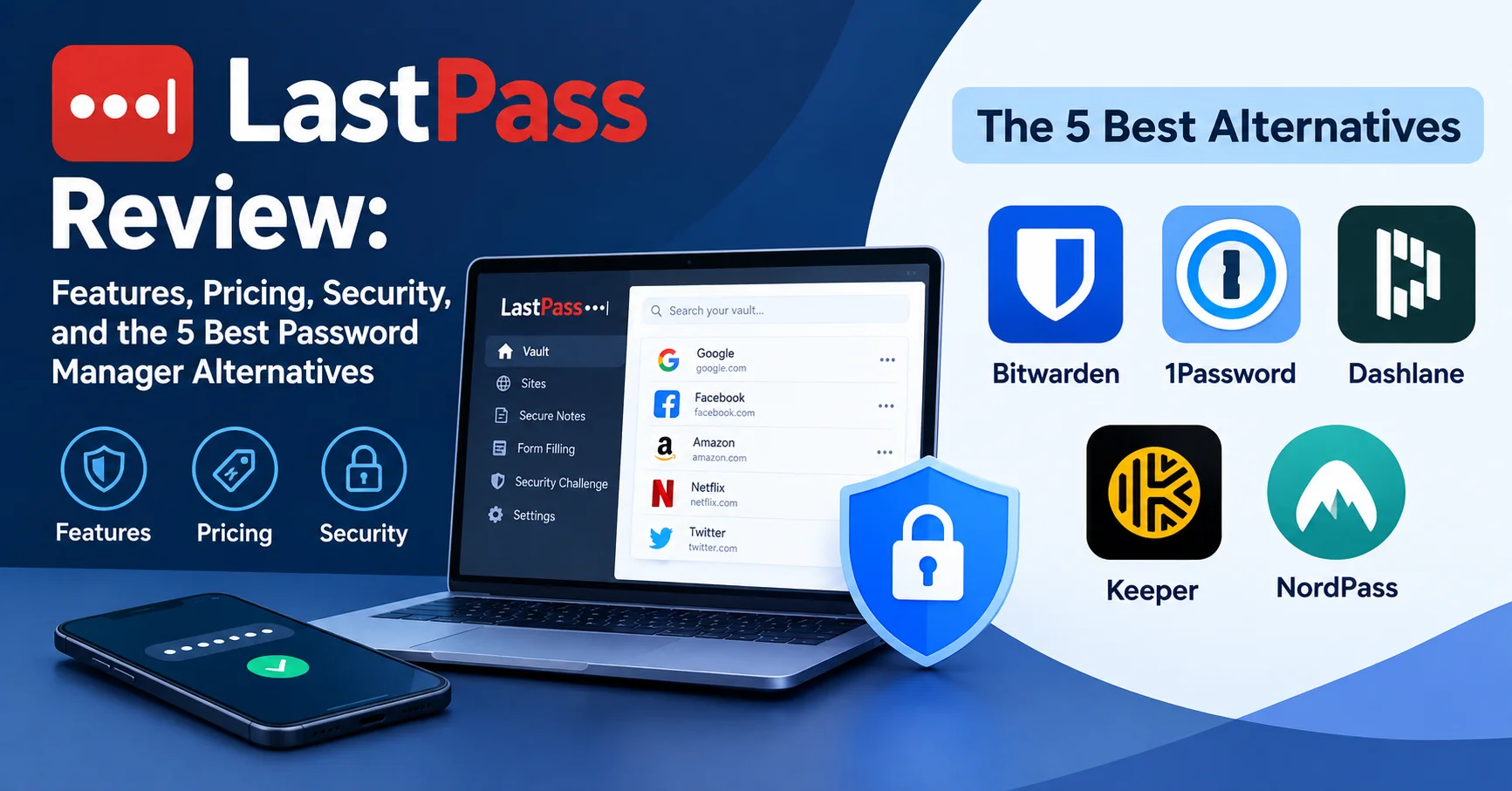
LastPass Review: Features, Pricing, Security, and the 5 Best Password Manager Alternatives

Introduction To LastPass
If you’ve been managing your passwords with LastPass — or you’re thinking about signing up — you’re probably asking the same question thousands of people ask every month: Is LastPass still a good choice in 2026?
The short answer: LastPass has powerful features and a generous free tier, but its history of security breaches makes it a controversial pick. Whether it’s the right tool for you depends heavily on your priorities, your threat level, and your budget.
In this guide, you’ll find:
- A complete breakdown of LastPass features and pricing
- An honest assessment of its security track record
- A clear verdict on who should (and shouldn’t) use it
- 5 battle-tested alternatives compared side by side
Let’s get into it.
What Is LastPass?
LastPass is one of the most widely used password managers in the world, with over 33 million users and 100,000 business customers as of its last public report. Launched in 2008 and later acquired by LogMeIn before being spun off as an independent company, LastPass stores and autofills your passwords, generates strong credentials, and keeps sensitive data encrypted behind a single master password.
The core idea is elegant: you remember one strong password, and LastPass handles the rest.
But in 2026, the password management market is more competitive — and more security-conscious — than ever. So let’s go deeper than the marketing pitch.
LastPass Features: What You Actually Get
Password Vault and Autofill
The LastPass vault is clean, well-organized, and easy to use even for people who’ve never used a password manager before. You can store unlimited passwords, organize them into folders, and share individual items with other users. The browser extension works seamlessly with Chrome, Firefox, Safari, and Edge, and autofill works reliably on most websites.
From personal experience testing the tool across multiple devices, the autofill detection is among the most consistent in the industry — it rarely misses a login field, unlike some competitors.
Password Generator
LastPass includes a solid built-in password generator that lets you customize length, character types, and complexity. You can generate passwords up to 99 characters long, which exceeds what most platforms even accept. This is particularly useful when setting up new accounts and you want zero mental effort involved.
Security Dashboard
One feature that genuinely stands out is the Security Dashboard — a centralized view that scores your overall password health. It flags:
- Weak passwords
- Reused passwords
- Compromised credentials (via dark web monitoring)
- Old passwords that haven’t been changed in a long time
This dashboard is available on paid plans and gives you a real, actionable snapshot of your digital security posture.
Dark Web Monitoring
LastPass scans the dark web for any email addresses associated with your account and alerts you if your data appears in a known data breach. It’s powered by third-party breach databases and updates regularly. While this feature isn’t unique to LastPass, the alerts are timely and the interface makes it easy to take action.
Multi-Factor Authentication (MFA)
LastPass supports a wide range of MFA options:
- LastPass Authenticator (their own app)
- Google Authenticator
- Microsoft Authenticator
- Hardware keys like YubiKey (Teams and Business plans)
- Biometric authentication (Face ID, fingerprint)
The flexibility here is genuinely impressive. For high-security users, combining a strong master password with a hardware key creates a robust defense.
Password Sharing
You can share individual passwords or entire folders with other LastPass users. Free users can share one-to-one; paid users get one-to-many sharing. For families or small teams, this is one of the most practical features — especially when managing shared streaming accounts or work tools.
Emergency Access
This is a feature many users overlook until they need it: Emergency Access lets you designate a trusted contact who can request access to your vault if you’re incapacitated. You set a waiting period (1–30 days) during which you can decline the request if you’re actually fine. It’s a thoughtful feature that very few password managers handle this gracefully.
Digital Wallet and Secure Notes
Beyond passwords, LastPass lets you store:
- Credit card and banking details
- Addresses (for autofilling checkout forms)
- Secure notes (for WiFi passwords, software keys, PINs)
- Documents and files (paid plans)
The autofill for credit cards and addresses works well on e-commerce sites, which saves real time during checkout.
LastPass Pricing in 2026
| Plan | Price | Best For | Key Features |
|---|---|---|---|
| Free | $0/month | Individual, basic use | Unlimited passwords, 1 device type only |
| Premium | $3/month | Individuals wanting full features | All devices, dark web monitoring, emergency access, 1 GB storage |
| Families | $4/month | Up to 6 users | Premium features for whole family, shared folders, family dashboard |
| Teams | $4/user/month | Small teams (up to 50) | Admin console, shared folders, 25+ security policies |
| Business | $6/user/month | Enterprises | SSO, advanced MFA, directory integration, detailed reporting |
⚠️ Important Note: The free plan has a significant limitation — since 2021, free users can only sync passwords across one device type (either mobile OR desktop, not both). This is a dealbreaker for most people and effectively pushes users toward the Premium plan.
At $3/month, LastPass Premium is reasonably priced compared to the market. The Families plan at $4/month total for up to 6 users is arguably the best value in the password manager space if you have family members to cover.
LastPass Security: The Honest Truth
This is where the conversation gets uncomfortable — and where you deserve complete transparency.
The 2022 Data Breach: What Actually Happened
In August 2022, LastPass disclosed that an attacker had accessed its development environment. That alone would have been manageable. But in December 2022, LastPass revealed the full scope: the attacker had stolen encrypted password vaults belonging to millions of users.
Here’s what was taken:
- Encrypted vault data (usernames, passwords, secure notes)
- Unencrypted metadata (website URLs, usernames, email addresses)
- LastPass customer information
The company emphasized that vaults were encrypted with AES-256 encryption using users’ master passwords, which were never stored by LastPass (zero-knowledge architecture). In theory, if your master password was strong and unique, your vault data should remain protected.
However, the breach revealed several uncomfortable truths:
- Older vault entries were encrypted with weaker PBKDF2 iteration counts (as low as 1 iteration for some legacy accounts)
- The exposed URLs revealed sensitive information about where users had accounts
- Several high-profile cryptocurrency thefts in 2023 were subsequently linked to the LastPass breach, with researchers estimating losses exceeding $35 million
Post-Breach Security Improvements
To its credit, LastPass responded with significant upgrades:
- Increased PBKDF2 iteration counts to 600,000 (NIST recommended)
- Re-architected infrastructure with improved segmentation
- Enhanced monitoring and threat detection
- Hired additional security personnel and third-party auditors
The company has undergone independent security audits, though the full results of those audits are not publicly available — which remains a valid criticism.
Is LastPass Safe to Use Today?
LastPass’s zero-knowledge encryption means the company technically cannot read your passwords — and neither can attackers without your master password. If you use a strong, unique master password (12+ characters, random), your vault data from the breach is practically uncrackable with current technology.
That said, trust is hard to rebuild. For users managing highly sensitive data (financial accounts, business credentials, healthcare), the breach history is a legitimate reason to consider alternatives.
💡 Security Tip: Regardless of which password manager you use, always enable multi-factor authentication and ensure your master password is at least 16 characters long with a mix of letters, numbers, and symbols. This single habit dramatically reduces your risk exposure.
LastPass: Pros and Cons
✅ Pros
- Generous feature set on free tier (compared to most competitors)
- Exceptional autofill accuracy across browsers
- Intuitive Security Dashboard with actionable insights
- Strong MFA options including hardware key support
- Best-in-class Emergency Access feature
- Families plan offers extraordinary value at $4/month
❌ Cons
- 2022 breach severely damaged user trust
- Free plan now restricted to one device type
- Customer support is limited on free and lower-tier plans
- No open-source code (unlike Bitwarden)
- History of multiple smaller security incidents before the major 2022 breach
- Full security audit results are not publicly available
User Ratings (2026 Aggregated)
| Platform | LastPass Rating |
|---|---|
| G2 | ⭐⭐⭐⭐ 4.4/5 |
| Trustpilot | ⭐⭐⭐ 3.1/5 |
| Capterra | ⭐⭐⭐⭐ 4.5/5 |
| App Store (iOS) | ⭐⭐⭐⭐ 4.7/5 |
| Google Play | ⭐⭐⭐⭐ 4.4/5 |
Aggregated from public reviews as of early 2026
The split between Trustpilot (where breach-related frustration dominates) and app stores (where daily usability is rated) tells the full story: people love using LastPass, but many haven’t forgiven the security incident.
5 Best LastPass Alternatives in 2026
If the breach history gives you pause — or you simply want to compare your options — here are the five strongest alternatives to LastPass right now.
1. 🏆 Bitwarden — Best Open-Source Alternative
Bitwarden is a secure, open-source password manager that allows you to protect and organize your passwords, passkeys, payment cards, and other sensitive information in an encrypted digital vault. Available on Windows, macOS, Linux, Android, iOS, and all major web browsers, Bitwarden offers seamless synchronization across your devices for easy access. Its robust end-to-end encryption, built-in password generator, secure sharing capabilities, support for two-factor authentication, and affordable premium plans make it a popular choice for individuals, families, and businesses seeking a reliable and transparent password management solution.
Bitwarden is the clear frontrunner for security-conscious users. Its entire codebase is open source and regularly audited by independent third parties — anyone can inspect how it handles your data.
Why it stands out:
- Completely free tier with unlimited passwords on unlimited devices
- Self-hosting option for advanced users
- End-to-end encryption with zero-knowledge architecture
- Passed multiple independent security audits (results publicly available)
- Premium plan costs only $10/year ($0.83/month)
Rating: ⭐⭐⭐⭐⭐ 4.8/5
Best for: Tech-savvy users, security professionals, anyone who wants maximum transparency.
Limitation: The user interface is less polished than LastPass, and setup can feel more technical.
2. 🥈 1Password — Best for Families and Teams
1Password is a trusted password manager designed to help individuals, families, and businesses securely store and manage passwords, passkeys, credit cards, secure notes, and other sensitive information. With end-to-end encryption, cross-platform compatibility, and seamless synchronization across devices, it ensures that your data remains protected while being easily accessible whenever you need it. Features such as Watchtower security monitoring, password sharing, two-factor authentication support, and biometric login make 1Password an excellent choice for improving online security and simplifying digital life.
1Password is widely considered the premium option in the password manager space, and for good reason. It’s polished, fast, and packed with thoughtful security features.
Why it stands out:
- Travel Mode: temporarily removes sensitive vaults when crossing borders
- Watchtower feature monitors for breaches and weak passwords
- Beautiful, intuitive interface on all platforms
- Business features are genuinely enterprise-grade
- No free tier (but a 14-day free trial)
Pricing: From $2.99/month (individual), $4.99/month (families, up to 5 users)
Rating: ⭐⭐⭐⭐⭐ 4.8/5
Best for: Individuals, families, and businesses who want the most polished experience and don’t mind paying for it.
3. 🥉 Dashlane — Best for Dark Web Monitoring
Dashlane is a password manager and digital security platform designed to help individuals and businesses securely store, manage, and protect passwords and sensitive information. It can generate strong, unique passwords, automatically fill login credentials, and securely synchronize data across supported devices. Dashlane also includes security features such as password health monitoring, alerts for compromised credentials, and tools for improving weak or reused passwords. For businesses, it provides centralized password management and administrative controls to help teams protect accounts and access. With a focus on convenience and security, Dashlane can reduce the risks associated with password reuse while making everyday account management easier.
Dashlane has repositioned itself as a premium, business-focused password manager in recent years, dropping its consumer free tier in favor of a stronger B2B push.
Why it stands out:
- Industry-leading dark web monitoring and real-time breach alerts
- Built-in VPN (on Premium plans) — a rare and valuable add-on
- Phishing alerts and passkey support
- Clean, award-winning interface
Pricing: From $4.99/month (personal premium), business plans from $8/user/month
Rating: ⭐⭐⭐⭐ 4.5/5
Best for: Users who want integrated dark web protection and a VPN in one subscription.
Limitation: No longer has a competitive free plan, making it expensive for budget-conscious users.
4. Keeper — Best for Business Security
Keeper is a password management and digital security platform designed to securely store, manage, and protect passwords, sensitive credentials, and other confidential information. It uses strong encryption to help users safeguard their data while offering features such as password generation, secure sharing, autofill, and multi-device synchronization. Keeper is suitable for both individuals and businesses looking to improve password security and simplify credential management.
Keeper is a security-first password manager with one of the strongest track records in the enterprise space. It has never suffered a major data breach — a fact it prominently highlights.
Why it stands out:
- Zero-knowledge, zero-trust architecture
- BreachWatch dark web monitoring
- Comprehensive audit logs for compliance (HIPAA, SOC 2, ISO 27001 certified)
- Secure file storage and encrypted messaging (KeeperChat)
- Excellent admin controls for enterprise deployments
Pricing: From $2.92/month (personal), $4.92/month (families), $4.50/user/month (business)
Rating: ⭐⭐⭐⭐ 4.6/5
Best for: Businesses with compliance requirements, healthcare, legal, and financial sectors.
5. NordPass — Best Budget-Friendly Option
NordPass is a password manager designed to help users securely store, organize, and manage passwords, payment details, and other sensitive information. It offers features such as password generation, autofill, secure sharing, and synchronization across multiple devices. With its simple interface and security-focused features, NordPass provides a convenient solution for individuals and businesses looking to strengthen password management and protect their online accounts.
NordPass, from the team behind NordVPN, is a relatively newer entrant but has quickly built a reputation for simplicity, speed, and competitive pricing.
Why it stands out:
- Uses XChaCha20 encryption — more modern than the standard AES-256
- Extremely clean, beginner-friendly interface
- Data breach scanner included on Premium
- Zero-knowledge architecture, no data stored on servers
- Free plan includes unlimited passwords on one active device
Pricing: From $1.69/month (Premium, on sale) — one of the most affordable premium options
Rating: ⭐⭐⭐⭐ 4.4/5
Best for: Budget-conscious users and NordVPN subscribers looking for a seamless bundle.
Side-by-Side Comparison: LastPass vs. Top Alternatives
| Feature | LastPass | Bitwarden | 1Password | Dashlane | Keeper | NordPass |
|---|---|---|---|---|---|---|
| Free Plan | ✅ (limited) | ✅ Full | ❌ | ❌ | Limited | ✅ (1 device) |
| Starting Price | $3/mo | $0.83/mo | $2.99/mo | $4.99/mo | $2.92/mo | $1.69/mo |
| Open Source | ❌ | ✅ | ❌ | ❌ | ❌ | ❌ |
| Security Breach | ✅ Major (2022) | ❌ None | ❌ None | ❌ None | ❌ None | ❌ None |
| MFA Support | ✅ Extensive | ✅ Good | ✅ Excellent | ✅ Good | ✅ Excellent | ✅ Basic |
| Dark Web Monitoring | ✅ Paid | ✅ Paid | ✅ Included | ✅ Excellent | ✅ Add-on | ✅ Paid |
| Emergency Access | ✅ | ✅ | ✅ | ✅ | ✅ | ❌ |
| Travel Mode | ❌ | ❌ | ✅ | ❌ | ❌ | ❌ |
| Ease of Use | ⭐⭐⭐⭐⭐ | ⭐⭐⭐⭐ | ⭐⭐⭐⭐⭐ | ⭐⭐⭐⭐⭐ | ⭐⭐⭐⭐ | ⭐⭐⭐⭐⭐ |
| User Rating | 4.4/5 | 4.8/5 | 4.8/5 | 4.5/5 | 4.6/5 | 4.4/5 |
Who Should Still Use LastPass?
Despite the controversy, LastPass remains a solid choice for certain users:
✅ Use LastPass if:
- You’re already using it and have updated your master password post-breach
- You want the best value family plan in the market ($4/month for 6 users)
- You prioritize ease of use above all else
- You need Emergency Access and don’t want to pay 1Password prices
- You’re managing low-to-medium sensitivity accounts (not financial/healthcare)
❌ Switch to an alternative if:
- You manage highly sensitive business or financial accounts
- You have strict compliance requirements (HIPAA, SOC 2, etc.)
- Open-source transparency is non-negotiable for you
- The 2022 breach has permanently broken your trust
Quick Checklist: How to Secure Your LastPass Account Right Now
If you’re continuing to use LastPass, implement these steps immediately:
- Set a master password of 16+ random characters (not a phrase or word)
- Enable multi-factor authentication (use an authenticator app, not SMS)
- Run the Security Dashboard and fix all weak/reused passwords
- Set up dark web monitoring alerts
- Review Emergency Access settings
- Enable automatic logout after inactivity
- Check if your PBKDF2 iteration count has been updated (Settings > Advanced)
- Export and store an encrypted backup of your vault offline
Frequently Asked Questions About LastPass
Is LastPass still safe to use in 2026?
LastPass uses zero-knowledge AES-256 encryption, which means even LastPass cannot access your passwords. After the 2022 breach, the company made significant security improvements. If you use a strong, unique master password and enable MFA, LastPass remains reasonably safe for everyday use. That said, users managing highly sensitive data may prefer alternatives with cleaner security track records like Bitwarden or 1Password.
Was LastPass hacked?
Yes. In 2022, LastPass experienced a major security breach in which attackers accessed encrypted user vaults and customer data. While vault data was encrypted and requires the master password to decrypt, the incident damaged trust significantly. Follow-up research linked the breach to real-world cryptocurrency thefts.
Is LastPass free worth using?
The LastPass free plan is still functional, but since 2021 it restricts access to one device type (mobile or desktop, not both). For most people, this makes the free plan impractical for daily use. The $3/month Premium plan removes this limitation and adds meaningful features.
What’s the best LastPass alternative?
For most users, Bitwarden is the best alternative — it’s open source, independently audited, and completely free for individuals. For users who prioritize design and ease of use, 1Password is the premium choice. For budget-conscious users, NordPass offers excellent value.
Does LastPass sell my data?
No. LastPass operates on a zero-knowledge model — it encrypts your data locally before it ever reaches their servers, meaning they cannot read or sell your vault contents. However, unencrypted metadata (like website URLs) was exposed in the 2022 breach.
How does LastPass compare to 1Password?
Both are strong password managers. LastPass has a more generous pricing structure (especially for families) and a free tier. 1Password has a cleaner security record, a more polished interface, and the unique Travel Mode feature. 1Password is the better choice for security-first users; LastPass edges ahead on price and accessibility.
Can I migrate from LastPass to another password manager?
Yes, and it’s straightforward. LastPass lets you export your vault as a CSV file, which can then be imported directly into Bitwarden, 1Password, Dashlane, Keeper, and most other major password managers. The process takes less than 10 minutes.
Conclusion: Should You Use LastPass in 2026?
LastPass is a powerful, user-friendly password manager that has shaped the industry for over 15 years. Its autofill is excellent, its feature set is comprehensive, and the Families plan offers genuine value that competitors struggle to match.
But the 2022 data breach is a legitimate mark against it — not because it necessarily compromised your passwords directly, but because it revealed gaps in infrastructure security and eroded trust that’s hard to rebuild.
Our recommendation:
- If you’re starting fresh with a password manager, Bitwarden (for the budget-conscious) or 1Password (for the premium experience) are safer first choices in 2026.
- If you’re already a LastPass user and have applied strong security practices post-breach, staying is a defensible decision — just don’t be complacent.
The most important thing, regardless of which tool you choose, is this: using any password manager is vastly better than not using one. Weak, reused passwords remain the number one cause of account compromises worldwide. Pick a tool, commit to it, and let it do its job.
Information in this article is based on publicly available data, company disclosures, and aggregated user reviews as of early 2026. Pricing may change — always verify on the official website before subscribing.