WhatsApp API: The Complete Business Guide — Features, Pricing, Setup and Best 4 Solution Providers

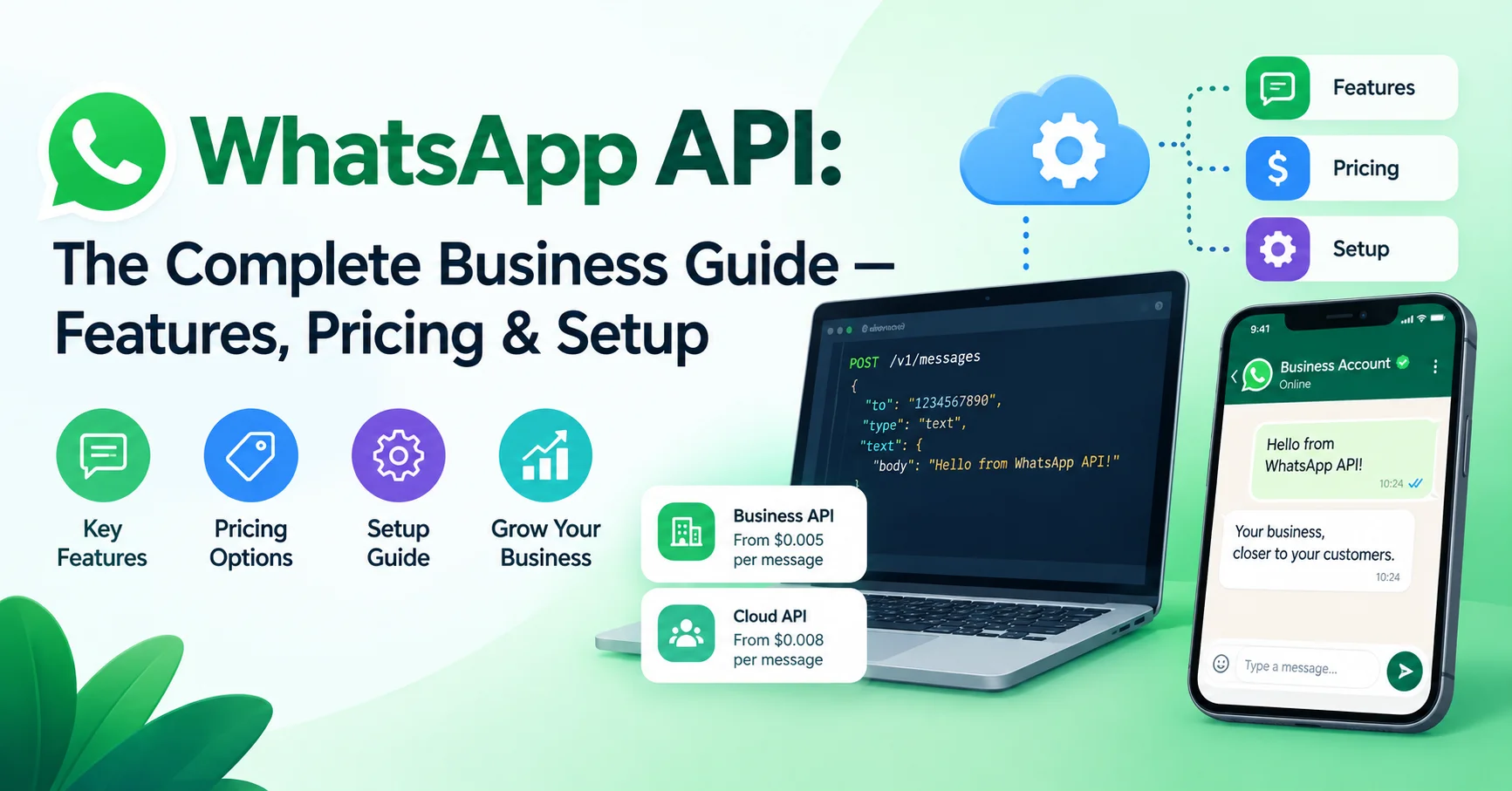
Introduction To WhatsApp API
Two billion people open WhatsApp every single day. That’s not a user base — that’s an opportunity that very few communication channels in history have ever matched. And yet, most businesses are still barely scratching the surface of what the WhatsApp API can actually do for them.
If you’ve been wondering whether the WhatsApp Business API is right for your company, how much it costs, how to get set up without losing your mind, or which provider to choose — this guide answers all of that and more. No fluff, no recycled content. Just everything you genuinely need to know, organized so you can act on it.
Here’s exactly what this guide covers:
- The difference between WhatsApp, WhatsApp Business App, and the WhatsApp API
- Core features of the WhatsApp Business API in 2026
- How WhatsApp API pricing actually works (it’s more nuanced than you think)
- Step-by-step setup process
- A comparison of the best Business Solution Providers (BSPs)
- Real-world use cases, security practices, and an honest look at the limitations
- FAQs and a practical checklist before you go live
Let’s start from the beginning.
WhatsApp API vs. WhatsApp Business App: Understanding the Difference
Before diving into the WhatsApp API itself, it’s worth clearing up one of the most common points of confusion in the market.
| Feature | WhatsApp (Personal) | WhatsApp Business App | WhatsApp Business API |
|---|---|---|---|
| Target User | Individuals | Small businesses | Medium to large businesses |
| Cost | Free | Free | Usage-based pricing |
| Automation | None | Basic auto-replies | Full automation |
| Multi-agent support | ❌ | ❌ | ✅ |
| CRM integration | ❌ | ❌ | ✅ |
| Broadcast messages | Limited | Limited | ✅ (template-based) |
| Official API access | ❌ | ❌ | ✅ |
| Chatbot support | ❌ | ❌ | ✅ |
The WhatsApp Business App is ideal for solopreneurs and small shops that respond to messages manually from a single device. The WhatsApp API (officially called the WhatsApp Business Platform) is a completely different beast — it’s designed for businesses that need to communicate at scale, automate workflows, and integrate messaging into their existing tech stack.
Key distinction: The WhatsApp API doesn’t come with its own interface. You access it through a BSP (Business Solution Provider) or by building directly on Meta’s Cloud API. This means the quality of your experience depends heavily on the tools you choose around it.
What Is the WhatsApp Business API? A Precise Definition
The WhatsApp Business API — now officially called the WhatsApp Business Platform — is a programmable interface provided by Meta that allows businesses to send and receive WhatsApp messages at scale through software integrations.
Unlike consumer apps, the WhatsApp API operates through:
- Meta’s Cloud API (hosted by Meta, free infrastructure, fastest deployment)
- On-Premises API (self-hosted, being phased out by Meta in favor of Cloud API)
Since Meta opened the Cloud API to all businesses in 2022, adoption has accelerated rapidly. As of 2026, the WhatsApp Business Platform is used by businesses in over 180 countries, with particularly strong penetration in India, Brazil, Europe, and Southeast Asia.
Core Features of the WhatsApp API in 2026
The WhatsApp API has matured significantly. Here are the features that actually matter for businesses today:
Message Templates (Highly Structured Outbound Messaging)
Any message your business initiates to a customer must use a pre-approved message template. These templates are reviewed by Meta before use and fall into three categories:
- Marketing: Promotions, offers, product announcements
- Utility: Order confirmations, appointment reminders, shipping updates
- Authentication: One-time passwords (OTPs), login verifications
Templates support dynamic variables (e.g., customer name, order number) and can include images, buttons, and PDFs.
Conversational Messaging (Session Messages)
When a customer messages your business first, a 24-hour conversation window opens during which you can reply freely with any content — no templates required. This window also opens when a customer replies to your template message.
🤖 Chatbot & Automation Integration
The WhatsApp API allows full chatbot integration. You can build automated flows that:
- Qualify leads
- Handle FAQs without human involvement
- Route conversations to the right agent
- Collect user data through interactive messages
Interactive Message Types
In 2026, the WhatsApp API supports a rich set of interactive elements:
- Reply buttons (up to 3 quick-reply options)
- List messages (up to 10 options in a menu)
- Product messages (catalog integration for e-commerce)
- Flow messages (multi-step forms within the chat)
- Location sharing
- Stickers, audio, video, and document sharing
CRM and Business Tool Integration
The WhatsApp API can connect with virtually any CRM or business tool through webhooks and REST calls — Salesforce, HubSpot, Zoho, Shopify, and more. This is where the real operational value is unlocked.
Multi-Agent & Team Inbox
Through BSP platforms built on the WhatsApp API, multiple agents can handle conversations simultaneously from a shared inbox — something impossible with the standard WhatsApp Business App.
WhatsApp API Pricing Explained: The 2026 Model
WhatsApp API pricing has gone through several restructures. The current model, which Meta updated and refined through 2024-2025, is conversation-based. Here’s how it works:
Conversation Categories and Pricing
Conversations are billed per 24-hour window, not per individual message. Each window is opened once and covers all messages exchanged within that period.
| Conversation Type | Opened By | Typical Cost (USD, varies by country) |
|---|---|---|
| Marketing | Business | ~$0.025 – $0.085 |
| Utility | Business | ~$0.005 – $0.020 |
| Authentication | Business | ~$0.005 – $0.020 |
| Service | User | Free (as of Nov 2024) |
Important update for 2026: Meta made service conversations free starting November 2024, meaning any conversation initiated by a user contacting your business costs nothing. This is a significant change that makes the WhatsApp API much more attractive for customer support-focused businesses.
Free Tier
Every WhatsApp Business account receives 1,000 free service conversations per month. Marketing, utility, and authentication conversations are not covered by this free tier.
Pricing Varies by Country
WhatsApp API pricing is market-specific. Conversations in India cost significantly less than conversations in the US or Germany. Always check Meta’s official pricing table for your target markets.
⚠️ Watch Out: BSPs (Business Solution Providers) add their own markup on top of Meta’s base pricing. Some charge per message, others per conversation, and others via monthly subscription. Always request a transparent pricing breakdown before committing to a BSP contract. Hidden costs at volume can be significant.
How to Set Up the WhatsApp Business API: Step-by-Step
Setting up the WhatsApp API is more involved than signing up for a SaaS tool, but it’s very manageable if you follow the right sequence. Here’s the real-world process:
Step 1: Create a Meta Business Account
Visit Meta Business Suite and create or verify your Business Account. This is the umbrella account under which your WhatsApp assets will live.
Step 2: Set Up a Meta Developer Account
Go to Meta for Developers, create an app, and select “Business” as the app type. This gives you access to the WhatsApp Business Platform product.
Step 3: Register Your Phone Number
You’ll need a dedicated phone number for your WhatsApp API — one that isn’t already linked to a personal WhatsApp or WhatsApp Business App account. It can be a mobile, landline, or VoIP number capable of receiving calls or SMS for verification.
Step 4: Choose Your Path — Cloud API or BSP
Option A: Meta Cloud API (Direct)
Use Meta’s own Cloud API infrastructure. Free to use, requires technical development resources to build your messaging interface and manage webhooks.
Option B: BSP (Business Solution Provider)
A BSP gives you a ready-made interface, support, and often additional features layered on top of the API. Ideal if you don’t have in-house developers or want to move fast.
Step 5: Submit Business Verification
Meta requires business verification before you can send outbound (business-initiated) messages at scale. You’ll need to submit:
- Business registration documents
- Business website
- Business address and contact information
Verification typically takes 2–5 business days, though it can take longer for businesses in regulated industries.
Step 6: Create and Submit Message Templates
Before sending any outbound marketing or utility messages, you must create templates in Meta’s Business Manager and submit them for review. Approval typically takes a few minutes to 24 hours.
Step 7: Integrate and Test
Connect your WhatsApp API to your CRM, chatbot platform, or custom system. Use the Meta test environment to send and receive test messages before going live.
Step 8: Apply for the Green Tick (Optional but Recommended)
The green tick (verified badge) next to your business name builds immediate trust with users. It requires an existing Facebook Business Verification and a notable presence in your industry. Not all businesses qualify, but it’s worth pursuing.
Best WhatsApp API Business Solution Providers (BSPs) in 2026
Choosing the right BSP is arguably the most important decision in your WhatsApp API journey. Here’s an honest comparison of the top platforms:
BSP Comparison Table
| BSP | Best For | Ease of Setup | Key Strength | Starting Price | User Rating |
|---|---|---|---|---|---|
| Twilio | Developers & custom builds | ⭐⭐⭐ | Flexible, powerful API | Pay-as-you-go | ⭐⭐⭐⭐ (4.3/5) |
| 360dialog | Cost-conscious businesses | ⭐⭐⭐⭐ | Lowest BSP markup | €49/month | ⭐⭐⭐⭐ (4.1/5) |
| Wati | SMBs & e-commerce | ⭐⭐⭐⭐⭐ | Easy no-code setup | $49/month | ⭐⭐⭐⭐ (4.4/5) |
| Respond.io | Omnichannel teams | ⭐⭐⭐⭐ | Multi-channel inbox | $79/month | ⭐⭐⭐⭐⭐ (4.6/5) |
| MessageBird (Bird) | Enterprise | ⭐⭐⭐ | Global reach, omnichannel | Custom | ⭐⭐⭐⭐ (4.2/5) |
| Vonage (Ericsson) | Enterprises with voice+messaging | ⭐⭐⭐ | Unified communications | Custom | ⭐⭐⭐⭐ (4.1/5) |
| Interakt | D2C & e-commerce (India) | ⭐⭐⭐⭐⭐ | Shopify integration | $15/month | ⭐⭐⭐⭐ (4.3/5) |
| Zoko | WhatsApp commerce | ⭐⭐⭐⭐ | Catalog & broadcast | $34.99/month | ⭐⭐⭐⭐ (4.2/5) |
BSP Highlights
Wati
Wati is a WhatsApp-based customer communication and engagement platform designed to help businesses manage conversations, marketing campaigns, sales, and customer support through WhatsApp. Built on the WhatsApp Business Platform, Wati provides features such as automated messaging, chatbots, broadcast campaigns, shared team inboxes, contact management, and workflow automation. It is particularly useful for businesses that want to centralize customer conversations and automate repetitive communication while maintaining personalized interactions. With its no-code tools and WhatsApp-focused approach, Wati offers a practical solution for businesses looking to improve customer engagement, lead generation, and support.
Wati is one of the most popular BSPs for small and mid-sized businesses. Its no-code chatbot builder and team inbox make it accessible to non-technical teams. The onboarding is genuinely smooth, and the support is responsive. The pricing is transparent and reasonable for most business sizes.
Best for: E-commerce stores, customer support teams, service businesses
Watch out for: Broadcast limits on lower-tier plans
Respond.io
Respond.io is an omnichannel customer communication platform that helps businesses manage conversations across messaging channels from a single centralized workspace. It supports platforms such as WhatsApp, Messenger, Instagram, Telegram, and other communication channels, allowing teams to handle customer inquiries, sales conversations, and support requests efficiently. Respond.io also offers automation tools, AI-powered workflows, shared team inboxes, contact management, and analytics to streamline customer engagement. Its flexible automation and multi-channel approach make it particularly useful for businesses looking to centralize messaging, improve response times, and scale customer communication.
Respond.io stands out for businesses that manage conversations across multiple channels (WhatsApp, Instagram, Telegram, email) from a single inbox. Its automation builder is powerful, and the reporting features are above average.
Best for: Marketing and sales teams managing high message volumes
Watch out for: Can feel feature-heavy for very small teams
Twilio
Twilio is a cloud communications platform that provides developers and businesses with APIs for integrating messaging, voice calls, video, email, and other communication features into their applications. Its platform enables businesses to send and receive SMS and WhatsApp messages, automate customer notifications, build conversational experiences, and create personalized communication workflows. Twilio is particularly popular among developers because of its flexible APIs, extensive documentation, and scalable infrastructure. With its broad range of communication tools and integrations, Twilio provides a powerful solution for businesses looking to build customized customer engagement and communication experiences.
Twilio gives developers the most control. If you want to build a fully custom WhatsApp integration embedded in your own product or CRM, Twilio’s API is the most flexible option. But you’ll need developers to make the most of it.
Best for: Tech companies, custom-built solutions
Watch out for: Not suitable for non-technical users; pricing requires close monitoring at scale
360dialog
360dialog is a WhatsApp Business API provider that helps businesses connect WhatsApp messaging capabilities to their websites, applications, CRM systems, and customer communication platforms. It provides direct access to the official WhatsApp Business Platform, allowing businesses to send notifications, manage customer conversations, create automated messaging workflows, and run WhatsApp-based communication campaigns. 360dialog is particularly useful for companies and software providers that need a reliable WhatsApp API connection without building the infrastructure themselves. With its developer-focused approach and integration capabilities, 360dialog makes it easier for businesses to build scalable WhatsApp communication solutions.

360dialog is unique in that it positions itself as a “direct access” BSP — meaning they pass through Meta’s pricing with minimal markup, making it the most cost-efficient option for businesses that already have their own software infrastructure and just need API access.
Best for: Businesses with in-house tech teams who want to minimize BSP costs
Watch out for: Limited built-in features; you’ll need to build your own UI
Real-World WhatsApp API Use Cases
The WhatsApp Business API isn’t just a messaging tool. Here’s how businesses are using it in practice:
E-commerce: Order Updates and Recovery
Send automated order confirmations, shipping notifications, and delivery alerts. More importantly, abandoned cart reminders via WhatsApp consistently outperform email — with open rates exceeding 95% compared to email’s average of ~20%.
Healthcare: Appointment Reminders
Clinics and hospitals use the WhatsApp API to send appointment reminders, reducing no-show rates by up to 40% in documented implementations.
Banking & Finance: Authentication and Alerts
Banks use WhatsApp API for OTP delivery and real-time transaction alerts — a channel users trust more than SMS, which is increasingly targeted by SIM-swapping attacks.
Education: Student Engagement
EdTech companies send course updates, assignment reminders, and live session links through WhatsApp, capitalizing on the fact that students are far more likely to open a WhatsApp message than an email.
Travel: Real-Time Itinerary Updates
Airlines and travel agencies send check-in reminders, gate change notifications, and boarding passes directly through WhatsApp — reducing call center load dramatically.
💡 Pro Tip from experience: Don’t launch with a complex chatbot from day one. Start with simple automated replies for your most common questions, measure what users actually ask, and build your automation iteratively. Businesses that try to automate everything on day one almost always create frustrating user experiences that damage trust.
WhatsApp API Security and Compliance: What Businesses Must Know
Security and compliance are non-negotiable when using the WhatsApp API for business communications.
Key compliance requirements:
- You must have explicit opt-in consent from users before sending them marketing messages
- Opt-in can be collected via your website, app, SMS, or in-store forms — but it must be documented
- Users must always have an easy way to opt out (typically replying “STOP” or a similar keyword)
- All messages must comply with GDPR in Europe, LGPD in Brazil, and applicable local data protection laws
- WhatsApp messages are end-to-end encrypted — Meta cannot read their contents
Security best practices:
- Rotate API tokens regularly
- Use webhook signature verification to prevent spoofed requests
- Never log message content in plain text
- Implement rate limiting on your side to prevent accidental spam
- Monitor for unusual message volumes that could indicate unauthorized API access
WhatsApp API: Honest Pros and Cons
✅ Advantages
- Access to 2 billion+ active users on a platform they already trust
- Dramatically higher open and response rates than email or SMS
- Rich media support (images, video, PDFs, audio)
- End-to-end encryption builds user trust
- Free service conversations (user-initiated) since late 2024
- Seamless CRM and business tool integration
❌ Limitations
- Template approval process adds friction for rapid campaign launches
- Marketing conversation costs add up at scale
- Green tick verification is not guaranteed and can take time
- Requires ongoing compliance with Meta’s commerce and messaging policies
- Risk of account suspension if messaging policies are violated (and Meta’s appeals process is slow)
- Not suitable for mass cold outreach — users must opt in first
Pre-Launch Checklist: WhatsApp API
Before going live, make sure you’ve covered these bases:
✅ Account & Setup
- Meta Business Account verified
- Dedicated phone number registered and verified
- WhatsApp Business Profile complete (logo, description, website, hours)
- BSP selected and contract reviewed
✅ Messaging & Compliance
- Message templates created and approved by Meta
- Opt-in mechanism in place (with documented proof)
- Opt-out mechanism working (tested)
- GDPR/local data compliance reviewed by legal team
✅ Technical
- Webhooks configured and tested
- CRM integration working in staging environment
- Error handling implemented for failed message deliveries
- Message logs stored securely
✅ Pre-Go-Live
- Load tested with expected message volumes
- Support team trained on the platform
- Escalation path defined for complex queries
- Analytics dashboard set up to track delivery, open, and response rates
Quick Summary: WhatsApp API at a Glance
| Topic | Key Takeaway |
|---|---|
| What it is | Meta’s programmable messaging platform for businesses |
| Who it’s for | Medium to large businesses needing scale and automation |
| Pricing model | Per conversation (24h window), varies by type and country |
| Service conversations | Free since November 2024 |
| Access method | Meta Cloud API (direct) or via a BSP |
| Best BSP for SMBs | Wati or Interakt |
| Best BSP for enterprises | Respond.io or MessageBird |
| Setup time | 1–3 days (technical) + 2–5 days (business verification) |
| Open rate vs email | ~95% vs ~20% |
FAQs About the WhatsApp API
❓ Is the WhatsApp Business API free?
The API infrastructure itself is free to access. However, you pay for conversations — specifically for business-initiated messages (marketing, utility, authentication). User-initiated service conversations are free since November 2024. BSPs may also charge platform fees on top.
❓ Can I use my existing WhatsApp number for the API?
Only if that number is not already linked to a WhatsApp personal account or WhatsApp Business App. If it is, you’ll need to migrate it (which deletes existing chat history) or use a new number.
❓ How long does WhatsApp API approval take?
Technical setup can be done in hours. Business verification by Meta typically takes 2–5 business days. Template approval usually happens within minutes to 24 hours.
❓ Do I need a BSP or can I use the API directly?
You can use Meta’s Cloud API directly — it’s free and requires no BSP. However, you’ll need development resources to build your interface, manage webhooks, and handle conversations. BSPs provide a ready-made platform, support, and often additional features.
❓ What’s the difference between WhatsApp API and WhatsApp Business App?
The WhatsApp Business App is free, single-device, and manual — ideal for very small businesses. The WhatsApp API supports automation, multi-agent access, CRM integration, chatbots, and large-scale messaging. It’s a fundamentally different product.
❓ Can I send bulk messages with the WhatsApp API?
Yes, through template-based broadcast campaigns. However, users must have opted in to receive messages from your business. Sending unsolicited bulk messages violates WhatsApp’s policies and can result in account suspension.
❓ What happens if WhatsApp bans my number?
Meta can restrict or ban a WhatsApp API number for policy violations — usually related to spam, high block rates from users, or policy-non-compliant content. Prevention is critical: maintain opt-in hygiene, respect opt-outs, and monitor your quality rating in Meta’s Business Manager regularly.
❓ Is WhatsApp API GDPR compliant?
WhatsApp messages are end-to-end encrypted, and Meta has made significant GDPR commitments. However, compliance is also your responsibility: you must manage user consent, data storage, and opt-outs according to applicable law. Use a BSP with documented GDPR compliance features.
Conclusion: Is the WhatsApp API Right for Your Business?
After years of observing and working with messaging platforms, one thing is clear: the WhatsApp API is genuinely one of the most powerful business communication tools available in 2026 — but only when used with strategy, discipline, and respect for the user.
If your customers are already on WhatsApp (and statistically, most of them are), then this platform gives you something almost no other channel can: a direct, trusted, high-engagement line of communication that users actually want to interact with.
The numbers don’t lie — a 95%+ open rate versus email’s 20% isn’t just a marketing statistic. It represents real conversations, real conversions, and real customer relationships built at scale.
That said, the WhatsApp API isn’t a magic switch. Success requires:
- A solid opt-in strategy so your list is actually permission-based
- Well-crafted message templates that add value, not noise
- The right BSP that fits your technical capabilities and budget
- Ongoing monitoring of your quality score and user feedback
The businesses that treat WhatsApp as a relationship channel — not a broadcast channel — are the ones consistently seeing results.
Start small. Get one use case right. Measure it. Then expand. The infrastructure is ready for you — and so are your customers.
Sources referenced in this article: Meta Business Platform official documentation, Meta for Developers API pricing page, GDPR.eu, industry research on WhatsApp messaging benchmarks (2024–2026).