Best CDN Service: Top 5 Content Delivery Networks Providers Compared

Your Website Is Slower Than You Think — A CDN Service Can Fix That
Here’s a hard truth: 53% of mobile users abandon a website that takes more than 3 seconds to load. If your site is hosted on a single server, every visitor who’s far from that server is already having a worse experience than they should.
That’s exactly the problem a CDN service solves.
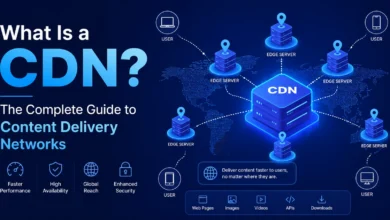
In plain English: a Content Delivery Network (CDN) is a globally distributed network of servers that stores cached copies of your website’s content and delivers it to each visitor from the server geographically closest to them. The result? Faster load times, better uptime, and a dramatically improved user experience — regardless of where your visitors are located.
In this guide, you’ll find:
- A clear explanation of how a CDN service actually works
- A detailed, honest comparison of the 5 best CDN providers in 2026
- A side-by-side feature comparison table
- Real pros and cons — including the ones providers don’t advertise
- A practical checklist to help you choose the right CDN for your situation
- Answers to the most frequently asked questions
Whether you’re a blogger, an e-commerce store owner, or a developer managing enterprise infrastructure, this guide will give you everything you need to make a confident, informed decision.
What Is a CDN Service and How Does It Work?
A CDN service (Content Delivery Network service) is an interconnected system of servers — called Points of Presence (PoPs) — strategically placed around the world. When a user visits your website, instead of the request traveling all the way to your origin server (which could be on another continent), it’s intercepted and served by the nearest CDN server.
Think of it this way: if your main server is in New York, and a visitor from Tokyo tries to load your homepage, without a CDN they’re waiting for data to cross the Pacific Ocean. With a CDN service, a server in Tokyo handles the request in milliseconds.
What Does a CDN Service Actually Deliver?
Modern CDN providers deliver far more than just static images. A good content delivery network handles:
- Static assets — images, CSS files, JavaScript, fonts
- Dynamic content — API responses, personalized pages
- Video and streaming content — adaptive bitrate delivery
- Security features — DDoS protection, Web Application Firewall (WAF)
- SSL/TLS termination — encrypting data closer to the user
💡 Key insight: Using a CDN service doesn’t replace your hosting. It works alongside your server to reduce its load, improve delivery speed, and add a security layer between your site and the public internet.
Why a CDN Service Matters More Than Ever in 2026
The performance bar has never been higher. Google’s Core Web Vitals — Largest Contentful Paint (LCP), Interaction to Next Paint (INP), and Cumulative Layout Shift (CLS) — are direct ranking factors. A CDN service directly improves LCP and overall page speed, which means better Google rankings.
Beyond SEO, consider these numbers:
- A 1-second delay in page load time can result in a 7% reduction in conversions (source: Akamai)
- Websites using a CDN experience up to 50% reduction in bandwidth costs
- CDN services can absorb multi-terabit DDoS attacks, protecting your origin server
In short: if your website has an audience beyond your own city, a CDN service is not optional — it’s foundational infrastructure.
The 5 Best CDN Providers Compared (2026)
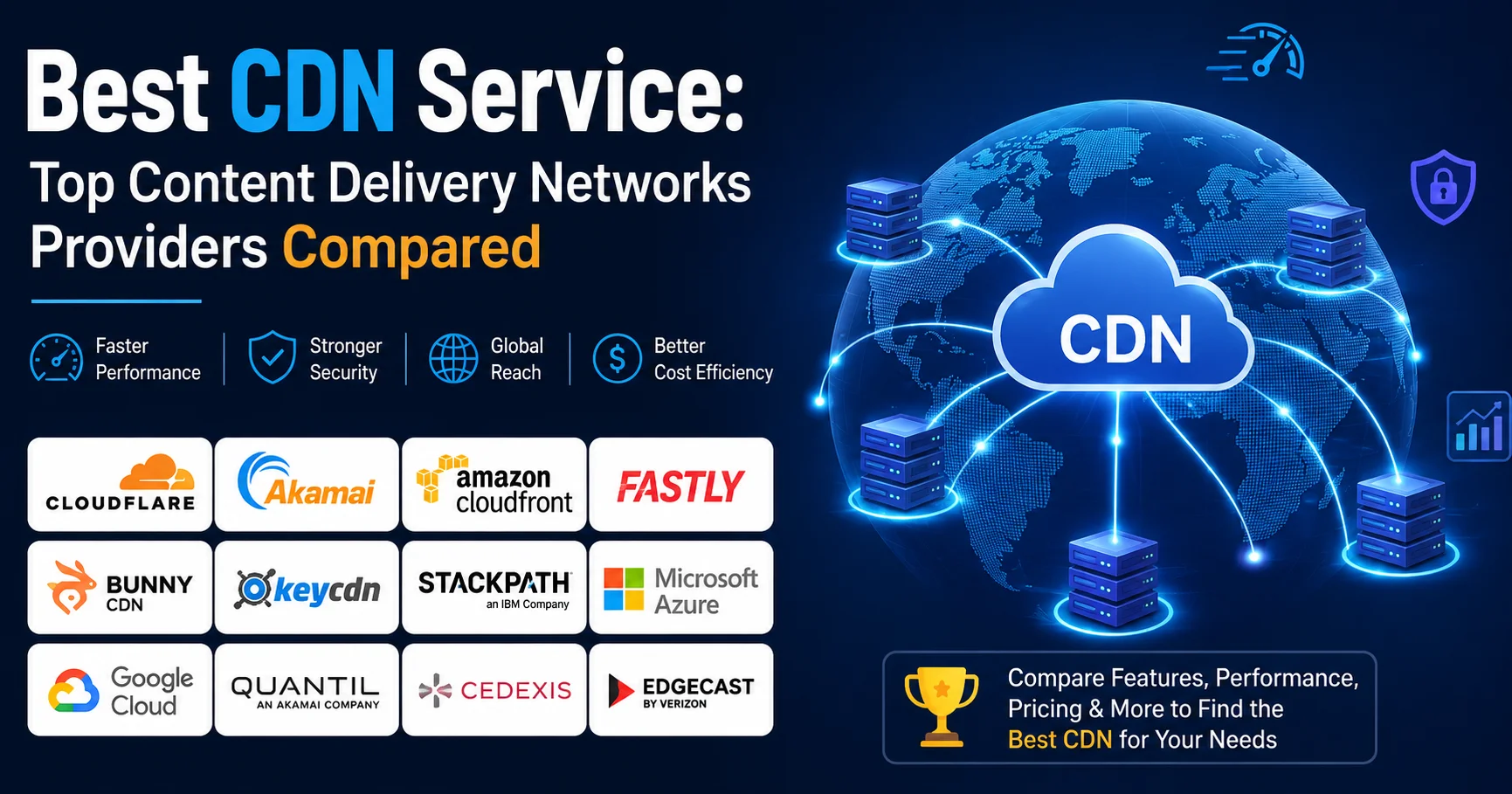
After evaluating dozens of options based on network size, performance benchmarks, pricing transparency, ease of setup, and real-world user feedback, here are the top 5 CDN providers worth your attention in 2026.
1. Cloudflare — Best All-Round CDN Service for Most Users

Cloudflare CDN is a globally distributed content delivery network that helps websites deliver static and dynamic content faster by serving data from servers located closer to visitors. It can improve page loading times, reduce the workload on the origin server, and provide additional security features such as DDoS protection, traffic filtering, and SSL/TLS encryption. Its large global network and easy DNS integration make Cloudflare a popular choice for websites of all sizes, from personal blogs to high-traffic online platforms.
Cloudflare has become the world’s most widely used CDN service — and for good reason. It operates one of the largest networks on the planet, with over 330 PoPs across more than 100 countries (as of 2026). But what truly sets Cloudflare apart is its generous free tier, which includes CDN, DDoS protection, SSL, and a basic WAF.
How it feels to use Cloudflare:
The onboarding is remarkably smooth. You point your domain’s nameservers to Cloudflare, and within minutes your site is being served through their network. The dashboard is clean, though some advanced features (like fine-grained cache rules) have a learning curve. For WordPress users, the official Cloudflare plugin simplifies cache purging considerably.
What Cloudflare does particularly well:
- Argo Smart Routing intelligently routes traffic through the fastest available path on their private backbone — users report 30–60ms improvements in TTFB
- Workers (edge computing) lets you run serverless functions at the CDN edge
- Zero Trust security integrations for teams managing access
Where Cloudflare falls short:
The free plan has limitations on image optimization and analytics. Their support for free-tier users is community-only. Large media streaming workflows are better served by specialized providers.
Pricing:
- Free plan available (genuinely useful)
- Pro: $20/month
- Business: $200/month
- Enterprise: Custom pricing
⭐ User Rating: 4.8/5
2. Amazon CloudFront — Best CDN Service for AWS Users
Amazon CloudFront is a fast and scalable CDN service from Amazon Web Services (AWS) that delivers websites, APIs, videos, applications, and other digital content to users through a global network of edge locations. By caching content closer to visitors, CloudFront can reduce latency, improve page-loading performance, and decrease the load on origin servers. It also integrates with other AWS services such as Amazon S3, Elastic Load Balancing, and AWS Shield, making it a strong option for businesses and developers already using the AWS ecosystem.
Amazon CloudFront is AWS’s native CDN service, deeply integrated into the Amazon ecosystem. With 600+ PoPs across 100+ countries, it has the largest global footprint of any CDN provider.
How it feels to use CloudFront:
If you’re already running workloads on AWS (EC2, S3, Lambda), CloudFront is the natural extension. Configuration is done via the AWS console, which is powerful but can be intimidating for newcomers. Once you understand distributions, behaviors, and cache policies, the flexibility is extraordinary.
What CloudFront does particularly well:
- Seamless integration with S3, EC2, Elastic Load Balancing, and Lambda@Edge
- Real-time logs sent directly to Kinesis Data Streams
- Field-level encryption for sensitive data passing through the CDN
- Pay-as-you-go pricing — no minimum commitment
Where CloudFront falls short:
Pricing is genuinely complex. You’re billed separately for data transfer, HTTP requests, invalidation requests, and more. Without careful monitoring, costs can escalate. It also has no meaningful free tier for production workloads (AWS Free Tier covers only 50GB/month of data out).
Pricing:
- Pay-as-you-go: ~$0.0085–$0.085 per GB depending on region
- No flat monthly fee
⭐ User Rating: 4.5/5
3. Fastly — Best CDN Service for Developers & Real-Time Delivery

Fastly CDN is a high-performance content delivery network designed to deliver websites, APIs, applications, images, videos, and other digital content quickly to users around the world. Its edge network processes and caches content closer to visitors, helping reduce latency, improve loading speeds, and handle traffic spikes efficiently. Fastly also provides advanced security and edge computing capabilities, giving developers greater control over how content is delivered and optimized. It is particularly well suited to high-traffic websites and modern applications that require speed, flexibility, and real-time control.
Fastly has earned a cult following among developers, and the reputation is deserved. It’s the CDN service of choice for companies like GitHub, Stripe, The New York Times, and Spotify.
How it feels to use Fastly:
Fastly is built for engineers who want control. Its edge logic is powered by Varnish Configuration Language (VCL), which allows near-unlimited customization of cache behavior. More recently, they’ve added Compute@Edge, a WebAssembly-based edge computing environment. Setup requires more technical knowledge than Cloudflare, but the payoff in flexibility is enormous.
What Fastly does particularly well:
- Instant Purge — cache invalidations propagate globally in ~150ms (industry-leading)
- Excellent for real-time content (news sites, live sports data)
- Detailed real-time analytics dashboard
- Strong support for large-scale media streaming
Where Fastly falls short:
No meaningful free tier — you’ll need to commit to usage costs from day one. Less beginner-friendly than Cloudflare. The VCL learning curve is steep.
Pricing:
- Pay-as-you-go: starts at ~$0.01/GB (varies by region)
- Custom enterprise pricing available
⭐ User Rating: 4.6/5
4. KeyCDN — Best Budget CDN Service for Small to Medium Sites
KeyCDN is a performance-focused content delivery network designed to help websites deliver static and dynamic content faster to visitors worldwide. By caching files such as images, CSS, JavaScript, and videos on geographically distributed edge servers, KeyCDN can reduce latency and improve overall website loading times. It also offers features such as HTTP/2, TLS encryption, real-time analytics, and flexible cache management, making it a straightforward option for website owners and developers looking for an affordable CDN solution.

KeyCDN is the quiet achiever of the CDN world. Swiss-based and privacy-focused, it offers excellent performance at some of the most competitive prices in the industry — making it the ideal CDN service for small businesses, bloggers, and agencies managing multiple client sites.
How it feels to use KeyCDN:
The setup is refreshingly simple. You create a “zone” (pull zone or push zone), configure your origin, and you’re live. The dashboard is clean and no-nonsense. There’s no configuration complexity unless you need it.
What KeyCDN does particularly well:
- HTTP/2 and HTTP/3 (QUIC) support across all plans
- Real-time image processing via its Image Processing API
- GDPR-compliant with servers in Europe
- Excellent performance-to-price ratio — among the best in independent benchmarks
Where KeyCDN falls short:
Smaller PoP network (~45 locations) compared to Cloudflare or CloudFront. No WAF or advanced security features. Not ideal for high-security or enterprise use cases.
Pricing:
- Pay-as-you-go from $0.04/GB (very competitive)
- Minimum monthly invoice: $4
⭐ User Rating: 4.4/5
5. BunnyCDN — Best Value CDN Service for Developers on a Budget

BunnyCDN is a fast and cost-effective content delivery network designed to improve website performance by delivering content from edge servers located closer to users. It supports the delivery of images, videos, JavaScript, CSS, and other static assets while helping reduce latency and bandwidth usage on the origin server. BunnyCDN is known for its simple setup, transparent pricing, caching controls, and developer-friendly features, making it a popular choice for websites, online stores, media platforms, and applications looking for a balance between performance and affordability.
BunnyCDN (now rebranded as Bunny.net) has rapidly grown into one of the most respected CDN providers among indie developers, SaaS startups, and WordPress users who know their infrastructure.
How it feels to use BunnyCDN:
The interface is modern, well-designed, and actually enjoyable to use — a rarity in CDN dashboards. Getting started takes about 10 minutes. The integration with popular WordPress plugins (like CDN Enabler or WP Rocket) is seamless.
What BunnyCDN does particularly well:
- Perma-Cache — content is permanently stored in secondary PoPs, dramatically reducing origin load
- Video streaming with adaptive bitrate out of the box (BunnyStream)
- Competitive pricing with transparent billing
- Edge Scripting using JavaScript for custom logic
Where BunnyCDN falls short:
Security features are more basic compared to Cloudflare. WAF is available but less sophisticated. Not ideal for enterprise-scale deployments requiring custom SLAs.
Pricing:
- From $0.01/GB (Europe/North America)
- Volume discounts available
⭐ User Rating: 4.7/5
CDN Service Comparison Table: The 5 Best Providers at a Glance
| Feature | Cloudflare | CloudFront | Fastly | KeyCDN | BunnyCDN |
|---|---|---|---|---|---|
| User Rating | ⭐ 4.8/5 | ⭐ 4.5/5 | ⭐ 4.6/5 | ⭐ 4.4/5 | ⭐ 4.7/5 |
| Free Plan | ✅ Yes | ⚠️ Limited | ❌ No | ❌ No | ❌ No |
| PoP Locations | 330+ | 600+ | 85+ | 45+ | 115+ |
| Pricing Model | Flat + Free | Pay-per-use | Pay-per-use | Pay-per-use | Pay-per-use |
| Starting Price | Free / $20/mo | ~$0.009/GB | ~$0.01/GB | $0.04/GB | $0.01/GB |
| DDoS Protection | ✅ All plans | ✅ Shield add-on | ✅ Yes | ⚠️ Basic | ⚠️ Basic |
| WAF Included | ✅ Free tier | ✅ AWS WAF (extra) | ✅ Yes | ❌ No | ⚠️ Limited |
| Edge Computing | ✅ Workers | ✅ Lambda@Edge | ✅ Compute@Edge | ❌ No | ✅ Edge Scripts |
| Video Streaming | ⚠️ Limited | ✅ Yes | ✅ Yes | ⚠️ Limited | ✅ BunnyStream |
| Ease of Setup | ⭐⭐⭐⭐⭐ | ⭐⭐⭐ | ⭐⭐⭐ | ⭐⭐⭐⭐ | ⭐⭐⭐⭐⭐ |
| Best For | Most users | AWS ecosystem | Developers | Budget SMBs | Indie devs |
| GDPR Compliant | ✅ Yes | ✅ Yes | ✅ Yes | ✅ Yes | ✅ Yes |
How to Choose the Right CDN Service: A Practical Checklist
Not every CDN provider fits every situation. Use this checklist before making your decision:
✅ Define your audience geography
- If 80% of your traffic comes from one region, a smaller PoP network may be perfectly adequate.
- Global audience? Prioritize Cloudflare or CloudFront.
✅ Assess your technical expertise
- Non-technical users → Cloudflare or BunnyCDN
- Developer teams → Fastly or CloudFront
✅ Consider your content type
- Static website / WordPress → Cloudflare, BunnyCDN, or KeyCDN
- Video streaming platform → Fastly or BunnyCDN (BunnyStream)
- API-heavy applications → Fastly or CloudFront
✅ Calculate realistic costs
- Estimate your monthly bandwidth
- Compare pay-as-you-go vs. flat pricing at your traffic volume
✅ Evaluate security requirements
- Under active DDoS threat? → Cloudflare (free DDoS protection is industry-leading)
- Handling sensitive user data? → CloudFront with AWS Shield Advanced
✅ Test before committing
- Most CDN providers offer free trials or pay-as-you-go with no minimums — always test real-world performance with tools like GTmetrix or WebPageTest
⚠️ Important warning: Don’t choose a CDN service based on price alone. A poorly configured CDN can actually make your site slower by serving stale content or adding unnecessary redirect hops. Always verify your CDN’s cache hit ratio after deployment — aim for above 80%.
CDN Service and SEO: What You Need to Know
Many webmasters overlook the direct relationship between their CDN service and their Google rankings. Here’s what matters:
Core Web Vitals Impact
A properly configured content delivery network reduces your Largest Contentful Paint (LCP) — often the single biggest improvement you can make to your Core Web Vitals score. Google has confirmed that LCP is a ranking signal.
HTTPS and Security
Cloudflare and most modern CDN providers include free SSL certificates and force HTTPS redirects, which Google has required for years as a ranking baseline.
Duplicate Content Risks
One technical risk worth noting: if your CDN serves content on a different subdomain (e.g., cdn.yoursite.com) without proper canonical tags, you can create duplicate content issues. Always verify your canonical configuration after CDN deployment.
💡 Pro tip: Use Google Search Console to monitor your Core Web Vitals scores before and after CDN implementation. Most sites see measurable improvements within 48–72 hours.
Real-World Performance: What to Expect After Deploying a CDN Service
Here’s a realistic summary of what most sites experience after enabling a CDN service:
| Metric | Typical Improvement |
|---|---|
| Page Load Time | 30–70% faster for geographically distant users |
| TTFB (Time to First Byte) | 40–60% reduction |
| Bandwidth Usage (origin server) | 40–60% reduction |
| Server Uptime During Traffic Spikes | Significantly improved |
| Google Core Web Vitals (LCP) | Noticeable improvement in most cases |
Results vary significantly based on your origin server quality, content type, and CDN configuration. Sites with heavy images or video benefit most.
Frequently Asked Questions About CDN Services
What is a CDN service in simple terms?
A CDN service (Content Delivery Network service) is a network of servers spread across the world that stores copies of your website’s files and delivers them to visitors from the nearest server location — making your site load faster for everyone, everywhere.
Do I need a CDN service for a small website?
If your visitors are all local and your hosting is reliable, a CDN isn’t strictly essential. However, even small sites benefit from the free tier of services like Cloudflare, which adds SSL, security, and performance improvements at no cost.
Does a CDN service replace web hosting?
No. A CDN works alongside your hosting provider. Your origin server still stores and processes your content — the CDN simply distributes it more efficiently to end users.
Which CDN service is best for WordPress?
Cloudflare is the most widely used CDN for WordPress, thanks to its official plugin and generous free plan. BunnyCDN is an excellent budget alternative with strong community support for WordPress.
Can a CDN service hurt my SEO?
A correctly configured CDN improves SEO. However, misconfiguration (incorrect cache headers, missing canonical tags, or broken HTTPS redirects) can cause issues. Always audit your site after CDN deployment using tools like Google Search Console and Screaming Frog.
Is Cloudflare the best CDN service overall?
For most websites — particularly those without a dedicated DevOps team — Cloudflare is the best CDN service in 2026, primarily due to its free tier, ease of use, security features, and enormous global network. For enterprise or developer-specific needs, Fastly or CloudFront may be more appropriate.
How do I measure my CDN service performance?
Use tools like WebPageTest to run tests from multiple geographic locations before and after CDN deployment. Compare TTFB and load times. Also monitor your CDN dashboard’s cache hit ratio — a healthy CDN should show 75–90% cache hits.
Conclusion: Choose Your CDN Service with Confidence
A CDN service is one of the highest-impact infrastructure decisions you can make for any website — directly improving speed, security, availability, and ultimately, both user experience and SEO rankings.
After reviewing the top 5 CDN providers in 2026, here’s the bottom line:
- Choose Cloudflare if you want the best all-round CDN service with a generous free plan and world-class security — it’s the right choice for the vast majority of websites.
- Choose Amazon CloudFront if you’re already deep in the AWS ecosystem and need seamless integration.
- Choose Fastly if your team has the technical expertise and you need real-time delivery with millisecond cache purging.
- Choose KeyCDN if you’re running a smaller site on a tight budget and value European data privacy.
- Choose BunnyCDN if you want excellent value, a modern interface, and built-in video streaming capability.
Whatever you choose, the single most important step is to actually deploy one. The performance gap between a site with a good CDN service and one without is measurable, significant, and growing more important every year as Google continues to weight page experience in its ranking algorithm.
Your users are waiting — give them the speed they deserve.
All pricing and feature information is accurate as of early 2026. CDN provider pricing can change — always verify current rates on the provider’s official website before purchasing.