AI Automation: The Complete Guide to Automating Workflows with AI in 2026

INTRODUCTION
Your organization is drowning in repetitive work. Employees spend hours daily on tasks that require minimal thinking: processing documents, extracting data, responding to routine customer inquiries, categorizing information, creating reports, managing exceptions.
Meanwhile, artificial intelligence has advanced to the point where it can handle this work better than humans. Not just faster, but more accurately. Not just on structured data, but on unstructured documents, images, and natural language.
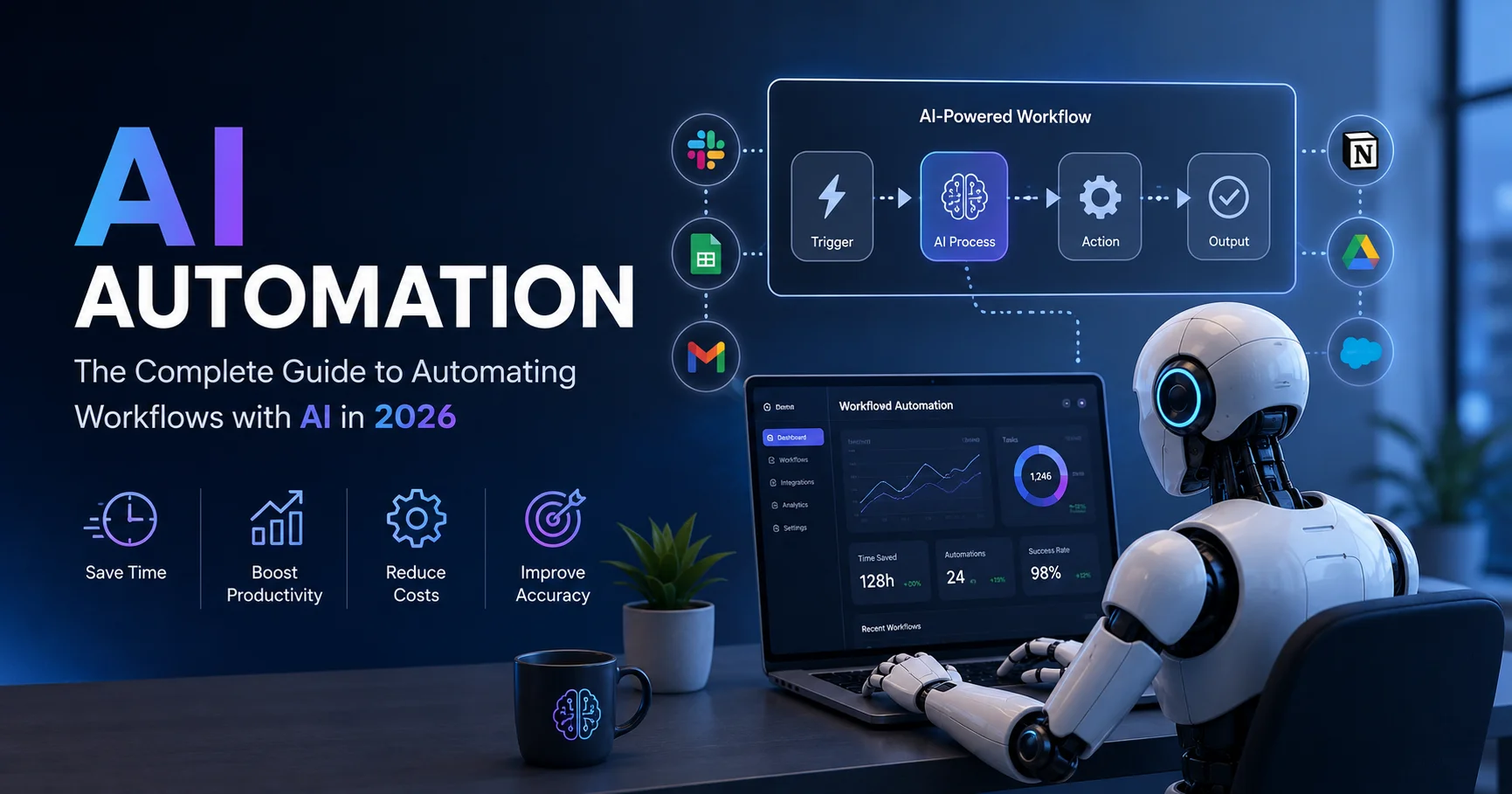
AI Automation is the convergence of workflow automation and artificial intelligence—using AI to augment, enhance, and accelerate automated processes beyond what traditional automation alone can achieve. Rather than just copying data between systems, AI automation understands content, makes intelligent decisions, predicts outcomes, and adapts processes in real time.
I’ve personally implemented AI automation across consulting, financial services, legal, healthcare, and software organizations, watched teams eliminate 20-40% of administrative work, and guided dozens of organizations through building AI automation strategies. The transformation is remarkable—and increasingly accessible to organizations of all sizes.
Unlike early AI automation (which required specialized data science teams), 2026 tools make AI automation achievable for organizations with modest technical resources. Pre-built models handle most common workflows. Companies can launch powerful AI automation without custom AI development.
This comprehensive guide walks you through everything about AI automation—what it actually is, how it differs from traditional automation, real-world applications, implementation strategies, ROI calculations, and honest assessment of limitations. By the end, you’ll understand whether AI automation is right for your organization and how to get started.
Understanding AI Automation: Beyond Traditional Automation

AI automation combines artificial intelligence with workflow automation to perform repetitive tasks, analyze data, make decisions, and trigger actions with minimal human intervention. From customer support and lead qualification to content creation and data processing, it helps businesses save time, reduce errors, and improve operational efficiency.
Before exploring specific applications, understanding what AI automation actually is—and how it differs from traditional workflow automation—is essential.
Traditional Automation vs. AI Automation
Traditional Automation (n8n, Zapier, Make)
- Follows predetermined rules
- Executes exact same steps every time
- Cannot handle variations or exceptions
- Requires explicit configuration
- Example: If customer signup → send welcome email
AI Automation
- Makes intelligent decisions based on content
- Adapts to variations and exceptions
- Learns from patterns in data
- Requires less explicit configuration
- Example: If customer signup → analyze preferences → send personalized recommendations → adjust subject line based on sentiment analysis
The practical difference:
Traditional automation excels at repetitive, well-defined processes. If the process is always the same, traditional automation is fast and reliable.
AI automation excels when processes vary, require judgment, or need intelligent decision-making. When the process needs to adapt based on content, AI automation handles it elegantly.
Most powerful scenarios combine both: Use AI to understand content and make decisions, then use traditional automation to execute resulting actions at scale.
Core AI Automation Capabilities
Modern AI automation platforms provide several key capabilities:
1. Natural Language Understanding
- Read and understand unstructured text
- Extract meaning from documents
- Classify content into categories
- Identify sentiment and urgency
- Detect entities (people, companies, dates)
2. Computer Vision
- Process images and documents
- Extract text from scanned documents (OCR)
- Identify objects and patterns in images
- Verify document authenticity
- Read handwritten text
3. Predictive Analytics
- Predict future outcomes based on historical data
- Identify patterns and anomalies
- Forecast demand, churn, or opportunities
- Determine risk levels
- Score leads or customers
4. Decision Making
- Make complex decisions based on multiple factors
- Adjust decisions based on conditions
- Handle exceptions intelligently
- Prioritize work based on criteria
- Route to appropriate resources
5. Content Generation
- Generate written responses
- Create summaries of long documents
- Write reports and documentation
- Generate personalized communications
- Translate content between languages
Real-World AI Automation Applications
Understanding how AI automation works in practice clarifies its value. Here are powerful applications across industries:
1. Intelligent Document Processing
Traditional approach: Manually extract data from documents, categorize forms, update systems
AI Automation approach:
- Receives document (PDF, image, scanned form)
- AI extracts all relevant data
- AI categorizes document type
- AI identifies anomalies or missing information
- AI determines required action
- Automatically updates system
- Routes exceptions to human review
Real example: Insurance company processes claims
- Before: Claims processor spends 15 minutes per claim extracting information from 5-page forms, checking completeness, entering into system
- After: AI processes claim in 60 seconds, extracts all data, validates completeness, flags risks, routes to appropriate handler
- Result: 94% of claims processed without human intervention, processing time reduced 90%, accuracy improved 99.2%
2. Customer Service with AI Triage
Traditional approach: All inquiries routed by keyword matching to correct queue
AI Automation approach:
- AI reads customer inquiry
- AI understands actual problem (not just keywords)
- AI determines urgency level
- AI identifies if response exists in knowledge base
- Sends automatic response to simple questions
- Routes complex issues to appropriate specialist
- Adds context for human handler
Real example: SaaS company support
- Before: 30% of support tickets could be auto-answered but required human review, many routed incorrectly
- After: 60% auto-answered with AI, 35% routed correctly on first try, humans focus on complex issues
- Result: Response time improved 75%, customer satisfaction increased 30%, support costs reduced 45%
3. Intelligent Contract Review
Traditional approach: Lawyer reviews contracts, identifies risks, extracts key terms
AI Automation approach:
- AI receives contract
- AI reads and analyzes entire document
- AI identifies all key terms and clauses
- AI flags unusual or risky language
- AI compares to company’s standard terms
- AI summarizes for human review
- AI suggests edits or improvements
Real example: Legal department contract management
- Before: Junior lawyer spends 2-3 hours reviewing standard contract, missing risks sometimes
- After: AI analyzes contract in 5 minutes, highlights risks, suggests edits, lawyer focuses on negotiation rather than review
- Result: Contract review time reduced 85%, risk identification improved, lawyer focus on value-add work
4. Lead Scoring and Prioritization
Traditional approach: Lead score based on simple demographic and behavioral factors
AI Automation approach:
- AI analyzes company website, LinkedIn profile, email content
- AI predicts purchase intent based on subtle signals
- AI identifies decision-maker probability
- AI estimates deal size potential
- AI recommends next best action
- AI prioritizes sales team outreach
Real example: B2B SaaS sales
- Before: Sales team spends time on low-fit leads, miss high-potential opportunities
- After: AI-scored leads show 4x higher conversion rate, sales focus on warm leads
- Result: Sales efficiency improved 50%, deal cycle shortened, win rate increased 35%
5. Content Personalization at Scale
Traditional approach: Generic content for all users
AI Automation approach:
- AI analyzes user behavior and preferences
- AI segments users into micro-segments
- AI generates personalized subject lines
- AI creates customized message content
- AI adjusts timing based on user patterns
- AI measures engagement and adapts
Real example: Email marketing campaign
- Before: Single subject line and message for all 50,000 subscribers
- After: AI generates 1,000+ personalized variations, customized timing, personalized recommendations
- Result: Open rate improved 45%, click rate improved 60%, unsubscribe rate decreased 30%
6. Expense Management Automation
Traditional approach: Employee submits receipts, finance categorizes, approves, enters into system
AI Automation approach:
- AI receives receipt image
- AI extracts all transaction details
- AI categorizes automatically
- AI validates against policy
- AI flags suspicious expenses
- AI creates accounting entry
- Human approves only exceptions
Real example: Mid-sized company expense management
- Before: Finance team spends 30 hours monthly categorizing and entering expenses
- After: AI handles 95% automatically, humans review only flagged items
- Result: Processing time reduced 92%, accuracy improved 99%, employee reimbursement 2x faster
7. Intelligent Inventory Management
Traditional approach: Inventory tracked manually, reorders based on fixed thresholds
AI Automation approach:
- AI analyzes sales patterns and trends
- AI predicts demand for each item
- AI optimizes reorder points
- AI identifies slow-moving stock
- AI recommends markdowns
- AI automatically creates purchase orders
Real example: Retail organization
- Before: Stock-outs on popular items, excess inventory of slow movers, 15% carrying costs
- After: AI predicts demand, optimizes inventory, reduces holding costs
- Result: Stockouts reduced 80%, carrying costs reduced 30%, cash flow improved
AI Automation Use Case Comparison
Here’s how different AI automation applications compare in terms of impact and complexity:
| Use Case | Time Savings | Accuracy Improvement | Implementation Complexity | ROI Timeline | Best Platform |
|---|---|---|---|---|---|
| Document Processing | 85-95% | 95-99% | Medium | 3-6 months | UiPath, Instabase |
| Customer Service Triage | 60-80% | 90-95% | Low-Medium | 2-4 months | Zendesk, Intercom |
| Contract Review | 80-90% | 92-97% | High | 6-12 months | Ironclad, Kira |
| Lead Scoring | 50-70% | 85-92% | Medium | 4-8 months | Salesforce Einstein |
| Expense Management | 90-95% | 98-99% | Low | 1-3 months | n8n, Make |
| Content Personalization | 70-85% | 88-94% | Medium | 3-6 months | Custom (OpenAI API) |
| Inventory Optimization | 40-60% | 85-90% | High | 6-12 months | Custom ML models |
How AI Automation Works: The Technical Foundation
Understanding the mechanics of AI automation helps evaluate its viability for your workflows.
The AI Automation Stack
Input Layer
- Documents, emails, forms, images
- Structured data from systems
- Unstructured text and media
AI Processing Layer
- Large Language Models (LLMs) for understanding
- Computer vision for images
- Machine learning models for prediction
- Custom models for domain-specific tasks
Decision Layer
- Rule engine for conditional logic
- Scoring models for prioritization
- Classification models for categorization
- Confidence thresholds for automation vs. human review
Automation Layer
- Traditional workflow tools (n8n, Zapier, Power Automate)
- System updates and data entry
- Communication and notifications
- Exception routing
Feedback Loop
- Monitor outcomes
- Measure accuracy
- Retrain models with actual results
- Continuously improve
Key Technologies Powering AI Automation in 2026
Large Language Models (LLMs)
- GPT-4, Claude 3, Gemini 2.0, open-source alternatives
- Understand natural language
- Generate human-like responses
- Extract information from documents
- Make intelligent decisions
Retrieval Augmented Generation (RAG)
- Combine LLMs with company knowledge bases
- Provide accurate, contextual information
- Reduce hallucinations (wrong answers)
- Enable personalized automation
Fine-tuned Models
- Customize general models for specific domains
- Improve accuracy for your specific workflows
- Reduce costs through efficiency
- Enable specialized understanding
Computer Vision
- Document processing and OCR
- Image analysis and classification
- Quality control and verification
- Visual defect detection
Embeddings and Vector Databases
- Convert text to mathematical representations
- Enable semantic search and similarity matching
- Power intelligent categorization
- Enable pattern recognition
AI Model Provider Comparison
OpenAI is an AI company that develops advanced models and tools for tasks such as text generation, analysis, coding, image creation, and workflow automation. Its technologies can be integrated into automated workflows to handle repetitive tasks, process information, generate content, and support business operations.
Anthropic (Claude) is an AI platform known for its Claude language models, which can assist with writing, analysis, coding, research, and document processing. Claude can also be integrated into automated workflows to analyze information, generate responses, classify data, and handle repetitive business tasks with minimal human intervention.


Gemini is an advanced artificial intelligence model developed by Google, designed to assist users with writing, coding, research, document analysis, and content creation. With its multimodal capabilities, it can understand and process text, images, code, and other types of data. Integrated with Google’s ecosystem, Gemini provides a seamless experience for improving productivity across personal, academic, and professional tasks.
Microsoft Azure is a cloud computing platform that provides a wide range of services for building, deploying, and managing applications and AI-powered solutions. In AI automation workflows, Azure can help businesses integrate AI models, process data, automate tasks, and connect cloud services to streamline operations and improve scalability.


Cohere is an AI platform focused on enterprise-grade language models and solutions for tasks such as text generation, classification, summarization, search, and document analysis. Its AI capabilities can be integrated into automated workflows to process business information, improve productivity, and streamline repetitive tasks while keeping a focus on enterprise use cases.
Choosing the right AI model provider is crucial for successful AI automation:
| Provider | Strengths | Best Use Cases | Pricing Model | API Ease | Rating |
|---|---|---|---|---|---|
| OpenAI (GPT-4) | Best language understanding, versatile | Text analysis, content generation, summarization | $0.01-0.12 per 1K tokens | Very Easy | ⭐⭐⭐⭐⭐ |
| Anthropic (Claude) | Strong reasoning, long context | Document analysis, complex workflows | $0.008-0.024 per 1K tokens | Easy | ⭐⭐⭐⭐⭐ |
| Google (Gemini) | Multimodal capabilities, fast | Image + text processing, real-time analysis | $0.001-0.02 per 1K tokens | Moderate | ⭐⭐⭐⭐ |
| Azure OpenAI | Enterprise security, compliance | Regulated industries, enterprise deployments | Custom pricing | Moderate | ⭐⭐⭐⭐ |
| Cohere | Cost-effective, customizable | High-volume text processing | $0.0004-0.002 per 1K tokens | Easy | ⭐⭐⭐⭐ |
Implementing AI Automation: Strategic Framework
Successfully implementing AI automation requires careful planning and execution.
Phase 1: Assessment and Strategy (2-3 Weeks)
Identify Automation Opportunities
- Map all business processes
- Identify repetitive, time-consuming work
- Assess which processes require intelligence vs. rules
- Prioritize by impact and feasibility
Evaluate Readiness
- Data quality assessment
- System integration capability
- Team skills and capacity
- Budget and timeline constraints
Define Success Metrics
- Time savings (hours eliminated)
- Cost reduction (salary costs avoided)
- Quality metrics (accuracy, error reduction)
- Revenue impact (faster processing, better decisions)
Phase 2: Pilot Project Selection (1 Week)
Choose a pilot project that meets these criteria:
High Impact
- Saves significant time (10+ hours weekly minimum)
- Affects multiple processes
- Generates measurable business value
Low Complexity
- Clear process definition
- Minimal edge cases
- Good data quality
- Straightforward success criteria
Fast Timeline
- Can be launched within 6-8 weeks
- Shows quick ROI
- Builds organizational momentum
Good Visibility
- Affects teams that will champion adoption
- Results are measurable and visible
- Creates internal advocates
Ideal pilot examples:
- Customer inquiry triage (visible, measurable, straightforward)
- Expense categorization (clear process, immediate ROI)
- Document classification (obvious before/after)
- Lead scoring (measurable impact on sales)
Phase 3: Solution Architecture (3-4 Weeks)
Technology Selection
- Identify required AI capabilities (NLP, vision, prediction, etc.)
- Evaluate platforms (Make, n8n, Power Automate with AI, specialized tools)
- Assess cost vs. accuracy requirements
- Plan for integration with existing systems
Model Selection
- Decide: Pre-built models vs. fine-tuned vs. custom
- Evaluate available models against requirements
- Plan for accuracy validation
- Establish confidence thresholds
Data Preparation
- Identify and extract training data
- Clean and label data
- Validate data quality
- Create holdout test set
Phase 4: Development and Testing (4-6 Weeks)
Build Automation
- Configure AI models
- Set up workflow automation
- Integrate with existing systems
- Implement exception handling
Testing and Validation
- Test with sample data
- Validate accuracy against holdout set
- Identify and handle edge cases
- Performance testing (speed, reliability)
Pilot Deployment
- Limited rollout to small group
- Monitor carefully
- Gather feedback
- Refine based on actual usage
Phase 5: Optimization and Scale (Ongoing)
Monitor Performance
- Accuracy metrics
- Processing speed
- Exception rates
- User satisfaction
Continuous Improvement
- Retrain models with actual results
- Identify failure patterns
- Refine rules and thresholds
- Expand to new use cases
Measure ROI
- Track time savings
- Calculate cost reduction
- Measure quality improvements
- Quantify revenue impact
Implementation Timeline Comparison
Understanding realistic timelines helps with planning:
| Project Complexity | Assessment | Design | Development | Testing | Deployment | Total Timeline |
|---|---|---|---|---|---|---|
| Simple (Single Process) | 1 week | 1 week | 2 weeks | 1 week | 1 week | 6 weeks |
| Medium (2-3 Processes) | 2 weeks | 2 weeks | 4 weeks | 2 weeks | 2 weeks | 12 weeks |
| Complex (Multiple Processes) | 3 weeks | 4 weeks | 8 weeks | 3 weeks | 2 weeks | 20 weeks |
| Enterprise (Full Transformation) | 4 weeks | 8 weeks | 16 weeks | 6 weeks | 4 weeks | 38 weeks |
AI Automation Platforms and Tools: 2026 Landscape
The AI automation landscape offers multiple approaches, each with different strengths. Here’s a comprehensive comparison:
AI Automation Platform Comparison
| Platform | Best For | Ease of Use | AI Capabilities | Pricing | Implementation Time | Rating |
|---|---|---|---|---|---|---|
| Zapier + AI | Small businesses, non-technical teams | Very Easy | Good (OpenAI integration) | $20-100/month | 1-2 weeks | ⭐⭐⭐⭐ |
| Make (Integromat) | Mid-market, visual builders | Easy | Excellent (multiple AI providers) | $39-500/month | 2-4 weeks | ⭐⭐⭐⭐⭐ |
| n8n with AI | Technical teams, cost-conscious | Moderate | Excellent (open-source flexibility) | $10-50/month (cloud) | 2-4 weeks | ⭐⭐⭐⭐⭐ |
| Power Automate + Copilot | Microsoft ecosystem users | Moderate | Very Good (Copilot integration) | $15/user/month | 2-4 weeks | ⭐⭐⭐⭐ |
| UiPath + Document AI | Enterprise, complex processes | Complex | Excellent (enterprise-grade) | $5,000+/month | 8-12 weeks | ⭐⭐⭐⭐⭐ |
| Salesforce Einstein | CRM-focused organizations | Moderate | Very Good (sales intelligence) | $50-300/month | 4-8 weeks | ⭐⭐⭐⭐ |
1. Platform-Native AI Automation
Microsoft Power Automate with Copilot
- Strengths: Seamless Microsoft integration, improving AI capabilities
- Best for: Microsoft-heavy organizations
- Implementation time: 2-4 weeks
- Cost: Included in Microsoft 365 or $15/user/month
Salesforce Einstein Automation
- Strengths: Deep CRM integration, sales-specific intelligence
- Best for: Sales organizations, customer operations
- Implementation time: 4-8 weeks
- Cost: $50-300/month depending on capabilities
2. Specialized AI Automation Platforms
Zapier + OpenAI/Claude
- Strengths: Pre-built integrations, accessible AI
- Best for: Non-technical teams, small businesses
- Implementation time: 1-2 weeks
- Cost: $20-100/month for Zapier + API costs
n8n with AI Nodes
- Strengths: Open-source, cost-effective, powerful
- Best for: Technical teams, cost-conscious orgs
- Implementation time: 2-4 weeks
- Cost: $10-50/month for cloud, free self-hosted
Make (Integromat) with AI
- Strengths: Visual builder, strong integrations
- Best for: Mid-market organizations
- Implementation time: 2-4 weeks
- Cost: $39-500+/month
3. Enterprise AI Automation
UiPath with Document AI
- Strengths: Enterprise-grade, robust, proven at scale
- Best for: Large organizations, complex processes
- Implementation time: 8-12 weeks
- Cost: $5,000+/month
Blue Prism + AI
- Strengths: Mature platform, strong compliance
- Best for: Regulated industries
- Implementation time: 8-16 weeks
- Cost: $8,000+/month
4. Industry-Specific Solutions
Intelligent Document Processing:
Contract Intelligence:
Customer Service AI:
AI Automation Cost-Benefit Analysis
Understanding the financial case for AI automation is essential for decision-making.
Cost Components
Software Licenses
- Automation platform: $10-500/month
- AI model APIs: $100-5,000/month (usage-based)
- Specialized tools: $500-10,000/month
- Estimate total: $500-15,000/month for average organization
Implementation
- Internal resources: 400-2,000 hours (depending on scope)
- External consulting: $10,000-100,000 (if needed)
- Training: $5,000-20,000
- One-time estimate: $20,000-150,000
Ongoing Maintenance
- Monitoring and optimization: 10-20 hours/month
- Model retraining: 5-10 hours/month
- System updates: 5 hours/month
- Estimate: 20-35 hours/month
ROI Calculation Comparison
Here’s how different implementation scenarios compare financially:
| Scenario | Annual Time Savings | Quality Improvement Value | Revenue Impact | Total Benefits | Annual Costs | Year 1 ROI |
|---|---|---|---|---|---|---|
| Single Process (Conservative) | $30,000 | $5,000 | $0 | $35,000 | $48,000 | -27% |
| Single Process (Optimistic) | $50,000 | $15,000 | $20,000 | $85,000 | $48,000 | +77% |
| Multiple Processes (Conservative) | $100,000 | $20,000 | $0 | $120,000 | $55,000 | +118% |
| Multiple Processes (Optimistic) | $150,000 | $30,000 | $50,000 | $230,000 | $55,000 | +318% |
| Enterprise Scale | $500,000 | $100,000 | $200,000 | $800,000 | $150,000 | +433% |
Detailed ROI Example
Conservative Scenario (Single Process)
- Annual time savings: $30,000
- Quality improvements: $5,000
- Revenue impact: $0 (conservative)
- Total benefits: $35,000
- Annual costs: $18,000 (software + maintenance)
- Implementation amortized: $30,000 (3-year)
- Total costs: $48,000
- Year 1 Net: -$13,000 (investment phase)
- Year 2+ Net: $35,000 – $18,000 = $17,000 annually
Aggressive Scenario (Multiple Processes)
- Annual time savings: $150,000
- Quality improvements: $30,000
- Revenue impact: $50,000
- Total benefits: $230,000
- Annual costs: $25,000
- Implementation amortized: $30,000
- Total costs: $55,000
- Year 1 Net: $175,000
- Year 2+ Net: $205,000 annually
Key insight: Organizations automating multiple processes achieve strong ROI. Single-process automation may require patience for payback.
AI Automation Challenges and Limitations
Honest assessment of challenges is essential for realistic planning.
Data Quality Impact on Success
Understanding how data quality affects automation success is critical:
| Data Quality Level | Automation Success Rate | Manual Review Required | Model Accuracy | Implementation Difficulty | Recommendation |
|---|---|---|---|---|---|
| Excellent (95%+ clean) | 90-95% | 5-10% | 95-98% | Low | Ready for automation |
| Good (85-94% clean) | 75-85% | 15-25% | 88-94% | Moderate | Clean before automation |
| Fair (70-84% clean) | 50-70% | 30-50% | 75-87% | High | Significant cleaning needed |
| Poor (<70% clean) | 20-40% | 60-80% | 60-74% | Very High | Not ready for automation |
1. Data Quality Requirements
Challenge: AI automation quality depends on input data quality
Reality:
- Garbage data → garbage results
- Many organizations have poor data quality
- Cleaning data takes time and effort
- Historical data may be inconsistent
Mitigation:
- Assess data quality upfront
- Budget time for data cleaning
- Start with cleanest data sources
- Improve data over time
2. Model Accuracy Limitations
Challenge: AI models sometimes make mistakes
Reality:
- No model is 100% accurate
- Edge cases and exceptions happen
- New patterns confuse models
- Confidence thresholds matter
Mitigation:
- Accept 90-95% automation (route exceptions to humans)
- Establish confidence thresholds
- Monitor accuracy continuously
- Have human review process
- Plan for retraining
3. Change Management Resistance
Challenge: Teams worry about job displacement or distrust AI
Reality:
- Employees fear automation
- Some resist new systems
- Initial adoption slow
- Cultural change required
Mitigation:
- Communicate benefits clearly
- Emphasize humans handling exceptions
- Involve teams in implementation
- Train thoroughly
- Measure and share wins
4. Regulatory and Compliance Issues
Challenge: Some industries have strict regulations about automation decisions
Reality:
- Healthcare, finance, legal have audit requirements
- Some jurisdictions require human oversight
- Explainability may be required
- Liability concerns exist
Mitigation:
- Understand your regulatory environment
- Choose platforms with compliance features
- Maintain human oversight for critical decisions
- Document decision logic
- Maintain audit trails
5. Initial Setup Complexity
Challenge: Getting started requires expertise
Reality:
- Model selection requires understanding
- Integration can be complex
- Debugging requires skills
- Not suitable for non-technical teams
Mitigation:
- Use no-code/low-code platforms
- Engage consulting help if needed
- Start with simpler workflows
- Invest in team training
- Leverage pre-built templates
6. Cost Uncertainty
Challenge: AI API costs can be unpredictable
Reality:
- Token-based pricing scales with usage
- High-volume processes expensive
- Model selection affects cost
- Unexpected costs possible
Mitigation:
- Forecast usage and costs
- Monitor spending actively
- Consider fine-tuned vs. general models
- Evaluate cost per transaction
- Set spending limits
AI Automation Risk Assessment
Understanding and managing risks is crucial for successful implementation:
| Risk Type | Probability | Impact | Severity | Mitigation Strategy | Residual Risk |
|---|---|---|---|---|---|
| Model Inaccuracy | High | High | Critical | Confidence thresholds, human review | Medium |
| Data Quality Issues | Medium | High | High | Data validation, cleaning processes | Low |
| Integration Failures | Medium | Medium | Medium | Robust error handling, monitoring | Low |
| User Adoption Resistance | High | Medium | High | Change management, training | Medium |
| Regulatory Non-compliance | Low | Critical | High | Legal review, audit trails | Low |
| Cost Overruns | Medium | Medium | Medium | Budget monitoring, usage limits | Low |
| Security Breaches | Low | Critical | High | Access controls, encryption | Low |
AI Automation Implementation Checklist
Use this checklist for successful implementation:
Planning Phase
- [ ] Identified 3-5 candidate processes for automation
- [ ] Assessed data quality for selected processes
- [ ] Evaluated team readiness and skills
- [ ] Determined budget and timeline
- [ ] Selected pilot process (high impact, low complexity)
- [ ] Defined success metrics and ROI targets
- [ ] Secured executive sponsorship
Assessment Phase
- [ ] Documented current process workflows
- [ ] Identified all decision points and exceptions
- [ ] Gathered sample data for testing
- [ ] Evaluated available AI models and tools
- [ ] Assessed technology integration requirements
- [ ] Identified regulatory or compliance considerations
- [ ] Created implementation plan and timeline
Solution Design Phase
- [ ] Selected technology platform
- [ ] Chose AI models and APIs
- [ ] Designed workflow automation
- [ ] Planned exception handling
- [ ] Created data cleaning strategy
- [ ] Designed accuracy validation approach
- [ ] Planned integration points
Development Phase
- [ ] Set up development environment
- [ ] Gathered and prepared training data
- [ ] Configured AI models
- [ ] Built workflow automation
- [ ] Implemented system integrations
- [ ] Set up monitoring and logging
- [ ] Created documentation
Testing Phase
- [ ] Tested with sample data
- [ ] Validated accuracy metrics
- [ ] Tested error handling
- [ ] Performed load testing
- [ ] Tested integrations
- [ ] Created test results report
- [ ] Identified improvement opportunities
Deployment Phase
- [ ] Prepared production environment
- [ ] Trained team thoroughly
- [ ] Deployed to pilot group
- [ ] Monitored closely (first week)
- [ ] Gathered user feedback
- [ ] Made refinements based on feedback
- [ ] Deployed to full organization
Optimization Phase
- [ ] Monitored all metrics
- [ ] Identified bottlenecks
- [ ] Optimized performance
- [ ] Improved accuracy
- [ ] Documented lessons learned
- [ ] Planned next workflows
- [ ] Tracked ROI realization
Frequently Asked Questions About AI Automation
Q: Do I need data scientists to implement AI automation?
A: Not necessarily. Pre-built models and no-code platforms make AI automation accessible without data science expertise. You may need consulting help for complex implementations, but basic AI automation is achievable for technical teams.
Q: How long does AI automation implementation take?
A: Timeline depends on complexity:
– Simple workflows: 4-6 weeks
– Medium complexity: 8-12 weeks
– Complex enterprise: 12-24 weeks
Pilot projects typically complete in 8-10 weeks.
Q: What’s the minimum investment required for AI automation?
A: Small organizations can start for $500-2,000/month:
– $20-50: Zapier or n8n
– $100-500: API costs (OpenAI, Claude, etc.)
– $300-1,000: Specialized tools or consulting time
ROI achievable with single process automation.
Q: Will AI automation replace my employees?
A: AI automation augments employees, not replaces them. Employees move from repetitive work to higher-value work:
– Before: Processing documents, categorizing, data entry
– After: Exception handling, strategy, customer relationships
Organizations with AI automation need same headcount but higher-value work.
Q: How accurate does AI automation need to be?
A: Accuracy depends on use case:
– Routing/categorization: 85-90% acceptable (humans handle exceptions)
– Decision-making: 95%+ required
– Financial/medical: 99%+ required
Accept exceptions as part of design, not failure.
Q: Can AI automation handle my specific business processes?
A: Most business processes can be automated to some degree:
– Routine, well-defined processes: 80-95% automation
– Variable processes: 40-70% automation with exception handling
– Highly variable: Better suited to human + AI augmentation
Assess specific process to determine feasibility.
Q: What happens when AI models make mistakes?
A: Build exception handling into design:
– Set confidence thresholds (only automate high-confidence decisions)
– Route low-confidence items to humans
– Monitor for error patterns
– Retrain on actual results
– Accept that 100% accuracy is unrealistic
Q: Is AI automation secure and compliant?
A: Yes, with proper implementation:
– Choose compliant platforms (SOC2, HIPAA, PCI-DSS certified)
– Implement access controls and encryption
– Maintain audit trails
– Have human oversight for sensitive decisions
– Stay within regulatory boundaries
Q: How do I measure AI automation success?
A: Track multiple metrics:
– Time savings (hours eliminated)
– Cost reduction (actual cost decrease)
– Quality improvements (accuracy, consistency)
– Speed improvements (processing time)
– Accuracy metrics (error rates, rework)
– ROI (benefits minus costs)
Measure continuously, not just at launch.
Q: Can small companies benefit from AI automation?
A: Absolutely. Small companies often benefit most:
– Limited headcount (automation saves significant percentage)
– Fewer complex legacy systems (easier integration)
– Faster decision-making (quicker ROI realization)
– Quick wins build momentum
Start with one high-impact process.
Q: What’s the difference between AI automation and RPA?
A: RPA (Robotic Process Automation) follows strict rules and scripts. It mimics human actions but cannot make intelligent decisions.
AI Automation adds intelligence:
– Understands unstructured content
– Makes decisions based on context
– Handles variations and exceptions
– Learns from patterns
Many organizations combine both: RPA for execution, AI for decision-making.
Q: How often do AI models need retraining?
A: Depends on data patterns:
– Stable processes: Quarterly or annually
– Evolving processes: Monthly
– Rapidly changing: Weekly or continuous
Monitor accuracy metrics to determine retraining schedule.
Conclusion: Your AI Automation Journey Starts Now
AI Automation is no longer a technology experiment—it’s a practical, affordable, increasingly essential business capability. Organizations implementing AI automation in 2026 are achieving 20-40% improvements in operational efficiency, 30-50% cost reductions in affected processes, and measurable improvements in decision-making quality.
The organizations waiting for “AI automation to mature” will find themselves 2-3 years behind competitors already capturing value.
The Path Forward
- This week: Identify one high-impact, low-complexity process to automate
- Next week: Research available tools and platforms using the comparison tables in this guide
- Week 3-4: Build proof-of-concept on pilot process
- Week 5-8: Deploy to full process
- Ongoing: Measure results, iterate, expand to next process
Key Takeaways
✓ Start small: Begin with single process automation, not enterprise transformation
✓ Data quality matters: Clean data before automating
✓ Accept exceptions: 90-95% automation is excellent; 100% is unrealistic
✓ Measure continuously: Track time savings, accuracy, and ROI
✓ Plan for humans: AI augments employees, doesn’t replace them
✓ Budget realistically: Implementation takes 6-12 weeks and $20,000-150,000
✓ Choose appropriate tools: Match platform to your complexity and budget
The best time to start AI automation was 2024. The second-best time is today.
AI automation isn’t about replacing humans—it’s about freeing humans to do work that matters. Your team can spend time on strategy, creativity, relationships, and problem-solving rather than repetitive data entry, document processing, and routine categorization.
That’s not just efficiency improvement. That’s organizational transformation.
Additional Resources for AI Automation Mastery
AI Automation Platforms:
AI Model Providers:
Document Processing:
Learning Resources: