Top ClickUp Alternatives For Project Management Success
Many professionals ask what the best alternatives to ClickUp are for daily project management. The top alternatives to ClickUp include Monday.com for visual workflows and Asana for structured task tracking. Notion is perfect for custom knowledge bases while Jira serves software development teams best. Trello remains the ultimate choice for simple kanban boards.
This guide will explore every detail. We will cover pricing and user experience. You will learn exactly how to migrate your data. Let us dive into the ultimate guide for finding your perfect workspace.
How We Evaluated These Team Collaboration Tools
To provide the most reliable advice I tested these platforms extensively. I created mock agencies and software teams. I imported real-world data to test the limits of each system. I evaluated the onboarding experience for new hires. I also measured the mobile app performance during commutes. This hands-on experience ensures my recommendations are based on reality and not just marketing claims. Finding the right project management software requires looking past the shiny feature lists. You need a tool that actually fits your daily rhythm.
Why Teams Search For A ClickUp Alternative
ClickUp is a massive platform. It offers almost every feature imaginable. However this vastness creates a steep learning curve. New team members often feel overwhelmed during the initial onboarding process. I remember setting up my first ClickUp workspace. The sheer number of views and custom fields took hours to configure. Some teams simply need a simpler tool. Others require better native integrations for their specific tech stack. Performance lag is another common complaint when handling massive databases.
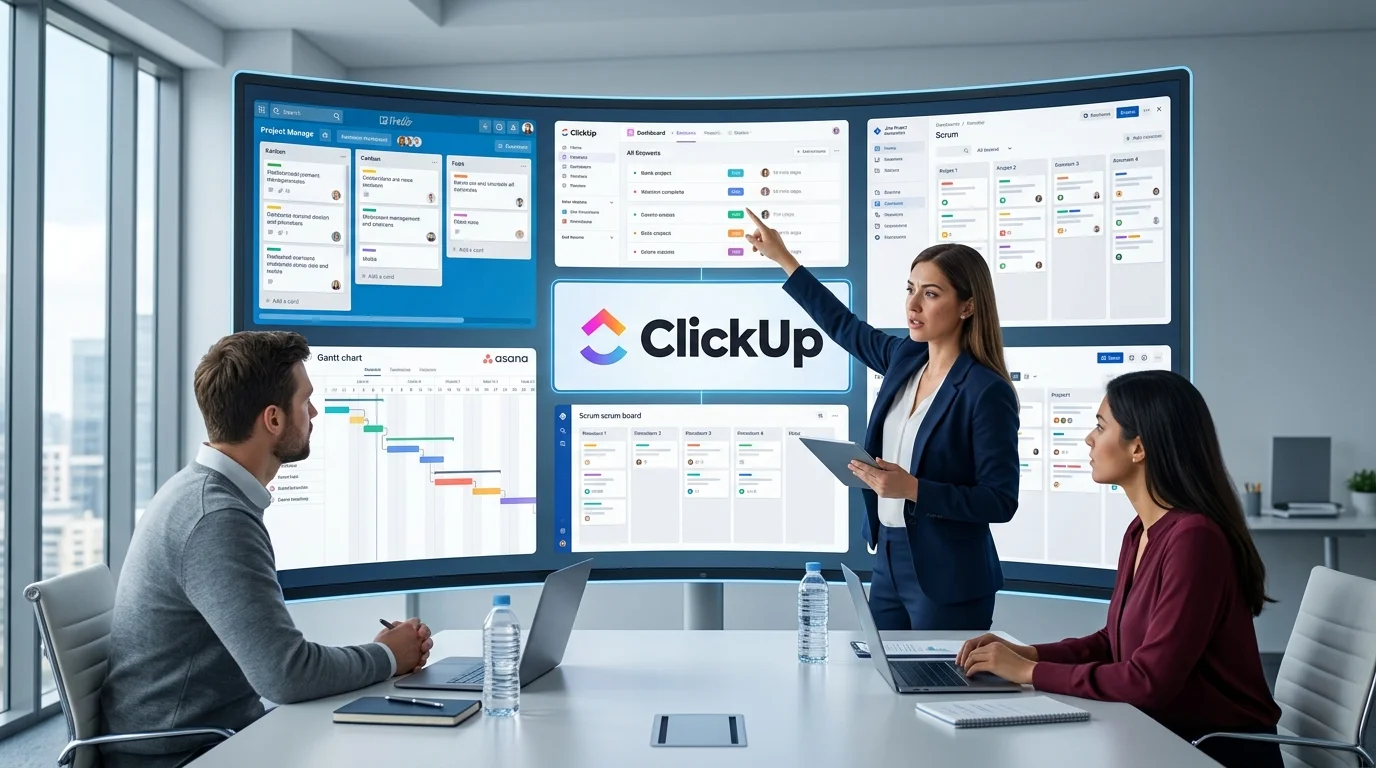
ClickUp is a powerful all-in-one productivity and project management platform designed to help teams plan, organize, and manage their work efficiently. It combines task management, project tracking, document collaboration, goal setting, and workflow automation in a single workspace. Widely used by businesses of all sizes, ClickUp helps teams improve collaboration, streamline processes, and boost productivity through its highly customizable features.
According to recent workplace studies teams waste significant time navigating overly complex interfaces. Finding the right project management software means balancing power with simplicity. You want a tool that accelerates work rather than slowing it down with unnecessary clicks. Many teams realize that ClickUp tries to do everything but ends up doing some things in a overly complicated manner.
1. Monday.com As A Powerful ClickUp Alternative
Overview
Monday.com is a highly visual work operating system. It focuses on colorful boards and intuitive automation. The sign-up process is incredibly smooth. You just enter your email and the workspace builds itself in seconds. It is a fantastic alternative for visual thinkers who find the ClickUp interface too cluttered.
Monday.com is a cloud-based work operating system (Work OS) that enables teams to manage projects, workflows, and daily operations from a single platform. It offers customizable boards, task tracking, automation, collaboration tools, and real-time reporting to help teams stay organized and productive. Used by businesses across various industries, Monday.com simplifies project planning, improves team collaboration, and provides greater visibility into work progress through its flexible and user-friendly interface.
Pros
- ✔️ The most visually appealing and intuitive interface on the market.
- ✔️ Excellent automation and integration capabilities.
- ✔️ Highly customizable columns (dropdowns, numbers, people, files).
- ✔️ Great for tracking non-task data like CRM pipelines or content calendars.
Cons
- ❌ Free plan is limited to only 2 users.
- ❌ Lacks a native document/wiki feature.
- ❌ Can feel overly complex for simple to-do lists.
Pro Tip: If you are a two-person team, use Monday.com’s free plan to manage your client pipeline. Its visual status columns are perfect for tracking leads from “New” to “Closed,” making it a fantastic CRM-focused choice among Trello alternatives.
Always test your automations on a dummy board before applying them to live projects. A bad automation rule can send hundreds of unwanted notifications to your team.
Visual tools reduce cognitive load and help teams focus on execution rather than navigation.
2. Asana For Structured Task Management
Overview
Asana is a veteran in the project management software space. It strikes a beautiful balance between simplicity and depth. I have used Asana for marketing campaigns and it excels at timeline tracking. The interface feels very clean and distraction-free. It is a top-tier choice for those migrating from ClickUp and seeking structure.
Asana is a leading work management and team collaboration platform that helps organizations plan, track, and manage projects efficiently. It enables users to create tasks, assign responsibilities, set deadlines, monitor progress, and automate workflows within a centralized workspace. Widely adopted by businesses and remote teams, Asana improves productivity, enhances communication, and ensures projects stay on schedule through its intuitive and flexible project management tools.
Pros
- ✔️ Free for up to 15 team members (the most generous user limit).
- ✔️ Extremely intuitive and clean user interface.
- ✔️ Excellent mobile app for on-the-go management.
- ✔️ Strong focus on team collaboration and task assignments.
Cons
- ❌ The free plan lacks advanced reporting and timeline views.
- ❌ Can feel a bit rigid if you prefer the free-form nature of Trello.
- ❌ No native docs or wiki features like Notion or ClickUp.
Pro Tip: Use Asana’s “My Tasks” view alongside the Kanban board. Among Trello alternatives, Asana’s personal task view is one of the best for ensuring you never lose track of your specific daily deliverables.
3. Notion For Ultimate Customization
Overview
Notion is more than just a project management tool. It is a blank canvas for your entire company wiki and database. Setting up Notion requires a shift in thinking. You are building your own software essentially. Teams leaving ClickUp often move to Notion for this exact reason.
Notion is a versatile productivity and workspace platform that combines note-taking, project management, knowledge sharing, and collaboration tools in one place. Users can create documents, manage tasks, build databases, and organize information through customizable pages and templates. Popular among individuals, startups, and large organizations, Notion helps teams centralize their work, streamline communication, and stay organized with a flexible and user-friendly interface.
Pros
- ✔️ Unmatched flexibility; you can build exactly the workflow you need.
- ✔️ Combines task management, documentation, and wikis in one place.
- ✔️ Beautiful, minimalist, and distraction-free interface.
- ✔️ Incredible template gallery to get started in seconds.
Cons
- ❌ Requires a “builder” mindset; it doesn’t come with pre-set project management rules out of the box.
- ❌ Offline mode is notoriously clunky.
- ❌ Can become slow if you build massive, complex databases.
Pro Tip: Don’t try to build your Notion workspace from scratch. Search for “Notion Kanban templates” or “Notion Trello alternatives templates” to find pre-built boards that mimic Trello’s functionality perfectly.
4. Jira For Agile Software Teams
Overview
Jira is the undisputed king of agile development. If your team writes code this is your best ClickUp alternative. The ecosystem of plugins is massive. It is deeply embedded in the software engineering culture.
Jira is a powerful project management and issue tracking platform designed to help teams plan, organize, and deliver work more efficiently. Widely used by software development, IT, and business teams, Jira supports Agile methodologies such as Scrum and Kanban, enabling seamless sprint planning, task tracking, and workflow automation. With customizable boards, detailed reporting, and integrations with hundreds of popular tools, Jira improves collaboration, increases productivity, and provides complete visibility into project progress from start to finish.

Pros
- ✔️ Powerful project and issue tracking capabilities.
- ✔️ Excellent support for Agile, Scrum, and Kanban workflows.
- ✔️ Highly customizable workflows, dashboards, and automation.
- ✔️ Extensive integration with development and collaboration tools.
- ✔️ Advanced reporting and real-time project analytics.
- ✔️ Scalable for teams of all sizes, from startups to enterprises.
- ✔️ Strong permission and role management for secure collaboration.
- ✔️ Large marketplace with thousands of plugins and extensions.
Cons
- ❌ Can be overwhelming for beginners due to its extensive features.
- ❌ Initial setup and workflow customization may require significant time.
- ❌ Premium plans can become expensive for large teams.
- ❌ Performance may slow down with very large projects or complex configurations.
- ❌ Some advanced features are only available in higher-tier plans.
- ❌ User interface can feel cluttered compared to simpler project management tools.
- ❌ Requires ongoing administration to maintain optimized workflows.
- ❌ Less suitable for very small teams or simple task management needs.
Pro Tips: Keep your workflow statuses simple initially. You can always add more columns later. Use the advanced roadmaps for cross-team visibility.
5. Trello For Simple Kanban Workflows
Overview
Trello is the pioneer of the kanban board. It is incredibly straightforward. You get cards and lists. That is basically it. Teams overwhelmed by ClickUp often find peace in Trello.
Trello is a popular project management and collaboration tool that helps individuals and teams organize tasks visually. Using boards, lists, and cards, users can plan projects, track progress, assign responsibilities, and manage deadlines in a simple and intuitive workspace. Trello is widely used for task management, team collaboration, and workflow organization across businesses of all sizes.
Pros
- ✔️ Simple and intuitive drag-and-drop interface.
- ✔️ Easy to learn with minimal setup required.
- ✔️ Ideal for personal projects and small teams.
- ✔️ Flexible Kanban boards for visual task management.
- ✔️ Generous free plan with essential features.
- ✔️ Supports automation through Butler.
- ✔️ Integrates with many popular apps and services.
- ✔️ Available on web, desktop, and mobile devices.
Cons
- ❌ Limited advanced project management features.
- ❌ Not ideal for managing large or complex projects.
- ❌ Reporting and analytics are basic compared to enterprise tools.
- ❌ Dependency management is limited.
- ❌ Advanced automation and features require paid plans.
- ❌ Can become cluttered with large numbers of cards and boards.
- ❌ Fewer workflow customization options than tools like Jira.
- ❌ Less suitable for organizations following complex Agile frameworks.
Pro Tips: Use labels and due dates religiously. Keep your boards focused on single projects to avoid visual clutter.
Comprehensive Comparison Table
Here is a detailed comparison to help you visualize the differences. This table evaluates the top platforms based on real-world usage.
| Platform | Ideal Use Case | Starting Price | User Rating |
|---|---|---|---|
| Monday.com | Visual Workflows | 8 USD | ⭐⭐⭐⭐☆ 4.6 out of 5 |
| Asana | Structured Tasks | 10 USD | ⭐⭐⭐⭐☆ 4.5 out of 5 |
| Notion | Custom Wikis | 8 USD | ⭐⭐⭐⭐⭐ 4.7 out of 5 |
| Jira | Agile Development | 7 USD | ⭐⭐⭐⭐☆ 4.3 out of 5 |
| Trello | Simple Kanban | 5 USD | ⭐⭐⭐⭐☆ 4.6 out of 5 |
Hidden Costs Of Project Management Tools
Many teams focus only on the monthly subscription fee. However the total cost of ownership includes training and maintenance. A complex tool like ClickUp might require a dedicated administrator. This adds hidden salary costs. Simpler tools like Trello reduce training time significantly. Always calculate the time your team will spend managing the tool itself.
Furthermore consider the cost of integrations. Some platforms charge extra for advanced API access or premium connectors. ClickUp includes many integrations in its base plans but the limits can be restrictive. Always read the fine print regarding API calls and automation runs.
How To Evaluate Your Current ClickUp Pain Points
Before switching you must understand why you are leaving. Write down the exact moments your team feels frustrated. Is it the loading speed? Is it the confusing sidebar navigation? Is it the lack of offline mobile access? Create a survey for your team. Ask them to rate their daily friction points on a scale of one to ten.
This data will guide your decision. If your main issue is speed you need a lightweight tool. If your issue is reporting you need a data-heavy platform. Do not switch platforms just because a competitor has a flashy new feature. Switch because your current ClickUp setup is actively hindering your productivity.
Deep Dive Into Data Migration Strategies
Moving from ClickUp to a new platform is not just about copying files. It is about preserving context. ClickUp allows you to export your entire workspace to a CSV file. However this export often breaks nested subtasks. You must clean your data before exporting.
Archive old completed projects to reduce file size. Map your ClickUp custom fields to the new system carefully. A field named Priority in ClickUp might be called Urgency in Asana. Use a spreadsheet to map these relationships. For complex migrations consider using an integration platform. These tools can map APIs directly and preserve comments and attachments.
Never delete your ClickUp workspace immediately after migrating. Keep it in read-only mode for at least three months. You will inevitably need to reference old data or recover a missed attachment.
Security And Compliance Considerations
Enterprise teams must consider data security. ClickUp offers SOC2 compliance and SSO on higher tiers. You must ensure your new alternative matches these standards. Monday.com and Asana both offer enterprise-grade security. They provide advanced audit logs and data residency options.
Notion is also SOC2 compliant but its sharing permissions can be tricky to manage at scale. Always request a security whitepaper from the vendor before signing an annual contract. Ask specifically about their data encryption standards and their disaster recovery protocols. Your IT department will thank you for doing this due diligence.
Real-World Use Cases
Let us look at a marketing agency that switched from ClickUp to Asana. They struggled with the complex permission settings in their old tool. Clients were accidentally seeing internal notes. Asana solved this instantly with its clean guest portal. The agency reduced client onboarding time by forty percent.
Now consider a software startup moving to Notion. They wanted their product roadmap and company wiki in one place. ClickUp felt too rigid for their brainstorming sessions. Notion allowed them to link meeting notes directly to product specs. Their engineering velocity increased because context switching was eliminated.
These stories highlight that the best tool is subjective. It depends entirely on your specific operational bottlenecks. A tool that is perfect for a dev team might be terrible for a creative agency.
Integrations And Ecosystem Comparison
No tool lives in isolation. Your project management software must talk to your communication and storage tools. ClickUp has a massive native integration gallery. However some of these integrations are basic.
Monday.com excels here with deep native integrations for Salesforce and HubSpot. Asana integrates beautifully with Microsoft Teams. Jira is unbeatable for developer tools like GitHub and GitLab. Trello relies heavily on Power-Ups to connect with external services. Test the integrations you use daily before committing to a new platform. A pretty interface is useless if it does not connect to your email or your CRM.
Practical Summary And Migration Checklist
Practical Summary
Choosing a new workspace depends on your core needs. Visual thinkers need Monday.com. Structured planners need Asana. Builders need Notion. Developers need Jira. Minimalists need Trello. ClickUp tries to do all of this but often compromises on depth. Evaluate your primary workflow and choose the tool that specializes in that area.
Migration Checklist
- Audit your current ClickUp data.
- Clean up obsolete tasks and documents.
- Export your data to CSV format.
- Map your custom fields to the new tool.
- Run a pilot test with a small team.
- Train the rest of the company.
- Decommission the old ClickUp workspace.
FAQs
Is ClickUp completely useless compared to its rivals?
No. ClickUp is still a powerhouse. It just suffers from feature bloat. Many teams love its all-in-one approach. If you have a dedicated admin who loves building complex systems ClickUp might still be your best choice.
Can I import my ClickUp data into Asana or Monday.com?
Yes. Both platforms offer native CSV import tools. You can also use third-party migration services for complex databases. The key is to clean your data before the import.
Which alternative is the most budget-friendly?
Trello has a very generous free plan. Notion also offers a great free tier for small teams. Both allow you to test the waters without spending a dime.
How long does a typical migration take?
A small team can migrate in a single weekend. Large enterprises might need a month of careful planning and parallel running. Always allocate more time than you think you need for the training phase.
Will my team resist the change?
Change management is real. People get used to their tools. Communicate the reasons for the switch clearly. Show them how the new tool will make their specific daily tasks easier. Involve team champions in the selection process to build early buy-in.
Final Thoughts And Conclusion
Finding the right project management software is a journey. ClickUp is a fantastic tool for those who want everything in one place. However the learning curve and occasional performance issues push many teams to seek alternatives. Monday.com offers the best visual experience. Asana provides the best structured task management. Notion wins for custom knowledge bases.
Evaluate your specific bottlenecks before making the switch. Test the top contenders with a free trial. Involve your team in the decision-making process. Your team will thank you for choosing a tool that fits their natural workflow. The right platform should feel like an invisible assistant rather than a digital obstacle. Take your time and choose wisely.