What Is a Monorepo Tool? The Complete Guide to Understanding, Implementing, and Mastering Monorepo Architecture in 2026

INTRODUCTION
If you’ve been keeping tabs on modern software development practices, you’ve likely heard the term “monorepo” floating around in developer conversations. But what exactly is a mono repo tool, and why are companies like Google, Facebook, and Microsoft organizing their codebases this way?
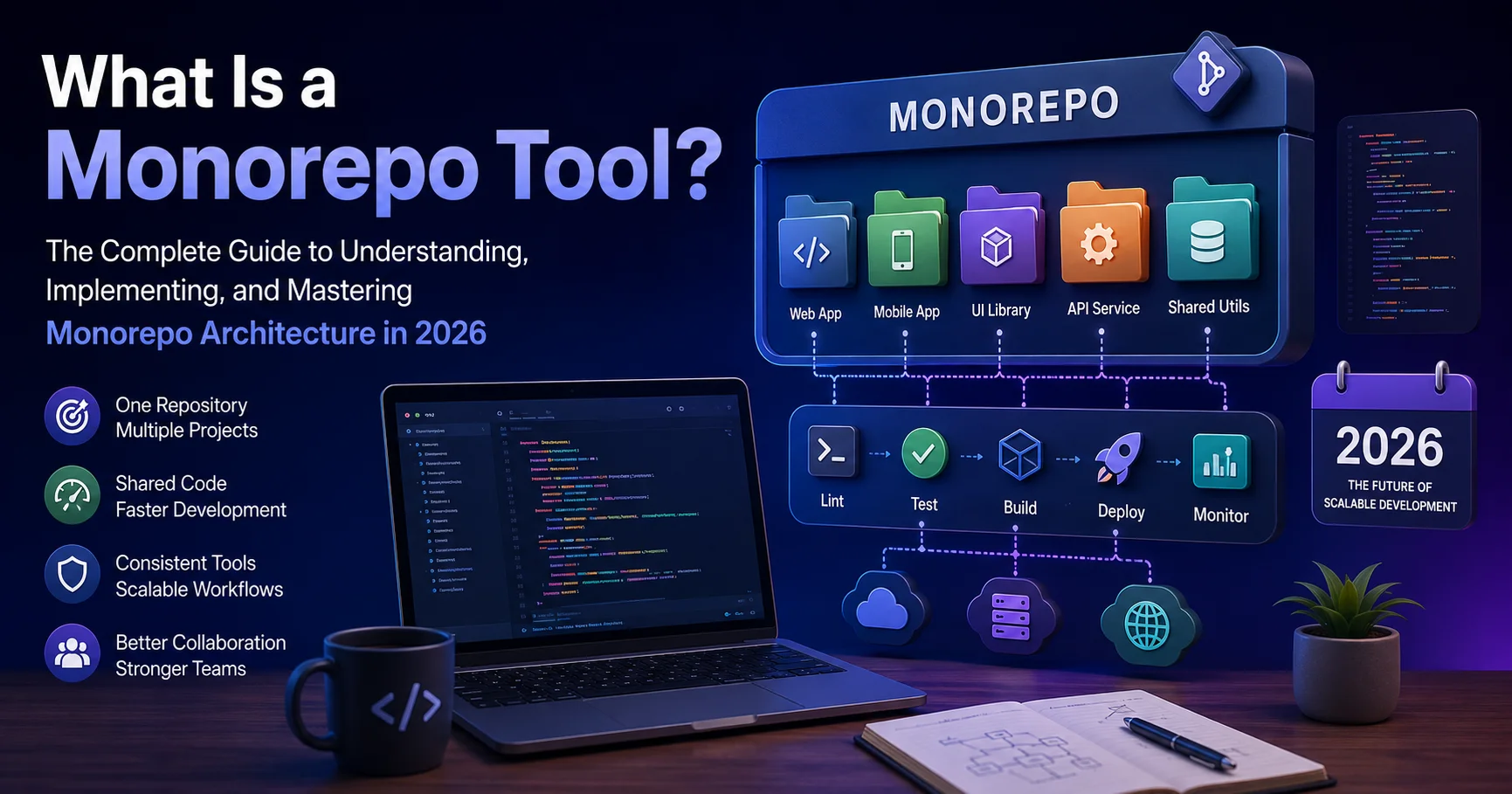
The simple answer: a monorepo tool is a version control repository that houses multiple projects or applications within a single codebase. Rather than spreading your code across dozens of separate repositories (polyrepo), a mono repo keeps everything centralized, allowing teams to share code, dependencies, and workflows more efficiently.
In this comprehensive guide, I’ll walk you through everything you need to know about monorepo tools—what they are, how they work, their genuine advantages and disadvantages, the best practices that actually deliver results, and practical implementation strategies you can start using today. By the end, you’ll understand whether a mono-repo approach is right for your organization and how to implement it successfully.
What Is a Monorepo Tool? Defining the Concept
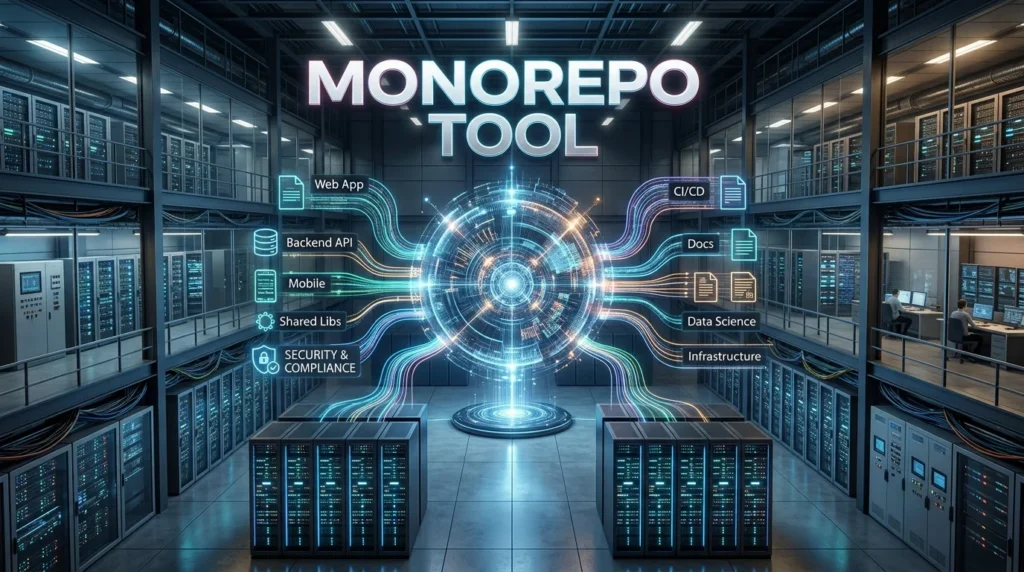
A monorepo tool is software designed to manage multiple applications, packages, or microservices within a single version-controlled repository. Think of it as a sophisticated organizational system that prevents your codebase from becoming a chaotic mess when you’re handling several interdependent projects simultaneously.
Unlike traditional polyrepo structures where each project gets its own separate repository, a mono repo keeps everything together. This means:
- A single source of truth for your entire codebase
- Unified dependency management across projects
- Simplified collaboration between teams working on related code
- Atomic commits that maintain consistency across multiple packages
The core function of a monorepo tool is to intelligently manage this complexity. It handles dependency resolution, build optimization, testing across multiple packages, and version coordination—all the tedious tasks that become exponentially harder as your project portfolio grows.
I’ve worked with organizations transitioning from polyrepo to monorepo architectures, and the shift is genuinely transformative once you understand the mechanics. It’s not simply about combining repositories; it’s about fundamentally changing how your teams collaborate and ship code.
How Does a Monorepo Tool Actually Work?
Understanding the mechanics of monorepo tools is essential before implementing one. Here’s how the process typically unfolds:
Repository Structure
A monorepo organizes code using a hierarchical directory structure. You might have something like:
my-monorepo/
├── packages/
│   ├── ui-components/
│   ├── api-client/
│   └── utils/
├── apps/
│   ├── web-app/
│   └── mobile-app/
├── package.json
└── workspace configuration
Each packages/ directory contains independently versioned projects that can have their own dependencies, configurations, and release cycles.
Dependency Management
Modern monorepo tools use workspace configurations to manage dependencies intelligently. Rather than duplicating the same library across multiple node_modules directories, the tool creates a unified dependency tree. If two packages need React, they share the same version from a centralized location.
Change Detection and Build Optimization
This is where monorepo tools genuinely shine. When a developer commits changes, the tool doesn’t rebuild everything—it identifies exactly which packages were affected and rebuilds only those. This incremental build capability can reduce build times from 30 minutes to 3 minutes in large codebases.
Task Execution and Orchestration
Monorepo tools handle complex task dependencies. If Package A depends on Package B, the tool ensures B builds before A. This automatic orchestration prevents the “it works on my machine” problem that plagues distributed development teams.
Key Benefits of Using a Monorepo Tool
I’ve witnessed firsthand how monorepo tools transform development workflows. Let me share the genuine benefits you can expect:
1. Unified Code Sharing and Reusability
The most immediate benefit I’ve observed is the ability to share code effortlessly. Your UI components library can be updated once, and all applications immediately benefit. This eliminates the painful process of waiting for package updates and manual version bumps across multiple repositories.
A team I worked with reduced their design system maintenance burden by 60% after consolidating into a monorepo. Previously, updating a component required opening 12 separate pull requests. Now, one change propagates everywhere.
2. Simplified Dependency Management
Managing dependencies across polyrepo structures creates nightmare scenarios: version conflicts, diamond dependency problems, and the constant struggle to keep packages in sync. A monorepo tool handles this elegantly.
You declare dependencies once at the workspace level, and the tool ensures consistency. No more “but the other repository has a different version of this library.”
3. Atomic Commits and Consistency
This is particularly valuable for architectural changes. With polyrepo, updating an API contract might require coordinating commits across multiple repositories—a process that’s error-prone and frustrating.
In a monorepo, you commit the API change and all consuming code in a single transaction. Either everything updates together, or nothing does. This atomic guarantee is invaluable.
4. Enhanced Team Collaboration
I’ve noticed teams communicate better in monorepo environments. When everyone works in the same codebase, visibility increases. Engineers can easily understand how their changes affect other projects, and cross-team collaboration happens naturally.
5. Streamlined Continuous Integration
Monorepo tools integrate beautifully with CI/CD systems. Pipelines can understand workspace dependencies and run tests only for affected packages. This means:
- Faster feedback loops (tests complete in minutes, not hours)
- Reduced CI costs (fewer unnecessary builds)
- More frequent deployments
A company I consulted with reduced CI execution time from 45 minutes to 12 minutes after restructuring their polyrepo as a monorepo.
6. Easier Refactoring at Scale
Moving code between packages, renaming exports, or restructuring APIs becomes manageable with monorepo tools. The tool’s understanding of the entire dependency graph means automated refactoring tools can work across project boundaries safely.
Real Drawbacks: Being Honest About Mono repo Challenges
While I’m enthusiastic about monorepo benefits, I’d be doing you a disservice by ignoring legitimate challenges. Here’s what you’ll actually encounter:
1. Increased Repository Size
Your .git directory grows significantly. I’ve seen monorepo projects where cloning takes 5-10 minutes and the repository weighs several gigabytes. This becomes genuinely annoying for developers on slower connections.
Mitigation: Use shallow clones and implement aggressive cleanup policies.
2. Steeper Learning Curve
Mono repo tools like Nx, Turborepo, and Pnpm workspaces require understanding new concepts. Engineers comfortable with traditional workflows need training. This creates temporary productivity dips during transition periods.
I’ve observed organizations underestimating this cost. Budget 2-4 weeks for your team to become proficient.
3. Tooling and IDE Complexity
Some IDEs struggle with monorepo structures. TypeScript IntelliSense sometimes becomes sluggish. ESLint configuration becomes more complex. These aren’t showstoppers, but they’re persistent friction points.
4. All-or-Nothing Release Versioning
If you’re not careful, updating one package triggers major version bumps across your entire workspace. Managing semantic versioning becomes philosophically complex.
5. Organizational Scalability
Monorepos work exceptionally well up to about 100-150 packages. Beyond that, you’re fighting tool limitations and repository performance issues. Google and Meta overcome this with custom tooling that most organizations can’t build.
6. Team Independence Concerns
If not managed properly, monorepos can reduce team autonomy. One team’s poor coding practices affect everyone. Deployment coordination becomes necessary when independent releases would be preferable.
Monorepo Tools Comparison Table
Here’s a practical comparison of the most widely-used monorepo tools in 2026:
| Tool | Learning Curve | Performance | Best For | Community | Pricing | Rating |
|---|---|---|---|---|---|---|
| Nx | Moderate | Excellent | Large teams, full-stack | Very Active | Free + Enterprise | ⭐⭐⭐⭐⭐ |
| Turborepo | Easy | Very Good | JavaScript/TypeScript | Growing | Free + Vercel | ⭐⭐⭐⭐⭐ |
| Pnpm Workspaces | Easy | Excellent | Node.js projects | Very Active | Free (OSS) | ⭐⭐⭐⭐ |
| Yarn Workspaces | Easy | Good | JavaScript ecosystem | Established | Free (OSS) | ⭐⭐⭐⭐ |
| Lerna | Moderate | Good | npm packages | Declining | Free (OSS) | ⭐⭐⭐ |
| Bazel | Steep | Outstanding | Polyglot projects | Niche | Free (OSS) | ⭐⭐⭐⭐⭐ |
Legend: Rating based on 2026 user satisfaction, ecosystem maturity, and performance benchmarks.
Monorepo vs. Polyrepo: Which Should You Choose?
This decision determines your development architecture for years. Let me help you think through it clearly:
Choose Monorepo If:
✓ You have 3+ interdependent projects sharing common code
✓ Your teams need to collaborate closely across projects
✓ Atomic commits and atomic deployments are important
✓ You want to reduce dependency management overhead
✓ Your organization is below 50-100 engineers
✓ You’re building interconnected features across applications
Choose Polyrepo If:
✗ Your projects are completely independent
✗ Different teams require complete autonomy
✗ You have strict security/compliance separation requirements
✗ Your projects use fundamentally different tech stacks
✗ You need independent, non-coordinated release cycles
✗ Your repository size already exceeds 10GB
The honest truth: Most mid-sized organizations would benefit from monorepo structure. But organizational culture matters more than tooling. A mono repo won’t fix communication problems; it amplifies them if your teams don’t collaborate well naturally.
Best Practices for Implementing a Monorepo Tool
Based on implementations I’ve guided, these practices consistently deliver success:
1. Start with Clear Boundaries
Define package boundaries explicitly. Each package should have a clear, single responsibility. Avoid “shared” packages that become dumping grounds for miscellaneous code.
✓ Good: @myapp/ui-buttons, @myapp/auth-service, @myapp/logging
✗ Bad: @myapp/shared, @myapp/utils, @myapp/common
2. Implement Dependency Constraints
Use tools like Nx to enforce dependency rules. Prevent your UI package from depending on your API package. Prevent circular dependencies. These constraints prevent the “everything depends on everything” scenario that destroys monorepos.
3. Adopt a Consistent Versioning Strategy
Decide early: will you use independent versioning (each package versions separately) or locked versioning (all packages share a version number)? Document this decision prominently.
I recommend independent versioning for established teams. It’s more flexible and closer to how polyrepo workflows function.
4. Establish Clear Code Ownership
Use CODEOWNERS files to establish which teams maintain which packages. This prevents “maybe someone will fix this” mentality.
# .github/CODEOWNERS
packages/ui-components/ @design-team
packages/api-client/ @backend-team
apps/web/ @web-team
5. Automate Everything Possible
Manual processes don’t scale in monorepos. Invest heavily in:
- Automated testing for affected packages
- Automated dependency updates (Dependabot, Renovate)
- Automated release workflows
- Automated code generation tools
6. Use Appropriate Tools for Your Stack
Don’t use Lerna if you’re building a monorepo in 2026. The JavaScript/TypeScript ecosystem has moved on. Choose between:
- Nx – if you want opinionated, full-featured tooling
- Turborepo – if you want simplicity and performance
- Pnpm workspaces – if you want minimal overhead
- Bazel – if you have polyglot projects
7. Plan for Growth and Scaling
Even if your monorepo is currently 15 packages, plan for 100. Set up:
- Regular repository cleanup (removing old branches)
- Archive strategies for obsolete packages
- Performance monitoring dashboards
- Scaling guidelines for your team
8. Invest in Developer Experience
Your developers will spend hours daily in this repository. Invest in:
- Clear documentation and setup guides
- Good IDE integration (ensure TypeScript/ESLint work smoothly)
- Quick local development scripts
- Helpful error messages from your build tools
Implementing a Monorepo Tool: Practical Steps
Here’s how to actually migrate or establish a monorepo:
Phase 1: Planning (Week 1-2)
- Map all your projects and their dependencies
- Identify shared code that should live in packages
- Choose your monorepo tool based on your tech stack
- Plan your directory structure
- Communicate the initiative to your teams
Phase 2: Setup (Week 2-3)
- Create your new monorepo repository
- Configure your chosen tool (Nx, Turborepo, etc.)
- Set up build scripts and CI/CD integration
- Establish dependency constraint rules
- Configure code formatting and linting
Phase 3: Migration (Week 3-6)
- Migrate your first project (typically the most stable one)
- Verify all tests pass
- Update CI/CD pipelines for the migrated project
- Train your team on the new structure
- Gradually migrate remaining projects
Phase 4: Optimization (Ongoing)
- Monitor build times and optimize as needed
- Gather team feedback and iterate
- Establish best practices documented in your architecture decision records
- Celebrate when you deprecate your old polyrepo structure
Real timeline: Most organizations complete this in 6-12 weeks. The migration itself is straightforward; the cultural shift takes longer.
Essential Monorepo Best Practices Checklist
Use this checklist to ensure your monorepo implementation is sound:
Technical Setup
- [ ] Package boundaries are clearly defined and documented
- [ ] Dependency constraints are enforced automatically
- [ ] Circular dependencies are prevented
- [ ] Build caching is properly configured
- [ ] Test execution is optimized for affected packages only
- [ ] Linting and formatting rules are unified
- [ ] TypeScript paths are properly configured
Organizational Practices
- [ ] Code ownership is clearly assigned (CODEOWNERS file)
- [ ] Release process is documented and automated
- [ ] Versioning strategy is decided and communicated
- [ ] Teams understand their package’s public API
- [ ] Documentation is centralized and easy to discover
- [ ] Onboarding process includes monorepo-specific training
Operational Excellence
- [ ] Repository cleanup happens regularly
- [ ] CI/CD pipeline is optimized (doesn’t rebuild unnecessarily)
- [ ] Monitoring alerting for failed builds
- [ ] Performance metrics are tracked (build times, CI duration)
- [ ] Disaster recovery process for repository corruption
Monorepo Tools Comparison: Detailed Analysis
Nx: The Comprehensive Solution
Nx is the most feature-complete monorepo tool available. It’s not just repository management; it’s an entire development platform.
Strengths:
- Outstanding dependency graph visualization
- Intelligent caching and task orchestration
- Excellent support for Angular, React, Node, and more
- Strong community and ecosystem
Weaknesses:
- Steeper learning curve than alternatives
- Can feel over-engineered for smaller projects
- Takes strong opinions about project structure
Best for: Large teams building complex systems with multiple frameworks
Free tier: Absolutely free for open-source and small teams
Turborepo: Speed and Simplicity
Turborepo prioritizes getting out of your way while providing intelligent build optimization.
Strengths:
- Minimal configuration required
- Extremely fast incremental builds
- Excellent documentation
- Backed by Vercel
Weaknesses:
- Less feature-rich than Nx
- Smaller ecosystem of plugins
- Less opinionated (you build the structure)
Best for: TypeScript/JavaScript teams wanting simplicity without sacrificing performance
Free tier: Completely free and open-source
Pnpm Workspaces: The Package Manager Approach
If your primary need is efficient dependency management, Pnpm workspaces might be sufficient.
Strengths:
- Minimal overhead compared to alternatives
- Excellent disk space efficiency
- Good performance
- Works with your existing tooling
Weaknesses:
- Doesn’t provide build orchestration (you need external tools)
- Smaller ecosystem
- Less guidance on project structure
Best for: Teams already using Pnpm who want workspace support without additional tooling
Free tier: Completely free and open-source
Common Monorepo Mistakes to Avoid
I’ve seen these mistakes repeatedly, and they’re entirely avoidable:
Mistake 1: “Shared” Package Becomes a Dumping Ground
Teams create a packages/shared and throw everything into it. Before long, it has no coherent purpose, dependencies become tangled, and developers fear modifying it.
Solution: Be ruthless about package purpose. If a package has more than one reason to change, split it.
Mistake 2: Ignoring Performance Until It’s Unbearable
Starting with poor configuration choices means your builds gradually slow down. By the time you address it, you’ve lost team productivity to slow feedback loops.
Solution: Establish performance baselines immediately. Track build times weekly. Optimize before they become problems.
Mistake 3: Treating the Monorepo as a Coordination Tool
“We’ll use this monorepo to force coordination between teams.” This rarely works. Teams that need to coordinate should coordinate; the repo structure doesn’t create good collaboration.
Solution: Use the monorepo to support existing collaborative workflows, not create new ones.
Mistake 4: Not Documenting Package APIs
In a polyrepo, repository names act as documentation. In a monorepo, you need explicit API boundaries. I’ve seen teams fail to document them, resulting in accidental breaking changes.
Solution: Document each package’s public API explicitly. Use TypeScript’s export statements as the source of truth.
Mistake 5: Underestimating Repository Size Growth
A 20GB repository becomes problematic. Cloning takes 15 minutes. Operations slow down. This is fixable but requires planning.
Solution: Plan repository cleanup strategies early. Archive old code. Use shallow clones for developers who don’t need full history.
Frequently Asked Questions About Monorepo Tools
Q: How much time does monorepo migration take?
A: Most organizations complete migration in 6-12 weeks, assuming:
– 5-20 projects being migrated
– Adequate team capacity
– Stable project dependencies
The technical work takes 2-3 weeks. The cultural shift takes longer.
Q: Is a monorepo suitable for microservices?
A: Partially. A monorepo works well for:
Shared libraries used across microservices
Infrastructure-as-code shared by multiple services
API contracts and SDKs
It works less well if your microservices need completely independent release cycles and teams.
Q: Can we start with a monorepo from scratch?
A: Absolutely, and it’s actually easier than migrating. You avoid legacy decisions and can design your structure intentionally. Just ensure you don’t fall into the “shared package” trap.
Q: How do we handle security and access control in a monorepo?
A: Git’s built-in permission system applies at the repository level, not the package level. For sensitive code:
– Use CODEOWNERS to document ownership
– Implement branch protection rules
– Use organizational roles for access control
– For truly sensitive code, maintain a separate repository
Q: Does a monorepo work for open-source projects?
A: It works reasonably well. Examples include:
– TypeScript (monorepo in a monorepo)
– Jest
– Babel
The benefits (unified CI, coordinated releases) are valuable. The downsides (clone time, complexity) are less problematic for open-source due to distributed nature.
Q: How do we version packages independently in a monorepo?
A: Use tools like:
– Changesets (pairs with npm, adds changelog automation)
– Semantic Release (fully automated versioning)
– Lerna (dedicated multi-package release management)
Each package tracks its own version independently.
Q: Can we have different tech stacks in a monorepo?
A: Yes, though it’s more complex. You might have:
– Node.js packages
– React applications
– Python services
– Infrastructure code
Tools like Bazel handle this elegantly. Nx also supports multiple frameworks.
Q: What’s the difference between monorepo and monolithic architecture?
A: Completely different concepts:
– Monorepo: One repository containing multiple packages (architectural choice)
– Monolithic architecture: One application that isn’t split into microservices (deployment choice)
You can have a monorepo of microservices, or a polyrepo monolith.
Q: Is monorepo hype, or genuinely useful?
A: Genuinely useful, but not universally necessary. Organizations with:
– Multiple related projects
– Shared code and dependencies
– Cross-team collaboration
…benefit significantly. Smaller organizations with 1-2 independent projects don’t need it.
Q: How do we handle secrets in a monorepo?
A: Exactly like polyrepos:
– Never commit secrets (use .gitignore)
– Use environment variables
– Use secret management tools (HashiCorp Vault, AWS Secrets Manager)
– Implement secrets scanning in CI/CD
The monorepo structure doesn’t change secret management practices.
Conclusion: Should You Implement a Monorepo Tool?
After guiding multiple organizations through monorepo implementations, here’s my honest assessment:
A monorepo tool is valuable if you have multiple interdependent projects, shared code, and teams that collaborate closely. It’s not a silver bullet—it’s a tool that amplifies good architectural decisions and exposes poor ones.
The real benefits emerge after you’ve moved past the implementation phase:
- Your teams ship features faster because dependency management is automatic
- Your developers understand the entire system more deeply because everything is visible
- Your CI/CD pipelines run in minutes instead of hours
- Your ability to refactor at scale improves dramatically
Key takeaways:
- Monorepos are right for mid-sized teams (15-150 engineers) with multiple related projects
- The tool choice matters less than the implementation process (Nx vs. Turborepo debates often miss this)
- Cultural alignment matters more than technical setup (teams must be ready to collaborate differently)
- Start with clear boundaries and automated constraints (prevents the “everything depends on everything” scenario)
- Plan for growth from day one (repository size and performance degradation are real concerns)
- Invest in developer experience (your team will spend hours daily in this repository)
If you’re standing at the crossroads deciding whether to pursue monorepo architecture, I recommend:
- Assess your actual pain points. Are these real problems a monorepo would solve?
- Evaluate your team’s readiness. Can your organization handle architectural change?
- Start small. Migrate one non-critical project first. Learn before going all-in.
- Measure the impact. Track build times, deployment frequency, and team velocity before and after.
The best monorepo tool is the one your team will actually use well. And the best monorepo implementation is the one that serves your actual development workflow, not theoretical ideals.
You now have everything needed to make an informed decision. The monorepo landscape in 2026 is mature, well-documented, and genuinely valuable for the right organizations. Whether it’s right for you depends on your specific context—and now you can evaluate that clearly.