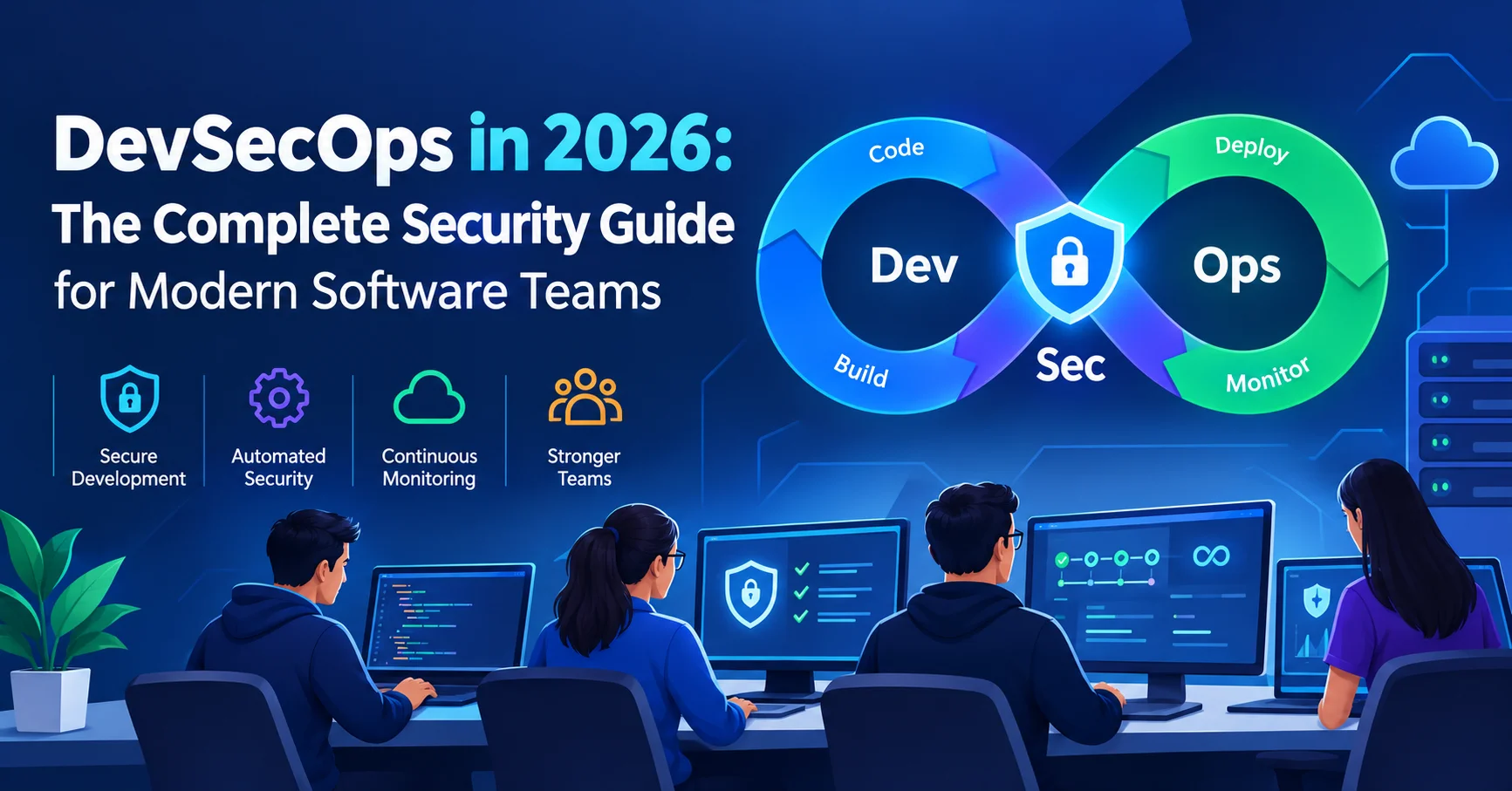
DevSecOps in 2026: The Complete Security Guide for Modern Software Teams

Introduction To DevSecOps
There’s a hard truth that most software teams learn the expensive way: security bolted on at the end of a development cycle isn’t really security at all. It’s damage control. A vulnerability discovered after deployment costs, on average, 6 times more to fix than one caught during development — and that’s before you factor in reputational damage, regulatory fines, or customer churn.
This is exactly why DevSecOps has moved from buzzword to business imperative. It’s not a tool you buy or a checkbox you tick. It’s a fundamental shift in how development, security, and operations teams work together — and when security responsibilities are distributed across the entire software lifecycle.
If you’re here because you want to understand what DevSecOps actually means in practice, how to build it into your pipeline, which tools to use, and what mistakes to avoid — you’re in the right place.
Here’s what this complete guide covers:
- What DevSecOps is and how it differs from traditional DevOps
- The “shift-left” philosophy and why it changes everything
- Core DevSecOps practices and how to implement them
- The best DevSecOps tools in 2026, honestly compared
- How to build a DevSecOps pipeline from scratch
- Cultural challenges teams face (and how to solve them)
- A practical checklist, FAQs, and a strong conclusion
Let’s go.
What Is DevSecOps? Beyond the Definition
DevSecOps stands for Development, Security, and Operations. It’s the practice of integrating security into every phase of the software development lifecycle (SDLC) — from the first line of code to production deployment — rather than treating it as a final gate before release.
The traditional model looked like this:
Developers build → QA tests → Security reviews → Ops deploys
The problem? By the time security reviewed the code, the product was nearly finished. Fixing vulnerabilities at that stage was painful, slow, and often incomplete. Security became a bottleneck that everyone resented.
DevSecOps flips this model entirely. Security becomes a shared responsibility, embedded into daily development workflows through automation, training, and cultural alignment.
Think of it this way: in a DevOps model, development and operations teams collaborate continuously. DevSecOps adds a third discipline — security — not as a separate lane, but woven into the fabric of everything developers and operators already do.
The core principle of DevSecOps: Security is not a phase. It’s a property of the software itself, built in from day one.
DevOps vs. DevSecOps: What Actually Changes
Understanding the difference between DevOps and DevSecOps is essential before you start making changes to your workflow.
| Dimension | DevOps | DevSecOps |
|---|---|---|
| Security timing | End of pipeline (gate) | Throughout the entire SDLC |
| Who owns security | Security team only | Entire development team |
| Vulnerability detection | Late (post-build or post-deploy) | Early (pre-commit, during build) |
| Speed impact | Fast, security adds friction | Fast, security is automated |
| Cost of fixes | High (late-stage) | Low (early-stage) |
| Culture | Dev + Ops collaboration | Dev + Sec + Ops collaboration |
| Tooling | CI/CD, monitoring | All DevOps tools + security scanning |
The shift isn’t just technical — it’s cultural. And frankly, the cultural shift is harder than the technical one.
The Shift-Left Security Principle: Why It Changes Everything
“Shift left” is one of the most important concepts in DevSecOps. It means moving security activities earlier (to the left) on the timeline of the SDLC — ideally to the design and coding phase, rather than testing or deployment.
Here’s why it matters in real numbers:
According to the IBM Cost of a Data Breach Report 2024, the global average cost of a data breach reached $4.88 million — the highest ever recorded. Organizations with mature DevSecOps practices reduced that cost by an average of $1.49 million compared to those without.
Shift-left in practice means:
- Threat modeling during design — identifying attack surfaces before any code is written
- Secure coding standards — developers trained to write code with security in mind
- Pre-commit hooks — automated checks that flag insecure patterns before code even enters the repository
- SAST (Static Application Security Testing) — scanning source code for vulnerabilities during the build phase
- Peer code reviews with security checklists — making security part of the daily PR review process
The further left you catch a vulnerability, the cheaper, faster, and less disruptive it is to fix.
Core DevSecOps Practices: What to Actually Implement
Let’s go beyond theory. Here are the DevSecOps practices that high-performing teams implement in 2026:
1. Threat Modeling Before You Write a Line of Code
Threat modeling is the practice of systematically identifying potential security threats to your system before development begins. The most widely used framework is STRIDE (Spoofing, Tampering, Repudiation, Information Disclosure, Denial of Service, Elevation of Privilege).
This doesn’t need to be a weeks-long process. A 2-hour threat modeling session at the start of a feature sprint can surface 80% of the meaningful attack vectors.
Tools to use: <a href=”https://owasp.org/www-community/Threat_Modeling” target=”_blank” rel=”nofollow”>OWASP Threat Dragon</a>, Microsoft Threat Modeling Tool
2. Secure Code Training for Developers
The most effective DevSecOps investment is often the least glamorous: developer security training. Developers who understand common vulnerabilities (SQL injection, XSS, broken authentication) write fundamentally more secure code.
Programs like <a href=”https://www.sans.org/security-awareness-training/” target=”_blank” rel=”nofollow”>SANS Security Awareness</a> or OWASP’s own developer guides are excellent starting points. Many teams complement formal training with real-time “security nudges” in their IDEs — plugins that flag insecure patterns as developers type.
3. Static Application Security Testing (SAST)
SAST tools analyze your source code, bytecode, or binary without executing the program. They identify vulnerabilities like:
- Hardcoded credentials
- SQL injection risks
- Insecure cryptographic implementations
- Buffer overflows
SAST runs in the CI pipeline and provides fast feedback — typically within minutes of a code commit. The best tools integrate directly into the developer’s IDE for real-time feedback.
4. Software Composition Analysis (SCA)
Modern applications are largely built on open-source components. A single npm or pip install can pull in dozens of third-party libraries — each with its own vulnerability history. SCA tools scan your dependency tree and alert you to known vulnerabilities (CVEs) in your third-party packages.
According to the Synopsys OSSRA Report 2024, 96% of commercial codebases contain open-source components, and 84% contain at least one known vulnerability. SCA isn’t optional in 2026 — it’s baseline hygiene.
5. Dynamic Application Security Testing (DAST)
Where SAST tests code statically, DAST tests a running application from the outside — simulating how an attacker would probe it. DAST is particularly effective at catching:
- Authentication flaws
- Session management issues
- Injection vulnerabilities in live endpoints
- Security misconfigurations
DAST is typically run against a staging environment in the CI/CD pipeline before deployment.
6. Container and Infrastructure Security Scanning
In 2026, most applications run in containers (Docker) orchestrated by Kubernetes. Every container image is a potential attack surface. DevSecOps requires scanning container images for vulnerabilities before they’re deployed.
Additionally, Infrastructure as Code (IaC) files (Terraform, CloudFormation) must be scanned for misconfigurations — exposed storage buckets, overly permissive IAM roles, and unencrypted databases are consistently among the top causes of cloud breaches.
7. Secrets Management
One of the most common and embarrassing security failures teams experience: hardcoded API keys, passwords, or credentials committed to a Git repository. Once in Git history, a secret is essentially public — even if you delete the file later.
DevSecOps requires automated secrets scanning at the pre-commit stage and centralized secrets management through tools like HashiCorp Vault or AWS Secrets Manager.
8. Runtime Security Monitoring
Security doesn’t stop at deployment. Runtime Application Self-Protection (RASP) and monitoring tools observe application behavior in production, detecting and blocking attacks in real time. Combined with a SIEM (Security Information and Event Management) system, runtime monitoring gives your team full visibility into what’s happening in production.
⚠️ Common Mistake: Many teams implement SAST and call it “DevSecOps.” Real DevSecOps requires security coverage across the full pipeline — from threat modeling and secure coding to runtime monitoring and incident response. A single scanning tool is a starting point, not a program.
Best DevSecOps Tools in 2026: Honest Comparison
The DevSecOps tooling landscape is rich and sometimes overwhelming. Here’s a clear, honest breakdown of the tools that actually deliver value:
📊 DevSecOps Tools Comparison Table
| Tool | Category | Best For | Open Source | User Rating |
|---|---|---|---|---|
| Snyk | SCA + SAST | Developer-first security | Partial | ⭐⭐⭐⭐⭐ (4.7/5) |
| SonarQube | SAST | Code quality + security | ✅ Yes | ⭐⭐⭐⭐ (4.5/5) |
| OWASP ZAP | DAST | Web app vulnerability testing | ✅ Yes | ⭐⭐⭐⭐ (4.3/5) |
| Trivy | Container scanning | Docker/K8s security | ✅ Yes | ⭐⭐⭐⭐⭐ (4.6/5) |
| HashiCorp Vault | Secrets management | Centralized secrets | ✅ Yes | ⭐⭐⭐⭐⭐ (4.7/5) |
| Checkov | IaC scanning | Terraform/CloudFormation | ✅ Yes | ⭐⭐⭐⭐ (4.4/5) |
| GitLeaks | Secrets scanning | Pre-commit secret detection | ✅ Yes | ⭐⭐⭐⭐ (4.3/5) |
| Aqua Security | Container runtime | Enterprise container security | ❌ Paid | ⭐⭐⭐⭐ (4.4/5) |
| Veracode | SAST + DAST | Enterprise app security | ❌ Paid | ⭐⭐⭐⭐ (4.2/5) |
| Falco | Runtime security | K8s runtime threat detection | ✅ Yes | ⭐⭐⭐⭐ (4.4/5) |
🔍 Tool Spotlights
Snyk
Snyk is a developer-focused cybersecurity platform designed to help organizations identify and fix vulnerabilities throughout the software development lifecycle. It can scan open-source dependencies, container images, Infrastructure as Code (IaC), and application code to detect security issues before they reach production. Snyk integrates with popular development tools, source-code repositories, IDEs, and CI/CD pipelines, making security testing easier to incorporate into everyday developer workflows. With its focus on automated vulnerability detection, remediation guidance, and developer experience, Snyk provides a practical solution for teams looking to strengthen application security while maintaining an efficient development process.
Snyk has become a go-to DevSecOps tool for developer-centric security. It scans for vulnerabilities in open-source dependencies, container images, IaC configurations, and code — all from a single platform. What sets Snyk apart is its developer experience: it integrates into IDEs, GitHub pull requests, and CI pipelines with minimal friction. The free tier is genuinely useful for individuals and small teams.
Best for: Development teams who want security without leaving their existing workflow
Watch out for: Costs scale quickly on large codebases; enterprise tier is significant investment
SonarQube
SonarQube is a code quality and application security platform that helps development teams continuously analyze source code for bugs, vulnerabilities, security issues, and maintainability problems. It supports a wide range of programming languages and can be integrated into CI/CD pipelines to identify issues early in the software development lifecycle. SonarQube provides detailed code analysis, security rules, quality metrics, and actionable feedback, enabling developers to address problems before applications reach production. With its combination of code quality and security analysis, SonarQube is a valuable tool for teams adopting modern DevSecOps practices.

SonarQube is the industry standard for continuous code inspection. It combines code quality metrics with security vulnerability detection (SAST), making it uniquely useful for teams that care about both maintainability and security. The Community edition is free and self-hosted, making it accessible to teams at any budget level.
Best for: Teams wanting a single tool for code quality and security scanning
Watch out for: Setup and tuning can be time-consuming; false positive rates need calibration
Trivy
Trivy is an open-source security scanner developed by Aqua Security that helps organizations identify vulnerabilities and misconfigurations across multiple environments. It can scan container images, file systems, Git repositories, Infrastructure as Code (IaC) files, Kubernetes configurations, and software dependencies to detect security risks early in the development process. Trivy is known for its speed, simplicity, and ease of integration with CI/CD pipelines, making it a popular choice for DevSecOps teams. With its broad scanning capabilities and lightweight design, Trivy provides an efficient way to improve security across modern cloud-native applications and infrastructure.
Trivy by Aqua Security is arguably one of the most popular open-source container vulnerability scanners in 2026. It is fast, accurate, and capable of scanning container images, file systems, Git repositories, and IaC files. A single command can provide a comprehensive vulnerability report, making it easy to integrate Trivy into virtually any CI/CD pipeline.
Best for: Any team running containerized workloads
Watch out for: Report management at scale requires additional tooling
HashiCorp Vault
HashiCorp Vault is a secrets management platform designed to securely store, manage, and control access to sensitive information such as API keys, passwords, tokens, certificates, and encryption keys. It provides centralized access control, encryption, authentication, and detailed audit logging, helping organizations reduce the risk of exposed or hard-coded credentials. Vault also supports dynamic secrets, which can be generated on demand and automatically expire after a defined period, limiting the impact of compromised credentials. By integrating with development tools, cloud platforms, and CI/CD pipelines, HashiCorp Vault helps DevSecOps teams build stronger secrets management practices throughout the software development lifecycle.

HashiCorp Vault is the gold standard for secrets management. It provides a secure, auditable store for API keys, passwords, certificates, and encryption keys. Dynamic secrets — credentials that are generated on demand and expire automatically — are a particularly powerful feature that helps eliminate the risks associated with long-lived credentials.
Best for: Any organization serious about secrets management at scale
Watch out for: Operational complexity; requires dedicated effort to set up and maintain properly
Building a DevSecOps Pipeline: A Practical Blueprint
A DevSecOps pipeline is a CI/CD pipeline with security checks integrated at every stage. Here’s what a mature pipeline looks like in 2026:
Stage 1: Pre-Commit (Developer Workstation)
- Secrets scanning (GitLeaks, git-secrets) — blocks commits containing credentials
- SAST in IDE (Snyk IDE plugin, SonarLint) — real-time feedback as developers code
- Linting with security rules — catches unsafe patterns before code leaves the developer’s machine
Stage 2: Source Control (Pull Request)
- Peer code review with security checklist — human eyes on security-relevant changes
- Automated SAST scan (SonarQube, Semgrep) — triggered on every PR
- SCA scan (Snyk, OWASP Dependency Check) — checks new dependencies for CVEs
Stage 3: Build
- SAST on full codebase — comprehensive scan of compiled/packaged code
- Container image build + Trivy scan — vulnerability scan before image is pushed to registry
- IaC scan (Checkov, tfsec) — validates Terraform/CloudFormation templates for misconfigurations
Stage 4: Test (Staging Environment)
- DAST (OWASP ZAP, Burp Suite) — dynamic testing of running application
- Integration security tests — automated test cases for authentication, authorization, and data validation
- Penetration test (periodic, not every deploy) — simulated attack by security specialists
Stage 5: Deployment
- Policy enforcement gates — block deployment if any critical vulnerabilities are unresolved
- Signed container images — verify image integrity before deployment
- Infrastructure security policies — enforce least privilege, network segmentation
Stage 6: Production (Runtime)
- Runtime monitoring (Falco, Datadog Security) — detect anomalous behavior
- SIEM integration — centralized security event logging and alerting
- Continuous vulnerability management — track and prioritize remediation of production vulnerabilities
💡 Real-World Insight: Don’t try to implement all pipeline stages simultaneously. The most successful DevSecOps transformations I’ve observed start with two things: secrets scanning (pre-commit) and SCA (dependency scanning). These two alone catch a disproportionate share of high-severity vulnerabilities with minimal developer friction. Get those right first, then expand.
The Cultural Challenge: The Hardest Part of DevSecOps
Here’s something most DevSecOps guides don’t tell you clearly enough: the technology is the easy part.
The hardest challenge in DevSecOps adoption is cultural. Specifically:
The “Security as Obstacle” Perception
Developers who’ve been slowed down by late-stage security reviews have often internalized security as an adversary. Changing that perception requires security teams to lead with empathy — and with tools that help developers rather than interrupt their workflow.
Shared Responsibility Without Clear Ownership
“Everyone owns security” can quickly become “no one owns security.” Successful DevSecOps programs define clear security champions within development teams — developers who receive additional security training and serve as the first line of security review within their squad.
Security Fatigue from Noise
When SAST or SCA tools generate hundreds of low-priority alerts, developers learn to ignore them — including the critical ones. Tuning your tools to surface only high-signal, actionable findings is not optional. It’s what determines whether your DevSecOps program is effective or just theatrical.
The golden rule of DevSecOps culture: Make the secure path the path of least resistance. If following security practices is harder than ignoring them, developers will always find workarounds.
DevSecOps Compliance: Connecting Security to Regulatory Requirements
For many organizations, DevSecOps isn’t just about security quality — it’s about regulatory compliance. Here’s how common compliance frameworks map to DevSecOps practices:
| Regulation/Framework | Relevant DevSecOps Controls |
|---|---|
| SOC 2 | Access controls, audit logging, vulnerability management |
| PCI DSS | Code review, penetration testing, secrets management |
| HIPAA | Encryption, access controls, audit trails |
| ISO 27001 | Risk management, SDLC security, monitoring |
| GDPR | Data protection by design, privacy impact assessments |
| NIST CSF | Identify, protect, detect, respond, recover — all map to DevSecOps stages |
One of the underrated benefits of a mature DevSecOps pipeline: it generates automatic audit evidence. Every scan result, every policy gate, every deployment approval is logged — making compliance audits dramatically less painful.
DevSecOps Checklist: Are You Actually Doing It?
Use this checklist to honestly assess where your team stands:
✅ Culture & Process
- Security champions designated within development teams
- Threat modeling performed for new features and architecture changes
- Developers complete regular secure coding training
- Security requirements included in user stories and acceptance criteria
✅ Code & Dependency Security
- Pre-commit hooks with secrets scanning enabled
- SAST integrated into IDE and CI pipeline
- SCA scanning all third-party dependencies on every build
- Vulnerable dependencies trigger build failures for critical CVEs
✅ Infrastructure & Container Security
- Container images scanned with Trivy or equivalent before push
- IaC files scanned for misconfigurations (Checkov/tfsec)
- No hardcoded credentials in codebase or IaC (verified by scanning)
- Secrets managed through Vault or equivalent platform
✅ Testing & Validation
- DAST running against staging environment in pipeline
- Penetration testing performed at least annually (quarterly for high-risk systems)
- Security regression tests automated for previously discovered vulnerabilities
✅ Runtime & Monitoring
- Runtime security monitoring active in production
- SIEM receiving logs from all critical systems
- Incident response plan documented and tested
- Vulnerability management process with SLAs for remediation
Quick Reference Summary: DevSecOps at a Glance
| Topic | Key Takeaway |
|---|---|
| What is DevSecOps? | Security integrated across the entire SDLC, shared by all teams |
| Core philosophy | Shift-left: catch vulnerabilities early, when they’re cheap to fix |
| Most impactful starting point | Secrets scanning + SCA (dependency scanning) |
| Best SAST tool | SonarQube (open source) or Snyk (developer-friendly) |
| Best container scanner | Trivy |
| Best secrets manager | HashiCorp Vault |
| Biggest cultural challenge | Moving from “security as gatekeeper” to “security as enabler” |
| Cost of not doing it | Average breach cost: $4.88M (IBM 2024) |
| Compliance benefit | Automated audit evidence generation |
FAQs About DevSecOps
❓ What is the main difference between DevOps and DevSecOps?
DevOps integrates development and operations to accelerate delivery. DevSecOps adds security as a shared, continuous responsibility — not a final checkpoint. The key difference is when and how security is applied: in DevSecOps, it’s integrated from the very first commit, not bolted on at the end.
❓ Is DevSecOps only for large enterprises?
Absolutely not. DevSecOps practices scale to any team size. A solo developer using GitHub Actions with Snyk and GitLeaks is practicing DevSecOps. The complexity of implementation scales with team size and risk profile, but the principles apply universally.
❓ How long does DevSecOps transformation take?
Honest answer: a meaningful DevSecOps baseline (secrets scanning, SCA, SAST in pipeline) can be achieved in 4–8 weeks for most teams. A mature program with full pipeline coverage, runtime monitoring, and cultural integration typically takes 12–18 months of sustained effort.
❓ What is “shift-left” security?
Shift-left means moving security activities earlier in the development timeline — to the design and coding phases — rather than testing or deployment. It’s the foundational philosophy of DevSecOps and the reason it’s more cost-effective than traditional security approaches.
❓ What’s the difference between SAST and DAST?
SAST (Static Application Security Testing) analyzes source code without running it — finding vulnerabilities in the code itself. DAST (Dynamic Application Security Testing) tests a running application from the outside, simulating real attacks. Both are complementary and should be used together in a mature DevSecOps pipeline.
❓ How do I handle false positives from security scanning tools?
False positives are one of the biggest frustrations in DevSecOps. The solution is tuning: configure your tools to suppress known false positives, set severity thresholds (only fail builds on critical/high findings), and build a regular review process. Most teams reach a manageable false positive rate within 4–6 weeks of tuning.
❓ Does DevSecOps replace penetration testing?
No. DevSecOps continuous scanning complements penetration testing — it doesn’t replace it. Automated tools excel at catching known vulnerability patterns at speed. Human penetration testers excel at chaining vulnerabilities, finding business logic flaws, and thinking creatively like real attackers. Both are essential.
❓ What’s the best way to start a DevSecOps program from zero?
Start with two things: secrets scanning (use GitLeaks as a pre-commit hook) and SCA (add Snyk or OWASP Dependency Check to your CI pipeline). These two controls, implemented well, will catch a disproportionate share of high-severity risks immediately. Build from there, one stage at a time.
Conclusion: DevSecOps Isn’t a Destination — It’s a Direction
The most important thing to understand about DevSecOps in 2026 is this: it’s not a product you buy, a certification you earn, or a project you complete. It’s a direction — a continuous commitment to building security into the DNA of how your team creates software.
The data makes the case better than any argument can: organizations with mature DevSecOps programs pay significantly less when breaches occur, detect them faster, and recover more quickly. More importantly, they prevent the majority of breaches that less-prepared teams experience.
But beyond the numbers, there’s something more valuable: the confidence that comes from knowing your software was built with security as a first-class property. That your developers are empowered, not bottlenecked. That your security team is an accelerator, not a gatekeeper.
The path to that confidence is clear:
- Start with secrets scanning and SCA today
- Add SAST to your CI pipeline this sprint
- Begin training your security champions this quarter
- Build the rest of the pipeline stage by stage
You don’t need a massive budget or a team of security engineers to get started. You need intention, the right tools, and the willingness to treat security as an engineering discipline — not an afterthought.
The teams that build that discipline in 2026 will be the ones who ship faster, break less, and earn their users’ trust. That’s the real promise of DevSecOps.
📚 Sources referenced in this article: IBM Cost of a Data Breach Report 2024, Synopsys Open Source Security and Risk Analysis (OSSRA) Report 2024, OWASP API Security Top 10, NIST Cybersecurity Framework, SANS Security Awareness Training.