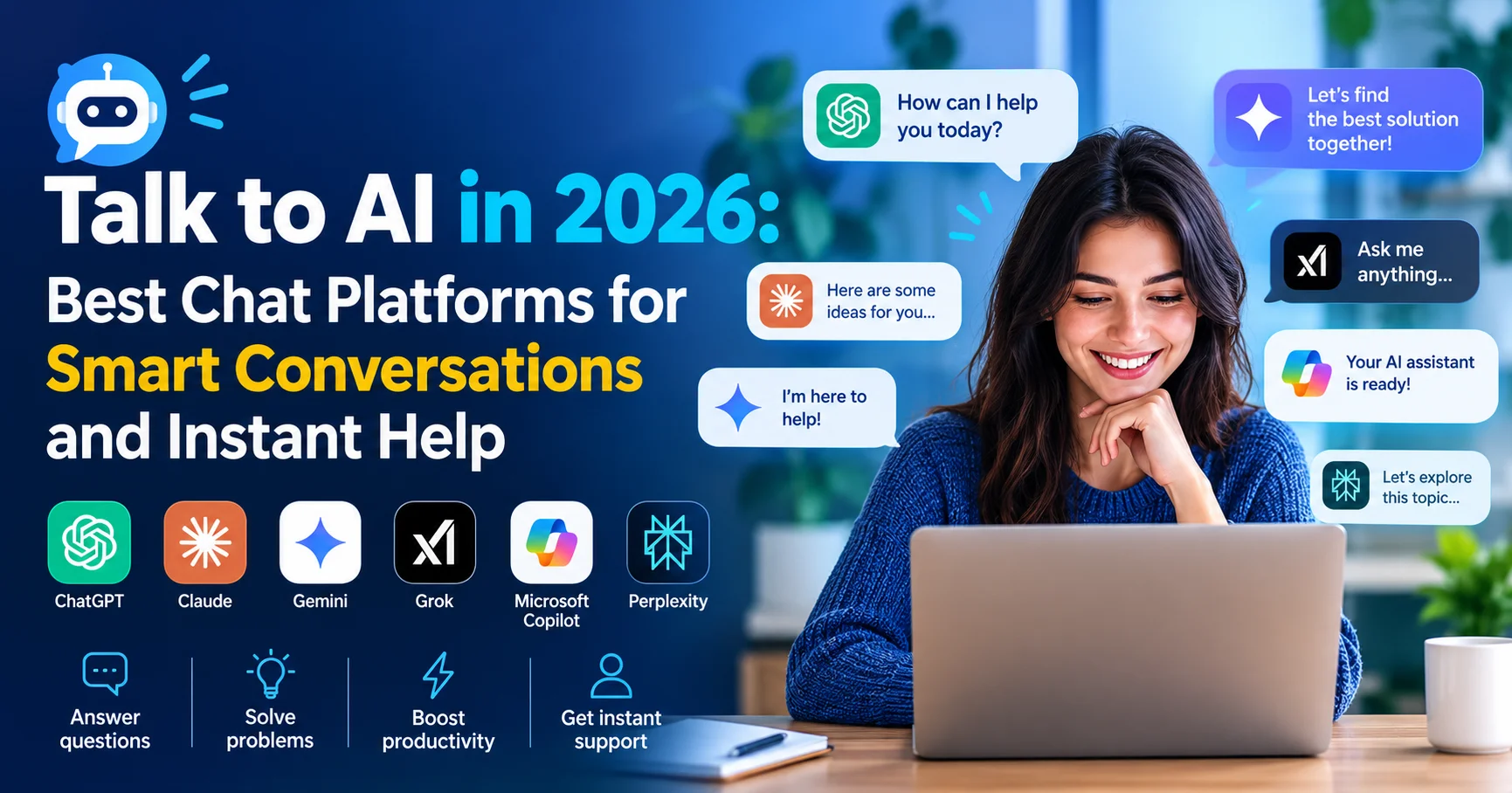
Talk to AI in 2026: Best Chat Platforms for Smart Conversations and Instant Help

Introduction to Talk to AI Platforms
There’s a moment most people experience the first time they genuinely talk to AI — not the clunky chatbots of five years ago that looped the same three responses, but a real, modern AI conversation platform. You type something nuanced, something you’d normally explain to a knowledgeable friend, and the AI responds with depth, precision, and something that honestly feels like understanding. It’s a different experience altogether.
But here’s what most people don’t realize: not all AI chat platforms are built for the same kind of conversation. Some are brilliant for work and productivity. Others shine in emotional support or creative exploration. A few are purpose-built for research, and some are simply the best for everyday quick questions. Choosing the wrong one for your needs means getting mediocre results from technology that — on the right platform — could genuinely change how you work and think.
In this complete guide, you’ll discover:
- The 9 best platforms to talk to AI in 2026, honestly reviewed
- A clear comparison table so you can choose at a glance
- Practical tips on how to have better AI conversations
- Real-world use cases for work, learning, creativity, and emotional support
- A full FAQ section answering every common question
Whether you’re new to AI chat or looking to upgrade from the platform you’re currently using, this guide gives you everything you need to make the right choice — and get the most out of every conversation.
Why More People Than Ever Want to Talk to AI in 2026
The numbers are striking. According to OpenAI’s official communications, ChatGPT alone surpassed 300 million weekly active users in early 2026. A 2025 report by McKinsey & Company found that 78% of organizations now use AI in at least one business function — up from 55% in 2023. And a growing proportion of that usage comes from conversational AI tools that people interact with in plain language, in real time.
What’s driving this? A few things worth understanding:
- The quality gap has closed dramatically. Modern AI models understand context, nuance, tone, and follow-up questions in ways that simply weren’t possible two years ago.
- Accessibility has expanded. You can now talk to AI for free, on your phone, in dozens of languages, without any technical knowledge.
- Use cases have diversified. People talk to AI for everything from debugging code and drafting legal summaries to working through personal decisions and learning a new language.
Key insight: The best AI chat platform isn’t the most famous one — it’s the one that fits your specific conversation style, goals, and comfort level. This guide helps you find exactly that.
Quick Comparison: Best Platforms to Talk to AI in 2026
| Platform | Free Plan | Best For | Voice Mode | Real-Time Web | Rating |
|---|---|---|---|---|---|
| ChatGPT | ✅ Yes | All-round conversations | ✅ Yes | ✅ Yes | ⭐⭐⭐⭐⭐ |
| Claude | ✅ Yes | Deep thinking & long chats | ❌ No | ⚠️ Limited | ⭐⭐⭐⭐⭐ |
| Gemini | ✅ Yes | Google users & research | ✅ Yes | ✅ Yes | ⭐⭐⭐⭐½ |
| Perplexity AI | ✅ Yes | Fact-based conversations | ❌ No | ✅ Yes | ⭐⭐⭐⭐½ |
| Microsoft Copilot | ✅ Yes | Work & Office integration | ✅ Yes | ✅ Yes | ⭐⭐⭐⭐½ |
| Character.AI | ✅ Yes | Creative & social chat | ❌ No | ❌ No | ⭐⭐⭐⭐ |
| Pi (by Inflection) | ✅ Yes | Personal support & wellbeing | ✅ Yes | ❌ No | ⭐⭐⭐⭐ |
| Meta AI | ✅ Yes | Social & casual conversations | ✅ Yes | ✅ Yes | ⭐⭐⭐⭐ |
| Grok (xAI) | ⚠️ Limited | Real-time & unfiltered chat | ❌ No | ✅ Yes | ⭐⭐⭐⭐ |
The 9 Best Platforms to Talk to AI in 2026 — Fully Reviewed
1. ChatGPT — The Best Overall Talk To AI
ChatGPT is an advanced AI chatbot developed by OpenAI that helps users with writing, research, coding, brainstorming, learning, and everyday tasks through natural conversations. It can generate content, answer questions, analyze information, summarize documents, and assist with problem-solving across a wide range of topics. With its powerful language understanding, multimodal capabilities, and user-friendly interface, ChatGPT has become one of the most widely used AI assistants for individuals, students, professionals, and businesses.
Developed by: OpenAI
Free plan: Yes (GPT-4o mini)
Best for: Work, learning, creativity, coding, everyday questions
When most people say they want to talk to AI, they’re thinking of ChatGPT. And in 2026, it remains the most versatile, capable, and widely used AI conversation platform on the planet — with good reason.
What makes it exceptional for conversation:
GPT-4o — the model powering ChatGPT — handles something that genuinely sets it apart: conversational continuity. When you talk to AI on ChatGPT, it tracks the thread of your conversation with remarkable precision. You can start discussing a business strategy, pivot to asking it to draft an email based on that discussion, then circle back to challenge one of its earlier points — and it follows every step naturally. The conversation flows like talking to an exceptionally well-read colleague.
The memory feature (now more sophisticated in 2026) is something I’ve come to rely on daily. ChatGPT remembers your name, your job, your projects, your communication preferences — across sessions. It means you stop re-explaining yourself every time, and the AI starts genuinely adapting to you.
Voice mode deserves special mention. The ability to talk to AI literally — speaking out loud and hearing a natural, conversational voice response — has become genuinely useful rather than a gimmick. I use it for brainstorming while commuting, language practice, and thinking through problems out loud.
My experience: Across months of daily use, ChatGPT handles the widest variety of conversational needs of any platform I’ve tested. Technical questions, creative brainstorming, emotional sounding boards, language translation, code review — it does all of it at a high standard. The free plan is genuinely capable; the $20/month Plus plan unlocks GPT-4o’s full power and is worth it for regular users.
Limitations to be honest about:
- Can occasionally state incorrect information with full confidence — always verify facts in critical situations
- The free plan uses a lighter model (GPT-4o mini) that’s less capable for complex tasks
- Some users find it slightly overly cautious on sensitive conversational topics
✅ Pros: Unmatched versatility, natural conversational flow, memory feature, voice mode, web browsing, image generation, massive plugin ecosystem
❌ Cons: Occasional hallucinations, best features require Plus subscription, can be overly cautious
⭐ User Rating: 4.9/5 — “I talk to ChatGPT every single day. It’s replaced Google for most of my questions and is genuinely the most useful tool I’ve used in my professional life.” — G2 Review, 2025
2. Claude — The Best Talk To AI for Deep, Thoughtful Conversations
Claude 3.5 is an advanced artificial intelligence model developed by Anthropic, designed to help users with writing, coding, document analysis, and complex problem-solving. It stands out for its strong natural language understanding, fast response times, and ability to generate accurate and coherent content. Claude 3.5 is widely used by individuals, businesses, and developers to boost productivity and streamline a wide range of tasks.

Developed by: Anthropic
Free plan: Yes (Claude 3.5 Sonnet)
Best for: Long, nuanced discussions, document analysis, philosophical conversations, writing
If ChatGPT is the all-rounder, Claude is the thinker. Developed by Anthropic — a company founded with a specific focus on AI safety and thoughtful behavior — Claude has a conversational style that’s genuinely distinct from other platforms. It’s more measured, more nuanced, and often more willing to explore the complexity of a topic rather than jumping to a quick answer.
What makes it exceptional for conversation:
When you talk to AI on Claude about something genuinely complex — a moral dilemma, a multi-layered business problem, a creative project with competing considerations — it engages with the full depth of the subject. It doesn’t flatten complexity. It acknowledges tension, explores multiple angles, and is refreshingly honest when a question doesn’t have a clean answer.
The 200,000-token context window is also a conversational game-changer. You can paste in an entire lengthy document and have a sustained, intelligent conversation about its contents — asking follow-up questions, requesting analyses, challenging specific points — without the AI losing track of what it’s already covered.
My experience: I use Claude specifically when I need to think through something difficult. Working through a complex contract, stress-testing a business argument, or writing something where nuance genuinely matters — Claude is where I go. The prose it produces when you ask it to write is consistently the most natural and human-sounding of any AI I’ve tested. It doesn’t sound like AI wrote it. That’s a real compliment.
Limitations to be honest about:
- No native voice mode for speaking conversations
- Web browsing is available but less seamlessly integrated than ChatGPT or Gemini
- Occasionally overly cautious on topics involving sensitive content
✅ Pros: Best conversational depth and nuance, exceptional writing quality, massive context window, thoughtful and measured responses, strong privacy stance
❌ Cons: No voice mode, limited real-time web access, can feel slightly over-cautious
⭐ User Rating: 4.8/5 — “Claude is the AI I actually enjoy talking to. It doesn’t just answer my questions — it engages with them. There’s a real difference.” — Trustpilot, 2025
3. Gemini — Best Talk To AI for Google Ecosystem Users
Gemini is an advanced artificial intelligence model developed by Google, designed to assist users with writing, coding, research, document analysis, and content creation. With its multimodal capabilities, it can understand and process text, images, code, and other types of data. Integrated with Google’s ecosystem, Gemini provides a seamless experience for improving productivity across personal, academic, and professional tasks.
Developed by: Google DeepMind
Free plan: Yes
Best for: Research conversations, Google Workspace integration, multimodal discussions
Gemini has matured significantly since its early days, and in 2026 it offers one of the most capable AI conversation experiences available — particularly for anyone already living inside Google’s ecosystem.
What makes it exceptional for conversation:
When you talk to AI using Gemini, it can reference your Gmail, pull from your Google Drive documents, and search the web in real time — all within a single conversational thread. Ask it to summarize what you discussed in a specific email thread, then draft a follow-up response, then research the company you’re responding to — it handles the entire sequence naturally.
Gemini’s integration with Google Search also makes it uniquely powerful for factual conversations. Unlike pure AI models that rely solely on training data, Gemini can verify and supplement its responses with live search results, making it significantly more reliable for time-sensitive or rapidly changing topics.
Limitations to be honest about:
- Less impressive for pure creative or philosophical conversation compared to Claude
- Advanced features require Google One AI Premium ($19.99/month)
- Less personality and warmth in conversational tone than ChatGPT
✅ Pros: Real-time Google Search access, deep Workspace integration, voice conversation mode, strong multimodal capability, reliable factual accuracy
❌ Cons: Slightly less engaging conversational personality, best features behind paywall
⭐ User Rating: 4.5/5
4. Perplexity AI — Best Talk To AI platform for Fact-Based Conversations
Perplexity AI is an AI-powered conversational search engine designed to deliver fast, accurate answers backed by cited sources. It helps users research topics, summarize documents, answer complex questions, and conduct in-depth investigations. With its intuitive interface and built-in source citations, Perplexity AI is a popular choice for students, researchers, and professionals seeking reliable information quickly.
Developed by: Perplexity AI Inc.
Free plan: Yes
Best for: Research, fact-checking, learning new topics, sourced answers
Perplexity AI fills a specific but enormously valuable role in the AI conversation landscape. If your primary need is to talk to AI about factual topics — current events, science, history, market research, technical subjects — and you need answers you can actually trust with cited sources, Perplexity is in a class of its own.
What makes it exceptional for conversation:
Every response includes numbered citations linked directly to the original sources. This fundamentally changes the nature of the conversation — you’re not just chatting with an AI, you’re having a guided research session where every factual claim is traceable and verifiable. The “Pro Search” mode goes further by asking clarifying questions before searching, which dramatically improves the relevance and accuracy of responses to complex queries.
My experience: I tested Perplexity by asking it progressively complex questions about recent regulatory changes in the AI industry. Not only did it give accurate, current answers — it linked to the actual legislation, official press releases, and reputable news coverage for every claim. No hallucinations. No outdated information. The conversation felt like talking to a brilliantly organized researcher rather than a chatbot.
Limitations to be honest about:
- Less suited for creative, emotional, or casual conversations
- The conversational flow is more Q&A-style than naturally flowing dialogue
- Free plan limits Pro Search queries
✅ Pros: Real-time web access, cited sources for every claim, outstanding for research conversations, focused and reliable
❌ Cons: Less personality for casual chat, Pro Search limited on free plan, not designed for creative or emotional conversations
⭐ User Rating: 4.6/5
5. Microsoft Copilot — Best Talk To AI platform for Office Professionals
Microsoft Copilot is an AI-powered assistant developed by Microsoft to enhance productivity and streamline everyday tasks. It helps users write content, generate code, analyze data, summarize documents, and answer questions. Integrated with Microsoft 365, Windows, and GitHub, Copilot provides intelligent assistance that saves time and improves efficiency for individuals, developers, and businesses.
Developed by: Microsoft (GPT-4o powered)
Free plan: Yes
Best for: Professional conversations, Microsoft 365 integration, work task assistance
Microsoft Copilot brings the ability to talk to AI directly into the tools that hundreds of millions of professionals use every day. The free web version is genuinely capable — powered by GPT-4o — but the real power emerges when it’s integrated into Teams, Word, Excel, and Outlook.
What makes it exceptional for conversation:
Copilot excels in what I’d call contextual work conversation — discussions that are rooted in documents, spreadsheets, emails, or meeting transcripts you’re actively working with. “Look at this quarterly report I’ve attached and let’s discuss the three biggest risks” is a conversation Copilot handles exceptionally well, particularly within the Microsoft 365 environment.
Limitations to be honest about:
- Full power requires Microsoft 365 + Copilot Pro ($30/month)
- Less impressive for purely creative or personal conversations
- Conversational personality is more corporate and formal
✅ Pros: Deep Microsoft 365 integration, web browsing, voice mode, image generation, powerful for professional task conversations
❌ Cons: Higher cost for full features, formal tone, less suited for personal or creative chat
⭐ User Rating: 4.4/5
6. Character.AI — Best Talk To AI platform for Creative and Social Conversations
Character.AI is an AI chatbot platform that allows users to interact with and create customizable AI characters for entertainment, learning, storytelling, and role-playing. The platform enables natural conversations with a wide variety of virtual personalities, ranging from fictional characters and historical figures to user-created assistants. With its focus on creativity, personalization, and engaging interactions, Character.AI has become a popular destination for users seeking immersive AI-powered conversations.
Developed by: Character.AI
Free plan: Yes
Best for: Role-playing, creative writing, entertainment, social interaction
Character.AI offers a fundamentally different kind of AI conversation experience. Rather than talking to a general-purpose assistant, you talk to AI characters — from historical figures and fictional characters to original personas created by users — in immersive, character-consistent conversations.
What makes it exceptional for conversation:
If you’re a writer developing fictional characters, a student who wants to “interview” historical figures to understand their perspective, or someone who simply enjoys creative, imaginative conversation, Character.AI is unlike anything else available. The platform hosts millions of user-created characters, each with defined personalities, backstories, and conversational styles.
With over 20 million monthly active users as of 2025 (according to TechCrunch, it has built one of the most engaged communities of any AI platform — largely driven by young people using it for creative, social, and entertainment purposes.
Limitations to be honest about:
- Not designed for factual research or professional productivity
- Character consistency can occasionally break in long conversations
- Content moderation varies — parental guidance recommended for younger users
✅ Pros: Unique character-based conversations, excellent for creative writing and role-play, massive library of characters, strong community
❌ Cons: Not suitable for factual or professional use, occasional character consistency issues
⭐ User Rating: 4.2/5
7. Pi — Best Talk To AI platform for Personal Support and Wellbeing

Pi ( Talk To AI platform) is an AI-powered personal assistant developed by Inflection AI, designed to provide natural, helpful, and engaging conversations. Unlike AI tools primarily focused on productivity or coding, Pi emphasizes personalized interactions, thoughtful responses, brainstorming, learning, and everyday support. Its conversational approach makes it suitable for users who want to ask questions, explore ideas, discuss topics, or simply have a more natural dialogue with an AI assistant. With its friendly personality and focus on user-centered conversations, Pi stands out as an interesting alternative to popular AI chatbots such as ChatGPT, Claude, Gemini, and Grok.
Developed by: Inflection AI
Free plan: Yes
Best for: Personal conversations, emotional support, self-reflection, mindfulness
Pi— short for “personal intelligence” — was designed from the ground up for a specific kind of AI conversation: warm, supportive, personal, and genuinely patient. Where most AI assistants optimize for task completion, Pi optimizes for connection.
What makes it exceptional for conversation:
When you talk to AI on Pi, the experience is noticeably warmer and more emotionally attuned than other platforms. Pi asks follow-up questions, remembers things you’ve shared in previous conversations, and responds with genuine empathy when you’re discussing something difficult. It’s not a replacement for professional mental health support — Pi is clear about this — but as a space to think through personal challenges, practice difficult conversations, or simply have a thoughtful, non-judgmental chat, it’s genuinely useful.
The voice mode is also beautifully implemented — Pi’s voice is natural and calm in a way that makes spoken conversation feel comfortable rather than mechanical.
⚠️ Important note: Pi and similar AI platforms are not substitutes for professional mental health care. If you’re experiencing serious mental health challenges, please seek support from a qualified professional. AI can be a helpful thinking tool, but it has real limitations when it comes to clinical support.
✅ Pros: Warm and emotionally intelligent conversational style, excellent voice mode, great memory for personal details, completely free
❌ Cons: Not designed for factual research or professional tasks, limited productivity features
⭐ User Rating: 4.1/5
8. Meta AI — Best Free Talk To AI platform Inside Social Apps
Meta AI is an artificial intelligence assistant developed by Meta that helps users with information retrieval, content creation, brainstorming, and everyday tasks through natural conversations. Integrated into platforms such as Facebook, Instagram, WhatsApp, and Messenger, Meta AI can answer questions, generate text and images, and provide personalized assistance across Meta’s ecosystem. Its accessibility and seamless integration make it a convenient AI tool for both casual and professional use.
Developed by: Meta
Free plan: Yes (completely)
Best for: Casual conversations, WhatsApp users, social media integration
Meta AI, powered by the Llama 4 model, has an advantage no other AI platform can match: it’s already inside the apps billions of people use every day. WhatsApp, Instagram, Messenger, Facebook — you can talk to AI without downloading anything new or creating a new account.
What makes it exceptional for conversation:
The seamless integration into WhatsApp is genuinely transformative for casual conversational AI use. You’re already in WhatsApp talking to friends — and now you can ask Meta AI a question in the same interface. It answers general knowledge questions, helps with quick writing tasks, generates images, and handles light research — all for free, with no additional apps required.
Limitations to be honest about:
- Data privacy concerns associated with Meta’s data practices
- Less capable for complex or technical conversations than ChatGPT or Claude
- Not suitable for sensitive or private conversations given Meta’s data model
✅ Pros: Completely free, zero setup required, inside WhatsApp and Instagram, image generation included, voice conversation available
❌ Cons: Privacy concerns, less powerful for complex tasks, not ideal for sensitive conversations
⭐ User Rating: 4.0/5
9. Grok — Best AI to Talk To for Real-Time and Unfiltered Conversations
Grok is an AI-powered chatbot developed by xAI, designed to help users with questions, research, writing, coding, brainstorming, and everyday tasks. Known for its conversational style and access to up-to-date information, Grok can provide answers, analyze content, generate ideas, and assist with complex problems across a wide range of topics. Its integration with the X platform also makes it particularly useful for discovering and discussing current trends, news, and online conversations. With its combination of AI reasoning, real-time information capabilities, and a more direct conversational approach, Grok has become a notable alternative to popular AI assistants such as ChatGPT, Claude, and Gemini.
Developed by: xAI (Elon Musk)
Free plan: Limited (X Premium required for full access)
Best for: Current events, social media analysis, direct and unfiltered conversation style
Grok has developed a dedicated following among users who want to talk to AI without the layers of caution and careful hedging that characterize many competing platforms. Built by xAI and deeply integrated with X (formerly Twitter), Grok has a distinctly direct, witty, and sometimes provocative conversational personality.
What makes it exceptional for conversation:
Grok’s real-time access to X data gives it something no other AI can offer: live social pulse. Discussing a breaking news story, analyzing trending opinions, or understanding the real-time public reaction to an event? Grok pulls from X’s live data stream in a way that makes the conversation genuinely current. The Grok 3 model released in 2026 is also a significant step up in reasoning quality from previous versions.
Limitations to be honest about:
- Full access requires an X Premium subscription ($16/month)
- Less suited for formal professional or academic conversation
- Can be polarizing due to its direct and sometimes irreverent style
✅ Pros: Real-time X data access, direct conversational style, strong reasoning in Grok 3, good for current events discussions
❌ Cons: Requires paid X subscription, polarizing tone for some users, less structured for professional tasks
⭐ User Rating: 4.1/5
How to Have Better Conversations When You Talk to AI
Getting genuinely useful results from AI conversation isn’t just about picking the right platform — it’s about knowing how to communicate effectively. After thousands of AI conversations across multiple platforms, here’s what consistently makes the biggest difference:
✅ 10 Practical Tips for Better AI Conversations
- Be specific about what you actually want. “Help me with my email” is vague. “Help me write a professional but warm follow-up email to a client who hasn’t responded in two weeks” gives the AI something real to work with.
- Set the context early. Tell the AI who you are, what your goal is, and what constraints matter. “I’m a marketing manager at a B2B software company writing for a technical audience” changes everything about how the AI responds.
- Tell it what format you want. “Give me a bullet-point summary,” “Write this as a formal report,” or “Explain this like I’m new to the topic” — AI responds well to explicit format instructions.
- Push back when the answer isn’t right. Saying “That’s not quite what I meant — let me clarify” or “That answer is too generic, can you be more specific?” consistently improves the next response dramatically.
- Ask follow-up questions. The best AI conversations are dialogues, not single exchanges. “You mentioned X — can you expand on that?” or “What are the risks of the approach you just described?” deepens the value.
- Use the AI’s memory intentionally. For platforms with memory (like ChatGPT), tell it things you want it to remember. “I prefer concise responses” or “I’m working on a project about renewable energy” — explicitly stored context improves every future conversation.
- Ask it to challenge your thinking. “What are the weaknesses in this argument?” or “What am I not considering here?” are some of the most valuable prompts you can use.
- Be honest about your level. “I’m a complete beginner” or “I have 10 years of experience in this field” changes how the AI calibrates its explanations significantly.
- Use it for thinking, not just answers. Some of the best AI conversations aren’t about getting an answer — they’re about talking through a problem to understand it better. Think of it as a thinking partner, not a search engine.
- Don’t accept the first draft. Whether you’re asking for written content, a plan, or an analysis, the first output is almost always improvable. “Make this more concise,” “The tone is too formal — loosen it up,” or “Can you restructure this?” consistently yields better results.
Choosing the Right AI to Talk To: Use Case Guide
💡 Quick decision guide: Use this table to find the right AI conversation platform for your specific situation in 30 seconds.
| Your Primary Need | Best Platform | Why |
|---|---|---|
| All-purpose conversations & work | ChatGPT | Most versatile, best overall balance |
| Deep thinking & nuanced discussions | Claude | Most thoughtful and measured responses |
| Research with sourced, verified answers | Perplexity AI | Real-time search with citations |
| Google Workspace users | Gemini | Native Google integration |
| Microsoft 365 professionals | Microsoft Copilot | Deep Office integration |
| Creative writing & character roleplay | Character.AI | Unique character-based conversations |
| Personal support & self-reflection | Pi | Warm, emotionally intelligent design |
| WhatsApp & social media users | Meta AI | Already in apps you use daily |
| Current events & unfiltered chat | Grok | Real-time X data, direct style |
Privacy and Safety: What to Know When You Talk to AI
⚠️ Important: Your conversations with AI platforms may be stored, reviewed, or used to improve AI models. Be mindful about what personal or sensitive information you share in AI conversations.
Key privacy considerations in 2026:
- ChatGPT: You can turn off conversation history in settings. OpenAI has an enterprise tier with stronger data protections.
- Claude: Anthropic has a strong public commitment to responsible data handling. Free tier conversations may be reviewed for safety purposes.
- Gemini: Conversations may be used to improve Google’s AI models unless you opt out in your Google account settings.
- Perplexity AI: Relatively privacy-friendly with clear data policies — Pro users have additional data controls.
- Meta AI: Conversations within WhatsApp/Instagram operate under Meta’s broad data policies — least private of the major platforms.
- Pi: Strong privacy focus — Inflection has been transparent about minimal data use for conversational content.
General rules when you talk to AI:
- Never share passwords, financial information, or sensitive personal data
- Avoid sharing confidential business information on consumer-tier AI platforms
- Review each platform’s privacy settings — most offer options to limit data use
- For highly sensitive professional use, look for enterprise versions with contractual data protections
Frequently Asked Questions About Talking to AI
What is the best AI to talk to in 2026?
ChatGPT (powered by GPT-4o) is the best overall AI to talk to for most people in 2026, thanks to its versatility, conversational quality, and broad capability. Claude is the best choice for deep, nuanced conversations, and Perplexity AI leads for research-based discussions with verified sources.
Can I talk to AI for free?
Yes. Most major AI chat platforms offer a free tier, including ChatGPT, Claude, Gemini, Perplexity AI, Microsoft Copilot, Character.AI, Pi, and Meta AI. The free plans are genuinely capable — paid subscriptions ($15–$30/month) unlock more powerful models and advanced features, but aren’t required to have meaningful conversations.
Is it safe to talk to AI about personal problems?
It can be helpful to think through personal challenges with an AI like Pi or Claude — these tools can offer perspective, help you organize your thoughts, and provide a non-judgmental space for reflection. However, they are not substitutes for professional mental health support. For serious mental health concerns, please consult a qualified professional.
Can I talk to AI using my voice?
Yes. Several platforms offer voice conversation mode in 2026. ChatGPT has an excellent voice mode with natural-sounding responses. Gemini, Microsoft Copilot, Pi, and Meta AI also offer voice conversation capabilities. Voice mode works particularly well for brainstorming, language practice, and hands-free use.
Do AI chat platforms remember previous conversations?
It depends on the platform and your settings. ChatGPT has a sophisticated memory feature that remembers details across sessions. Claude and Pi retain context within a session but have more limited cross-session memory. Most platforms allow you to control memory settings in your account preferences.
How do I talk to AI more effectively?
The biggest improvements come from being specific about what you want, providing clear context, asking follow-up questions, and pushing back when the first answer isn’t right. Think of it as a conversation with a knowledgeable colleague rather than a search engine. The more context and detail you provide, the better the response.
Is talking to AI replacing human interaction?
This is a legitimate question worth taking seriously. AI conversation tools are genuinely useful for productivity, learning, and creative thinking — but they are tools, not replacements for human connection. Most people who use AI chat platforms regularly report that they use them alongside human relationships, not instead of them. The key is intentional, balanced use.
Which AI is best to talk to for mental health support?
Pi is the most thoughtfully designed AI conversation platform for emotional support and personal reflection. It’s warm, patient, and attuned to emotional context in a way that other platforms aren’t. However, for genuine mental health support needs, professional human care should always take priority over AI conversation.
Can I talk to AI about complex technical topics?
Absolutely. ChatGPT, Claude, and Microsoft Copilot all handle complex technical discussions — coding, mathematics, engineering, medicine, law, finance — at a high level. Perplexity AI is particularly strong for technical research, as it provides sourced answers to complex factual questions in real time.
Conclusion: Finding Your Perfect AI Conversation Partner
The ability to talk to AI in 2026 is no longer a novelty — it’s a genuine capability that, used well, can make you smarter, more productive, and better informed. The question isn’t whether AI conversation is useful. The question is which platform fits the way you think, the work you do, and the conversations you want to have.
Here’s my honest bottom line after extensively testing all nine platforms:
Start with ChatGPT if you want one AI to do everything — it remains the most capable, versatile, and reliably impressive AI conversation platform available. Its memory feature, voice mode, and sheer breadth of capability make it the right starting point for most people.
Add Claude to your toolkit when you need to think seriously about something complex. The depth and nuance of its responses in long, thoughtful conversations is genuinely different from everything else available.
Use Perplexity AI whenever you need to talk to AI about factual topics and you need answers you can actually trust and trace back to sources.
And if you’re looking for something different — creative roleplay on Character.AI, personal reflection on Pi, or real-time social pulse on Grok — the right tool for that specific need is sitting right there in this guide.
The most important thing is simply to start. Pick a platform, have a real conversation, and pay attention to what works for you. The learning curve is shorter than you think, and the value — once you find your conversational rhythm with a good AI — is genuinely significant.
Your perfect AI conversation partner is out there. This guide just helped you find it.
Last updated: June 2026 | Sources: OpenAI official communications, McKinsey Global Institute 2025 State of AI Report, TechCrunch, LinkedIn Business Research