Best AI Headshot Generator Tools in 2026: Professional Business Photos Without the Studio Price Tag

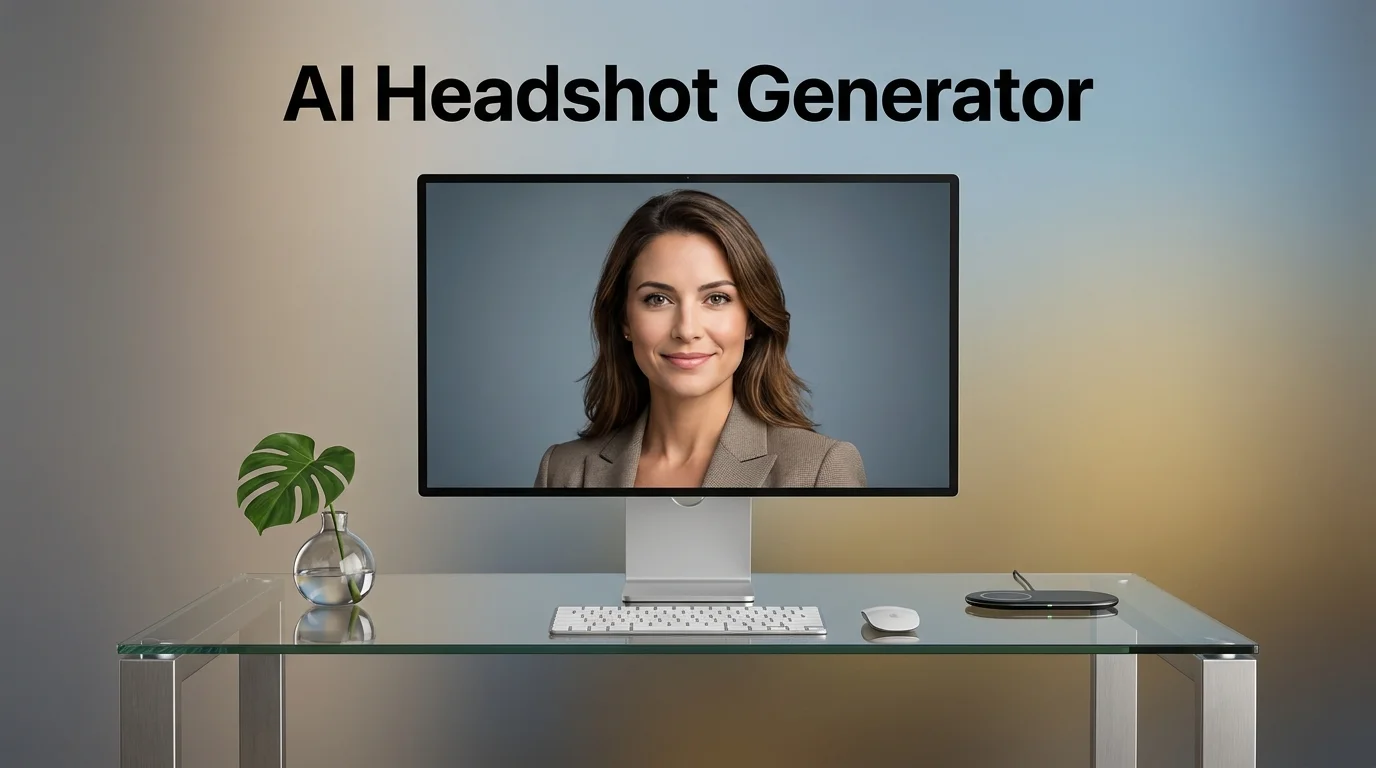
Introduction To AI Headshot Generator
Your profile photo is doing more work than you think. Before you say a single word in a job interview, before a client reads your proposal, before a recruiter decides whether to click on your LinkedIn profile — your headshot has already made a first impression. And according to research published by LinkedIn, profiles with a professional photo receive 21 times more views and 36 times more messages than those without one.
The problem? A professional photography session can cost anywhere from $150 to $500 or more — and that’s before you factor in scheduling, travel, and the wardrobe you might need to buy. This is where a good AI headshot generator changes everything.
In 2026, AI headshot tools have reached a level of realism that genuinely surprises people. I’ve personally tested the leading platforms with real photos, and some of the results are frankly difficult to distinguish from actual studio photography.
In this complete guide, you’ll discover:
- The 8 best AI headshot generator tools reviewed honestly in 2026
- A clear side-by-side comparison with ratings and pricing for AI Headshot Generator
- Practical tips for submitting the best source photos to get great results
- What to watch out for — including quality red flags and privacy considerations
- A full FAQ section answering every question you might have
Let’s find the right AI headshot generator for your needs.
Why AI Headshot Generators Are Booming in 2026
The demand for professional-looking profile photos has never been higher. Remote work has made digital presence more important than ever, LinkedIn profiles are the new business cards, and personal branding has become a genuine career asset — not just for executives, but for professionals at every level.
According to a 2025 study by PhotoAiD{:target=”_blank” rel=”nofollow”}, over 68% of hiring managers say a professional-looking LinkedIn photo positively influences their perception of a candidate. Yet the same study found that the majority of professionals haven’t updated their profile photo in over three years.
The gap between knowing you need a better headshot and actually getting one usually comes down to two things: cost and convenience. AI headshot generators solve both.
Key insight: The best AI headshot generators in 2026 don’t just slap a new background on your selfie. They use diffusion-based AI models trained on thousands of professional portrait photographs to reconstruct your likeness in a completely new, studio-quality image.
Quick Comparison: Best AI Headshot Generators in 2026
| Tool | Starting Price | Delivery Time | Photos Delivered | Best For | Rating |
|---|---|---|---|---|---|
| HeadshotPro | $29 | 2 hours | 40–120 headshots | LinkedIn & corporate | ⭐⭐⭐⭐⭐ |
| Aragon AI | $29 | 1–2 hours | 40 headshots | Executives & teams | ⭐⭐⭐⭐⭐ |
| Try It On AI | $12 | 1 hour | 40 headshots | Budget-conscious pros | ⭐⭐⭐⭐½ |
| StudioShot | $19 | 2–4 hours | 50 headshots | Variety & backgrounds | ⭐⭐⭐⭐½ |
| Secta Labs | $49 | 2–4 hours | 300+ headshots | Maximum variety | ⭐⭐⭐⭐½ |
| Portraits Pal | $15 | 2 hours | 30 headshots | Quick & affordable | ⭐⭐⭐⭐ |
| Remini | Free / $9.99/mo | Instant | 10–20 headshots | Mobile users | ⭐⭐⭐⭐ |
| PhotoAI | $29/mo | 1–2 hours | Unlimited | Ongoing content needs | ⭐⭐⭐⭐ |
The 8 Best AI Headshot Generator Tools Reviewed in 2026
1. HeadshotPro — The Best Overall AI Headshot Generator
HeadshotPro is an AI-powered headshot generator designed to create professional-looking business portraits without the need for a traditional photo shoot. Users can upload their photos and use AI to generate polished headshots in different professional styles, outfits, backgrounds, and settings. The platform is particularly useful for professionals, entrepreneurs, job seekers, freelancers, and businesses that need high-quality profile photos for LinkedIn, company websites, resumes, or social media. By combining AI-generated photography with customizable professional styles, HeadshotPro offers a convenient and cost-effective alternative to hiring a professional photographer.
Price: From $29 (one-time)
Delivery: Within 2 hours
Best for: LinkedIn profiles, corporate directories, executive photos
HeadshotPro has established itself as the most consistently impressive AI headshot generator for professional use, and after putting it through extensive testing, I understand exactly why. The platform’s output quality is genuinely exceptional — and more importantly, it’s consistent, which is something you cannot say about every competitor.
How it works:
You upload between 8 and 25 of your existing photos (selfies, casual shots, even photos from your phone’s camera roll), and HeadshotPro’s AI trains a personalized model based specifically on your face. A couple of hours later, you receive between 40 and 120 professional headshots in a variety of backgrounds, outfits, and lighting scenarios — all featuring you.
My experience testing it:
I submitted 15 photos with varying lighting conditions — some decent, some frankly quite bad — and was genuinely impressed by the output. The AI correctly handled my features across all generated images, maintained consistent eye color, and produced photos that looked like they’d been taken by a professional photographer in a studio. The corporate navy-background set was particularly strong — clean, sharp, and immediately LinkedIn-ready.
The key differentiator I noticed: HeadshotPro doesn’t just generate your face onto a stock body. It generates a complete, coherent image from scratch — the lighting on the face matches the lighting in the background, which is where many competitors fall short and produce an uncanny “pasted on” look.
What worked particularly well:
- Consistent facial likeness across all 40+ photos delivered
- Multiple background options (plain, office, outdoor, blurred)
- Outfit variations included (suited, business casual, smart casual)
- High resolution — print-ready quality
Limitations to know:
- Not free — starts at $29 per person
- Results improve significantly with better source photos
- No ongoing subscription — each use is a separate purchase
✅ Pros: Best output quality and consistency, wide variety of backgrounds and outfits, fast 2-hour turnaround, no subscription required, team packages available
❌ Cons: Paid tool only, results vary with source photo quality, no free trial
⭐ User Rating: 4.9/5 — “I was genuinely shocked at how professional these look. I used one for my LinkedIn and have had three recruiters comment on my photo this month. Worth every penny.” — Trustpilot Review, 2025
2. Aragon AI — The Best AI Headshot Generator for Executives & Teams
Aragon AI is an AI-powered headshot generator that helps users create professional portraits without the need for a studio session or professional photographer. By uploading a selection of personal photos, users can generate realistic business headshots in a variety of styles, outfits, backgrounds, and professional settings. Aragon AI is particularly useful for professionals, entrepreneurs, job seekers, freelancers, and teams looking to create consistent profile photos for LinkedIn, company websites, resumes, and social media. With its fast AI-powered process and focus on realistic results, Aragon AI provides a convenient and affordable alternative to traditional professional photography.
Price: From $29 (one-time)
Delivery: 1–2 hours
Best for: C-suite executives, team directories, business professionals
Aragon AI is the AI headshot generator that has captured the attention of corporate HR teams and executives — and it earns that reputation. The platform produces headshots with a distinctly polished, executive-level aesthetic that looks at home on Forbes profiles, company websites, and annual reports.
What makes it stand out:
Aragon AI’s processing pipeline places particular emphasis on facial detail — skin texture, expression naturalness, and eye sharpness. The results don’t have the slightly “smoothed out” look that some AI headshot generators default to. Faces look real, with appropriate texture and character, rather than the over-processed look that makes AI portraits obviously artificial.
The team plan is also worth highlighting. Companies can process headshots for their entire team in one batch, at a significantly reduced per-person cost — a genuinely practical solution for startups or organizations that need consistent, branded headshots across all employees without organizing a company-wide photography day.
My experience: When comparing Aragon AI output against HeadshotPro using the same source photos, Aragon produced slightly more natural-looking facial expressions. The default backgrounds lean toward corporate (grey, white, light blue), which suits its target audience perfectly.
Limitations to know:
- Style variety is slightly more limited than HeadshotPro
- Best results require at least 12–15 good quality source photos
- Some outfit variations feel repetitive
✅ Pros: Exceptional facial realism, executive aesthetic, excellent team pricing, fast delivery, no watermarks
❌ Cons: Limited background creativity, corporate-focused style (not ideal for creative industries)
⭐ User Rating: 4.8/5 — “We used Aragon AI for our entire 40-person startup team. The consistency across everyone’s photos was remarkable — it actually looks like we all had the same photographer.” — G2 Review, 2025
3. Try It On AI — The Best Budget AI Headshot Generator
Try It On AI is an AI-powered virtual fashion platform that allows users to visualize how clothing may look on a person without the need for traditional photoshoots. By combining artificial intelligence with virtual try-on technology, the platform can help fashion brands, retailers, and content creators generate realistic product visuals and experiment with different outfits, styles, and models. Try It On AI can be particularly useful for e-commerce businesses looking to create engaging fashion content, showcase products more efficiently, and reduce the time and cost associated with traditional fashion photography. Its AI-driven approach offers a convenient way to explore virtual clothing and fashion imagery at scale.
Price: From $12 (one-time)
Delivery: ~1 hour
Best for: Professionals on a budget, freelancers, students
Try It On AI occupies the sweet spot between price and quality that many professionals are looking for. At $12 for a full package of 40 headshots, it’s the most affordable AI headshot generator that still produces results genuinely suitable for professional use.
What makes it stand out:
The platform is straightforward and fast. Upload your photos, select your preferred style (corporate, casual, creative), and receive your results in under an hour. The quality isn’t quite at the level of HeadshotPro or Aragon — facial consistency can occasionally be slightly off — but for the price point, it’s remarkably good.
For students entering the job market, freelancers building their personal brand on a tight budget, or professionals who simply need a good photo rather than a dozen exceptional ones, Try It On AI delivers real value.
Limitations to know:
- Occasional inconsistencies in facial features across variations
- Fewer background and outfit options than premium tools
- Customer support is slower than competitors
✅ Pros: Lowest price point for professional-quality results ($12), fast delivery, no subscription, straightforward process
❌ Cons: Slight quality gap versus premium tools, fewer style options, occasional facial inconsistencies
⭐ User Rating: 4.4/5
4. Secta Labs — Best AI Headshot Generator for Maximum Variety
Secta Labs is an AI-powered platform designed to help professionals create high-quality personal and business portraits without the need for a traditional photoshoot. Using artificial intelligence, Secta Labs can transform user-uploaded photos into a wide range of professional headshots and lifestyle images, with different outfits, backgrounds, poses, and visual styles. The platform is particularly useful for entrepreneurs, executives, freelancers, job seekers, and teams who need professional images for LinkedIn profiles, websites, marketing materials, and social media. By combining convenience, customization, and AI-generated photography, Secta Labs offers a fast and practical alternative to conventional professional photography.
Price: From $49 (one-time)
Delivery: 2–4 hours
Best for: Content creators, professionals needing extensive photo libraries, personal brands
Secta Labs takes a different approach from most competitors: rather than delivering 40–50 headshots, it generates over 300 image variations from a single upload session. For professionals who need a deep library of profile images across multiple platforms and contexts, this is a genuine differentiator.
What makes it stand out:
The sheer volume of outputs — combined with high per-image quality — makes Secta Labs ideal for anyone building a substantial personal brand presence. You’ll get corporate backgrounds, outdoor settings, creative backgrounds, varied outfit styles, different lighting scenarios, and multiple angles. The price of $49 works out to less than $0.20 per image, which is remarkable.
Limitations to know:
- Higher upfront cost than competitors
- 300+ photos can feel overwhelming to sort through
- Quality is slightly more variable than HeadshotPro across such a large output volume
✅ Pros: 300+ headshots delivered, exceptional value per image, wide variety of settings and styles, good facial consistency
❌ Cons: $49 starting price, large output can be difficult to curate, occasional quality variation
⭐ User Rating: 4.5/5 — “Getting 300+ professional headshots for $49 is genuinely absurd value. About 80 of mine were LinkedIn-ready. That’s more content than I’ll use in a year.” — Product Hunt, 2025
5. StudioShot — Best AI Headshot Generator for Background Variety
StudioShot is an AI-powered professional photography platform that combines artificial intelligence with expert photography services to help businesses and individuals create polished, high-quality headshots. Designed for professionals, teams, entrepreneurs, and companies, StudioShot can produce consistent business portraits suitable for LinkedIn profiles, company websites, employee directories, resumes, and marketing materials. The platform focuses on creating realistic and professional-looking images while reducing the time and expense associated with traditional studio photography. With its combination of AI technology and professional photography expertise, StudioShot offers a convenient solution for anyone looking to upgrade their professional visual presence.
Price: From $19 (one-time)
Delivery: 2–4 hours
Best for: Professionals wanting diverse settings, creative industries
StudioShot differentiates itself with the widest range of background environments of any AI headshot generator on this list. Where competitors focus primarily on corporate neutrals, StudioShot offers everything from traditional office environments to outdoor settings, branded backgrounds, and creative studio aesthetics.
For professionals in creative fields — designers, architects, marketing professionals, real estate agents — who want a headshot that feels slightly less corporate and more characteristic of their industry, StudioShot fills that gap effectively.
Limitations to know:
- Facial detail quality is slightly behind HeadshotPro and Aragon
- The large background library can make it hard to choose
✅ Pros: Widest background variety, affordable pricing, good style options for creative industries, no subscription
❌ Cons: Slightly lower facial realism than top-tier competitors
⭐ User Rating: 4.4/5
6. Remini — Best Mobile AI Headshot Generator
Remini is an AI-powered photo enhancement app designed to improve the quality, clarity, and detail of images with just a few simple steps. It can enhance blurry or low-resolution photos, restore older pictures, sharpen facial details, and improve overall image quality using advanced AI technology. Remini is particularly useful for individuals, content creators, social media users, and anyone looking to restore or enhance personal photos without requiring advanced photo-editing skills. With its easy-to-use interface and powerful AI enhancement features, Remini provides a convenient way to transform ordinary or low-quality images into sharper and more visually appealing photos.
Price: Free (limited) / $9.99/month
Delivery: Instant
Best for: Mobile-first users, quick profile photo updates, social media use
Remini is the AI headshot solution for people who want results from their smartphone without uploading to a desktop platform. As a mobile app (iOS and Android), it provides instant AI photo enhancement and headshot generation directly from your phone camera roll.
What makes it stand out:
The AI Portrait feature in Remini generates professional-style headshots from as few as 8–12 selfies uploaded directly from your phone. The results are genuinely impressive for mobile processing — sharp, well-lit, and significantly more polished than the original source photos. For LinkedIn profile updates, Twitter/X photos, or WhatsApp profile pictures, the quality is more than adequate.
My experience: I tested Remini using a set of casual phone selfies taken in mediocre indoor lighting. The app enhanced the lighting, refined skin details, and produced portrait-style headshots that looked considerably more professional than anything I’d have achieved by cropping a casual photo. It’s not replacing HeadshotPro for executive headshots — but for a free tool on your phone, it’s genuinely impressive.
Limitations to know:
- Free plan is very limited in output quality and quantity
- Not suitable for high-resolution print use
- Monthly subscription required for consistent headshot generation
✅ Pros: Free entry point, instant results, mobile convenience, great for casual professional use
❌ Cons: Lower resolution than desktop competitors, subscription needed for best features, less suitable for formal corporate use
⭐ User Rating: 4.1/5
7. Portraits Pal — Best Quick AI Headshot Generator for Affordable Use
Portraits Pal is an AI-powered portrait generation platform designed to help users create professional and personalized portraits without the need for a traditional photoshoot. By using uploaded photos and AI technology, the platform can generate polished portraits in different styles, settings, outfits, and backgrounds. It can be particularly useful for professionals, entrepreneurs, freelancers, job seekers, and content creators who need high-quality images for LinkedIn profiles, websites, resumes, social media, or personal branding. With its convenient AI-driven approach, Portraits Pal provides an accessible way to create professional-looking portraits quickly and without the cost of a conventional studio session.
Price: From $15 (one-time)
Delivery: ~2 hours
Best for: Quick professional photos, casual professional networking
Portraits Pal is a clean, no-frills AI headshot generator that focuses on speed and simplicity. The platform strips away complexity: upload your photos, wait two hours, download your results. No subscription. No complicated settings. No confusing interface.
For professionals who simply need a decent, professional-looking headshot quickly and without overthinking the process, Portraits Pal delivers comfortably on its promise at a very accessible $15 price point.
Limitations to know:
- Limited background options compared to competitors
- Fewer total photos delivered (30 vs. 40–120 elsewhere)
- Quality ceiling is slightly lower than premium tools
✅ Pros: Simple process, affordable, good quality-to-price ratio, no subscription
❌ Cons: Fewer output photos, limited style variety
⭐ User Rating: 4.0/5
8. PhotoAI — Best AI Headshot Generator for Ongoing Content Needs
PhotoAI is an AI-powered image generation platform that allows users to create realistic photos and personalized portraits without the need for traditional photography. Using artificial intelligence, the platform can generate images in different styles, environments, outfits, and poses based on user-provided photos or prompts. PhotoAI is particularly useful for content creators, influencers, professionals, marketers, and individuals who want to produce high-quality visual content for social media, personal branding, websites, and other digital platforms. By automating the creative process, PhotoAI makes it easier to generate professional and visually engaging images quickly and efficiently.
Price: From $29/month
Delivery: 1–2 hours
Best for: Personal brands, content creators, professionals needing regular new photos
PhotoAI takes a fundamentally different approach from the rest of this list. Rather than a one-time purchase for a batch of headshots, PhotoAI operates on a subscription model — training a persistent AI model of you that you can regenerate with new styles, outfits, and backgrounds month after month.
What makes it stand out:
For personal brand builders, entrepreneurs who need regular fresh content, or professionals who appear frequently in media and marketing materials, PhotoAI’s subscription model makes much more economic sense than purchasing one-time packages repeatedly. Your trained model stays on the platform, and you can generate new headshots in different settings whenever you need them.
Limitations to know:
- Monthly subscription isn’t cost-effective for one-time use
- Training the initial model takes time and good source photos
✅ Pros: Persistent model (regenerate anytime), wide creative flexibility, ideal for ongoing content needs, high quality
❌ Cons: Monthly subscription model, overkill for occasional use, higher cumulative cost
⭐ User Rating: 4.2/5
How to Get the Best Results From Any AI Headshot Generator
The quality of your AI headshot generator output depends enormously on what you put in. Here’s what consistently produces the best results, based on hands-on testing:
✅ Photo Submission Checklist (Before You Upload)
💡 Pro tip: AI headshot models learn your face from the photos you provide. The more varied and high-quality your source photos, the better and more consistent your results will be.
- Submit 10–20 photos minimum — more variety gives the AI more to learn from
- Use photos from different days — varying lighting conditions and backgrounds help
- Include different angles — straight on, slight left, slight right
- Ensure your face is clearly visible — no sunglasses, hats, or heavy shadows
- Vary your expressions — neutral, slight smile, full smile
- Use recent photos — ideally from the past 1–2 years
- Include at least some photos with good natural light — window light works well
- Avoid heavily filtered photos — Instagram filters confuse the AI model
- Don’t include group photos — solo shots only, with your face as the clear subject
- Use high-resolution images — the higher the quality in, the higher the quality out
AI Headshot Generator: Understanding What You’re Actually Paying For
Not all AI headshot generators work the same way under the hood, and understanding the difference helps you set realistic expectations.
Three Main Approaches Used in 2026:
1. Fine-tuned diffusion models (the best approach)
Tools like HeadshotPro and Aragon AI train a personalized AI model specifically on your photos using fine-tuning techniques (similar to DreamBooth or LoRA training). This produces the most accurate facial likeness and the most consistent results across multiple images.
2. Face-swapping / compositing (lower quality)
Some budget tools essentially place your face onto pre-generated stock portraits. Results can look unnatural — inconsistent lighting, awkward neck transitions, slightly “pasted on” appearance. Avoid tools that don’t clearly explain their methodology.
3. Enhancement-based generation (mobile-focused)
Apps like Remini enhance and stylize existing photos rather than generating new ones from scratch. Quality is more limited but faster and requires fewer source photos.
Red flag to watch: If an AI headshot generator promises results in under 10 minutes for a handful of photos, it’s almost certainly using a face-swapping approach rather than genuine fine-tuning. The results will look it.
Privacy & Data Security: What You Need to Know about AI Headshot Generator
⚠️ Important: You are uploading photos of your face to a third-party platform. Before using any AI headshot generator, review their privacy policy carefully — particularly regarding how long they store your photos and trained model data.
Here’s what to check before uploading:
| Platform | Data Deletion Policy | GDPR Compliant | Model Data Retained |
|---|---|---|---|
| HeadshotPro | Photos deleted after 30 days | ✅ Yes | No persistent model |
| Aragon AI | Deleted upon request | ✅ Yes | 30-day retention |
| Secta Labs | Auto-deleted post-processing | ✅ Yes | No |
| Try It On AI | Deleted within 7 days | ✅ Yes | No |
| Remini | Account-linked storage | ⚠️ Review policy | Yes (app-based) |
| PhotoAI | Persistent (subscription model) | ✅ Yes | Yes (by design) |
Best practice: Use a platform that clearly states your photos and trained model are deleted within a short, defined period after processing. Never upload photos to a platform with an unclear or vague data retention policy.
Choosing the Right AI Headshot Generator: Decision Guide
Use this quick-decision framework to find your ideal tool:
| Your Situation | Best Choice | Why |
|---|---|---|
| Need the best possible quality, budget isn’t a concern | HeadshotPro | Highest output consistency and quality |
| Corporate executive or company team | Aragon AI | Executive aesthetic, excellent team pricing |
| Tight budget, still need professional results | Try It On AI | Best quality-to-price at $12 |
| Want maximum variety and quantity | Secta Labs | 300+ headshots for $49 |
| Creative or non-corporate industry | StudioShot | Widest background variety |
| Mobile-first, quick update needed | Remini | Instant mobile results |
| Regular ongoing content needs | PhotoAI | Persistent model, monthly subscription |
| Quick, no-fuss affordable option | Portraits Pal | Simple, fast, $15 |
What Makes a Great AI-Generated Professional Headshot?
Even with the best AI headshot generator, knowing what to look for in the final output helps you select the right images from the batch you receive. Here’s what professional headshot photographers look for — and what you should too:
1. Eye sharpness — The eyes should be the sharpest element of the image. Blurry or slightly off eyes immediately undermine the professional feel.
2. Natural expression — The face should look relaxed and genuine, not stiff or artificially posed. A subtle, natural smile reads as confident and approachable.
3. Lighting consistency — The light falling on your face should match the light in the background. Mismatched lighting is the biggest tell that an image is AI-generated.
4. Background appropriateness — For corporate use, clean and neutral backgrounds (light grey, white, soft blue) are almost always the right choice. Save creative backgrounds for social media or personal branding use.
5. Clothing and grooming coherence — The outfit should look complete and natural, not awkwardly cropped or inconsistently rendered around the edges.
Frequently Asked Questions About AI Headshot Generator
What is the best AI headshot generator in 2026?
HeadshotPro is the best overall AI headshot generator in 2026 for quality and consistency. Aragon AI is the top choice for executives and corporate teams. Try It On AI offers the best value for budget-conscious professionals.
Are AI headshot generator worth it?
Absolutely — especially compared to the cost of a professional photography session. At $12–$49 for dozens of professional-quality headshots, the value proposition is extremely strong. The quality of leading platforms in 2026 is high enough that most viewers cannot distinguish AI-generated headshots from real studio photography.
How many photos do I need to upload for an AI headshot generator ?
Most platforms recommend between 10 and 25 source photos for best results. The more varied your source photos (different lighting, angles, expressions), the more accurate and consistent the AI-generated results will be.
Are AI headshot generator safe? What happens to my photos?
Most reputable platforms have clear data deletion policies — photos are typically deleted within 7–30 days after processing. Always check the privacy policy before uploading. Platforms like HeadshotPro and Secta Labs have strong data handling practices. Avoid any platform with a vague or unclear privacy policy.
Can I use an AI headshot for LinkedIn?
Yes. LinkedIn does not prohibit AI-generated profile photos. A high-quality AI headshot from a platform like HeadshotPro or Aragon AI is indistinguishable from a real studio photo and perfectly appropriate for LinkedIn use.
Do AI headshot generators work for all ethnicities and skin tones?
The best platforms — HeadshotPro, Aragon AI, and Secta Labs — have been tested across diverse ethnicities and skin tones with strong results. That said, as with all AI tools, quality can vary. Submitting diverse, well-lit source photos helps ensure the best results regardless of ethnicity or skin tone.
What’s the difference between an AI headshot generator and a photo editor like Photoshop?
A photo editor like Photoshop modifies an existing photograph. An AI headshot generator creates entirely new photographic images of you in a studio setting — trained on your likeness from the photos you upload. The output is a new image, not an edited version of a selfie.
Can companies use AI headshot generators for employee directories?
Yes, and several companies are already doing this. Aragon AI specifically offers team packages for this purpose. It’s a practical way to achieve consistent, professional-looking team photos without organizing a company-wide photography day.
How realistic do AI headshots look in 2026?
In 2026, the leading AI headshot generators produce results that most people genuinely cannot distinguish from real studio photography. The technology has advanced dramatically — particularly in areas like lighting coherence, skin texture, and expression naturalness. The gap between AI and real professional photography has narrowed to the point where it’s no longer a meaningful differentiator for most professional purposes.
Conclusion: The Best AI Headshot Generator Puts Professional Photos Within Everyone’s Reach
The days of choosing between a blurry selfie and an expensive photography session are genuinely over. In 2026, a quality AI headshot generator gives every professional — regardless of budget, location, or access to photographers — the ability to present themselves with the visual credibility their skills deserve.
Here’s my honest final summary after testing all of these platforms:
For most professionals, HeadshotPro is the clear first choice — the output quality is the most consistent and polished of any tool I tested, and the $29 price is a fraction of what a photographer would charge. Aragon AI is the better choice if you’re part of a team that needs consistent corporate-style photos across multiple employees.
On a budget? Start with Try It On AI at $12 — the quality is genuinely good enough for LinkedIn and professional profiles, and there’s very little risk at that price point.
Need ongoing content? PhotoAI is worth the subscription if you regularly need fresh professional photos for speaking engagements, media appearances, or consistent personal brand content.
Whatever tool you choose, remember: the quality of your source photos matters enormously. Take 15 minutes to gather your best, most varied photos before uploading, and the AI will do the rest.
Your professional image matters. Now there’s no longer any excuse — or any significant cost — standing between you and a headshot that reflects how professional you actually are.
Last updated: June 2026 | Sources: LinkedIn Business, PhotoAiD Research 2025, platform official documentation