Website Audit in 2026: The Most Complete SEO Checklist, Tools & Expert Best Practices

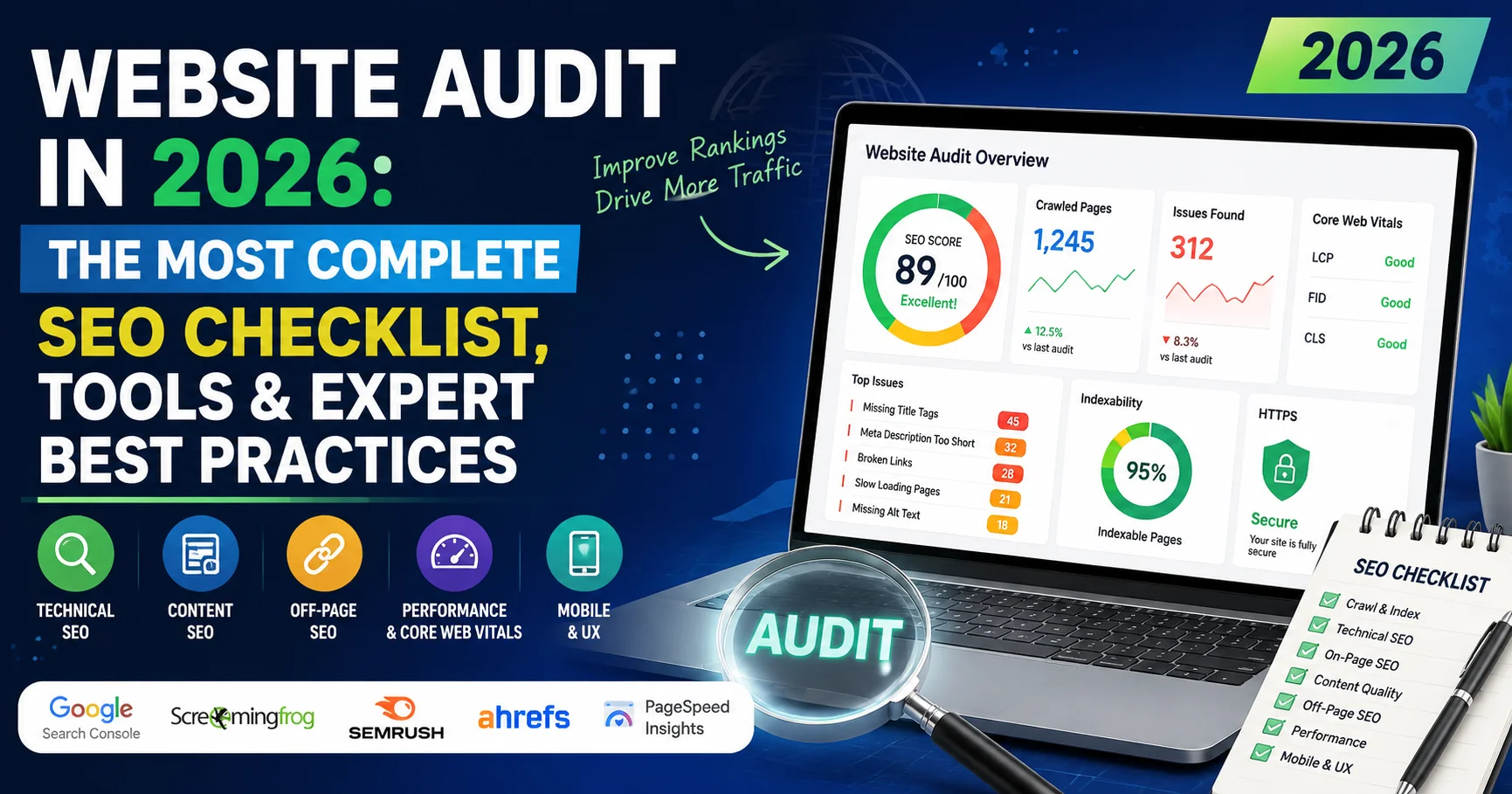
If your website isn’t ranking where it should, the problem probably isn’t your content or your design — it’s what’s happening underneath the hood. A proper website audit is the first step every serious website owner needs to take before making any meaningful SEO improvements.
I’ve personally run dozens of audits on sites ranging from small blogs to large e-commerce platforms. Each time, the results were eye-opening — even on sites that looked perfectly fine on the surface. In this guide, I’m going to walk you through exactly how to perform a website audit step by step, which tools to use, and what to prioritize so you stop guessing and start getting results.
Here’s what this guide covers:
- What a website audit actually is (and why it matters in 2026)
- The complete SEO audit checklist broken down by category
- The best tools to automate and streamline your audit
- Common issues found during audits — and how to fix them
- A practical summary and FAQ to wrap things up
Let’s get into it.
What Is a Website Audit — And Why Does It Matter?
A website audit is a comprehensive analysis of all the factors that affect your site’s visibility in search engines, its technical health, user experience, and content quality. Think of it as a full medical check-up for your website.
The goal isn’t just to find problems — it’s to understand why your site performs the way it does, and what you need to do to improve it.
📊 Key Stat: According to a 2024 study by Backlinko, the #1 result on Google gets approximately 27.6% of all clicks, while page 2 results receive less than 1%. If your site isn’t on page one, you’re essentially invisible.
In 2026, Google’s algorithm has become significantly more sophisticated. It evaluates hundreds of ranking signals simultaneously — from page speed and Core Web Vitals to content depth and backlink quality. A website audit helps you address all of these systematically, rather than randomly.
The 7 Core Categories of a Website Audit
A complete website audit isn’t one thing — it’s several audits rolled into one. Here’s the framework I use, broken into seven essential categories:
- Technical SEO Audit
- On-Page SEO Audit
- Content Audit
- Backlink & Off-Page Audit
- User Experience (UX) Audit
- Mobile & Performance Audit
- Security & Accessibility Audit
Let’s go through each one in detail.
1. Technical SEO Audit: The Foundation of Everything
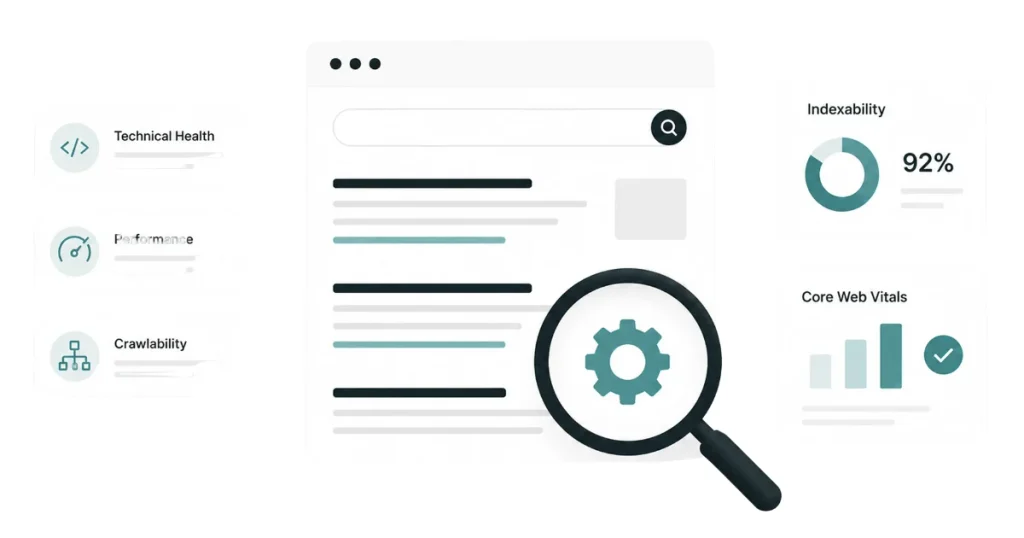
A Technical SEO Audit examines the technical aspects of a website that can affect its search engine visibility, crawling, indexing, and overall performance. It typically checks issues such as site speed, mobile-friendliness, broken links, crawlability, XML sitemaps, robots.txt, HTTPS, redirects, structured data, and Core Web Vitals. Fixing these technical problems helps search engines understand and index your website more effectively while improving the user experience.
Technical issues are the silent killers of SEO. You can have brilliant content, but if Googlebot can’t crawl or index your pages properly, none of it matters. This is always where I start when doing a website audit.
Crawlability & Indexation
- ✅ Check your
robots.txtfile — make sure you’re not accidentally blocking important pages - ✅ Submit your XML sitemap to Google Search Console and verify it’s being processed correctly
- ✅ Use the URL Inspection tool in Search Console to see exactly how Google sees your pages
- ✅ Check for “noindex” tags that may be blocking pages unintentionally
- ✅ Identify orphan pages (pages with no internal links pointing to them)
Site Architecture
A well-structured site makes it easier for both users and search engines to navigate. During your website audit, look for:
- Pages buried more than 3 clicks away from the homepage
- Duplicate URLs (with and without trailing slashes,
wwwvs non-www,httpvshttps) - Broken internal links (404 errors)
Redirect Audit
- ✅ All 301 redirects should point to the correct final destination
- ✅ Avoid redirect chains (A → B → C) — compress them to direct links (A → C)
- ✅ Check for redirect loops that can crash crawl budget
⚠️ Warning: Redirect chains are one of the most commonly overlooked issues in a website audit. Even two or three hops can slow down page loading significantly and dilute link equity. Always audit your redirects carefully.
2. On-Page SEO Audit: Optimizing What Google Reads
An On-Page SEO Audit evaluates the content and page-level elements that influence a website’s search engine rankings. It typically analyzes title tags, meta descriptions, headings, keyword usage, content quality, internal linking, image optimization, URLs, and search intent. Optimizing these elements helps search engines better understand your pages and improves their relevance, visibility, and user experience.
On-page SEO is about making sure every page on your site is properly optimized for its target keyword. This section of the website audit focuses on what’s on the page itself.
Title Tags & Meta Descriptions
- ✅ Every page should have a unique title tag (50–60 characters)
- ✅ Meta descriptions should be compelling, unique, and under 160 characters
- ✅ Include your target keyword naturally in both
Header Tags (H1–H6)
- ✅ Each page should have exactly one H1 tag
- ✅ Use H2s and H3s to organize your content logically
- ✅ Include primary and secondary keywords in headings where relevant
URL Structure
- ✅ URLs should be short, readable, and keyword-rich
- ✅ Avoid dynamic URLs with multiple parameters when possible
- ✅ Use hyphens, not underscores, to separate words
Image Optimization
- ✅ All images should have descriptive alt text
- ✅ File names should be meaningful (e.g.,
website-audit-checklist.jpg, notIMG_1234.jpg) - ✅ Compress images to reduce load time without losing quality
Schema Markup
In 2026, structured data has become increasingly important. Check whether your pages have relevant schema markup (Article, FAQ, Product, LocalBusiness, etc.) to earn rich results in Google.
3. Content Audit: Quality Over Quantity
A website audit isn’t complete without a thorough look at your content. Google’s Helpful Content system specifically rewards pages that demonstrate real expertise and value to users.
Content Quality Checklist
- ✅ Is each piece of content genuinely useful and comprehensive?
- ✅ Are there thin pages (fewer than 300 words) that should be expanded or removed?
- ✅ Do you have duplicate content issues (either internal or copied from elsewhere)?
- ✅ Is content outdated and in need of refreshing for 2026 accuracy?
Content Gap Analysis
This is one of my favorite parts of a content audit. Use tools like Ahrefs or Semrush to identify keywords your competitors rank for that you don’t. These are golden content opportunities.


💡 Pro Tip: Pages that used to rank but have dropped significantly are often the easiest wins. Update them with fresh data, better structure, and more depth — you can often recover rankings within weeks.
Keyword Cannibalization
When multiple pages on your site target the same keyword, they compete against each other. During your website audit, use Search Console to identify pages ranking for similar queries and consolidate or differentiate them.
4. Backlink & Off-Page Audit: Your Site’s Reputation
A Backlink & Off-Page Audit evaluates the quality, relevance, and authority of a website’s external backlink profile and overall presence across the web. It identifies valuable links, toxic or potentially harmful backlinks, referring domains, anchor text patterns, and opportunities for earning high-quality links. A strong off-page audit helps improve website authority, strengthen search visibility, and reduce risks associated with low-quality or unnatural backlinks.
Links from other websites are still one of Google’s most powerful ranking signals. Your website audit should include a careful review of your backlink profile.
What to Check
- ✅ Total number of referring domains (more domains = more authority)
- ✅ Quality of linking domains — a link from a major news site is worth hundreds of times more than a link from a spammy directory
- ✅ Anchor text distribution — too many exact-match anchors can look manipulative
- ✅ Toxic or spammy backlinks that could trigger a Google penalty
How to Audit Backlinks
Use Ahrefs Backlink Checker or Semrush Backlink Analytics to pull a full report. Identify low-quality links and consider using Google’s Disavow tool if necessary.
✅ Best Practice: Don’t panic about a few bad links — Google is generally good at ignoring them. Only disavow links if you see a clear pattern of manipulative link building or if you’ve received a manual action from Google.
5. User Experience (UX) Audit: Keeping Visitors on Your Site
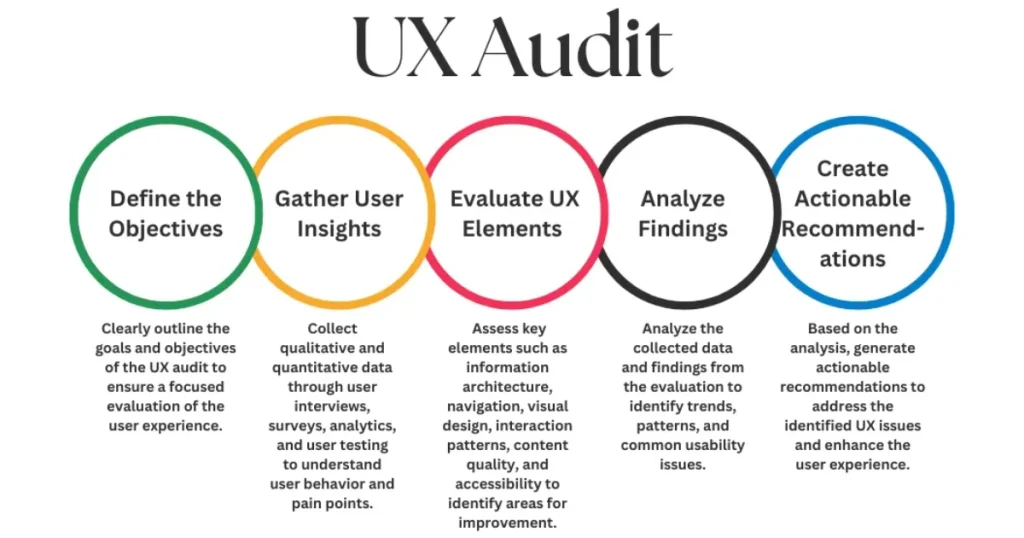
A User Experience (UX) Audit evaluates how easily and effectively visitors can navigate and interact with a website. It examines factors such as navigation, page layout, readability, mobile usability, loading speed, accessibility, and conversion paths. Identifying and fixing UX issues can improve user satisfaction, reduce bounce rates, increase engagement, and ultimately support better SEO performance and conversions.
Google now directly measures user behavior as a ranking signal. If people land on your page and immediately bounce back to the search results, that’s a clear signal your page isn’t meeting their needs.
UX Factors to Evaluate
- ✅ Is the page layout clean and easy to navigate?
- ✅ Are CTAs (calls-to-action) clear and well-placed?
- ✅ Is the font size readable on all devices?
- ✅ Is there too much advertising or pop-up clutter?
- ✅ Does your design build trust? (Professional appearance, visible contact info, privacy policy)
Analyzing User Behavior
Use Google Analytics 4 to review:
- Bounce rate by page
- Average session duration
- Pages per session
- Scroll depth (via event tracking)
Pages with high bounce rates and low engagement are red flags that deserve priority attention during your website audit.
6. Mobile & Performance Audit: Speed Is Non-Negotiable

A Mobile & Performance Audit evaluates how quickly and effectively a website performs across smartphones, tablets, and desktop devices. It analyzes page speed, Core Web Vitals, mobile responsiveness, image optimization, server performance, and other factors that can affect loading times and usability. Improving these areas helps deliver a faster, smoother user experience while supporting better SEO performance and search visibility.
Google has been using mobile-first indexing since 2021. In 2026, if your site isn’t fast and fully optimized for mobile, you’re leaving rankings on the table.
Core Web Vitals
These are Google’s official metrics for measuring page experience:
| Metric | What It Measures | Good Score |
|---|---|---|
| LCP (Largest Contentful Paint) | Loading speed of main content | < 2.5 seconds |
| INP (Interaction to Next Paint) | Responsiveness to user input | < 200ms |
| CLS (Cumulative Layout Shift) | Visual stability | < 0.1 |
Check your Core Web Vitals using Google PageSpeed Insights or the Core Web Vitals report in Search Console.
Performance Checklist
- ✅ Enable GZIP or Brotli compression on your server
- ✅ Use a Content Delivery Network (CDN) to serve files faster globally
- ✅ Minify CSS, JavaScript, and HTML files
- ✅ Implement lazy loading for images and videos
- ✅ Use next-generation image formats (WebP, AVIF)
- ✅ Eliminate render-blocking resources
7. Security & Accessibility Audit
This part of your website audit is often skipped — but it’s increasingly important for both rankings and user trust.
Security Checklist
- ✅ Your site must use HTTPS (not HTTP) — Google marks non-HTTPS sites as “Not Secure”
- ✅ SSL certificate should be valid and not expiring soon
- ✅ Check for mixed content warnings (HTTP elements loading on an HTTPS page)
- ✅ Review user permissions and ensure no unauthorized admin access
Accessibility (a11y)
Web accessibility means making your site usable for people with disabilities. Google values accessible sites, and in many countries, it’s also a legal requirement:
- ✅ Images have descriptive alt text
- ✅ Color contrast meets WCAG 2.1 AA standards
- ✅ All interactive elements are keyboard-navigable
- ✅ Videos have captions or transcripts
Use the WAVE Accessibility Tool for a quick audit.
Best Tools to Perform a Website Audit in 2026
You don’t need to do everything manually. Here are the tools I rely on for a thorough website audit:
| Tool | Best For | Pricing | User Rating |
|---|---|---|---|
| Google Search Console | Indexation, Core Web Vitals, manual actions | Free | ⭐⭐⭐⭐⭐ (5/5) |
| Semrush Site Audit | Full technical SEO crawl | From $129.95/mo | ⭐⭐⭐⭐⭐ (4.8/5) |
| Ahrefs Site Audit | Technical issues + backlinks | From $129/mo | ⭐⭐⭐⭐⭐ (4.8/5) |
| Screaming Frog SEO Spider | Deep crawl & on-page analysis | Free (up to 500 URLs) / £259/yr | ⭐⭐⭐⭐½ (4.7/5) |
| Google PageSpeed Insights | Core Web Vitals & performance | Free | ⭐⭐⭐⭐⭐ (4.9/5) |
| Google Analytics 4 | User behavior & traffic | Free | ⭐⭐⭐⭐½ (4.6/5) |
| WAVE | Accessibility audit | Free | ⭐⭐⭐⭐ (4.4/5) |
Complete Website Audit Checklist (Printable)
Here’s a condensed, actionable checklist you can use right now:
🔧 Technical SEO
- robots.txt is correct and not blocking important pages
- XML sitemap is submitted and valid
- No unintentional “noindex” tags on important pages
- No broken links (404 errors)
- Redirects are direct and without chains
- Site is properly crawlable by Googlebot
📝 On-Page SEO
- Unique title tags on every page (50–60 chars)
- Unique meta descriptions (under 160 chars)
- One H1 per page with primary keyword
- Images have descriptive alt text
- Schema markup implemented where relevant
- Internal linking is logical and comprehensive
📄 Content
- No thin or duplicate content
- Content updated for 2026 accuracy
- No keyword cannibalization issues
- Content gap analysis completed
🔗 Backlinks
- Toxic links identified and disavowed if necessary
- Backlink profile reviewed for anchor text distribution
- Opportunities for new high-quality links identified
📱 Mobile & Performance
- LCP < 2.5s, INP < 200ms, CLS < 0.1
- Site is fully responsive on all devices
- Images compressed and using modern formats
- CDN is in place
🔒 Security & Accessibility
- Site uses HTTPS with valid SSL
- No mixed content warnings
- Accessibility (WCAG 2.1 AA) checked
- Admin access reviewed and secured
How Often Should You Run a Website Audit?
This is a question I get all the time. Here’s my honest recommendation:
- Full website audit: Every 6 months minimum, or quarterly for competitive niches
- Technical crawl: Monthly (automated with Semrush or Ahrefs)
- Core Web Vitals check: Monthly
- Backlink audit: Every 2–3 months
- Content freshness review: Monthly for fast-moving topics, quarterly for evergreen content
Common Website Audit Mistakes to Avoid
After running audits for clients across industries, these are the mistakes I see most often:
- Fixing everything at once — Prioritize issues by their potential impact. Critical errors first, then warnings.
- Ignoring mobile performance — Over 60% of web traffic comes from mobile devices. Mobile speed is not optional.
- Disavowing links too aggressively — Only disavow links if there’s a genuine, documented pattern of manipulation.
- Forgetting to track before and after metrics — Always take a baseline screenshot of your rankings and traffic before making changes.
- Treating the audit as a one-time task — A website audit is an ongoing process, not a one-off project.
FAQs: Website Audit — Your Questions Answered
❓ What is a website audit in simple terms?
A website audit is a detailed review of your entire website to identify technical problems, SEO weaknesses, content gaps, and user experience issues. It helps you understand exactly why your site is — or isn’t — performing well in search engines.
❓ How long does a website audit take?
For a small site (under 100 pages), a thorough audit can take 4–8 hours. For a large site (thousands of pages), it can take several days or even weeks to analyze, prioritize, and document findings.
❓ Can I do a website audit for free?
Yes — partially. Tools like Google Search Console, Google Analytics 4, PageSpeed Insights, and Screaming Frog (free up to 500 URLs) give you a solid starting point for a website audit at no cost. For a deeper analysis, paid tools like Ahrefs or Semrush are worth the investment.
❓ What’s the difference between a technical audit and an SEO audit?
A technical SEO audit focuses on server-side issues like crawlability, indexation, page speed, and site structure. A broader SEO audit also includes on-page content, backlinks, and user experience. In practice, most professionals do all of them together as a complete website audit.
❓ How do I know which issues to fix first?
Prioritize issues that directly block search engines from crawling or indexing your site (like blocked robots.txt or noindex tags on important pages), then address critical performance issues (slow pages, Core Web Vitals failures), and finally move to content and backlink improvements.
❓ Does a website audit help with Google rankings?
Absolutely. Fixing the issues identified during a website audit directly improves the signals Google uses to rank your site — from technical health and page speed to content quality and authority. Many sites see significant ranking improvements within 4–12 weeks of acting on audit findings.
❓ What is the best tool for a website audit in 2026?
There’s no single “best” tool — it depends on your needs and budget. For most users, combining Google Search Console (free), Screaming Frog (free tier), and PageSpeed Insights (free) covers 80% of what you need. For professional or agency-level audits, Semrush or Ahrefs are the industry gold standards.
Conclusion: Your Website Audit Action Plan
A website audit is not a luxury — it’s a necessity for any website that wants to compete in search results in 2026. The good news is that you don’t need to be a developer or an SEO expert to get started. You just need the right framework, the right tools, and the discipline to act on what you find.
Here’s what I’d recommend you do today:
- Start with Google Search Console — it’s free and tells you exactly what Google sees
- Run a crawl with Screaming Frog — identify technical issues fast
- Check your Core Web Vitals — performance is a direct ranking factor
- Review your top 10 pages for content quality — are they truly the best answer to the user’s question?
- Document everything — build a prioritized list of issues and tackle them systematically
The websites that win in 2026 aren’t necessarily the ones with the biggest budgets — they’re the ones that understand their own weaknesses and fix them consistently. A regular website audit is how you do that.
Now you have everything you need. Go audit your site.
Last updated: June 2026 | Based on current Google algorithm guidelines and industry best practices.