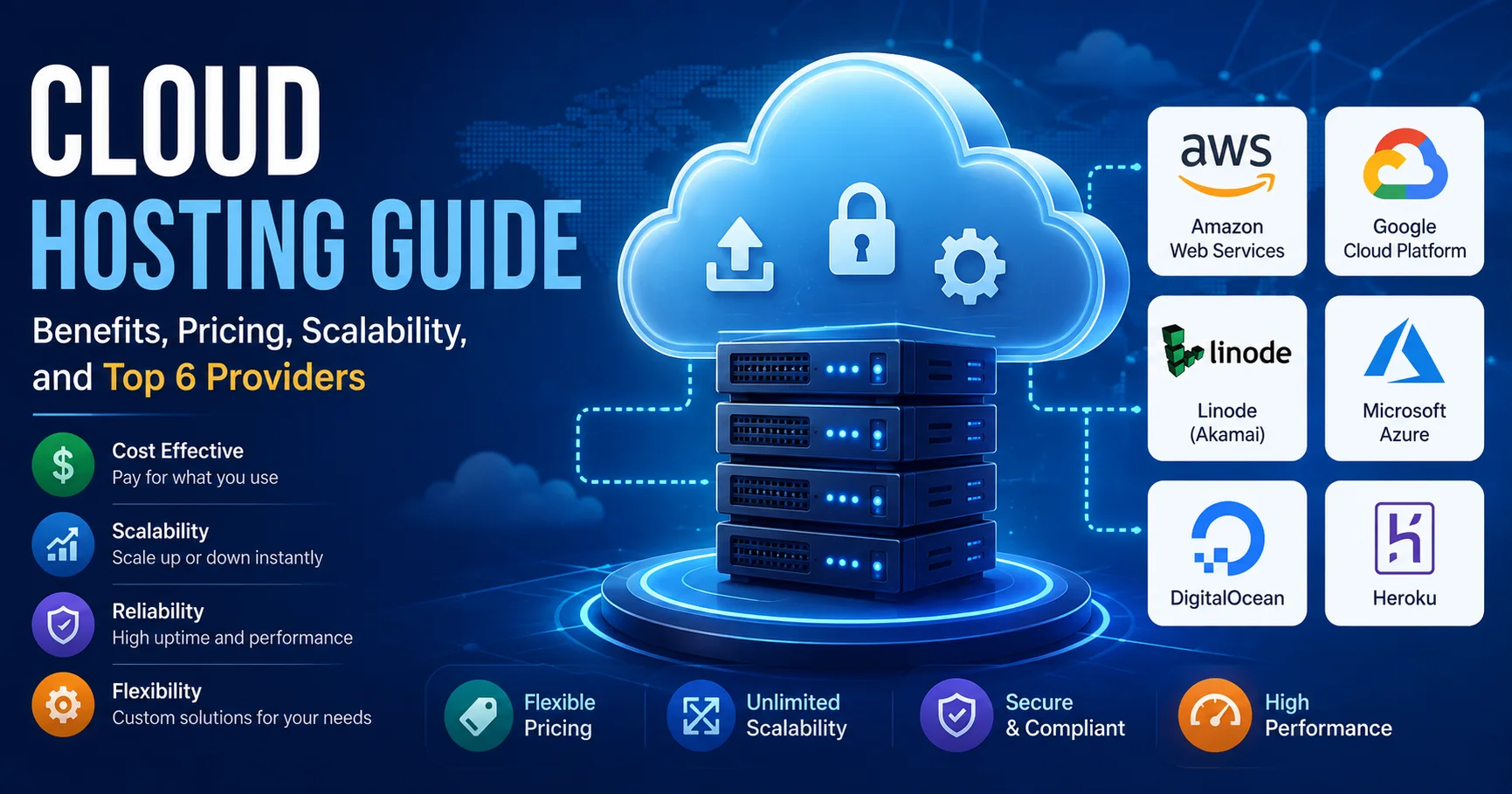
Cloud Hosting Guide: Benefits, Pricing, Scalability, and Best 6 Providers

INTRODUCTION
If you’re still running your applications on traditional dedicated servers or shared hosting, you’re likely experiencing the same frustrations I once had: rigid infrastructure that doesn’t scale with your traffic, unpredictable costs, complex server management, and the constant anxiety about capacity planning.
Cloud hosting represents a fundamental shift in how organizations deploy and manage applications. Rather than purchasing and maintaining physical servers, you access computing resources on-demand from cloud providers who manage the infrastructure. You pay for what you use, scale effortlessly with traffic spikes, and eliminate server management overhead.
I’ve personally migrated multiple organizations from traditional hosting to cloud infrastructure, witnessed the operational transformations, experienced both the remarkable benefits and the real challenges, and guided teams through choosing the right cloud hosting platform for their specific situation.
The cloud hosting landscape in 2026 is mature, competitive, and genuinely powerful. But choosing the right provider, understanding pricing models, and architecting scalable infrastructure requires knowledge that most organizations lack. This comprehensive guide walks you through everything you need to know about cloud hosting—what it actually is, why it matters, how pricing works, genuine benefits and limitations, provider comparisons, and practical guidance on whether cloud hosting is right for your organization.
By the end, you’ll understand cloud hosting thoroughly enough to make confident decisions about your infrastructure.
What Is Cloud Hosting? Understanding the Fundamentals
Cloud hosting is on-demand, virtualized computing resources delivered over the internet from cloud data centers managed by specialized providers. Rather than owning physical servers, you rent computing capacity (CPU, memory, storage, bandwidth) and pay only for what you consume.
This fundamentally differs from traditional hosting models:
Traditional Dedicated Hosting
- You lease or own physical servers
- Fixed capacity regardless of actual usage
- You pay monthly regardless of whether you use 10% or 100% of capacity
- Complex hardware management responsibility
- Limited scalability (adding capacity takes weeks)
Cloud Hosting
- You rent virtualized computing resources on-demand
- Capacity scales automatically with demand
- You pay only for resources consumed
- Cloud provider manages all infrastructure
- Scaling happens in minutes, not weeks
The practical impact is substantial. A retailer experiencing a flash sale can scale from 100 concurrent users to 100,000 without any infrastructure changes. A startup can launch with minimal resources and grow without capacity constraints. Both only pay for actual usage.
Types of Cloud Hosting Services
Cloud hosting encompasses multiple service models:
Infrastructure as a Service (IaaS)
- You manage applications, databases, runtime
- Provider manages virtualization, servers, storage, networking
- Examples: AWS EC2, Google Compute Engine, Azure Virtual Machines
- Most control, most responsibility
Platform as a Service (PaaS)
- You manage applications and data
- Provider manages everything else (runtime, databases, infrastructure)
- Examples: Heroku, Google App Engine, AWS Elastic Beanstalk
- Less responsibility, less control
Software as a Service (SaaS)
- Provider manages everything
- You simply use the application
- Examples: Salesforce, Microsoft 365, Slack
- No infrastructure responsibility
Most organizations use some combination, but this guide focuses on IaaS and PaaS, which represent the core cloud hosting decision.
Core Benefits of Cloud Hosting: Why Organizations Are Migrating
Having migrated multiple organizations to cloud hosting, these benefits consistently materialize:
1. Elastic Scalability
This is cloud hosting’s primary superpower. Your infrastructure scales automatically with demand.
Real-world impact:
- Traffic increases from 100 to 10,000 requests/minute? Your infrastructure scales automatically
- Traffic drops after peak period? You scale down, eliminating unnecessary costs
- New features drive 3x usage growth? You scale without infrastructure changes
I watched a SaaS company experience traffic growth from seasonal demand. With traditional hosting, they’d provision for peak capacity and pay for it year-round. With cloud hosting, they provision exactly what’s needed each month, reducing annual infrastructure costs by 40% while improving reliability.
Scalability characteristics:
- Horizontal scaling (adding more servers) happens automatically
- Vertical scaling (bigger servers) available when needed
- Geographic distribution (serve users from multiple regions) simple to implement
- No application downtime during scaling
2. Predictable, Flexible Pricing
Cloud hosting pricing models fundamentally differ from traditional hosting’s fixed costs.
Traditional hosting pricing:
- Fixed monthly cost regardless of usage
- You provision for peak capacity
- Unused capacity is wasted money
- Traffic reduction doesn’t lower costs
Cloud hosting pricing:
- Pay-as-you-go based on actual consumption
- You provision minimal infrastructure
- Unused capacity is simply not purchased
- Traffic reduction lowers costs immediately
Real pricing example: A company with variable traffic patterns:
- Peak month: 50,000 server-hours needed
- Average month: 15,000 server-hours needed
- Low month: 5,000 server-hours needed
With traditional hosting ($5 per month per server-hour capacity): $250/month year-round = $3,000/year
With cloud hosting ($0.05 per server-hour consumed):
- Peak: $2,500/month
- Average: $750/month
- Low: $250/month
- Annual: ~$10,000
Wait, that’s higher? Yes, if you’re comparing capacity-provisioned vs. consumption-based. But consider:
- Traditional hosting requires provisioning for peak (expensive)
- Cloud hosting only pays for actual usage
- If peak occurs 3 months/year: Cloud hosting = $5,000, Traditional = $3,000 (but underutilized other 9 months)
The advantage emerges when you have variable workloads and don’t want to overprovision.
3. Reduced Infrastructure Management
Cloud hosting eliminates infrastructure management burden. You don’t manage:
- Physical server hardware
- Data center facilities
- Network infrastructure
- Security patches and updates (provider handles)
- Hardware failures (provider replaces)
- Capacity planning (scales automatically)
For a 10-person company, this represents 2-3 full-time engineering roles eliminated. For larger organizations, it means infrastructure engineers can focus on optimization rather than maintenance.
4. Global Availability and Disaster Recovery
Cloud providers operate data centers globally. This enables:
- Geographic distribution: Serve users from locations near them (reduced latency)
- Automatic failover: Application failures trigger automatic traffic redirection
- Disaster recovery: Backup data automatically replicated globally
- High availability: Multiple redundant systems ensure uptime
Traditional hosting requires expensive, complex disaster recovery setup. Cloud hosting makes it standard.
5. Superior Security
Major cloud providers invest billions in security:
- Data encryption: Encryption at rest and in transit
- Access controls: Multi-factor authentication, role-based access
- Compliance: HIPAA, PCI-DSS, SOC2 compliance built-in
- DDoS protection: Automatic protection against attacks
- Audit trails: Complete visibility into who accessed what, when
Cloud hosting security often exceeds what individual organizations could build.
6. Faster Time to Market
Cloud hosting enables rapid application deployment:
- Pre-built services: Databases, messaging, AI/ML, analytics available immediately
- No procurement: Start using resources within hours
- No setup time: No waiting for hardware delivery or installation
- Automation: Infrastructure as code enables automated deployment
A startup launching on cloud hosting can go from idea to production in weeks. Traditional hosting would require infrastructure procurement taking months.
7. Automatic Updates and Maintenance
Cloud providers handle all infrastructure maintenance:
- Security patches: Applied automatically
- Hardware upgrades: Transparent to applications
- Operating system updates: No downtime (handled by provider)
- Software updates: For managed services, automatic
You never wake up to infrastructure maintenance nightmares.
Understanding Cloud Hosting Pricing Models
Cloud hosting pricing is fundamentally different from traditional hosting. Understanding these models is essential for managing costs.
1. Compute Pricing (Running Applications)
You pay for:
- CPU hours: Cost per CPU core used per hour
- Memory: Cost per GB of RAM per hour
- Time running: You pay whenever the server is running
Example pricing (2026 AWS pricing):
- Standard compute (t3.medium): $0.0416 per hour
- Running 24/7: ~$300 monthly
- Running 8 hours daily: ~$100 monthly
Autoscaling means you only pay when servers are actually needed.
2. Storage Pricing
You pay for:
- Data stored: Cost per GB per month
- Data transfer: Cost per GB of data transferred out
- Request operations: Read/write operations on databases
Example pricing:
- S3 storage: $0.023 per GB per month
- 1 TB stored monthly: ~$23
- Data transfer out: $0.09 per GB
- 100 GB transferred: $9
3. Bandwidth Pricing
Cloud hosting charges for data transfer:
- Data in: Usually free
- Data between regions: Charged per GB
- Data out to internet: Charged per GB
- Within same region: Often free
This encourages efficient architecture (minimize data transfer).
4. Managed Services Pricing
Pre-built services have their own pricing:
- Databases: Per instance type, storage, backups
- Message queues: Per million messages
- Analytics: Per GB scanned
- Machine learning: Per training hour
These services eliminate infrastructure management but add per-service costs.
5. Commitment-Based Discounts
Cloud providers offer discounts for commitments:
- On-demand pricing: Full price, pay hourly
- 1-year commitment: 20-30% discount
- 3-year commitment: 50-60% discount
- Spot instances: 70%+ discount for interruption-tolerant workloads
Real-World Cost Example
Let’s estimate monthly costs for a typical web application:
| Component | Usage | Unit Cost | Monthly Cost |
|---|---|---|---|
| Compute (web servers) | 200 hours | $0.0416/hour | $8 |
| Compute (background workers) | 300 hours | $0.0416/hour | $13 |
| Database | 500 GB | $0.10/GB | $50 |
| Storage | 100 GB | $0.023/GB | $2.30 |
| Data transfer | 1 TB | $0.09/GB | $90 |
| Managed services | Various | Various | $20 |
| Total | $183/month |
Compare to traditional hosting ($500-1,000/month for similar capacity), and cloud hosting’s cost advantage is clear, especially with variable workloads.
Cost Management Strategies
Managing cloud hosting costs requires intentionality:
- Monitor actual usage – Use provider dashboards to track spending
- Right-size resources – Don’t over-provision
- Use autoscaling – Automatically adjust to actual demand
- Clean up unused resources – Delete unused servers, storage, databases
- Leverage reserved instances – Commit for discount on predictable workloads
- Use spot instances – 70% discount for non-critical, interruptible workloads
- Optimize data transfer – Minimize cross-region data movement
Properly managed, cloud hosting costs remain reasonable and scale with business growth.
Scalability in Cloud Hosting: How It Actually Works
Scalability is cloud hosting’s defining characteristic. Understanding how it works enables architectural decisions that leverage this advantage.
Horizontal vs. Vertical Scaling
Vertical Scaling (Getting Bigger)
- Run applications on more powerful servers
- Finite limit (biggest available server)
- Causes downtime (need to stop server to resize)
- Example: Upgrading from 4GB to 8GB RAM
Horizontal Scaling (Getting More)
- Run applications across more servers
- Theoretically unlimited (add more servers)
- No downtime (new servers added without stopping existing)
- Requires application design supporting multiple instances
- Example: Running on 1 server → 3 servers → 10 servers
Cloud hosting excels at horizontal scaling. Traditional hosting struggles with it.
Autoscaling in Action
Let’s trace a real-world autoscaling example:
9:00 AM: Traffic increases from 100 to 500 requests/second
Immediate response:
- Load balancer directs traffic across existing servers
- As servers reach capacity, autoscaling is triggered
- New servers launch automatically (1-2 minutes)
- Load balancer directs traffic to new servers
- Application handles 500 requests/second seamlessly
Process is completely automatic. Application developers don’t manually add servers. Infrastructure responds to demand.
2:00 AM: Traffic drops to 50 requests/second
Autoscaling down:
- Cloud provider notices servers are underutilized
- Excess servers are terminated after cool-down period (15-30 minutes)
- Costs drop immediately as servers are removed
- You only pay for active servers
This automatic, demand-responsive scaling is cloud hosting’s core value proposition.
Database Scalability Considerations
Application scalability is straightforward. Database scalability is more complex.
Challenge: Traditional databases don’t scale horizontally easily.
Solutions:
- Read replicas: Multiple read-only database copies distribute read load
- Caching layers: Redis/Memcached reduce database load
- NoSQL databases: Horizontally scalable from design (MongoDB, DynamoDB)
- Database sharding: Partition data across multiple database instances
Modern cloud hosting provides these tools, but database scalability requires intentional architecture.
Practical Scalability Limits
Cloud hosting scales impressively, but practical limits exist:
- Single region: Can handle ~100k concurrent connections
- Multiple regions: Can handle millions of concurrent connections
- Database scaling: Becomes complex at scale (requires sharding or NoSQL)
- Cost: Scaling costs money (though less than traditional hosting)
For most applications, cloud hosting scalability is essentially unlimited.
Cloud Hosting vs. Traditional Hosting: Side-by-Side Comparison
Understanding how cloud hosting compares to traditional hosting clarifies the decision:
| Aspect | Cloud Hosting | Traditional Dedicated | Traditional Shared |
|---|---|---|---|
| Scalability | Automatic, instant | Manual, weeks | Limited |
| Pricing Model | Pay-as-you-go | Fixed monthly | Fixed monthly |
| Cost Efficiency | Best for variable loads | Best for consistent load | Best for small sites |
| Performance | Excellent with proper config | Excellent for dedicated | Variable (shared resources) |
| Complexity | Moderate (requires knowledge) | Low (vendor manages) | Low (vendor manages) |
| Control | Extensive | Extensive | Limited |
| Customization | Highly customizable | Highly customizable | Limited |
| Security | Enterprise-grade | Good | Basic |
| Compliance | Built-in (HIPAA, PCI-DSS) | Vendor-dependent | Limited support |
| Uptime Guarantee | 99.99%+ | 99.9% typical | 99.5% typical |
| Setup Time | Hours | Days | Immediate |
| Learning Curve | Significant | Low | None |
| Best For | Growing applications | Stable capacity needs | Simple websites |
Decision rule:
- Growing startups and variable workloads → Cloud hosting
- Stable, predictable capacity → Traditional dedicated
- Simple websites → Shared hosting or cloud hosting
Top Cloud Hosting Providers: Detailed Comparison
The cloud hosting market is dominated by three major players, with several strong alternatives:
1. Amazon Web Services (AWS)
Amazon Web Services (AWS) is a comprehensive cloud computing platform that provides scalable hosting, storage, networking, computing, and database services for businesses, developers, and organizations of all sizes. Its cloud hosting ecosystem includes services such as Amazon EC2 for virtual servers, Amazon S3 for object storage, Amazon RDS for managed databases, and Amazon Lightsail for simpler cloud deployments. AWS allows users to scale computing resources on demand, deploy applications across a global infrastructure, and pay for many services based on actual usage. With extensive security features, flexible infrastructure options, and a broad portfolio of cloud services, AWS is a powerful choice for hosting websites, applications, APIs, enterprise workloads, and complex cloud environments.
Market Position: Largest cloud provider (32% market share in 2026), most mature ecosystem
Strengths:
- Widest service portfolio (200+ services)
- Largest global infrastructure (30+ regions)
- Most advanced AI/ML services
- Strongest ecosystem and third-party integrations
- Enterprise features and compliance certifications
Weaknesses:
- Steepest learning curve (complexity of options)
- Pricing can be confusing (many pricing models)
- Less forgiving for over-provisioning mistakes
- Requires skilled engineers for optimization
Best For: Large enterprises, complex applications, organizations needing specific AWS services
Popular services:
- EC2 (compute)
- RDS (managed databases)
- S3 (storage)
- Lambda (serverless)
- SageMaker (machine learning)
Pricing: Variable, but typically $100-5,000+ monthly depending on configuration
2. Microsoft Azure
Microsoft Azure is a comprehensive cloud computing platform that provides scalable infrastructure, hosting, storage, networking, databases, and application services for businesses and developers. Its cloud ecosystem includes services such as Azure Virtual Machines for flexible computing, Azure App Service for web application hosting, Azure Blob Storage for scalable data storage, and Azure Kubernetes Service for containerized applications. Azure enables organizations to deploy and scale applications on demand while integrating seamlessly with Microsoft’s enterprise technologies and development tools. With global infrastructure, advanced security capabilities, hybrid cloud support, and a wide range of AI and data services, Microsoft Azure is a powerful solution for hosting websites, applications, APIs, enterprise workloads, and modern cloud-native solutions.
Market Position: Second-largest (23% market share in 2026), growing rapidly
Strengths:
- Excellent for Windows/SQL Server workloads
- Deep Microsoft ecosystem integration (Office 365, Active Directory, Dynamics)
- Strong enterprise relationships and support
- Competitive pricing for Microsoft-centric organizations
- Excellent hybrid cloud capabilities
Weaknesses:
- Learning curve (different mental model than AWS)
- Pricing complexity (many tiers and options)
- Smaller non-Microsoft ecosystem
- Documentation sometimes fragmented
Best For: Microsoft-heavy enterprises, hybrid cloud scenarios, organizations seeking vendor diversity
Popular services:
- Virtual Machines (compute)
- App Service (managed applications)
- SQL Database (managed SQL Server)
- Cosmos DB (NoSQL)
- Azure Functions (serverless)
Pricing: Comparable to AWS, typically $100-5,000+ monthly
3. Google Cloud Platform (GCP)

Google Cloud Platform (GCP) is a comprehensive cloud computing platform that provides scalable infrastructure, hosting, storage, databases, networking, analytics, and AI services for businesses and developers. Its cloud hosting ecosystem includes services such as Compute Engine for customizable virtual machines, Cloud Run for serverless application deployment, Google Kubernetes Engine (GKE) for containerized workloads, and Cloud Storage for scalable object storage. GCP enables organizations to deploy applications globally, scale resources on demand, and build modern cloud-native solutions using Google’s high-performance infrastructure. With strong data analytics, artificial intelligence, machine learning, security, and developer tools, Google Cloud is a versatile choice for hosting websites, applications, APIs, enterprise workloads, and data-intensive projects.
Market Position: Third-largest (10% market share in 2026), focused on data and AI
Strengths:
- Superior data analytics and BigQuery
- Best-in-class machine learning and AI services
- Competitive pricing (often 20-30% cheaper than AWS/Azure)
- Simpler service model (fewer options, clearer choices)
- Excellent for data-heavy applications
Weaknesses:
- Smaller ecosystem than AWS
- Fewer global regions (though growing)
- Less mature enterprise features
- Smaller third-party integration ecosystem
Best For: Data-driven applications, machine learning projects, organizations seeking simplicity
Popular services:
- Compute Engine (compute)
- Cloud SQL (managed databases)
- Cloud Storage (object storage)
- BigQuery (data analytics)
- Vertex AI (machine learning)
Pricing: Often 20-30% cheaper than AWS/Azure, typically $50-3,000+ monthly
4. DigitalOcean
DigitalOcean is a developer-focused cloud hosting platform that provides simple, scalable, and cost-effective infrastructure for hosting websites, applications, databases, and other online workloads. Its services include Droplets for virtual private servers, Managed Databases, Kubernetes, Spaces object storage, and App Platform for streamlined application deployment. DigitalOcean is known for its straightforward interface, predictable pricing, extensive developer documentation, and easy-to-use tools that simplify cloud infrastructure management. It is particularly popular among developers, startups, small businesses, and growing teams that need flexible cloud resources without the complexity often associated with larger cloud providers. With scalable infrastructure and a strong developer ecosystem, DigitalOcean offers an accessible solution for deploying and managing modern applications.

Market Position: Emerging alternative, popular with startups and small teams
Strengths:
- Exceptional simplicity (straightforward offerings)
- Faster onboarding than major clouds
- Excellent documentation and tutorials
- Affordable pricing (20-50% cheaper than major clouds)
- Developer-friendly culture
- Managed app platform (similar to Heroku)
Weaknesses:
- Smaller global infrastructure (11 regions vs. 30+ for AWS)
- Fewer advanced services
- Smaller ecosystem
- Less enterprise support
Best For: Startups, small teams, developers prioritizing simplicity, side projects
Popular services:
- Droplets (virtual servers)
- Spaces (object storage)
- Managed Databases
- App Platform (managed applications)
- Kubernetes (container orchestration)
Pricing: Significantly cheaper, typically $5-500+ monthly
5. Heroku

Heroku is a cloud application platform designed to simplify the process of developing, deploying, and managing web applications and services. Built around a platform-as-a-service (PaaS) model, Heroku allows developers to deploy applications without having to manage the underlying servers and infrastructure directly. It supports popular programming languages and provides features such as automated deployments, scalable application environments, managed databases through Heroku Postgres, monitoring, and integration with development workflows. Heroku is particularly useful for developers, startups, and teams that want to launch and maintain applications quickly while minimizing infrastructure management. Its streamlined deployment experience makes it a convenient choice for building, testing, and running modern cloud applications.
Market Position: Platform-as-a-Service pioneer, now owned by Salesforce
Strengths:
- Ultimate simplicity (deploy with git push)
- Zero infrastructure management
- Excellent for rapid prototyping
- Strong developer experience
- Built-in scaling and failover
Weaknesses:
- Expensive per unit compute (30-50% premium vs. IaaS)
- Limited customization
- Less suitable for cost-sensitive deployments
- Smaller ecosystem
Best For: Startups, rapid prototyping, developers prioritizing time over cost, small projects
Pricing: $7-500+ monthly, more expensive than IaaS for equivalent capacity
6. Linode
Linode, an Akamai company, is a cloud hosting and infrastructure platform that provides virtual machines, managed databases, Kubernetes, storage, networking, and other cloud services for developers and businesses. Its compute instances offer flexible configurations for hosting websites, applications, APIs, databases, development environments, and other workloads. Linode is known for its developer-friendly interface, straightforward infrastructure management, extensive documentation, and transparent pricing approach. Backed by Akamai’s global cloud and edge network, Linode provides scalable infrastructure while maintaining a relatively simple experience for users who want more control over their cloud servers without the complexity of larger cloud platforms. It is a popular option for developers, startups, and businesses seeking reliable and flexible cloud hosting.

Market Position: Developer-friendly alternative to AWS
Strengths:
- Excellent documentation
- Straightforward pricing (transparent, predictable)
- Strong community
- Good value for compute
- Developer-focused culture
Weaknesses:
- Smaller ecosystem than AWS
- Fewer global regions (12 vs. 30+ for AWS)
- Fewer advanced services
- Less suitable for enterprise requirements
Best For: Developers, small teams, applications requiring straightforward infrastructure
Pricing: Competitive with DigitalOcean, typically $5-300+ monthly
Cloud Hosting Provider Comparison Table
| Provider | Best For | Pricing | Regions | Services | Ease of Use | Overall |
|---|---|---|---|---|---|---|
| AWS | Large enterprises | Moderate | 30+ | 200+ | Complex | ⭐⭐⭐⭐⭐ |
| Azure | Microsoft shops | Moderate | 60+ | 200+ | Moderate | ⭐⭐⭐⭐⭐ |
| GCP | Data/AI projects | Competitive | 40+ | 100+ | Moderate | ⭐⭐⭐⭐ |
| DigitalOcean | Startups | Cheap | 11 | 30+ | Simple | ⭐⭐⭐⭐ |
| Heroku | Rapid prototyping | Expensive | 4 | Limited | Simple | ⭐⭐⭐⭐ |
| Linode | Developers | Cheap | 12 | 50+ | Simple | ⭐⭐⭐⭐ |
Cloud Hosting Security: What You Need to Know
Cloud providers invest heavily in security, but understanding security responsibility is critical.
Shared Responsibility Model
Cloud security divides responsibility:
Cloud Provider Responsible:
- Physical data center security
- Network security
- Hypervisor security
- Infrastructure hardening
You’re Responsible:
- Application security
- Data access controls
- User authentication
- Encryption keys
- Compliance configuration
Many security breaches occur because organizations assume providers handle everything. You must configure security correctly.
Security Best Practices
- Use strong authentication: Multi-factor authentication for all accounts
- Encrypt sensitive data: Data at rest and in transit
- Network segmentation: Isolate applications and databases
- Regular backups: Automated, tested, isolated from production
- Access control: Principle of least privilege
- Audit logging: Track all access and changes
- Keep patches current: Apply security updates promptly
Compliance Considerations
Cloud providers offer compliance certifications:
- HIPAA: Healthcare data (AWS, Azure, GCP all support)
- PCI-DSS: Payment card data (AWS, Azure, GCP all support)
- SOC2: Service organization controls (all major providers support)
- GDPR: European data protection (all support with proper configuration)
Verify your provider supports your compliance requirements.
Getting Started with Cloud Hosting: Practical Implementation
Phase 1: Evaluation and Planning (1-2 Weeks)
- Define requirements:
- Application type and complexity
- Expected traffic and growth
- Data requirements
- Compliance needs
- Budget constraints
- Evaluate providers:
- Trial free tiers
- Cost calculator estimates
- Documentation review
- Community and support assessment
- Identify potential issues:
- Migration complexity
- Skill gaps in team
- Training requirements
- Timeline constraints
Phase 2: Architecture Design (2-3 Weeks)
- Design for cloud:
- Leverage managed services (vs. self-managed)
- Implement autoscaling
- Plan disaster recovery
- Design for high availability
- Select specific services:
- Compute (EC2, Compute Engine, etc.)
- Database (managed vs. self-managed)
- Storage (S3, Cloud Storage, etc.)
- Additional services needed
- Cost estimation:
- Use provider cost calculators
- Model different scaling scenarios
- Identify cost optimization opportunities
Phase 3: Implementation (4-8 Weeks)
- Set up infrastructure as code:
- Terraform, CloudFormation, or similar
- Version control all configuration
- Enable disaster recovery through code
- Deploy and test:
- Production environment setup
- Load testing to validate autoscaling
- Failover testing
- Security testing
- Optimize:
- Monitor actual resource usage
- Right-size resources
- Implement caching
- Optimize database queries
Phase 4: Ongoing Management
- Monitor performance:
- Application performance
- Infrastructure utilization
- Cost tracking
- Manage costs:
- Regular cost reviews
- Eliminate unused resources
- Optimize instance types
- Leverage commitments for stable workloads
- Maintain security:
- Regular security audits
- Keep systems patched
- Review access controls
- Monitor for anomalies
Cloud Hosting Implementation Checklist
- [ ] Define application requirements and constraints
- [ ] Select cloud hosting provider based on needs
- [ ] Create free trial account and explore
- [ ] Estimate monthly costs using provider calculators
- [ ] Design application architecture for cloud
- [ ] Plan migration approach
- [ ] Identify skill gaps and training needs
- [ ] Set up development/staging environments
- [ ] Implement infrastructure as code
- [ ] Set up monitoring and logging
- [ ] Plan disaster recovery and backup strategy
- [ ] Implement security controls
- [ ] Deploy to production
- [ ] Load test and validate autoscaling
- [ ] Optimize based on actual usage
- [ ] Establish cost management procedures
- [ ] Set up regular security reviews
Frequently Asked Questions About Cloud Hosting
Q: Is cloud hosting more secure than traditional hosting?
A: Cloud providers offer superior security infrastructure, but security requires proper configuration. AWS/Azure/GCP security exceeds most organizations’ self-managed capabilities. However, misconfiguration creates vulnerabilities. Follow best practices for access control, encryption, and monitoring.
Q: Will cloud hosting costs get out of control?
A: Costs can escalate if not managed, but they’re controllable with intentionality:
– Monitor actual spending monthly
– Right-size resources to actual needs-
– Use autoscaling to eliminate over-p-rovisioning
– Leverage reserved instances for sta-ble workloads
– Clean up unused resources regularl-y
Properly managed, cloud hosting costs remain reasonable and scale linearly with business growth.
Q: How do I migrate existing applications to cloud hosting?
A: Migration approaches vary:
– Rehost (Lift and shift): Move applications unchanged (fastest, limited cloud benefits)
– Refactor: Adapt applications for cloud (better cloud benefits, moderate effort)
– Rebuild: Redesign for cloud-native (maximum benefits, significant effort)
Most organizations start with rehost, then refactor over time.
Q: What’s the difference between cloud hosting and CDN?
A: Different services:
– Cloud hosting: Runs your entire application (compute, database, storage)
– CDN (Content Delivery Network): Distributes static content globally
They’re complementary. Your application runs on cloud hosting. Static assets get served through CDN.
Q: Can I use multiple cloud providers simultaneously?
A: Yes, but avoid vendor lock-in issues:
– Different APIs between providers require separate code
– Data transfer between providers costs money
– Operational complexity increases
– Multi-cloud makes sense for avoiding single-provider failure risk, but adds complexity
Most organizations stick with single primary provider.
Q: What happens to my data if the cloud provider shuts down?
A: Unlikely (AWS, Azure, Google have strong financial positions), but plan for it:
– Regular backups in multiple regions
– Data export regularly tested
– Business continuity plan documented
– Consider multi-cloud for critical applications
Q: Do I still need IT staff with cloud hosting?
A: Yes, but different role:
– Infrastructure engineers → Cloud architects
– System administrators → DevOps engineers
– IT operations → Cloud optimization
Cloud eliminates infrastructure management but requires expertise in cloud-specific tools and practices.
Q: How do I ensure high availability with cloud hosting?
A: Multi-region redundancy provides HA:
– Replicate data across regions
– Load balance traffic across regions
– Automatic failover when region fails
– Regular disaster recovery testing
Properly configured, cloud hosting achieves 99.99%+ uptime.
Q: What’s the learning curve for cloud hosting?
A: Significant, but manageable:
– Basics: 2-4 weeks
– Intermediate: 2-3 months
– Advanced: 6-12 months
– Specialized: 12+ months
Cloud certification programs (AWS, Azure, GCP) help accelerate learning.
Q: Should I migrate everything to cloud hosting?
A: Not necessarily:
– Perfect for: Variable workloads, rapid scaling needs, global applications
– Consider carefully: Hyper-stable workloads, bandwidth-heavy applications, extreme compliance needs
– Traditional hosting might fit: Simple websites, very stable loads, cost-insensitive
Conclusion: Is Cloud Hosting Right for Your Organization?
After comprehensive exploration, here’s my honest assessment:
Cloud hosting is the right choice for most growing organizations and variable workloads. The scalability, flexibility, and operational benefits are substantial and measurable. Elimination of infrastructure management alone justifies migration for most organizations.
Cloud Hosting Is Ideal If You Have:
✓ Growing or variable application traffic
✓ Need to scale quickly without planning
✓ Want to avoid infrastructure management
✓ Value operational flexibility
✓ Need global availability
✓ Want disaster recovery built-in
✓ Appreciate pay-per-use pricing
✓ Building new applications
Consider Traditional Hosting If You Have:
✗ Perfectly stable, predictable traffic
✗ Hyper-bandwidth-intensive applications
✗ Extremely cost-sensitive (cloud premiums matter)
✗ Team lacks cloud expertise and no budget for training
✗ Legacy applications difficult to migrate
The Practical Path Forward
- Start small: Use free trials to learn before committing
- Choose a primary provider: Start with one (AWS, Azure, or GCP)
- Migrate incrementally: Move applications one at a time, not all at once
- Invest in learning: Cloud expertise is essential, not optional
- Optimize continuously: Monitor costs and performance regularly
- Plan for growth: Cloud’s scalability is powerful when architected correctly
The cloud hosting landscape in 2026 is mature, competitive, and genuinely excellent. The real decision isn’t whether to use cloud hosting—it’s which provider and which services fit your specific needs best.
Additional Resources for Cloud Hosting Mastery
AWS Resources:
Azure Resources:
Google Cloud Resources:
Alternative Providers:
Learning Resources: