The Ultimate DevOps Guide: Best Practices, Tools, & Strategies for 2026

The Ultimate DevOps Guide: Tools, Practices & Strategy
If you have ever spent a sleepless Sunday night preparing for a high-risk production deployment on Monday morning, you know that the traditional software delivery model is fundamentally broken. For decades, software development and IT operations teams lived in isolated silos, throwing code and system configurations back and forth over a wall of mutual misunderstanding. Developers wanted rapid change; operations wanted absolute stability. The result was a constant cycle of bottlenecked releases, finger-pointing during outages, and slow-moving digital products.
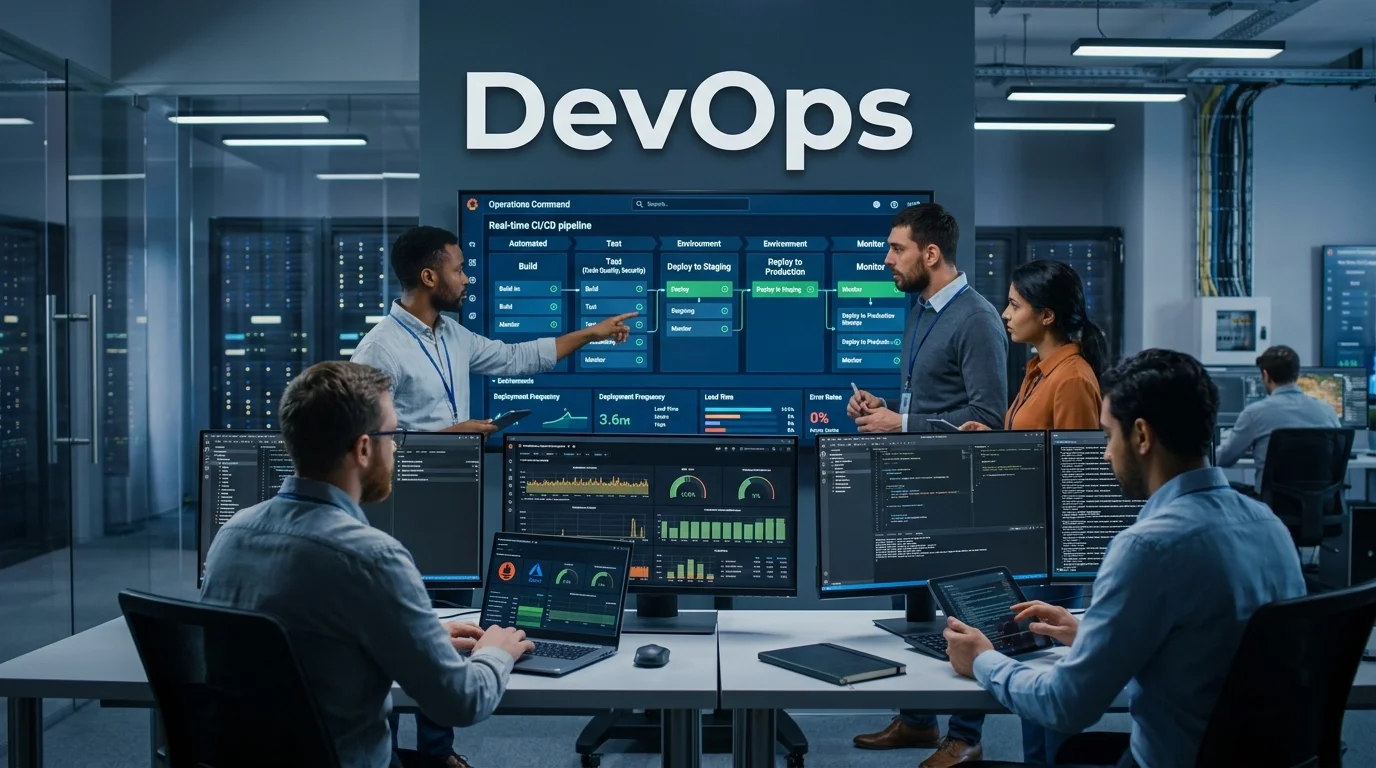
DevOps changed everything. More than a simple set of tools or a buzzword on a resume, it represents a deep cultural and technical revolution that merges software development and IT operations into a single, cohesive engine. This modern philosophy ensures that businesses can deliver value to their customers at high velocity without sacrificing security, quality, or system uptime.
                  +-----------------------------------+
                  |           1. PLAN                 |
                  |  Aligning Goals, Backlogs, & Specs|
                  +-----------------+-----------------+
                                    |
                                    v
                  +-----------------------------------+
                  |           2. CODE                 |
                  |  Version Control & Collaboration  |
                  +-----------------+-----------------+
                                    |
                                    v
                  +-----------------------------------+
                  |           3. BUILD                |
                  |  Compiling Code & Containerization|
                  +-----------------+-----------------+
                                    |
                                    v
                  +-----------------------------------+
                  |           4. TEST                 |
                  |  Automated Unit & Integration     |
                  +-----------------+-----------------+
                                    |
                                    v
                  +-----------------------------------+
                  |           5. RELEASE & DEPLOY     |
                  |  Zero-Downtime Pipeline Execution |
                  +-----------------+-----------------+
                                    |
                                    v
                  +-----------------------------------+
                  |           6. OPERATE & MONITOR    |
                  |  Telemetry, Logging, & Alerts     |
                  +-----------------------------------+
In this comprehensive guide, we will unpack the core pillars of DevOps, explore its continuous lifecycle, break down the industry’s most reliable tools, and provide you with a battle-tested roadmap for implementation. By the end of this resource, you will have a clear, actionable path to transform your engineering culture and software delivery pipeline.
What is DevOps? Unmasking the Cultural Shift
To truly understand DevOps, we must look beyond the scripts, cloud environments, and deployment pipelines. At its core, it is a cultural framework that aligns human incentives before optimizing technical workflows.
The Silo Problem and the Birth of a Philosophy
Historically, software development (Dev) and IT operations (Ops) had conflicting missions:
- The Development Goal: Push out features, fix user-facing bugs, and innovate as fast as possible. Success was measured by the frequency and speed of feature delivery.
- The Operations Goal: Keep systems online, minimize latency, and maintain 99.99% uptime. Because changes are the primary cause of system instability, operations instinctively resisted rapid development pushes.
This structural divide led to “the wall of confusion.” Developers would write code in a local environment that differed significantly from production, declare it finished, and hand it over to operations. When the system predictably crashed in production due to environmental discrepancies, developers blamed operations for poor configuration, while operations blamed developers for writing buggy code.
DevOps was born in the late 2000s—crystallized by the first “DevOpsDays” organized by Patrick Debois in Ghent, Belgium—to shatter this wall. It unifies these teams under a single shared metric: the stable delivery of business value to end-users.
The Three Ways of DevOps
In the landmark book The Phoenix Project, co-authors Gene Kim, Kevin Behr, and George Spafford defined the core principles of the movement through “The Three Ways”:
- The First Way: Flow (System-Thinking): Optimizing the flow of work from left to right—from business requirements, through development, to operations and production. The goal is to identify and eradicate bottlenecks, ensuring that code moves from a developer’s keyboard to live production as quickly as possible.
- The Second Way: Feedback Loops: Creating deep, rapid feedback loops from right to left—from production back to development. This means monitoring systems in real-time, understanding user behavior, and feeding automated test results back to developers immediately so they can fix issues while the code is fresh in their minds.
- The Third Way: Continuous Learning and Experimentation: Cultivating an organizational culture that rewards risk-taking, learns from failures rather than punishing them, and understands that repetition and practice are the keys to mastery.
“True DevOps is not about writing bash scripts or knowing how to use Kubernetes. It is an organizational promise to value collaboration over individual territory, automation over manual effort, and telemetry over assumptions.”
The DevOps Lifecycle: The Continuous Loop
The classic representation of the DevOps lifecycle is an infinity loop. This shape is chosen intentionally; it highlights that software delivery is not a linear waterfall with a defined start and stop, but an ongoing, iterative process of feedback and refinement.
                         .-----------------------.
                      .-'                         '-.
                    .'       PLAN   ==>   CODE       '.
                   /                                   \
                  |   MONITOR <=== OPERATE <=== BUILD   |
                   \       ^                       /   /
                    '.      \                     /  .'
                      '-.    \                   / -'
                         '--- \ ----------------/
                             \ \               /
                              \ \             /
                               \ v           /
                                RELEASE & DEPLOY
Let’s break down each phase of this continuous loop to understand how work flows smoothly across the pipeline:
1. Plan
The planning stage sets the direction for the entire loop. Rather than writing massive requirements documents that take months to compile, planning in a DevOps environment is agile and incremental.
- Core Activities: Managing product backlogs, tracking user stories, scoping sprints, and mapping out minimum viable products (MVPs).
- Key Concept: Both developers and operations participate in planning. Operations engineers provide critical input regarding infrastructure requirements, scaling concerns, and security compliance before a single line of application code is written.
2. Code
Once the scope is defined, developers write the application code. However, they do not write in isolation.
- Core Activities: Local coding, peer review, and continuous integration into a centralized version control system (VCS).
- Key Concept: Developers write small, frequent commits to a shared main branch (often using Trunk-Based Development) rather than maintaining massive, long-lived feature branches that cause merge conflicts later.
3. Build
In the build phase, the code committed by developers is retrieved from the repository, compiled, and prepared for deployment.
- Core Activities: Code compilation, dependency resolution, packaging code into deployable artifacts (such as Docker images or zip archives), and initial syntax checks.
- Key Concept: This stage is completely automated. Every commit to the repository triggers an automated build server, ensuring that syntax or compilation errors are caught within minutes of code submission.
4. Test
Testing is the gatekeeper of quality in the DevOps pipeline. Without automated testing, rapid deployment is nothing more than a fast track to production failures.
- Core Activities: Executing automated unit tests, integration tests, security scans, and performance regression tests.
- Key Concept: “Shift Left.” By running tests early and often during the build stage, developers receive immediate feedback on their code, reducing the cost and effort of debugging.
5. Release & Deploy
Once the build passes all tests, the artifact is ready for the production environment.
- Core Activities: Executing deployment strategies (such as Blue-Green or Canary deployments), managing environment-specific configurations, and updating database schemas.
- Key Concept: Deployment is fully automated through deployment pipelines. The human element is reduced to approving a release rather than executing manual command-line sequences on live servers.
6. Operate & Monitor
The loop does not end when the code is live. The operations phase ensures the system is healthy, performant, and secure under real-world load.
- Core Activities: Server provisioning, load balancing, real-time logging, metrics collection, and automated alerting.
- Key Concept: Telemetry is king. Deep observability allows teams to identify slow database queries, memory leaks, or spike loads before they impact the end-user experience.
Core DevOps Best Practices
To achieve the level of agility and stability characterized by elite engineering teams, you must implement several fundamental best practices. Let’s explore these core technical workflows.
Continuous Integration and Continuous Delivery (CI/CD)
The cornerstone of DevOps engineering is the CI/CD pipeline.
- Continuous Integration (CI): The practice of automating the integration of code changes from multiple contributors into a single software project. It involves automated building and testing of code every time a developer commits changes.
- Continuous Delivery (CD): Picking up where CI leaves off. CD automates the delivery of validated code to staging and production environments. In some advanced organizations, this extends to Continuous Deployment, where code changes that pass all testing stages are automatically pushed to live production without manual human intervention.
+------------------+     +------------------+     +------------------+
|   Code Commit    | --> |  Automated Build | --> |  Automated Test  |
+------------------+     +------------------+     +------------------+
                                                           |
                                                           v
+------------------+     +------------------+     +------------------+
|  Live Production | <-- | Automated Deploy | <-- | Manual Approval  |
+------------------+     +------------------+     +------------------+
Infrastructure as Code (IaC)
Historically, setting up a database or staging server required an operations engineer to manually log into a cloud console, click several buttons, install dependencies via SSH, and hope they didn’t forget a configuration step. This manual approach created undocumented “snowflake servers” that were impossible to replicate.
Infrastructure as Code (IaC) resolves this by treating server, network, and database configurations exactly like application source code.
- How it works: You define your infrastructure declaratively in text configuration files. These files are committed to your version control repository, peer-reviewed, and executed by an automated engine to build, modify, or tear down environments.
- The Benefit: Complete environmental consistency. Your development, staging, and production environments are guaranteed to be identical, eliminating “it worked on my machine” bugs.
Microservices Architecture
Traditional software systems are built as monoliths—a single, massive codebase where all components are tightly coupled. If you make a minor change to the payment processor, you must redeploy the entire application, risking regressions in unrelated modules like user authentication.
DevOps pairs exceptionally well with microservices. By breaking a large application into small, independent services that communicate via lightweight APIs, individual teams can develop, test, and deploy their services autonomously. This isolation limits blast radiuses during incidents and accelerates the release cycle.
E-E-A-T Real-World Insight: When my team migrated a legacy enterprise monolith to a microservices architecture in 2021, we initially saw a massive spike in deployment failures. Why? Because we didn’t automate the API contract testing between services. We quickly learned that microservices are only as stable as their integration testing. Don’t decouple your architecture without first decoupling and automating your integration tests.
Monitoring, Logging, and Observability
You cannot improve what you do not measure. In a complex, distributed cloud environment, understanding system health requires deep telemetry.
- Monitoring: Tracking high-level system metrics like CPU utilization, memory consumption, disk I/O, and network bandwidth.
- Logging: Capturing discrete, time-stamped events emitted by your application (e.g., “User 423 successfully processed transaction”).
- Observability: Combining metrics, logs, and distributed traces to understand the internal state of an application based solely on its external outputs. This allows engineers to diagnose complex, unpredictable issues that span multiple microservices.
DevSecOps: Security as an Active Partner
In the early days of agile development, security was often treated as an afterthought—a compliance gate executed at the very end of the release cycle. This inevitably delayed deployments, as security teams identified critical vulnerabilities that required rewriting significant portions of the application code.
DevSecOps integrates security practices into every stage of the DevOps lifecycle:
- Static Application Security Testing (SAST): Automated code scanning during the build phase to find security flaws like SQL injections or hardcoded API keys.
- Software Composition Analysis (SCA): Scanning third-party dependencies and libraries for known open-source vulnerabilities.
- Dynamic Application Security Testing (DAST): Automated penetration testing of running applications in staging environments to simulate real-world attacks.
The Ultimate DevOps Toolchain
The DevOps landscape is vast, with hundreds of tools claiming to solve your delivery challenges. Rather than relying on a single monolith platform, modern engineering teams assemble a “toolchain”—a suite of specialized, interoperable tools that handle different phases of the lifecycle.
Let’s evaluate the industry-standard tools across the core categories, highlighting their strengths, weaknesses, and ideal use cases.
Detailed Analysis of Leading Platforms
1. GitHub & GitLab (Version Control & CI/CD)
While both platforms started as Git hosting services, they have evolved into comprehensive, end-to-end DevOps ecosystems.
- GitHub Actions: Leverages the world’s largest community of developers to share pre-built workflow components. It is incredibly easy to configure and integrates natively with repository events.
- GitLab CI/CD: A robust, single-application platform that offers deep built-in features for issue tracking, container registries, SAST scanning, and deployment management.
- Hurdles to watch for: Managing complex YAML files for large enterprise pipelines can become messy without proper template structures and governance.
2. Jenkins (The Classic Automation Server)
Jenkins remains the bedrock of legacy enterprise automation.
- Pros: Highly customizable with thousands of community-developed plugins. It can automate almost anything, on-premise or in the cloud.
- Cons: Requires significant maintenance, server patching, and manual scaling. The UI is dated, and configuring pipeline scripts requires a steep learning curve.
- My recommendation: For new projects, avoid the overhead of Jenkins. Opt for cloud-native managed solutions like GitHub Actions, GitLab CI, or CircleCI.
3. Docker & Kubernetes (Containerization & Orchestration)
Containers have revolutionized how we package and deploy applications.
- Docker: Packages an application and all its dependencies into a single, standardized container image that runs identically on any computer.
- Kubernetes (K8s): An enterprise-grade orchestration platform that manages thousands of containerized applications across a cluster of servers, providing automated scaling, rolling updates, and self-healing.
- Hurdles to watch for: Kubernetes is notoriously complex. For small teams without dedicated platform engineers, managing bare-metal K8s clusters can easily consume all your engineering resources. Use managed services like AWS EKS, Google GKE, or simpler container hosting like AWS ECS first.
4. Terraform & Ansible (Infrastructure as Code)
These two tools are often used together to achieve total infrastructure automation.
- Terraform: Uses declarative configuration files to provision cloud resources (servers, databases, networks) across multiple providers (AWS, Azure, GCP).
- Ansible: An agentless configuration management tool used to install software, manage system configurations, and deploy applications on running servers.
DevOps Tool Comparison Table
| Category | Tool | Ease of Use | Scalability | Cost Model | Community Rating | Best For |
|---|---|---|---|---|---|---|
| CI/CD | GitHub Actions | ⭐⭐⭐⭐⭐ | ⭐⭐⭐⭐ | Freemium / Pay-per-minute | ⭐⭐⭐⭐⭐ (4.8/5) | Modern cloud-native projects |
| CI/CD | Jenkins | ⭐⭐ | ⭐⭐⭐⭐⭐ | Open-source (Free) | ⭐⭐⭐⭐⭐ (4.6/5) | Highly customized on-prem enterprise setups |
| IaC | Terraform | ⭐⭐⭐⭐ | ⭐⭐⭐⭐⭐ | Open-source / Paid cloud | ⭐⭐⭐⭐⭐ (4.9/5) | Cloud-agnostic infrastructure provisioning |
| Orchestration | Kubernetes | ⭐⭐ | ⭐⭐⭐⭐⭐ | Open-source (Free) | ⭐⭐⭐⭐⭐ (4.8/5) | Managing complex, large-scale container fleets |
| Monitoring | Datadog | ⭐⭐⭐⭐⭐ | ⭐⭐⭐⭐⭐ | Paid per host/metric | ⭐⭐⭐⭐ (4.3/5) | Full-stack cloud-native observability |
| Config Mgmt | Ansible | ⭐⭐⭐⭐ | ⭐⭐⭐⭐ | Open-source / Enterprise | ⭐⭐⭐⭐⭐ (4.5/5) | Agentless server configuration and updates |
Strategic Business Benefits of DevOps Adoption
Implementing DevOps requires time, training, and a willingness to restructure your organizational chart. Is the investment worth it? The data shows an overwhelming “yes.”
According to the Accelerate State of DevOps Report published annually by Google Cloud’s DORA (DevOps Research and Assessment) team, elite engineering organizations perform dramatically better than low-performing counterparts:
+-----------------------------------------------------------------+
|               ELITE DEVOPS PERFORMANCE METRICS                  |
+-----------------------------------------------------------------+
|  Deployment Frequency   |  Multiple times per day               |
+-------------------------+---------------------------------------+
|  Lead Time for Changes  |  Less than one hour                   |
+-------------------------+---------------------------------------+
|  Mean Time to Recover   |  Less than one hour                   |
+-------------------------+---------------------------------------+
|  Change Failure Rate    |  0% - 15%                             |
+-----------------------------------------------------------------+
High-Velocity Release Cycles
When you automate your build, test, and release pipelines, you reduce the time it takes for a feature to go from a business idea to production. This agility allows businesses to respond to market shifts, launch promotional campaigns, and beat competitors to the market with innovative digital experiences.
Unmatched System Stability and Reliability
By deploying small, incremental changes rather than massive code dumps, the risk of deployment failure drops significantly. If a bug does slip through your testing suite into production, automated deployment pipelines allow you to roll back to the previous stable state within minutes, minimizing system downtime.
Increased Engineering Efficiency & Reduced Burnout
Manual server configuration, repetitive code reviews, and chaotic release coordination meetings are primary drivers of developer burnout. DevOps automates these tedious, low-value tasks, allowing your engineering talent to focus on writing creative code and building products that drive real revenue.
Warning: Many organizations implement DevOps simply by renaming their operations team to the “DevOps Team” and tasking them with writing Jenkins pipelines. This is a critical antipattern. Simply changing job titles without changing organizational incentives and collaboration structures will lead to frustrated engineers and zero performance improvements.
Battle-Tested DevOps Implementation Strategies
Transitioning your entire organization to a DevOps model can feel incredibly daunting. Let’s explore a step-by-step roadmap designed to guide you through the process without derailing your current product deadlines.
Phase 1: Establish the Cultural Groundwork
Do not start by purchasing tools or rewriting code pipelines. Start by aligning your team’s incentives.
- Identify Shared Metrics: Create key performance indicators (KPIs) that both developers and operations engineers are evaluated on. These metrics might include System Availability, Lead Time for Changes, and Deployment Success Rates.
- Eliminate the Fear of Failure: Implement “Blameless Post-Mortems.” When a system crash occurs, the focus should not be on finding someone to fire; it should be on identifying the systemic flaw that allowed the failure to occur, and building automation to prevent it from happening again.
Phase 2: Start with a Pilot Project
Do not attempt a massive, company-wide transition on day one.
- Select a Single Team: Pick a small, cross-functional team working on a non-mission-critical application. This limits the blast radius of any early mistakes.
- Build a Basic CI/CD Pipeline: Task this team with automating the build, testing, and deployment of this single application using a modern tool like GitHub Actions or GitLab CI.
- Measure and Share Success: Track the team’s release velocity and system stability. Use their positive results to build momentum and excitement across the wider engineering organization.
                      +-----------------------------+
                      |  1. CULTURAL GROUNDWORK     |
                      |  Align Metrics & Incentives |
                      +--------------+--------------+
                                     |
                                     v
                      +-----------------------------+
                      |  2. INITIAL PILOT PROJECT   |
                      |  Build Basic CI/CD Pipeline |
                      +--------------+--------------+
                                     |
                                     v
                      +-----------------------------+
                      |  3. SCALE INFRASTRUCTURE    |
                      |  Define Everything as IaC   |
                      +--------------+--------------+
                                     |
                                     v
                      +-----------------------------+
                      |  4. INTEGRATE DEVSECOPS     |
                      |  Shift-Left Automated Sec  |
                      +-----------------------------+
Phase 3: Scale through Platform Engineering
Once several teams are successfully using DevOps practices, you will notice teams wasting time duplicating configurations, reinventing pipelines, and managing cloud credentials.
- The Solution: Establish a Platform Engineering team. This team builds an Internal Developer Platform (IDP)—a curated suite of golden paths, templates, self-service portals, and automated deployment pipelines that allow developers to deploy their applications safely and autonomously without needing to understand the underlying infrastructure details.
Practical DevOps Transition Checklist
Use this actionable checklist to track your organization’s transition to a modern software delivery model:
- [ ] Silo Demolition
- [ ] Developers and operations sit in the same planning meetings.
- [ ] Operations and security engineers review product requirements before coding begins.
- [ ] Systems use blameless post-mortems for major outages.
- [ ] Continuous Integration Maturity
- [ ] Every developer commits code to the main branch at least once per day.
- [ ] Every commit triggers an automated build and test pipeline.
- [ ] Automated tests run unit, integration, and security scans.
- [ ] Builds fail automatically if tests do not pass or code coverage drops.
- [ ] Continuous Delivery & Deployment
- [ ] Deployments to staging environments are fully automated.
- [ ] Production deployments use zero-downtime deployment strategies (Canary or Blue-Green).
- [ ] Rolling back to a previous stable build takes less than 15 minutes.
- [ ] Environmental configurations are managed via variables, not hardcoded files.
- [ ] Infrastructure as Code (IaC)
- [ ] No servers or cloud resources are provisioned manually via consoles.
- [ ] All infrastructure configurations are stored in version control systems.
- [ ] Pull requests are used to review and approve infrastructure modifications.
- [ ] Observability & Feedback Loops
- [ ] Centralized logging aggregates logs from all applications and services.
- [ ] Automated alerts trigger based on real-world system behaviors (e.g., spike in HTTP 500 errors).
- [ ] Telemetry data feeds directly back into the development backlog for future sprints.
DevOps FAQs: Common Hurdles & Clear Solutions
Q: What is the difference between DevOps and SRE (Site Reliability Engineering)?
A: There is a famous industry saying: “class SRE implements DevOps.” While DevOps is a broad philosophical movement focused on breaking down silos and accelerating delivery, Site Reliability Engineering (SRE) is a specific implementation of those principles created by Google. SREs treat operations as a software engineering problem, using software to manage systems, automate tasks, and define strict error budgets.
Q: Can we implement DevOps if our systems are running on-premise instead of the cloud?
A: Absolutely. While cloud computing makes automation significantly easier due to API-driven infrastructure, DevOps principles apply to any environment. You can use virtualization platforms (like VMware), on-premise container orchestration (like OpenShift), and configuration management tools (like Ansible) to build highly automated pipelines on bare metal.
Q: How do we prevent our CI/CD pipelines from becoming slow and unstable?
A: This is a common hurdle as applications scale. To keep your pipelines fast:
Parallelize testing: Run unit tests, linting, and integration scans in parallel rather than sequentially.
Optimize docker builds: Use multi-stage Docker builds and leverage layer caching to speed up compilation.
Flaky test mitigation: Immediately isolate and fix “flaky tests” (tests that pass and fail unpredictably without code changes) as they erode developer trust in the automation pipeline.
Q: Is Kubernetes required to do DevOps?
A: No, definitely not. Kubernetes is a powerful orchestration platform, but it introduces massive operational complexity. For many small-to-medium organizations, running Docker containers on simple cloud services (like AWS ECS or Google Cloud Run) or utilizing simple virtual machines configured with Ansible is more than sufficient. Start with the simplest infrastructure that meets your business requirements, and scale up to Kubernetes only when your container fleet demands it.
Q: What language is best to learn for DevOps engineering?
A: Python and Go (Golang) are the dominant languages in the DevOps ecosystem. Python is exceptional for scripting, automation tasks, and writing infrastructure scripts (such as Ansible playbooks). Go is widely used to build modern platform tools (including Docker, Kubernetes, and Terraform). Beginners should start with Python due to its gentle learning curve and versatility.
Q: How does DevSecOps differ from traditional security auditing?
A: Traditional auditing is a reactive, end-of-lifecycle check. DevSecOps is proactive and automated. It “shifts security left,” embedding automated vulnerability scanning directly into the developer’s commit workflow, ensuring that security flaws are found and fixed before the code is ever deployed to staging or production.
Q: What are DORA metrics, and why do they matter?
A: DORA metrics are four key indicators identified by Google’s DevOps Research and Assessment group that measure software delivery performance:
Deployment Frequency: How often you release to production.
Lead Time for Changes: How long it takes code to go from commit to production.
Mean Time to Recovery (MTTR): How long it takes to restore service during an outage.
Change Failure Rate: The percentage of deployments that cause an incident.
They matter because they provide an objective, scientifically validated way to track your delivery efficiency and system stability over time.
Q: What is GitOps, and how does it relate to DevOps?
A: GitOps is an evolution of Infrastructure as Code. In a GitOps workflow, Git is used as the single source of truth for the desired state of your infrastructure and applications. An automated controller (such as ArgoCD) continuously monitors the Git repository and automatically updates the running environment to match the configuration in Git. This ensures that any manual changes made to servers (configuration drift) are automatically corrected.
Conclusion: The Path Forward
DevOps is not a luxury option reserved exclusively for Silicon Valley giants like Netflix, Amazon, or Google. In today’s hyper-competitive digital landscape, it represents basic operational hygiene.
The technical tools we have explored—GitHub, Docker, Kubernetes, Terraform—are incredibly powerful, but they are only secondary assets. The true value of DevOps lies in the hard, cultural work of breaking down organizational territory, aligning team incentives, and building a culture where safety, collaboration, and learning are valued above all else.
As you begin or accelerate your DevOps journey:
- Be patient. Culturing a new engineering mindset takes time and persistence.
- Prioritize the developer experience. Build platform structures that make it easy for engineers to write, test, and release code safely.
- Measure your progress. Use the DORA metrics to objectively evaluate your automation efforts and guide your optimizations.
The future of software engineering belongs to organizations that can transform ideas into production-ready software quickly, reliably, and securely. By adopting the principles, tools, and strategies mapped out in this guide, you are positioning your organization to thrive in that automated future.
Commit your code, run your pipelines, monitor your systems, and never stop iterating.