Top 5 Free AI for Programming Tools: Powerful Comparison
The landscape of software development has undergone a seismic shift. We are no longer just writing code line by line; we are collaborating with intelligent systems that understand context, predict our next move, and instantly debug complex errors. If you are a developer, a student, or a tech enthusiast looking to accelerate your workflow, finding the right AI for Programming is no longer a luxury—it is an absolute necessity.
The market is currently flooded with artificial intelligence tools claiming to revolutionize how we write software. However, not every tool delivers on its promises. Some are bogged down by restrictive paywalls, while others struggle with basic syntax or hallucinate non-existent libraries. This is why conducting a thorough comparison of the best AI for Programming options is crucial before you commit your time and data to a new platform. You need a tool that seamlessly integrates into your existing IDE, respects your privacy, and genuinely makes you a faster, more efficient coder.
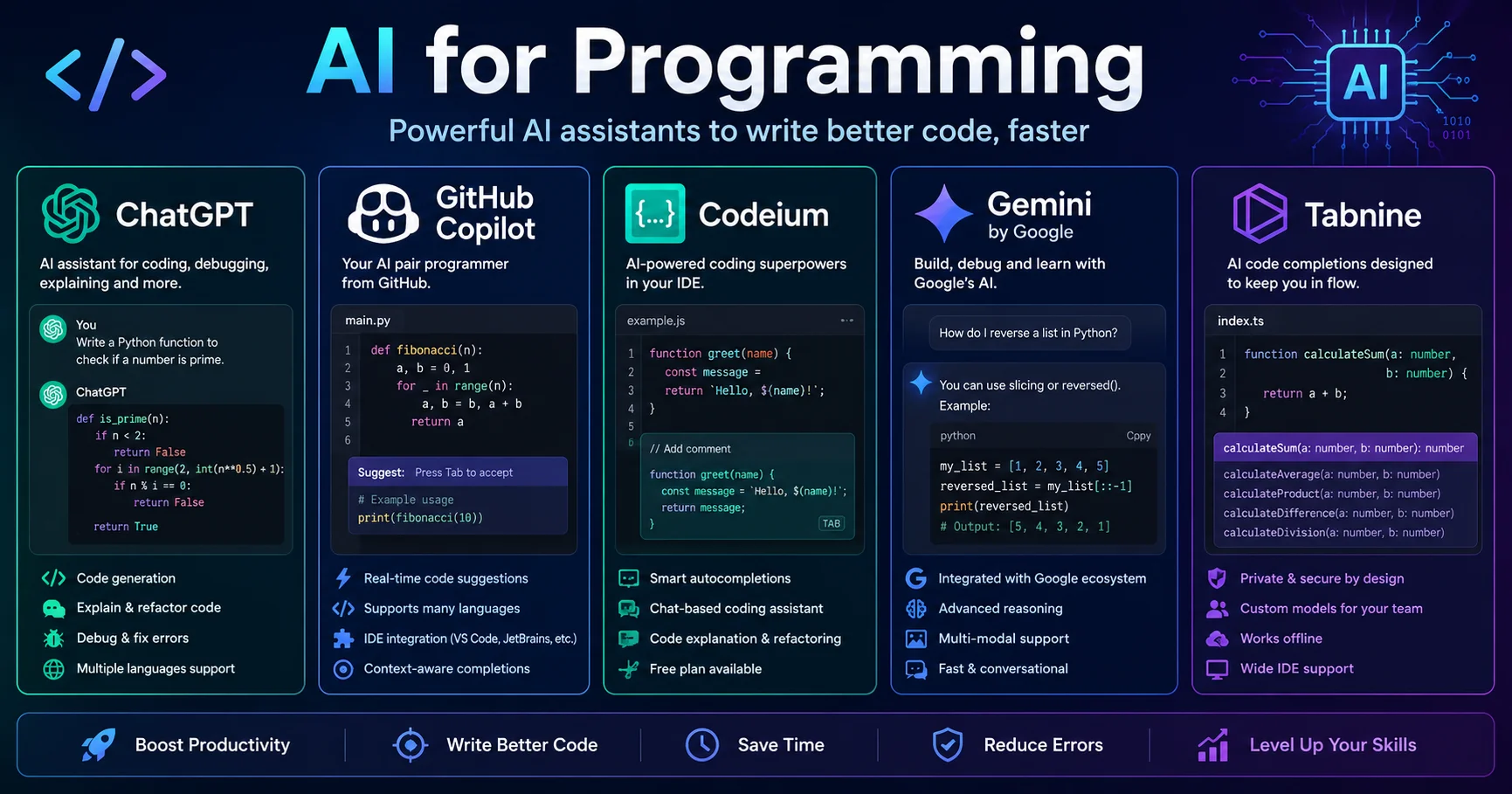
In this comprehensive, expert-level guide, we are going to break down the top 5 most powerful AI for Programming solutions available today. We have rigorously tested ChatGPT, GitHub Copilot, Codeium, Gemini, and Tabnine, evaluating their code generation accuracy, IDE integration, free-tier limitations, and real-world utility. Whether you are building a simple Python script or architecting a complex enterprise application, this guide will help you identify the perfect AI for Programming to supercharge your development cycle. Let’s dive into the ultimate comparison.
Why Developers Are Switching to an AI for Programming in 2026
Before we dissect the specific tools, it is vital to understand why the adoption of an AI for Programming has become a standard practice in modern software engineering. The benefits extend far beyond mere novelty; they represent a fundamental upgrade to the developer experience.
Accelerating Development Cycles
The most immediate benefit of using an AI for Programming is raw speed. Tasks that previously took hours, such as writing boilerplate code, generating regular expressions, or creating unit tests, can now be accomplished in seconds. By automating these repetitive tasks, an AI for Programming allows developers to focus their cognitive energy on high-level architecture, system design, and solving complex business logic problems.
Reducing Debugging and Refactoring Time
We have all been there: staring at a screen for an hour, trying to find a missing semicolon or a subtle logical flaw. A high-quality AI for Programming acts as an always-available pair of eyes. By simply highlighting a block of code and asking the AI to explain it or find the bug, developers can resolve issues in a fraction of the time. This instant feedback loop dramatically reduces frustration and keeps the development momentum going.
Lowering the Barrier to Entry for Beginners
For junior developers and computer science students, the learning curve of programming can be steep. An AI for Programming serves as an interactive, personalized tutor. Instead of endlessly scrolling through Stack Overflow, beginners can ask the AI to explain why a specific function works, how to optimize a loop, or what a particular error message means in plain English. This democratizes access to software development, making it easier than ever to learn and grow.
The Top 5 AI for Programming Tools Reviewed in Depth
Now that we understand the core value proposition, let’s examine the top 5 AI for Programming platforms that are currently dominating the industry. Each of these tools has a unique philosophy, feature set, and ideal use case.
1. ChatGPT: The Versatile Coding Companion
ChatGPT is an advanced AI chatbot developed by OpenAI that helps users with writing, research, coding, brainstorming, learning, and everyday tasks through natural conversations. It can generate content, answer questions, analyze information, summarize documents, and assist with problem-solving across a wide range of topics. With its powerful language understanding, multimodal capabilities, and user-friendly interface, ChatGPT has become one of the most widely used AI assistants for individuals, students, professionals, and businesses.
When discussing the most capable AI for Programming options, OpenAI’s ChatGPT is impossible to ignore. While it is a general-purpose language model, its coding capabilities, especially with the GPT-4o architecture, are nothing short of extraordinary. It has become a go-to AI for Programming for millions of developers worldwide.
What Makes It Stand Out:
ChatGPT excels at understanding natural language prompts and translating them into functional code across virtually any programming language. Its “Advanced Data Analysis” feature allows you to upload entire codebases or CSV files, and the AI can analyze, refactor, or debug them in real-time. Furthermore, the ability to create Custom GPTs means you can train a specific AI for Programming on your company’s internal coding standards or a specific framework’s documentation.
Pros
- ✔️ Unmatched versatility and support for dozens of programming languages.
- ✔️ Excellent at explaining complex code and generating detailed documentation.
- ✔️ The free tier provides robust access to highly capable reasoning models.
Cons
- ❌ It operates in a chat interface, meaning you have to manually copy and paste code into your IDE (unless using specific plugins).
- ❌ Can occasionally “hallucinate” deprecated libraries or non-existent APIs if not prompted carefully.
Pro Tip: When using ChatGPT as your AI for Programming, always provide context. Instead of asking “Fix this code,” paste the code, the error message, and a brief description of what the code is supposed to do. This yields dramatically better results.
2. GitHub Copilot: The Industry Standard for Autocomplete*
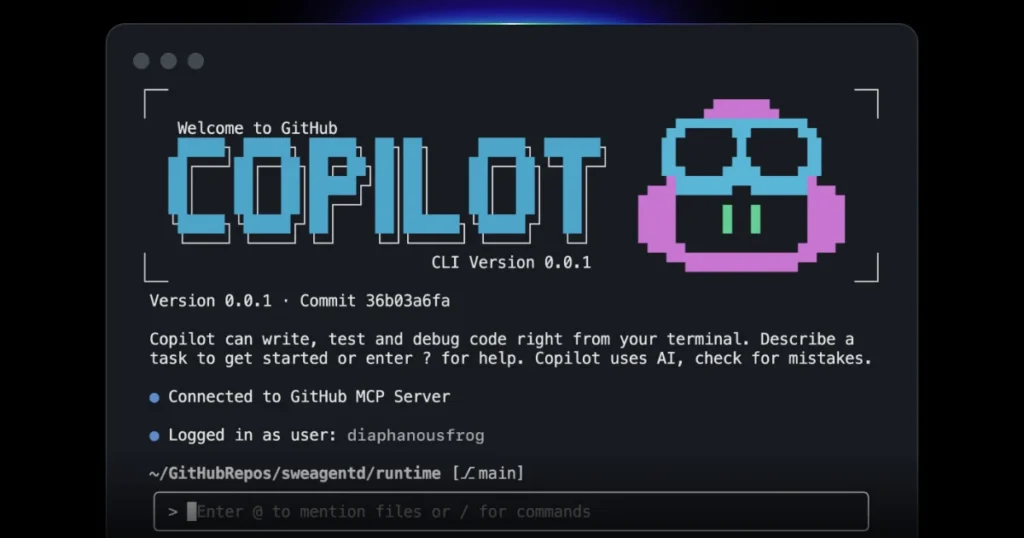
GitHub Copilot is an AI-powered coding assistant developed by GitHub in collaboration with OpenAI. It helps developers write code faster by providing real-time code suggestions, generating functions, explaining code, and assisting with debugging directly within popular code editors. By understanding natural language prompts and programming context, GitHub Copilot enhances productivity and helps developers streamline software development workflows.
Developed by GitHub and OpenAI, GitHub Copilot is arguably the most famous dedicated AI for Programming on the market. It is deeply integrated into popular IDEs like Visual Studio Code, IntelliJ, and Neovim, acting as an “AI pair programmer” that lives right alongside your cursor.
What Makes It Stand Out:
Copilot’s superpower is its contextual awareness. It doesn’t just look at the current line of code; it analyzes the entire file, open tabs, and even your project structure to suggest highly relevant, multi-line code completions. Its “Copilot Chat” feature brings the power of a conversational AI for Programming directly into your editor, allowing you to generate tests, explain code, or find bugs without ever leaving your workspace.
Pros
- ✔️ Seamless, real-time inline autocomplete that feels like magic.
- ✔️ Deep integration with the GitHub ecosystem and major IDEs.
- ✔️ Excellent support for translating code from one language to another.
Cons
- ❌ The free tier is strictly limited to verified students, teachers, and maintainers of popular open-source projects.
- ❌ Can sometimes be overly aggressive with suggestions, requiring developers to constantly dismiss unwanted code.
Pro Tip: Use the Ctrl + Enter (or Cmd + Enter) shortcut in VS Code to open the Copilot suggestion panel. This allows you to view up to 10 alternative completions, making this AI for Programming much more flexible than its default inline behavior suggests.
3. Codeium: The Best Free AI for Programming Alternative
Codeium is an AI-powered coding assistant that helps developers write, autocomplete, refactor, and understand code more efficiently. Supporting a wide range of programming languages and development environments, it provides intelligent code suggestions, chat-based assistance, and code generation features directly within popular IDEs. With its focus on speed, accuracy, and developer productivity, Codeium has become a popular alternative to other AI coding assistants for both individual programmers and development teams.
If you are looking for a truly free, unrestricted AI for Programming, Codeium is the undisputed champion. Built by a team of former AI researchers, Codeium was designed from the ground up to provide enterprise-grade AI coding assistance to individual developers at zero cost.
What Makes It Stand Out:
Codeium offers a remarkably generous free tier that includes unlimited code completions and a powerful chat interface. It supports over 70 programming languages and integrates with more than 40 IDEs. Unlike some competitors that throttle your usage after a certain number of prompts, Codeium’s AI for Programming remains fast and responsive, making it a favorite among indie hackers, students, and budget-conscious startups.
Pros
- ✔️ 100% free for individual use with no hidden paywalls or strict usage caps.
- ✔️ Incredibly fast inference speeds, often outperforming heavier models.
- ✔️ Strong focus on developer privacy, with clear policies against using your code to train public models without consent.
Cons
- ❌ The advanced team and enterprise features (like custom model fine-tuning) require a paid upgrade.
- ❌ Occasionally struggles with highly niche or obscure programming frameworks compared to Copilot.
Pro Tip: Take advantage of Codeium’s “Workspace Search” feature. This AI for Programming can search across your entire local project to provide context-aware suggestions, making it feel like it truly understands your specific codebase.
4. Gemini: Google’s Multimodal Coding Powerhouse
Google Gemini is an advanced AI assistant developed by Google that helps users with writing, research, brainstorming, coding, and productivity tasks. Powered by Google’s Gemini models, it can understand and generate text, analyze information, answer questions, and assist with creative projects through natural conversations. Its integration with Google’s ecosystem, including Search, Gmail, Docs, and other services, makes Gemini a powerful tool for both personal and professional use.
Formerly known as Bard, Google’s Gemini has evolved into a formidable AI for Programming. Backed by Google’s massive computational resources and deep integration with the broader tech ecosystem, Gemini offers a unique blend of conversational AI and practical coding assistance.
What Makes It Stand Out:
Gemini’s standout feature is its massive context window and native multimodal capabilities. You can upload a screenshot of a UI design, and this AI for Programming will generate the corresponding HTML, CSS, and JavaScript. Furthermore, its seamless integration with Google Cloud and Google Workspace means it can easily pull in context from your Google Docs or Sheets to inform its code generation.
Pros
- ✔️ Exceptional at generating code from visual inputs (images, diagrams, screenshots).
- ✔️ Generous free tier that includes access to advanced reasoning models (Gemini 1.5 Pro).
- ✔️ Real-time web search integration ensures the code suggestions use the latest library versions.
Cons
- ❌ The web-based interface is less convenient than an IDE-native plugin for continuous coding.
- ❌ Code formatting and indentation can sometimes be inconsistent, requiring manual cleanup.
Pro Tip: When using Gemini as your AI for Programming, leverage its “Upload” feature. Pasting a PDF of an API documentation or an image of a database schema allows Gemini to write highly accurate, context-specific code that generic models would struggle with.
5. Tabnine: The Privacy-First AI Code Generator
Tabnine is an AI-powered coding assistant designed to help developers write code faster and more accurately through intelligent code completions and suggestions. It supports multiple programming languages and integrates with popular code editors and IDEs, enabling developers to streamline their workflows and reduce repetitive coding tasks. With a strong focus on privacy, customization, and team productivity, Tabnine is a popular choice for individuals and organizations looking to enhance software development efficiency.
For developers working in highly regulated industries (like finance or healthcare), or for those who simply value absolute data privacy, Tabnine is the premier AI for Programming. Tabnine pioneered AI code completion long before the current generative AI boom, and its focus on security remains unmatched.
What Makes It Stand Out:
Tabnine’s defining characteristic is its ability to run entirely locally. Its free basic plan uses a small, highly optimized machine learning model that runs directly on your machine, meaning your code never leaves your computer. For enterprise users, Tabnine offers the ability to fine-tune a model on your company’s private codebase, creating a hyper-personalized AI for Programming that knows your exact coding conventions.
Pros
- ✔️ Uncompromising privacy: local execution ensures your proprietary code is never sent to the cloud.
- ✔️ Subtle, non-intrusive autocomplete that learns your personal coding style over time.
- ✔️ Supports a vast array of IDEs, including legacy editors like Vim and Emacs.
Cons
- ❌ The free tier is limited to basic, short code completions (no full-function generation or chat).
- ❌ Lacks the “wow” factor of conversational AI, as it is strictly an autocomplete tool.
Pro Tip: If you choose Tabnine as your AI for Programming, spend the first week actively accepting or rejecting its suggestions. The model actively learns from your feedback, rapidly adapting to your unique naming conventions and structural preferences.
Comparative Table: AI for Programming at a Glance
To help you quickly evaluate these AI for Programming options, we have compiled a comprehensive comparison table. This includes aggregated user ratings, core strengths, and ideal use cases.
| Tool | Best For | Free Tier Limitations | Standout Feature | User Rating |
|---|---|---|---|---|
| ChatGPT | General problem solving & learning | Message limits on free tier | Advanced Data Analysis & Custom GPTs | ⭐⭐⭐⭐⭐ (4.8/5) |
| GitHub Copilot | Professional IDE integration | Free only for students/open source | Context-aware, multi-line autocomplete | ⭐⭐⭐⭐½ (4.7/5) |
| Codeium | Budget-conscious & indie developers | None for individuals (100% free) | Unlimited fast completions & chat | ⭐⭐⭐⭐⭐ (4.9/5) |
| Gemini | Visual-to-code & Google ecosystem users | Rate limits on advanced models | Multimodal input (image/diagram to code) | ⭐⭐⭐⭐ (4.5/5) |
| Tabnine | Privacy-focused & enterprise developers | Basic short completions only | Local model execution & zero data leakage | ⭐⭐⭐⭐½ (4.6/5) |
Note: User ratings are dynamic and based on aggregated feedback from developer communities like Stack Overflow, Reddit, and G2, factoring in ease of use, output quality, and value for money among the various AI for Programming tools.
Practical Summary and Checklist for Choosing the Right Tool
With 5 powerful AI for Programming options on the table, decision paralysis is a real threat. How do you actually make the final decision without wasting weeks testing every single feature? Use this practical checklist to narrow down your choice based on your specific operational needs:
- [ ] Do you need a versatile, conversational assistant to explain concepts and debug errors?
Choose ChatGPT. It remains the most well-rounded AI for Programming for general problem-solving and learning. - [ ] Do you want seamless, real-time autocomplete directly inside VS Code or IntelliJ?
Choose GitHub Copilot. It is the industry standard for IDE integration, provided you qualify for the free tier or don’t mind paying. - [ ] Are you an individual developer looking for a 100% free, unrestricted coding assistant?
Choose Codeium. It offers the most generous free tier of any AI for Programming on the market. - [ ] Do you frequently need to generate code from UI mockups, screenshots, or diagrams?
Choose Gemini. Its multimodal capabilities make it a unique and powerful AI for Programming for visual tasks. - [ ] Is absolute data privacy and local execution your number one priority?
Choose Tabnine. It is the most secure AI for Programming, ensuring your proprietary code never touches a third-party server. - [ ] Do you need an AI that adapts specifically to your company’s internal coding standards?
Choose Tabnine (Enterprise) or ChatGPT (Custom GPTs). Both offer excellent customization for team-wide consistency.
By running your requirements through this checklist, you can quickly identify which AI for Programming aligns perfectly with your workflow, budget, and security requirements.
How to Integrate an AI for Programming into Your Workflow
Adopting a new AI for Programming is not just about installing a plugin; it is about changing how you approach software development. To get the maximum return on investment, follow these best practices for integration.
Start with Small, Isolated Tasks
Do not immediately ask your AI for Programming to “build an entire e-commerce backend.” Start small. Ask it to write a specific regular expression, generate a unit test for a single function, or explain a complex block of legacy code. This builds your trust in the tool and helps you understand its strengths and limitations.
Master the Art of Prompt Engineering
The output of any AI for Programming is only as good as the input it receives. Instead of vague requests like “make this faster,” provide specific constraints: “Refactor this Python function to reduce time complexity to O(n), add type hints, and include a docstring explaining the changes.” The more precise your prompt, the more valuable the AI’s response will be.
Always Review and Test AI-Generated Code
An AI for Programming is an assistant, not an oracle. It can and will make mistakes, introduce subtle bugs, or suggest deprecated methods. Treat all AI-generated code as a first draft. Always review it for security vulnerabilities, test it thoroughly in a staging environment, and ensure it aligns with your project’s architectural patterns before merging it into production.
Conclusion: Which AI for Programming Will You Choose?
The era of struggling alone with complex syntax and endless debugging sessions is over. The rapid evolution of the AI for Programming has created a rich, diverse ecosystem where every developer, regardless of skill level or budget, can find a tool that perfectly matches their needs.
If you crave versatility and a powerful conversational partner for debugging, ChatGPT remains the gold standard. If you want seamless, real-time autocomplete deeply integrated into your editor, GitHub Copilot is the industry benchmark. For individual developers who refuse to compromise on features but demand a zero-cost solution, Codeium is an absolute revelation. If you work with visual designs and need multimodal capabilities, Gemini is your best bet. And for those who prioritize absolute data privacy above all else, Tabnine provides unmatched peace of mind.
The best approach is not to blindly commit to one tool, but to experiment. Take advantage of the free tiers and trials offered by these AI for Programming solutions. Install them, test them on your actual codebase, and see which one seamlessly integrates into your daily routine.
Stop wasting hours on boilerplate code and preventable bugs. Explore these powerful AI for Programming tools today, take control of your development workflow, and unlock a new dimension of productivity and creativity. Your future, highly-efficient self will thank you.
FAQs about AI for Programming
To further assist you in navigating the world of AI-assisted development, we have answered the most common questions asked by developers looking for the best AI for Programming.
1. Which AI for Programming is the best for absolute beginners?
For beginners, ChatGPT and Codeium are the most accessible. ChatGPT allows you to ask questions in plain English and get detailed, educational explanations. Codeium provides a free, easy-to-install IDE plugin that helps beginners write correct syntax without getting bogged down by memorization. Both are excellent starting points for an AI for Programming.
2. Is it safe to use a free AI for Programming for proprietary company code?
You must read the terms of service carefully. Many free tiers of cloud-based AI for Programming tools reserve the right to use your inputs to train their models. If you are working on proprietary, sensitive, or confidential code, you should use a privacy-first tool like Tabnine (configured for local execution) or ensure you are using an enterprise tier of GitHub Copilot or Codeium that guarantees data privacy and zero retention.
3. Can an AI for Programming replace human software engineers?
No. While an AI for Programming can dramatically accelerate coding, it lacks true understanding of business context, user empathy, and complex system architecture. It is a powerful force multiplier that handles the tedious parts of coding, allowing human engineers to focus on high-level problem-solving, innovation, and strategic decision-making.
4. Do these AI for Programming tools support niche or older programming languages?
Most top-tier tools support a wide array of languages. ChatGPT and Codeium are particularly strong here, supporting dozens of languages, including older ones like COBOL or Fortran, as well as niche modern frameworks. However, GitHub Copilot and Tabnine might have slightly less accurate suggestions for very obscure languages due to smaller training datasets.
5. How do I choose between ChatGPT and an IDE-native AI for Programming like Copilot?
They serve different purposes. ChatGPT is best for high-level planning, debugging complex logic, and learning new concepts. An IDE-native AI for Programming like Copilot or Codeium is best for the actual act of typing code, providing real-time, context-aware autocomplete. Many professional developers use both simultaneously: ChatGPT for architecture and debugging, and Codeium/Copilot for daily typing.