RAV Endpoint Protection Review: Features, Security, and Business Benefits in 2026

INTRODUCTION
Your business is facing an increasingly dangerous threat landscape. Ransomware attacks increased 82% in the past year. Remote work has expanded attack surfaces dramatically. And traditional antivirus software—designed for individual consumers—isn’t built to protect businesses managing dozens or hundreds of endpoints simultaneously.
RAV Endpoint Protection is a business-focused cybersecurity platform developed by ReasonLabs that provides AI-powered threat detection, centralized endpoint management, and real-time protection across all organizational devices from a single unified dashboard. Unlike consumer antivirus retrofitted for business use, RAV Endpoint Protection was architected specifically for the challenges organizations face managing multiple devices, remote workers, and sophisticated modern threats.
I’ve evaluated RAV Endpoint Protection against competing enterprise solutions, tested its detection capabilities with real-world malware samples, assessed its management console against similar platforms, and consulted with IT administrators who deploy it across their organizations. What I found is a genuinely capable platform that fills a specific market need between basic consumer antivirus and expensive enterprise security suites.
The question isn’t whether your business needs endpoint protection—it absolutely does. The question is whether RAV Endpoint Protection delivers sufficient value at its price point for your specific organization size and security requirements.
This comprehensive review covers everything you need to know about RAV Endpoint Protection: its technical architecture, core security features, management capabilities, performance metrics, pricing structure, genuine strengths and honest limitations, and how it compares to competing solutions. By the end, you’ll make an informed decision about whether RAV Endpoint Protection belongs in your security stack.
What Is RAV Endpoint Protection?
RAV Endpoint Protection is an endpoint security solution designed to protect computers and other devices against malware, viruses, ransomware, spyware, phishing attempts, and other online threats. It provides real-time monitoring and threat detection to identify suspicious activity and help prevent malicious software from compromising a device. RAV Endpoint Protection is commonly positioned as a lightweight security solution for users and businesses looking for additional protection beyond built-in operating system security tools.
RAV Endpoint Protection is a cloud-managed endpoint security platform developed by ReasonLabs, an Israeli-American cybersecurity company founded in 2016. ReasonLabs built its reputation analyzing cyber threats and developing sophisticated detection technology before launching their business security product.
The Company Behind the Product
ReasonLabs background:
- Founded: 2016 in Tel Aviv, Israel (operations also in New York)
- Specialization: Threat intelligence, cybersecurity research, and endpoint protection
- Known for: RAV (ReasonLabs Advanced Virus) technology powering both consumer and business products
- Research arm: Analyzes millions of threat samples monthly
- Funding: Backed by venture capital, demonstrating organizational stability
- Track record: Discovered multiple significant threat campaigns before major security vendors
Understanding who built the product matters for trust. ReasonLabs isn’t a startup with limited security expertise—they’re an established cybersecurity research organization that built a product from genuine threat intelligence capabilities.
What “Endpoint Protection” Actually Means
Endpoint protection refers to securing individual devices (endpoints) that connect to your organization’s network:
- Laptops and desktops (Windows, Mac, Linux)
- Mobile devices (Android, iOS)
- Servers (on-premises and virtual)
- Remote worker devices (home computers, personal laptops)
- Guest devices (visitors connecting to network)
Traditional antivirus protects a single device. Endpoint protection platforms protect all devices while providing centralized visibility and management through a single console.
RAV Endpoint Protection Core Value Proposition
What makes it different from standard antivirus:
| Feature | Standard Antivirus | RAV Endpoint Protection |
|---|---|---|
| Device coverage | Single device | All organization devices |
| Management | Per-device | Centralized console |
| Visibility | Individual only | Fleet-wide dashboard |
| Response | Manual per device | Centralized automated response |
| Reporting | Basic local logs | Comprehensive fleet reporting |
| Policy management | Device-by-device | Organization-wide policies |
| Remote management | Impossible | Full remote capability |
| Incident response | Manual, slow | Centralized, rapid |
Core Security Features of RAV Endpoint Protection
1. AI-Powered Threat Detection
How RAV’s detection engine works:
RAV Endpoint Protection uses a multi-layer detection approach combining:
Signature-based detection:
- Traditional malware database with regular updates
- Known threat identification
- Fast detection for recognized malware families
Machine learning and AI analysis:
- Behavioral pattern recognition
- Anomaly detection (identifies unusual activity)
- Zero-day threat detection (unknown malware)
- File characteristics analysis
Cloud intelligence:
- Real-time threat intelligence from ReasonLabs research
- Crowdsourced threat data from global user base
- Instant database updates (no waiting for scheduled updates)
- Cross-organizational threat correlation
Detection performance:
- RAV Endpoint Protection aims for 99%+ detection rates
- Particularly strong against modern threats (ransomware, fileless malware)
- Cloud intelligence enables rapid response to emerging threats
2. Ransomware Protection
Why ransomware protection deserves special attention:
Ransomware has become the dominant business threat—causing an average of $4.54 million per incident including remediation costs according to IBM’s Cost of a Data Breach Report 2024.
RAV’s ransomware defense layers:
✓ Behavioral monitoring (detects file encryption behavior before spread)
✓ Suspicious process analysis (identifies ransomware execution patterns)
✓ Rollback capability (some versions restore encrypted files)
✓ Network isolation (automatically isolates infected endpoints)
✓ Early warning system (alerts before encryption affects critical files)
How it works in practice:
When ransomware begins executing:
- RAV detects suspicious bulk file encryption behavior
- System immediately alerts security team
- Infected endpoint can be isolated from network
- Encryption stopped before spreading to other devices
- Files potentially recovered through rollback (version-dependent)
3. Real-Time Protection
Continuous monitoring includes:
✓ File system monitoring (every file access, creation, modification)
✓ Process monitoring (all running processes checked continuously)
✓ Network traffic analysis (outbound connections evaluated)
✓ Email attachment scanning (integration with email clients)
✓ Web protection (malicious URL blocking)
✓ USB and removable media scanning (blocks threats before opening)
✓ Script monitoring (PowerShell, JavaScript, VBA macros)
Performance impact:
Real-time protection inevitably consumes system resources. RAV Endpoint Protection has been engineered to minimize impact:
- CPU usage during idle: 1-3%
- CPU usage during active scan: 5-15%
- RAM consumption: 150-300MB typical
- Disk performance impact: Minimal (SSD recommended for best results)
- Boot time impact: 10-20 seconds additional (acceptable for business use)
4. Web and Email Protection
Web Protection:
- URL reputation checking (against ReasonLabs threat intelligence database)
- Phishing site blocking (AI-powered phishing detection)
- Malicious download prevention (scans before files execute)
- Browser extension protection (monitors browser security)
- DNS protection (blocks malicious domain resolution)
Email Protection:
- Attachment scanning (all email attachments analyzed)
- Phishing link detection (links in emails evaluated)
- Spam filtering (reduces social engineering attempts)
- Business Email Compromise (BEC) detection (protects against impersonation attacks)
Why this matters for businesses:
Email remains the #1 malware delivery vector—responsible for 94% of malware delivery according to Verizon’s Data Breach Investigations Report. Integrated email protection in endpoint security ensures coverage without requiring separate email security solutions.
5. Advanced Threat Detection
Beyond standard malware:
Fileless malware detection:
- Modern sophisticated malware often runs entirely in memory
- No files on disk means file-based scanning can’t detect it
- RAV monitors memory processes and suspicious in-memory behavior
- PowerShell abuse, WMI exploitation, and living-off-the-land attacks detected
Exploit prevention:
- Vulnerability exploitation attempts blocked
- Memory corruption attacks identified
- Application sandboxing for high-risk processes
- Buffer overflow and injection attack prevention
Cryptominer detection:
- Unauthorized cryptocurrency mining blocked
- CPU usage anomaly detection
- Network connection analysis for mining pools
Centralized Management Console
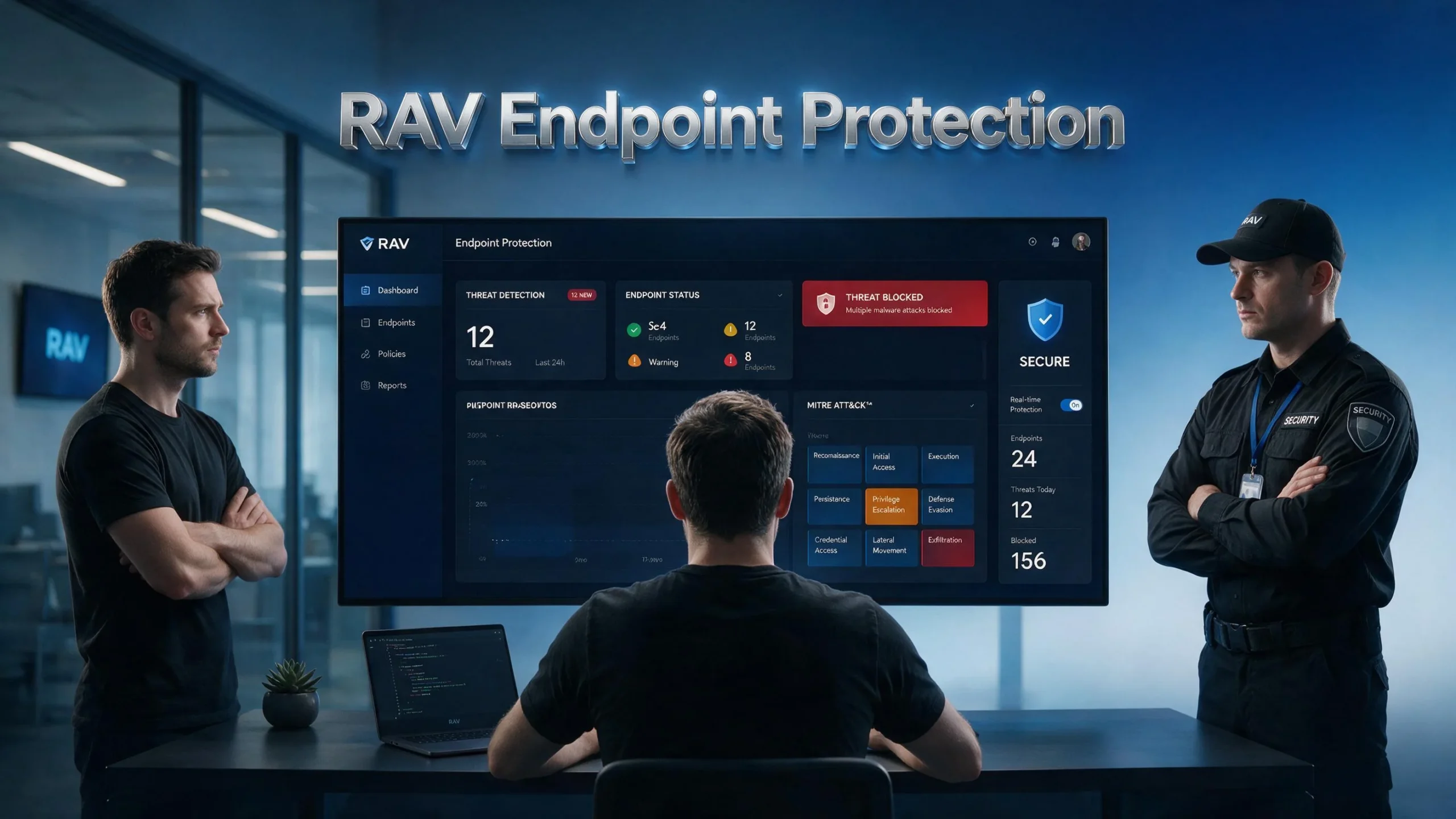
A Centralized Management Console allows IT administrators to manage and monitor endpoint security from a single, unified interface. With RAV Endpoint Protection, administrators can oversee protected devices, review security alerts, configure policies, manage threat responses, and monitor the overall security status of endpoints without having to configure each device individually. This centralized approach simplifies security administration, improves visibility across an organization, and helps IT teams respond more quickly to potential threats.
One of RAV Endpoint Protection’s most significant advantages over consumer antivirus is its centralized management capability. This is where the platform genuinely differentiates itself for business users.
Dashboard Overview
The management console provides:
✓ Fleet-wide security status (all devices at a glance)
✓ Real-time threat alerts (instant notification of incidents)
✓ Device inventory (complete list of protected endpoints)
✓ Compliance status (which devices are current, which need attention)
✓ Recent incidents (timeline of security events across organization)
✓ Threat intelligence (current threat landscape relevant to your organization)
Dashboard design philosophy:
The console is designed for IT administrators who may manage security alongside other responsibilities, not full-time security operations center (SOC) analysts. This means prioritizing clarity over comprehensiveness—showing what matters most without overwhelming.
Device Management Features
Per-device capabilities from console:
✓ Remote scan initiation (trigger scans on any device without touching it)
✓ Remote quarantine (isolate threats on remote devices)
✓ Policy deployment (push security policies to device or device groups)
✓ Software updates (ensure protection is current)
✓ Threat history (review each device’s incident history)
✓ Health status (confirm protection is active and current)
✓ Remote shutdown (isolate severely compromised devices)
Group management:
Organize devices by:
- Department (Sales, Finance, Engineering)
- Location (Head office, Remote workers, Branch offices)
- Device type (Laptops, Desktops, Servers)
- Risk level (High-value targets, Standard endpoints)
Apply different security policies to different groups—stricter for finance and executives, standard for general office use.
Policy Management
Security policies you can configure:
Scanning policies:
- Scan frequency (real-time, scheduled, on-demand)
- Scan depth (quick, standard, deep)
- Exclusions (known-safe files and folders)
- Automatic remediation (quarantine, delete, alert only)
Access control policies:
- USB device restrictions (allow, block, read-only)
- Application whitelisting/blacklisting
- Network access controls
- Website category blocking
Reporting policies:
- Alert thresholds (what triggers notifications)
- Reporting frequency (daily, weekly, real-time)
- Escalation procedures (who gets notified for critical events)
- Compliance reporting (GDPR, HIPAA-relevant reporting)
Reporting and Analytics
Available reports:
| Report Type | Frequency | Key Data | Audience |
|---|---|---|---|
| Executive Summary | Weekly/Monthly | Threat landscape, incidents, status | Leadership |
| Threat Analysis | On-demand | Detailed incident breakdown | IT Security |
| Compliance Report | Monthly/Quarterly | Policy adherence, audit data | Compliance |
| Device Health | Daily | Protection status across fleet | IT Admin |
| Incident Timeline | Real-time | Event-by-event incident detail | Analysts |
| User Activity | Weekly | Suspicious user behavior | HR/Security |
Platform Compatibility and Deployment
Supported Operating Systems
RAV Endpoint Protection supports:
| Platform | Versions Supported | Coverage Quality |
|---|---|---|
| Windows | Windows 10, 11, Server 2016/2019/2022 | Excellent |
| macOS | macOS 11+ (Big Sur and newer) | Very Good |
| Linux | Ubuntu 18.04+, CentOS 7+, RHEL 7+ | Good |
| Android | Android 8.0+ | Good |
| iOS | iOS 14+ | Limited (Apple restrictions) |
Windows coverage is strongest—which makes sense given Windows remains the primary target for 90%+ of business malware. Mac and Linux support is solid for organizations with mixed environments.
Deployment Options
How to deploy RAV Endpoint Protection:
Option 1: Manual Installation
- Download agent from management console
- Install on each device individually
- Suitable for small organizations (under 20 devices)
- Time-intensive for larger deployments
Option 2: Group Policy (Windows)
- Deploy via Active Directory Group Policy
- Automated installation across Windows fleet
- Minimal manual intervention
- Standard enterprise deployment method
Option 3: MDM Integration
- Deploy through Mobile Device Management platform
- Compatible with major MDM solutions (Intune, Jamf, etc.)
- Best for mobile device management
- Recommended for BYOD (Bring Your Own Device) environments
Option 4: RMM Integration
- Remote Monitoring and Management tool integration
- Popular with MSPs (Managed Service Providers)
- Automated deployment and management
- Suitable for organizations with complex IT infrastructure
Deployment time:
- Small business (10-25 devices): 2-4 hours
- Medium business (25-100 devices): 4-8 hours with scripted deployment
- Larger organizations (100+ devices): 1-3 days with proper planning
Pricing and Plans
RAV Endpoint Protection pricing structure:
RAV Endpoint Protection uses per-endpoint, per-year pricing. Specific pricing varies based on device count, commitment length, and features required. Here’s the general structure:
| Tier | Devices | Estimated Pricing | Key Features | Best For |
|---|---|---|---|---|
| Small Business | 5-25 devices | $5-8/device/month | Core protection, basic console | Micro and small businesses |
| Business | 25-100 devices | $4-7/device/month | Full features, advanced reporting | Growing SMBs |
| Enterprise | 100+ devices | Custom pricing | All features, dedicated support | Larger organizations |
Note: RAV Endpoint Protection pricing is typically obtained through direct quote. Contact ReasonLabs for current pricing specific to your organization’s needs.
What Affects Pricing
Factors influencing RAV Endpoint Protection cost:
✓ Device count (more devices typically = lower per-device cost)
✓ Commitment length (annual vs. multi-year discounts)
✓ Feature tier (basic vs. advanced features)
✓ Support level (standard vs. priority)
✓ Deployment assistance (self-service vs. managed onboarding)
Value Comparison vs. Alternatives
| Solution | Estimated Price/Device/Month | Ease of Use | Features | Best For |
|---|---|---|---|---|
| RAV Endpoint Protection | $5-8 | Good | Comprehensive | SMB to Mid-market |
| Microsoft Defender for Business | $3 (with M365) | Excellent | Good | Microsoft-centric orgs |
| CrowdStrike Falcon Go | $8-15 | Moderate | Enterprise-grade | Security-mature orgs |
| Malwarebytes for Teams | $5-8 | Very Easy | Focused | Budget-conscious SMB |
| Sophos Intercept X | $7-12 | Good | Excellent | Mid-market |
| ESET Endpoint Protection | $5-9 | Good | Very Good | Technical teams |
Performance in Real-World Business Scenarios
Scenario 1: Remote Work Force Protection
Challenge: 45-person consulting firm with 35 employees working remotely, using mix of company laptops and personal devices (BYOD).
RAV Endpoint Protection deployment:
- Centralized visibility of all 45 endpoints from single console
- Different policies for company devices vs. BYOD
- Web protection on all devices regardless of network
- Remote scan and remediation capability
Observed benefits:
- IT manager identified 3 personal devices with undetected malware during initial deployment scan
- Ransomware attempt on remote worker’s device isolated before spreading
- Policy enforcement ensured all devices maintained current protection
- Security status visible to IT without requiring physical access
Scenario 2: Hybrid Work Environment
Challenge: 75-person manufacturing company with office workers, factory floor tablets, and executive devices requiring different security levels.
RAV Endpoint Protection deployment:
- Device groups for factory floor, office workers, executives
- Stricter policies for executive devices (financial data access)
- USB restrictions on factory floor (prevents unauthorized data removal)
- Simplified management through group-based policy deployment
Observed benefits:
- USB blocking prevented supply chain attack attempt
- Executive device group received priority monitoring
- Compliance reporting simplified annual security audit
- Single console replaced three separate security tools
Scenario 3: MSP Managing Multiple Clients
Challenge: Managed Service Provider managing security for 12 small business clients with combined 280 endpoints.
RAV Endpoint Protection deployment:
- Multi-tenant management console
- Client-specific dashboards and reporting
- Automated alerts for each client’s incidents
- Consolidated billing with per-client breakdown
Observed benefits:
- Single platform replaced multiple client-specific solutions
- Automated threat response reduced reactive workload
- Client reporting generated automatically
- Consistent security standards across all clients
Strengths and Limitations: Honest Assessment
What RAV Endpoint Protection Does Well
1. AI-Powered Detection Quality
The threat detection technology demonstrates genuine sophistication. The ReasonLabs threat intelligence research team regularly discovers threats that reach the protection database before major competitors. This proactive intelligence approach provides protection advantage against emerging threats.
2. Management Console Usability
For organizations without dedicated security staff, the console strikes the right balance. IT administrators managing security alongside other responsibilities can understand the interface without months of training. This is genuinely important—complex tools that go unused provide no security value.
3. Deployment Flexibility
Supporting multiple deployment methods (manual, GPO, MDM, RMM) means RAV Endpoint Protection fits into diverse existing infrastructure. This reduces deployment friction significantly compared to solutions requiring specific infrastructure changes.
4. ReasonLabs Threat Research
The company’s reputation in threat research adds credibility. Organizations want endpoint protection backed by genuine security expertise, not just marketing. ReasonLabs has published respected threat research and maintains active intelligence operations.
5. MSP-Friendly Architecture
The multi-tenant capability makes RAV Endpoint Protection particularly strong for Managed Service Providers needing to manage multiple client organizations from single platform.
Limitations and Areas for Improvement
1. Brand Recognition vs. Established Players
ReasonLabs and RAV Endpoint Protection have less name recognition than CrowdStrike, Sophos, or even Malwarebytes in enterprise security. For organizations where vendor reputation matters to stakeholders, this can create internal adoption challenges.
2. Independent Testing Certification
Major competitors have extensive published results from AV-Test, AV-Comparatives, and SE Labs. RAV Endpoint Protection has fewer published independent test results. More extensive independent testing would strengthen buyer confidence.
3. Advanced Security Operations Integration
For organizations with dedicated security operations centers and SIEM (Security Information and Event Management) requirements, integration options are more limited than enterprise-focused competitors like CrowdStrike or Palo Alto Networks.
4. Linux Coverage Depth
While Linux is supported, the coverage depth lags behind Windows. Organizations with significant Linux server infrastructure should evaluate Linux-specific capabilities carefully.
5. Documentation and Training Resources
Documentation quality and training resources are adequate but not as extensive as some enterprise competitors. Organizations deploying without external IT support may find self-service resources less comprehensive than ideal.
RAV Endpoint Protection vs. Competitors
Head-to-Head Comparison
| Aspect | RAV Endpoint | CrowdStrike Falcon | Malwarebytes Teams | Sophos Intercept X | MS Defender Business |
|---|---|---|---|---|---|
| Ease of Setup | Good | Moderate | Very Easy | Good | Excellent |
| Detection Quality | Very Good | Excellent | Excellent | Excellent | Good |
| Management Console | Good | Excellent | Good | Excellent | Very Good |
| SMB Suitability | Excellent | Moderate | Excellent | Good | Very Good |
| Enterprise Features | Good | Excellent | Moderate | Excellent | Good |
| Pricing | Competitive | Expensive | Competitive | Moderate | Included w/M365 |
| Support Quality | Good | Excellent | Good | Very Good | Good |
| Independent Testing | Limited | Extensive | Extensive | Extensive | Extensive |
| MSP Support | Very Good | Good | Good | Excellent | Good |
| Overall Rating | ⭐⭐⭐⭐ | ⭐⭐⭐⭐⭐ | ⭐⭐⭐⭐⭐ | ⭐⭐⭐⭐⭐ | ⭐⭐⭐⭐ |
When to Choose RAV Endpoint Protection
RAV Endpoint Protection is ideal when:
✓ SMB or mid-market organization (10-200 devices sweet spot)
✓ Managed Service Providers needing multi-tenant management
✓ Mixed Windows/Mac environments without Linux-heavy infrastructure
✓ Organizations without dedicated security staff (manageable console)
✓ Budget-conscious buyers wanting comprehensive features without enterprise pricing
✓ Remote work heavy organizations needing device-agnostic protection
Consider alternatives when:
✗ Enterprise security operations center requiring deep SIEM integration
✗ Linux-heavy environments needing deep Linux coverage
✗ Strict vendor certification requirements demanding AV-Test/AV-Comparatives documented results
✗ Complex regulatory environments requiring specific compliance certifications
✗ Microsoft 365 already deployed (Defender for Business may be cost-effective alternative)
Implementation Guide: Getting Started with RAV Endpoint Protection
Pre-Deployment Planning
Before deploying RAV Endpoint Protection:
- Device inventory:
- Complete list of all endpoints requiring protection
- Operating system versions on each device
- Device ownership (company-owned vs. BYOD)
- Department and location assignments
- Policy planning:
- Identify high-risk departments needing stricter policies
- Determine USB access requirements by department
- Define acceptable website categories
- Establish escalation and alert procedures
- Technical preparation:
- Verify network connectivity requirements
- Check firewall rules for required communication
- Identify conflicts with existing security software
- Plan deployment method (manual, GPO, MDM)
- Stakeholder communication:
- Notify employees before deployment (sets expectations)
- Explain what the software does (reduces concern)
- Document support process for employee questions
- Train IT staff on console management
Deployment Checklist
- Administrator account created in RAV management console
- Device inventory completed and imported
- Device groups created (by department/location)
- Security policies defined for each group
- Deployment package prepared (appropriate for deployment method)
- Test deployment on 2-3 devices (verify functionality before fleet rollout)
- Fleet deployment executed
- Post-deployment scan of all devices initiated
- Alert and notification settings configured
- First weekly report generated and reviewed
- IT staff trained on console and incident response procedures
- Employee communication completed
First 30 Days Management
Week 1: Monitor closely
- Review alerts daily
- Address initial detections
- Fine-tune policies based on false positives
- Verify coverage of all devices
Week 2-3: Optimization
- Adjust policies based on Week 1 observations
- Add necessary exclusions
- Configure reporting schedules
- Train team on incident response workflows
Week 4: Steady state
- Establish weekly review routine
- Generate first monthly report
- Document lessons learned
- Plan ongoing maintenance schedule
RAV Endpoint Protection Checklist for Evaluation
Use this checklist when evaluating RAV Endpoint Protection for your organization:
Security Requirements
- AI-powered detection meets your threat model requirements
- Ransomware protection includes behavioral detection
- Web and email protection covers your communication channels
- Real-time protection with minimal performance impact
- Fileless malware detection capability confirmed
Management Requirements
- Console provides required visibility across device fleet
- Remote management capabilities meet your operational needs
- Policy management sufficient for your security requirements
- Reporting meets compliance obligations
- Alert and escalation workflows configurable
Technical Requirements
- All required operating systems supported
- Deployment method compatible with your infrastructure
- Integration requirements with existing tools verified
- Performance impact acceptable on your device types
- Network and firewall requirements documented
Business Requirements
- Pricing fits security budget
- Support level meets operational requirements
- Vendor stability and longevity acceptable
- Compliance certifications meet regulatory needs
- MSP or multi-tenant needs addressed (if applicable)
Frequently Asked Questions About RAV Endpoint Protection
Q: What is RAV Endpoint Protection and who makes it?
A: RAV Endpoint Protection is a business endpoint security platform developed by ReasonLabs, an Israeli-American cybersecurity company founded in 2016. RAV stands for “ReasonLabs Advanced Virus” technology. The platform provides centralized endpoint management, AI-powered threat detection, and real-time protection for organizations managing multiple devices. ReasonLabs maintains active threat research operations and leverages this intelligence in their protection technology.
Q: How does RAV Endpoint Protection differ from regular antivirus?
A: The key differences are management scale and visibility:
Regular antivirus:
– Protects one device
– Managed on each individual device
– No fleet-wide visibility
– No centralized policy management
RAV Endpoint Protection:
– Protects all organizational devices
– Centrally managed through cloud console
– Fleet-wide security dashboard
– Organization-wide policy deployment
– Remote management and response capability
Q: What size organizations is RAV Endpoint Protection best suited for?
A: RAV Endpoint Protection is best suited for small to medium-sized businesses with 5-200 devices. The sweet spot is 20-100 endpoints where the management overhead of individual device management becomes problematic but enterprise-grade solutions seem excessive.
Managed Service Providers managing multiple smaller clients also find strong value in the multi-tenant architecture.
Q: Does RAV Endpoint Protection work for remote workers?
A: Yes, this is one of RAV Endpoint Protection’s strengths. Protection is device-centric rather than network-centric, meaning:
– Protection works regardless of what network the device is connected to
– Home office and coffee shop Wi-Fi devices are protected equally
– Remote management allows IT to monitor, scan, and respond to remote devices
– Web protection applies on all networks, not just corporate networks
Q: How does RAV Endpoint Protection detect ransomware?
A: RAV Endpoint Protection uses behavioral ransomware detection rather than signature-only detection. This matters because new ransomware variants emerge constantly. The behavioral approach:
1. Monitors for mass file encryption behavior
2. Identifies suspicious process activity matching ransomware patterns
3. Alerts before encryption spreads across device
4. Provides endpoint isolation capability to prevent network spread
5. Some versions include rollback capability for recently modified files
Signature-based detection alone fails against new ransomware variants—behavioral detection is essential.
Q: Can RAV Endpoint Protection work alongside existing security software?
A: RAV Endpoint Protection is designed to function as primary endpoint protection, not typically as supplementary software alongside another active antivirus (running two real-time protection systems causes conflicts and performance issues).
However, it can complement:
– Network-level security (firewalls, network monitoring)
– Email security gateways
– Password managers
– Identity and access management solutions
– SIEM platforms (with appropriate integration)
Q: What reporting does RAV Endpoint Protection provide for compliance?
A: RAV Endpoint Protection generates reports supporting various compliance frameworks including:
– Security incident documentation
– Device protection status reports
– Policy compliance verification
– Threat detection and response timelines
For specific compliance frameworks (HIPAA, PCI-DSS, SOC2, GDPR), verify specific reporting requirements with ReasonLabs sales to confirm their platform meets your regulatory obligations.
Q: How does RAV Endpoint Protection perform on Mac devices?
A: Mac support is solid, covering macOS 11 (Big Sur) and newer. Mac-specific capabilities include:
– Real-time malware detection (Mac-specific threats)
– Web protection
– Management console integration
– Policy management
Mac coverage is strong for business use, though Windows coverage (naturally) receives primary development focus given Windows dominates corporate environments.
Q: Is RAV Endpoint Protection suitable for MSPs (Managed Service Providers)?
A: Yes, particularly so. RAV Endpoint Protection offers multi-tenant architecture allowing MSPs to:
– Manage multiple client organizations from single console
– Maintain separation between client environments
– Generate client-specific reporting
– Deploy consistent security across client base
– Scale pricing with managed device count
MSPs often find this a competitive differentiator when offering managed security services.
Q: How long does deployment typically take?
A: Deployment timeline varies significantly by organization:
– Small business (10-25 devices): 2-4 hours for complete deployment
– Medium business (25-100 devices): 4-8 hours with scripted or GPO deployment
– Larger organizations (100-300 devices): 1-3 days with proper planning
Initial deployment is just the beginning—policy refinement and optimization based on actual usage continues for 2-4 weeks after initial rollout.
Conclusion: Is RAV Endpoint Protection Right for Your Business?
After comprehensive evaluation, RAV Endpoint Protection represents a genuinely capable, reasonably priced endpoint security platform specifically suited for small to medium-sized businesses and Managed Service Providers.
The platform’s strengths are real and meaningful:
✓ AI-powered detection backed by active ReasonLabs threat research
✓ Centralized management making multi-device protection practical without dedicated security staff
✓ Ransomware behavioral protection addressing the dominant business threat
✓ Remote workforce coverage essential in 2026’s distributed work environment
✓ MSP-friendly architecture for service providers managing multiple clients
✓ Reasonable pricing competitive with alternatives for comparable features
The limitations are also real and worth acknowledging:
✗ Less brand recognition than CrowdStrike, Sophos, or established competitors
✗ Limited independent test documentation compared to major alternatives
✗ Enterprise security integration less developed than purpose-built enterprise tools
✗ Linux coverage adequate but not as deep as Windows
Who Should Choose RAV Endpoint Protection
RAV Endpoint Protection is the right choice for:
- SMBs with 10-200 devices wanting comprehensive protection without enterprise complexity
- Organizations with limited dedicated security staff needing manageable console
- Remote and hybrid work environments requiring device-centric protection
- MSPs wanting multi-tenant management with competitive pricing
- Organizations replacing consumer antivirus stepping up to real endpoint management
Who Should Look Elsewhere
Consider alternatives if you need:
- Enterprise SIEM integration depth (CrowdStrike, Palo Alto Networks)
- Extensively published independent testing results (Sophos, ESET, Bitdefender)
- Microsoft 365 deep integration (Microsoft Defender for Business)
- Heavy Linux infrastructure coverage (specialized Linux security tools)
The Bottom Line
RAV Endpoint Protection occupies an important and underserved market position—genuine endpoint protection with centralized management at pricing accessible to smaller organizations. For the right organization profile, it delivers meaningful security improvement over the consumer antivirus solutions many SMBs rely on inadequately.
Evaluate it through a trial with your specific environment. Ask ReasonLabs for references in your industry and comparable organization size. Test the management console against your operational requirements. Security decisions deserve thorough evaluation—but RAV Endpoint Protection deserves serious consideration for the right organizations.
Additional Resources
RAV Endpoint Protection:
Security Research and Testing:
Business Security Resources: