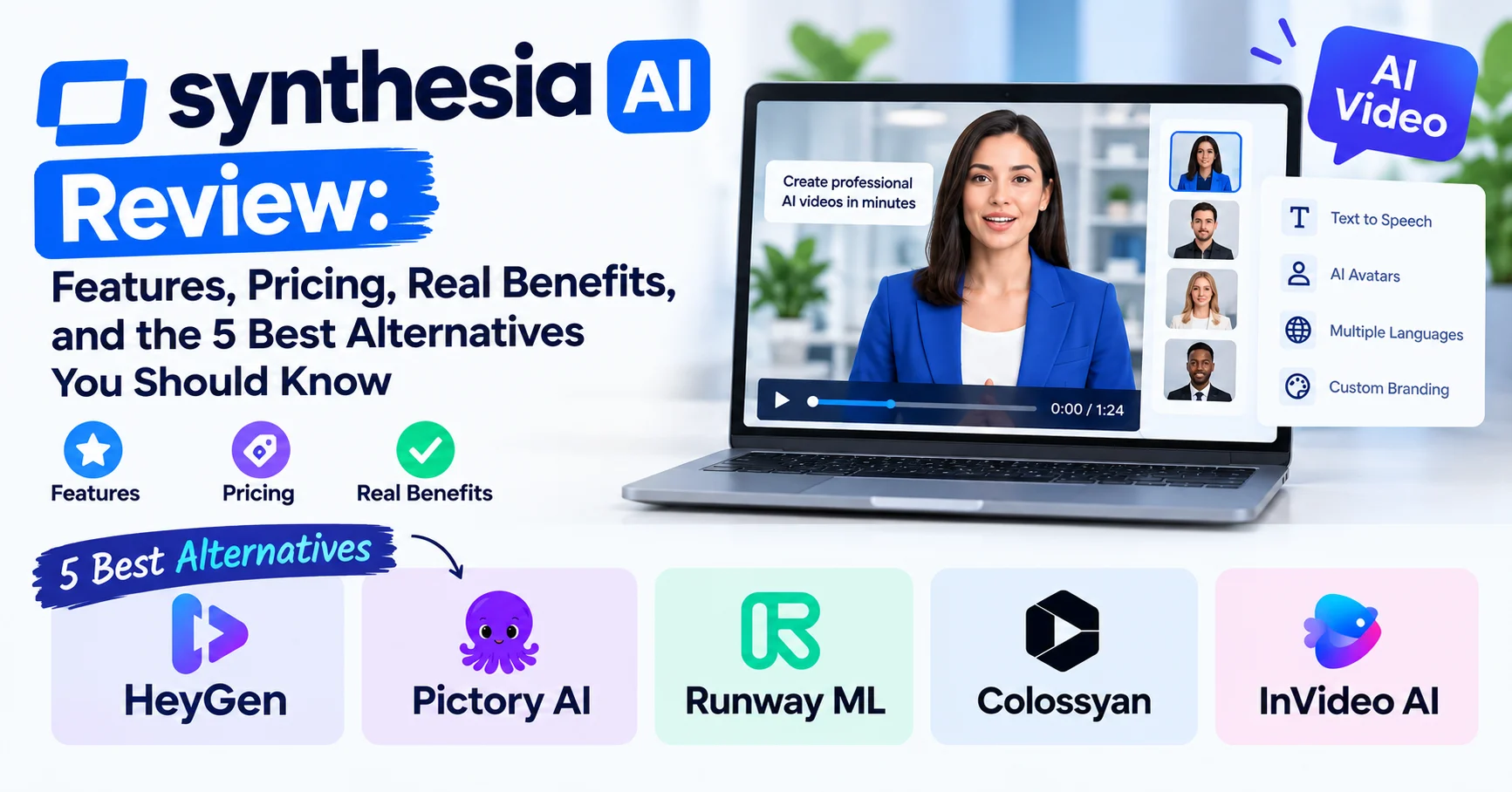
Synthesia AI Review: Features, Pricing, Real Benefits, and the 5 Best Alternatives You Should Know

Introduction To Synthesia AI
If you’ve been exploring AI video creation tools, chances are Synthesia AI has already appeared on your radar. And for good reason — it’s one of the most talked-about platforms in the space right now. But is it genuinely worth your time and money in 2026, or is it just another overhyped tool?
In this in-depth Synthesia AI review, I’ll give you my honest take based on hands-on experience: what the platform does well, where it falls short, how its pricing compares, and — crucially — which alternatives are worth considering if Synthesia isn’t the right fit for you.
Here’s what you’ll find in this guide:
- A full breakdown of Synthesia AI’s core features
- Real pricing tiers and what you actually get for the money
- Honest pros and cons
- A side-by-side comparison of the 5 best Synthesia AI alternatives
- A FAQ section and practical checklist before you subscribe
Let’s get into it.
What Is Synthesia AI?
Synthesia AI is a browser-based AI video generation platform that allows users to create professional-looking videos using AI avatars, text-to-speech technology, and customizable templates — without needing a camera, microphone, or video editing skills.
Founded in 2017 and headquartered in London, Synthesia has grown into one of the leading AI video tools on the market, serving over 50,000 businesses worldwide as of 2026, including names like Google, BBC, and Heineken.
The core idea is simple: you type your script, choose an AI avatar, select a language, and Synthesia generates a talking-head video within minutes. No filming required.
💡 Key Fact: Synthesia AI supports over 140 languages and accents, making it one of the most versatile multilingual video tools currently available.
Who Is Synthesia AI For?
Before diving into features and pricing, it’s worth asking: is this tool actually built for you?
Synthesia AI is ideal for:
- Corporate training teams creating onboarding or compliance videos
- Marketing teams producing product demos and explainer content
- E-learning developers building scalable course content
- HR departments delivering internal communications at scale
- Freelancers and agencies who need fast, professional video output for clients
If you’re a solo content creator looking to make YouTube vlogs or short-form social content with a personal, authentic feel, Synthesia may not be your best match. But for business-facing video production, it’s in its element.
Synthesia AI Core Features (2026)
1. AI Avatars
This is where Synthesia AI shines brightest. The platform offers 230+ AI avatars in 2026, ranging from diverse professional personas to expressive characters. You can also create a custom avatar based on your own likeness, which is particularly valuable for brand consistency.
The avatars are noticeably more natural-looking than they were two or three years ago. Lip-sync accuracy has improved significantly, and subtle facial expressions add a layer of realism that was previously missing.
What I noticed personally: Custom avatars still require a short video recording submission and a review process that can take 24–72 hours. It’s not instant, but the result is impressive.
2. Text-to-Speech and Voice Cloning
Synthesia AI offers 130+ voice options across its supported languages. The voices sound clean and natural, particularly in English. You can also adjust speaking pace, pauses, and emphasis directly within the script editor.
In 2026, Synthesia introduced a voice cloning feature available on higher-tier plans, allowing you to generate speech in your own voice without recording every line manually. This is a game-changer for teams producing high volumes of content.
3. Screen Recording and Video Upload
One underrated feature: Synthesia now integrates screen recording directly in the platform. You can combine screen-captured footage with your AI avatar for software tutorials, product walkthroughs, or demo videos — all in one place.
4. Template Library
The platform includes 60+ pre-designed templates organized by use case: training, sales, marketing, how-to videos, etc. These templates are genuinely well-designed and save a huge amount of time when you’re working under deadlines.
5. Collaboration and Team Features
For teams, Synthesia AI offers real-time collaboration, shared workspaces, brand kits (custom fonts, colors, logos), and role-based permissions. This makes it practical for larger organizations where multiple stakeholders are involved in content creation.
6. Closed Captions and Accessibility
All videos can have auto-generated captions added in seconds. Given the growing emphasis on accessible content in 2026, this is no longer optional for most businesses — and Synthesia handles it cleanly.
7. Video Analytics
A recent addition: built-in analytics that track viewer engagement, watch time, and drop-off rates when videos are shared via Synthesia’s native sharing links. It’s basic compared to dedicated analytics tools, but useful for quick performance checks.
Synthesia AI Pricing (2026)
Here’s a breakdown of Synthesia AI’s current pricing tiers as of 2026:
| Plan | Price | Videos/Month | Avatars | Key Features |
|---|---|---|---|---|
| Starter | $29/month | 10 videos | 125+ avatars | 1 custom avatar, templates, captions |
| Creator | $89/month | 30 videos | 150+ avatars | Voice cloning, screen recording, brand kit |
| Enterprise | Custom | Unlimited | 230+ avatars | SSO, API access, dedicated support, compliance tools |
⚠️ Important Note: The “videos” limit refers to videos up to 10 minutes each. Longer productions count as multiple video credits. Always check your actual usage needs before selecting a plan.
Is there a free trial? Yes — Synthesia offers a free demo account where you can generate a limited number of short sample videos without entering payment details. It’s enough to test the interface and evaluate the avatar quality before committing.
Synthesia AI: Pros and Cons
✅ What Synthesia AI Does Well
- Ease of use: The interface is clean, intuitive, and requires zero video production experience
- Language support: 140+ languages makes it unmatched for global content
- Avatar quality: Among the most realistic AI avatars on the market in 2026
- Business-ready features: Brand kits, team collaboration, and compliance tools are mature and reliable
- Speed: A 5-minute video can be produced in under 20 minutes from scratch
- Scalability: Particularly strong for teams creating high volumes of similar content
❌ Where Synthesia AI Falls Short
- No B-roll or stock footage library natively — you’ll need external assets
- Limited creative freedom compared to traditional video editors
- Custom avatars take time to process (24–72 hours)
- Pricing can escalate quickly for teams with high monthly video needs
- Emotional range of avatars remains somewhat limited for storytelling-driven content
- No mobile app — still a desktop/browser-only experience as of early 2026
Synthesia AI User Ratings
| Category | Rating |
|---|---|
| Ease of Use | ⭐⭐⭐⭐⭐ (4.8/5) |
| Avatar Quality | ⭐⭐⭐⭐⭐ (4.6/5) |
| Language Support | ⭐⭐⭐⭐⭐ (4.9/5) |
| Value for Money | ⭐⭐⭐⭐ (3.9/5) |
| Customer Support | ⭐⭐⭐⭐ (4.1/5) |
| Overall | ⭐⭐⭐⭐⭐ (4.5/5) |
Ratings aggregated from G2, Capterra, and Trustpilot reviews (2025–2026 data)
The 5 Best Synthesia AI Alternatives in 2026
Even with its strengths, Synthesia AI isn’t a one-size-fits-all solution. Here are the five most credible alternatives worth considering — each with a distinct advantage.
1. HeyGen — Best for Realistic Avatar Customization
HeyGen is an AI video creation platform that lets users generate professional videos using AI avatars, voiceovers, and text-to-video tools. It supports multiple languages and can create presenter-style videos without requiring traditional filming or advanced video-editing skills. HeyGen is useful for marketing, training, product demonstrations, social media content, and business communications, making it a practical solution for teams and creators looking to produce engaging videos quickly.
HeyGen has quietly become one of Synthesia’s strongest rivals. Its AI avatars are arguably more expressive, and the platform now includes video translation with lip-sync — meaning you can upload an existing video and have it re-spoken in another language with matching mouth movements.
| Feature | HeyGen | Synthesia AI |
|---|---|---|
| Avatar Expressiveness | ⭐⭐⭐⭐⭐ | ⭐⭐⭐⭐ |
| Video Translation | ✅ Yes | ⚠️ Limited |
| Starting Price | $29/month | $29/month |
| Language Support | 40+ | 140+ |
| Free Plan | ✅ Yes (limited) | ✅ Demo |
Best for: Marketing teams needing video localization at scale.
2. Pictory AI — Best for Repurposing Long-Form Content
Pictory AI is an AI-powered video creation and editing platform that helps users turn text, scripts, articles, and other content into engaging videos. It can automatically generate scenes, captions, voiceovers, and visual elements, making video production faster and easier. Pictory AI is useful for marketers, content creators, educators, and businesses creating social media videos, presentations, training materials, and promotional content without advanced video-editing skills.
Pictory AI takes a different approach: it’s designed to convert long-form content (blog posts, webinars, podcasts) into short, shareable video clips automatically.
It’s not an avatar-first platform — instead, it focuses on AI-powered video summarization and clip generation, making it ideal for content marketers who want to maximize existing assets.
Starting price: $23/month
Best for: Content repurposing and social media clip creation.
3. Runway ML — Best for Creative and Generative Video
Runway ML is an AI-powered creative platform designed for generating and editing videos, images, and other visual content. It offers tools for text-to-video generation, image-to-video animation, background removal, visual effects, and AI-assisted editing. Runway ML is widely useful for filmmakers, designers, marketers, and content creators who want to produce professional-looking visuals with less manual work. Its combination of generative AI and creative editing tools makes it suitable for everything from social media content and advertising to cinematic projects and visual experimentation.
Runway ML sits at the cutting edge of generative video AI. Unlike Synthesia, it lets you generate video from text prompts, edit footage using AI commands, and apply cinematic effects — making it more powerful creatively but with a steeper learning curve.
Starting price: $15/month
Best for: Creative agencies, filmmakers, and advanced users who want generative AI video capabilities.
4. Colossyan — Best Synthesia Alternative for L&D Teams
Colossyan is an AI video creation platform focused on producing professional videos with AI avatars and voiceovers. It allows users to turn scripts, presentations, and training materials into engaging videos without cameras, actors, or traditional production equipment. Colossyan is particularly useful for corporate training, employee onboarding, education, internal communications, and instructional content. With support for multiple languages and customizable AI presenters, it helps organizations create and update professional video content more efficiently.
Colossyan was purpose-built for Learning & Development teams. It offers branching scenarios (where learners make choices that affect the video path), making it ideal for interactive training content.
Compared to Synthesia AI, Colossyan provides more sophisticated e-learning-specific features, while Synthesia has the edge in language support and avatar variety.
Starting price: $27/month
Best for: HR and L&D professionals creating interactive training videos.
5. InVideo AI — Best Budget-Friendly Option
InVideo AI is an AI-powered video creation platform that helps users turn text prompts, scripts, and ideas into complete videos. It can generate scenes, visuals, voiceovers, subtitles, and background music, making video production faster and more accessible. InVideo AI is useful for content creators, marketers, businesses, and social media teams creating promotional videos, tutorials, advertisements, and short-form content without advanced editing skills. Its automated workflow allows users to generate and customize videos while reducing the time and effort required for traditional video production.
InVideo AI is a solid option if you need affordable AI video generation without the premium Synthesia AI price tag. You can generate videos from text prompts, access a large stock media library, and create content with voiceover in minutes.
The avatar quality is less advanced than Synthesia, but for simple marketing videos or social content, it covers the basics well at a significantly lower price point.
Starting price: $25/month (with a generous free tier)
Best for: Small businesses, solopreneurs, and beginners on a budget.
Full Comparison Table: Synthesia AI vs. Alternatives
| Tool | Starting Price | AI Avatars | Languages | Best For | Rating |
|---|---|---|---|---|---|
| Synthesia AI | $29/month | 230+ | 140+ | Business & corporate video | ⭐⭐⭐⭐⭐ 4.5/5 |
| HeyGen | $29/month | 100+ | 40+ | Marketing & video translation | ⭐⭐⭐⭐⭐ 4.4/5 |
| Pictory AI | $23/month | ❌ | 10+ | Content repurposing | ⭐⭐⭐⭐ 4.1/5 |
| Runway ML | $15/month | ❌ | N/A | Creative generative video | ⭐⭐⭐⭐ 4.2/5 |
| Colossyan | $27/month | 50+ | 70+ | L&D & training | ⭐⭐⭐⭐ 4.3/5 |
| InVideo AI | $25/month | Limited | 50+ | Budget-friendly creation | ⭐⭐⭐⭐ 3.9/5 |
Practical Checklist: Is Synthesia AI Right for You?
Use this checklist before committing to a Synthesia AI subscription:
- I need to create professional videos regularly (at least 4–10/month)
- I don’t have video production skills or equipment but need polished results
- I need multilingual content — Synthesia’s 140+ language support is a major asset
- I’m creating business-facing content (training, corporate comms, onboarding)
- My budget is $29–$89/month and I expect to stay within a reasonable video credit limit
- I want a platform that’s easy to onboard a team onto quickly
- I need accessibility features like auto-captions without extra tools
If you checked 4 or more boxes: Synthesia AI is likely a strong fit.
If you checked 2 or fewer: Consider HeyGen (for marketing) or InVideo AI (for budget needs) instead.
Quick Summary: Synthesia AI in a Nutshell
🎯 Bottom Line: Synthesia AI is one of the most mature and reliable AI video platforms available in 2026. It excels at producing scalable, professional-quality videos for business use — especially for training, corporate communications, and multilingual content. Its main limitations are pricing scalability for high-volume users and creative constraints compared to more generative tools.
Best choice if: You need a polished, business-ready AI video tool with minimal learning curve and strong language support.
Consider alternatives if: You need generative video (Runway), video repurposing (Pictory), interactive training (Colossyan), or are on a tight budget (InVideo AI).
Frequently Asked Questions About Synthesia AI
Is Synthesia AI free to use?
Synthesia AI does not offer a permanently free plan, but it provides a free demo account where you can test the platform and generate a small number of sample videos without a credit card. Paid plans start at $29/month.
How realistic are Synthesia AI avatars in 2026?
The avatars are among the most realistic available in the AI video space today. Lip-sync accuracy is high, and subtle facial expressions have improved considerably. Custom avatars that mirror your own appearance are available on paid plans after a 24–72 hour review process.
Can Synthesia AI videos be detected as AI-generated?
Yes — to an experienced eye, Synthesia AI videos can still be identified as AI-generated, particularly due to limited avatar movement and the absence of natural background environments. However, for corporate and training contexts, this rarely poses a practical problem.
Does Synthesia AI support custom branding?
Yes. On Creator and Enterprise plans, you can upload your brand kit (logo, fonts, color palette) and apply it consistently across all videos. This is one of Synthesia’s stronger features for agencies and large teams.
What languages does Synthesia AI support?
As of 2026, Synthesia AI supports 140+ languages and accents, including English, French, Spanish, German, Mandarin, Arabic, Hindi, Japanese, and many more — making it one of the most globally capable AI video tools available.
Is Synthesia AI GDPR compliant?
Yes. Synthesia AI is fully GDPR compliant and follows strict data protection standards. Enterprise plans also include additional compliance and security features such as SSO and data residency options.
Can I use Synthesia AI for YouTube content?
Technically yes, but it’s not Synthesia’s natural home. YouTube audiences tend to respond better to authentic, personality-driven content. Synthesia AI works best for structured, information-heavy video formats rather than entertainment-focused channels.
How does Synthesia AI compare to HeyGen?
Both tools are strong, but they have different strengths. Synthesia AI leads in language support and enterprise features, while HeyGen leads in avatar expressiveness and video translation with lip-sync. The right choice depends on your specific use case.
Conclusion: Should You Use Synthesia AI in 2026?
After spending significant time with the platform, my verdict is clear: Synthesia AI is genuinely one of the best AI video tools on the market in 2026 — but it’s not for everyone.
If your goal is to produce professional, scalable video content for business purposes — without the cost and complexity of traditional video production — Synthesia AI delivers on its promise. The avatar quality, language support, and team collaboration features are class-leading.
However, if you need creative freedom, generative video capabilities, or you’re on a very limited budget, tools like Runway ML, InVideo AI, or HeyGen may serve you better.
The smartest move? Start with Synthesia’s free demo, test the workflow with a real project from your business, and see how the output holds up against your standards. If it fits, the Starter plan at $29/month is a reasonable entry point. If it doesn’t, you’ll know quickly — and you’ll have five solid alternatives waiting.
The bottom line on Synthesia AI: For business video production at scale, it’s one of the most capable and reliable tools available today. Just go in with clear expectations about what it’s built for — and what it’s not.
Last updated: June 2026 | Sources: Synthesia.io official site, G2 Reviews, Capterra, Trustpilot, and direct platform testing.